Configure Event Alerts
Send WSO2 Agent Manager events to a webhook, chat channel, email recipient, or incident service. Register a destination, subscribe to events, and inspect delivery results in the Console.
Event alerts require an Agent Manager build containing the Events and monitor-alerting changes. These instructions describe the Next version.
Prerequisites
- An installation with eventing enabled, as described below.
- An organization role with
amp:events:manageto create and test destinations. Viewing organization Events requiresamp:events:read. - For project or agent subscriptions, the project update (
amp:project:update) or agent update (amp:agent:update) permission, as described in the authorization reference. - A receiver endpoint or notification service credentials. See Notification Service URLs.
Step 1: Enable Eventing
For Helm installations, eventing is off by default. Add this configuration to your installation values and apply it through your existing Helm upgrade process:
agentManagerService:
  config:
    events:
      mode: nats
Without an external server URL, this configuration deploys the bundled NATS server with persistent JetStream storage. To use an existing JetStream server, configure its URL and, when required, its token Secret:
agentManagerService:
  config:
    events:
      mode: nats
      natsUrl: nats://nats.example.com:4222
      natsToken:
        existingSecret: agent-manager-nats-auth
        existingSecretKey: token
Create the referenced Secret in the Agent Manager namespace before applying these values. Keep the token out of committed values files.
For deployments configured through environment variables, set EVENTS_MODE=nats and EVENTS_NATS_URL. Set EVENTS_NATS_TOKEN through your secret-management mechanism when the server requires it. With no mode or URL configured, the service defaults to off; supplying a URL without a mode selects nats.
Use EVENTS_MODE=off, or Helm mode: "off", to disable event processing and alert delivery explicitly. The Console hides Events while eventing is disabled. Monitor evaluations continue running.
The quick-start installer explicitly selects embedded mode. Its in-memory bus supports one service replica and loses queued bus messages and pending bus retries on restart. Use nats for persistent delivery and multiple replicas.
Step 2: Register a Destination
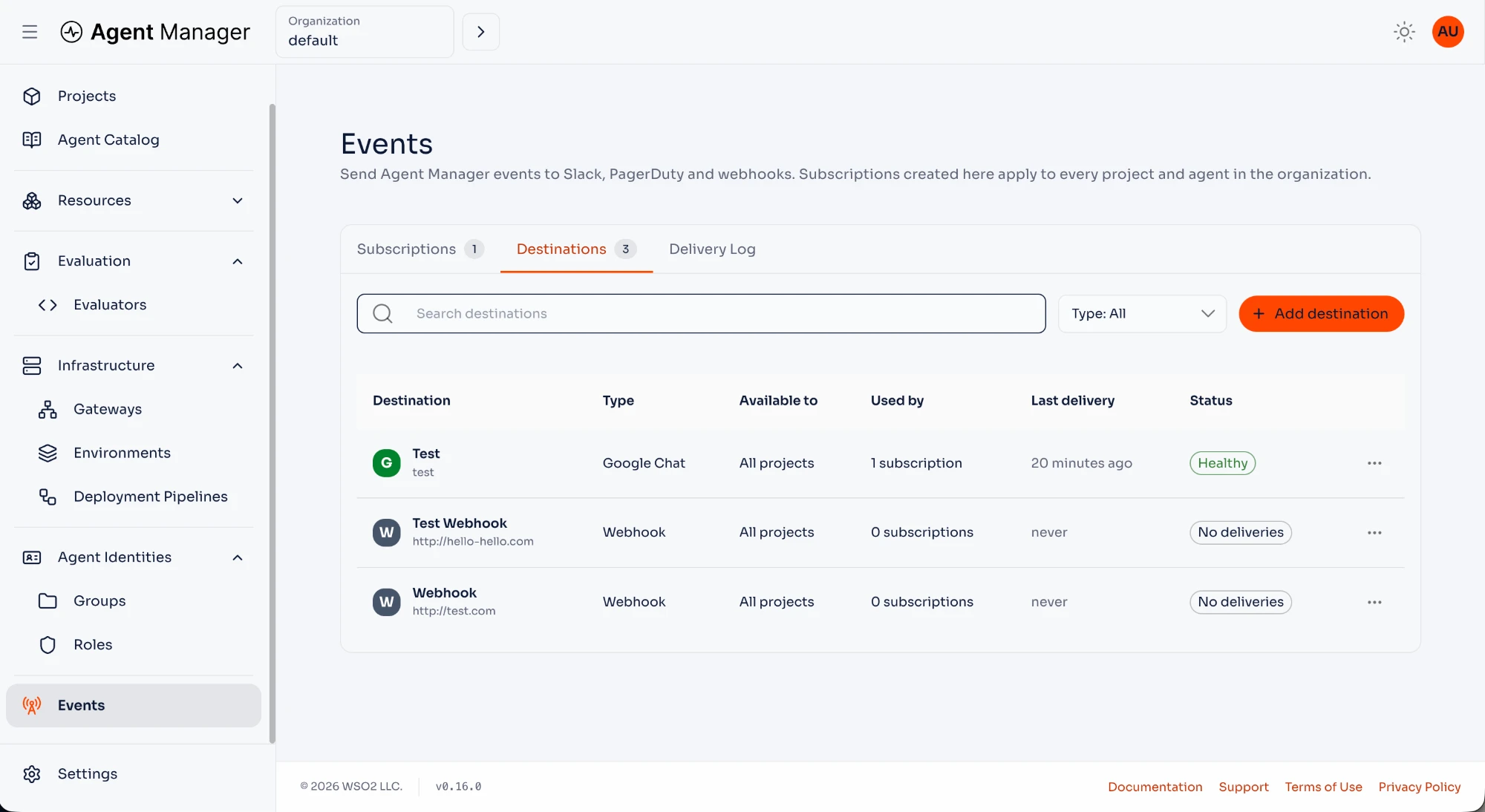
- Select your organization in the Console and open Events in the sidebar.
- Open Destinations and click Add destination.
- Select the notification service, or select Webhook for a custom receiver. Use More services to find additional notification integrations.
- Enter the service URL from Notification Service URLs, or the webhook Endpoint URL.
- Enter a Name and optional Description.
- Under Available to, select All projects, Selected projects, or Organization only. For selected projects, select the projects that may use the destination.
- Click Add destination.
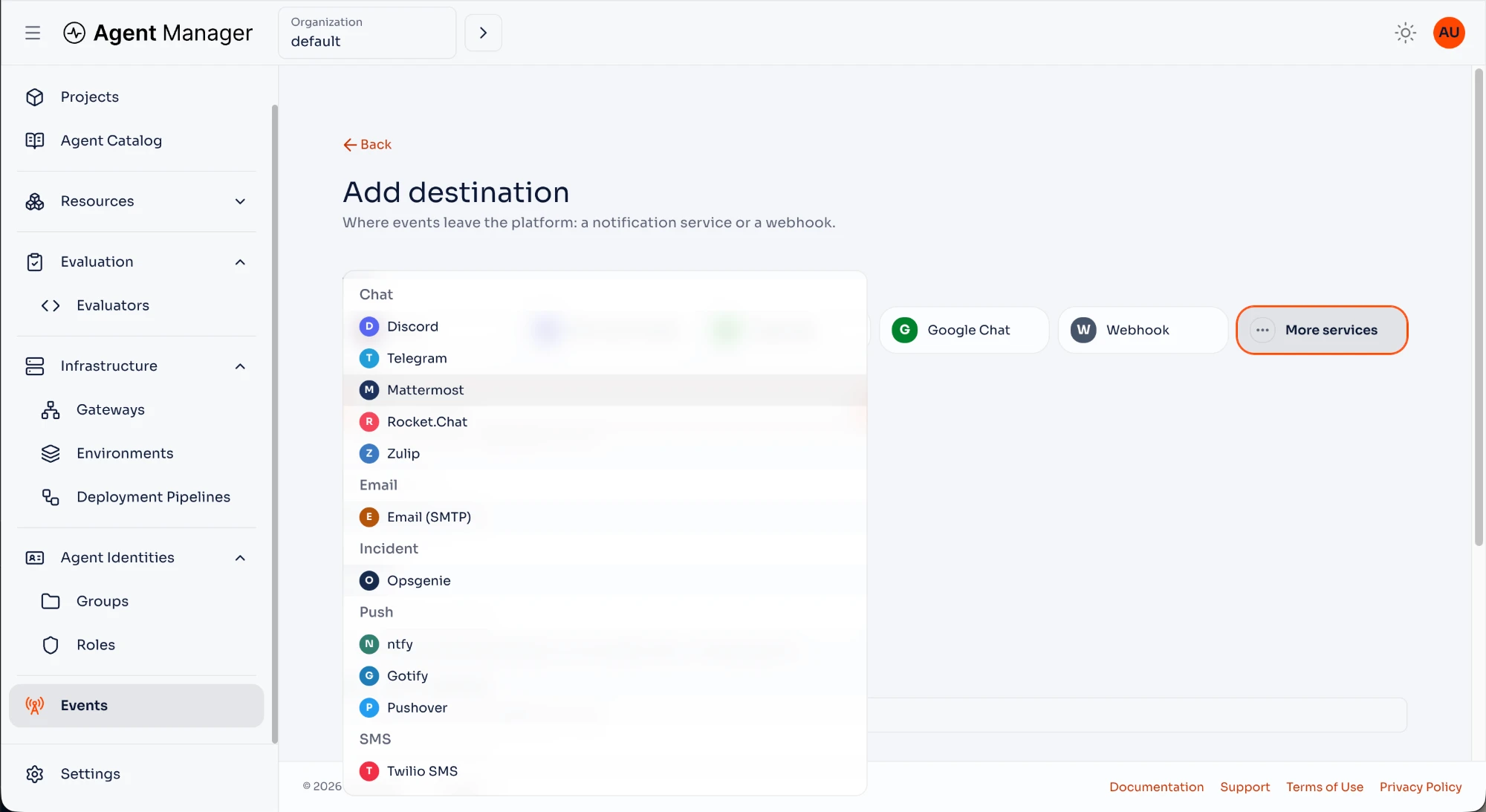
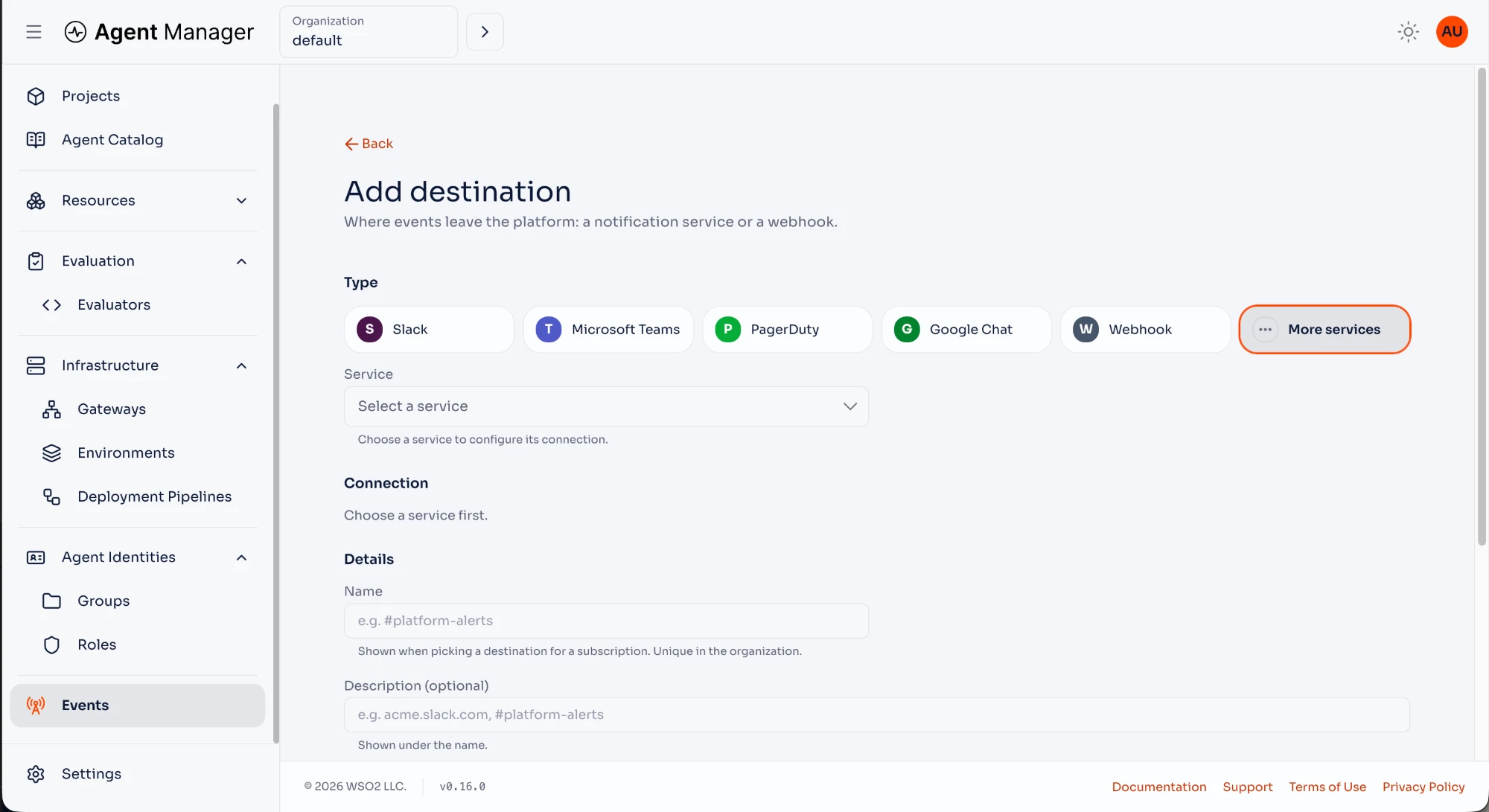
Notification URLs contain credentials. Agent Manager encrypts them and does not return them when a destination is read. When editing a destination, leave the URL empty to retain the saved credential. If you change the service, enter the URL again.
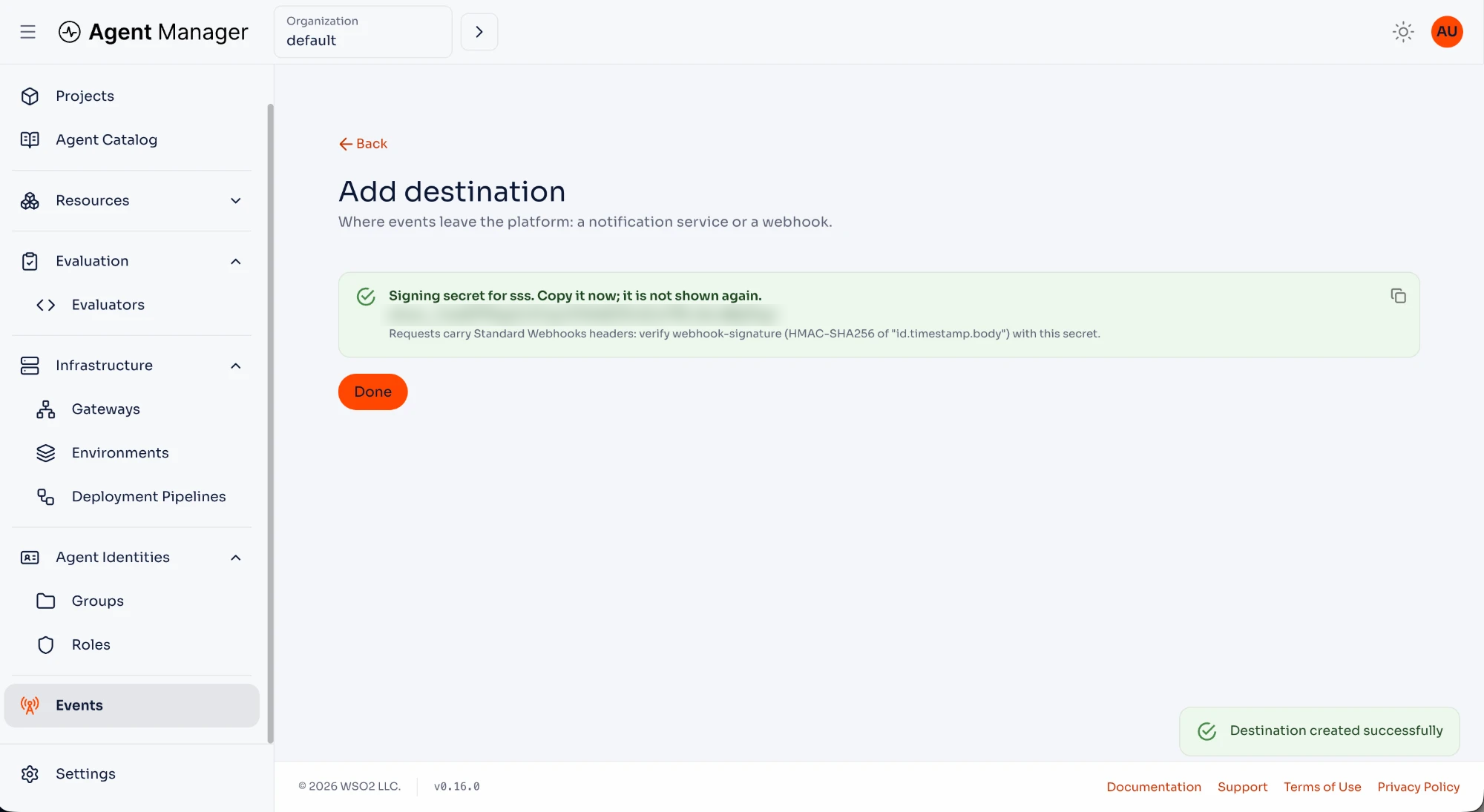
For webhooks, copy the signing secret when it is displayed. Verify incoming requests using the webhook-id, webhook-timestamp, and webhook-signature headers according to Standard Webhooks. Use webhook-id to deduplicate deliveries.
Step 3: Subscribe to Events
- At the organization, project, or agent scope, open Events → Subscriptions.
- Open the subscription creation form and enter its name.
- Select a destination available to that scope.
- Select the event types to receive and any environment filter.
- Click Create subscription.
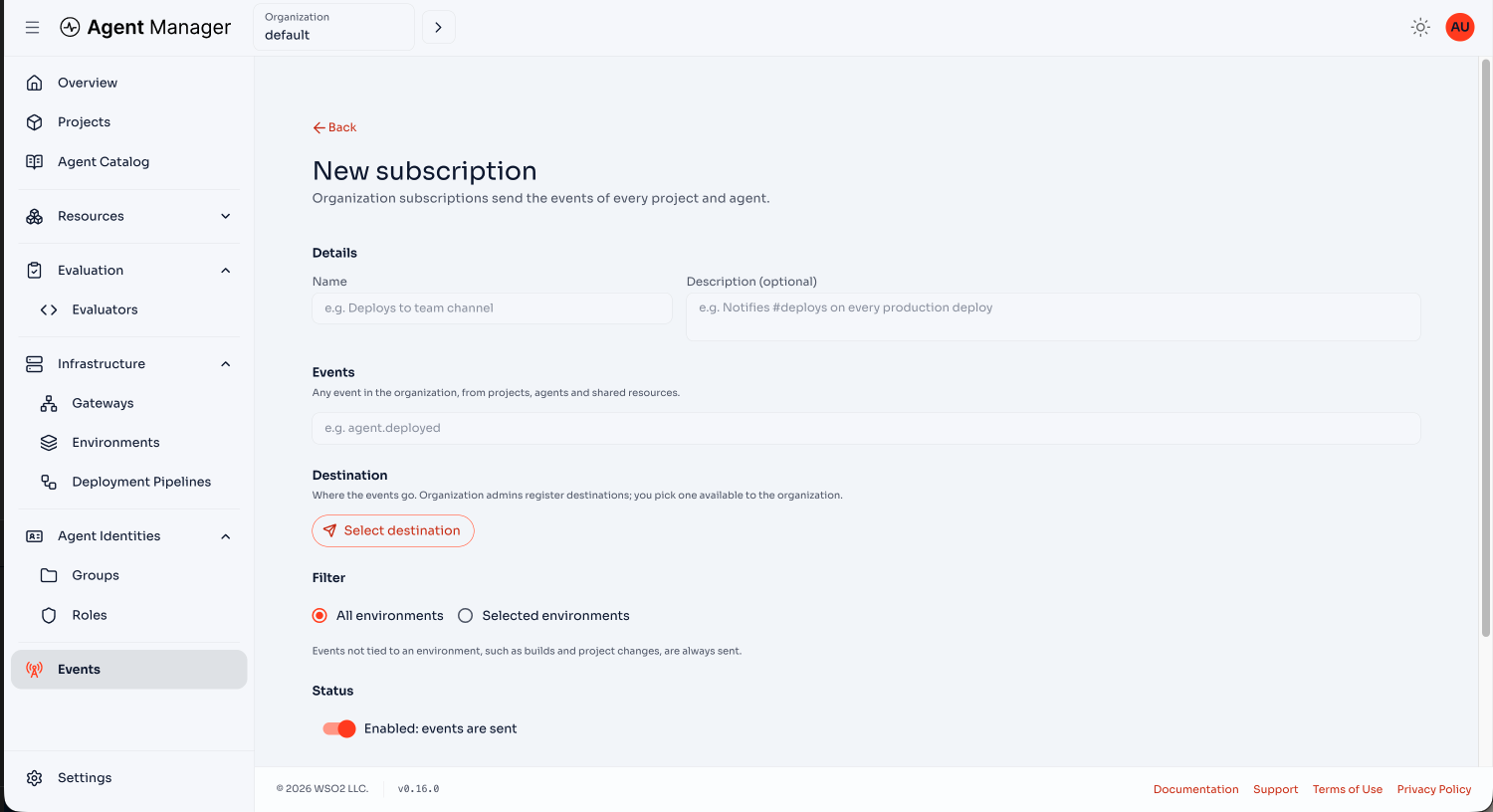
An organization subscription receives matching events from the organization and its projects and agents. A project subscription receives matching events from that project and its agents. An agent subscription receives matching events from that agent.
A subscription does not receive events from a wider scope. An empty environment filter includes all environments. Events without an environment also match an environment filter.
When several subscriptions match the same event and destination, Agent Manager sends one delivery and records all matching subscriptions. Inherited subscriptions appear read-only at narrower scopes.
Verify Delivery
Open the destination's actions menu, select Send test event, and confirm that the receiver gets the test notification. A test sends a real message; it does not require a subscription. Only callers with amp:events:manage can test destinations.
Trigger a subscribed event, then open Delivery Log at the corresponding scope. Inspect its status and any delivery error. Delivery is at least once, so receivers must tolerate duplicates.
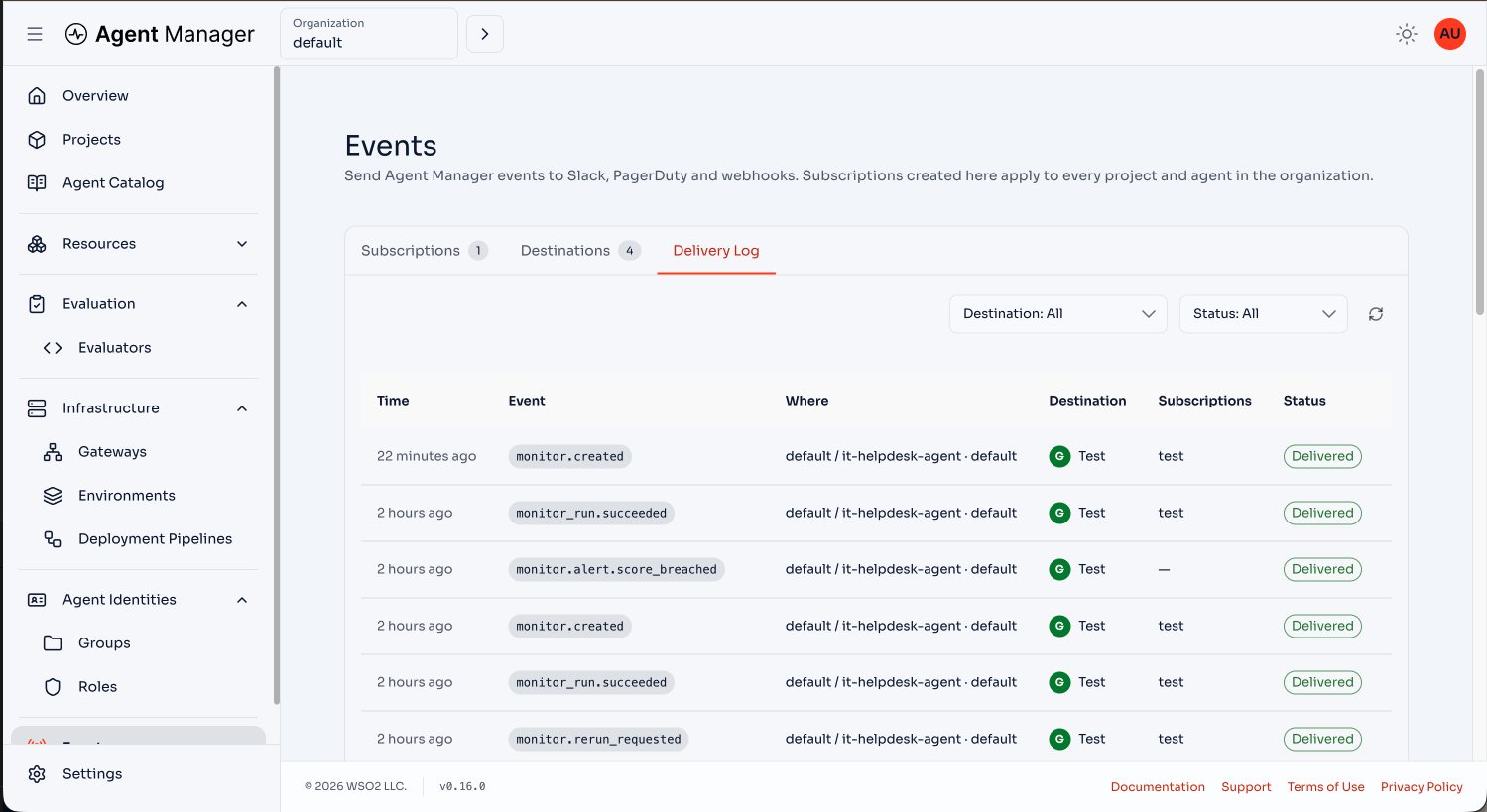
Delivery history is retained for 14 days by default. Operators can change EVENTS_DELIVERY_RETENTION_DAYS and EVENTS_DELIVERY_MAX_ATTEMPTS (six attempts by default).
If the database or event bus is unavailable while an event is being matched to subscriptions and monitor alerts, Agent Manager retries with a growing delay for about 75 minutes. After that, the event is dropped and the loss is logged.
Troubleshooting
- Events is missing: confirm eventing is enabled and your token contains the required permissions. The Console discovers the feature through
GET /api/v1/config. - A destination is unavailable: check Available to and the project selection. Project and agent subscriptions cannot use an organization-only destination.
- A URL is rejected: check the service URL syntax and percent-encoding. Production destinations must resolve to public addresses; private endpoints are blocked by default.
EVENTS_ALLOW_PRIVATE_DESTINATIONS=trueis intended for local development. - Deletion or an availability change is refused: remove or update the subscriptions and monitor alert settings that still use the destination, then retry. The error names the subscriptions that use it, or says that monitor alert settings use it.
- A delivery fails: check the provider credential, receiver availability, and delivery error. Webhook retries include network failures, rate limits, and server errors; most other client errors are terminal. Notification services are retried after a failure, except an email whose recipient or sign-in the mail server refuses with a permanent (5xx) reply; a temporary (4xx) reply, such as greylisting, is retried.
- A delivery stays pending: a delivery with no activity for six hours has lost its queued job, for example after an
embeddedrestart, and is marked failed.