Give access to APIs and create roles
2 min
Before implementing team management features, we need to configure the necessary API resources and roles in Asgardeo. This ensures that Teamspace has the required permissions to manage organizations, users, and their roles.
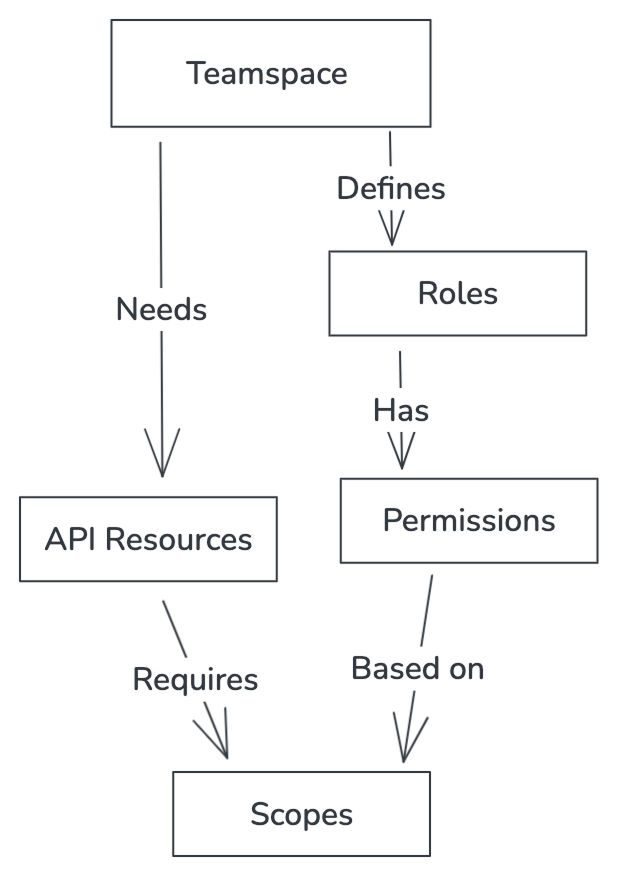
Let's give the application access to the required API resources.
- Navigate to the application in the Asgardeo console.
- Click on "API Authorization" tab
-
Give access to the following APIs.
API Path Scopes Application Management API /api/server/v1/applicationsview Application Management Api /o/api/server/v1/applicationsview Organization Management API /api/server/v1/organizationsview, create SCIM2 Users API /scim2/Usersview, create, list SCIM2 Users API /o/scim2/Usersview, create, delete, list SCIM2 Roles API /scim2/Rolesview, update SCIM2 Roles API /o/scim2/Rolesview, update Guest Invitation Management API /o/api/server/v1/guests/invitationcreate 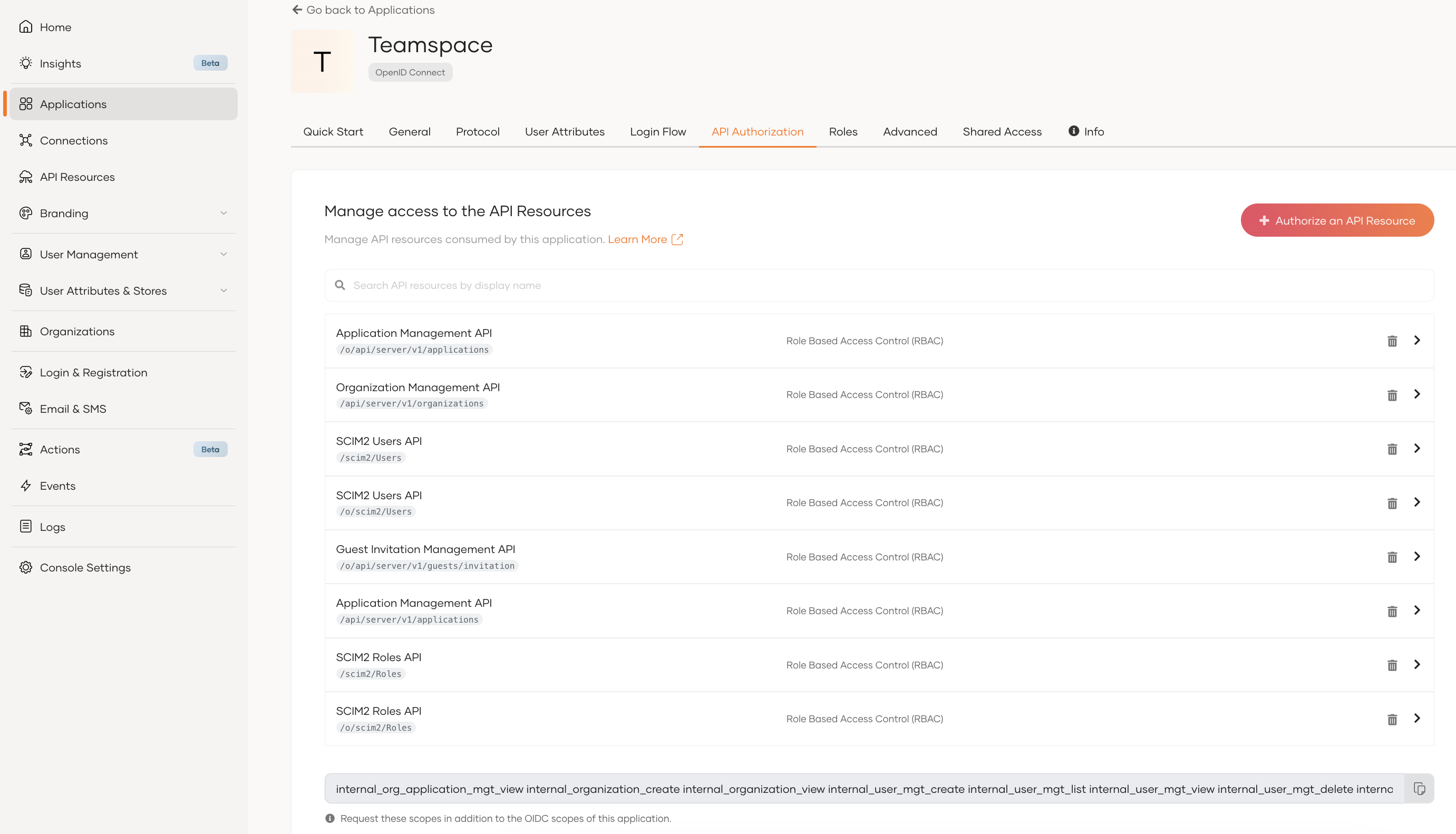
Note
copy the scopes to be added to your app’s .env file once it is set up in the next steps.
Once access to the APIs is given, create the necessary roles in the application.
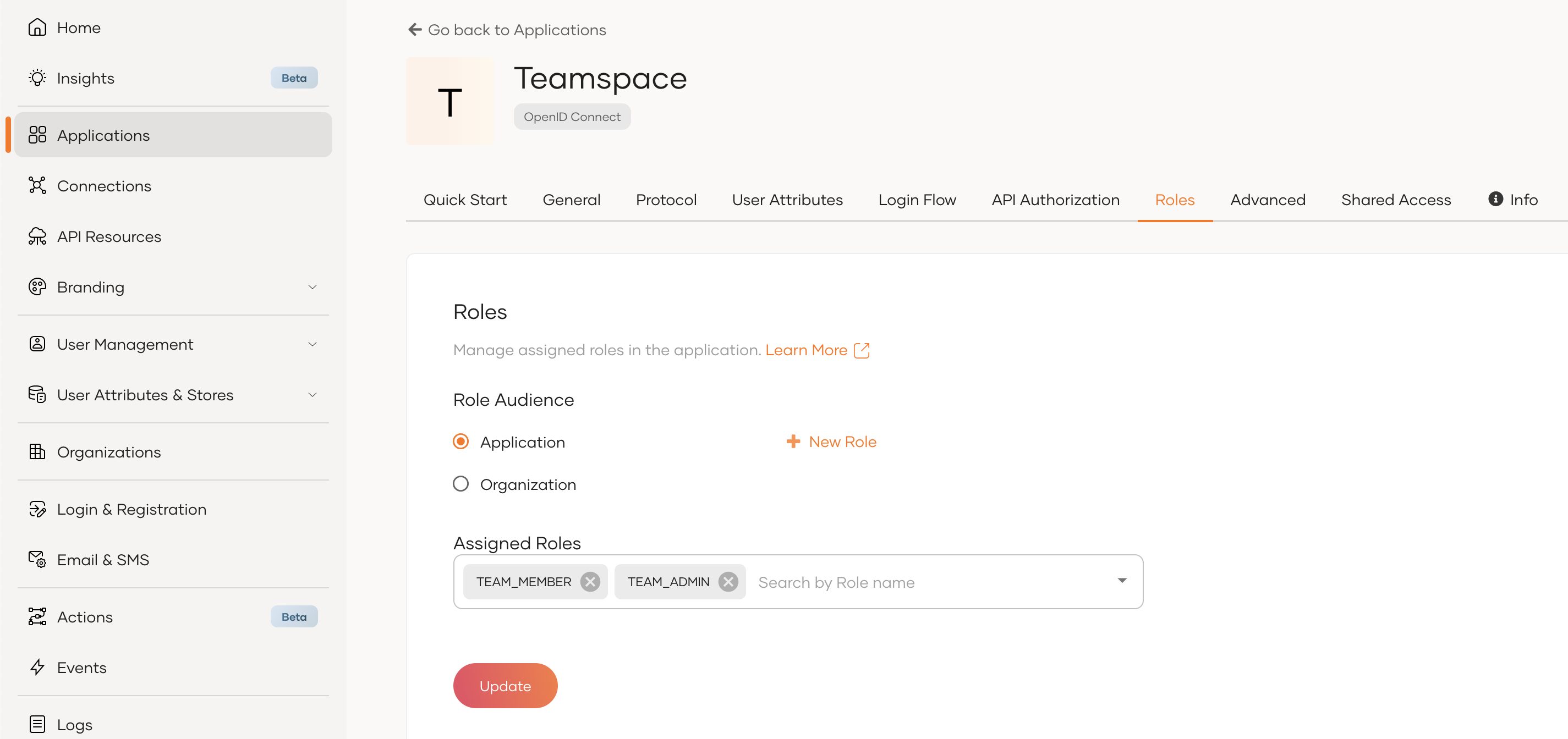
- Navigate to the “Roles” tab of your application.
- Keep the role audience as "Application"
- Create roles and assign permissions.
For Teamspace, we can create two roles as follows:
- TEAM_ADMIN - can manage teams and users
- This role is assigned to anyone signing up to the app as well. Therefore, the permissions required to add teams and users must be there.
- Roles API is required to assign the added users to roles.
- Application API is required to get the app ID.
- TEAM_MEMBER - can view users in the team
For the TEAM_ADMIN role, give the all permissions in the following paths.
| API | Path |
|---|---|
| Application Management Api | /o/api/server/v1/applications |
| Organization Management API | /api/server/v1/organizations |
| SCIM2 Users API | /scim2/Users |
| SCIM2 Users API | /o/scim2/Users |
| SCIM2 Roles API | /scim2/Roles |
| SCIM2 Roles API | /o/scim2/Roles |
| Guest Invitation Management API | /o/api/server/v1/guests/invitation |
For the TEAM_MEMBER role, give the following permissions.
| API | Path | Permissions |
|---|---|---|
| SCIM2 Users API | /scim2/Users | list |
| SCIM2 Users API | /o/scim2/Users | list |
Info
- Read more on role creation
- Read more on API authorization and Role Based Access Control