Manage teams
15 min
In this step, we implement team management functionality of adding teams.
Adding a team
In Teamspace, adding a new team means creating an organization within Asgardeo. This implementation follows Asgardeo's self-service approach, which empowers users to create and manage their own organizations.
This approach allows users in the root organization to create teams and onboard team administrators without requiring intervention from the root organization's administrators. This is facilitated through Teamspace, which acts as a self-service portal built using Asgardeo APIs. This reduces administrative overhead and improves scalability by allowing teams to be managed independently.
In this step, let's see how to make Teamspace a self-service portal and implement the functionality to create new teams and assign the creator as the team administrator.
Info
Read more on the self-service approach and maintaining admins in root organization in the Asgardeo documentation.
Create route
First, create an app route for the organization creation page. Create a new file called app/create-organizations/page.tsx and add the following code:
'use client';

import Link from 'next/link';
import {CreateOrganization} from '@asgardeo/nextjs';
import { useRouter } from 'next/navigation';

export default function CreateOrganizations() {
    const router = useRouter();

  return (
    <div className="min-h-screen flex items-center justify-center bg-gradient-to-br from-blue-50 via-background to-purple-50 p-4">
      <div className="w-full max-w-md">
        <CreateOrganization
          onSuccess={() => {
            router.push('/');
          }}
        />
        <div className="mt-8 text-center">
          <Link href="/" className="text-sm text-muted-foreground hover:text-foreground">
            ← Back to home
          </Link>
        </div>
      </div>
    </div>
  );
}
Implementation
Now let's modify the page.tsx file to include this component when the user has signed in.
'use client'

import {  SignedIn, SignedOut, SignInButton, SignOutButton, User, UserDropdown, UserProfile, SignUpButton } from '@asgardeo/nextjs';
import Link from 'next/link';

export default function Home() {
  return (
    <div className="flex flex-col min-h-screen">
      {/* Header */}
      <header className="bg-white border-b border-gray-200 sticky top-0 z-50">
        <div className="max-w-7xl mx-auto px-4 sm:px-6 lg:px-8">
          <div className="flex justify-between items-center h-16">
            {/* Left - Branding or Nav (can add logo here) */}
            <div className="flex items-center space-x-4">
              <SignedIn>
                {/* Add logo or navigation for signed-in users if needed */}
                <span className="text-sm text-gray-600">Welcome to Team Space</span>
              </SignedIn>
              <SignedOut>
                <span className="text-sm text-gray-600">Team Space</span>
              </SignedOut>
            </div>

            {/* Right - User Actions */}
            <div className="flex items-center space-x-3">
              <SignedIn>
                <UserDropdown />
                <SignOutButton />
                  <Link href="/create-organizations">
                    <button className="px-4 py-2 text-white rounded-full hover:opacity-90 transition" style={{ backgroundColor: "#FF7300" }}>
                      Add Teams
                    </button>
                  </Link>
              </SignedIn>
              <SignedOut>
                <SignInButton />
                <SignUpButton />
              </SignedOut>
            </div>
          </div>
        </div>
      </header>

      {/* Main Content */}
      <main className="flex-grow flex flex-col items-center justify-center text-center px-4 py-12 gap-6 bg-gray-50">
        <SignedIn>
          <User>
            {(user) => (
              <div className="text-lg font-medium text-gray-800">
                Welcome back, {user.userName || user.username || user.sub}
              </div>
            )}
          </User>
          <div className="mt-4">
            <UserProfile />
          </div>
        </SignedIn>
        <SignedOut>
          <p className="text-gray-700">You are not signed in. Please Sign In or Sign Up</p>
        </SignedOut>
      </main>
    </div>
  );
}
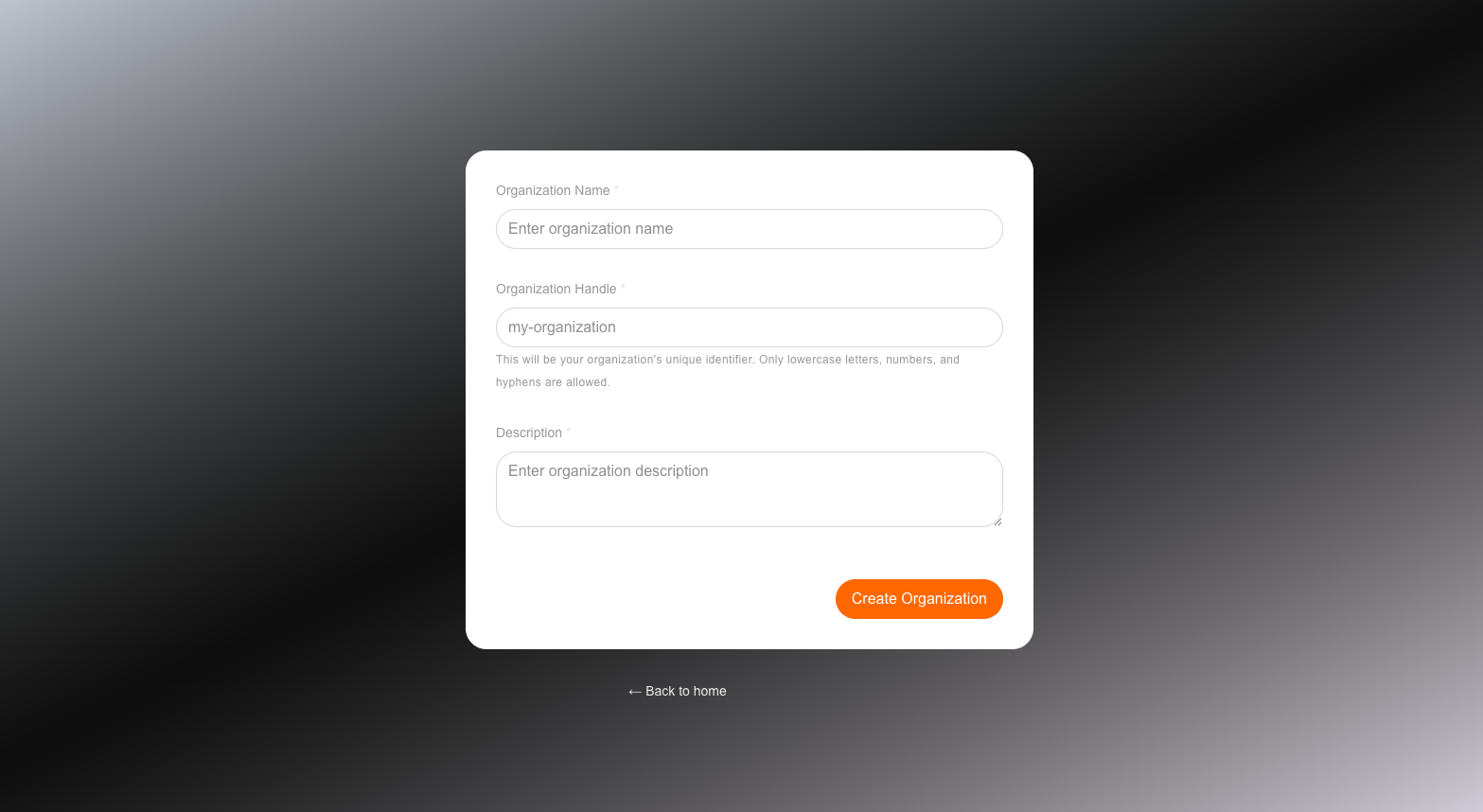
Now when the app is running, once the user logs in you should see an 'Add Teams' button and once clicked it should appear as below. This can be used to add a new Team as a sub Organization in to Asgardeo.