Display logged-in user details
2 min
At this point, we’ve successfully implemented login and logout capabilities using the Asgardeo React SDK. The next step is to explore how to access and display logged-in user details within the app.
The React SDK has components can be used to display user information. You can use the User, UserProfile, or UserDropdown components to access and display user profile information in a declarative way.
User: TheUsercomponent provides a render prop pattern to access user profile information:UserProfile: TheUserProfilecomponent provides a declarative way to display and update user profile information.UserDropdown: TheUserDropdowncomponent provides a dropdown menu with built-in user information and sign-out functionality.
First let's use the User Component to display the username as below.
import { SignedIn, SignedOut, SignInButton, SignOutButton, User } from '@asgardeo/react'
import './App.css'

function App() {
  return (
    <>
      <header>
        <SignedIn>
          <UserDropdown />
          <SignOutButton />
        </SignedIn>
        <SignedOut>
          <SignInButton />
        </SignedOut>
      </header>
      <main>
        <SignedIn>
          <User>
            {(user) => (
              <div>
                <p>Welcome back, {user.userName || user.username || user.sub}</p>
              </div>
            )}
          </User>
        </SignedIn>
      </main>
    </>
  )
}

export default App;
Now let's use the UserProfile component to display and update user profile information.
import { SignedIn, SignedOut, SignInButton, SignOutButton, User, UserProfile } from '@asgardeo/react'
import './App.css'

function App() {
  return (
    <>
      <header>
        <SignedIn>
          <SignOutButton />
        </SignedIn>
        <SignedOut>
          <SignInButton />
        </SignedOut>
      </header>
      <main>
        <SignedIn>
          <User>
            {(user) => (
              <div>
                <p>Welcome back, {user.userName || user.username || user.sub}</p>
              </div>
            )}
          </User>
          <UserProfile />
        </SignedIn>
      </main>
    </>
  )
}

export default App;
Finally we can use the UserDropdown component to provide a dropdown menu with built-in user information and sign-out functionality.
import { SignedIn, SignedOut, SignInButton, SignOutButton, User, UserDropdown, UserProfile } from '@asgardeo/react'
import './App.css'

function App() {
  return (
    <>
      <header>
        <SignedIn>
          <UserDropdown />
          <SignOutButton />
        </SignedIn>
        <SignedOut>
          <SignInButton />
        </SignedOut>
      </header>
      <main>
        <SignedIn>
          <User>
            {(user) => (
              <div>
                <p>Welcome back, {user.userName || user.username || user.sub}</p>
              </div>
            )}
          </User>
          <UserProfile />
        </SignedIn>
      </main>
    </>
  )
}

export default App;
Alternatively the Asgardeo React SDK webhook which is useAsgardeo() can be used to fetch user information, so that you can directly access those from the state (such as user.username) and use them in the application. First, let’s try to display the username using user.username. Replace the code in app.jsx with the following.
import { useAsgardeo } from '@asgardeo/react';
import './App.css'

const AuthenticatedApp = () => {
  const {
    isSignedIn,
    signIn,
    signOut,
    user
  } = useAsgardeo();

  return (
    <div>
      {isSignedIn && user ? (
        <>
          <p>Welcome {user.userName || user.username || user.sub}</p>
          <button onClick={() => signOut()}>Sign Out</button>
        </>
      ) : (
        <button onClick={() => signIn()}>Sign In</button>
      )}
    </div>
  );
};

export default AuthenticatedApp;
If your React application is already running in the development mode, the home page will be reloaded and you will see the updated user interface.
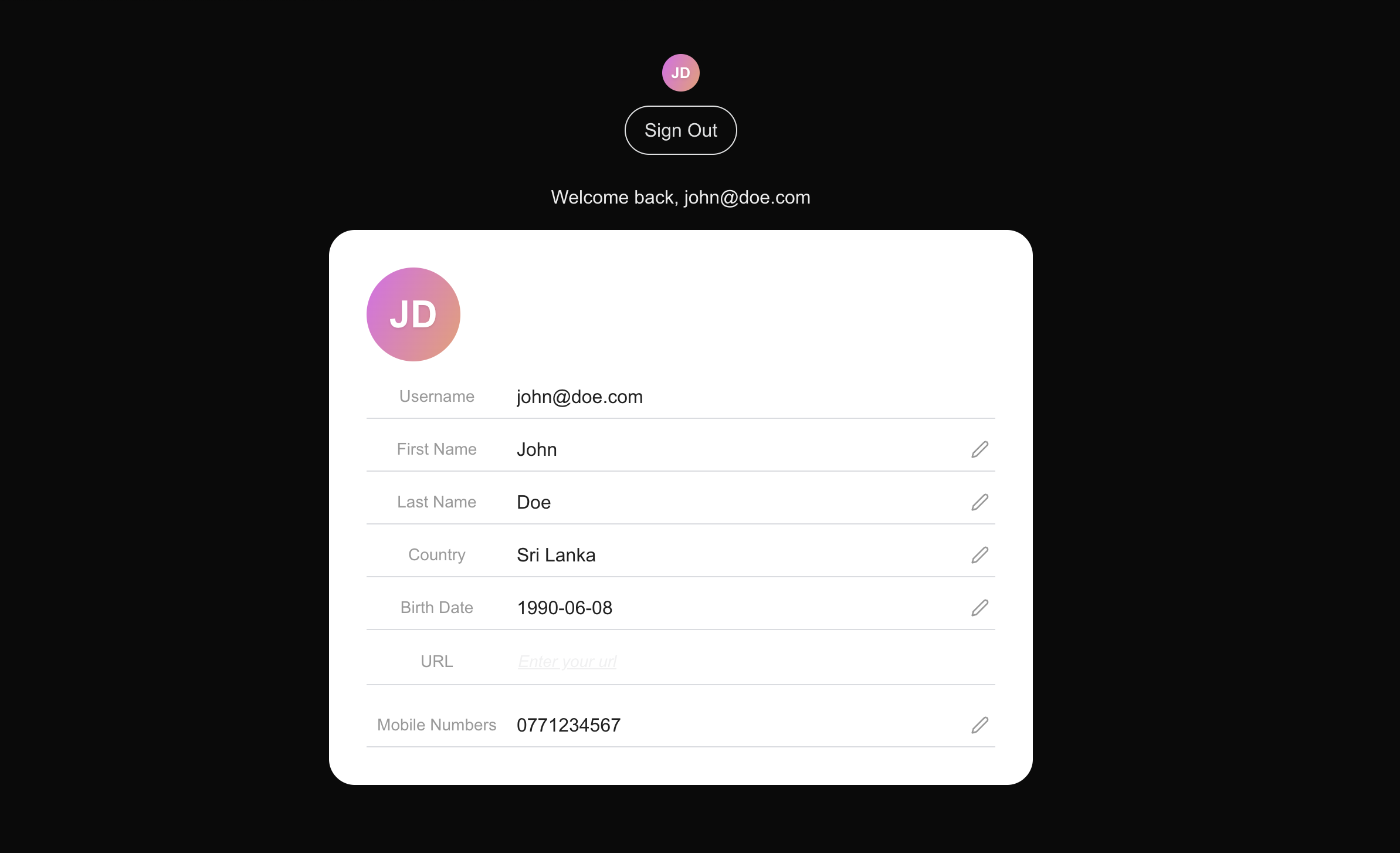
In this step, we further improved our React app to display the user attributes. As the next step, we will try to secure routes within the app.