Integrating WSO2 Identity Platform with KONG AI Gateway for Agent Identity Management
In this tutorial, we explore how enterprises can securely scale multi-agent AI systems using WSO2 Identity Platform and the KONG AI Gateway. As AI adoption grows, organizations often rely on multiple AI agents, some optimized for speed and cost, others designed for deep reasoning and critical decision-making. Without proper governance, this can quickly lead to security risks, runaway costs, and uncontrolled model access. By combining WSO2 Identity Platform’s identity and access management for non-human agents with the KONG AI Gateway’s intelligent routing, scope-based authorization, and token-aware rate limiting, teams gain precise control over who can access which AI models and at what cost. Let’s dive in and see how this architecture brings security, efficiency, and confidence to enterprise-grade AI deployments.
The use case: Enterprise support system
Imagine a global software provider facing a 40% year-over-year increase in support tickets. To scale without bloating the budget, they have deployed a Multi-Agent AI System. Instead of a single general-purpose agent, they use multiple agents:
- The Coordinator Agent: A fast, cost-effective agent that classifies incoming tickets.
- The Expert Agent: A "deep thinking" agent reserved for critical, complex infrastructure outages.
The agents in action
| Agent | Model | Role | Primary Goal |
|---|---|---|---|
| The Coordinator Agent | Gemini 2.5 Flash - Lite | Support-Coordinator | Instant triage and categorization. |
| The Expert Agent | Gemini 3 Pro, Gemini 2.5 Pro | Technical-Specialist | Deep reasoning and code fixing. |
Example scenario
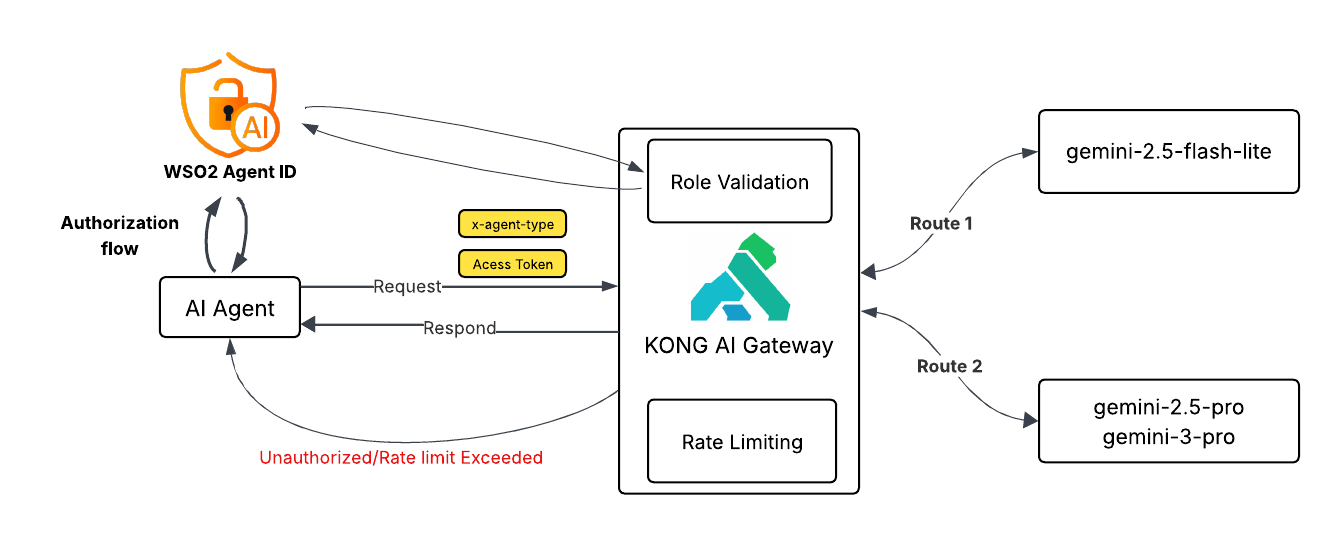
- Intake & Triage: A customer reports "Server down, error 503." The application invokes the Coordinator Agent. The agent authenticates via WSO2 Identity Platform, receiving a token with the
Support-Coordinatorrole. KONG AI Gateway validates this role and the specific rate limit before routing the request to the cheaper mini model. - Escalation & Reasoning: Identifying a "Critical" flag, the system wakes up the Expert Agent. This agent authenticates as a
Technical-Specialist. KONG AI Gateway verifies the role and applies a strict rate limit to prevent recursive loops from draining the cloud budget on the expensive reasoning model.
Below is a high-level conceptual overview of the architecture we plan to explore.
WSO2 Identity Platform configuration
We begin by establishing the "Digital Identities" for our non-human agents. WSO2 WSO2 Identity Platform handles the authentication, issuing secure tokens that define exactly what each agent is allowed to do.
Register an application
- Log in to the WSO2 Identity Platform Console.
- Go to Applications > New Application.
- Select Standard-Based Application.
- Configure the application:
- Name:
Enterprise Support System - Protocol: OpenID Connect
- Tick Allow AI agents to sign into this application.
- Name:
- After Creation, in the Protocol tab:
- Add Allowed grant types: Code
- For Authorized redirect URLs, add the callback URL of your application. (For agent auth, this is not really needed, so you can use
http://localhost:3000/callback). - Enable the public client in Client Authentication.
- Set the Access Token type to JWT and add roles to Access Token Attributes.
Create the roles
We need to define the roles that Kong will look for.
- Navigate to User Management > Roles.
- Click + New Role.
- Role Name: Support-Coordinator
- Assign application Enterprise Support System.
- Click Finish.
- Click + New Role again.
- Role Name: Technical-Specialist
- Assign application Enterprise Support System.
- Click Finish.
Register AI agents
Since these are autonomous agents, we create "Auth Identities" for them. WSO2 Agent Identity is a great way to do this.
- On WSO2 Identity Platform Console, go to Agents.
- Create the Coordinator Agent:
- Name: coordinator-agent
- Make a note of the Agent ID and Agent Secret.
- Go to Roles and assign this agent to the Support-Coordinator role.
- Create the Expert Agent:
- Name: expert-agent
- Make a note of the Agent ID and Agent Secret.
- Go to Roles and assign this agent to the Technical-Specialist role.
Kong AI Gateway configuration
Now we configure the AI Gateway. Kong will sit in front of the AI models, checking the ID cards (tokens) issued by WSO2 Identity Platform and routing traffic to the correct model.
Create a dummy service
We create a service to act as a placeholder. The AI Proxy plugin will intercept requests and reroute them to Google, so the actual URL here acts as a dummy target.
- Log in to Kong Konnect.
- Go to API Gateway > Gateways.
- Click New API Gateway.
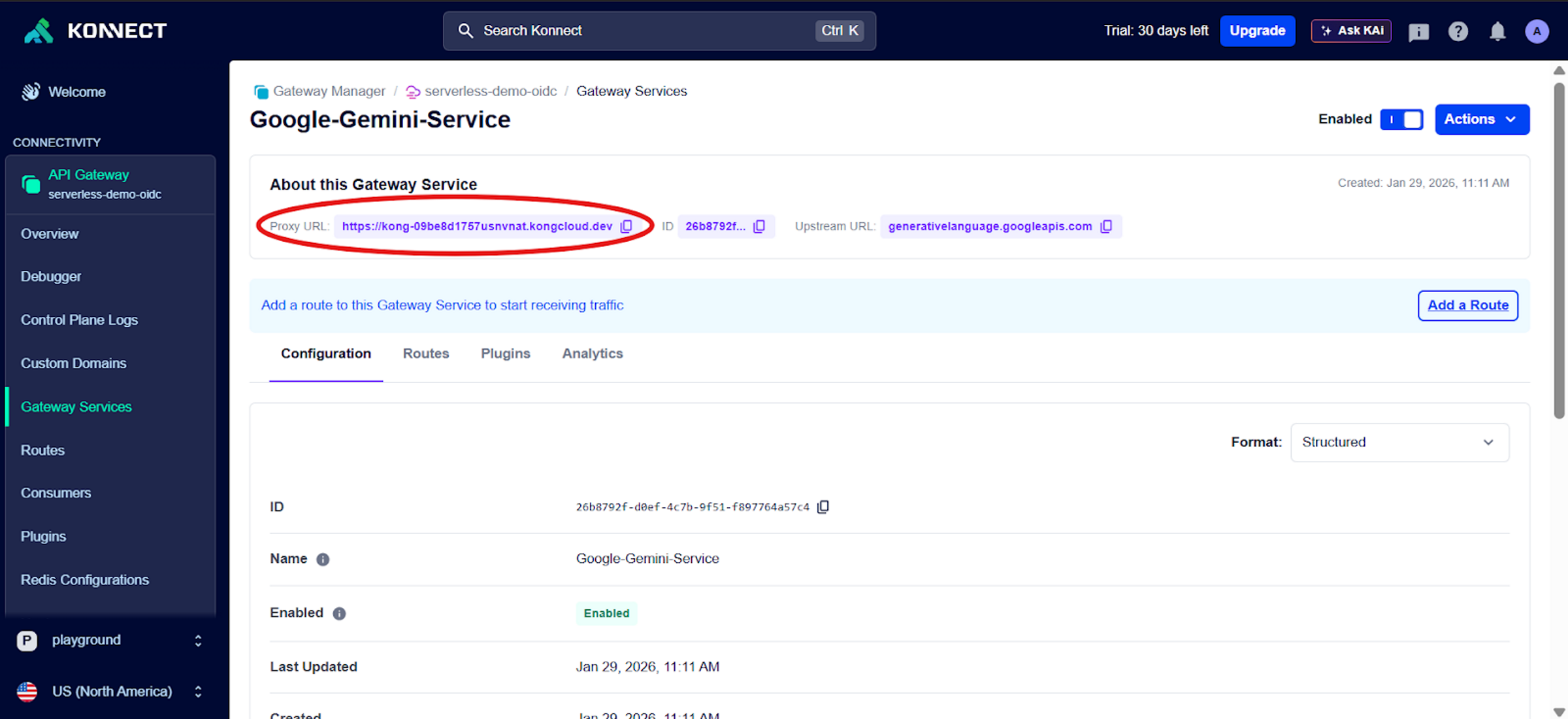
- Name: Google-Gemini-Service
- Full URL: https://generativelanguage.googleapis.com (or any valid placeholder)
- Click Save.
- Note: Copy the Proxy URL displayed; this is the endpoint your application will call.
Create two routes (header-based routing)
We use a single service but split traffic into two lanes based on the agent's intent.
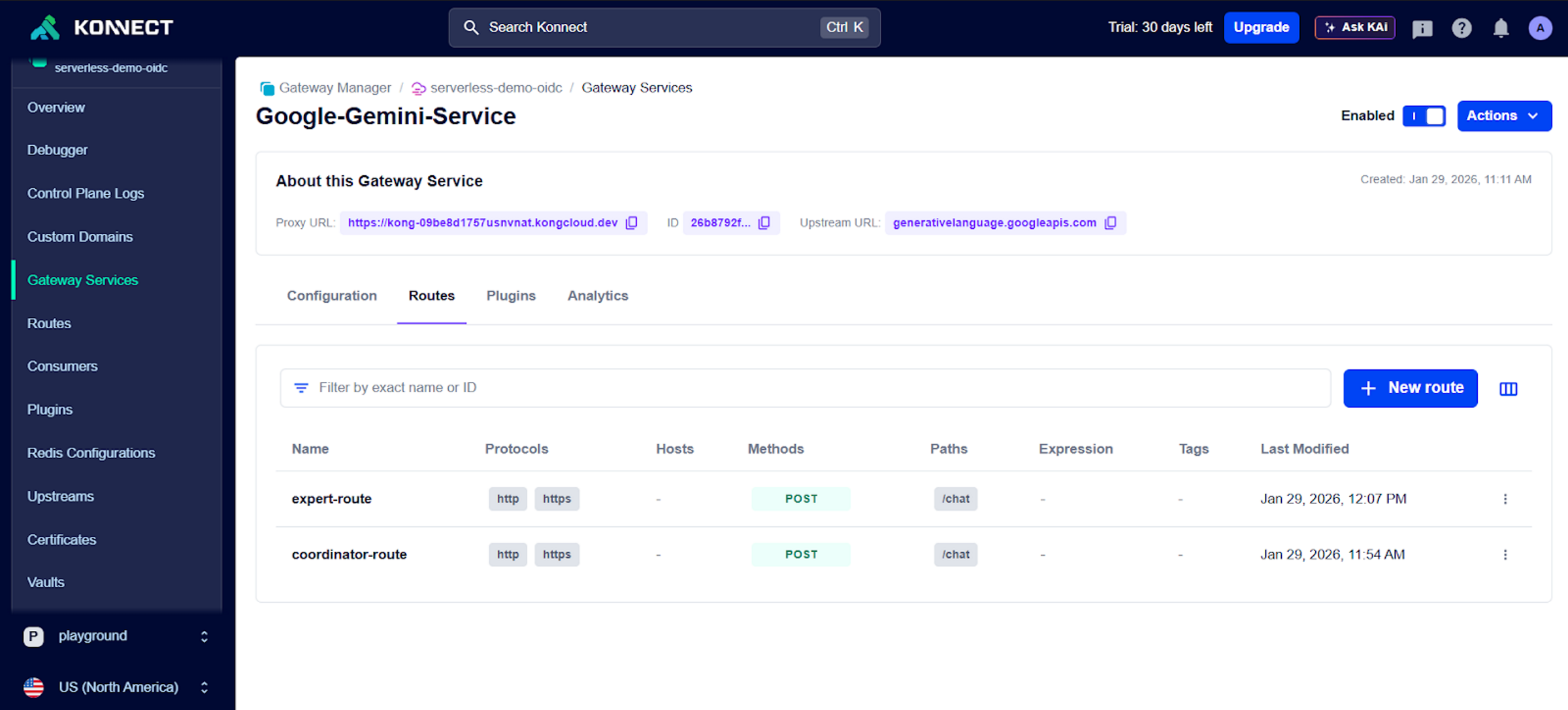
Go to the Routes tab in your Gateway Service:
- Route 1 (The Triage Lane):
- Name: coordinator-route
- Paths: /chat
- Methods: POST
- Headers: x-agent-type = Support-Coordinator
- Route 2 (The Expert Lane):
- Name: expert-route
- Paths: /chat
- Methods: POST
- Headers: x-agent-type = Technical-Specialist
Enable the OpenID Connect plugin
This plugin acts as the security guard, ensuring only the right agent enters the right route.
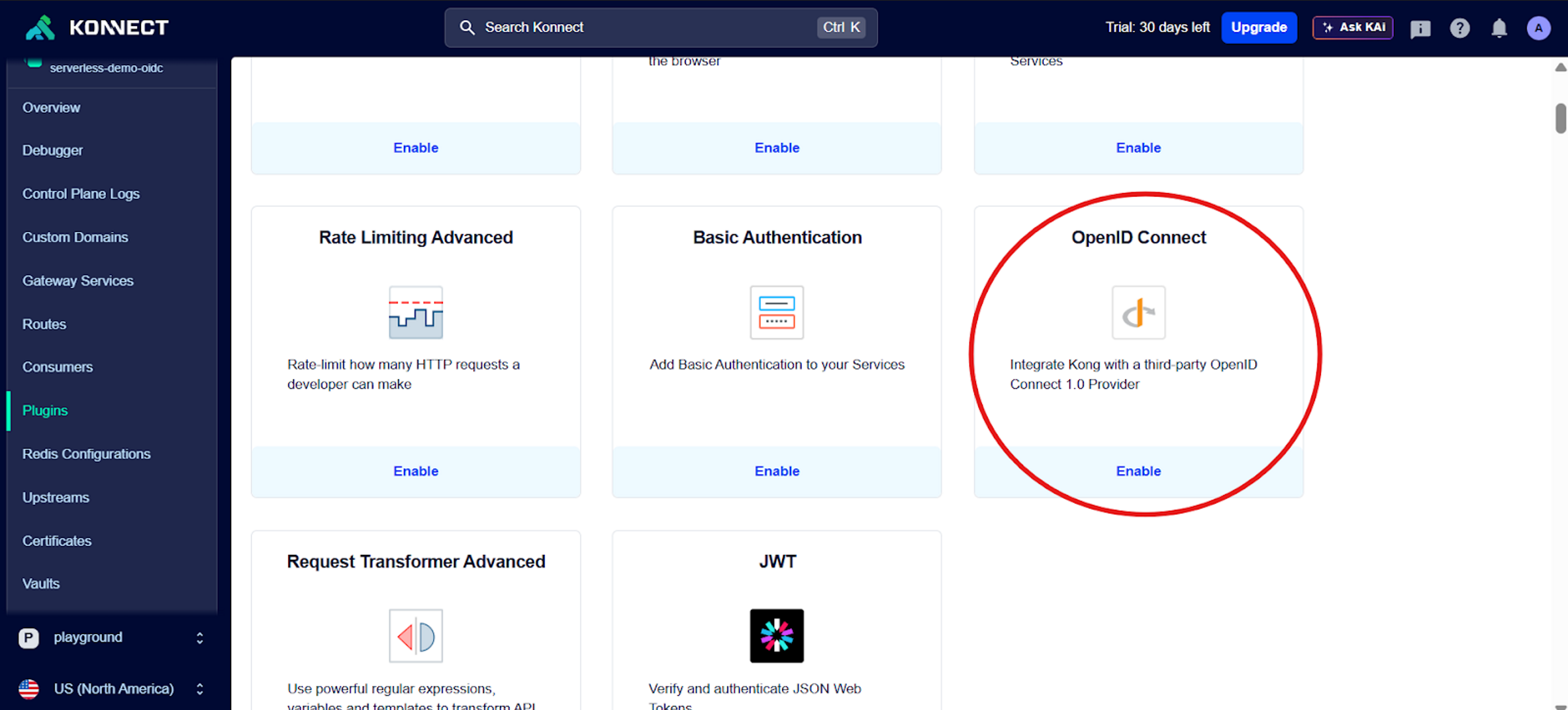
For Route 1 (coordinator-route):
- Add the OpenID Connect plugin.
- Configure the following:
- Name: coordinator-OpenID
- Client ID: (From your WSO2 Identity Platform application)
- Issuer: https://api.asgardeo.io/t/
/oauth2/token - Auth Methods: Bearer Access Token
- Authorization Tab: Set Roles Required to Support-Coordinator
For Route 2 (expert-route):
- Repeat the steps above but name it expert-OpenID.
- Authorization Tab: Set Roles Required to Technical-Specialist.
Enable the AI Proxy plugins
Here, we define which "Brain" powers each route.
For Route 1 (coordinator-route):
- Add the AI Proxy plugin.
- Configure the following:
- Name: coordinator-AI-Proxy
- Auth Param:
- Location: query
- Name: key
- Value: your_gemini_api_key
- Model: gemini-2.5-flash-lite (Provider: gemini)
- Route Type: llm/v1/chat
For Route 2 (expert-route):
- Add the AI Proxy Advanced plugin.
- Configure the following:
- Name: expert-AI-Proxy
- Balancer Algorithm: lowest-latency (automatically picks the fastest model)
- Targets: Add multiple high-reasoning models with Auth Params:
- Target 1: gemini-2.5-pro
- Target 2: gemini-3-pro-preview
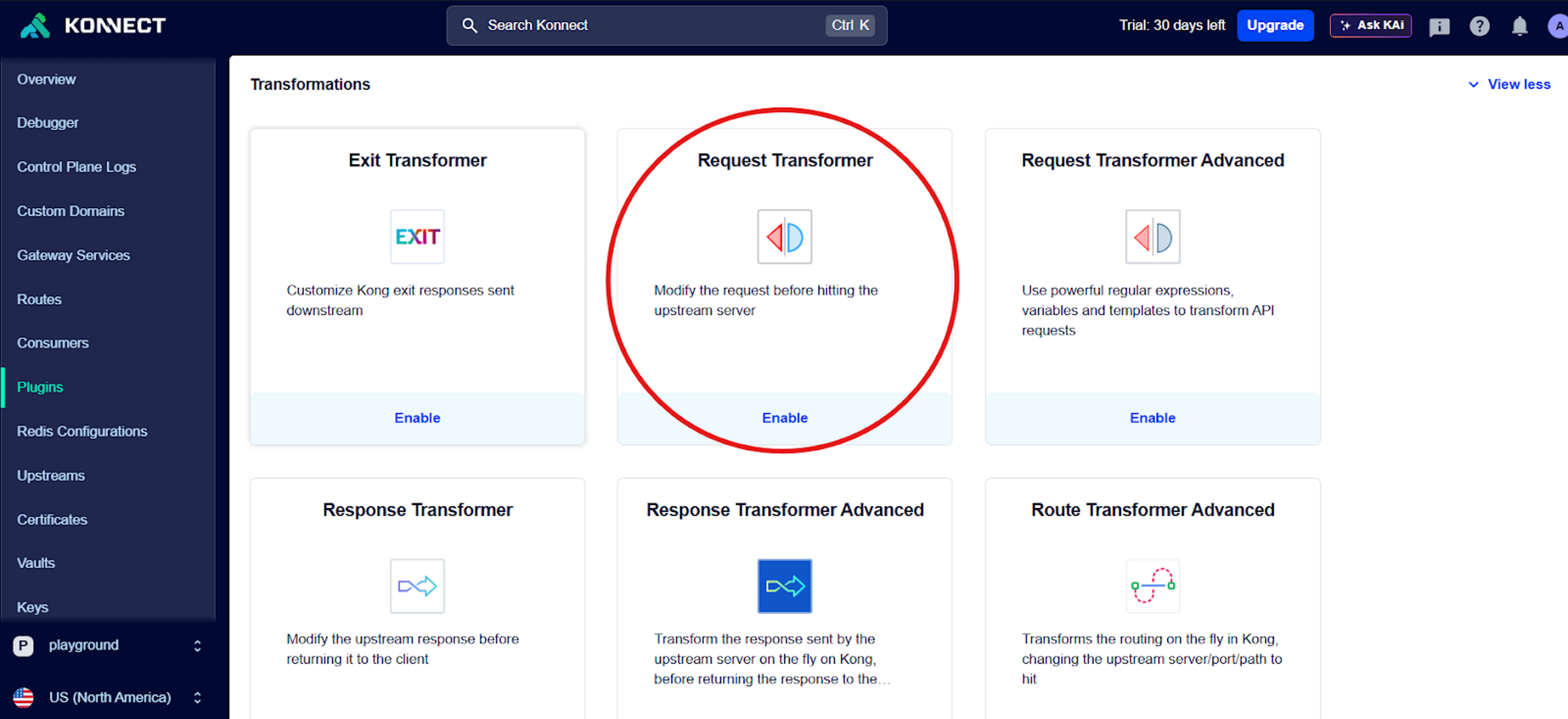
Enable request transformer plugins
We must strip the WSO2 Identity Platform authentication token before the request leaves Kong. If we don't, Google will receive a confusing Bearer token and reject the request.
In Both Routes:
Add the Request Transformer plugin, and in RemoveHeaders, add Authorization.
Enable rate limiting advanced
Finally, we apply the budget protection.
- For Route 1 (coordinator-route):
- Limit 1: 20 requests every 300 seconds (5 mins).
- Limit 2: 200 requests every 3600 seconds (1 hour).
- For Route 2 (expert-route):
- Limit: Set significantly lower limits (e.g., 5 requests every 300 seconds) to strictly control the usage of the expensive Pro models.
Trying out the AI Gateway
Once you have successfully completed the configuration steps outlined above, you can try out your AI gateway interactions by cloning this sample repository.