Register an application in Asgardeo
2 min
First unless you already have done that, you need to create an organization in Asgardeo and register your application as a Next Application.
- Sign up for a free Asgardeo account
- Sign into Asgardeo console and navigate to Applications > New Application.
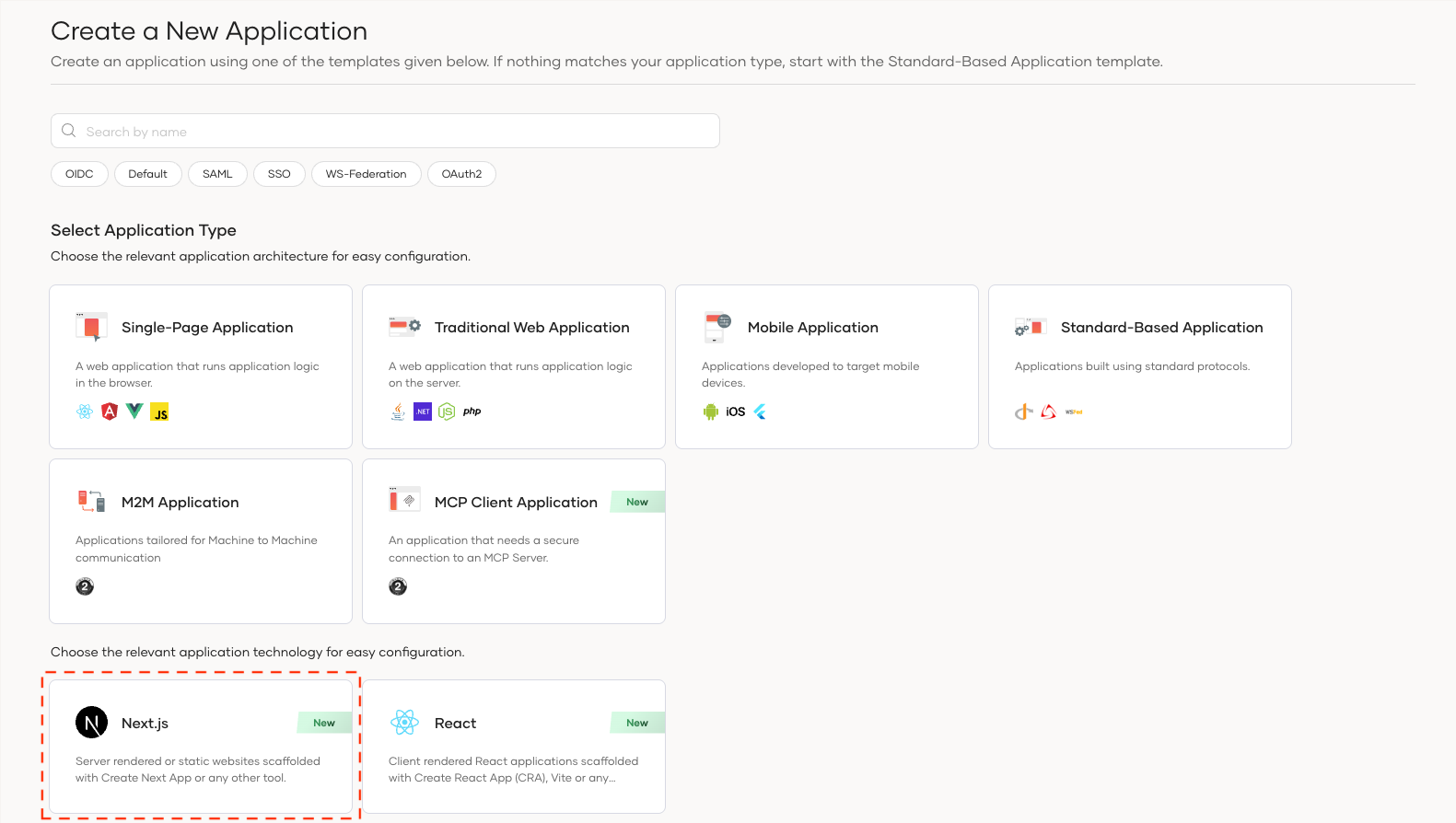
- Select Next.js
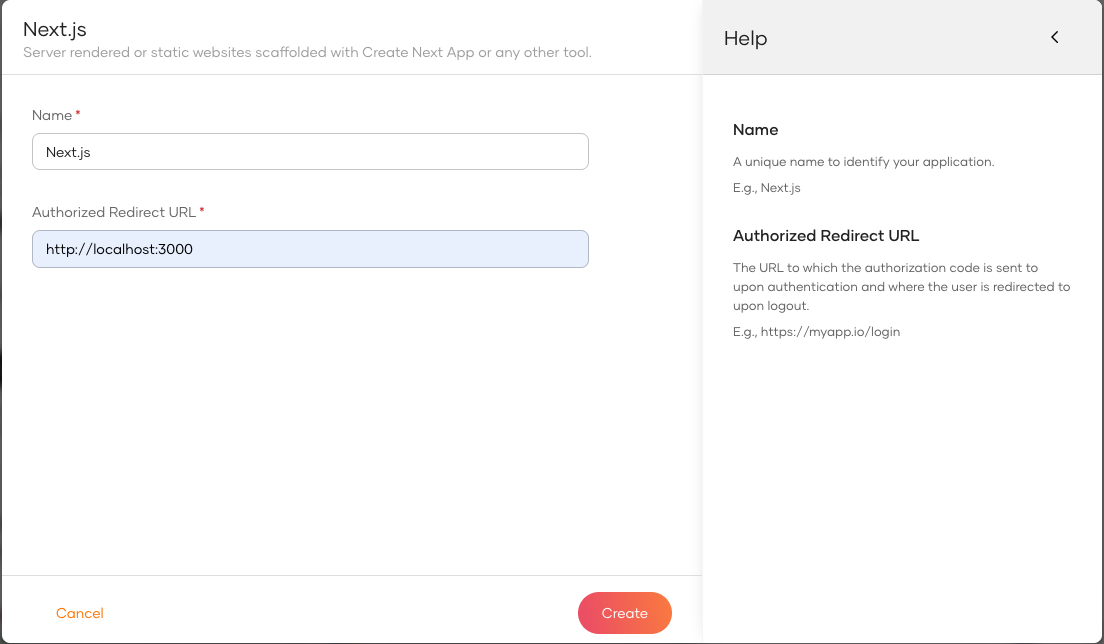
Next, complete the wizard popup by providing a suitable name and an authorized redirect URL.
Example
name: asgardeo-nextjs
Authorized redirect URL: http://localhost:3000
Info
The authorized redirect URL determines where Asgardeo should send users after they successfully log in. Typically, this will be the web address where your application is hosted. For this guide, we'll use http://localhost:3000, as the sample application will be accessible at this URL
Make a note of the following values from the Guide tab of the registered application. You will need them to configure the Asgardeo provider.
NEXT_PUBLIC_ASGARDEO_BASE_URL="https://api.asgardeo.io/t/<your-org-name>"
NEXT_PUBLIC_ASGARDEO_CLIENT_ID="<your-app-client-id>"
ASGARDEO_CLIENT_SECRET="<your-app-client-secret>"
In this step, we have registered our Next.js app as an application in the Asgardeo console and generated the required metadata. Next, we will create a Next.js app.