Audit logs
Audit logs in Asgardeo are designed for developers to access and analyze vital state changes that happen to resources in Asgardeo. These logs are important for enhancing system security as they proactively identify suspicious activities and potential security threats.
In the event of incidents or errors, audit logs serve as a valuable forensic tool, facilitating the investigation process by providing detailed insights into the sequence of events and identifying the responsible parties.
This guide provides instructions on how to access and analyze audit logs to monitor and investigate system activities effectively.
Access audit logs
To access audit logs:
-
On the Asgardeo Console, go to Log
-
Switch to the Audit tab.
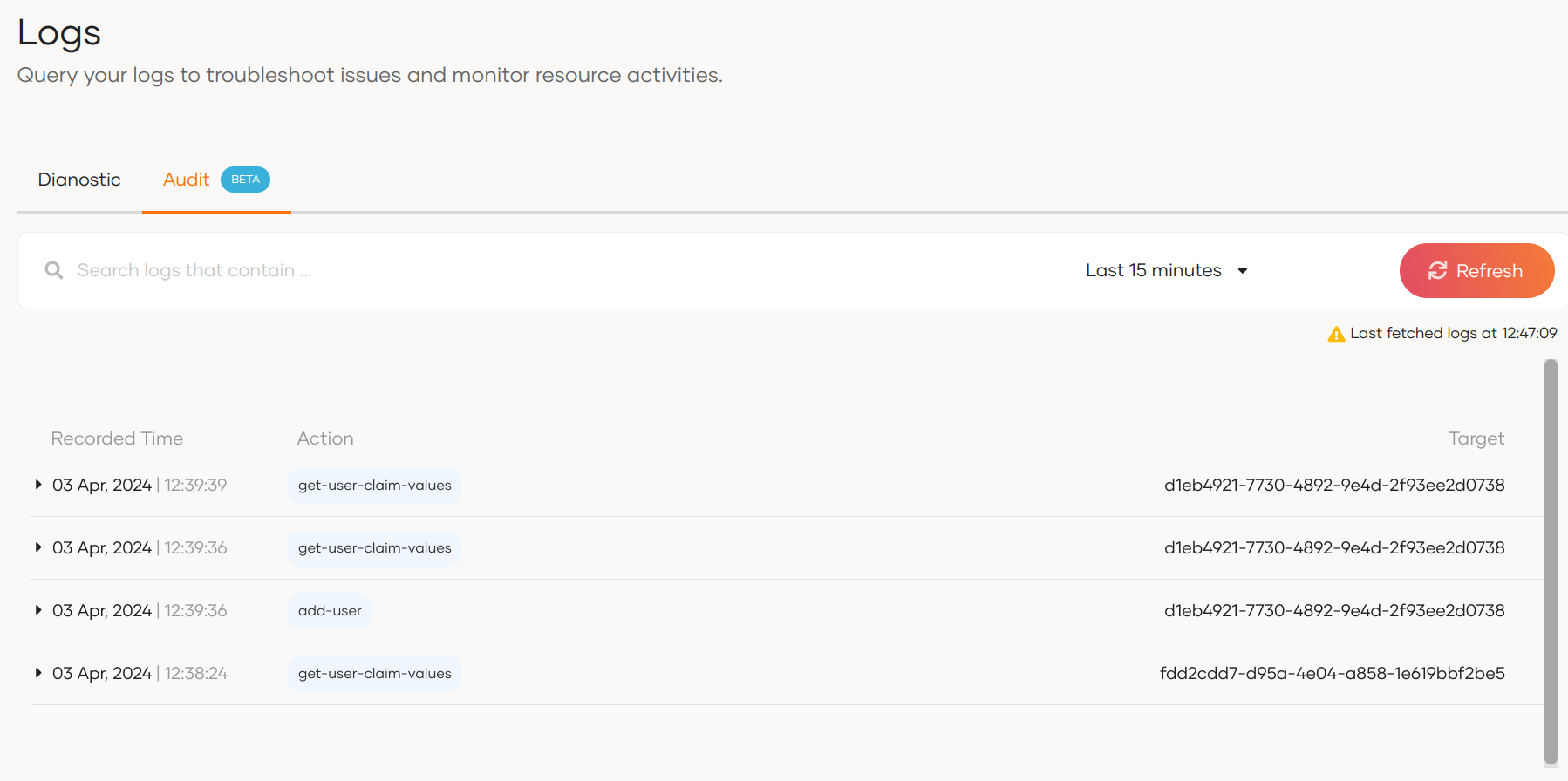
By default, the console displays logs that occurred in the last 15 minutes.
Search for logs
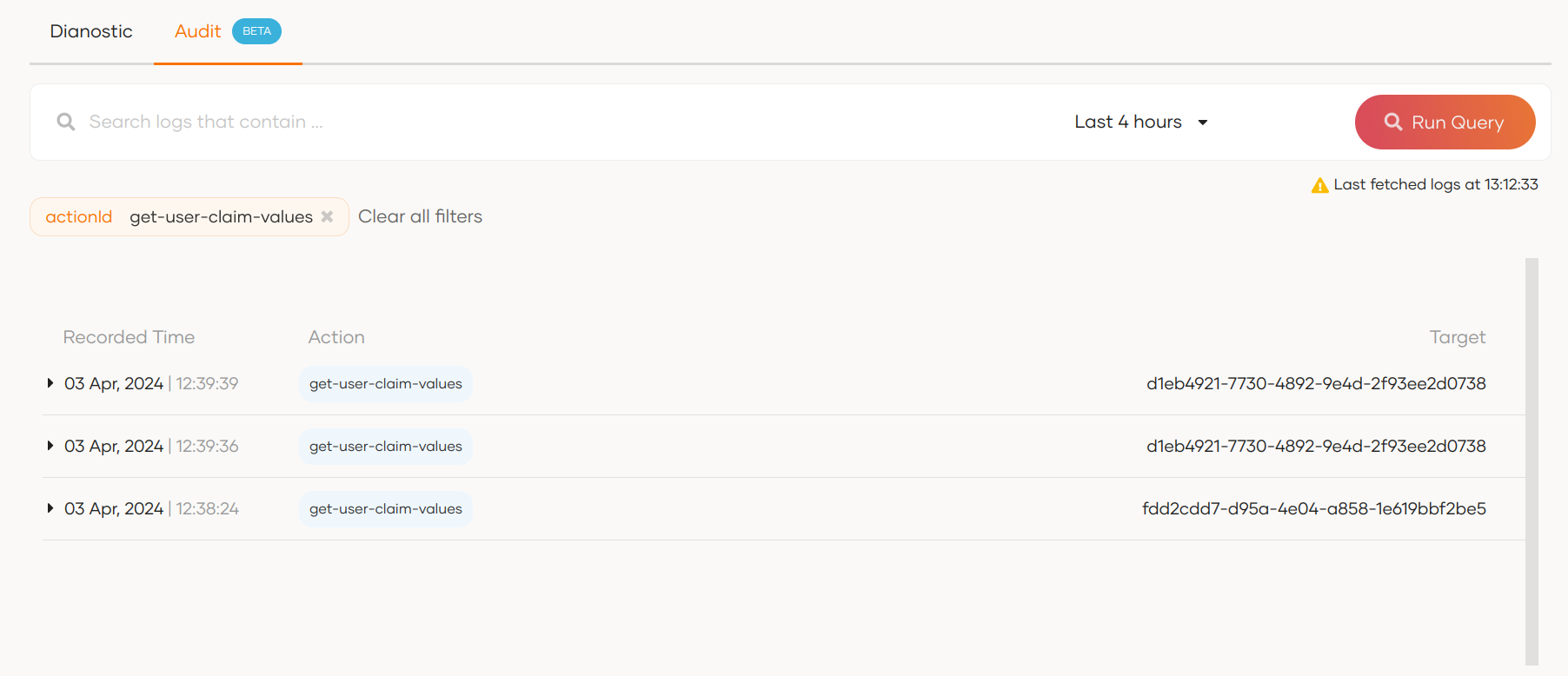
You can use the search bar to search for logs based on the properties of an audit log. For example, initiatorType, targetType, actionId, etc. Learn more about these parameters in the structure of audit logs section.
For example, the diagram below shows the results for a search filtered with the actionId.
Structure of an audit log
When you expand an audit log in Asgardeo by clicking on it, you will get the following view.
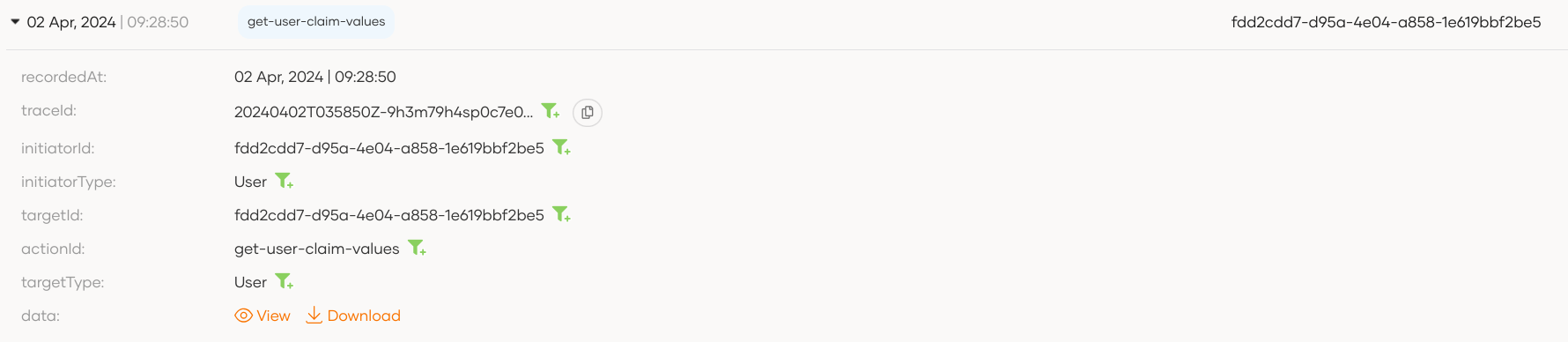
The following are the properties of an audit log:
| Property | Description |
|---|---|
id |
Unique ID for each log event. |
recordedAt |
Timestamp of event occurrence. |
requestId |
A unique identifier for the trace associated with the action that triggered the audit event. |
initiatorId |
The ID of the User or System that initiated the event. |
initiatorType |
The type of the initiator, such as User or System |
targetId |
The ID of the resource or object that was the target of the event. |
targetType |
The type of the target resource, such as user or application. Note that Asgardeo currently publishes audit logs for the targetTypes: User, Group, Role, Application |
actionId |
A description of the action that was performed and triggered the audit event. For example : add-user, update-role, delete-group |
impersonatorId |
In impersonation resource modification flow, this attribute represents the ID of the impersonator who initiated the audit event. |
data |
Additional data related to the action, such as parameters or metadata. You can View and Download this content. |
Sample Scenario: User Onboarding
Follow the steps below to observe an audit log due to user onboarding:
-
Onboard a user to Asgardeo.
-
On the Asgardeo Console, go to Logs.
-
Switch to the Audit tab, expand the latest with the
add-usertag, and observe the following audit log.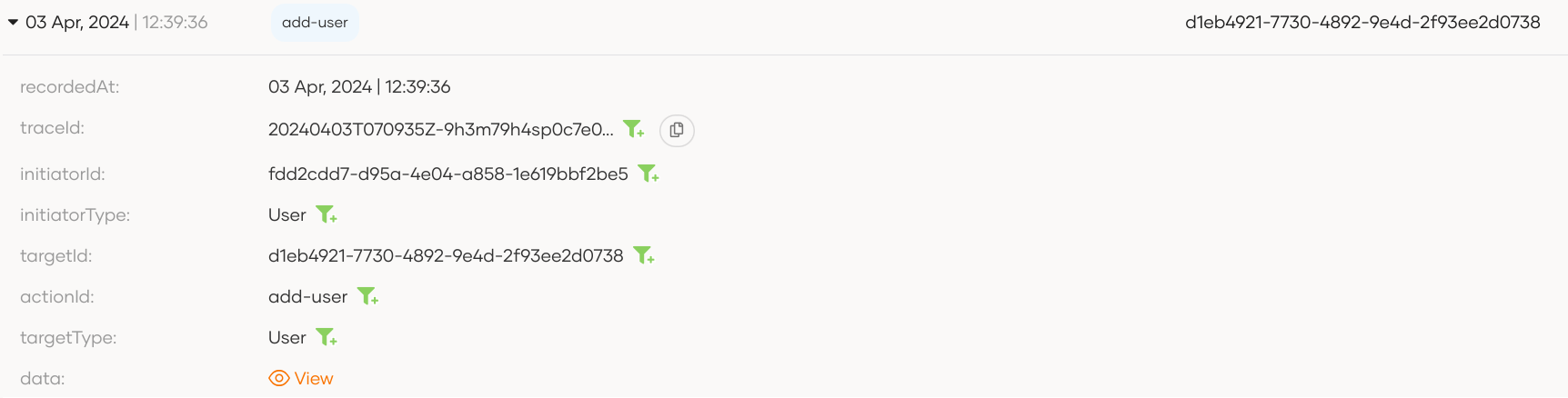
-
Click on View next to the
dataproperty to see additional data related to this action.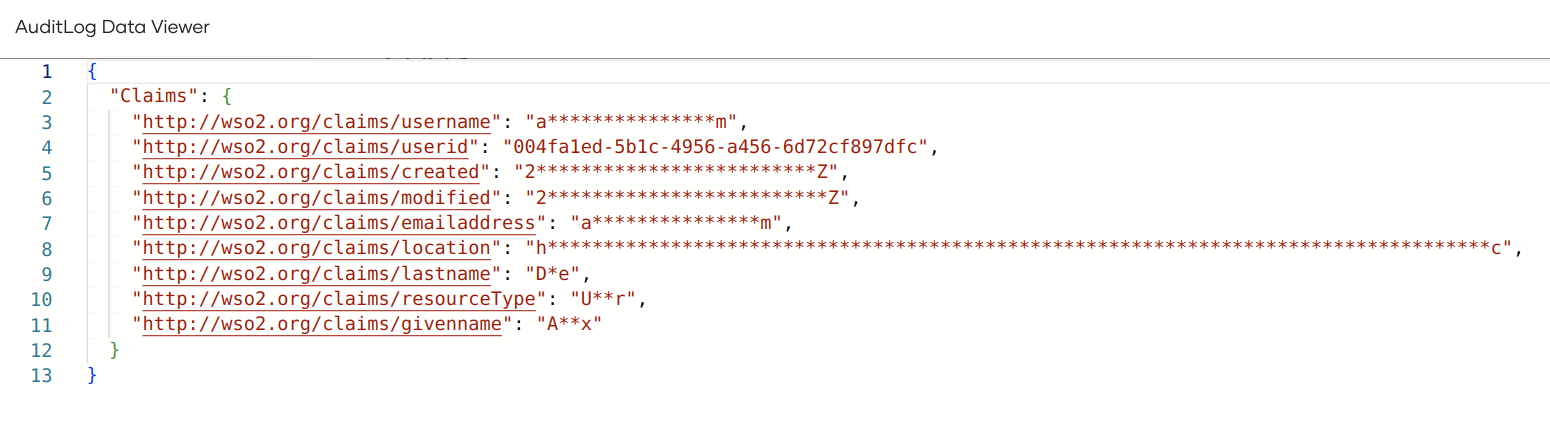
You can also Copy and Download the additional data presented in the Audit Log Data Viewer.
Audit log actions
The following are the audit logs generated in Asgardeo, grouped by category.
Actions
| Audit Log | Description |
|---|---|
activate-action |
An action was activated. |
add-action |
A new action was added. |
delete-action |
An action was deleted. |
update-action |
An action was updated. |
deactivate-action |
An action was deactivated. |
Application management
| Audit Log | Description |
|---|---|
create-application |
A new application was created. |
delete-application |
An application was deleted. |
update-application |
An application was updated. |
create-oauth-application |
A new OAuth application was created. |
Application sharing
| Audit Log | Description |
|---|---|
processing-share-application-with-all-orgs |
An application was shared with all organizations. |
processing-unshare-application-from-all-orgs |
An application was unshared from all organizations. |
processing-unshare-application-from-selected-orgs |
An application was unshared from selected organizations. |
processing-share-application-with-selected-orgs |
An application was shared with selected organizations. |
Connections
| Audit Log | Description |
|---|---|
Add-IDP |
A new connection was added. |
Delete-IDP |
A connection was deleted. |
Update-IDP |
A connection was updated. |
Flow management
| Audit Log | Description |
|---|---|
update-flow-config-INVITED_USER_REGISTRATION |
The invited user registration flow configuration was updated. |
update-flow-PASSWORD_RECOVERY |
The password recovery flow was updated. |
update-flow-config-PASSWORD_RECOVERY |
The password recovery flow configuration was updated. |
update-flow-INVITED_USER_REGISTRATION |
The invited user registration flow was updated. |
update-flow-config-REGISTRATION |
The registration flow configuration was updated. |
update-flow-REGISTRATION |
The registration flow was updated. |
Organization management
| Audit Log | Description |
|---|---|
add-organization |
A new organization was added. |
delete-organization |
An organization was deleted. |
update-organization |
An organization was updated. |
Role management
| Audit Log | Description |
|---|---|
add-role |
A new role was created. |
update-users-of-role |
Users of a role were updated. |
delete-role |
A role was deleted. |
get-users-of-role |
Users of a role were retrieved. |
update-groups-of-role |
Groups of a role were updated. |
update-permissions-of-role |
Permissions of a role were updated. |
update-role-name |
A role name was updated. |
Update users list of role by id |
Users list of a role was updated by ID. |
Session Management
| Audit Log | Description |
|---|---|
TerminateSession |
A user session was terminated. |
System operations
| Audit Log | Description |
|---|---|
Kill-All-Agents-In-User-Store |
All agents in a user store were terminated. |
Kill-All-Agents-In-Tenant |
All agents in a tenant were terminated. |
resource-creation-via-impersonation |
A resource was created via impersonation. |
Tenant management
| Audit Log | Description |
|---|---|
Add-Tenant |
A new tenant was added. |
Token management
| Audit Log | Description |
|---|---|
Generate-Access-Token-For-Remote-User-Store |
An access token was generated for a remote user store. |
issue-access-token |
An access token was issued. |
ISSUE-SYSTEM-TOKEN |
A system token was issued. |
PostTokenIssue |
A token was issued via the password grant. |
Revoke-All-Access-Tokens-For-Remote-User-Store |
All access tokens for a remote user store were revoked. |
validate-scope |
OAuth scope validation was performed. |
User management
| Audit Log | Description |
|---|---|
add-group |
A new group was added. |
add-user |
A new user was added. |
credential-update-by-administrator |
User credentials were updated by an administrator. |
credential-update-by-user |
User credentials were updated by the user. |
delete-group |
A group was deleted. |
delete-user |
A user was deleted. |
delete-user-claim-value |
A user claim value was deleted. |
set-user-claim-value |
A user claim value was set. |
set-user-claim-values |
Multiple user claim values were set. |
update-group-name |
A group name was updated. |
Account Enable |
A user account was enabled. |
Account Disable |
A user account was disabled. |
create-federated-user-association |
A federated user association was created. |