User attribute inheritance
In Asgardeo, child organizations inherit user attributes, user store mappings, and dialects from the root organization, ensuring consistency across the organization hierarchy.
How it works
This section explains the inheritance mechanism for attributes, user store mappings, and dialects across organizations.
User attributes
-
Child organizations inherit both the system-defined and custom attributes from the root organization.
-
Only the root organization can create custom attributes.
Organization administrators can access inherited user attributes from the Asgardeo Console under User Attributes & Stores > User Attributes.
User store mappings
Each user store in an organization maintains mappings for user attributes. Inheritance of user store mappings works in the following way.
-
Child organizations can onboard their own user stores.
-
They have full control over attribute mappings for these user stores, including:
-
Editing mappings for attributes inherited by the root organization.
-
Whether to enable multi-valued user attributes (e.g. emailAddresses) for the user stores. This option is only available for supported attributes.
-
Organization administrators can access user store mappings from the Asgardeo Console by selecting an attribute from User Attributes & Stores > User Attributes and going to its Attribute Mappings tab.
The following diagram illustrates the attribute mapping section for the multi-valued emailAddresses attribute.
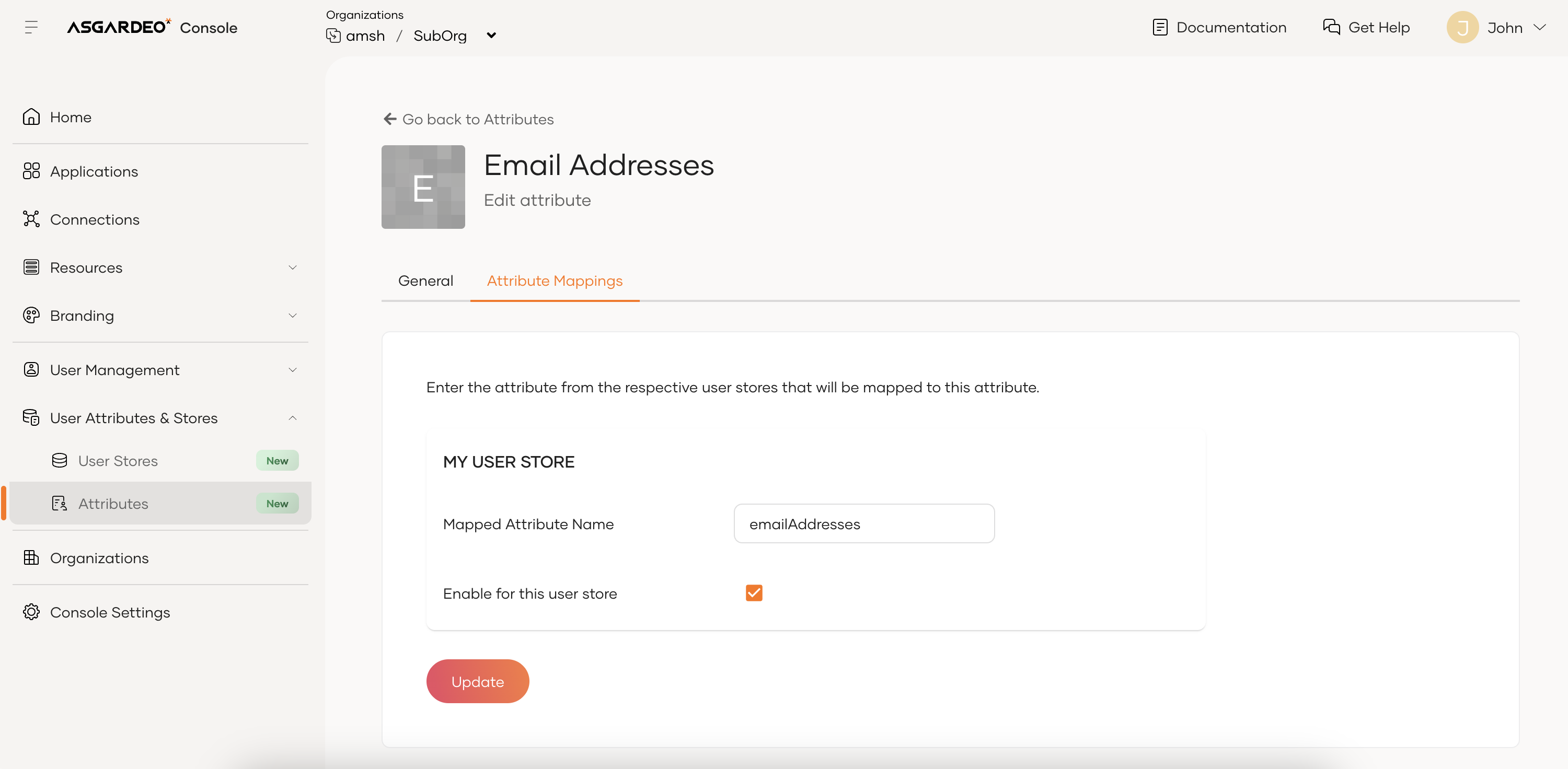
Child organizations can manage and disable attributes for user stores (MY USER STORE).
Attribute dialects
Attribute dialects define the naming and format of user attributes when exchanging data with external systems.
-
Child organizations inherit all external attribute dialects defined in the root organization, such as:
-
SCIM 2.0
-
OpenID Connect (OIDC)
-
-
Attribute dialects are read-only for child organizations. They can't create new dialects or modify inherited ones.
Organization administrators can view user attribute dialects from the Asgardeo Console by going to User Attributes & Stores > User Attributes and selecting the relevant dialect under Manage Attribute Mappings.
Configure user attributes at the root organization
Root organization administrators can create user attributes, user store mappings and dialects at the root organization. Follow the Manage attributes and mappings guide to learn more.