Create an application in an organization
Organization administrators can create and mange applications directly within their organizations. These applications can access and consume the organization’s API resources. To create an application, it must meet the following conditions:
-
Use OAuth2.
-
Use only the following grant types: authorization code, client credentials, password, and refresh token.
-
Use a standard-based application or an M2M application template.
You can use either the Console or the API to create an application in an organization.
To create an application,
-
On the Asgardeo Console, go to Organizations and switch to your desired organization.
-
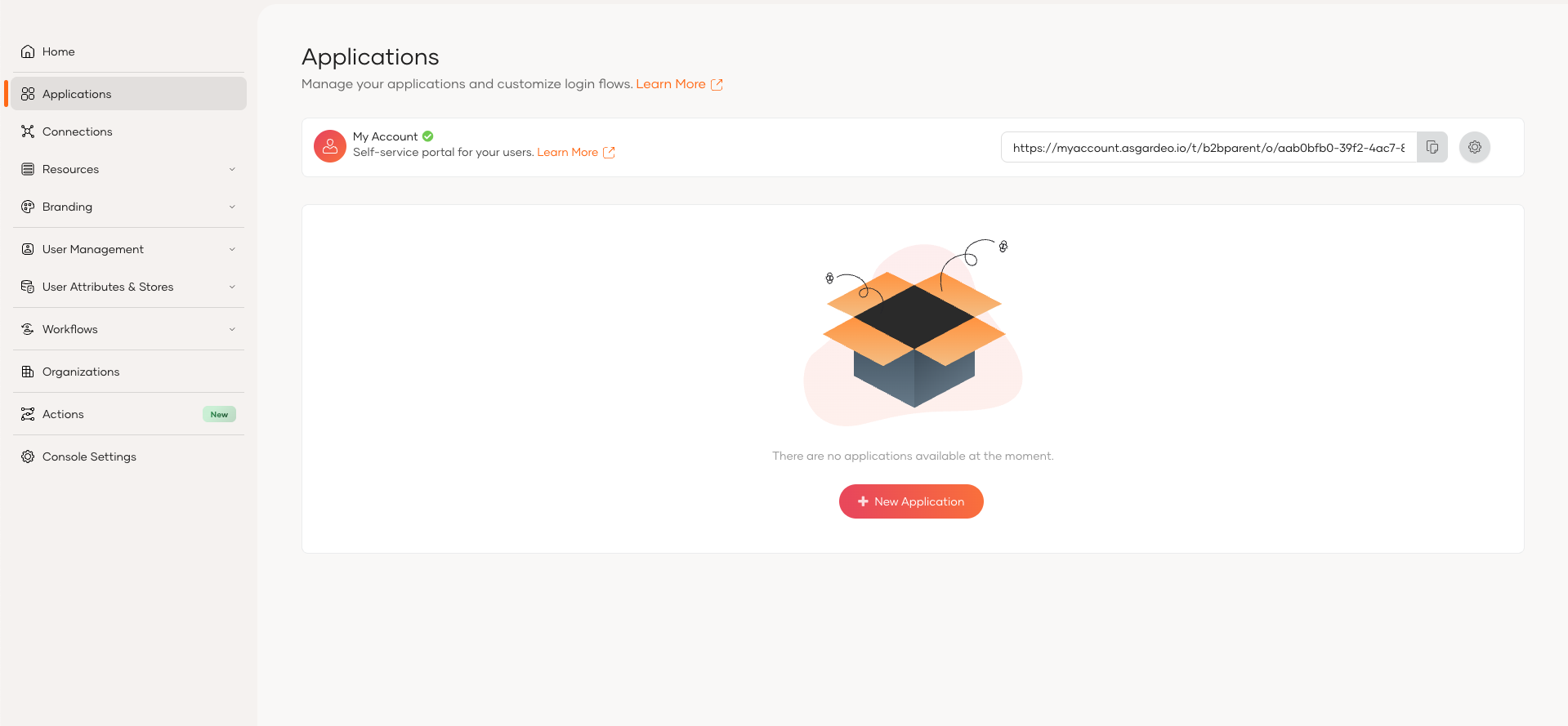
In the organization, go to Applications.
-
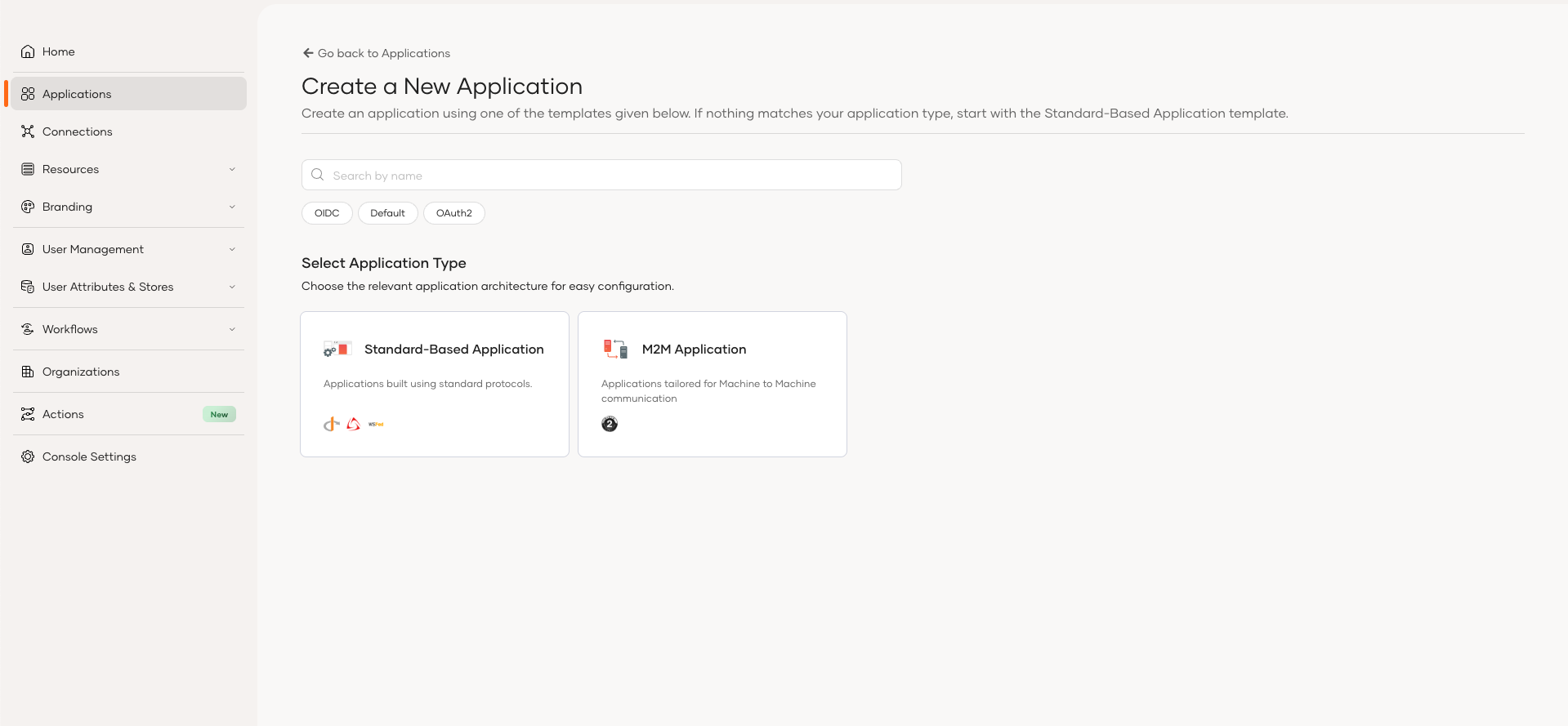
Click Add Application and use either the Standard-Based Application or M2M Application template to create your application.
To create an application,
-
Get a bearer token with the
internal_org_application_mgt_createscope. Learn more about [accessing organization APIs] (/asgardeo/docsapis/organization-apis/authentication/) -
Use the Application management REST API to create an application in an organization.
Edit an application
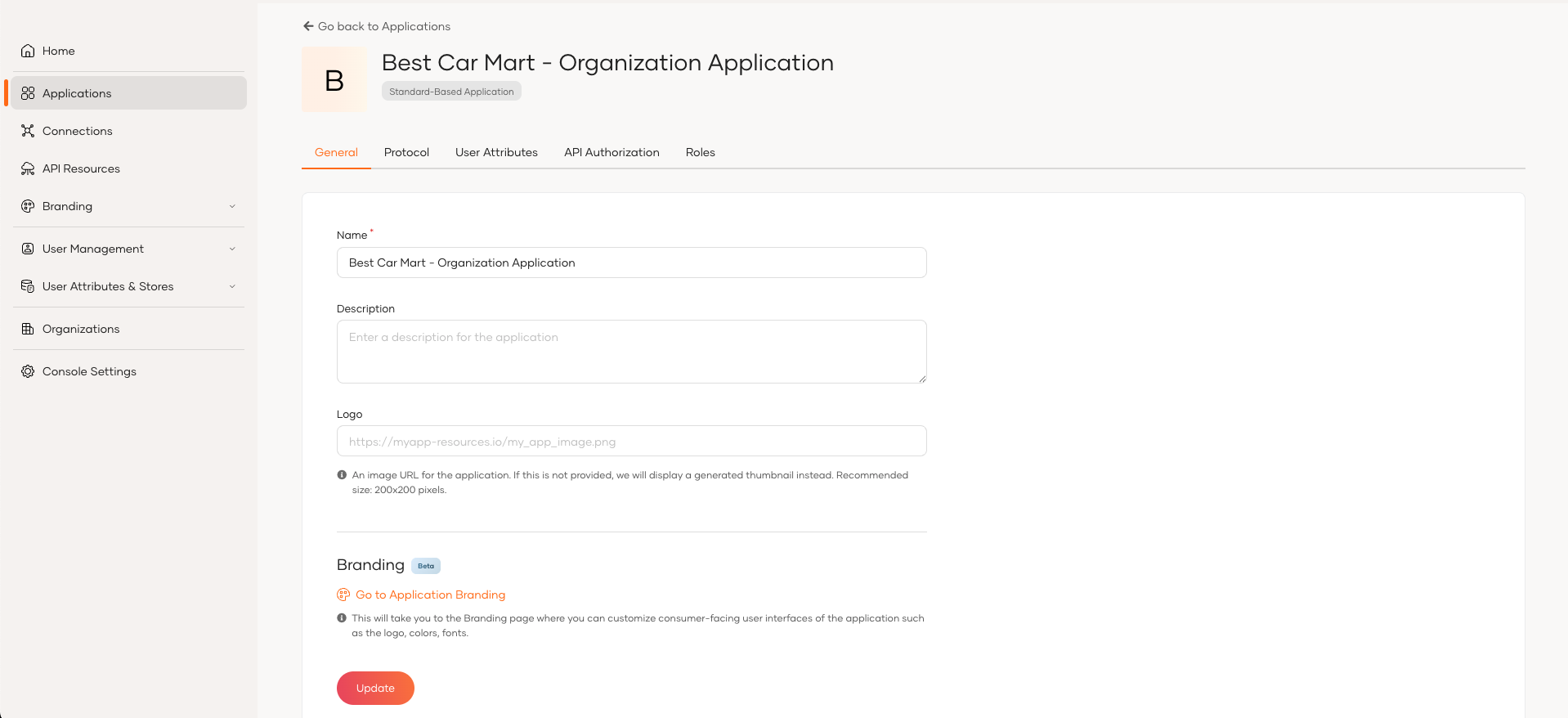
You can find the created applications in the Application section of your organization's Console. You can use the Console to make the following changes to these applications.
- Protocol level configurations
- User attributes related configurations
- Login Flow configurations
- API Authorization for organization application
- Role management for organization application
- Advanced configurations
Authorize applications to API resources
Organizations inherit the following API resources from the root oraganization:
-
Default organization API resources defined by Asgardeo.
-
API resources created in the root organization.
For your applications to access these API resources, you need to authorize the applications to the required API resources. To do so,
-
On the Asgardeo Console, go to Organizations and switch to your desired organization.
-
In the organization, go to Applications and select your desired application.
-
Go to the API Authorization tab and click Authorize API Resources.
-
Authorize the required API resources to the application.
Authorize users to consume API resources
The previous section explained how you can authorize an application to access API resources. Now that your application has the permissions ready, you need to authorize users to access the API resources and its resources. You can do this by assigning them to the correct roles.
Organizations have access to two types of roles:
-
Roles associated with applications shared with the organization - The root organization manage these roles and the organizations can seem them as shared roles. Shared applications only consider these roles for authorization.
-
Organization managed roles - Organization administrators can create and manage roles directly in the organization. These roles govern access to applications managed directly in the organization.
Note
-
To learn more about roles, refer to Manage roles.
-
To learn about managing conflicts that can arise due to these two types of roles, refer to manage role conflicts in organization.
Generate tokens for applications
When applications have access to the required API resources and the users authorized to access application resources, you can use the following grant types to generate tokens and issue scopes.
The organization applications can use the following OAuth2 grant types to generate tokens.
Authorization code grant
Use the following steps to generate an authorization code and exchange it for an access token.
https://api.asgardeo.io/t/{root-organization-name}/o/<ORG_ID>/oauth2/authorize
?response_type=code
&redirect_uri=<APPLICATION_REDIRECT_URI>
&client_id=<APPLICATION_CLIENT_ID>
&scope=<REQUIRED_SCOPE/S>
https://api.asgardeo.io/t/{root-organization-name}/o/7e98b86f-63c7-41a1-8c56-c909a21a2615/oauth2/authorize
?response_type=code
&redirect_uri=https://bestcarmart.com/login
&client_id=sample_application_client_id
&scope=openid internal_org_user_mgt_list read_stores
After executing the authorization request, Asgardeo prompts the user to login to the corresponding organization. After the user successfully logs in, the redirect URL of the application receives an authorization code. The application can exchange the authorization code for a token using the token endpoint.
curl --user <OAUTH_CLIENT_KEY>:<OAUTH_CLIENT_SECRET> -k
-d "grant_type=authorization_code&code=<AUTHORIZATION_CODE>&redirect_uri=<APPLICATION_REDIRECT_URI>"
-H "Content-Type: application/x-www-form-urlencoded"
https://api.asgardeo.io/t/{root-organization-name}/o/<ORG_ID>/oauth2/token
curl --user 7wYeybBGCVfLxPmS0z66WNMffyMa:WYfwHUsbsEvwtqmDLuaxF_VCQJwa -k
-d "grant_type=authorization_code&code=111c6b23-e395-4263-8792-87dc5db3c8a9&redirect_uri=https://bestcarmart.com/login"
-H "Content-Type: application/x-www-form-urlencoded"
https://api.asgardeo.io/t/{root-organization-name}/o/7e98b86f-63c7-41a1-8c56-c909a21a2615/oauth2/token
{
"access_token": "8120d44a-d80b-49d9-b449-a14e399cc404",
"refresh_token": "ee8bf449-e8ba-421c-b4d5-6a38c6432d4d",
"scope": "openid internal_org_user_mgt_list read_stores",
"token_type": "Bearer",
"expires_in": 3600
}
Note
-
To obtain the
refresh_tokenin the response, go to the Protocol tab of the application and enable the refresh token grant type. -
The
scopeparameter returns only the scopes authorized to both the application and the user who requests authorization.
Password grant
Use the following steps to use the user's credentials to get an access token.
curl --user <OAUTH_CLIENT_KEY>:<OAUTH_CLIENT_SECRET> -k
-d "grant_type=password&username=<USERNAME>&password=<PASSWORD>"
-H "Content-Type: application/x-www-form-urlencoded"
https://api.asgardeo.io/t/{root-organization-name}/o/<ORG_ID>/oauth2/token
curl --user 7wYeybBGCVfLxPmS0z66WNMffyMa:WYfwHUsbsEvwtqmDLuaxF_VCQJwa -k
-d "grant_type=password&username=Charlie&password=jG9A5KrX"
-H "Content-Type: application/x-www-form-urlencoded"
https://api.asgardeo.io/t/{root-organization-name}/o/7e98b86f-63c7-41a1-8c56-c909a21a2615/oauth2/token
{
"access_token": "4778085e-5802-3090-aa70-ec877663f194",
"refresh_token": "13bcbd1d-a4bb-33da-9274-d2c1a1f17d97",
"token_type": "Bearer",
"expires_in": 3600
}
Note
If you need scopes in the response, add the scope parameter to the token request with the required scopes.
Client credentials grant
Use the following steps to use the client credentials to get an access token.
curl --user <OAUTH_CLIENT_KEY>:<OAUTH_CLIENT_SECRET> -k
-d "grant_type=client_credentials"
-H "Content-Type: application/x-www-form-urlencoded"
https://api.asgardeo.io/t/{root-organization-name}/o/<ORG_ID>/oauth2/token
curl --user fhErtAT2YF_M0Ek3AAYHLI8L25oa:JirxvtfoecnrS8vBjM7ygOtSIXuCS_uK_9WEC7d1zPEa -k
-d "grant_type=client_credentials"
-H "Content-Type: application/x-www-form-urlencoded"
https://api.asgardeo.io/t/{root-organization-name}/o/12d1c4d2-2bb1-443b-aa4a-68f98a40d7c6/oauth2/token
{
"access_token": "bc978da1-6c56-3125-a999-a8d61c889672",
"token_type": "Bearer",
"expires_in": 3600
}
Note
If you need scopes in the response, add the scope parameter to the token request with the required scopes.
Introspect tokens for applications
You can use the token introspection endpoint to validate access tokens issued for organization applications. The following example demonstrates how to introspect an access token.
curl --user <OAUTH_CLIENT_KEY>:<OAUTH_CLIENT_SECRET> -k
-d "token=<SUB_ORG_APP_TOKEN>"
-H "Content-Type: application/x-www-form-urlencoded"
https://api.asgardeo.io/t/{root-organization-name}/o/<ORG_ID>/oauth2/introspect
curl --user fhErtAT2YF_M0Ek3AAYHLI8L25oa:JirxvtfoecnrS8vBjM7ygOtSIXuCS_uK_9WEC7d1zPEa -k
-d "token=ef757efc-6ec3-3e12-83f6-cb2849d67f7b"
-H "Content-Type: application/x-www-form-urlencoded"
https://api.asgardeo.io/t/{root-organization-name}/o/12d1c4d2-2bb1-443b-aa4a-68f98a40d7c6/oauth2/introspect
{
"aut": "APPLICATION_USER",
"aud": "fhErtAT2YF_M0Ek3AAYHLI8L25oa",
"nbf": 1739253383,
"org_id": "12d1c4d2-2bb1-443b-aa4a-68f98a40d7c6",
"active": true,
"token_type": "Bearer",
"exp": 1739256983,
"iat": 1739253383,
"client_id": "fhErtAT2YF_M0Ek3AAYHLI8L25oa",
"username": "Charlie@12d1c4d2-2bb1-443b-aa4a-68f98a40d7c6"
}
Revoke tokens for applications
The following example demonstrates how to revoke tokens issued for organization applications.
curl --user <OAUTH_CLIENT_KEY>:<OAUTH_CLIENT_SECRET> -k
-d "token=<SUB_ORG_APP_TOKEN>&token_type_hint=<TOKEN_TYPE>"
-H "Content-Type: application/x-www-form-urlencoded"
https://api.asgardeo.io/t/{root-organization-name}/o/<ORG_ID>/oauth2/revoke
curl --user fhErtAT2YF_M0Ek3AAYHLI8L25oa:JirxvtfoecnrS8vBjM7ygOtSIXuCS_uK_9WEC7d1zPEa -k
-d "token=ef757efc-6ec3-3e12-83f6-cb2849d67f7b&token_type_hint=access_token"
-H "Content-Type: application/x-www-form-urlencoded"
https://api.asgardeo.io/t/{root-organization-name}/o/12d1c4d2-2bb1-443b-aa4a-68f98a40d7c6/oauth2/revoke
Empty JSON response with HTTP status code 200 OK


