Multi-valued attributes for user contact information
Multi-valued attributes can store more than one value. Asgardeo uses multi-valued attributes to associate multiple email addresses and mobile numbers with their profiles. For users with multiple values, they may also select a primary email address and a primary mobile number.
The following attributes are used for this purpose:
- Email Addresses
- Verified Email Addresses
- Mobile Numbers
- Verified Mobile Numbers
Enable/Disable multiple emails and mobile numbers feature
Unless you have configured remote user stores, the email address/mobile number-related attributes are already enabled to new and existing organizations.
To manually enable or disable this feature, you must update all related attributes by following these steps:
- On the Asgardeo Console, navigate to User Attributes and Stores > Attributes.
- Under Manage Attributes, click Attributes to view the list of all attributes.
- Click Edit next to the corresponding attribute.
- Enable or disable the Display checkbox across all profiles (Administrator Console, End-User Profile, and Self-Registration).
- Click Update to save the changes.
Exclude these attributes from a user store
For non-JDBC remote user stores, you must ensure proper mapping of these attributes in the user store. If mapping is not feasible, you can disable support for these attributes in that user store by following the steps below.
- On the Asgardeo Console, navigate to User Attributes and Stores > Attributes.
- Under Manage Attributes, click Attributes to view the list of all attributes.
- Click Edit for the attribute you wish to modify.
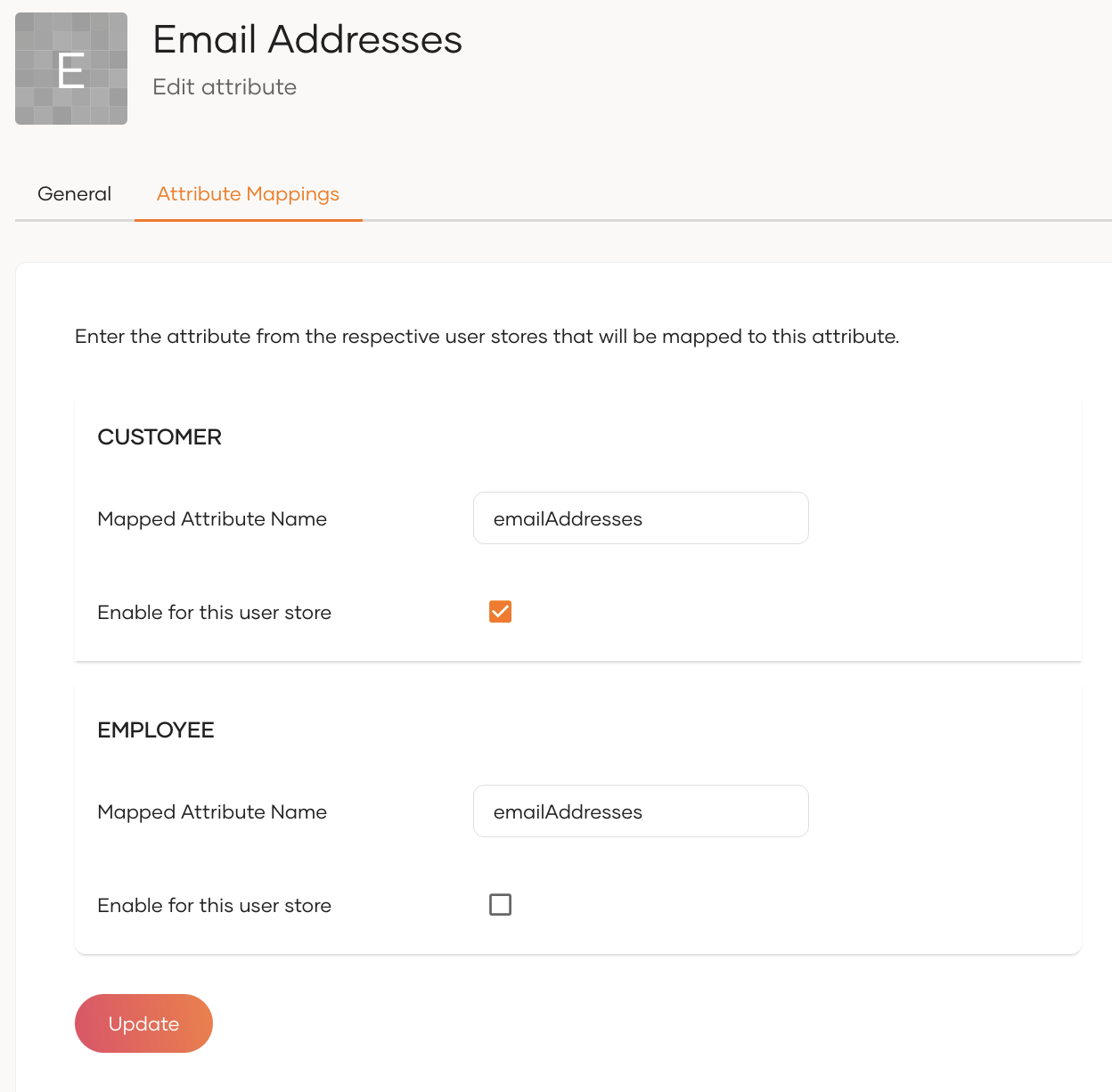
- Go to the Attribute Mappings tab.
- Find the corresponding user store and uncheck the Enable for this user store checkbox.
- Click Update to save the changes