Customize SMS templates
The following topics explain how you can customize SMS notifications that are sent to users of your Asgardeo organization.
SMS templates for B2B applications
If you have set up organizations, refer SMS template inheritance to see how SMS templates are inherited.
You can tailor the body of SMS notifications to your preferences by following the steps below.
Note
This feature is only available for the most frequently used SMS templates. You can customize all available SMS templates using the Notification Templates API.
- On the Asgardeo, go to Branding > SMS Templates.
-
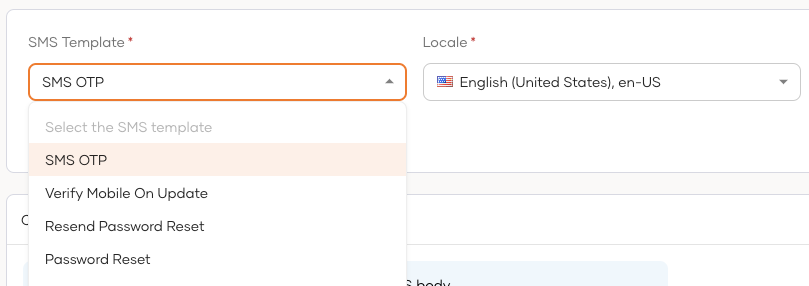
Select the SMS template and the relevant locale that you wish to modify.
-
Make your modifications in the SMS Template Body input field and use the Preview for a real-time preview.
-
Click Save to publish your changes.
Apply changes to user profiles
To apply these changes to each user's profile in your organization:
-
Display the
localattribute on the user's profile. Learn how to do so in updating user attributes. -
Update the
localattribute value with the required locale code. The value should be updated by,-
the admin, if the admin onboards the user to the organization.
-
the user, if the user self-registers to the organization.
-
Alternatively, you can customize the content of SMS templates using the Notification Templates API provided by Asgardeo.