Attribute configurations reference
This reference provides details on all attribute data types and the input formats they can hold.
The Data Type and Input Format properties of an attribute determine how the attribute gets displayed in the following UIs:
- User's profile on the Console and the self-service portal.
- User creation wizard
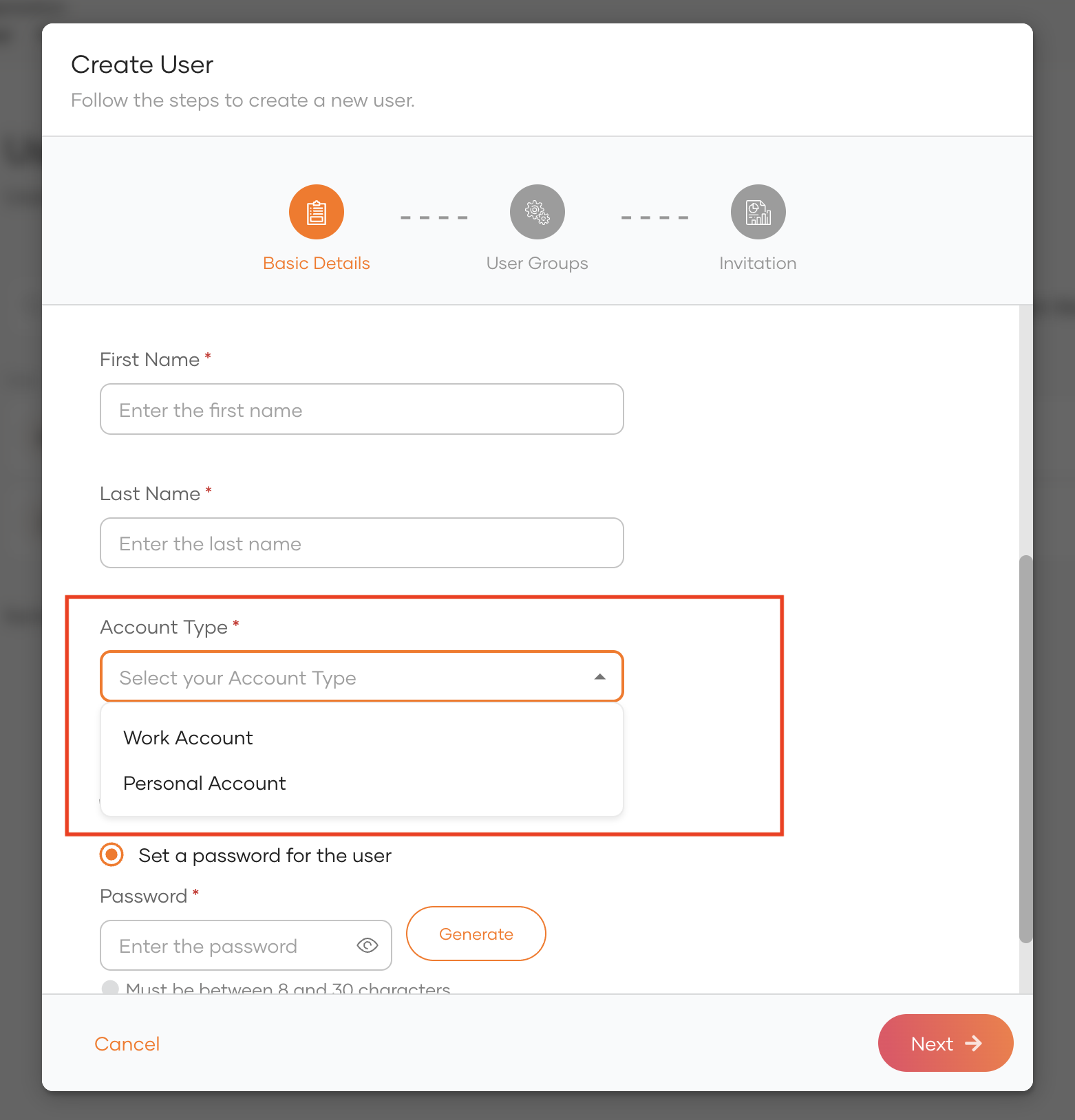
For example, if you set data type to Options and select Dropdown as the input format, the configured values appear as a list in the user creation wizard as shown below.
Data types
An attribute supports one of the following data types:
| Text | A plain string value. | |
| Options | A pre-defined list of selectable values. | |
| Integer | Whole numbers (for example 1, 42, -7). |
|
| Decimal | Numbers that include decimals (for example 3.14, -0.5). |
|
| Boolean | A true or false value. | |
| Object | A structured object that can include several sub-attributes. | |
| Date | Calendar date without time. Use ISO 8601 YYYY-MM-DD (for example 2025-10-01). |
|
| DateTime | Date and time with timezone. Use ISO 8601 YYYY-MM-DDTHH:mm:ssZ or offset YYYY-MM-DDTHH:mm:ss±HH:mm (for example 2025-10-01T14:30:00+05:30). | |
| Epoch | Unix time since 1970-01-01 UTC. Use seconds or milliseconds as integers (for example 1730399400 or 1730399400000). |
-
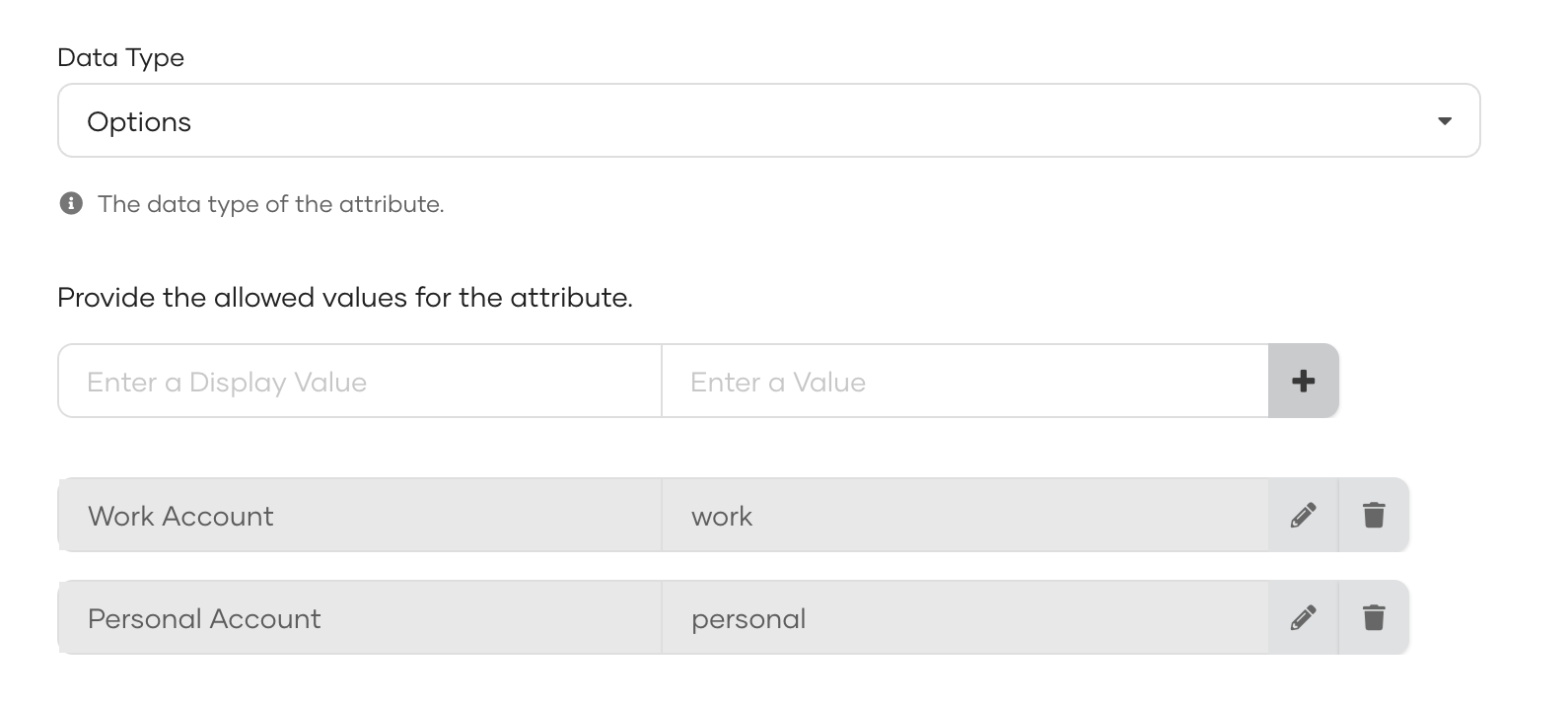
The Options data type allows you to define selectable values for an attribute using Label–Value pairs, where:
-
Label is what the user sees in the UI.
-
Value is what's stored internally.
-
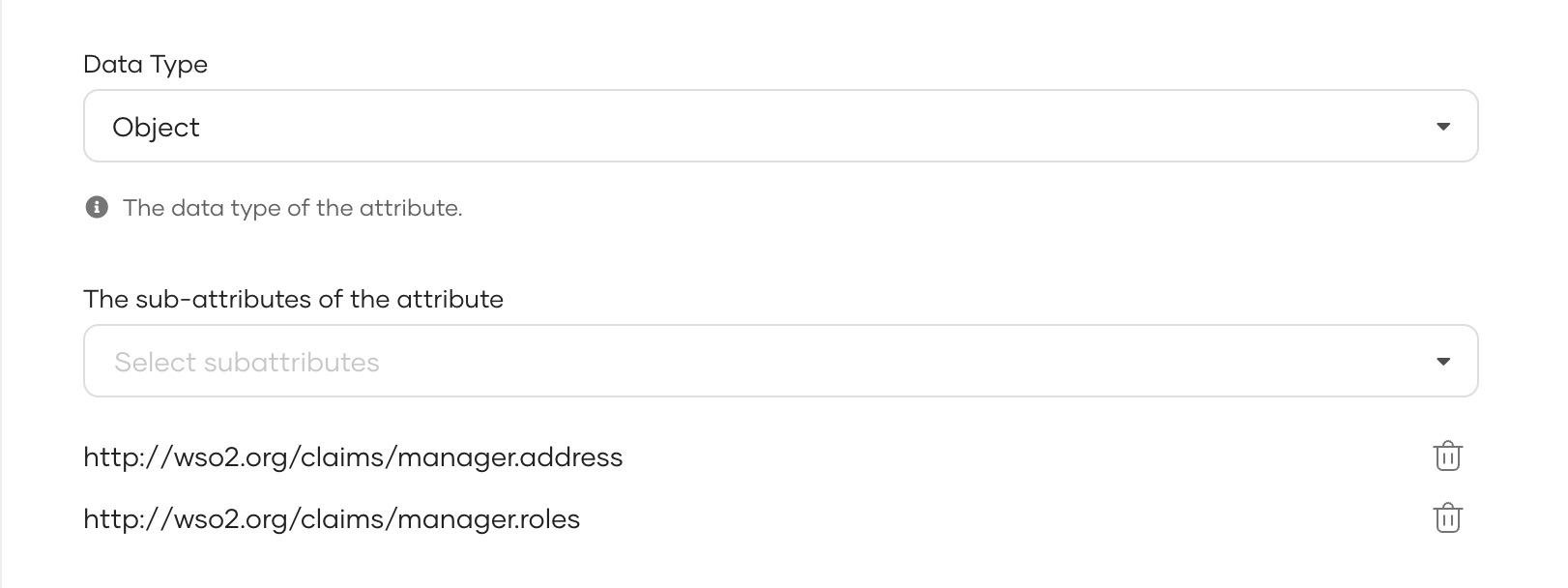
The Object data type allows you to hold a structured object. If chosen, you need to configure its sub-attributes.
Note
The following constraints apply if there is a mapped SCIM attribute for the attribute:
-
Each sub-attribute of the mapped SCIM attribute must start with the main attribute name followed by a period (
.) and a descriptive sub-attribute name. -
You can't assign another attribute of type Object as a sub-attribute.
Input formats
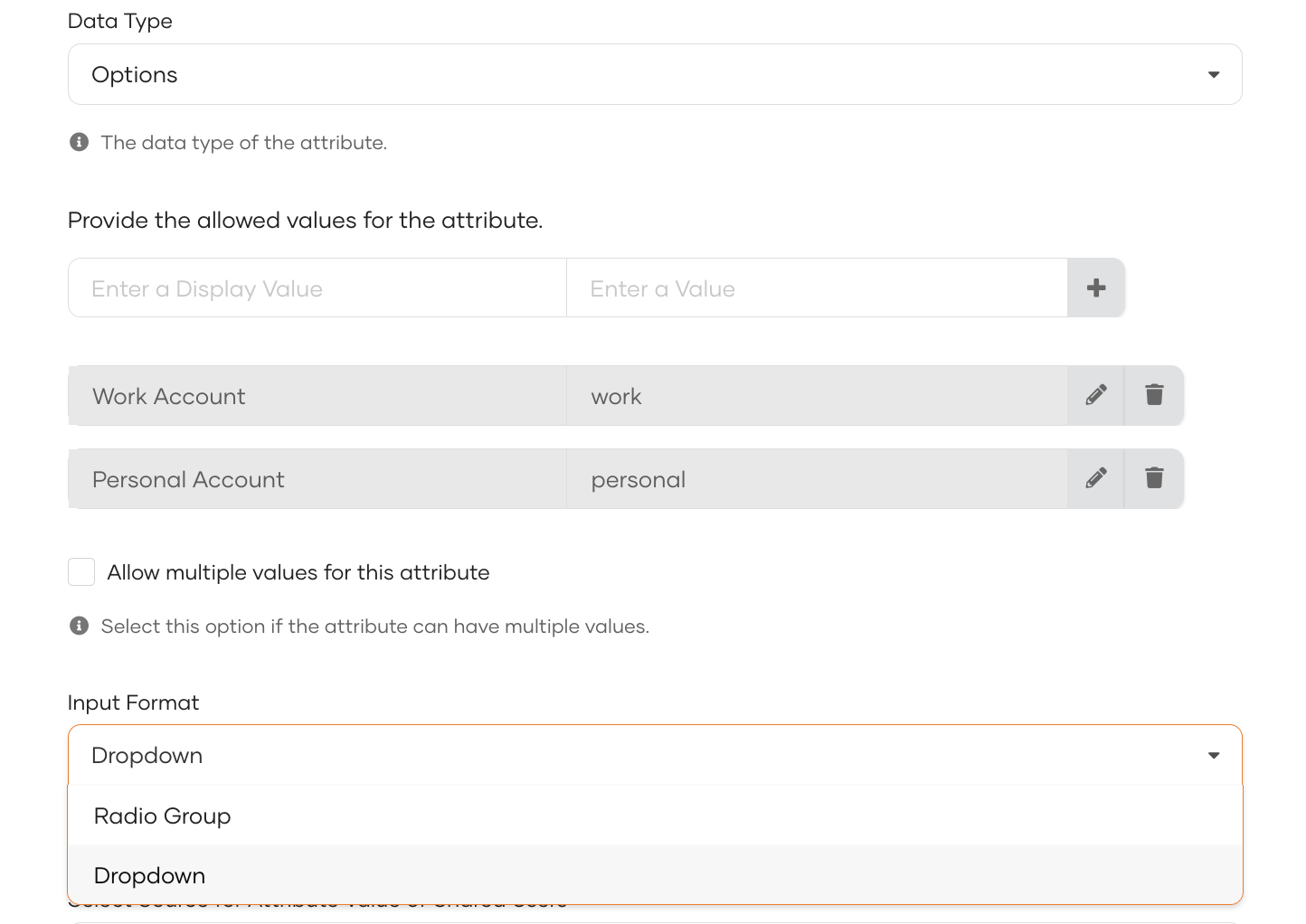
The input format determines how attributes appear in the user interface. The available formats depend on the data type:
| Data Type | Available Input Formats |
| Boolean | Checkbox, Toggle |
| Options (Single) | Dropdown, Radio Group |
| Options (Multiple) | Multi-select Dropdown, Checkbox Group |
| Integer | Text Input, Number Picker |
| Date | Text Input, Date Picker. Store dates in ISO 8601 `YYYY-MM-DD`. If the existing value uses another format, render a Text Input. |