Example
What you'll build
Build an integration workflow that connects to an SAP S/4HANA system and retrieves sales inquiry header records. The workflow calls the Sales Inquiry API and logs the result as JSON.
Operations used:
- listA_SalesInquiries : Reads all sales inquiry headers from the SAP S/4HANA system, returning the first 10 results
Architecture
Prerequisites
- Access to an SAP S/4HANA system with valid credentials
Setting up the SAP S/4HANA sales inquiry service integration
New to WSO2 Integrator? Follow the Create a New Integration guide to set up your integration first, then return here to add the connector.
Adding the SAP S/4HANA sales inquiry service connector
Step 1: Open the connector palette and search for the connector
Select Add Connection in the WSO2 Integrator sidebar to open the connector palette, then search for api_sales_inquiry_srv and select the Api_sales_inquiry_srv connector card.
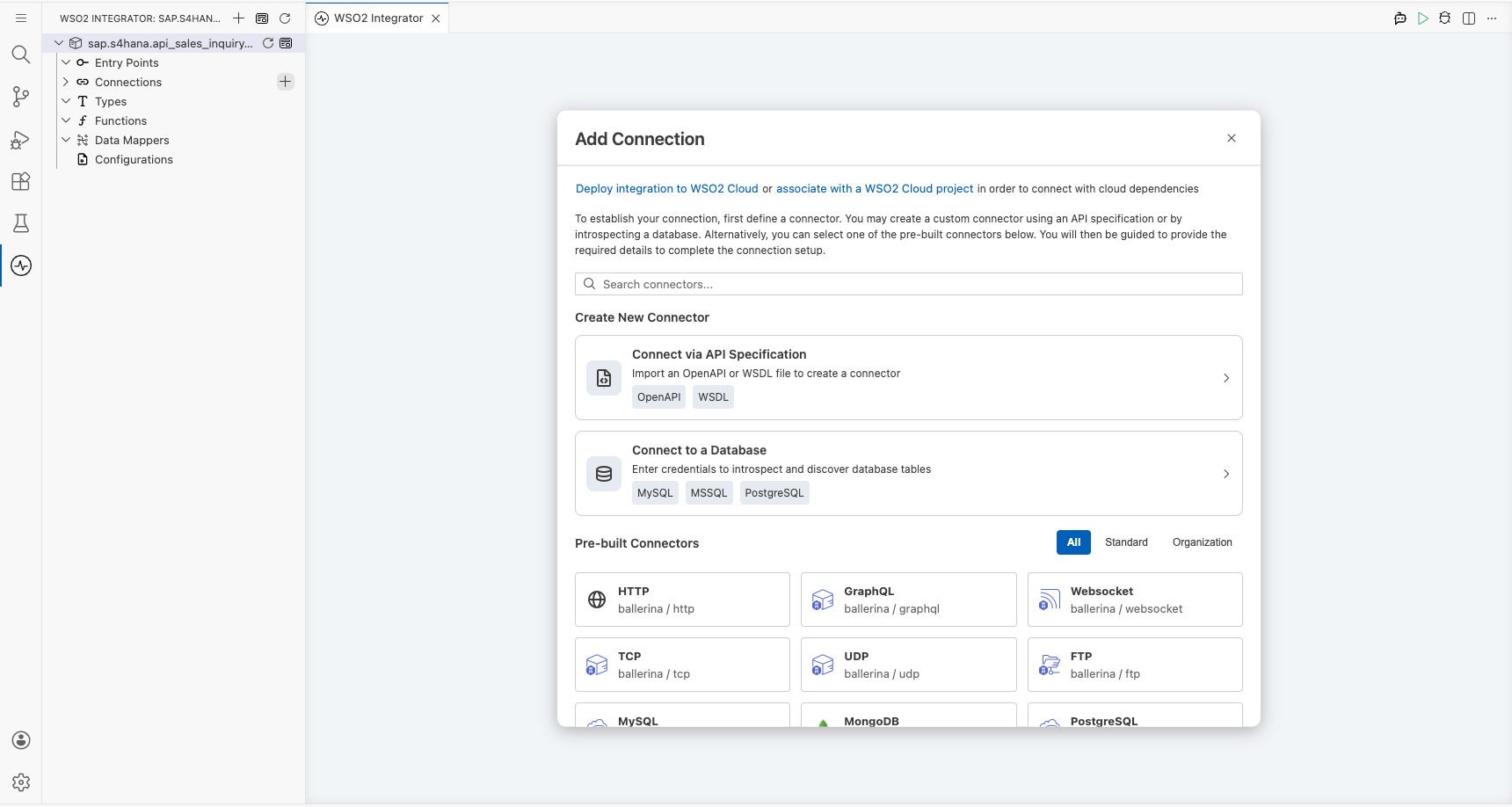
Configuring the SAP S/4HANA sales inquiry service connection
Step 2: Fill in the connection parameters
Enter the connection parameters, binding each field to a configurable variable:
- Config :
ConnectionConfigrecord containing basic auth credentials; bind to configurable variables for username and password - Hostname : SAP S/4HANA server hostname; bind to a configurable variable
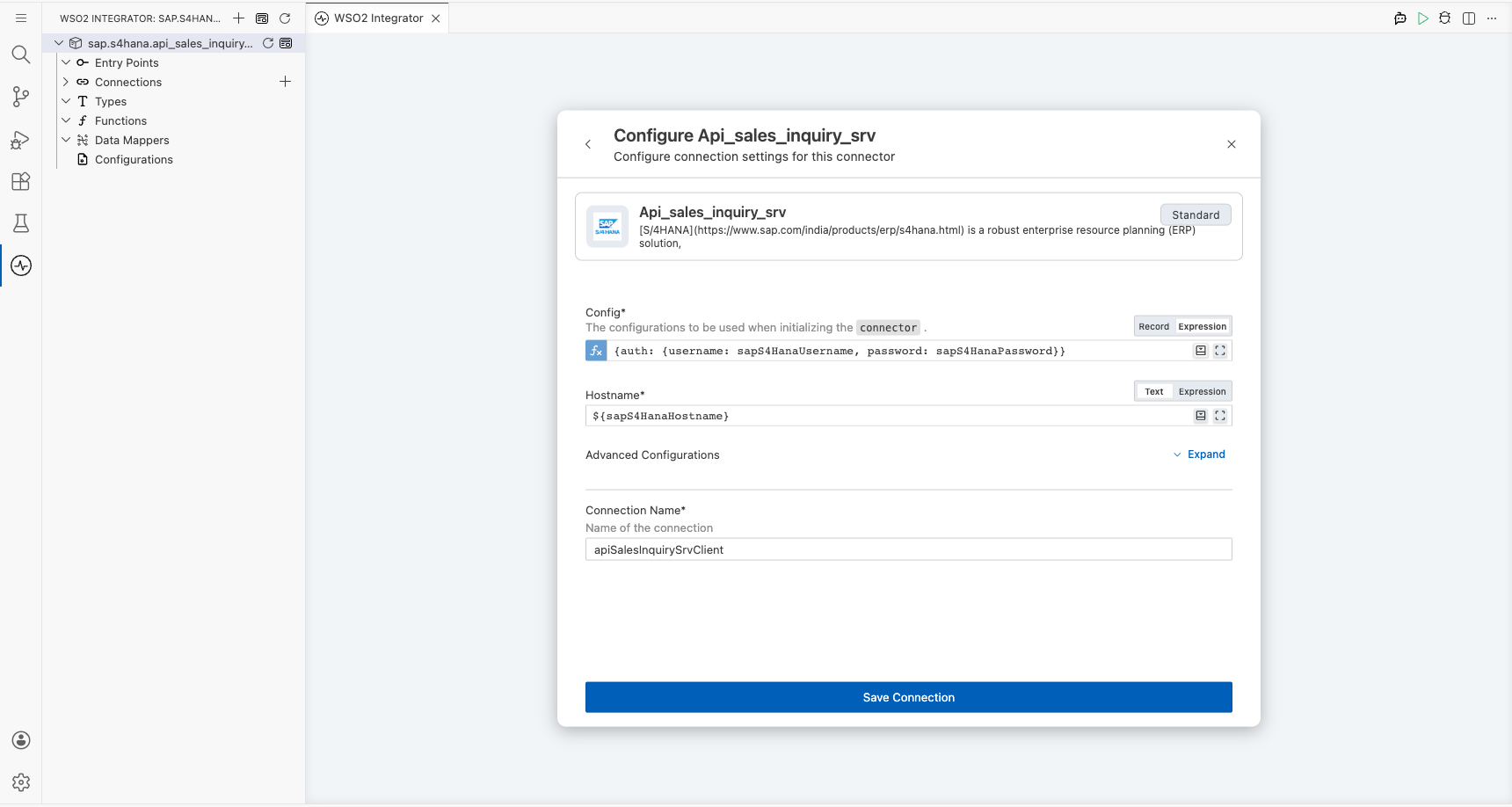
Step 3: Save the connection
Select Save Connection to persist the configuration and confirm the connector appears in the Connections panel.
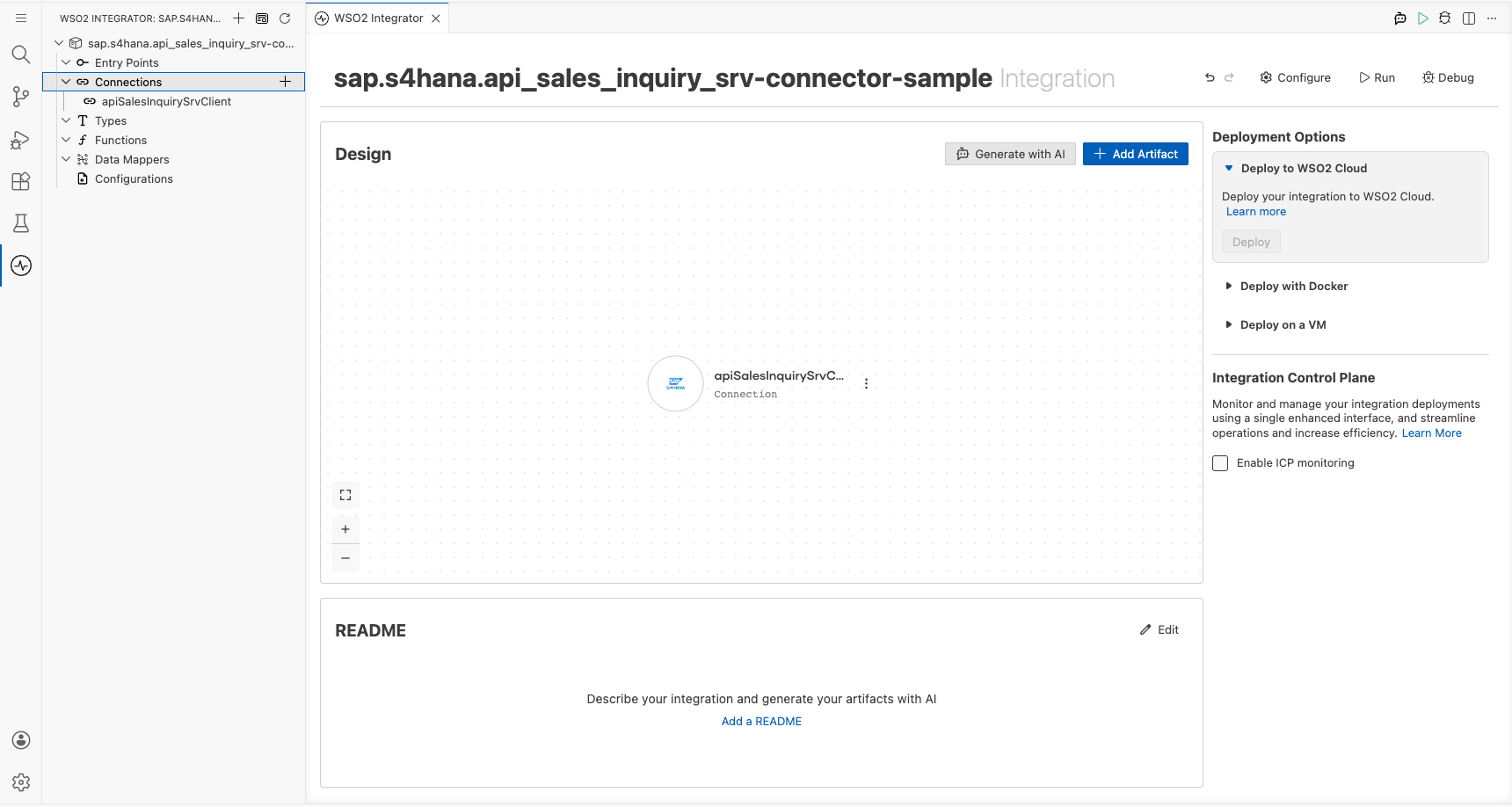
Step 4: Set actual values for your configurables
- In the left panel, select Configurations.
- Set a value for each configurable listed below:
- sapS4HanaHostname (string) : The hostname of your SAP S/4HANA server
- sapS4HanaUsername (string) : Your SAP S/4HANA login username
- sapS4HanaPassword (string) : Your SAP S/4HANA login password
Configuring the SAP S/4HANA sales inquiry service listA_SalesInquiries operation
Step 5: Add an automation entry point
Select Add Artifact, then select Automation from the artifact types and select Create to add the automation entry point to the canvas.
Step 6: Select and configure the listA_SalesInquiries operation
- On the automation canvas, select the + button to add a step.
- Expand the apiSalesInquirySrvClient connection under Connections.
- Select List A Sales Inquiries (
listA_SalesInquiries).
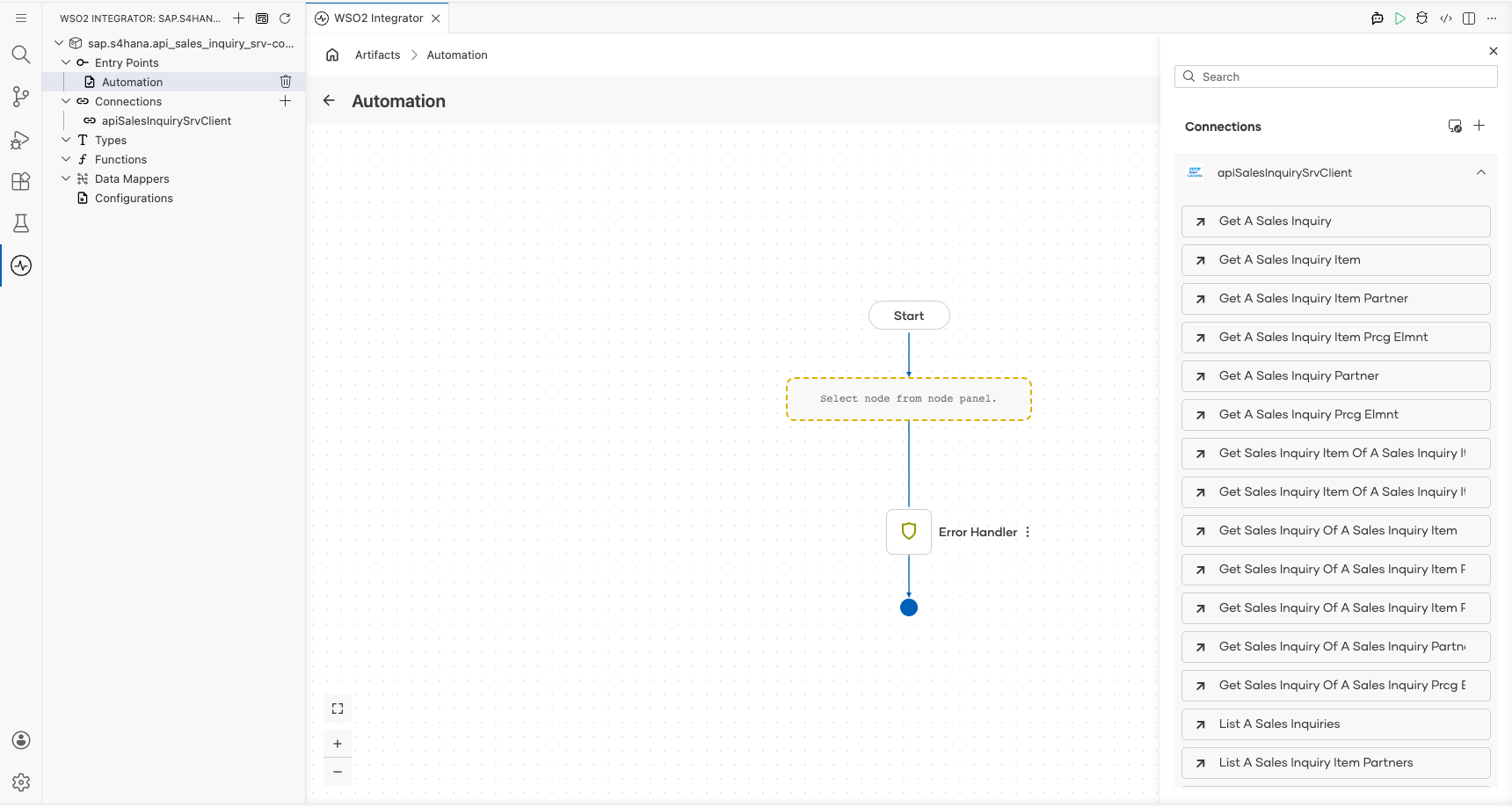
Configure the operation parameters:
- $top : Limit results to the first 10 sales inquiries
- $skip : Start from the beginning of the result set
- Result : Variable name to store the response
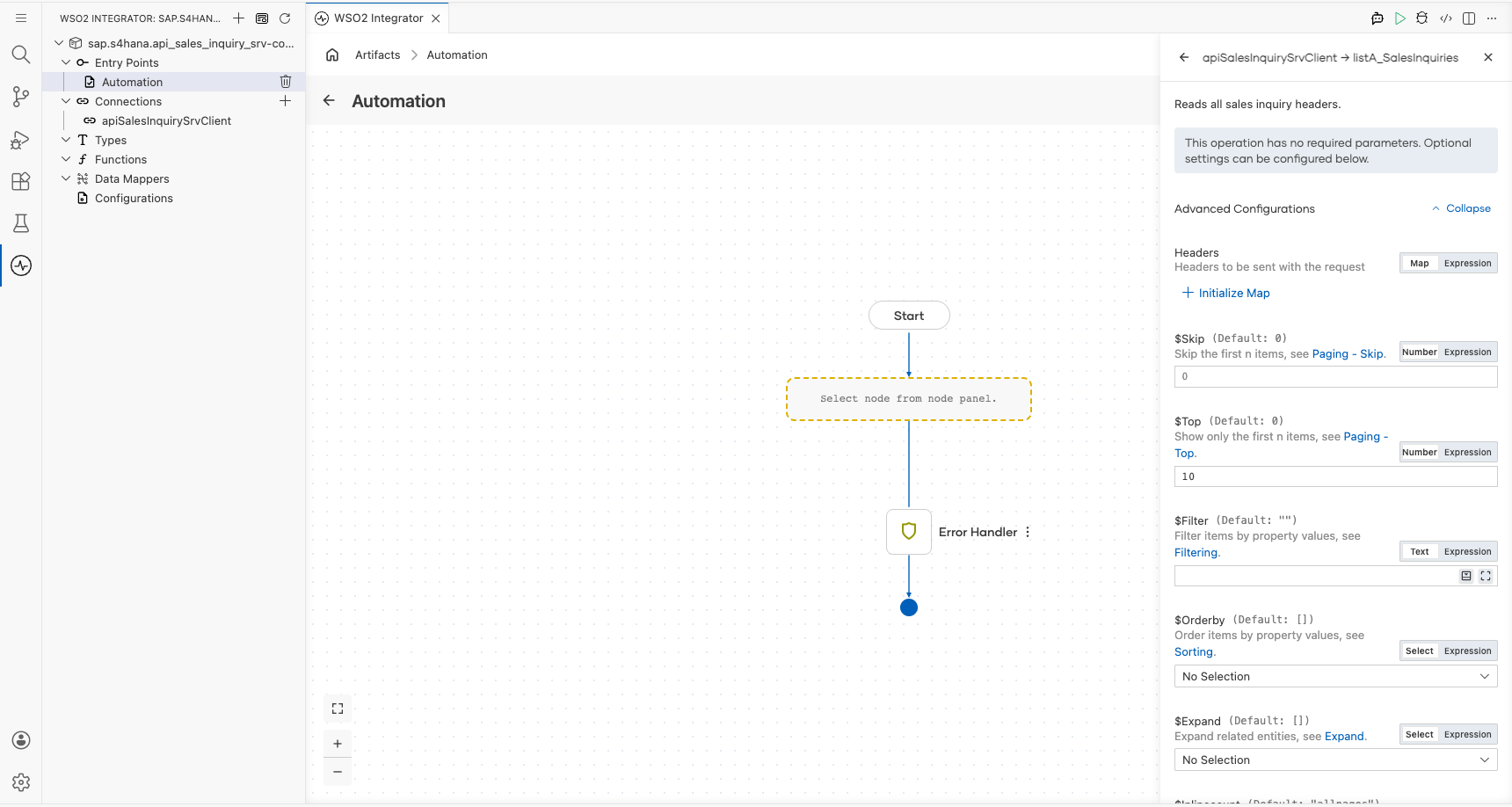
Select Save to add the operation to the flow.
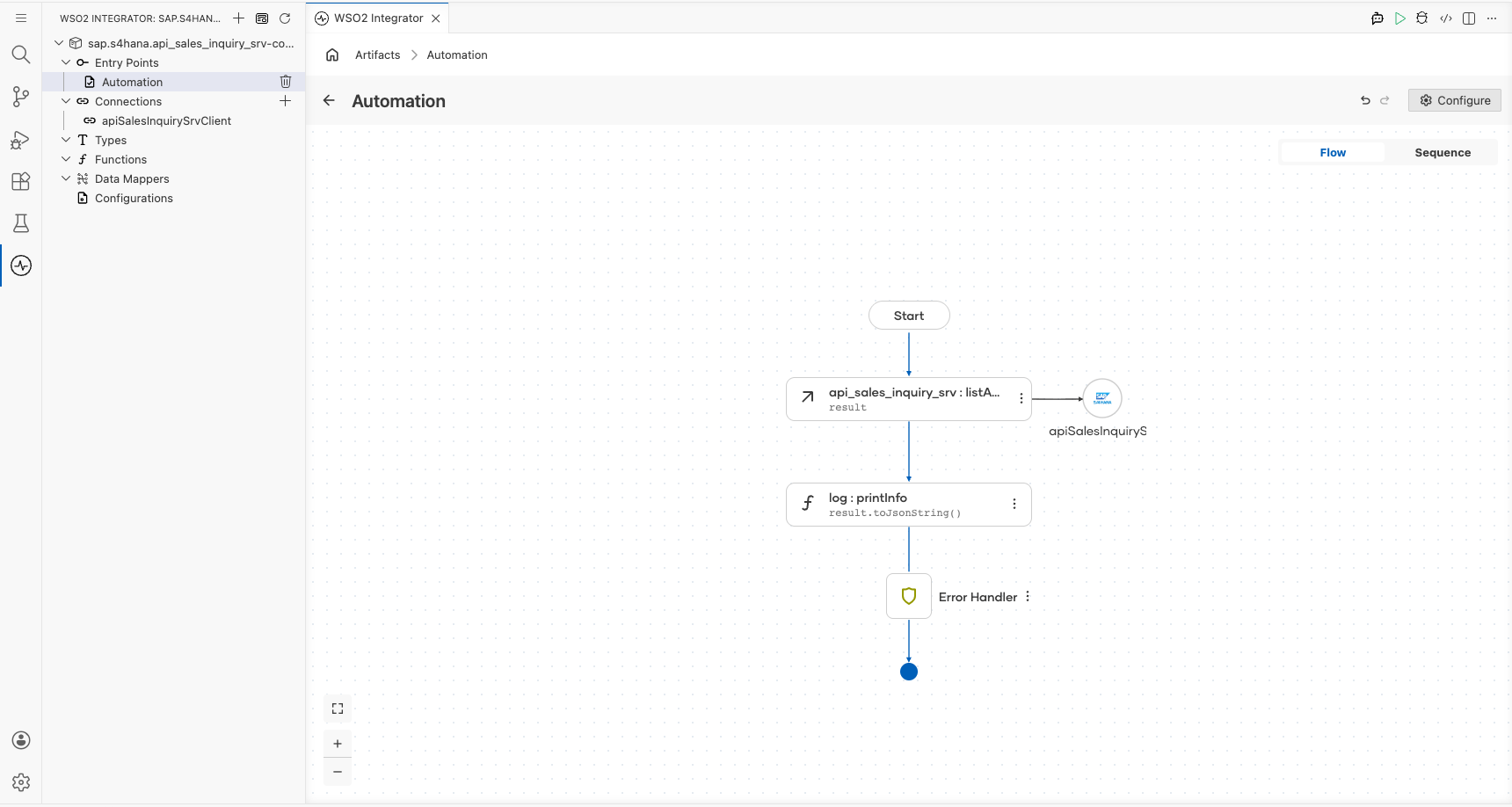
Try it yourself
Try this sample in WSO2 Integration Platform.
More code examples
The S/4 HANA Sales and Distribution Ballerina connectors provide practical examples illustrating usage in various scenarios. Explore these examples, covering use cases like accessing S/4HANA Sales Order (A2X) API.
-
Salesforce to S/4HANA Integration - Demonstrates leveraging the
sap.s4hana.api_sales_order_srv:Clientin Ballerina for S/4HANA API interactions. It specifically showcases how to respond to a Salesforce Opportunity Close Event by automatically generating a Sales Order in the S/4HANA SD module. -
Shopify to S/4HANA Integration - Details the integration process between Shopify, a leading e-commerce platform, and SAP S/4HANA, a comprehensive ERP system. The objective is to automate SAP sales order creation for new orders placed on Shopify, enhancing efficiency and accuracy in order management.