Connectors Overview
Send a Slack notification when an order ships. Read customer records from Salesforce. Write results to a Google Sheet. Query a database and return the data in an API response.
Connectors make these integrations possible without writing low-level HTTP or protocol code. WSO2 Integrator includes pre-built connectors for the services your business already uses.
How connectors fit into your integration
Most integrations follow a similar pattern:
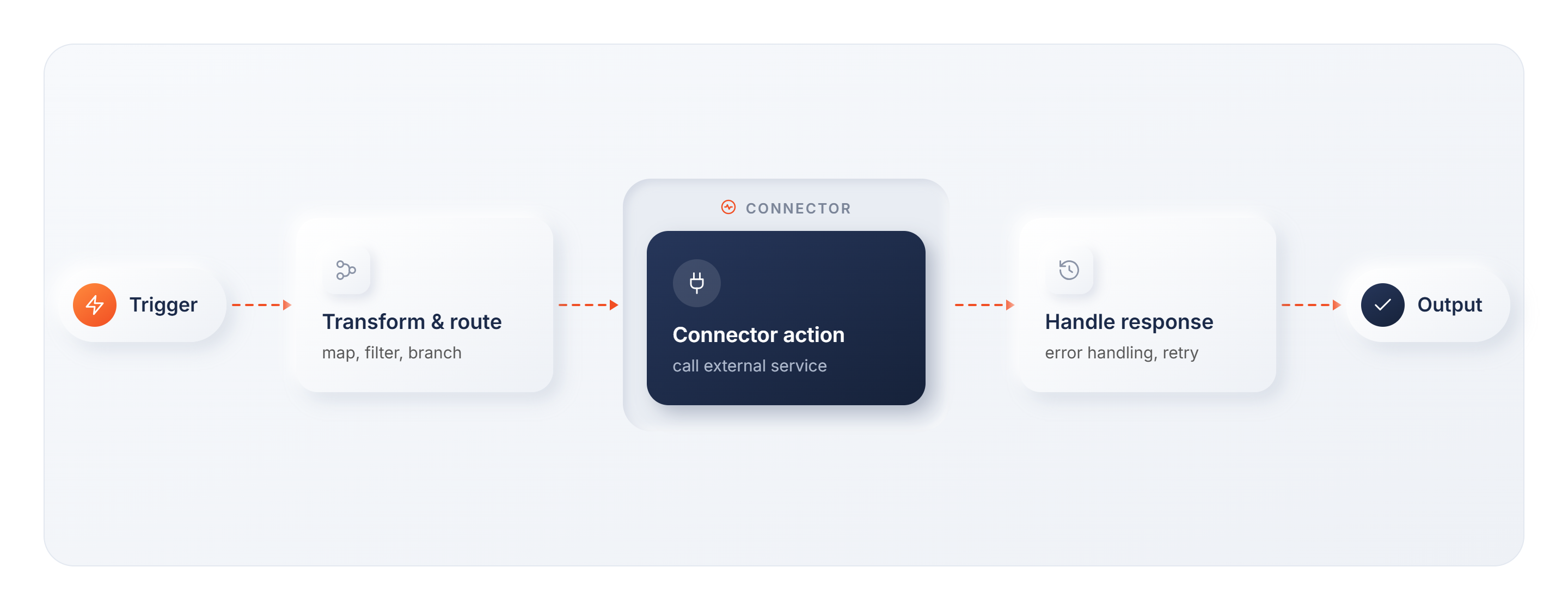
The connector action is where WSO2 Integrator communicates with the external service.
Key concepts
Connector
A connector is a pre-built integration component that exposes an external service's API as ready-to-use operations. Instead of constructing HTTP requests and parsing responses by hand, you select an action from the connector's list and configure its inputs.
Library
A library adds integration capabilities that don't need a client or connection at all, such as PDF generation, string manipulation, I/O, or invoking a cloud function (AWS Lambda, Azure Functions). Import and use one directly in your integration logic, the same way you would any other Ballerina library.
Connection
A connection is a named, reusable configuration that holds the credentials and endpoint settings for an external service, such as API keys, OAuth tokens, and hostnames. You define it once; every action in your integration uses it by name.
For details on creating and managing connections, see Connections.
Action
An action is a specific operation you invoke through a connection, such as "send SMS", "create contact", or "execute query". Each connector exposes a list of available actions. Actions are outbound: your integration calls the external service.
Trigger
Some connectors also support triggers, which are inbound events the external service pushes into your integration. A database trigger fires when a row changes. A messaging trigger fires when a new message arrives.
| Actions | Triggers | |
|---|---|---|
| Direction | Your integration calls the service | The service calls your integration |
| Example | Send an SMS, create a Salesforce record | New database row, incoming webhook |
Most connectors are action-only. Trigger support is available for select connectors, primarily databases (MySQL, PostgreSQL, MSSQL), messaging systems (Kafka, RabbitMQ), and file storage. See each connector's documentation for what's available.
What's next
- Using Connectors: See how connections, actions, and triggers come together in a real integration
- Connector catalog: Browse all available connectors
- Connections: Create and manage connections in your integration
- Build your own connector: Create a custom connector for a service not in the catalog