Example
What you'll build
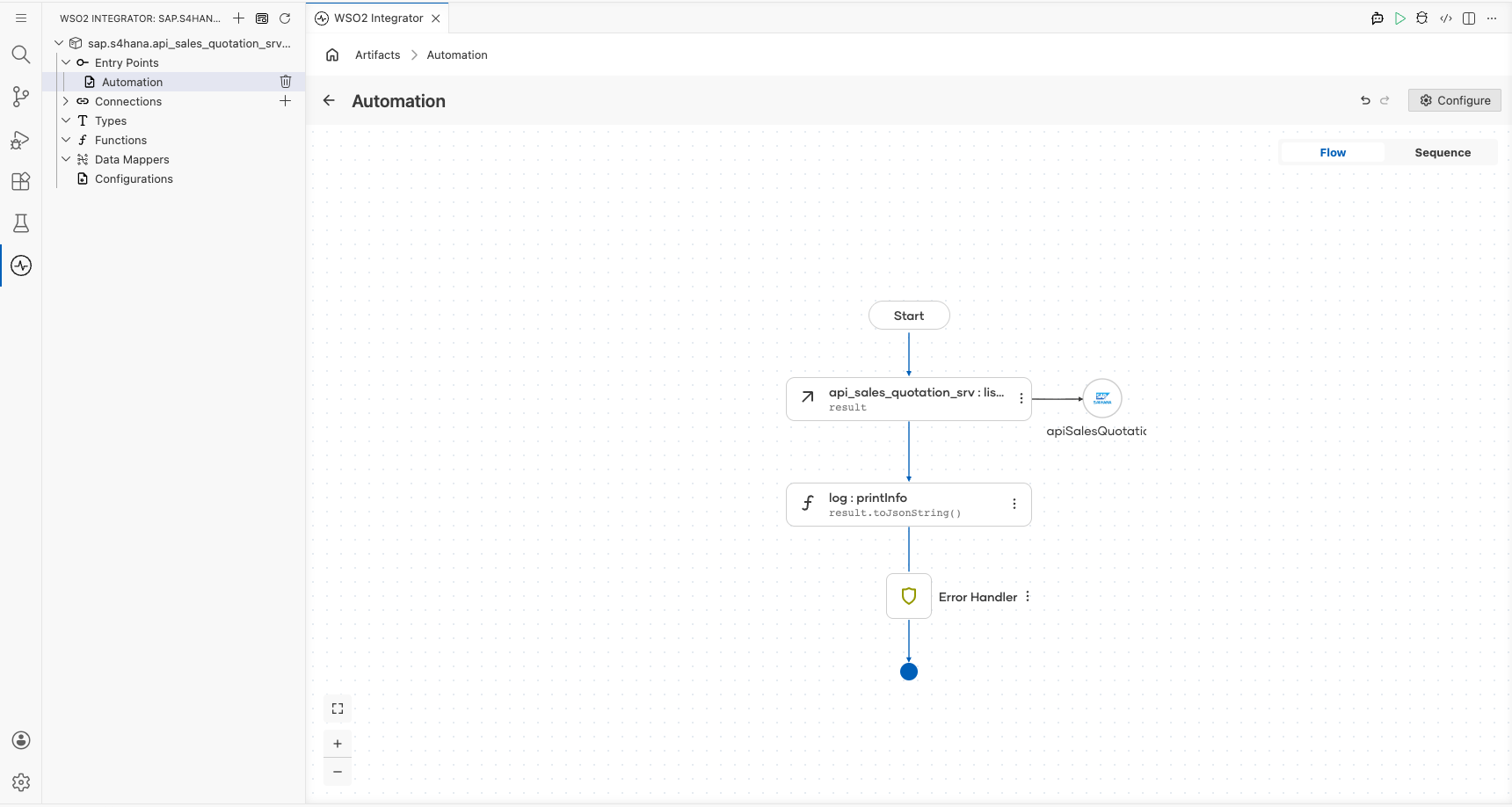
Build an integration that connects to an SAP S/4HANA system and retrieves sales quotation headers using the SAP S/4HANA API Sales Quotation Service connector. The integration calls the listA_SalesQuotations operation to fetch sales quotation records and logs the results as JSON.
Operations used:
- listA_SalesQuotations : Retrieves a list of sales quotation headers from the SAP S/4HANA system
Architecture
Prerequisites
- Access to an SAP S/4HANA system with the API Sales Quotation Service enabled
- SAP authentication token and hostname
Setting up the SAP S/4HANA API sales quotation service integration
New to WSO2 Integrator? Follow the Create a New Integration guide to set up your integration first, then return here to add the connector.
Adding the SAP S/4HANA API sales quotation service connector
Step 1: Open the add connection palette
Select the Add Connection button (or + icon) next to Connections in the WSO2 Integrator sidebar to open the connector palette.
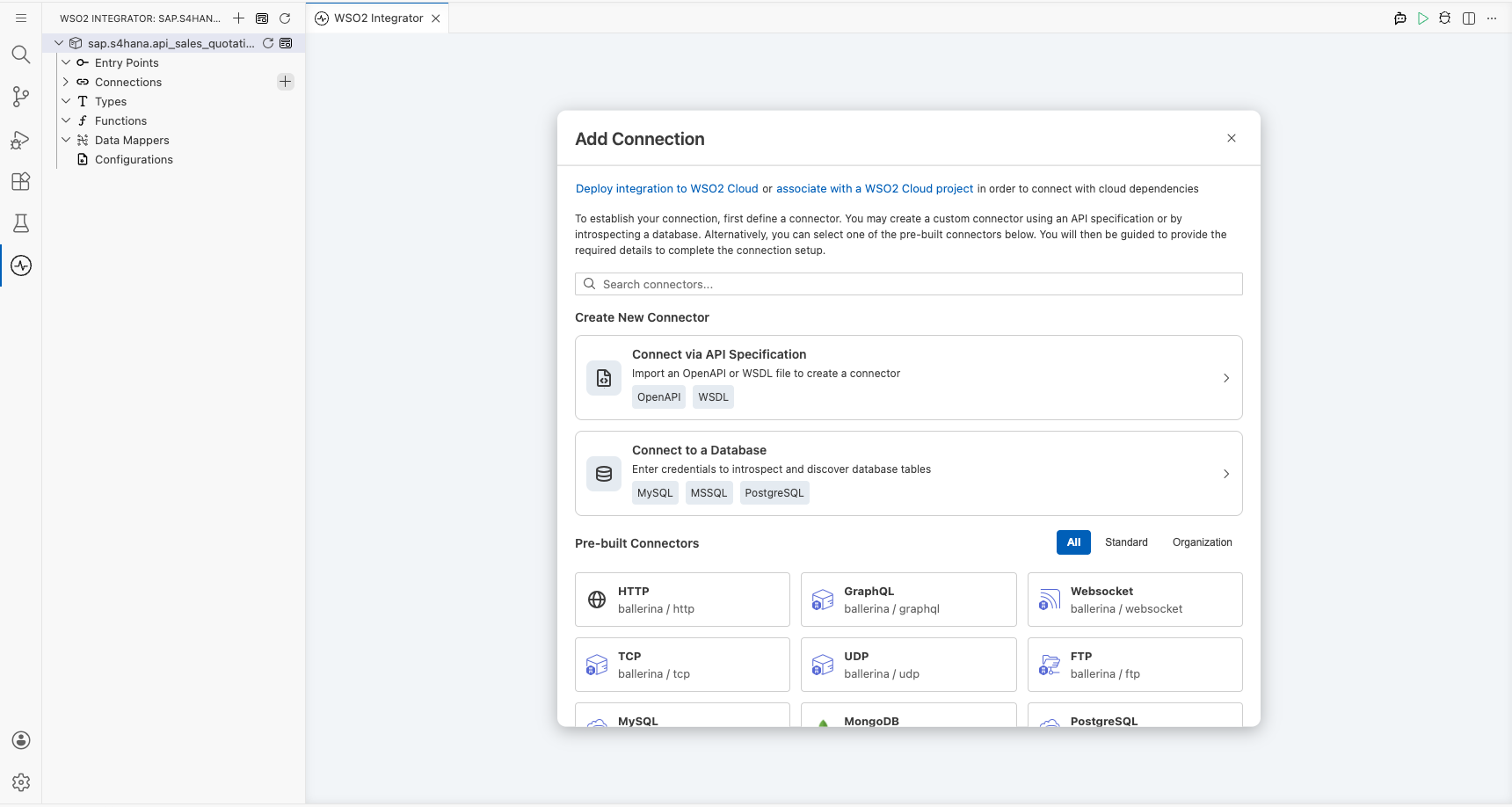
Step 2: Select the SAP S/4HANA API sales quotation service connector
Search for sap.s4hana.api_sales_quotation_srv in the search box and select the SAP S/4HANA API Sales Quotation Srv connector card to open the connection form.
Configuring the SAP S/4HANA API sales quotation service connection
Step 3: Fill in the connection parameters
Enter the connection parameters, binding each field to a configurable variable for secure runtime supply:
- Config : The connection configuration object containing authentication details
- Hostname : The SAP S/4HANA system hostname or URL
- Connection Name : A name to identify this connection
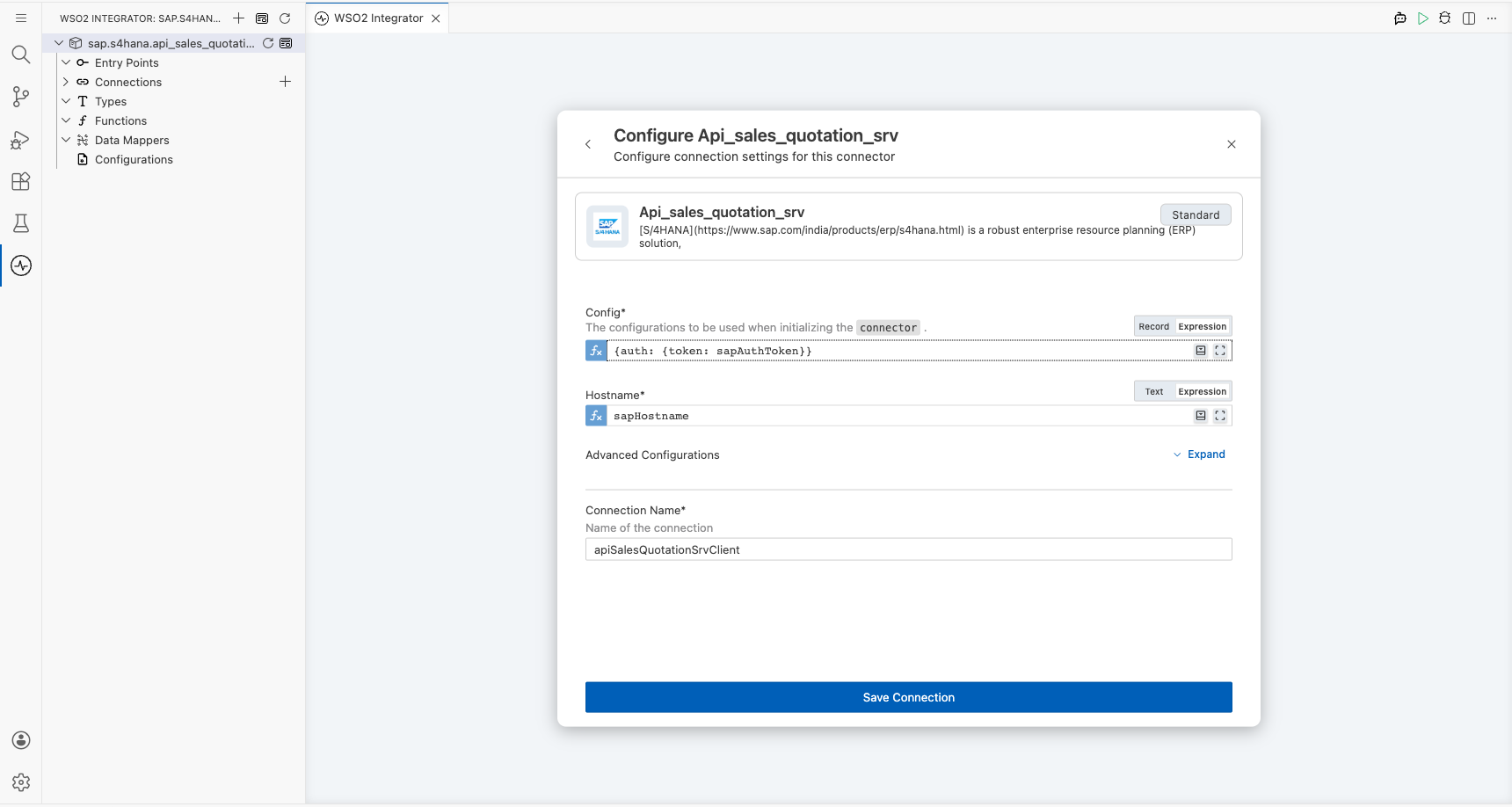
Step 4: Save the connection
Select Save to create the connection. The apiSalesQuotationSrvClient entry now appears in the Connections panel.
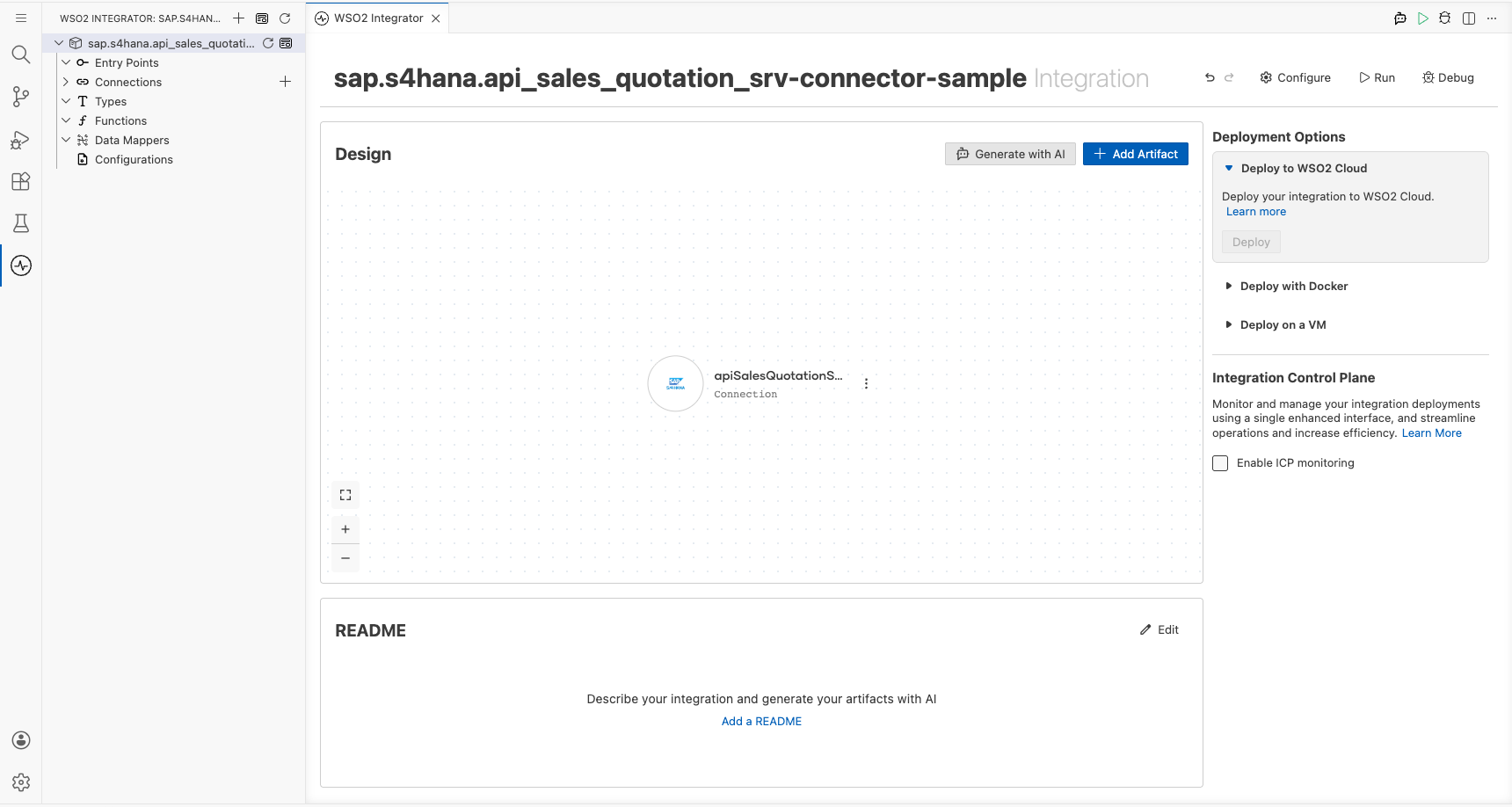
Step 5: Set actual values for your configurables
- In the left panel, select Configurations.
- Set a value for each configurable listed below.
- sapHostname (string) : The hostname or URL of your SAP S/4HANA system
- sapAuthToken (string) : The authentication token used to access the SAP S/4HANA API
Configuring the SAP S/4HANA API sales quotation service listA_SalesQuotations operation
Step 6: Add an automation entry point
- Select Add Artifact in the WSO2 Integrator sidebar.
- Select Automation from the artifact type options.
- In the Create New Automation dialog, accept the default settings and select Create.
Step 7: Select and configure the listA_SalesQuotations operation
- Select the + (Add Step) button on the flow canvas, expand the Connections section, and select List A Sales Quotations from the
apiSalesQuotationSrvClientconnector.
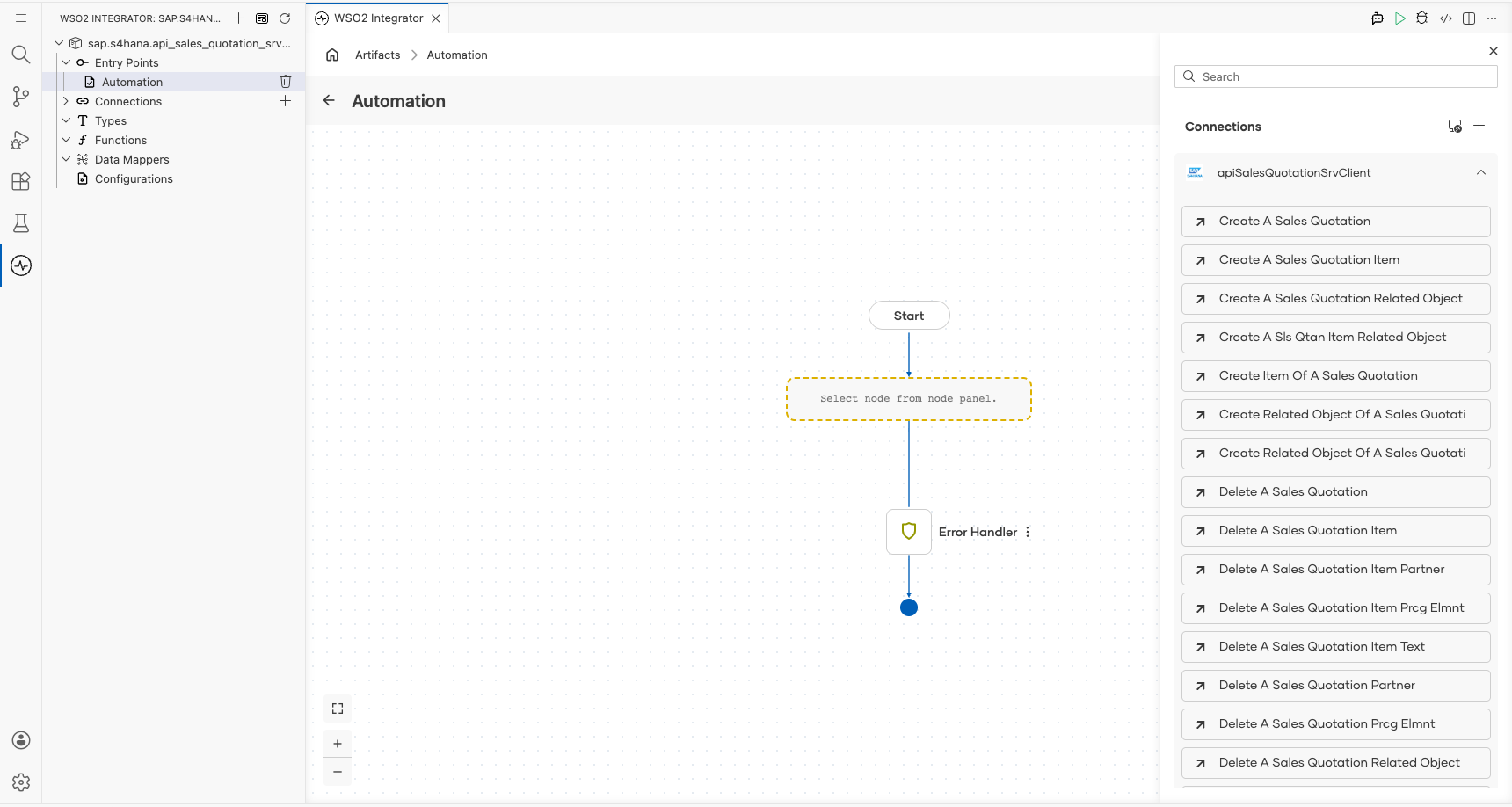
- In the operation configuration form, set the parameters as follows:
- $top : Limits the number of records returned (set to
5) - Result : The variable name used to store the operation output
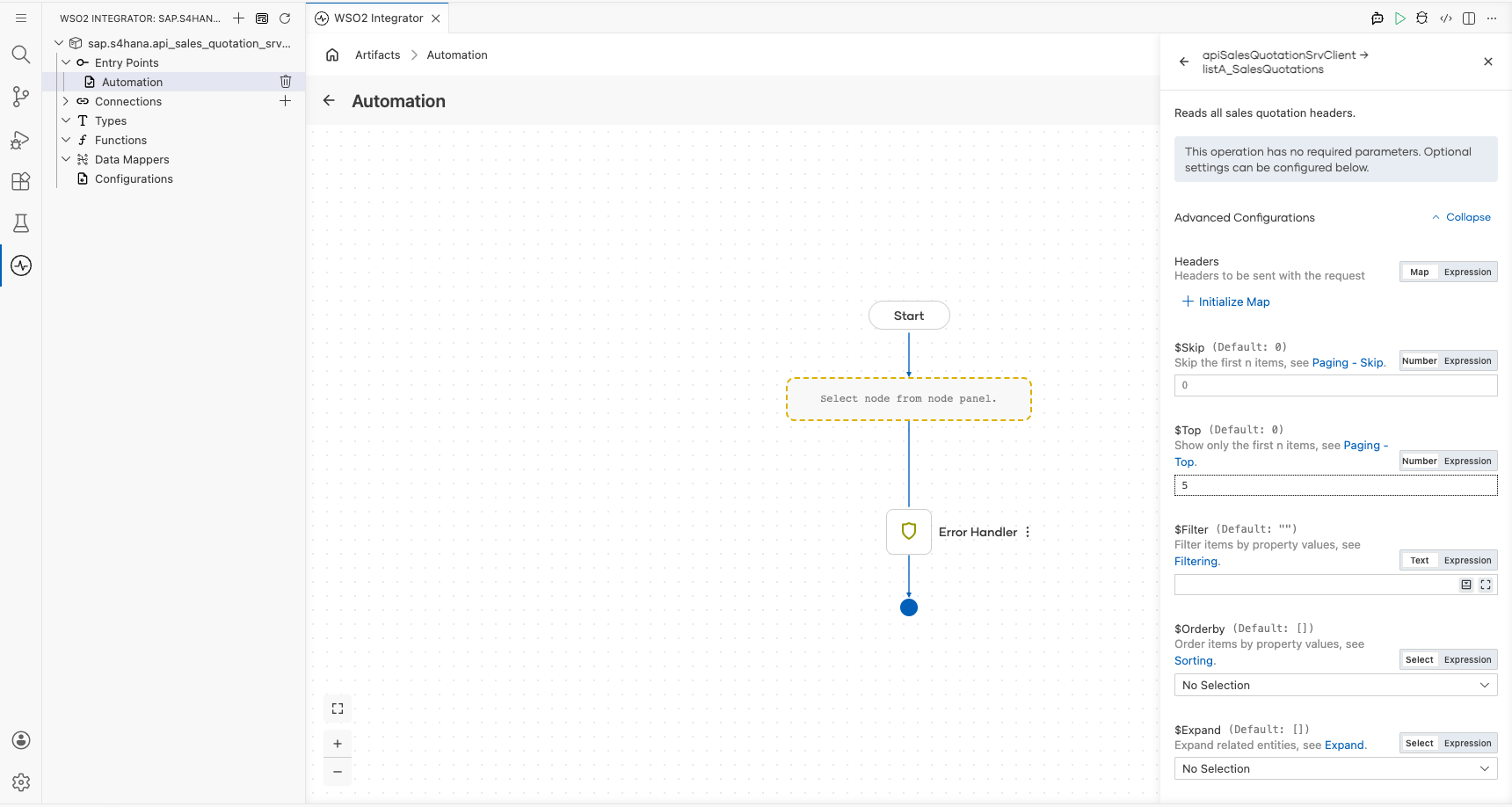
- Select Save to apply the configuration. The completed flow appears with the operation added to the automation sequence.
Try it yourself
Try this sample in WSO2 Integration Platform.

More code examples
The S/4 HANA Sales and Distribution Ballerina connectors provide practical examples illustrating usage in various scenarios. Explore these examples, covering use cases like accessing S/4HANA Sales Order (A2X) API.
-
Salesforce to S/4HANA Integration - Demonstrates leveraging the
sap.s4hana.api_sales_order_srv:Clientin Ballerina for S/4HANA API interactions. It specifically showcases how to respond to a Salesforce Opportunity Close Event by automatically generating a Sales Order in the S/4HANA SD module. -
Shopify to S/4HANA Integration - Details the integration process between Shopify, a leading e-commerce platform, and SAP S/4HANA, a comprehensive ERP system. The objective is to automate SAP sales order creation for new orders placed on Shopify, enhancing efficiency and accuracy in order management.