WSO2 Integration Platform · Docs
WSO2 Integrator
Build, connect, and run integrations, long-running workflows, MCP servers, and AI agents with built-in governance, and architectural freedom.
Press / to search from anywhere
WSO2 Integrator
Windows · macOS · Linux · 100% open source
New to WSO2 Integrator?
Build your first integration in four steps, starting with a quickstart.
- 1Set upInstall WSO2 Integrator
- 2Pick a quickstartChoose a style below ↓
- 3Design the flowOn the canvas or with Copilot
- 4Run and deployTest locally, then ship
What do you want to build?
Pick an integration style to start building.
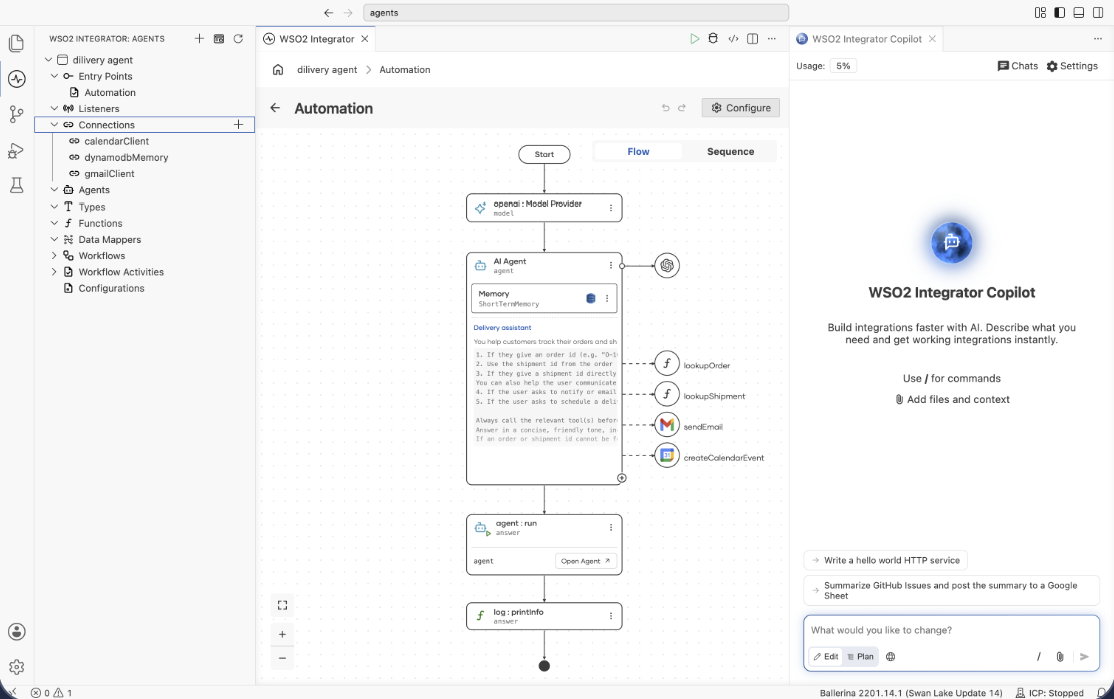
Integration as APIExpose HTTP, GraphQL and gRPC services that orchestrate backends.Event integrationReact to messages from Kafka, RabbitMQ and other brokers.File integrationProcess files arriving over FTP, SFTP or local directories.AutomationRun scheduled or manually triggered jobs and workflows.AI agentGive an LLM tools, memory and instructions to act on your systems.Durable WorkflowsLong running, crash-safe processes.
Explore the platform
Everything from design canvas to production
Integration lifecycle
- 01Develop and TestCreate and test integrations using visual design, data transformation, developer tools, and debugging.
- 02Deploy and RunDeploy integrations to WSO2 Cloud, configure Git-based delivery, and secure production environments.
- 03ManageManage deployed integrations, projects, environments, configurations, user access, and platform services.
- 04ObserveMonitor runtime logs and metrics, diagnose issues, and configure anomaly detection and alerts.