Using Connectors
The Overview introduces connectors, connections, actions, and triggers as concepts. This page shows how they come together in practice, once you've picked a connector from the catalog.
Create a connection
Before you can call a connector's actions, you need a connection: a named, reusable configuration holding the credentials and endpoint settings for the external service. You create one from the Artifacts view or directly from the node palette while building a flow.
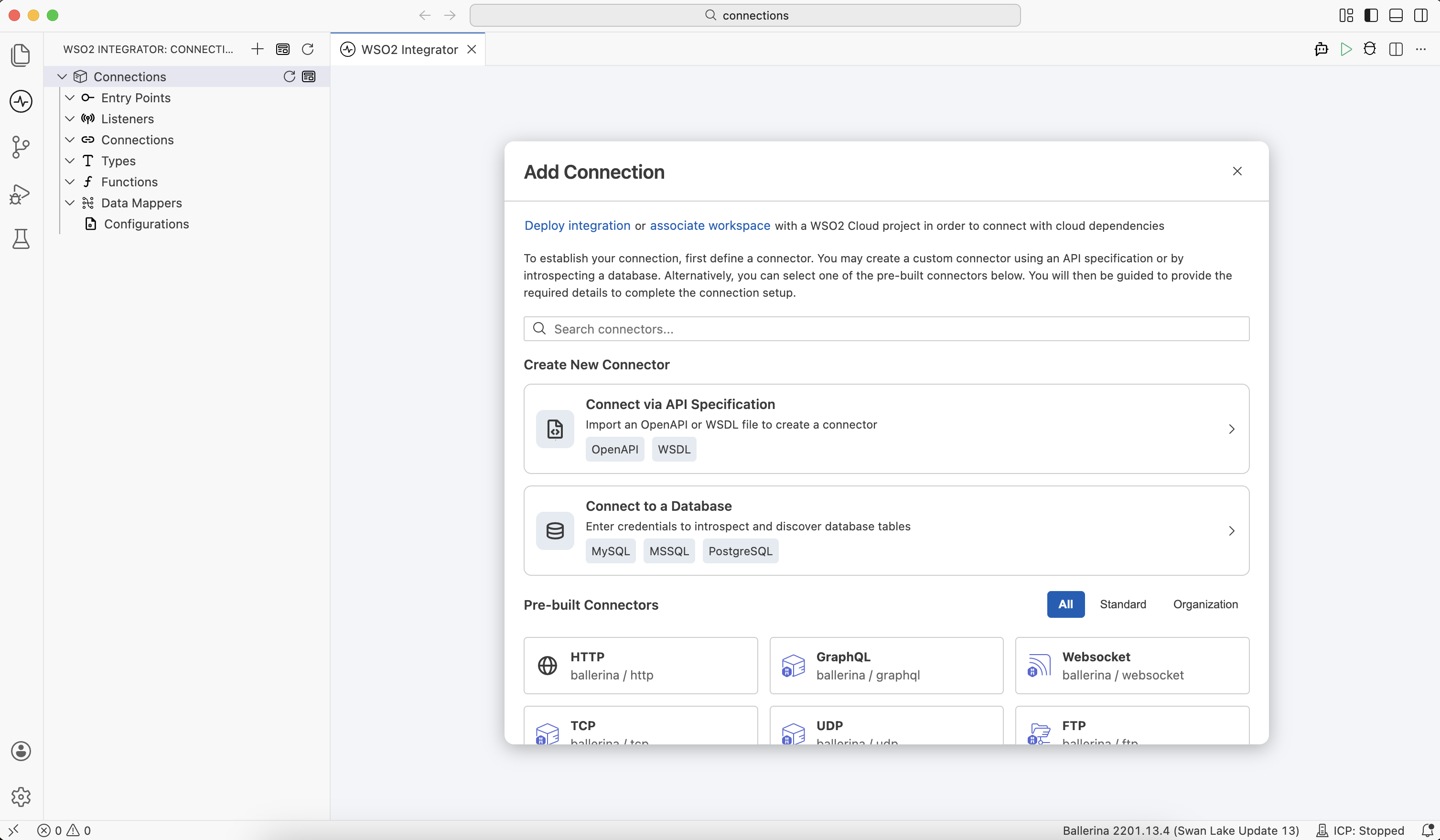
Fill in the connection initialization form with the connector's specific configuration, such as endpoints, API keys, or OAuth settings.
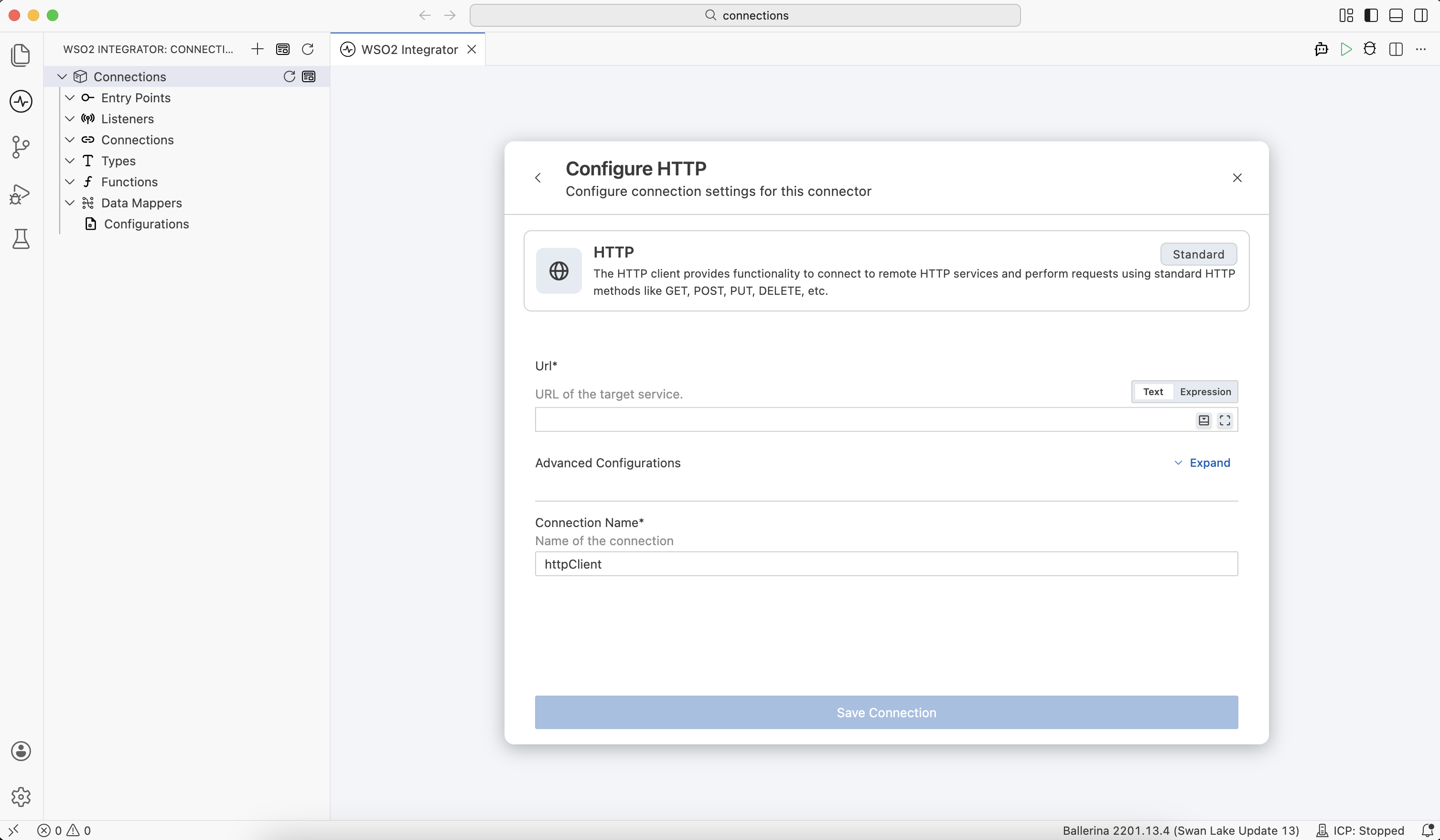
See Connections for how to add, edit, and reuse connections across an integration, and the node palette's connection section for adding one without leaving the flow you're building.
Invoke an action
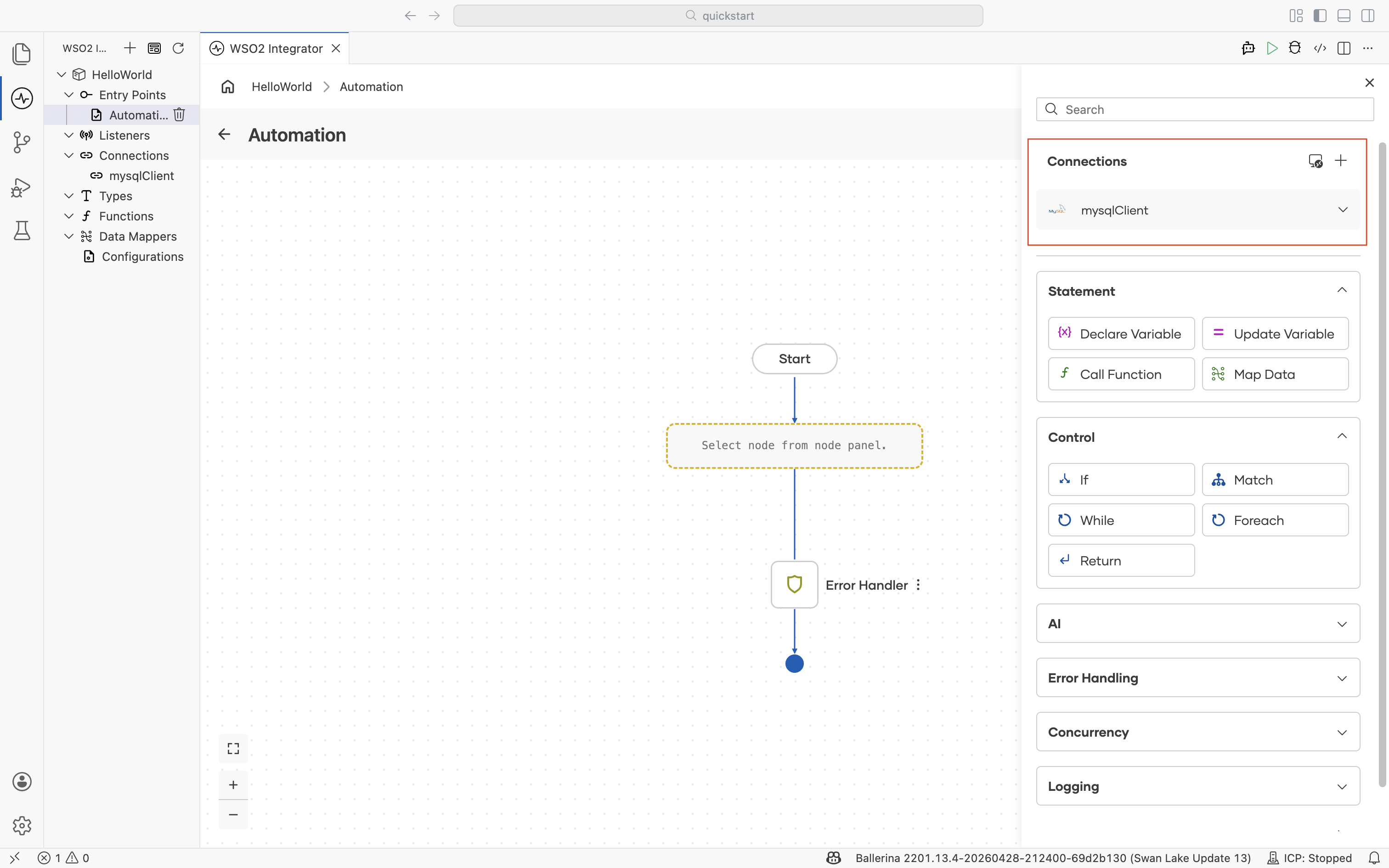
Once a connection exists, it appears in the node palette's Connections section. Expand the dropdown of the created connection to see its available actions.
Select an action and configure its inputs the same way you would any other node.
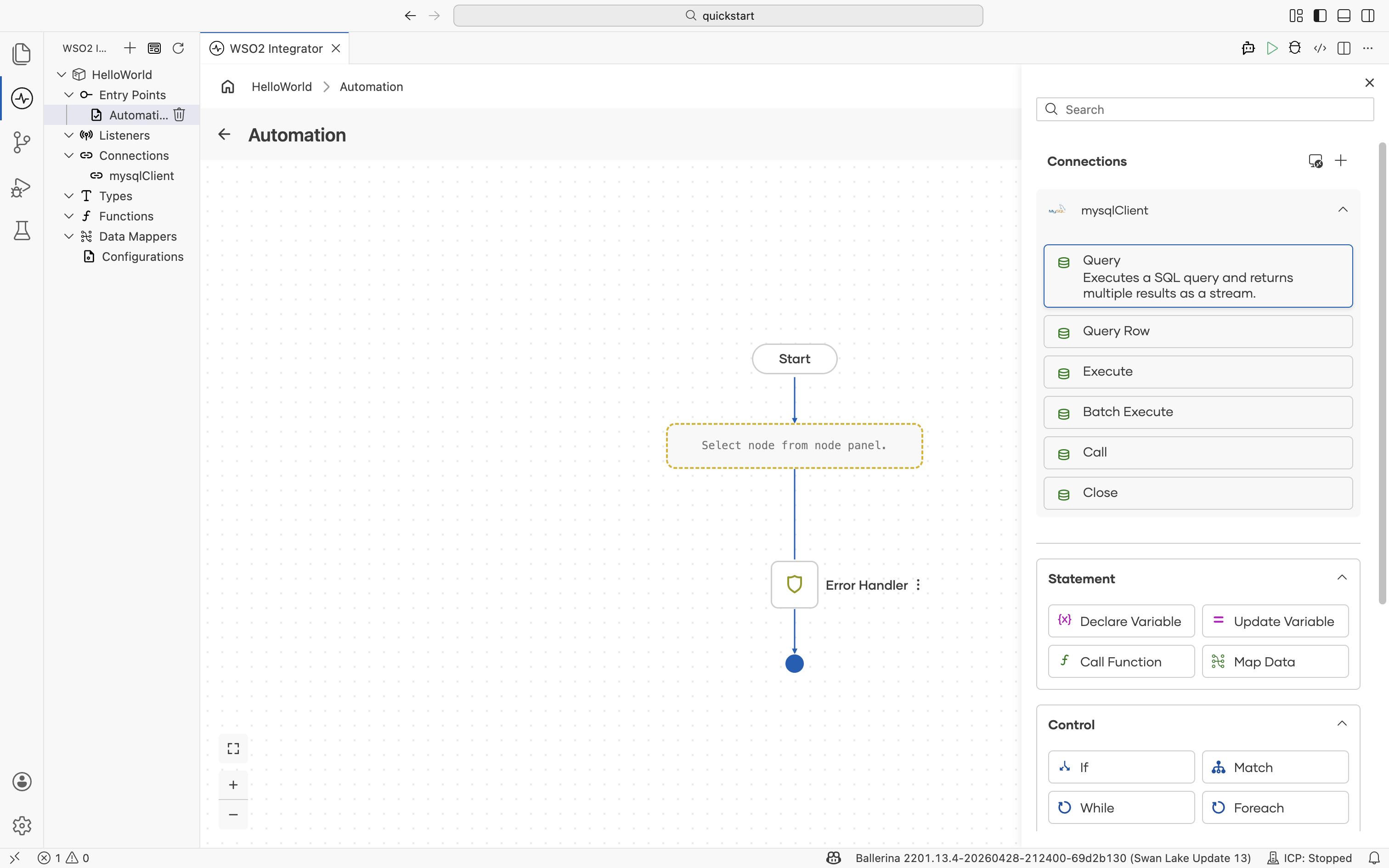
See the node palette's connection actions section for the mechanics.
Handle a trigger
Most connectors are action-only, but a select few (primarily databases, messaging systems, and file storage) also support triggers — inbound events the external service pushes into your integration. See Kafka and CDC (MySQL) for two worked examples of setting up a trigger-based flow.
What's next
- Overview: Revisit the connector, connection, action, and trigger concepts
- Connector catalog: Browse all available connectors
- Build a connector: Create a custom connector for a service not in the catalog