Data Loaders
A Data Loader reads documents from a source and returns them as ai:Document values, ready to be chunked, embedded, and indexed by a Knowledge Base. It is the entry point of the RAG ingestion pipeline.
Available actions
Every data loader exposes one action.
| Action | What it does | Required parameters |
|---|---|---|
| Load | Reads the configured source and returns the documents. | None. |
load returns a single ai:Document when exactly one document is resolved, and an ai:Document[] otherwise.
Where to find data loaders
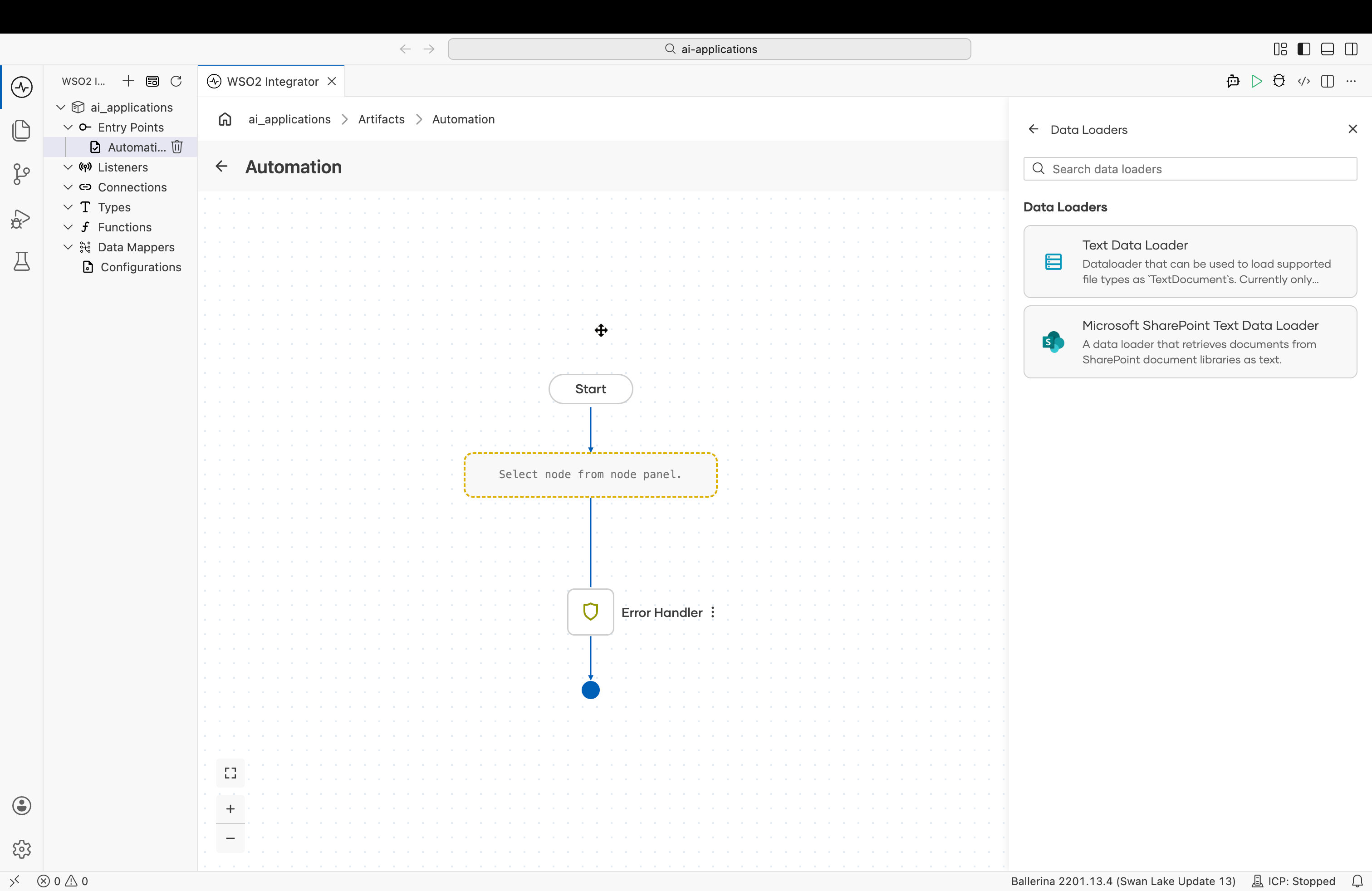
In the flow editor, open the Add Node panel and go to AI > RAG > Data Loader, then click + Add Data Loader. The Data Loaders picker lists the available types.
Implementations overview
| Data Loader | Module | Reads from | Result type |
|---|---|---|---|
| Text Data Loader | ballerina/ai | Files on the local file system. | ai:TextDataLoader |
| Microsoft SharePoint Text Data Loader | ballerinax/ai.microsoft.sharepoint | SharePoint document libraries and site pages, via the Microsoft Graph API. | sharepoint:TextDataLoader |
Text Data Loader
Reads files from the local file system and wraps their content as ai:Document values. It loads supported file types as ai:TextDocument values.
Create form
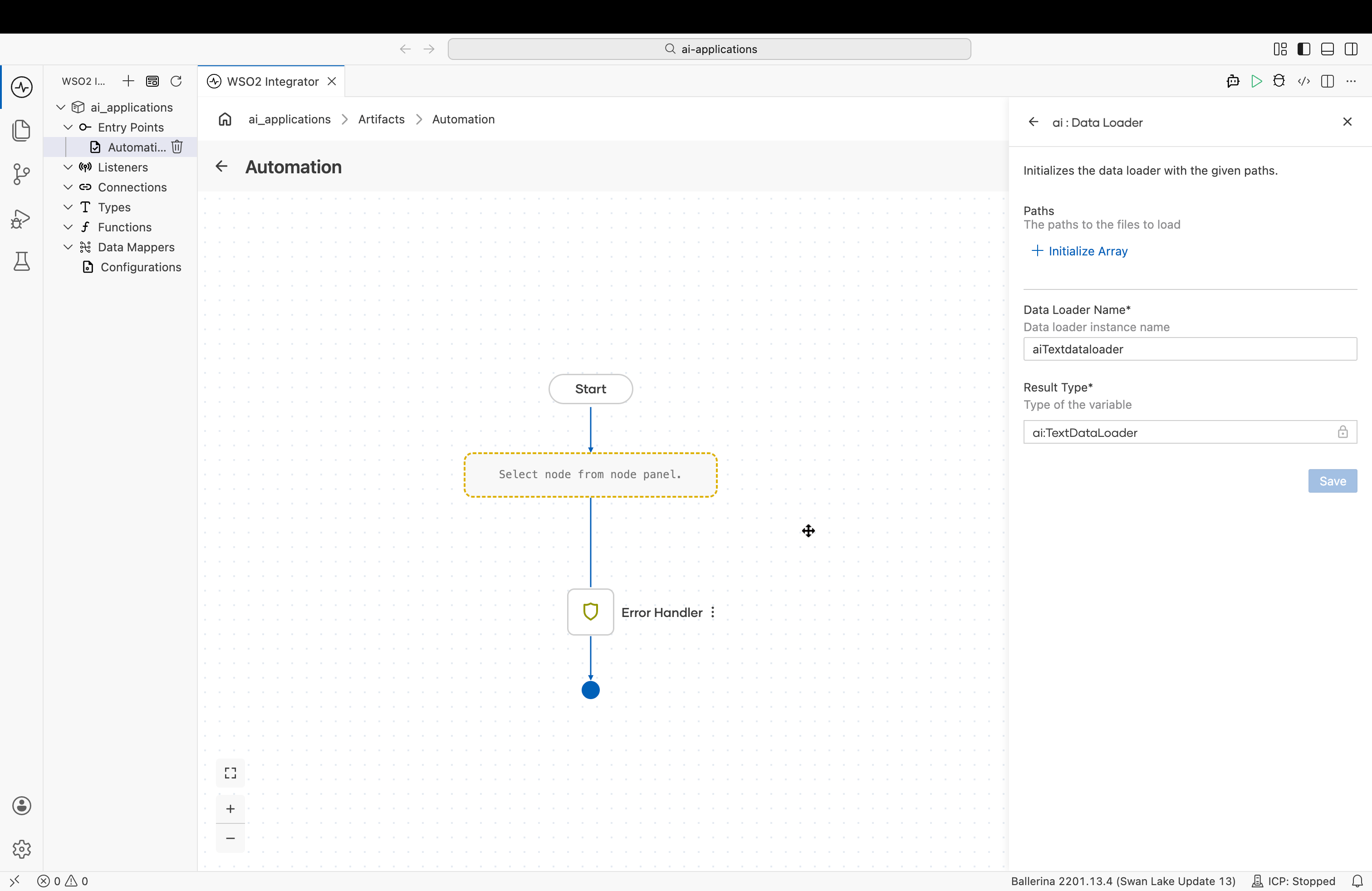
| Field | Required | Description |
|---|---|---|
| Paths | Yes | One or more paths to the files to load. |
| Data Loader Name | Yes | The variable name for the loader instance. |
| Result Type | Yes | The variable type, set to ai:TextDataLoader. |
For an end-to-end example of wiring this loader into an ingestion pipeline, see RAG ingestion — add a text data loader.
Microsoft SharePoint Text Data Loader
Retrieves documents from SharePoint document libraries and site pages and returns them as text, accessed through the Microsoft Graph API. A single loader instance can read from multiple sites and libraries, individual files, entire folders (optionally recursively), and modern site pages.
Each file is returned as an ai:TextDocument based on its MIME type / extension:
- Inherently textual files (e.g.
txt,md,html,json,csv,xml) are decoded directly. pdffiles have their text extracted.- Other files that cannot be represented as text (e.g. images, audio, archives) are skipped with a logged warning. Naming such a file explicitly as a path is an error.
Create form
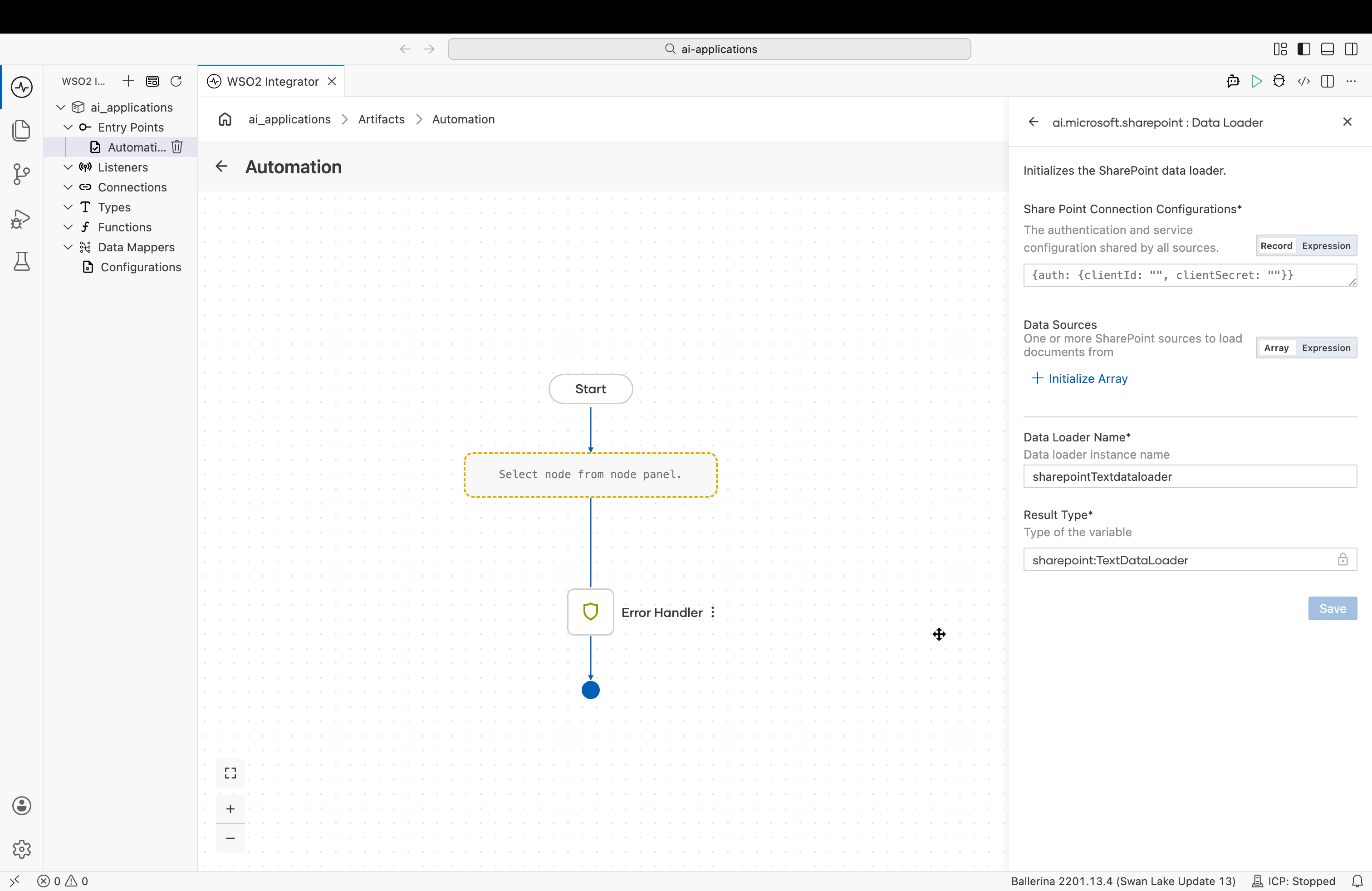
| Field | Required | Description |
|---|---|---|
| SharePoint Connection Configurations | Yes | The authentication and service configuration shared by all sources. See Connection configurations. |
| Data Sources | Yes | One or more SharePoint sources to load documents from. At least one is required. See Data sources. |
| Data Loader Name | Yes | The variable name for the loader instance. |
| Result Type | Yes | The variable type, set to sharepoint:TextDataLoader. |
Connection configurations
The connection configuration is shared by every source.
| Field | Type | Default | Description |
|---|---|---|---|
| auth | OAuth2ClientCredentialsGrantConfig | OAuth2RefreshTokenGrantConfig | http:BearerTokenConfig | — | Authentication configuration for the Microsoft Graph API. |
| serviceUrl | string | https://graph.microsoft.com/v1.0 | The base URL of the Microsoft Graph service. |
Plus the Standard HTTP advanced configurations, which tune the underlying HTTP client and are forwarded to the Graph sites and pages clients.
Data sources
Data Sources is an array of Source records, each describing one SharePoint site to read from.
Source
| Field | Type | Default | Description |
|---|---|---|---|
| siteId | string | — | The Microsoft Graph site id. Accepts the composite id ({hostname},{spsite-guid},{spweb-guid}) or the path form ({hostname}:/sites/{site-name}). |
| libraries | Library[] | [{}] | Document libraries to read from, each with its own paths and options. The default loads the whole of the site's default document library; [] loads no document-library content. |
| pages | string[]? | () | Site pages to load as text, matched by name, title, or id. Use ["*"] for all pages; () for none. |
Library
| Field | Type | Default | Description |
|---|---|---|---|
| name | string | Documents | Display name of the document library, as shown in SharePoint. The default Documents is the English name; localized tenants use a translated name (e.g. Dokumente, Documentos). Use "*" for every library on the site. |
| paths | string[] | ["/"] | File and/or folder paths relative to this library's root (e.g. /Reports). The default loads the entire library; [] loads nothing from it. |
| recursive | boolean | false | Whether folder paths are traversed into sub-folders. |
| includeExtensions | string[]? | () | Case-insensitive extension allowlist applied to folder contents (e.g. ["pdf"]); a leading dot is optional. () loads all types. A file listed explicitly in paths is always loaded, even if its extension is not in the list. |
What's next
- RAG ingestion - Wire a data loader into an ingestion pipeline.
- Knowledge Bases - Combine a chunker, embedding provider, and vector store to ingest the loaded documents.
- Chunkers - Control how loaded documents are split before embedding.