Example
What you'll build
This example builds an integration that connects to Microsoft Dynamics 365 Finance and retrieves the chart of accounts main account entities through the Microsoft Dynamics 365 Finance Main Account connector. The integration authenticates with the OAuth2 client credentials grant, lists the main accounts configured in the target environment, and logs the result for verification.
Operations used:
- List Main Accounts : Retrieves the collection of main account entities configured in the target Microsoft Dynamics 365 Finance environment.
Architecture
Prerequisites
-
A Microsoft Dynamics 365 Finance and Operations environment (cloud-hosted or sandbox) with a chart of accounts configured.
-
An Azure Active Directory (Entra ID) application registration with API permissions for Microsoft Dynamics 365 and a generated client secret.
-
The application must be registered as a user in the target Dynamics 365 Finance and Operations environment and assigned the security roles required for this connector's operations.
Setting up the Microsoft Dynamics 365 Finance Main Account integration
New to WSO2 Integrator? Follow the Create a New Integration guide to set up your integration first, then return here to add the connector.
Adding the Microsoft Dynamics 365 Finance Main Account connector
Step 1: Open the connector palette
Select Add Connection in the Connections section.
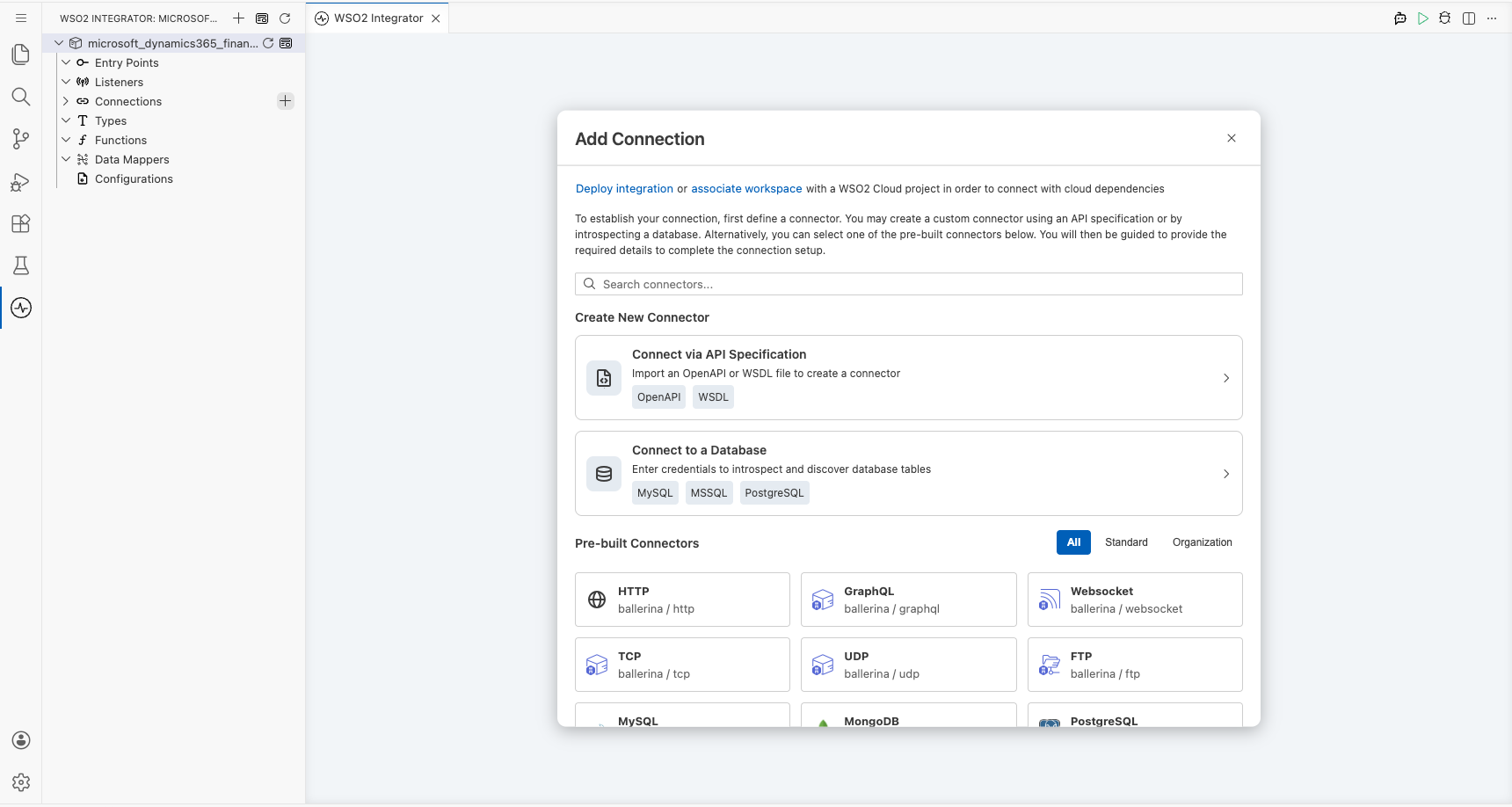
Step 2: Select the Microsoft Dynamics 365 Finance Main Account connector
- Enter
microsoft.dynamics365.finance.mainaccountin the search field. - Select the Microsoft Dynamics 365 Finance Main Account connector card.
Configuring the Microsoft Dynamics 365 Finance Main Account connection
Step 3: Bind the connection parameters to configurable variables
Bind every connection field to a configurable variable.
- Config : Binds the OAuth2 client credentials settings to the
tokenUrl,clientId, andclientSecretconfigurable variables through an expression. Enter the expression{auth: {tokenUrl, clientId, clientSecret, scopes}}. - Service Url : Binds the target environment endpoint to the
serviceUrlconfigurable variable. Use the OData root, for examplehttps://<your-org>.operations.dynamics.com/data.
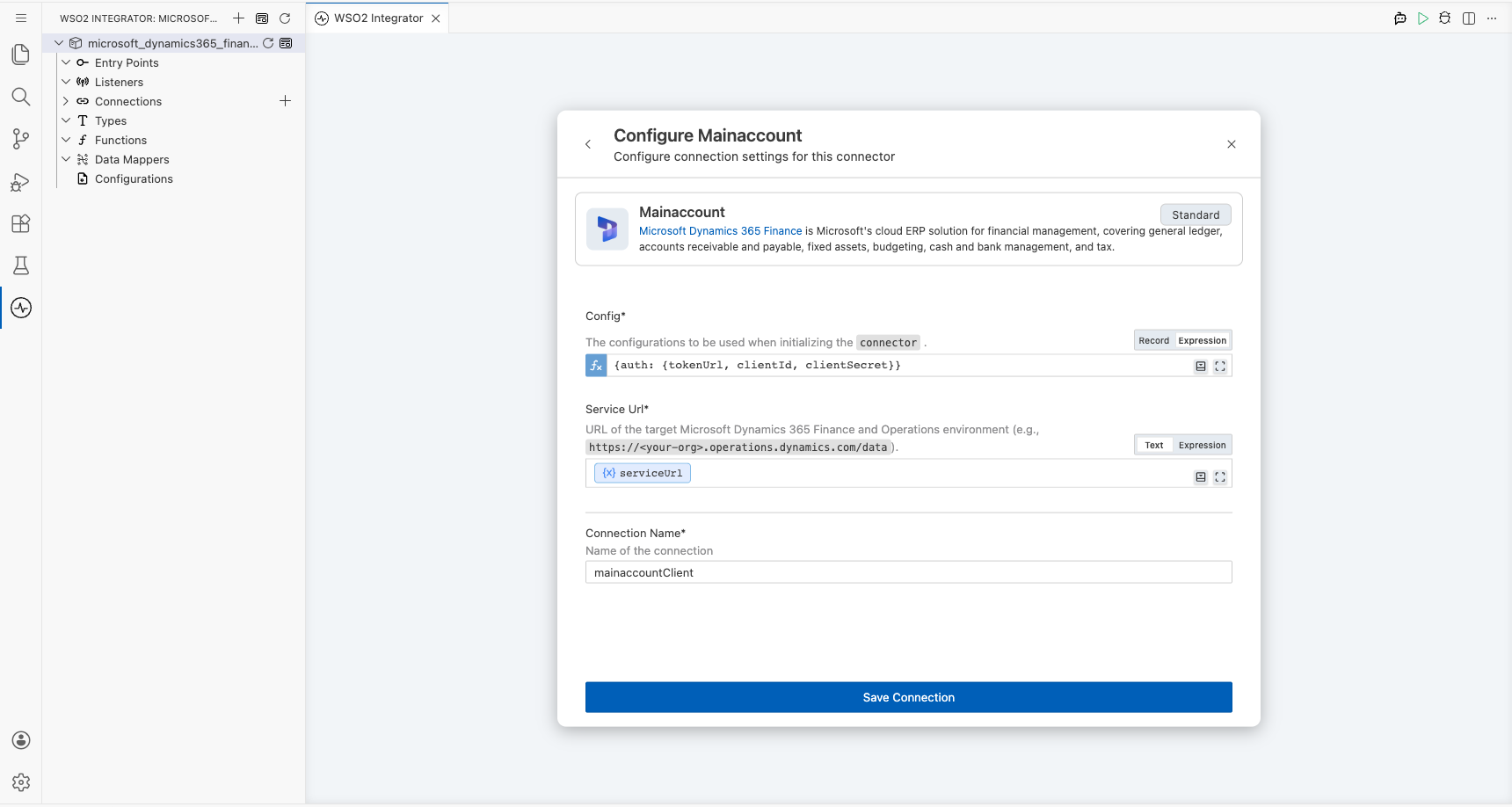
Step 4: Save the connection
Select Save and verify that the connection appears in the Connections section.
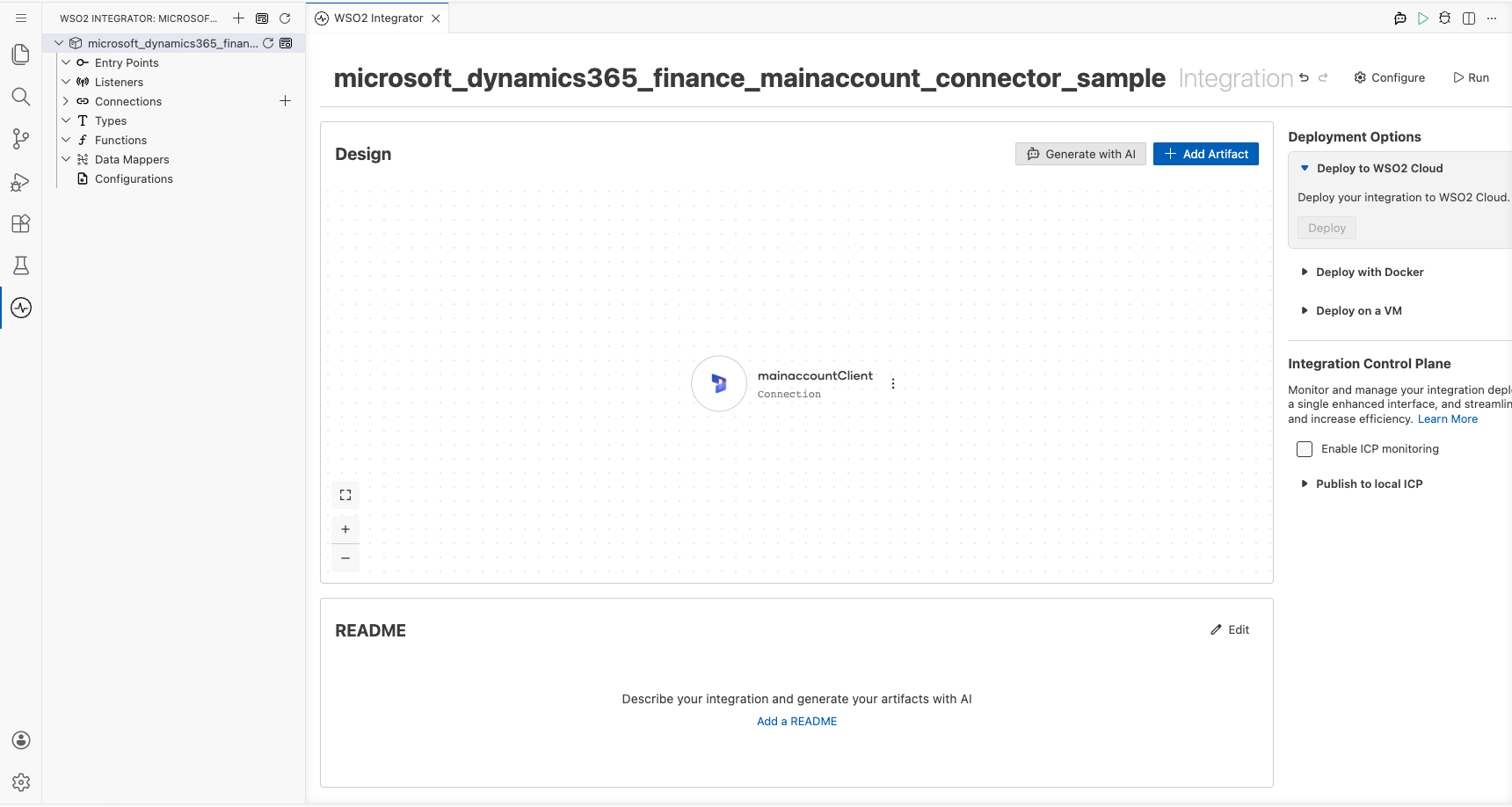
Step 5: Set actual values for your configurables
- Select Configurations at the bottom of the project tree under Data Mappers.
- Enter a value for each configurable listed below before you run the integration.
- tokenUrl (
string) : The OAuth2 token endpoint used to exchange the client credentials for an access token. - clientId (
string) : The Azure Active Directory application (client) ID for the registered app. - clientSecret (
string) : The client secret generated for the registered Azure Active Directory application. - scopes (
string[]) : The OAuth2 scope requested for the client-credentials token, set to the environment base URL followed by/.default - serviceUrl (
string) : The base URL of the target Microsoft Dynamics 365 Finance and Operations environment.
Configuring the Microsoft Dynamics 365 Finance Main Account List Main Accounts operation
Step 6: Add an automation entry point
- Select Add Entry Point next to Entry Points.
- Select Automation.
- Select Create to accept the settings.
Step 7: Expand the connection and select the List Main Accounts operation
- Select the add icon on the automation flow between Start and Error Handler.
- Expand mainaccountClient under Connections to display its operations.
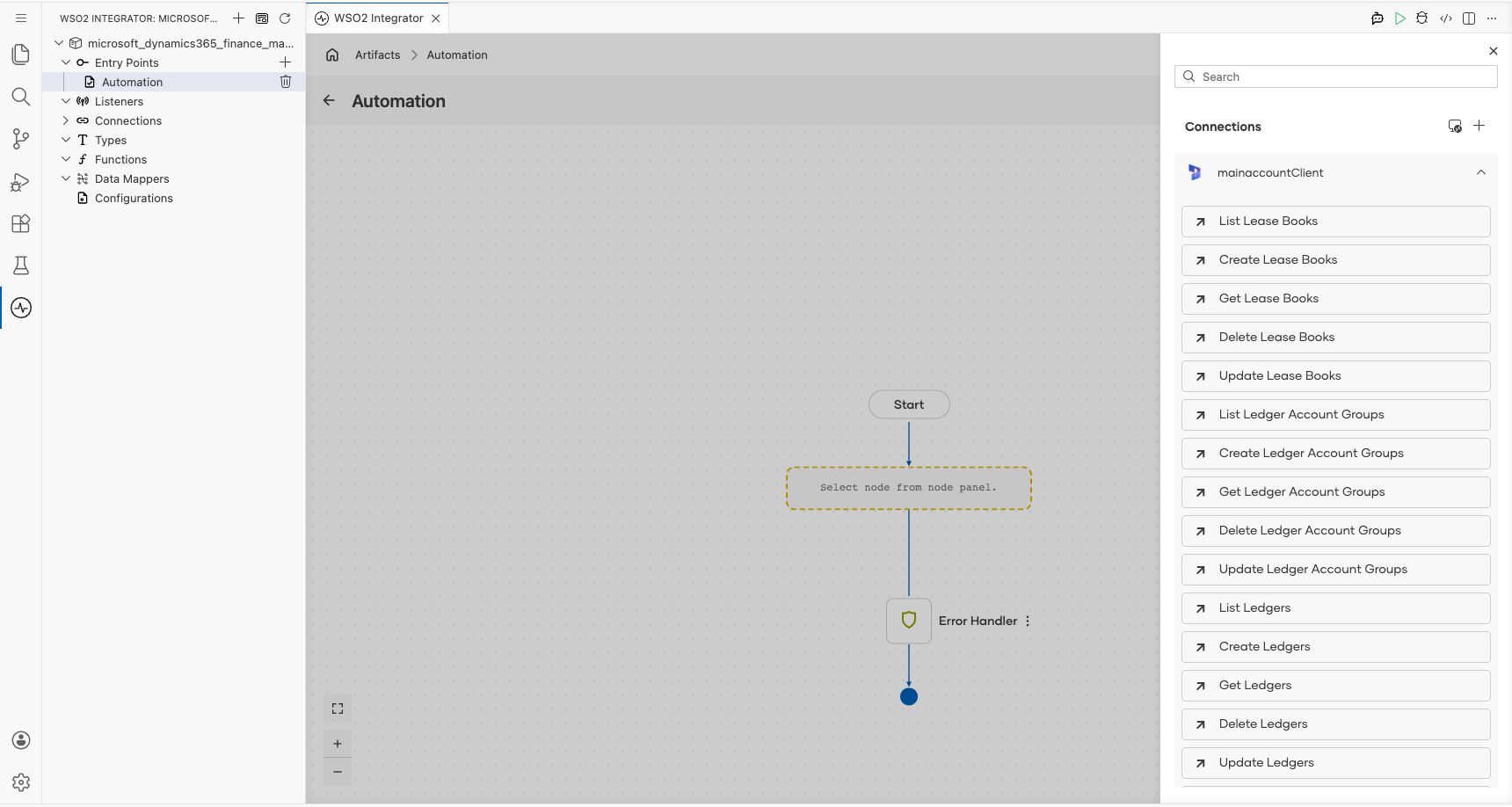
- Select List Main Accounts.
- Result : The variable that stores the returned main accounts collection (
mainaccount:MainAccountsCollection).
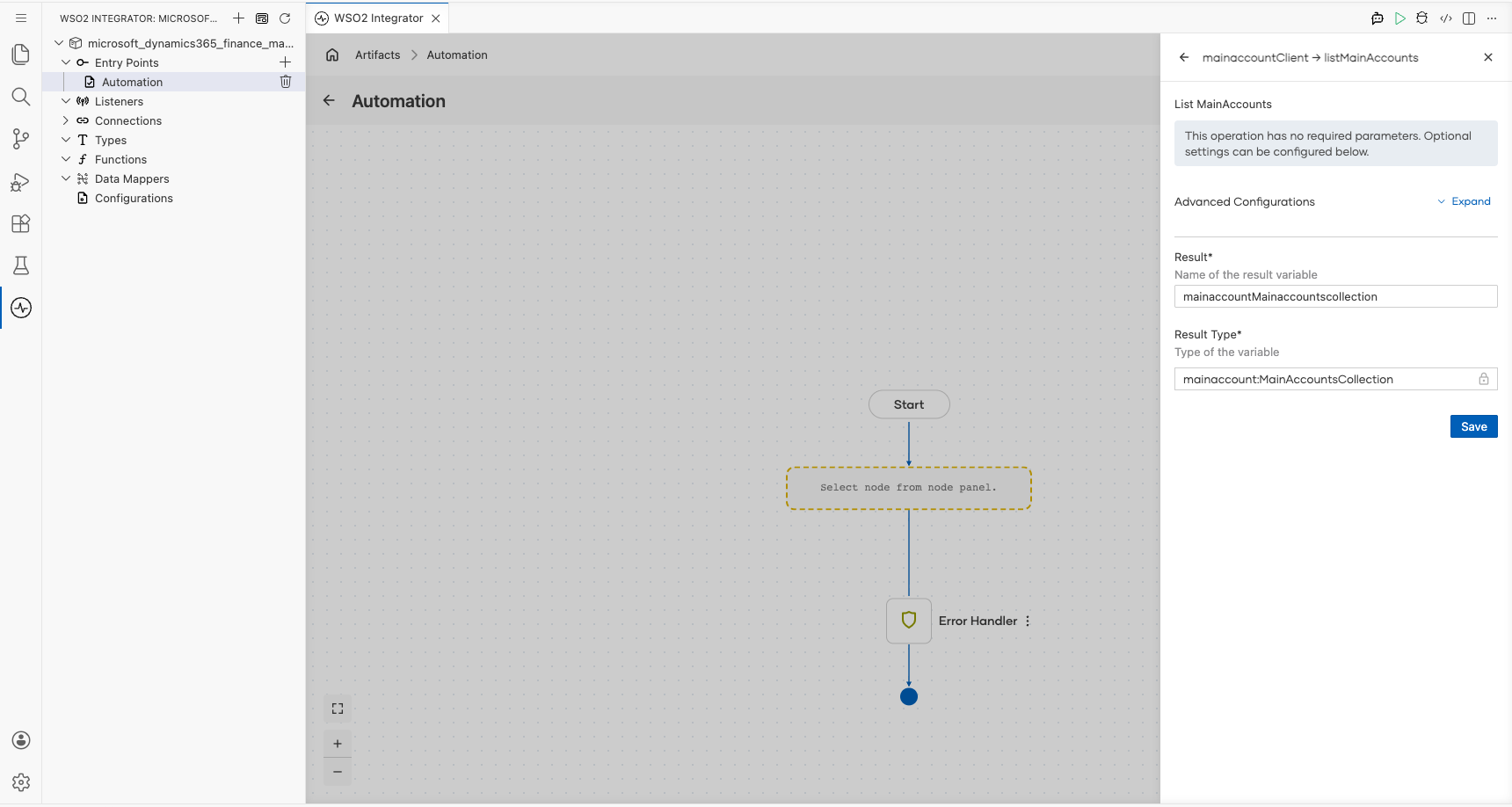
- Select Save.
Step 8: Log the List Main Accounts result
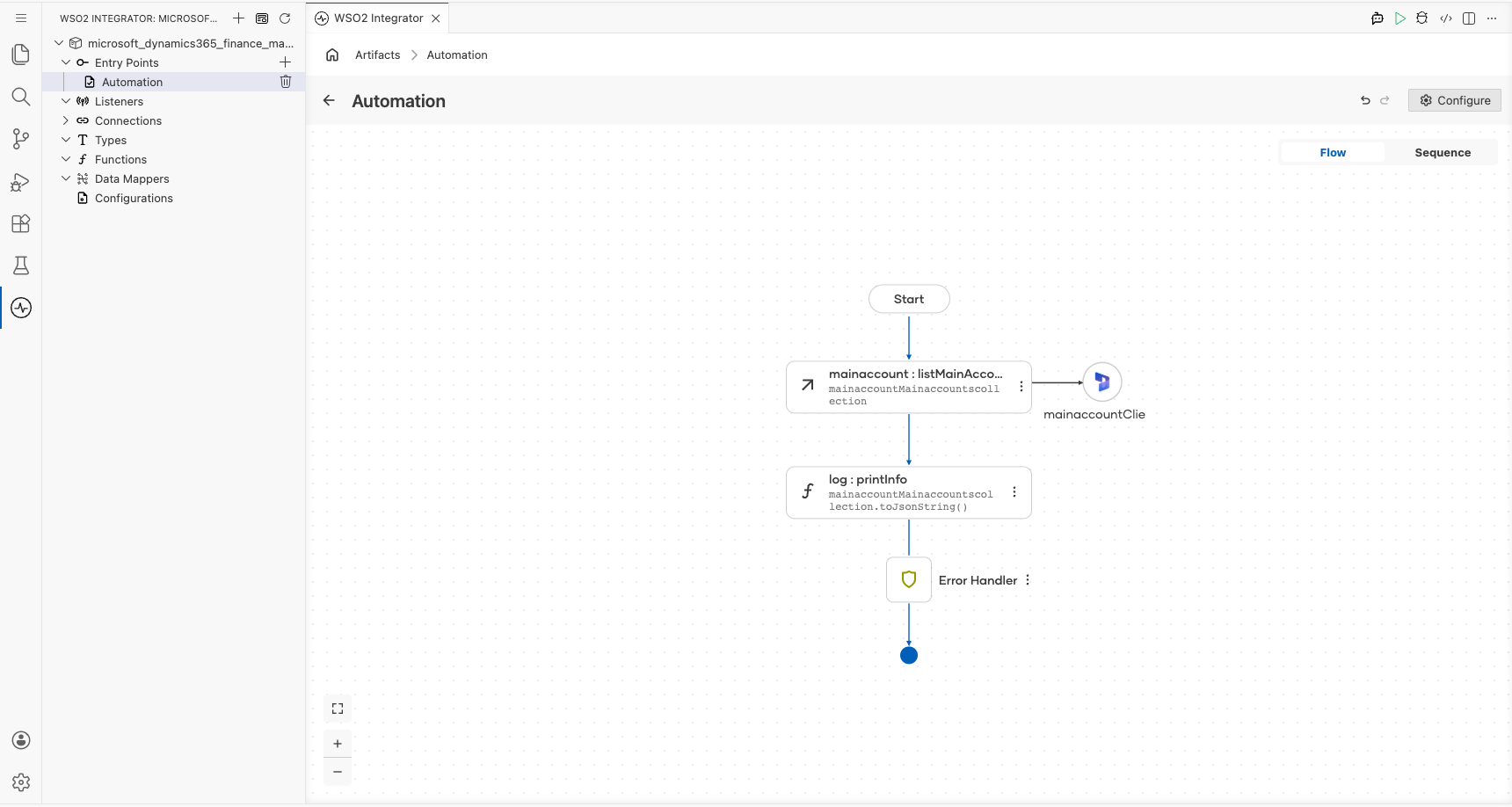
Add a Log Info action, switch its Msg field to expression mode, and enter mainaccountMainaccountscollection.toJsonString() to log the result, then return to the visual flow.
Try it yourself
Try this sample in WSO2 Integration Platform.

More code examples
The Dynamics 365 Finance Ballerina connectors provide practical examples illustrating usage in various scenarios. Explore these examples.