Setup Guide
This guide explains how to prepare your SAP Business One environment and collect the connection details the connector needs.
Prerequisites
- An SAP Business One installation with the Service Layer component enabled
- A Service Layer user account with permission to access the human resources objects
- Network access to the Service Layer endpoint (which follows the pattern
https://<host>:50000/b1s/v1)
Enable the SAP Business One Service Layer
The connector communicates with SAP Business One through the Service Layer, so it must be installed and running in your SAP Business One landscape.
The Service Layer endpoint follows the pattern https://<host>:50000/b1s/v1, where <host> is the server hosting the Service Layer.
The Service Layer is typically installed and managed by your SAP Business One administrator. Contact them if you are unsure whether it is enabled or which host and port to use.
Gather your connection details
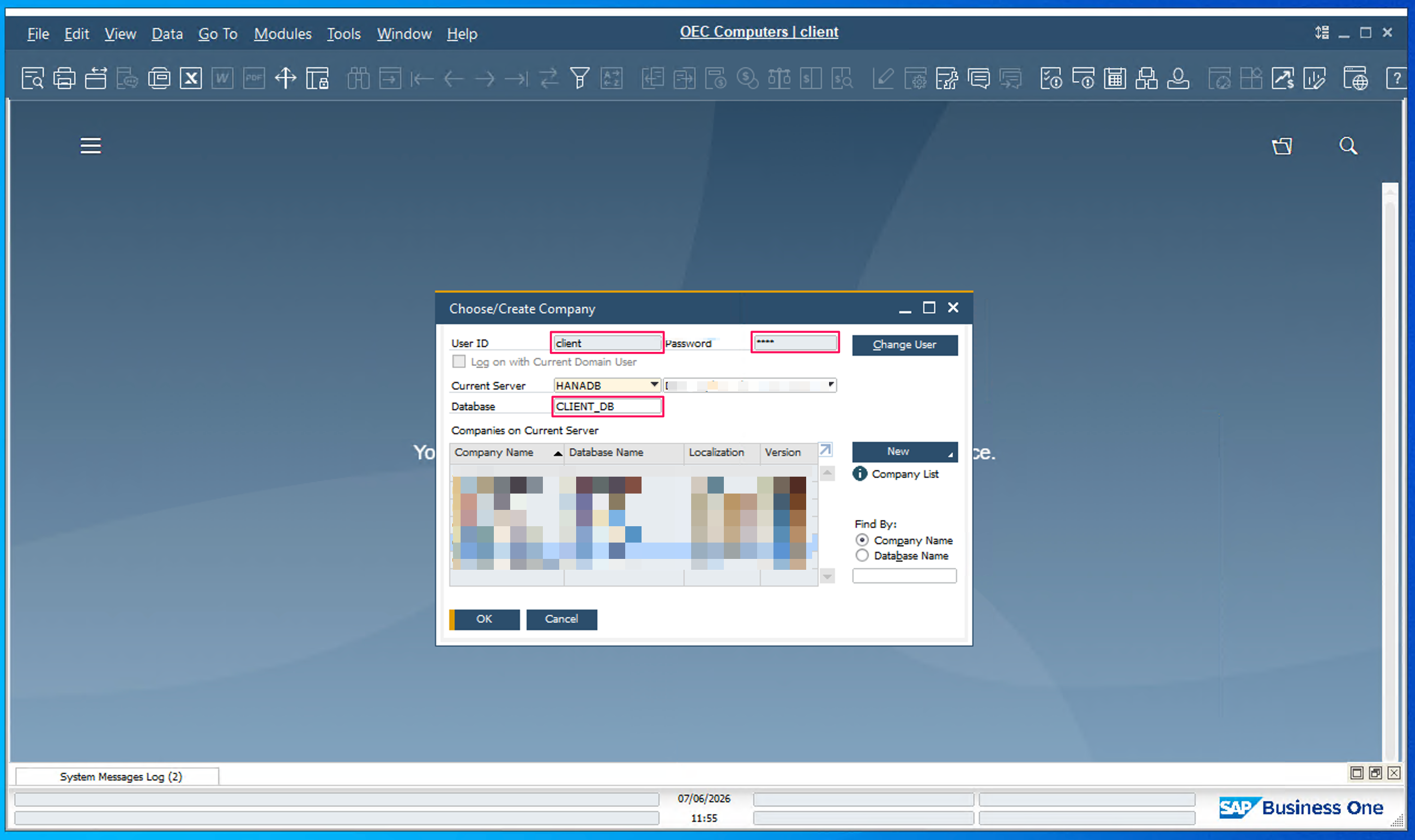
To connect, you need three values from the SAP Business One desktop client's login screen: the company database, your user name, and your password.
Click the company name at the top of the SAP Business One desktop application, or contact your administrator, to view these values.
Next steps
- Action Reference - Available operations