Example
What you'll build
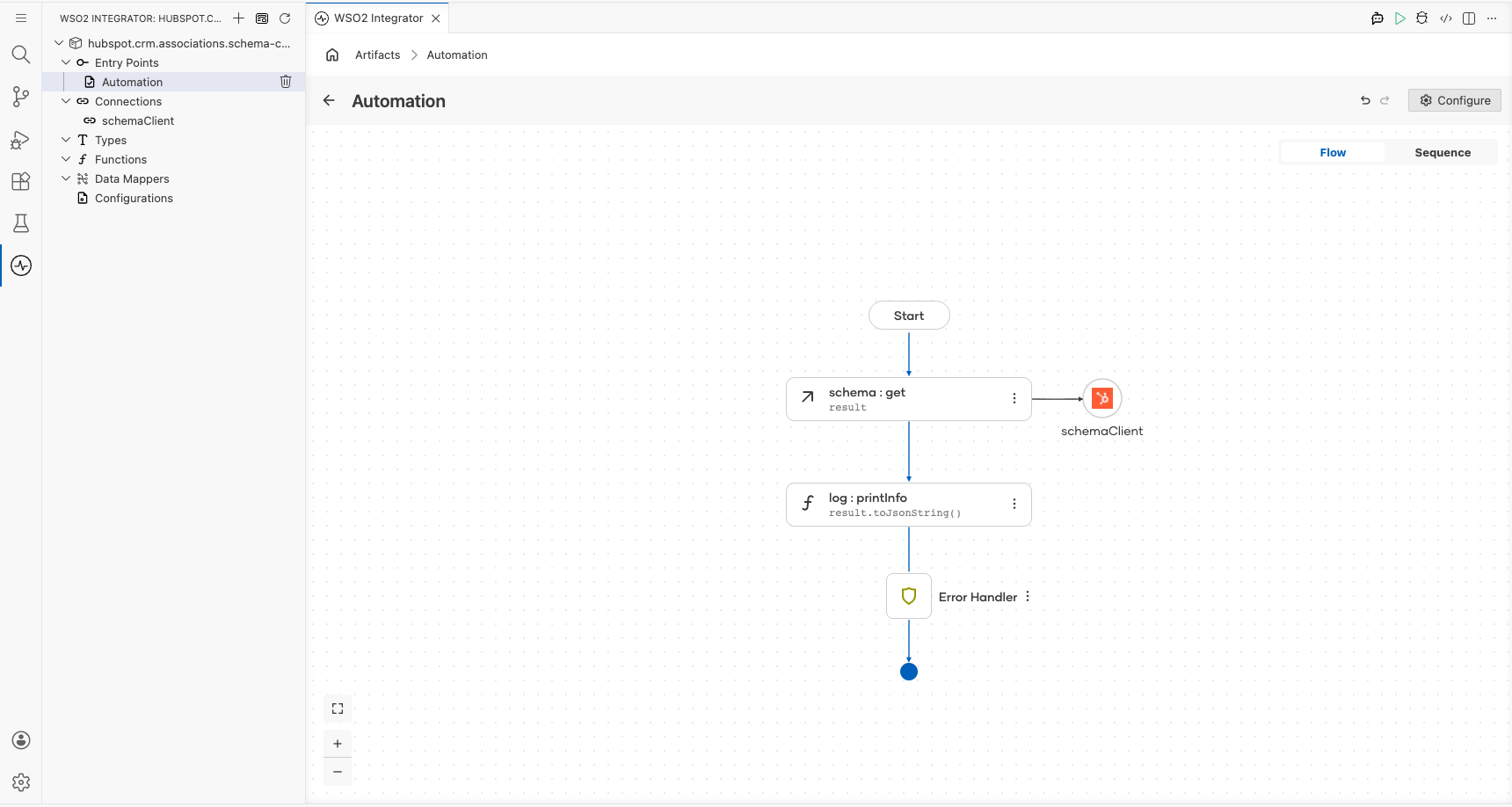
Build a simple integration that retrieves all association definitions and configurations from HubSpot CRM and logs the result. The integration connects to the HubSpot CRM Associations Schema API using a private app token and outputs the response as a JSON string.
Operations used:
- get : Retrieves all association definitions and configurations from HubSpot CRM.
Architecture
Prerequisites
- A HubSpot account with API access
- A HubSpot private app token with CRM scopes
Setting up the HubSpot CRM Associations Schema integration
New to WSO2 Integrator? Follow the Create a New Integration guide to set up your integration first, then return here to add the connector.
Adding the HubSpot CRM Associations Schema connector
Step 1: Open the connector palette
In the WSO2 Integrator sidebar, hover over Connections and select the Add Connection (+) button to open the connector palette.
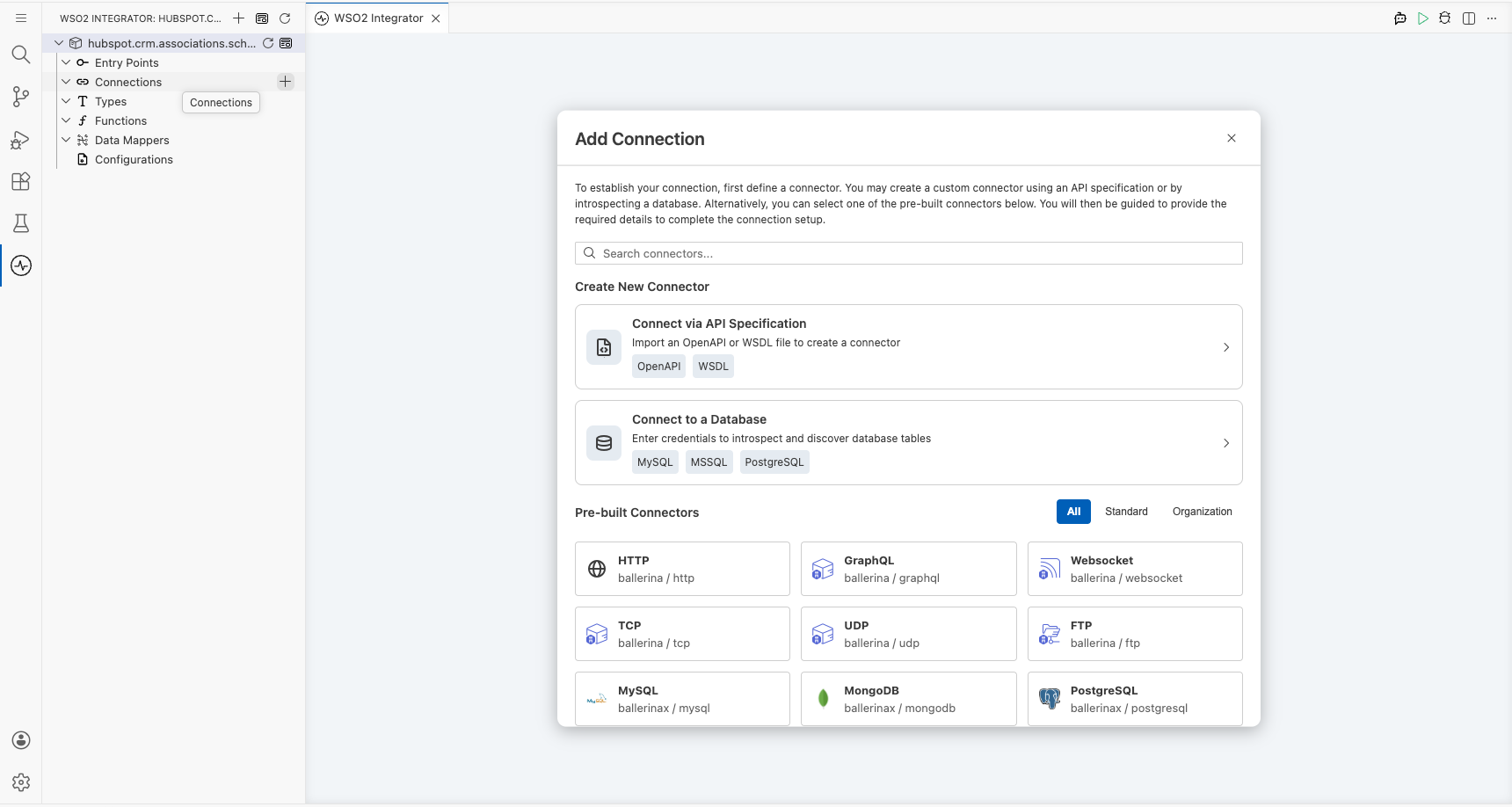
Configuring the HubSpot CRM Associations Schema connection
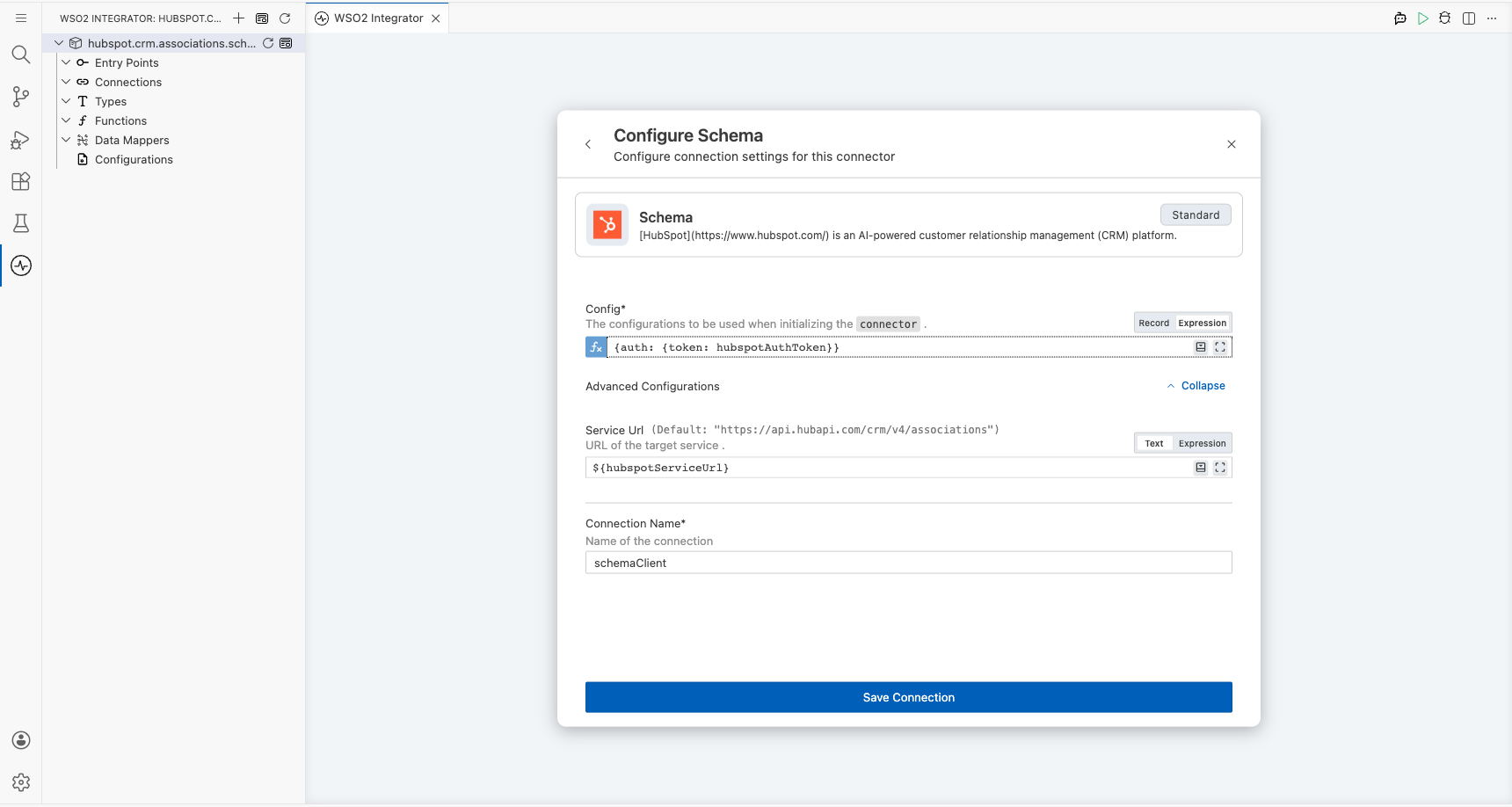
Step 2: Fill in the connection parameters
Search for hubspot.crm.associations.schema in the palette, select the Schema connector card to open the Configure Schema connection form, and bind each field to a configurable variable:
- Config : Authentication configuration record containing the auth token, bound to a configurable expression using
hubspotAuthToken - Service Url : URL of the target service, bound to the configurable variable
hubspotServiceUrl - Connection Name : Name identifier for this connection
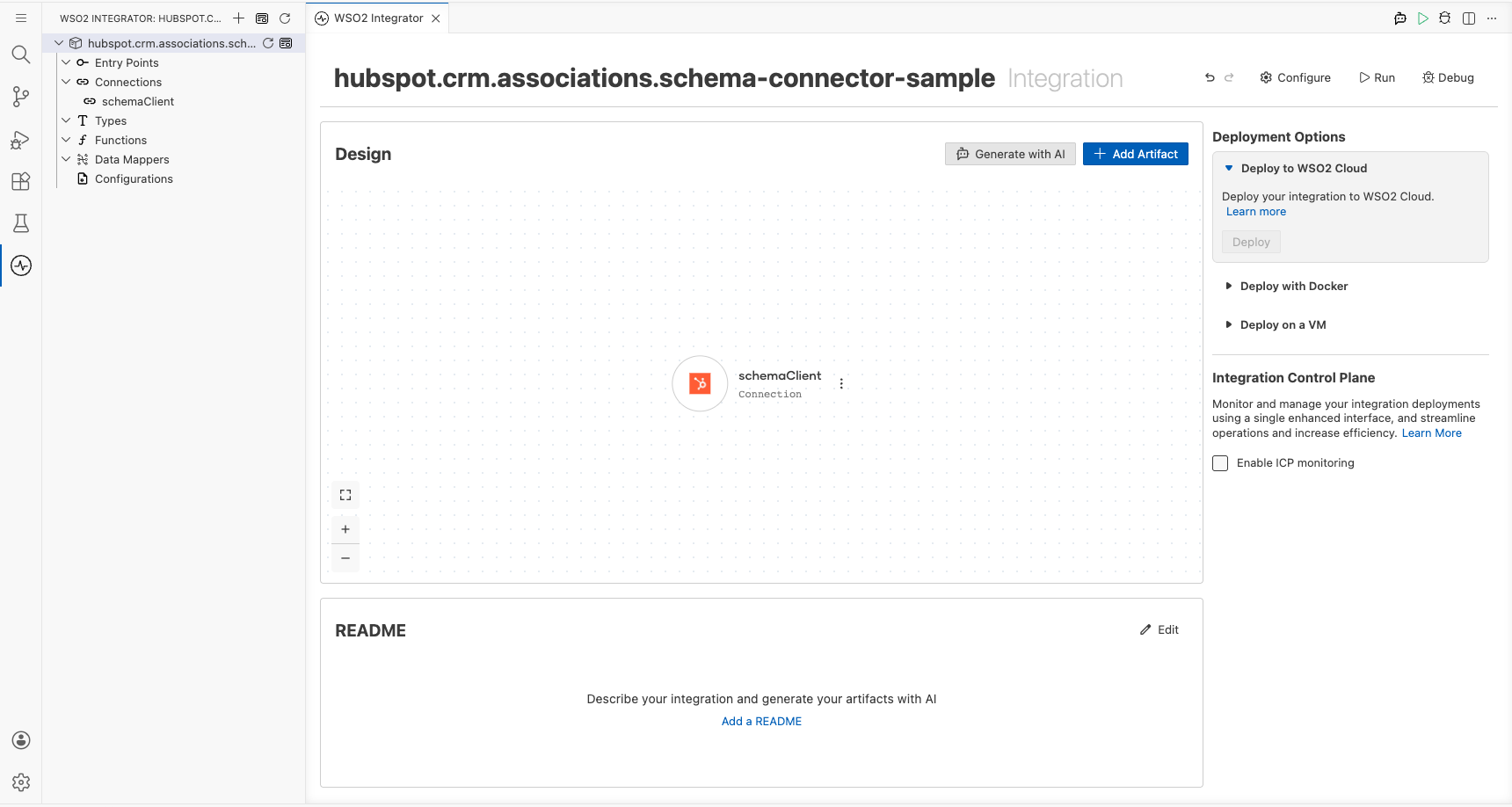
Step 3: Save the connection
Select Save Connection to persist the connection. Confirm that schemaClient appears in the Connections panel.
Step 4: Set actual values for your configurables
- In the left panel, select Configurations.
- Set a value for each configurable listed below.
- hubspotAuthToken (string) : Your HubSpot private app token with CRM scopes
- hubspotServiceUrl (string) : The HubSpot CRM associations API base URL (e.g.,
https://api.hubapi.com/crm/v4/associations)
Configuring the HubSpot CRM Associations Schema get operation
Step 5: Add an Automation entry point
In the WSO2 Integrator sidebar, hover over Entry Points, select the Add Entry Point (+) button, select Automation from the panel, and select Create to add the main automation entry point.
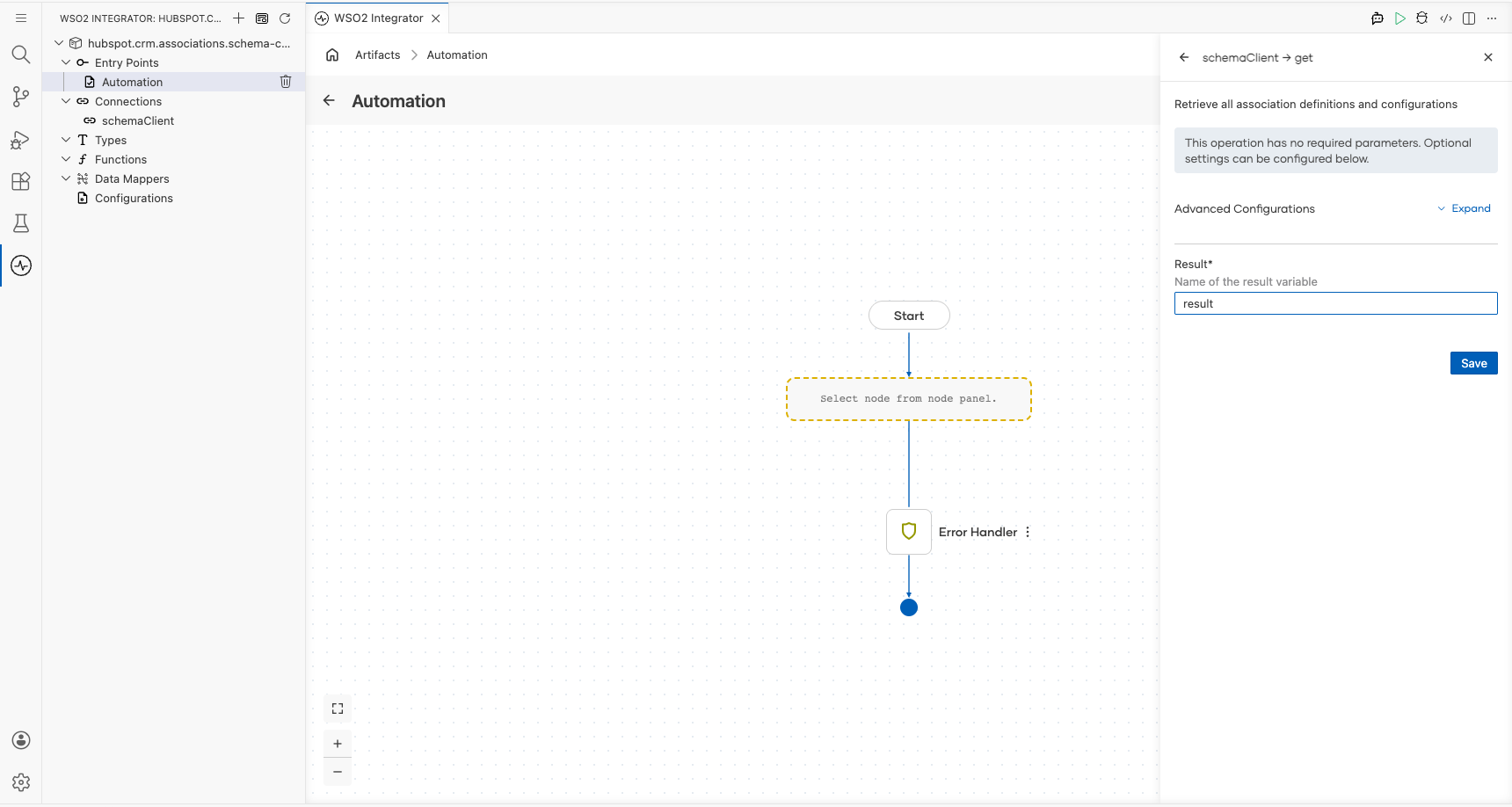
Step 6: Select and configure the get operation
In the automation flow canvas, select the + button after the Start node to open the node panel. Under Connections, expand schemaClient to see all available operations.
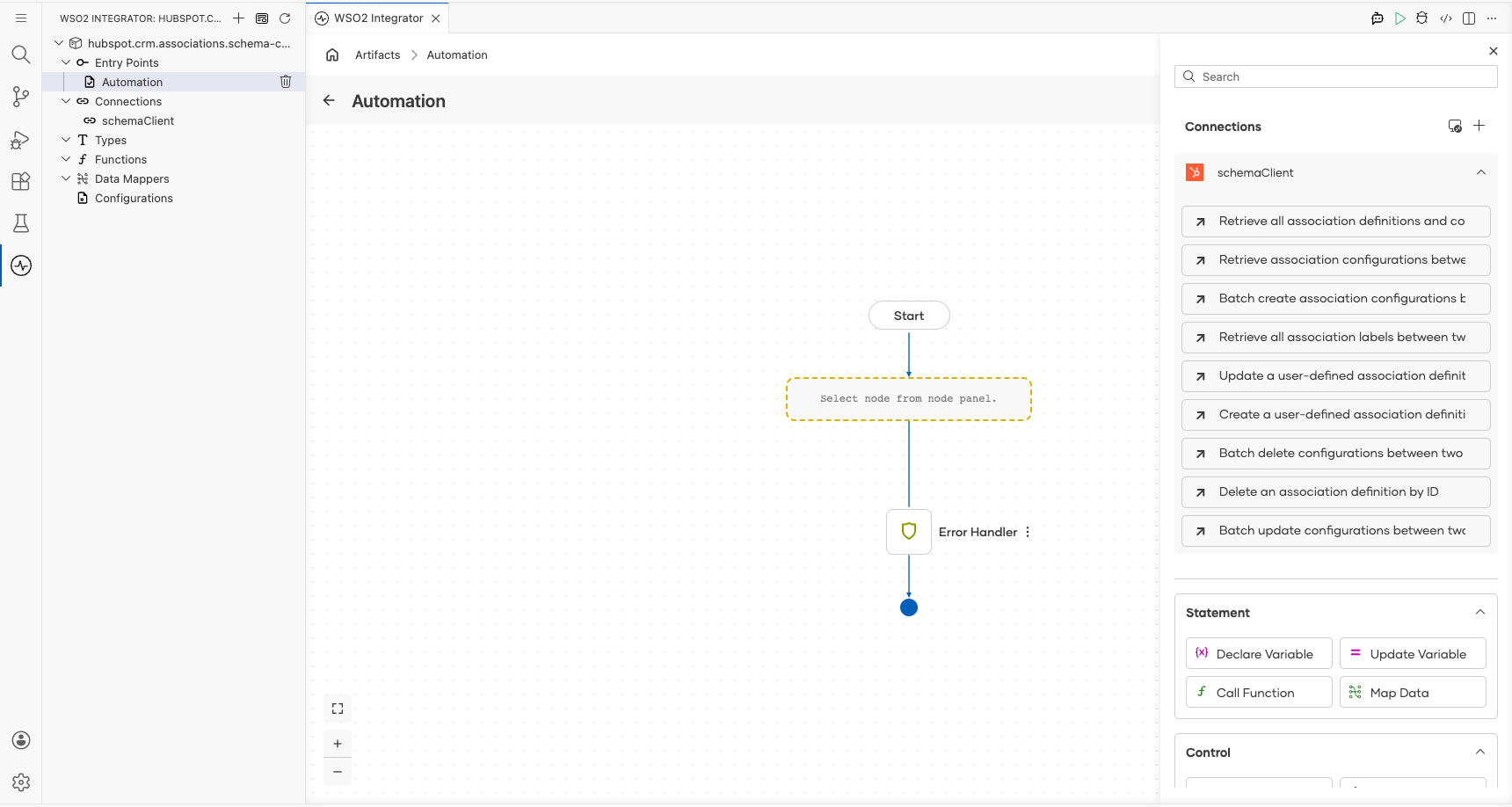
Select Retrieve all association definitions and configurations (the get operation) and configure its parameters:
- Result : Set the result variable name to
result
Select Save.
Try it yourself
Try this sample in WSO2 Integration Platform.

More code examples
The HubSpot CRM Associations schema connector provides practical examples illustrating usage in various scenarios. Explore these examples, covering the following use cases.
-
Association definition analytics report : Analyzes association definition configurations between object types (e.g.,
contactstodeals) in HubSpot, categorizing them and generating a count-based report. -
Automated association definition configuration update : Manages Doctor-Patient associations by updating them dynamically based on status changes (
Pandemic,Emergency,Normal, orSpecial). -
Association definition management : Creates and manages custom associations (
Headquarters-Franchise) between twocompaniesobjects, including reading, updating, and deleting associations.