Example
What you'll build
Build an automation that reads a single item from an Amazon DynamoDB table by its primary key and logs the result. The integration binds the AWS credentials, region, table name, and item key to configurable variables, so nothing environment-specific is stored in the integration itself.
Operations used:
- Get Item : Retrieves a single item from a DynamoDB table by its primary key
Architecture
Prerequisites
- An active AWS account. If you don't have one, sign up for a free AWS account.
- A DynamoDB table with at least one item, keyed by a simple primary key: a string partition key named
idand no sort key. To create one, follow the DynamoDB getting started guide, setting the partition key toidand leaving the sort key empty.GetItemneeds the complete primary key, so a table that also has a sort key needs that second attribute added to the key in step 7. If your partition key uses a different name or type, adjust step 7 to match. - An IAM user with an access key. Grant it
dynamodb:GetItemon the table you read.
Setting up the AWS DynamoDB integration
New to WSO2 Integrator? Follow the Create a New Integration guide to set up your integration first, then return here to add the connector.
Adding the AWS DynamoDB connector
Step 1: Open the connector palette
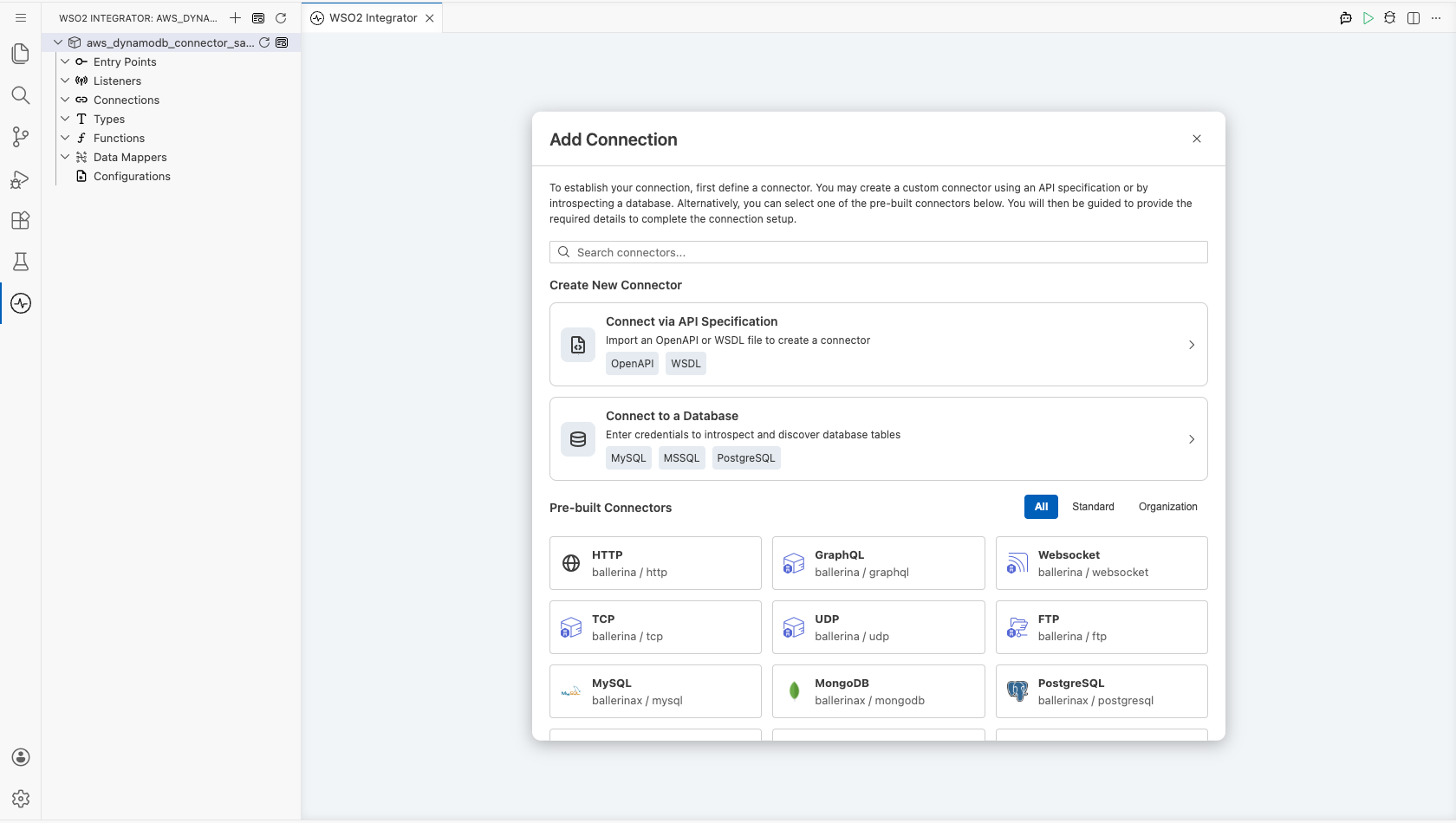
Select Add Connection in the Connections section.
Step 2: Select the AWS DynamoDB connector
- Enter
aws.dynamodbin the search field. - Select the DynamoDB connector card.
Configuring the AWS DynamoDB connection
Step 3: Bind the connection parameters to configurable variables
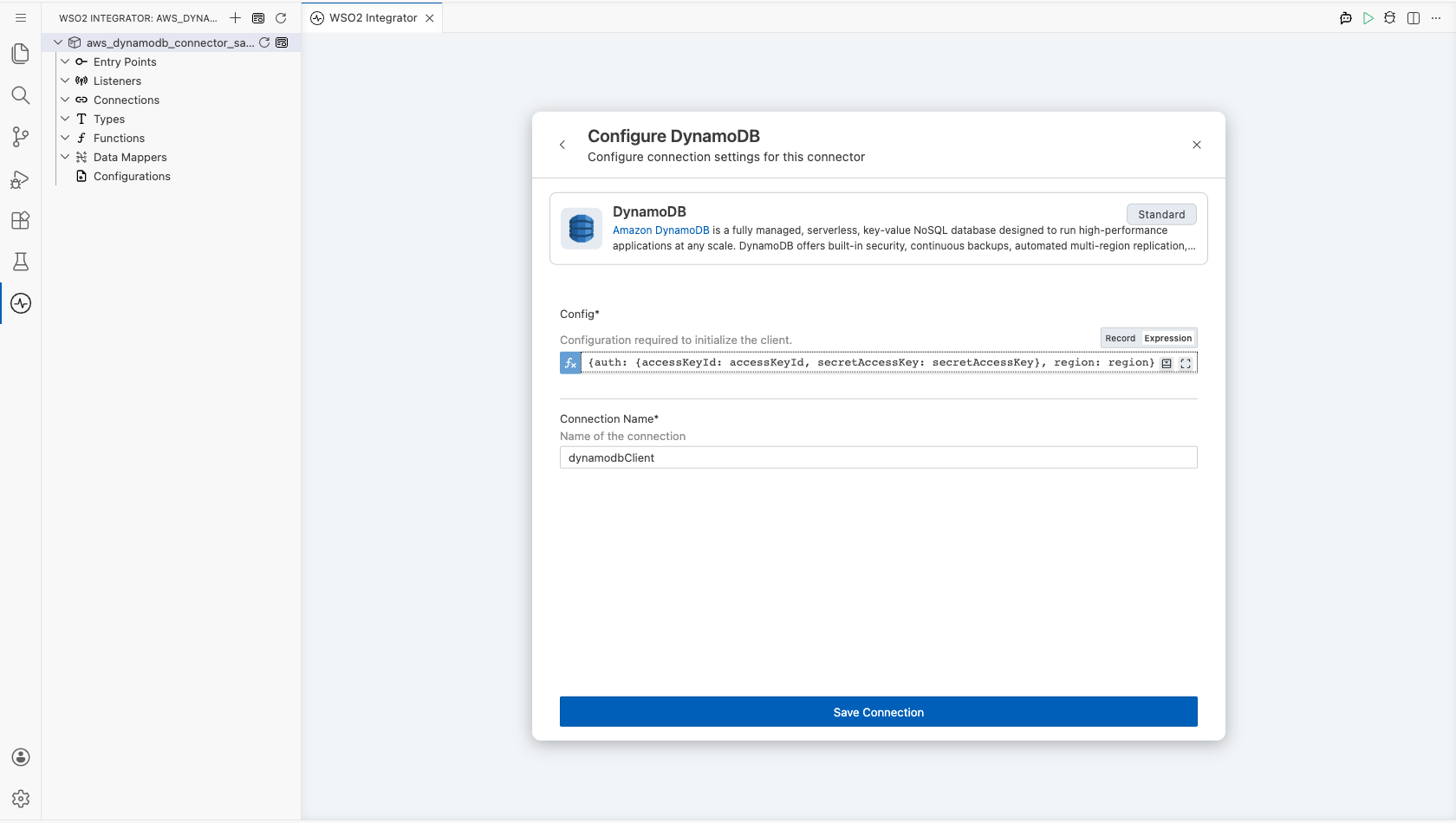
This connector takes its whole connection configuration as a single record. Switch Config to Expression mode and enter a record that references configurable variables, so no credential is stored in the integration.
- Config : The connection configuration. Its
authfield takes the AWS credentials and itsregionfield takes the AWS region
Step 4: Save the connection
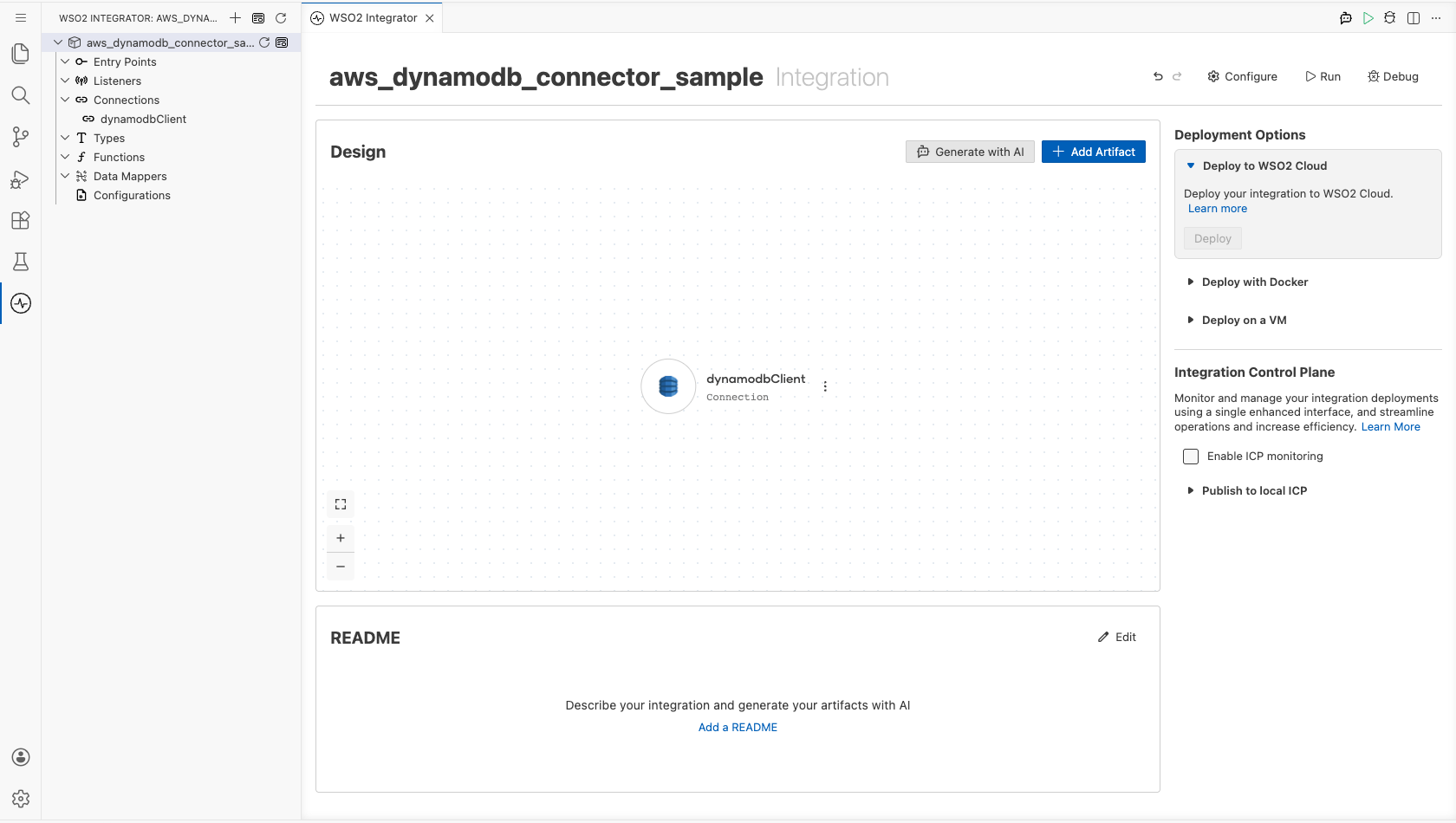
Select Save Connection and verify that the connection appears in the Connections section.
Step 5: Set actual values for your configurables
- Select Configurations at the bottom of the project tree under Data Mappers.
- Enter a value for each configurable listed below before you run the integration.
- accessKeyId (
string) : The access key ID of the IAM user that reads the table. - secretAccessKey (
string) : The secret access key that pairs with the access key ID. - region (
string) : The AWS region code that hosts the table, such asus-east-1. - tableName (
string) : The name of the DynamoDB table to read from. - itemId (
string) : The partition key value of the item to retrieve.
Warning: Treat
accessKeyIdandsecretAccessKeyas secrets. Keep them out of source control.
Configuring the AWS DynamoDB Get Item operation
Step 6: Add an automation entry point
- Select Add Artifact on the integration design canvas.
- Select Automation.
- Select Create to accept the default settings.
Step 7: Expand the connection and configure the Get Item operation
- Select + in the automation flow, between Start and Error Handler.
- Expand dynamodbClient to display its operations.
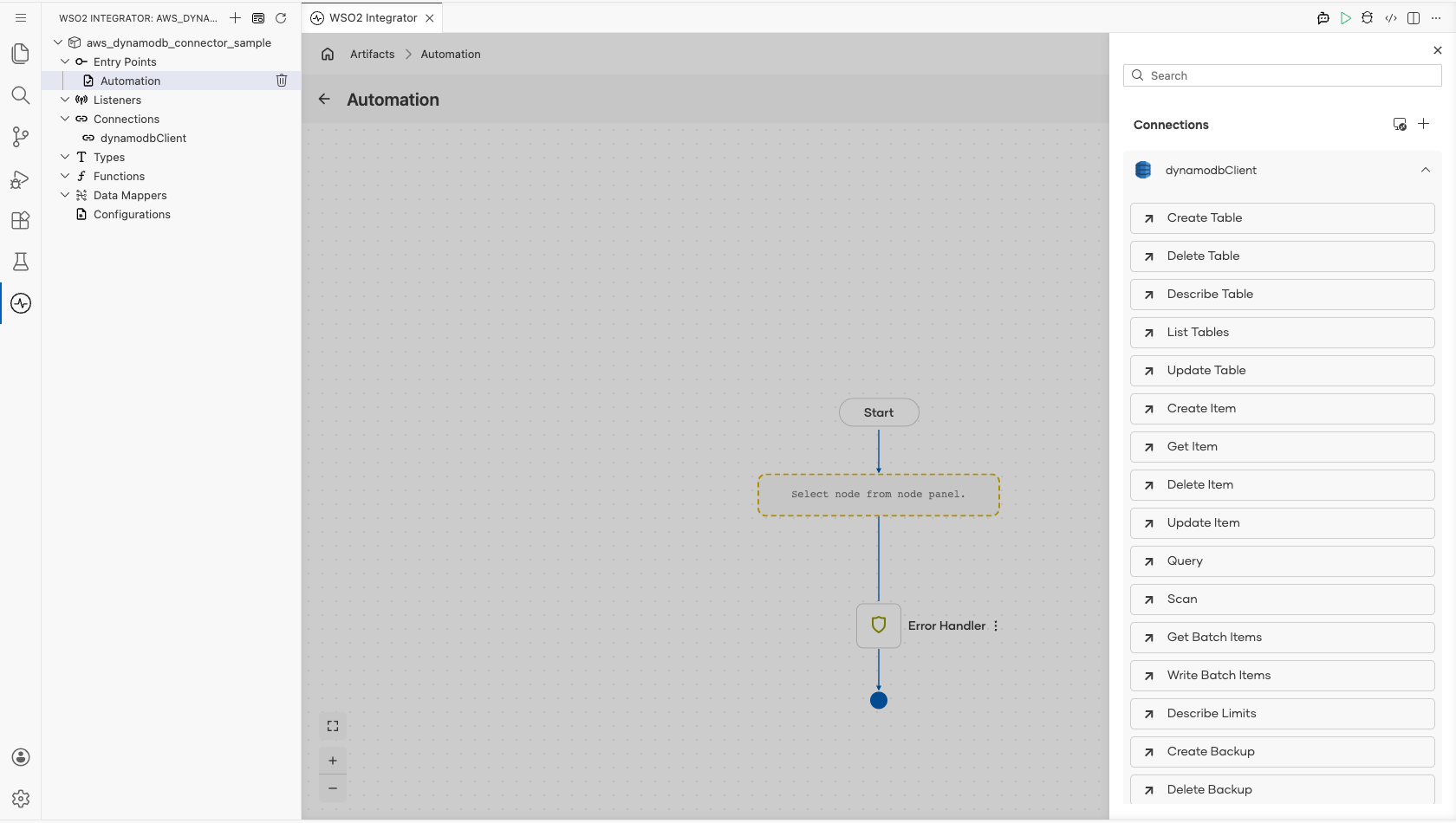
- Select Get Item and enter its required values.
- Item Get Input : The request payload. Switch it to Expression mode and supply the table name and the primary key of the item to read
- Result : The name of the variable that holds the returned item
The key is a map of attribute names to typed attribute values, so a string partition key named id is written as {"id": {S: itemId}}. Use N instead of S for a numeric key.
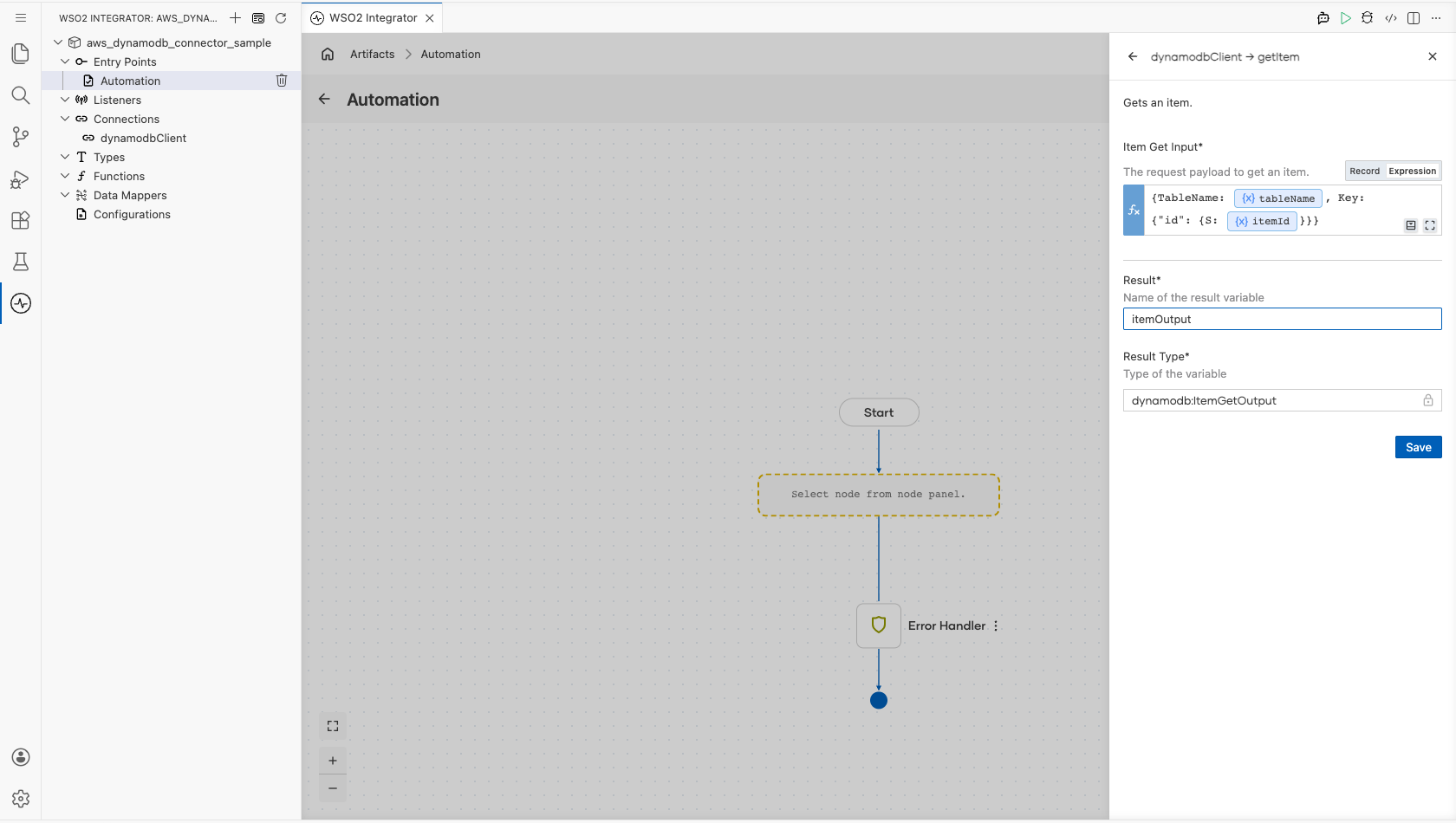
- Select Save.
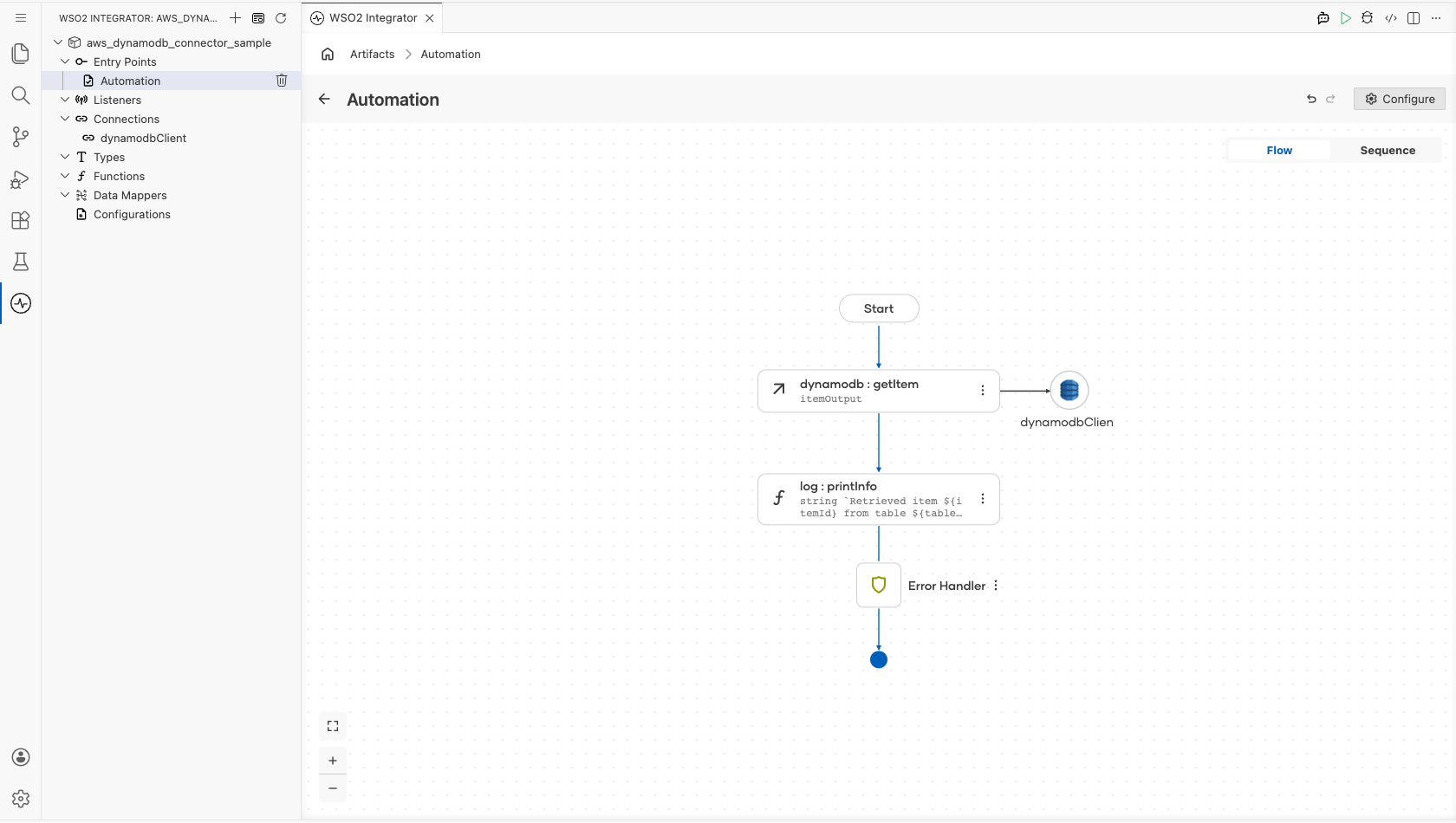
Step 8: Log the Get Item result
Add a Log Info action after the operation, and enter a message that reads the returned item from the result variable. The completed flow runs from Start, through the operation and the log action, to Error Handler.
Try it yourself
Try this sample in WSO2 Integration Platform.

More code examples
The aws.dynamodb connector provides practical examples illustrating usage in various scenarios. Explore these examples.
-
Mobile game high scores This example shows how to manage a high-score table for a mobile game: creating the table, recording scores, querying the leaderboard, and updating and deleting entries.
-
Catalog bulk loader This example shows how to load a product catalog with
writeBatchItems, read it back withgetBatchItems, and scan the whole table. It runs on the default credential provider chain, so it works unchanged on EC2, ECS, and EKS.