Example
What you'll build
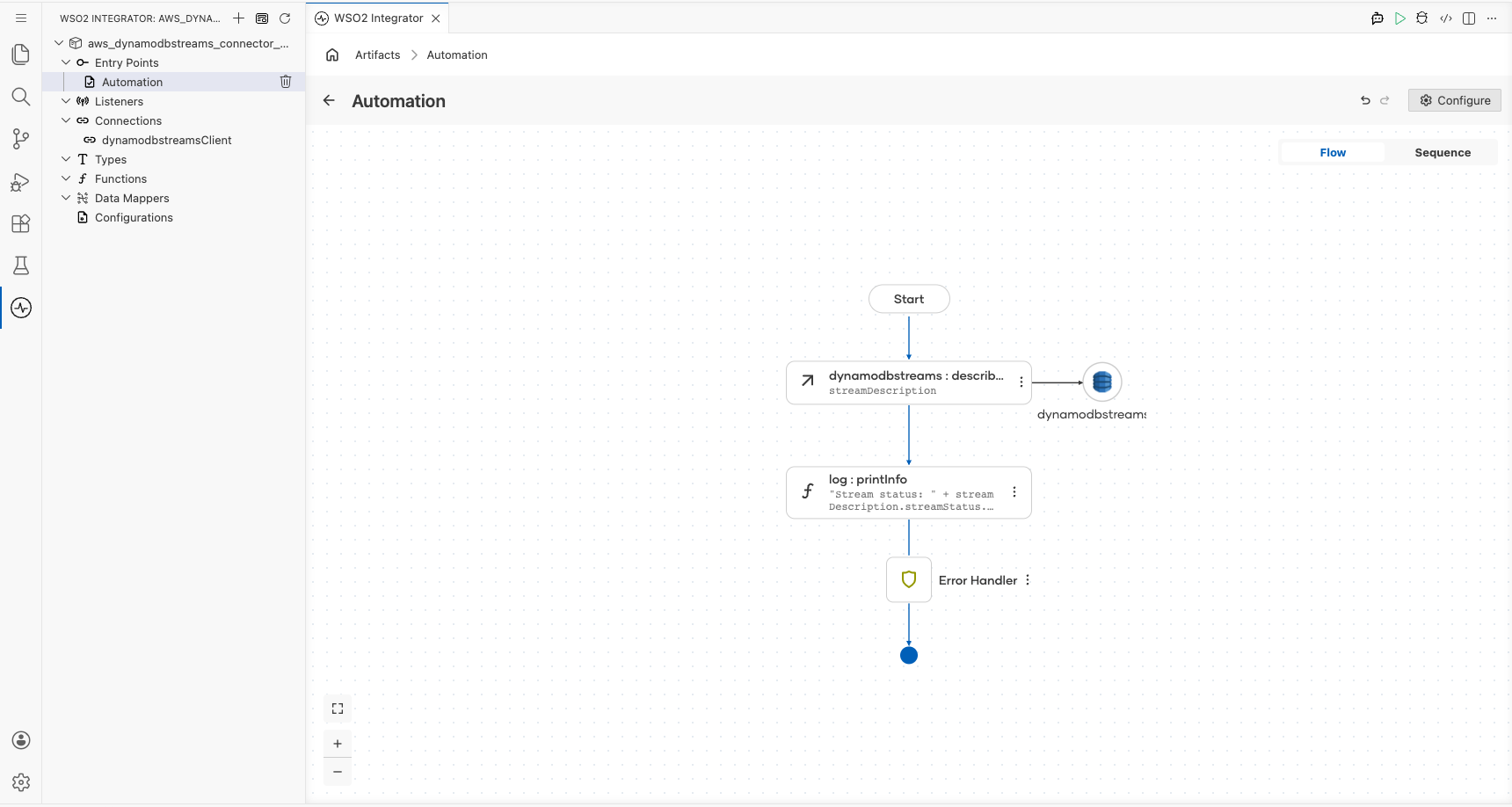
This example builds an automation that describes a DynamoDB stream. Describing a stream reports its current status, its shard composition, and the table it belongs to, so it's the call a consumer makes before it starts reading records. The automation logs the returned stream status.
Operations used:
- Describe Stream : Returns the status, shards, and source table of a DynamoDB stream.
Architecture
Prerequisites
- An AWS account with a DynamoDB table that has a stream enabled. The stream's Latest stream ARN is the value this example needs.
- An access key ID and secret access key for an IAM identity that's allowed to call
dynamodb:DescribeStreamon that stream.
Setting up the AWS DynamoDB Streams integration
New to WSO2 Integrator? Follow the Create a New Integration guide to set up your integration first, then return here to add the connector.
Adding the AWS DynamoDB Streams connector
Step 1: Open the connector palette
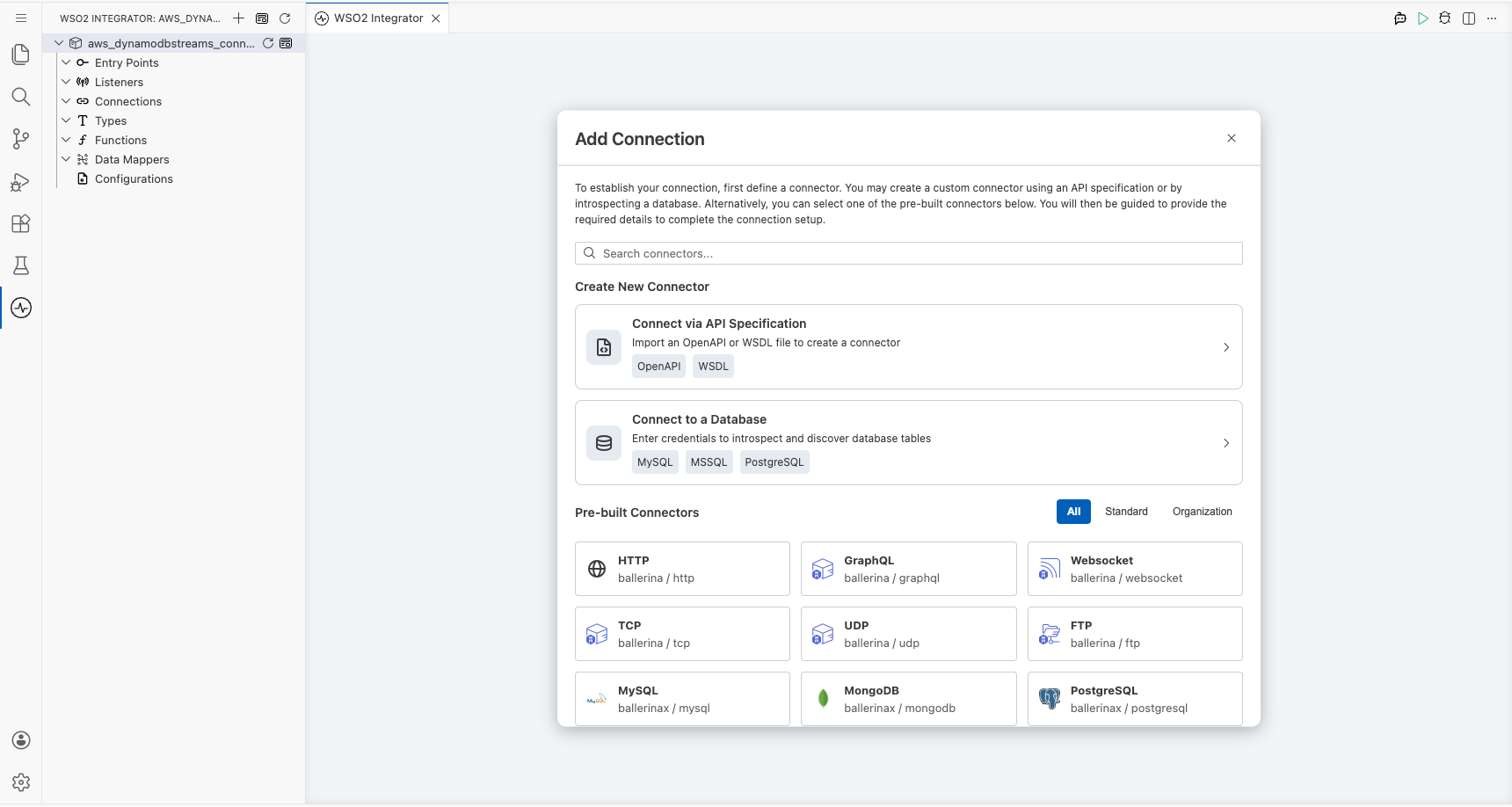
Select Add Connection in the Connections section.
Step 2: Select the AWS DynamoDB Streams connector
- Enter
aws.dynamodbstreamsin the search field. - Select the Dynamodbstreams connector card.
Configuring the AWS DynamoDB Streams connection
Step 3: Bind the connection parameters to configurable variables
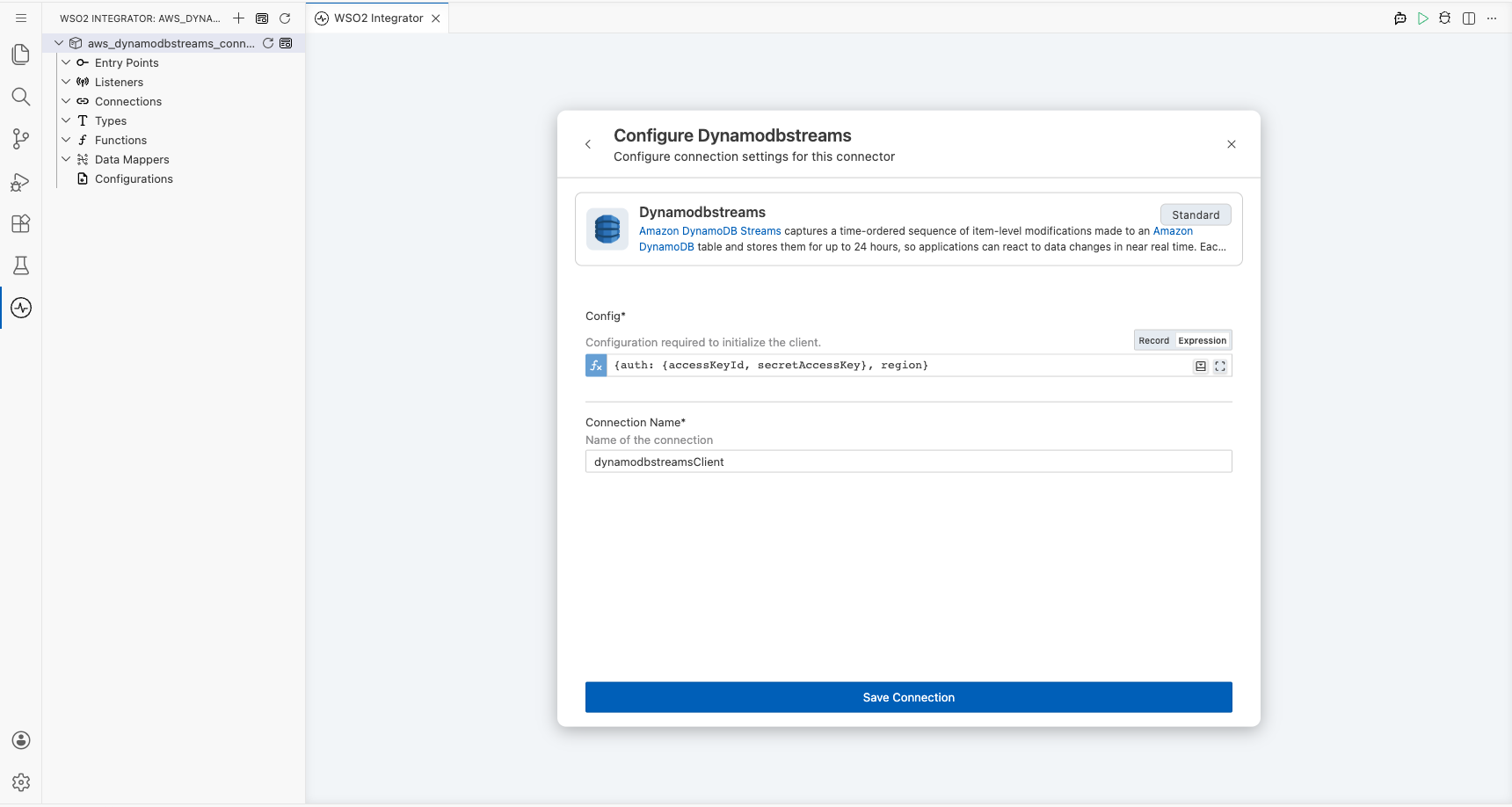
Switch Config to Expression mode, then bind its credential and region fields to configurable variables.
- Config : Connection configuration holding the authentication details and the AWS region.
- Connection Name : Name that identifies this connection in the project tree.
Step 4: Save the connection
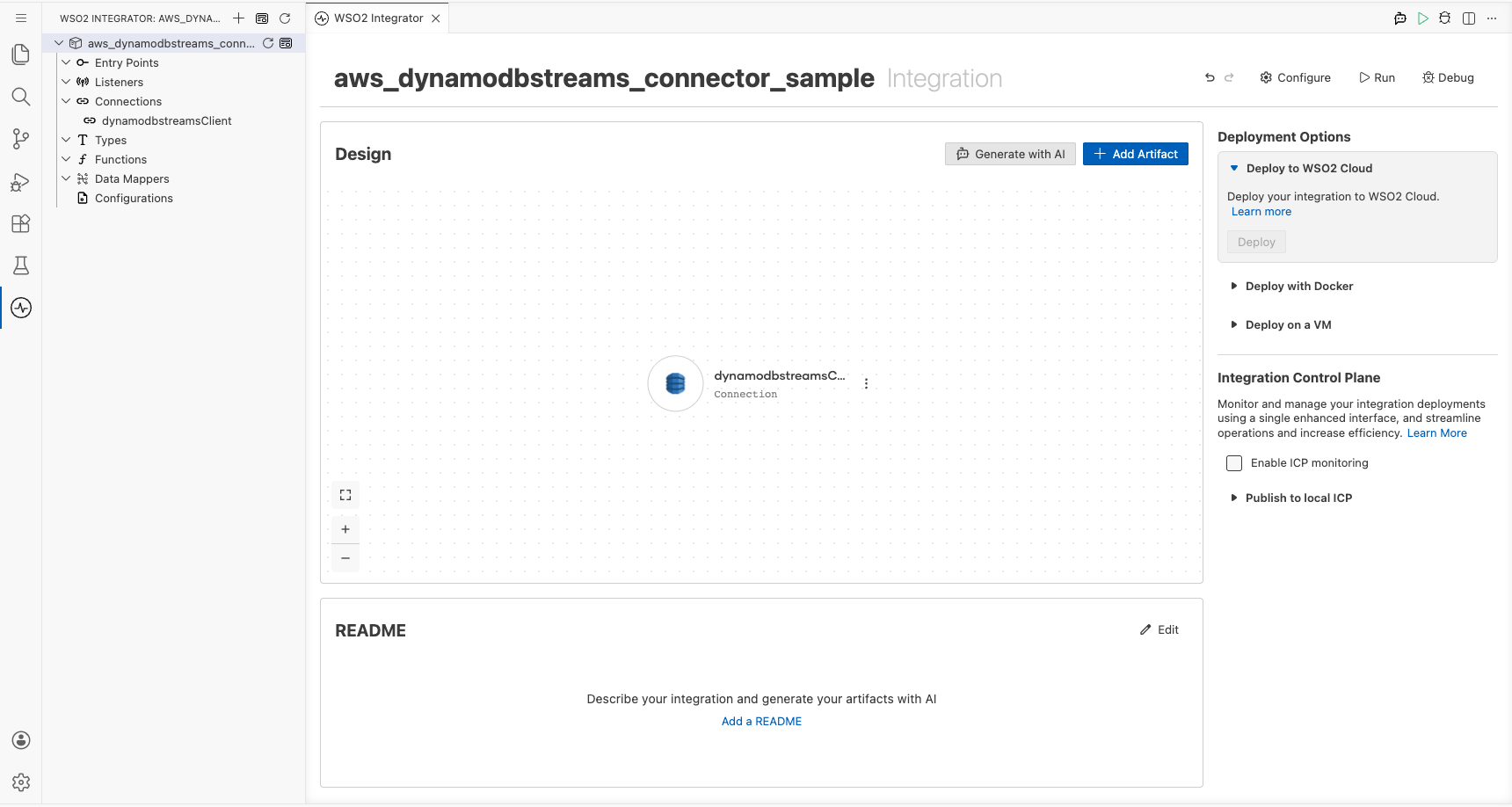
Select Save Connection and verify that the connection appears in the Connections section.
Step 5: Set actual values for your configurables
- Select Configurations at the bottom of the project tree under Data Mappers.
- Enter a value for each configurable listed below before you run the integration.
- accessKeyId (
string) : Access key ID of the IAM identity that reads the stream. - secretAccessKey (
string) : Secret access key that pairs with the access key ID. - region (
string) : AWS region that hosts the table, such asus-east-1. - streamArn (
string) : Latest stream ARN of the DynamoDB table whose stream you want to describe.
Configuring the AWS DynamoDB Streams Describe Stream operation
Step 6: Add an automation entry point
- Select Add Artifact on the Design canvas.
- Select Automation.
- Select Create to accept the settings.
Step 7: Expand the connection and configure the Describe Stream operation
- Select + on the automation flow between Start and Error Handler.
- Expand dynamodbstreamsClient to display its operations.
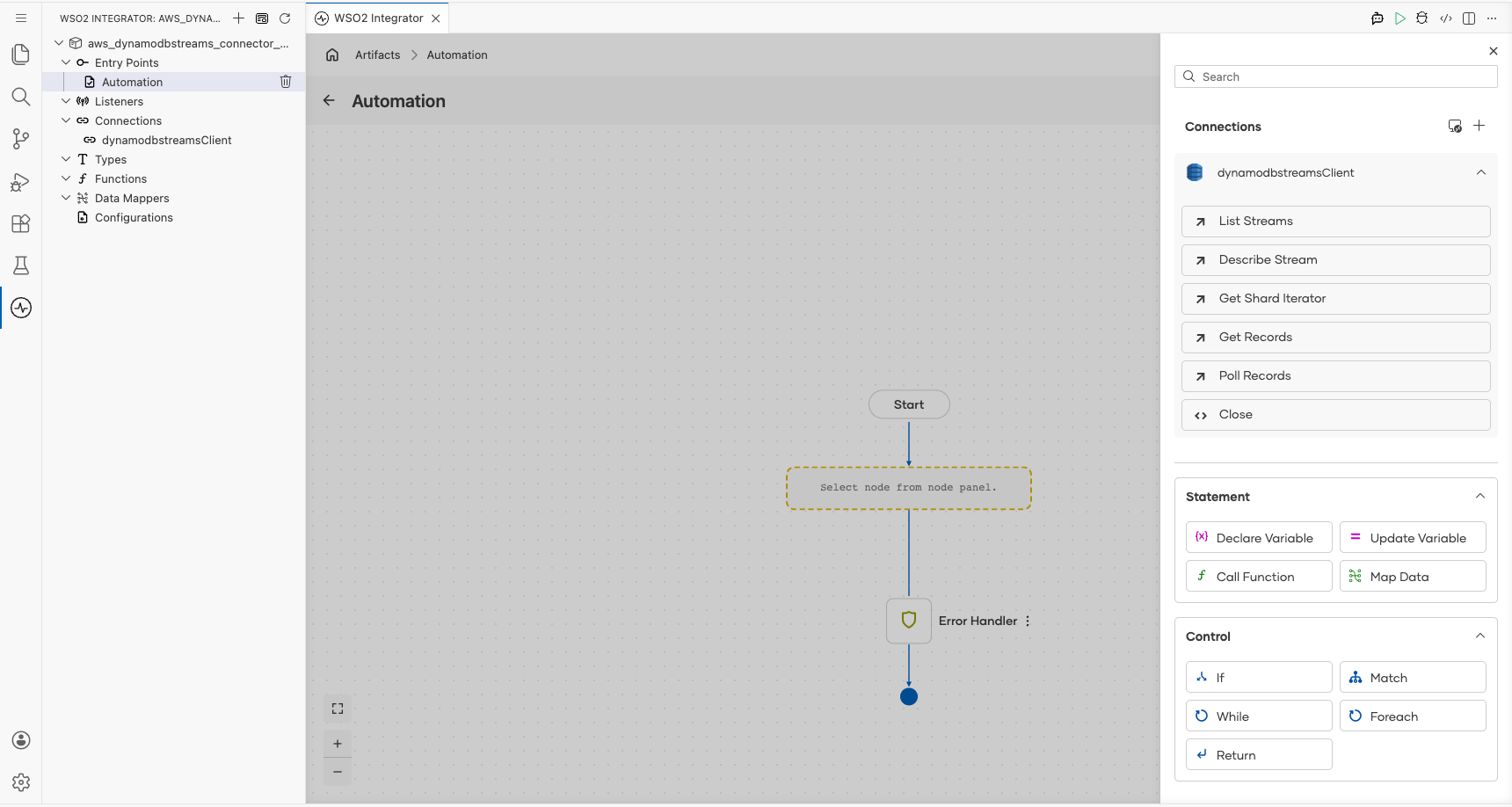
- Select Describe Stream and enter its required values.
- Request : Details of the stream to describe, carrying the stream ARN.
- Result : Name of the variable that holds the returned stream description.
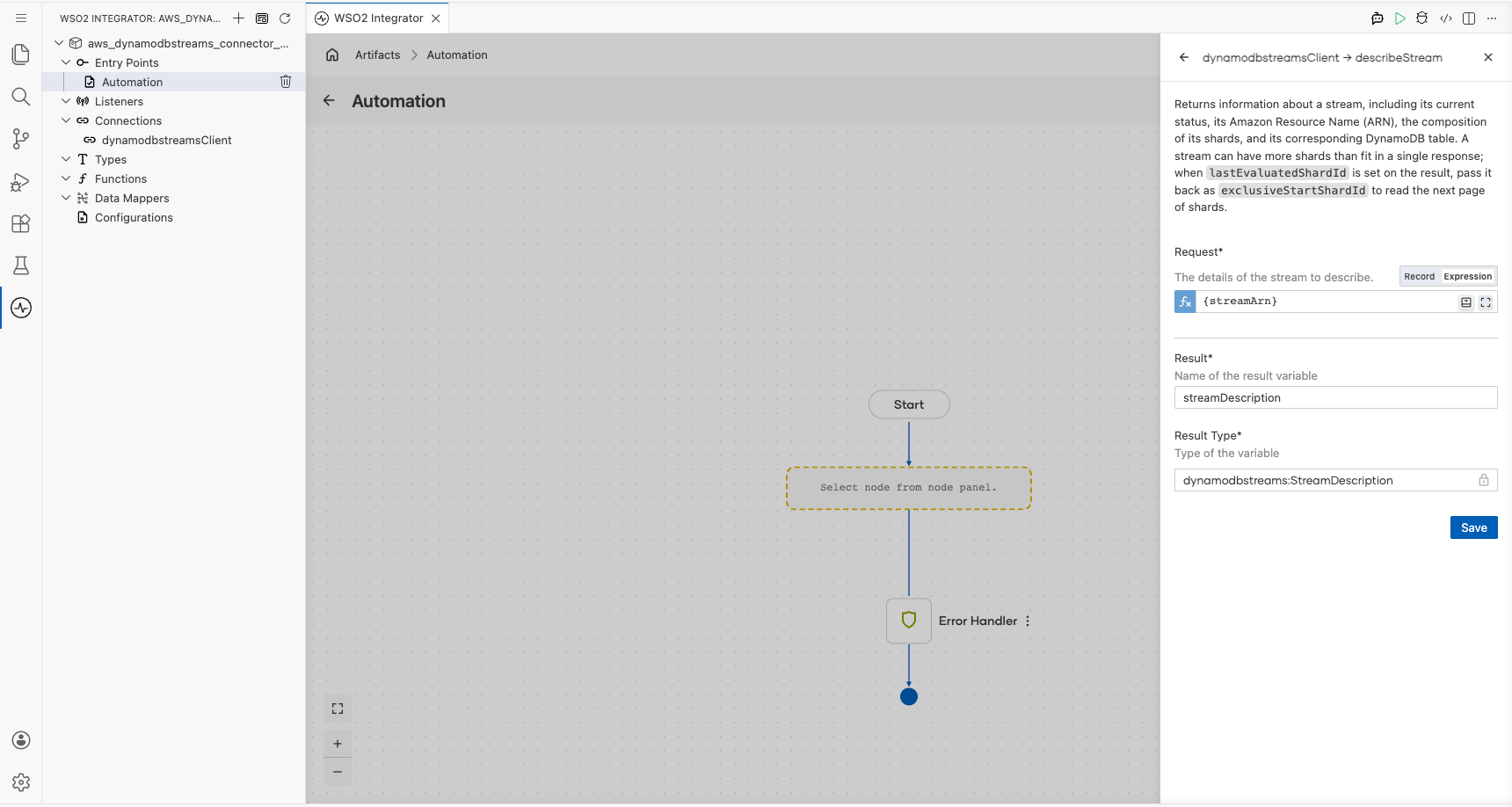
- Select Save.
Step 8: Log the Describe Stream result
Add a Log Info action that reports the returned stream status, then return to the visual flow.
Try it yourself
Try this sample in WSO2 Integration Platform.

More code examples
The aws.dynamodbstreams connector provides practical examples illustrating usage in various scenarios. Explore these examples.
-
Real-time order processing This example shows how to tail a DynamoDB stream with
pollRecordsto react to order changes as they happen. -
Checkpointed shard consumer This example shows how to read a stream with
getRecords, persisting each record's sequence number so that a restarted consumer resumes where it stopped. It runs on the default credential provider chain, so it works unchanged on EC2, ECS, and EKS.