Setup Guide
This guide walks you through getting an Ardoq API token so the connector can authenticate and communicate with your Ardoq organization.
Sign in to Ardoq
Navigate to app.ardoq.com (or your organization's custom subdomain) and sign in.
Generate an API token
-
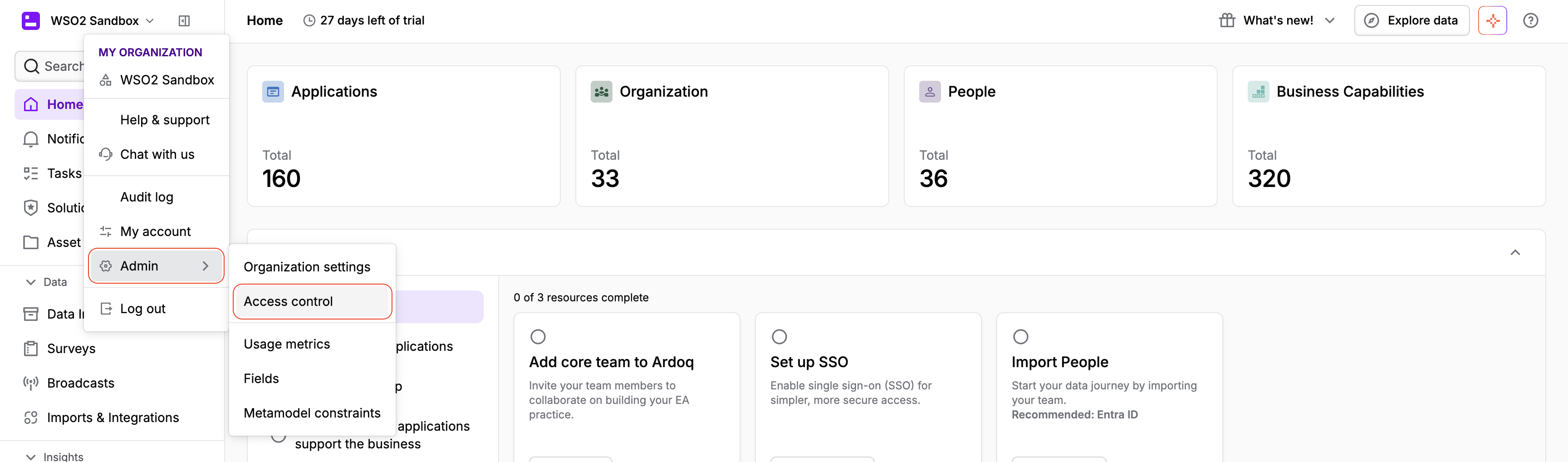
Click your organization name in the top-left corner and select Admin > Access control.
-
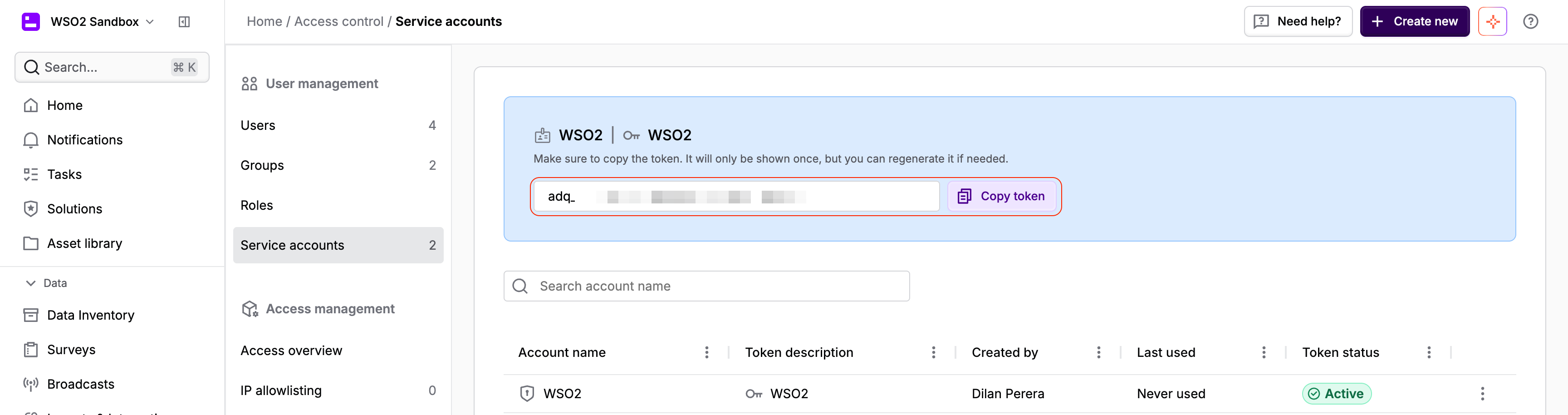
Select Service accounts and click + Create new.

-
Give the service account a name and a token description, then confirm. Copy the generated token.
note
The token is only shown once. If you lose it, you can regenerate a new one from the same Service accounts page.
- If you're not using a dedicated Ardoq subdomain, also note your organization label, shown under Admin > Organization settings — the connector needs it to scope requests to your organization on the shared
app.ardoq.comhost.
Next steps
- Action Reference - Available operations