Example
What you'll build
Build an automation that retrieves project management records from SAP Business One. The integration logs the returned collection for review.
Operations used:
- List Project Managements : Retrieves the project management collection.
Architecture
Prerequisites
- An SAP Business One installation with the Service Layer enabled.
- The Service Layer endpoint, company database, username, and password.
Setting up the Projects integration
New to WSO2 Integrator? Follow the Create a New Integration guide to set up your integration first, then return here to add the connector.
Adding the Projects connector
Step 1: Open the connector palette
Select Add Connection in the Connections section.
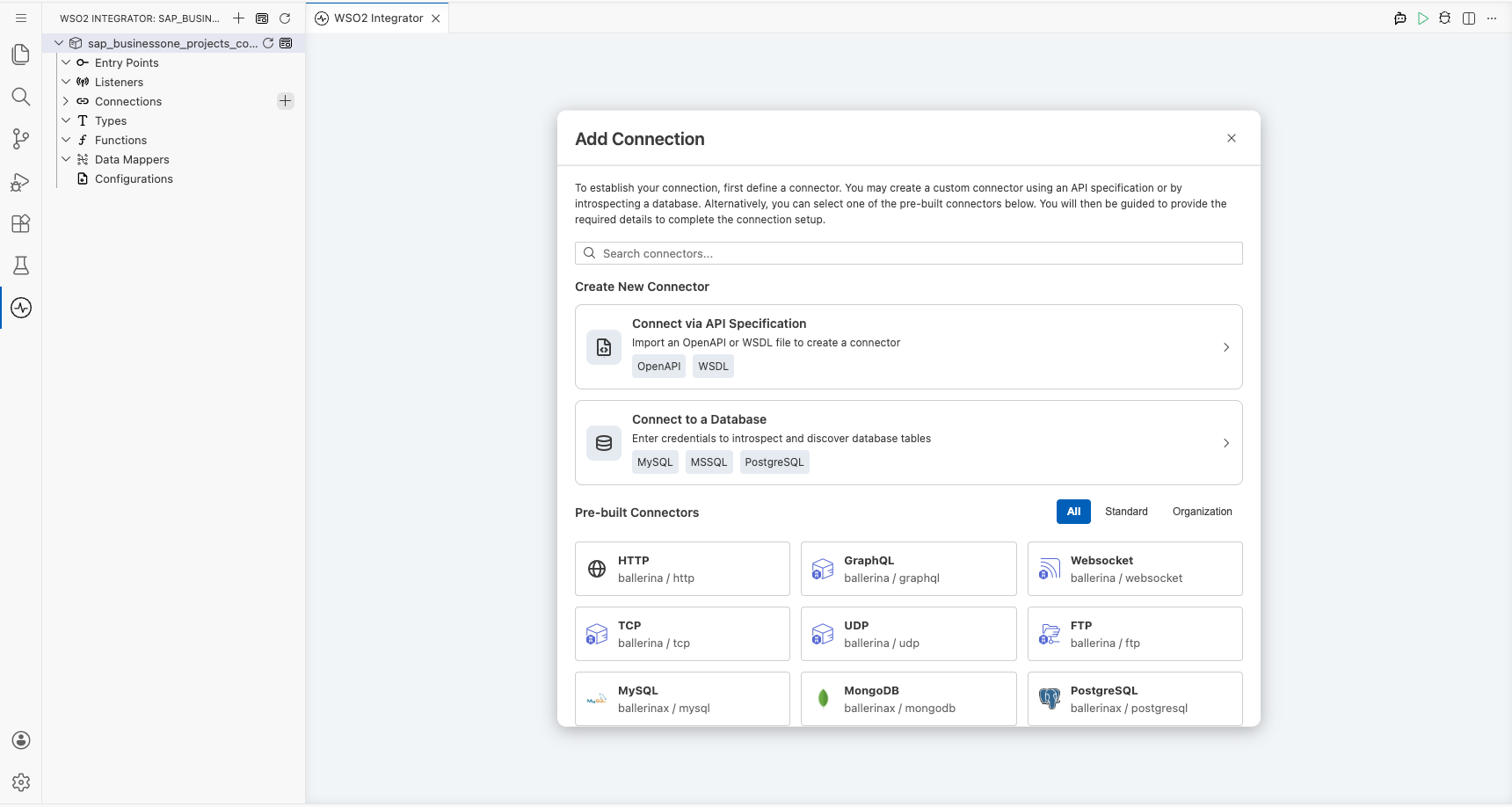
Step 2: Select the Projects connector
- Enter
sap.businessone.projectsin the search field. - Select the Projects connector card.
Configuring the Projects connection
Step 3: Bind the session fields to configurable variables
- Create
companyDb,username, andpasswordasstringconfigurable variables. - Switch Session to Expression.
- Bind each session field to its matching configurable variable.
- Session : Provides the company database, username, and password for the Service Layer session.
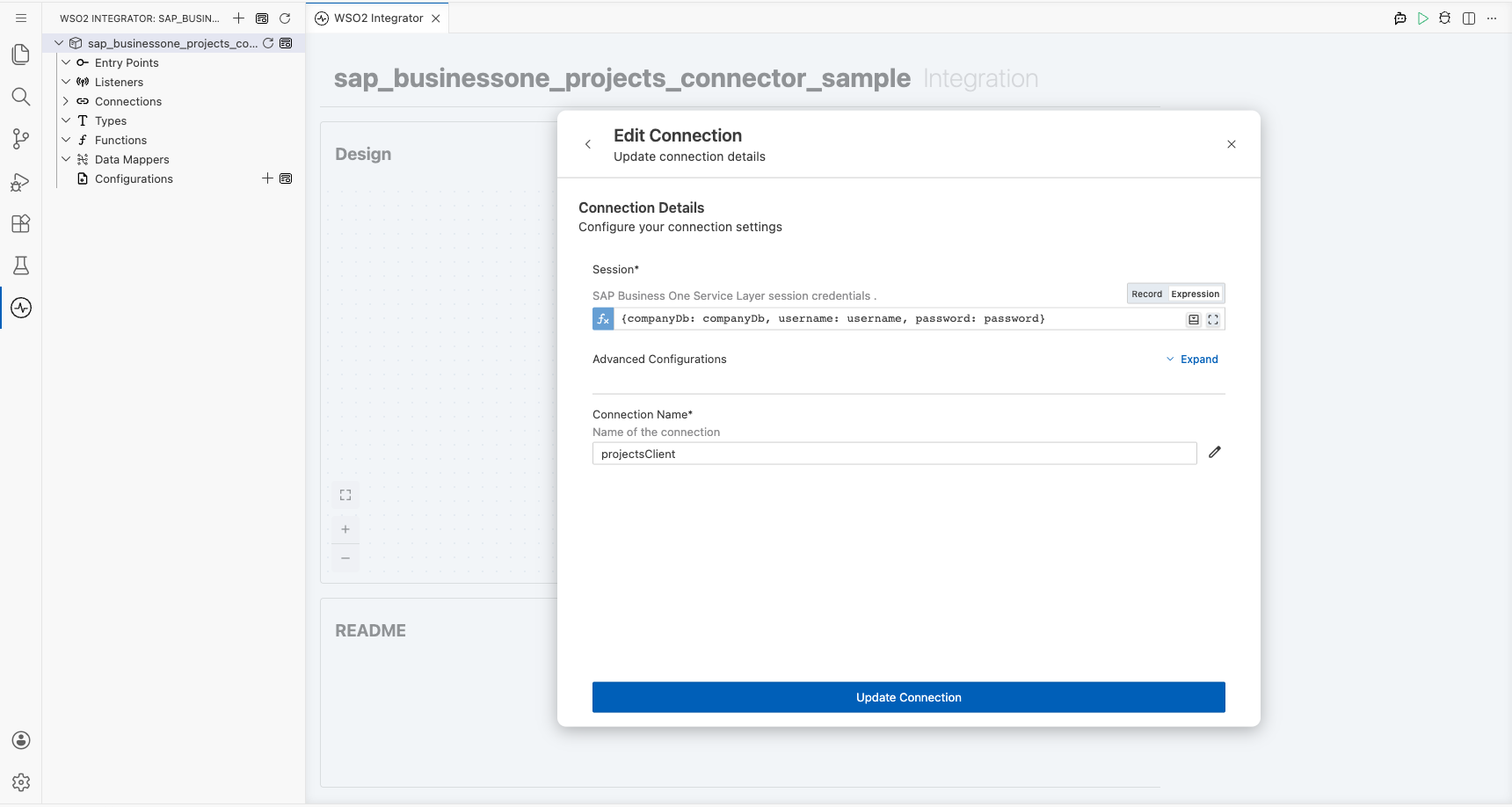
Step 4: Save the connection
Select Save Connection and verify that projectsClient appears under Connections.
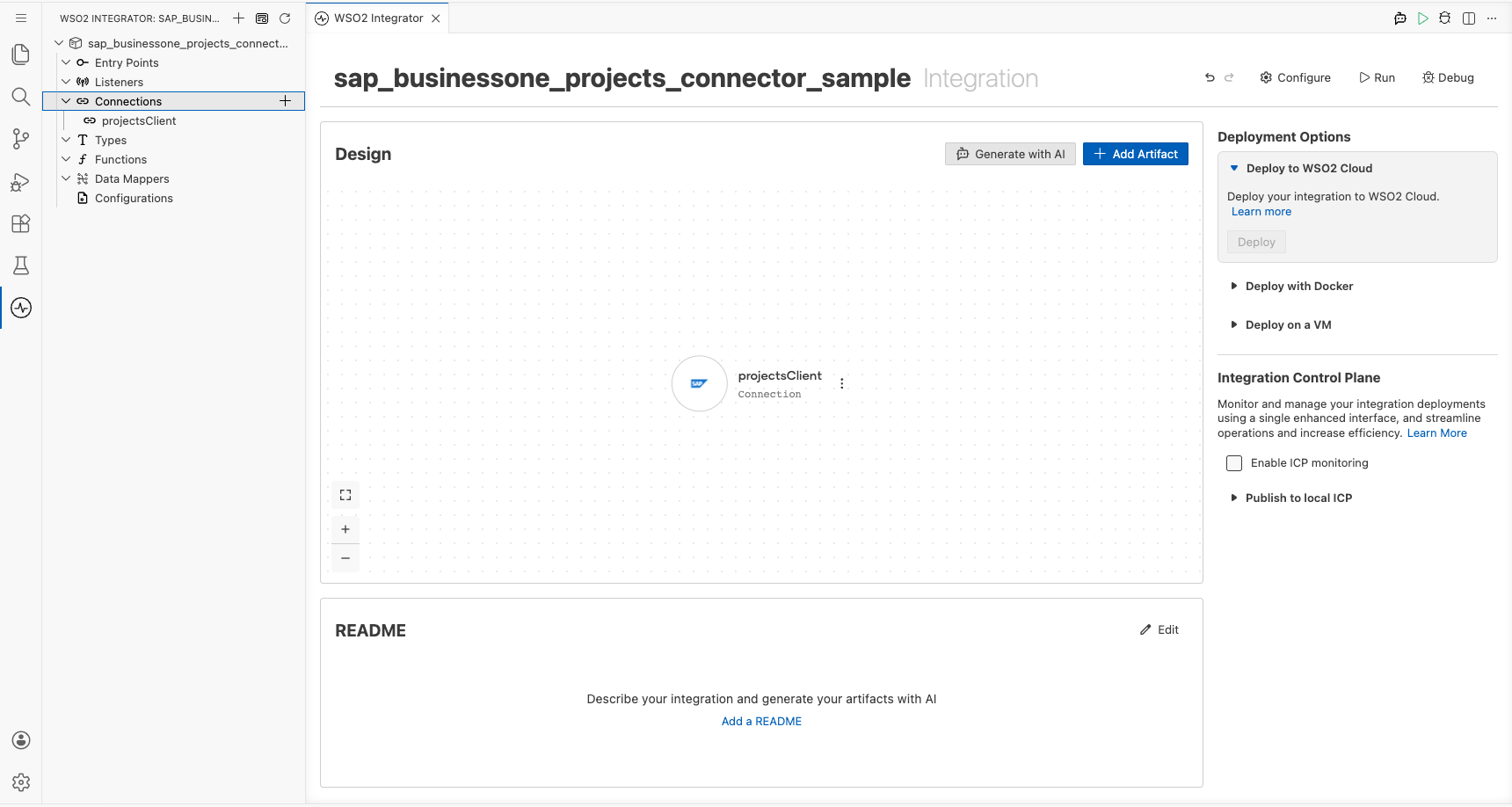
Step 5: Set actual values for your configurables
- Select Configurations at the bottom of the project tree under Data Mappers.
- Enter a value for each configurable before you run the integration.
- companyDb (
string) : Specifies the SAP Business One company database. - username (
string) : Specifies the SAP Business One username. - password (
string) : Specifies the SAP Business One password.
Configuring the Projects List Project Managements operation
Step 6: Add an automation entry point
- Select Add Entry Point next to Entry Points.
- Select Automation.
- Select Create.
Step 7: Add and configure List Project Managements
- Select the + node between Start and Error Handler.
- Expand projectsClient to display its operations.
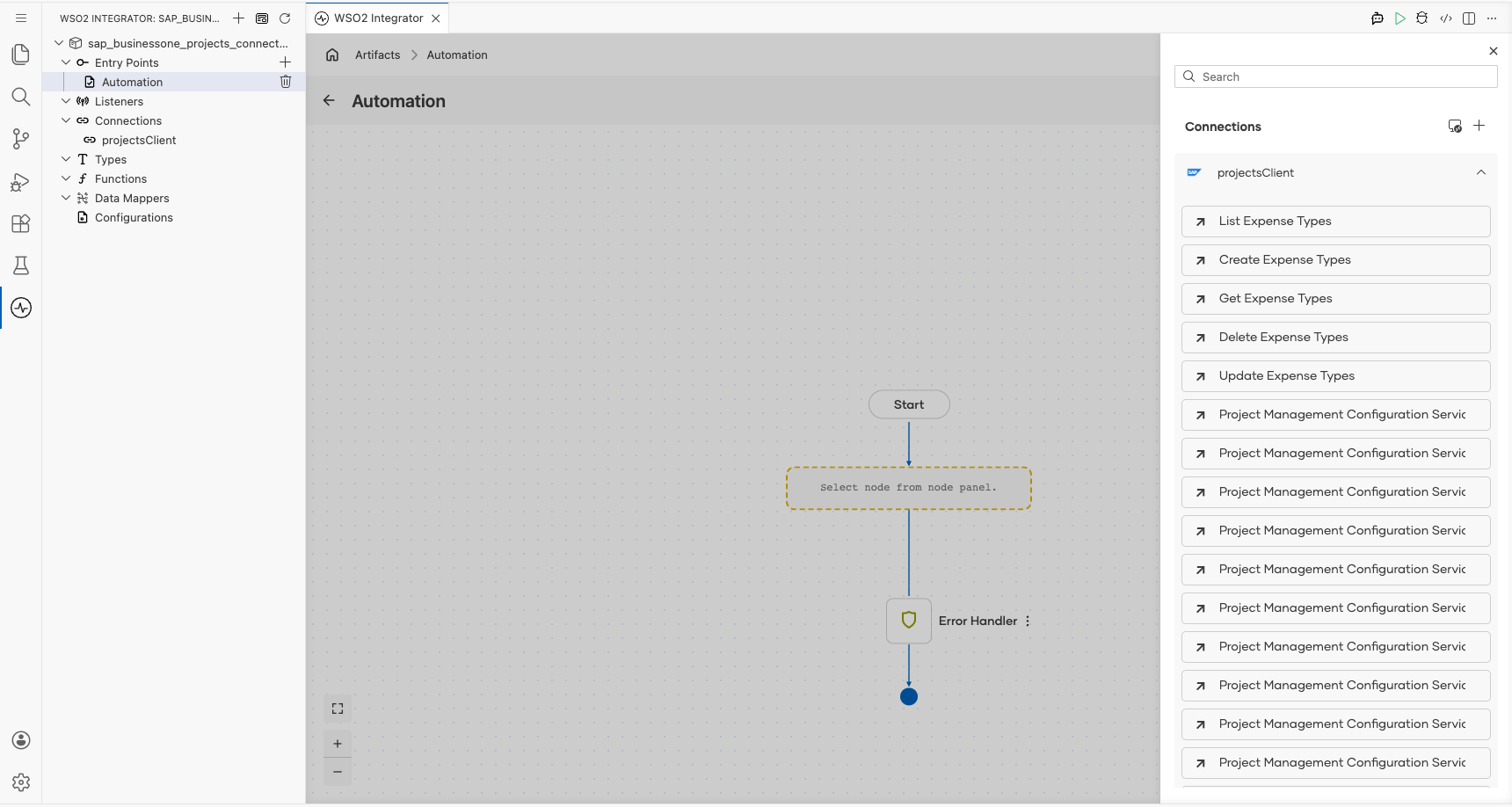
- Select List Project Managements.
- Enter
projectManagementsin Result.
- Result : Names the variable that stores the returned collection.
- Result Type : Uses the generated response structure for project management records.
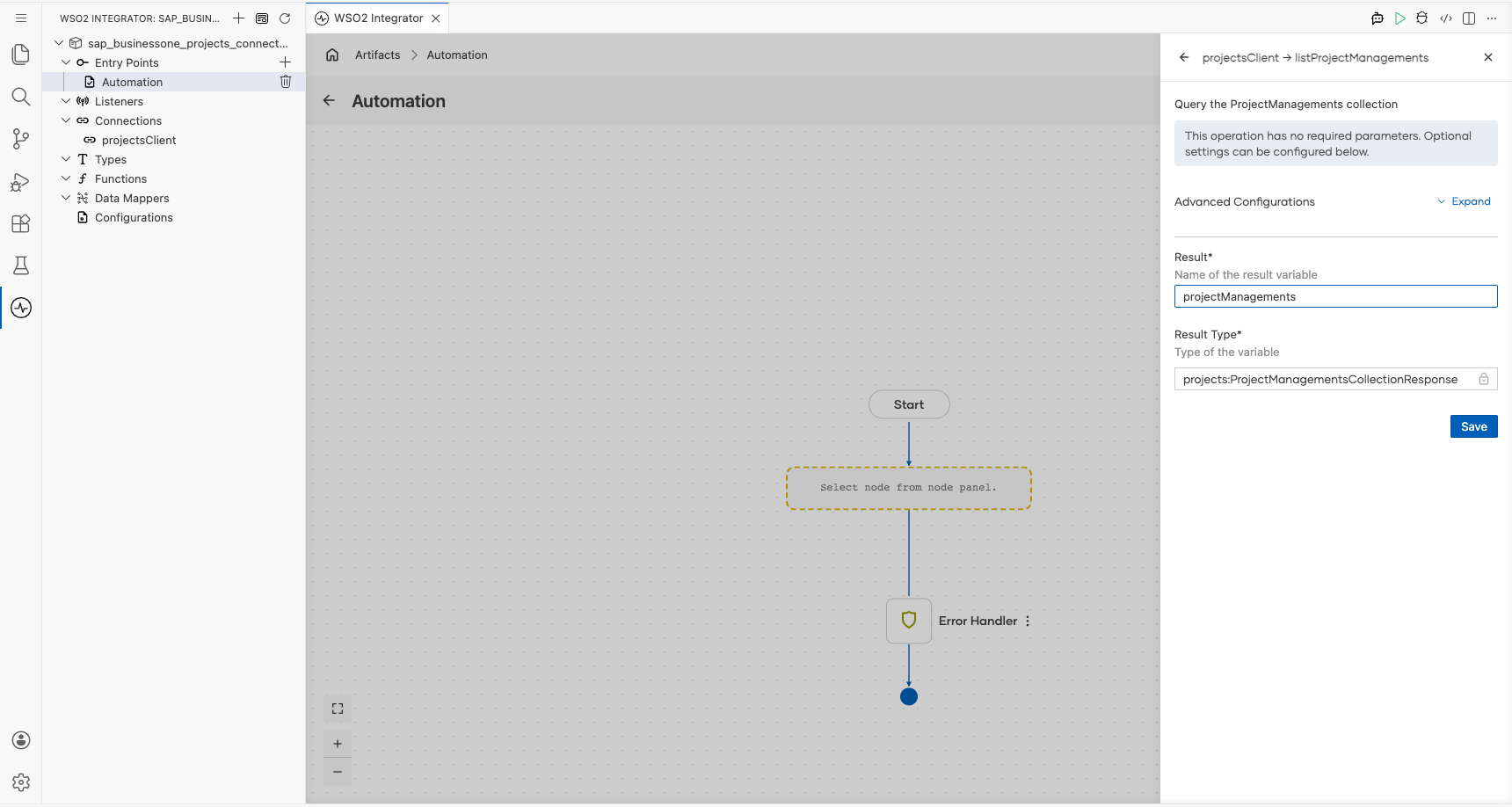
- Select Save.
Step 8: Log the List Project Managements result
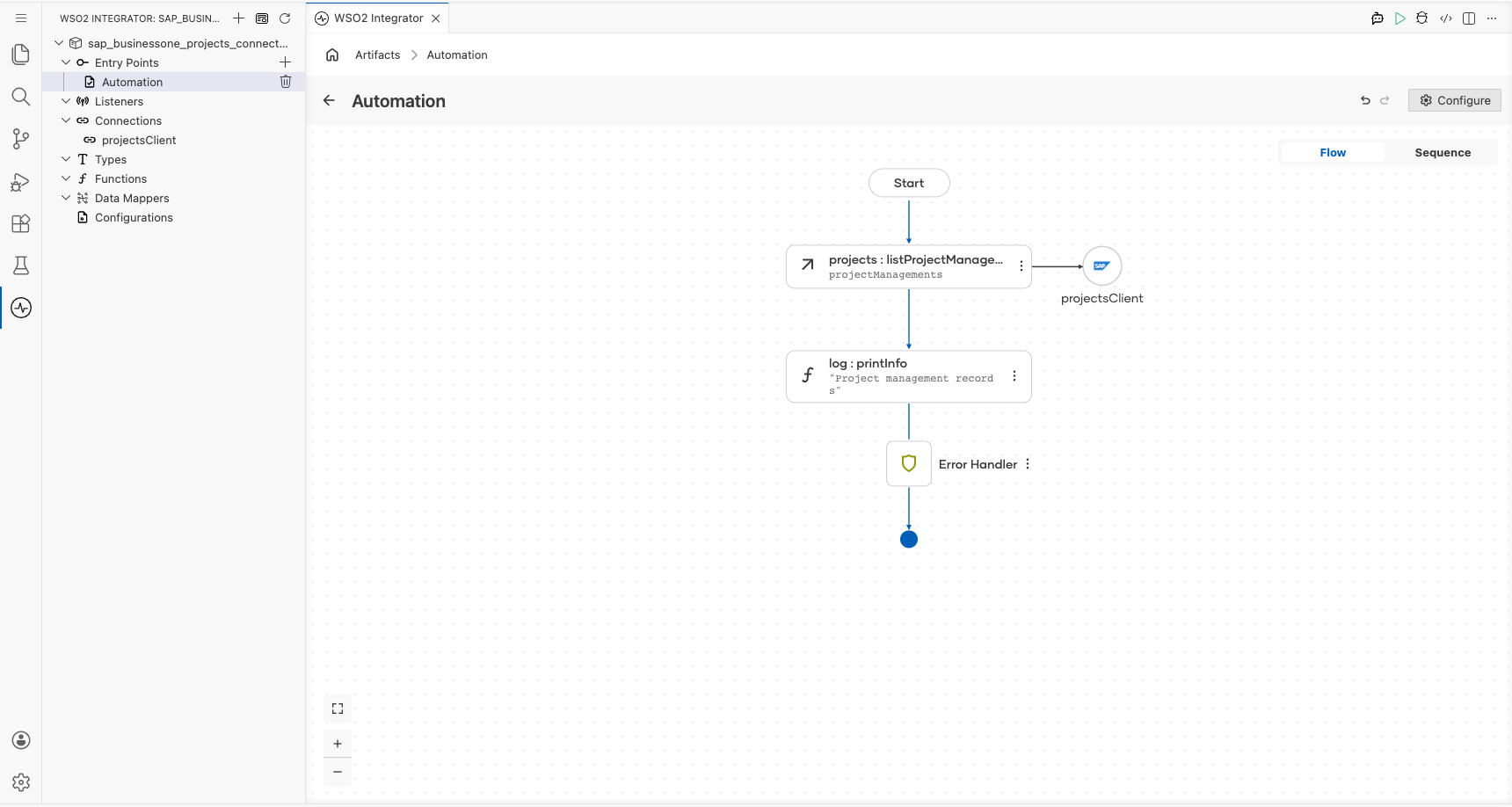
- Add Log Info after List Project Managements.
- Log the returned
projectManagementsvalue. - Return to the automation flow.
Try it yourself
Try this sample in WSO2 Integration Platform.

More code examples
The SAP Business One connectors provide practical examples illustrating usage in various scenarios. Explore these examples, covering use cases like listing open sales orders, reporting inventory stock, and logging CRM activities.