Setup Guide
This guide walks you through setting up an Asgardeo Machine-to-Machine (M2M) application and obtaining the OAuth 2.0 client credentials required to use the SCIM connector.
Prerequisites
- An active Asgardeo account. If you do not have one, sign up for a free Asgardeo organization.
Step 1: Register a machine-to-machine (M2M) application
-
Log in to the Asgardeo Console.
-
Select Applications in the left navigation menu.
-
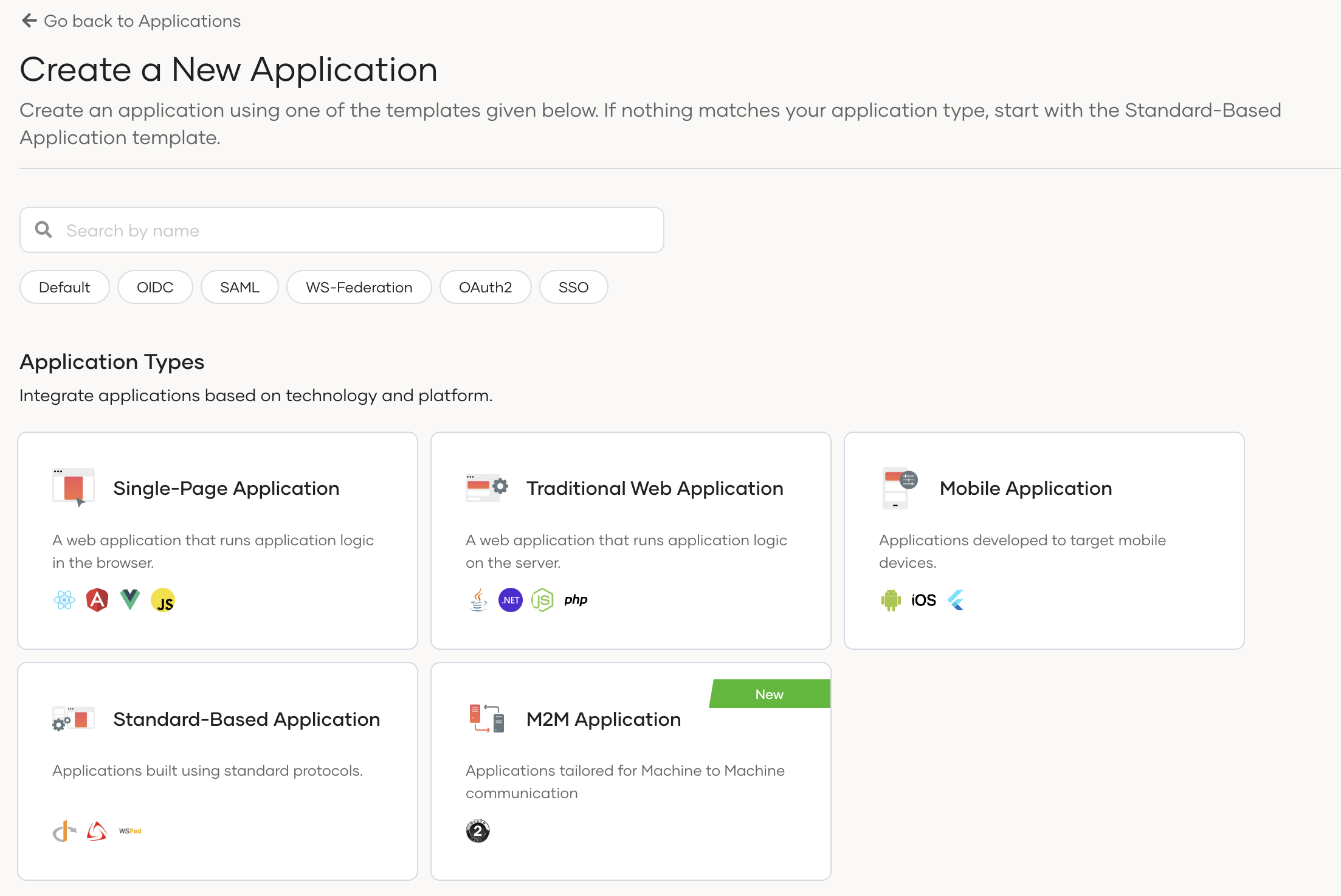
Select New Application and select M2M Application.
-
In the Name field, enter a unique name to identify your application (for example,
Ballerina SCIM Connector). -
Select Register to complete the registration.
Step 2: Authorize the API resources for the app
-
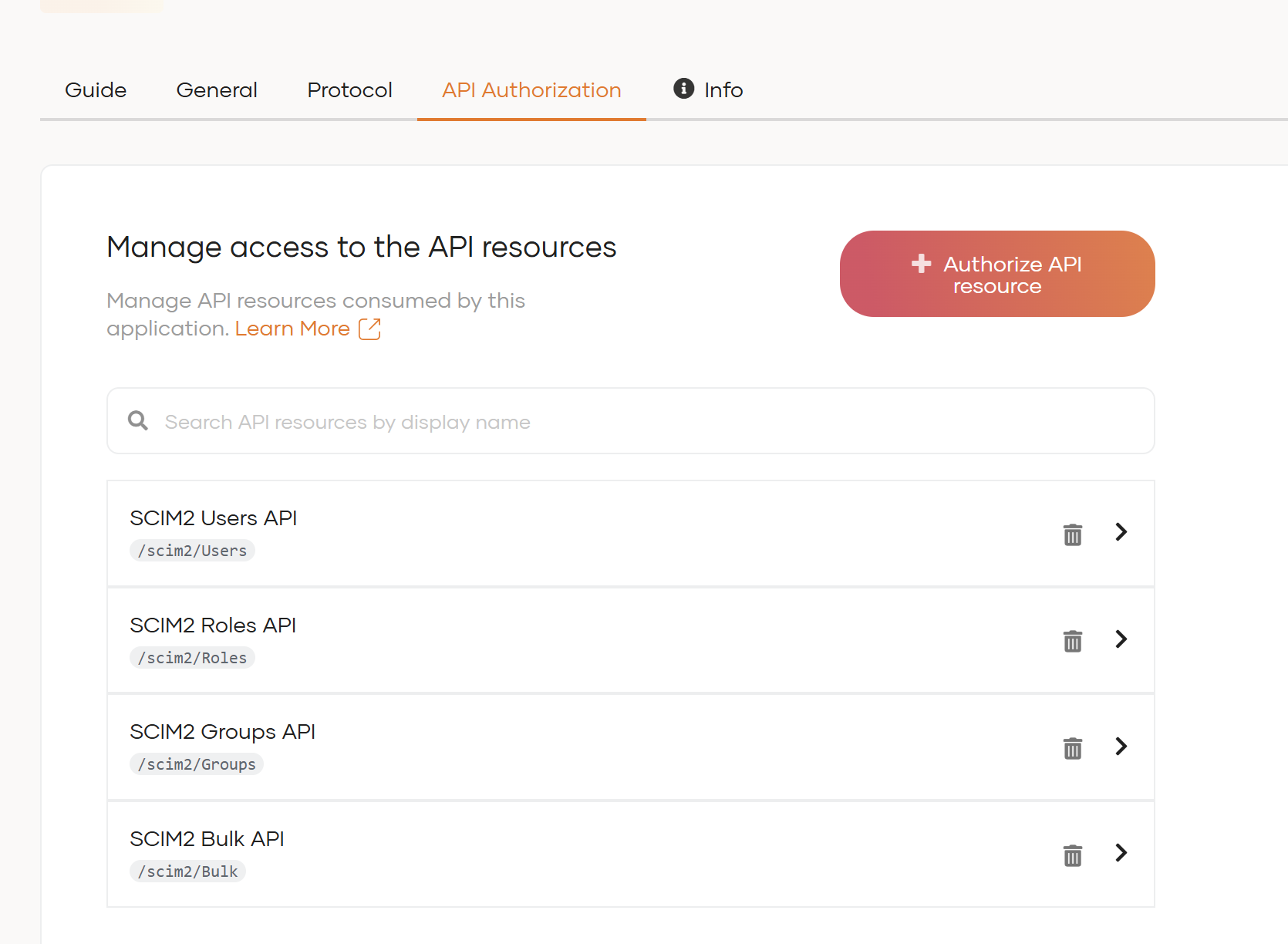
Navigate to the API Authorization tab of the newly registered application.
-
Authorize the SCIM2 API resources and select the required scopes (permissions), such as:
internal_user_mgt_list: List and filter usersinternal_user_mgt_view: View user detailsinternal_user_mgt_create: Create usersinternal_user_mgt_update: Update usersinternal_user_mgt_delete: Delete usersinternal_group_mgt_view: View group detailsinternal_group_mgt_create: Create groupsinternal_group_mgt_update: Update groupsinternal_group_mgt_delete: Delete groups
-
Select Update to save the authorization settings.
Only authorize the scopes your integration needs. Following the principle of least privilege improves security.
Step 3: Get the client ID and client secret
-
Navigate to the Protocol tab of the M2M application.
-
Copy the Client ID — this is your
clientId. -
Copy the Client Secret — this is your
clientSecret.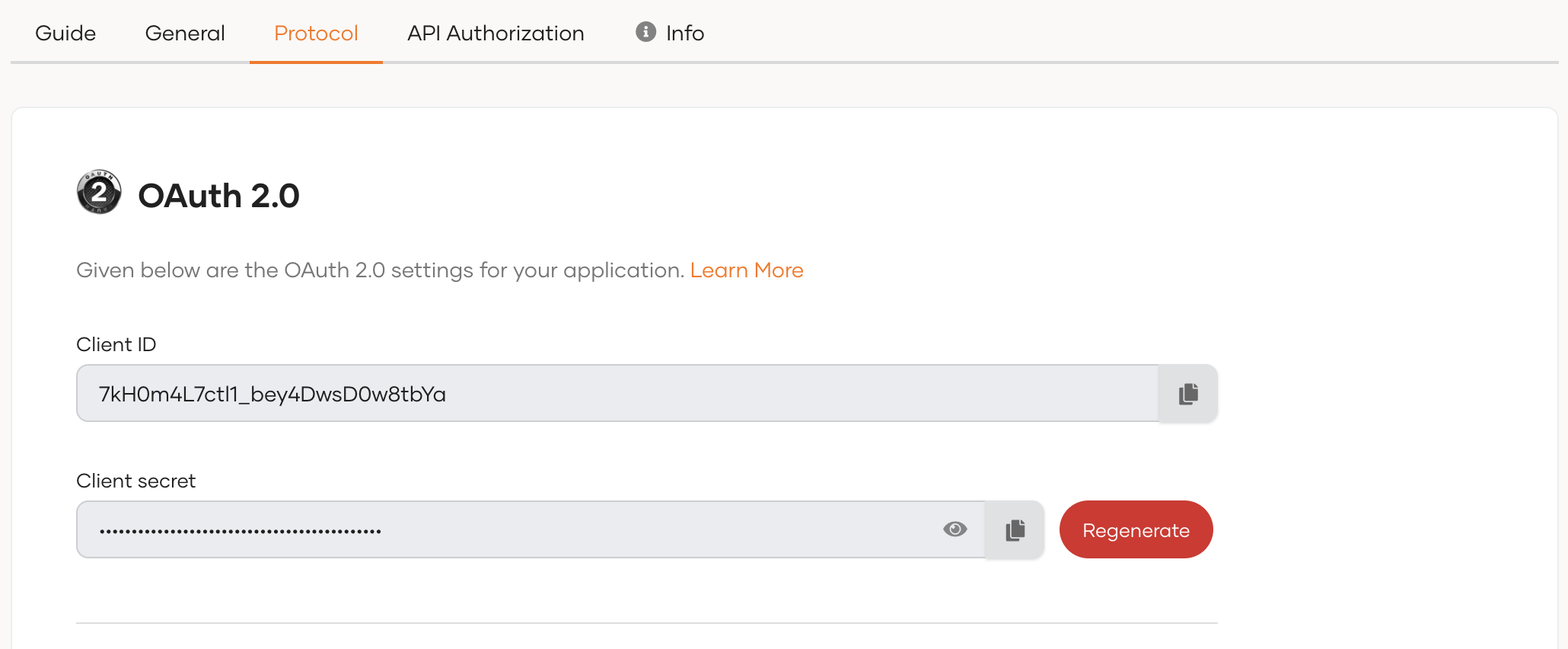
Store the Client ID and Client Secret securely. Do not commit them to source control. Use Ballerina's configurable feature and a Config.toml file to supply them at runtime.
Step 4: Identify your organization name and token URL
Your Asgardeo organization name is used to construct both the SCIM service URL and the OAuth token URL:
- SCIM Service URL:
https://api.asgardeo.io/t/<orgName>/scim2 - Token URL:
https://api.asgardeo.io/t/<orgName>/oauth2/token
You can find your organization name in the Asgardeo Console URL (for example, https://console.asgardeo.io/t/myorg).
What's next
- Action reference: Available operations