Build an Automation
Time: Under 10 minutes | What you'll build: An automation that prints Hello World to the terminal when it runs.
An automation runs your integration logic without an external request, on demand or on a schedule. Automations are ideal for data synchronization, report generation, and routine maintenance jobs. This quick start shows the full cycle: add an automation artifact, build the logic in the visual designer, run it, and review the scheduling options for production.
- Visual Designer
- Ballerina Code
Step 1: Create the integration
- Open WSO2 Integrator.
- Select the Create New Integration card.
- Set Integration Name to
HelloWorldAutomation. - Set Project Name to
automation-quickstart. - Create Integration.
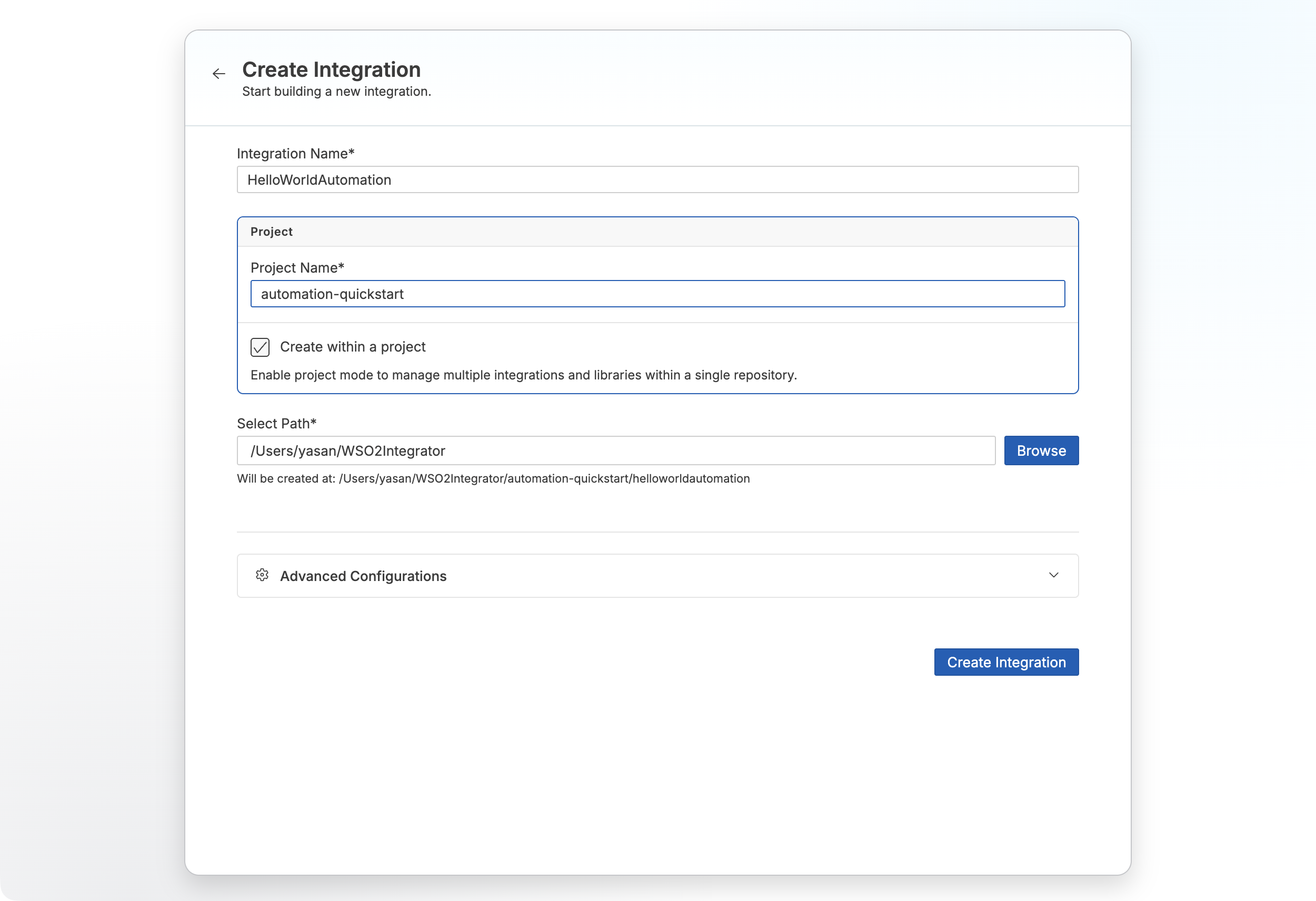
Step 2: Add an automation artifact
- Select your integration from the project overview canvas.
- Select + Add Artifact in the design canvas.
- Select Automation under Automation.
- Select Create.
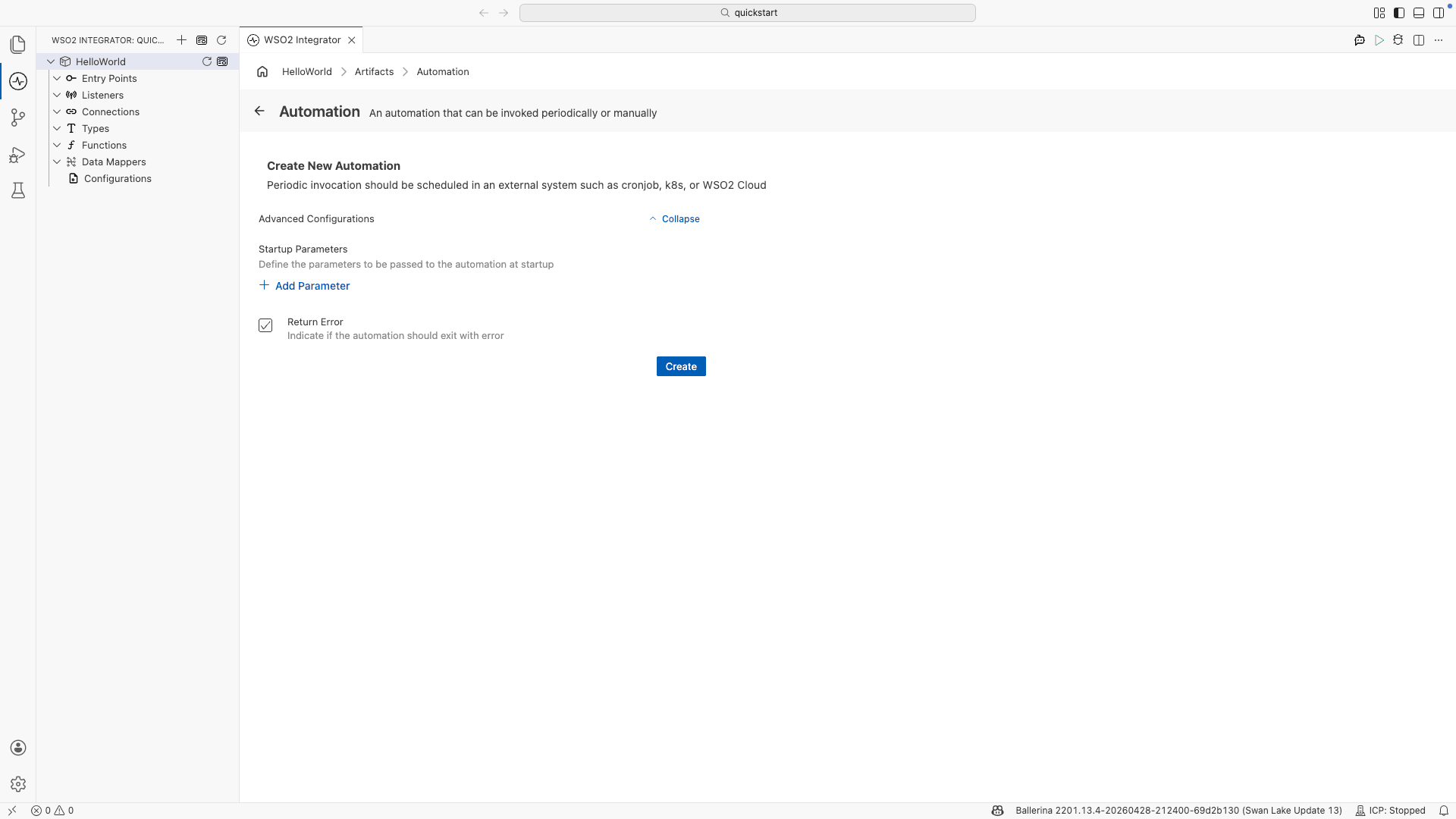
Step 3: Add logic
- Select + after the Start node to open the node panel.
- Select Call Function.
- Select Print under io from the function list.
- Select Initialize Array for the Values parameter.
- Set Values to
"Hello World"and select Save.
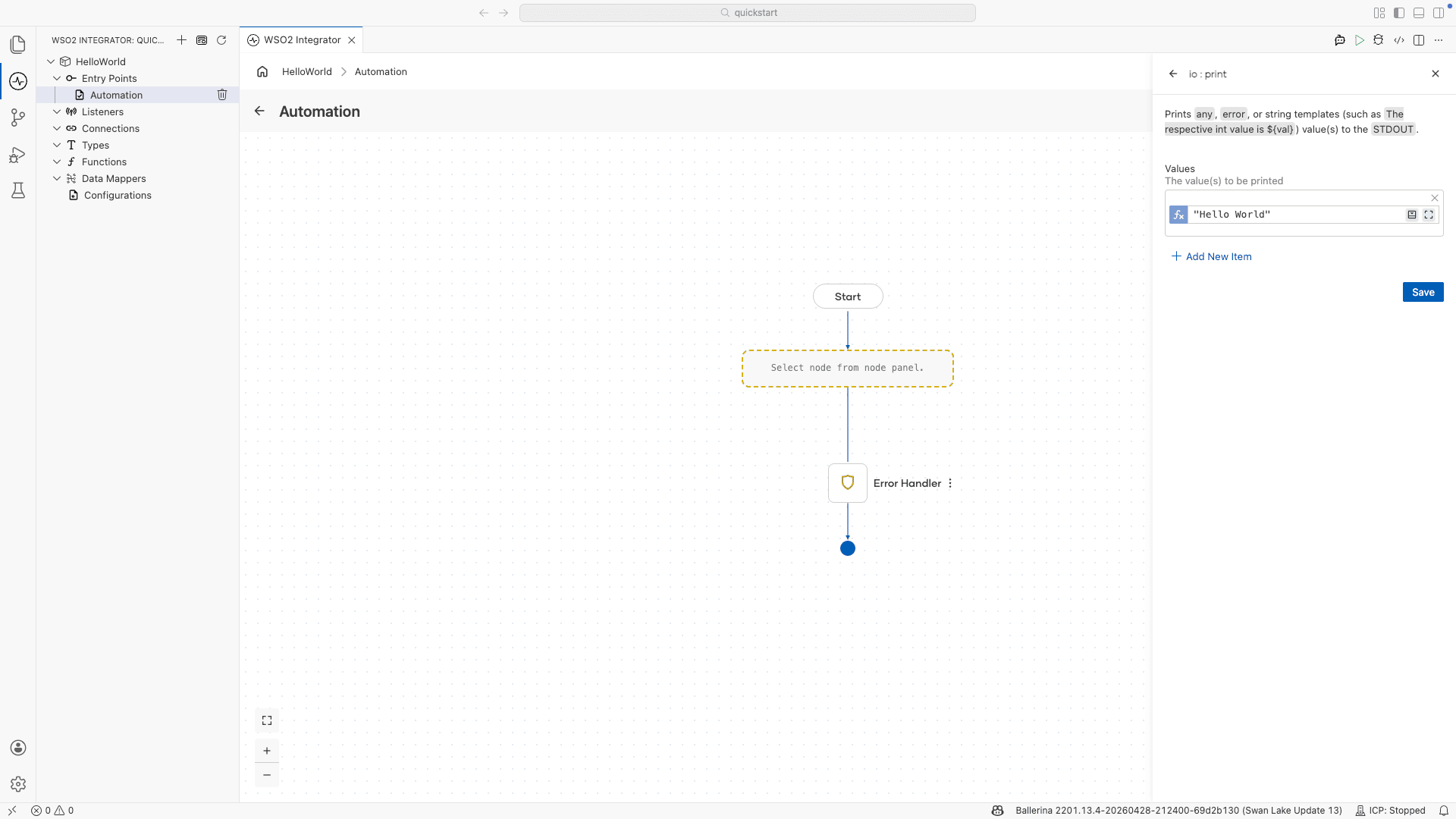
Step 4: Run and test
- Select Run.
- Confirm the terminal output contains
Hello World.
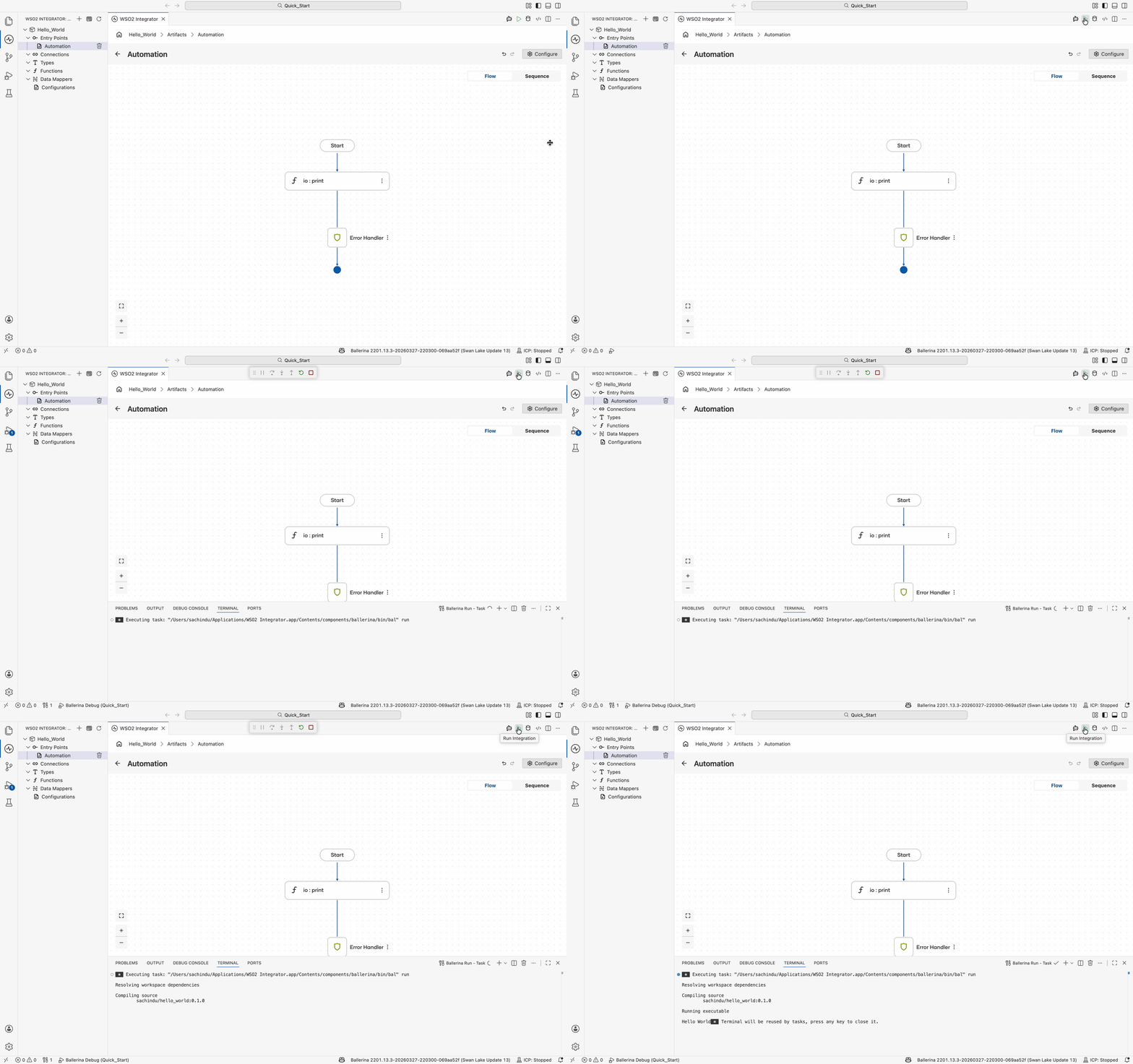
The following complete, runnable Ballerina program produces the same automation shown in the visual designer steps.
import ballerina/io;
import ballerina/log;

public function main() returns error? {
    do {
        io:print("Hello World");
    } on fail error e {
        log:printError("Error occurred", 'error = e);
        return e;
    }
}
Save this as automation.bal, then run bal run from the project directory. The terminal output contains Hello World.
Scheduling automations
Periodic invocation is configured in an external system once the automation is deployed. Available options include:
- Cron job: schedule the automation from a
cronentry on a Unix or Linux host. - Kubernetes: define a
CronJobresource to run the automation on a recurring schedule. - VM: use a host scheduler such as Windows Task Scheduler or
systemdtimers. - WSO2 Integration Platform: configure the schedule in the WSO2 Integration Platform when the integration is pushed to the cloud.
What's next
- Build an API integration — Build an HTTP service
- Build an AI agent — Build an intelligent agent
- Build an event-driven integration — React to messages from brokers
- Build a file-driven integration — Process files from FTP or local directories
- Automation — Configure scheduling, manual execution, and integration logic