Creating an Agent
WSO2 Integrator supports the creation of AI agents as either Chat agents or Inline agents.
Chat agents
Chat agents are AI agents exposed through HTTP REST APIs, allowing users or external systems to send prompts and receive responses powered by large language models (LLMs).
Inline agents
Inline agents can be embedded directly within integration flows, REST APIs, GraphQL resolvers, or backend service logic, and are invoked programmatically as part of workflow execution.
Launching the wizard
- Open your integration project in WSO2 Integrator.
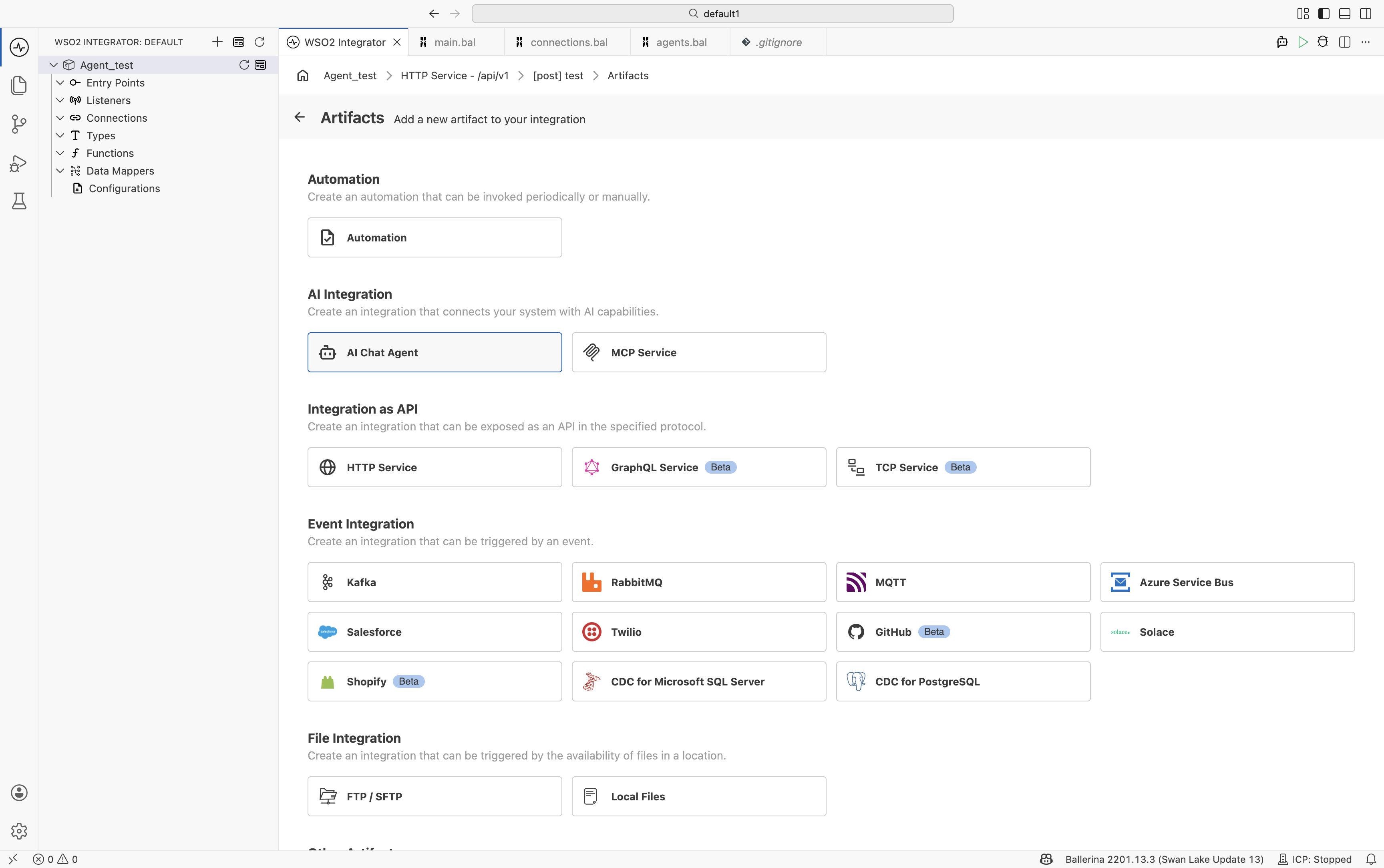
- Click + Add Artifact from the project view, or right-click the project tree.
Create a chat agent
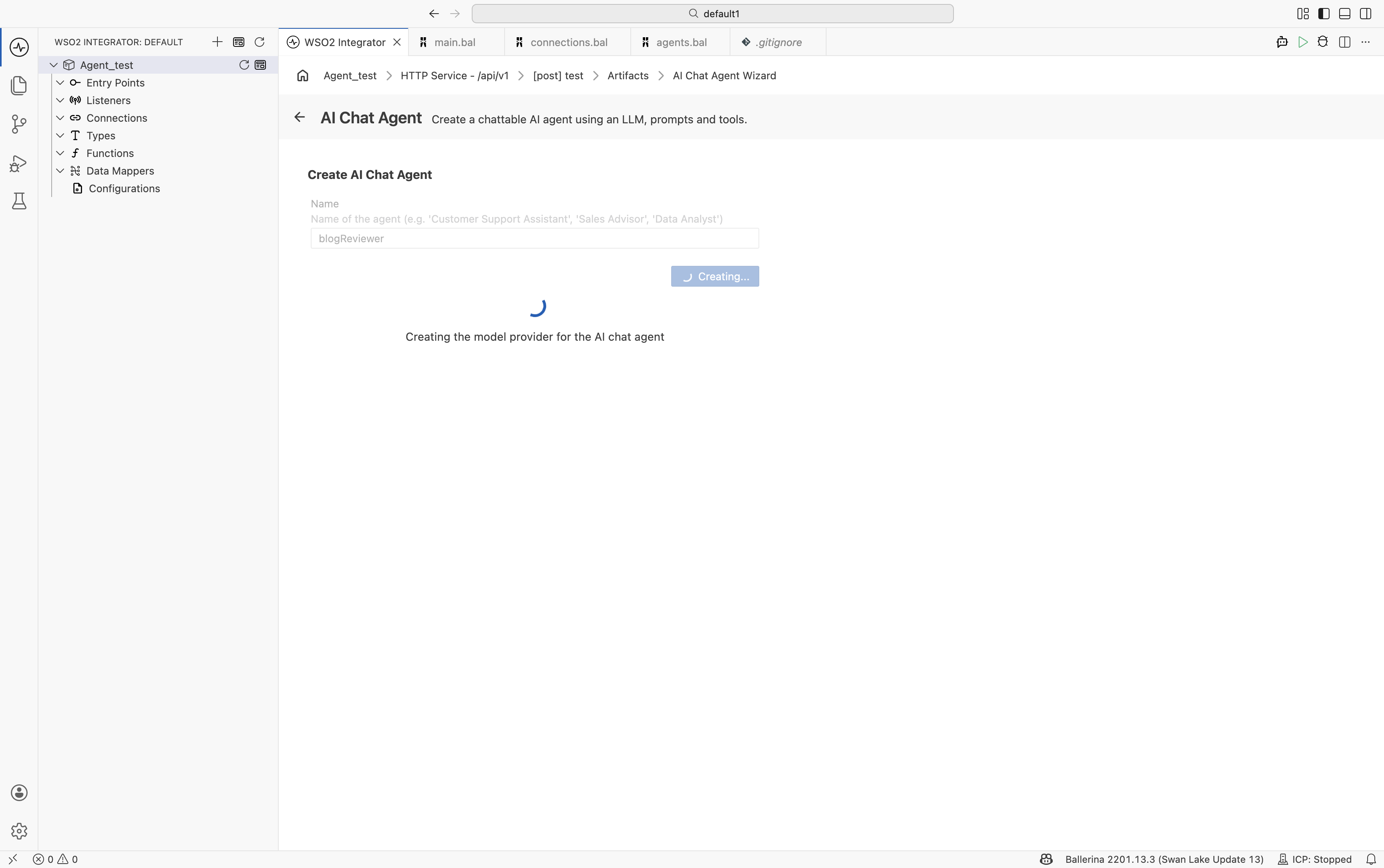
Under AI Integration, select AI Chat Agent. Enter a Name for the agent and click Create.
| Field | Required | Description |
|---|---|---|
| Name | Yes | Identifier for the agent, such as BlogReviewer, SupportAssistant, or SalesAdvisor. The name must start with a letter and contain only letters, numbers, and underscores. |
Enter a name (for example, blogReviewer) to enable the Create button.
WSO2 Integrator generates the required integration artifacts and displays a progress indicator while configuring the service listener and related components.
When the wizard completes, WSO2 Integrator automatically generates the following:
- An HTTP service
- A listener endpoint
- An AI agent
- An integration flow that handles incoming requests and generates responses
- Visual Designer
- Ballerina Code
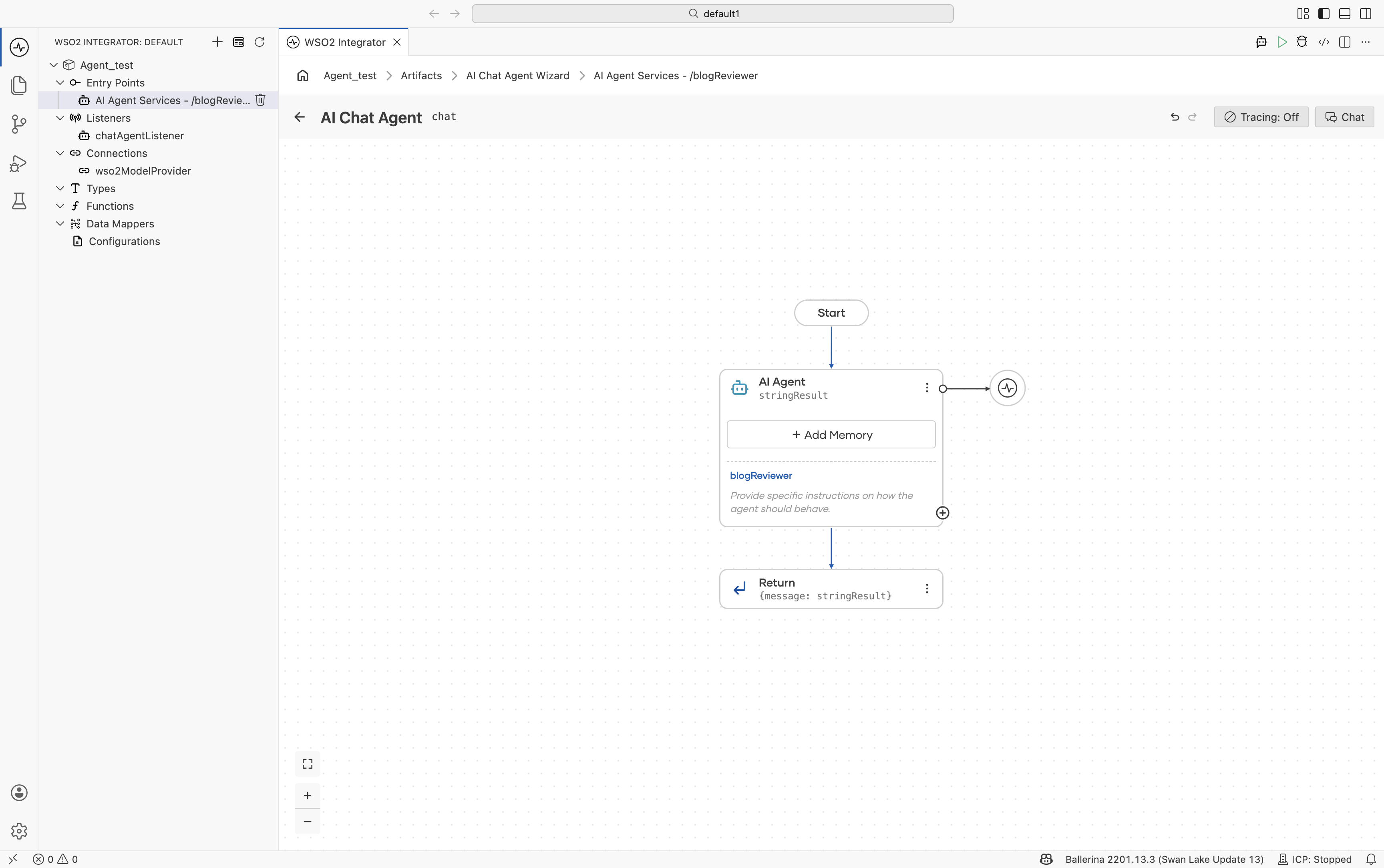
The generated Ballerina source for an agent named blogReviewer is similar to the following:
import ballerina/ai;
import ballerina/http;

// Default model provider
final ai:Wso2ModelProvider wso2ModelProvider =
    check ai:getDefaultModelProvider();

// Agent declaration
final ai:Agent blogReviewerAgent = check new (
    systemPrompt = {
        role: string `BlogReviewer`,
        instructions: string ``
    },
    model = wso2ModelProvider,
    tools = []
);

// Listener
listener ai:Listener chatAgentListener =
    new (listenOn = check http:getDefaultListener());

// Service
service /blogReviewer on chatAgentListener {

    resource function post chat(
            @http:Payload ai:ChatReqMessage request)
            returns ai:ChatRespMessage|error {

        string stringResult =
            check blogReviewerAgent.run(
                request.message,
                request.sessionId
            );

        return {message: stringResult};
    }
}
Create an inline agent
You can add an inline agent within integration flows, REST APIs, GraphQL resolvers, or backend service logic.
- Create or open an existing integration flow.
- In the editor, open the AI section in the side panel and select Agent.
- Click + Add Agent to open the agent creation panel.
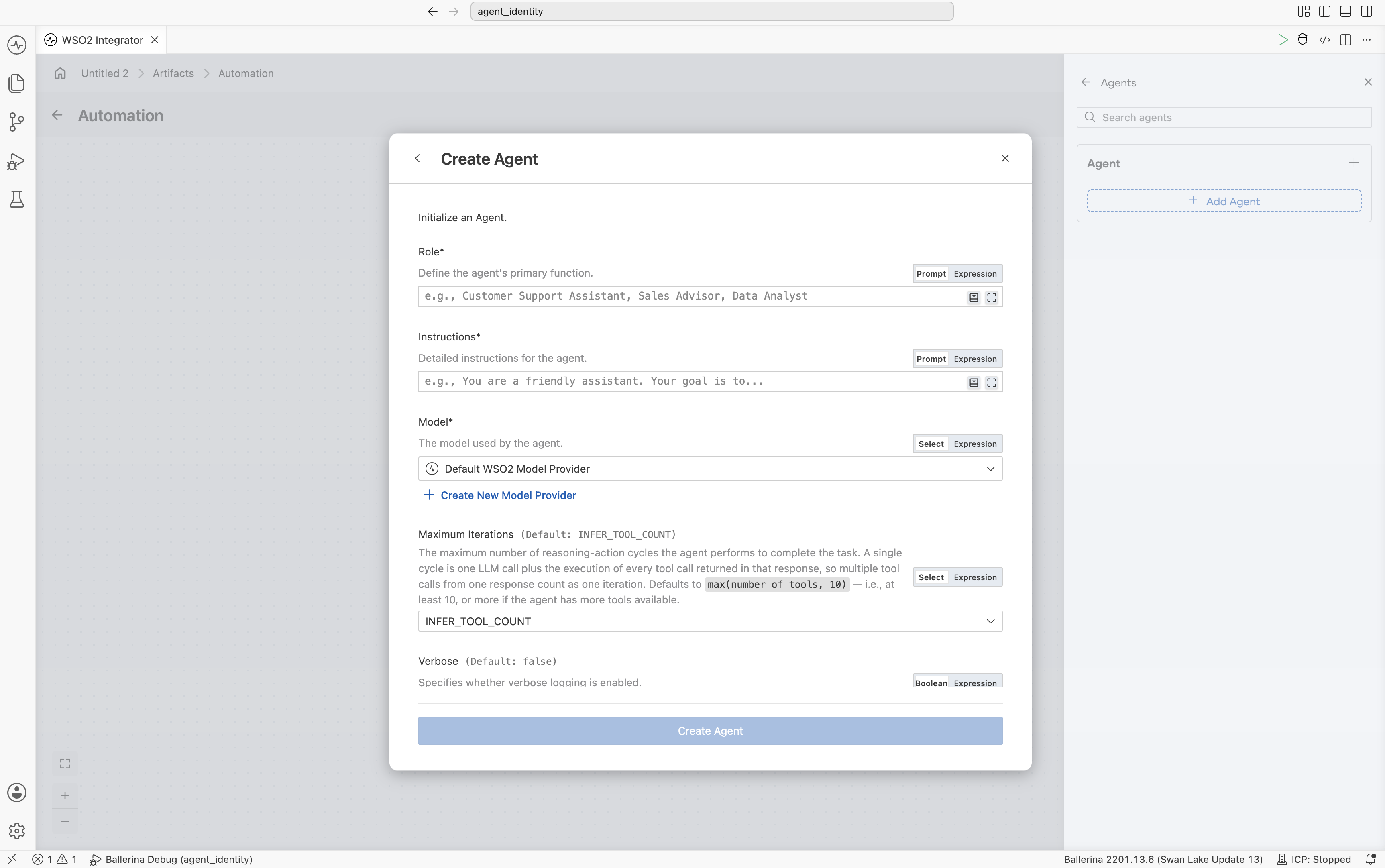
- Configure the Role and Instructions fields to define the agent’s behavior.
- Specify the query or prompt to the agent in the Query field. Note that this can also be an expression (e.g., a parameter, a variable, etc.).
- Click Save.
- Visual Designer
- Ballerina Code
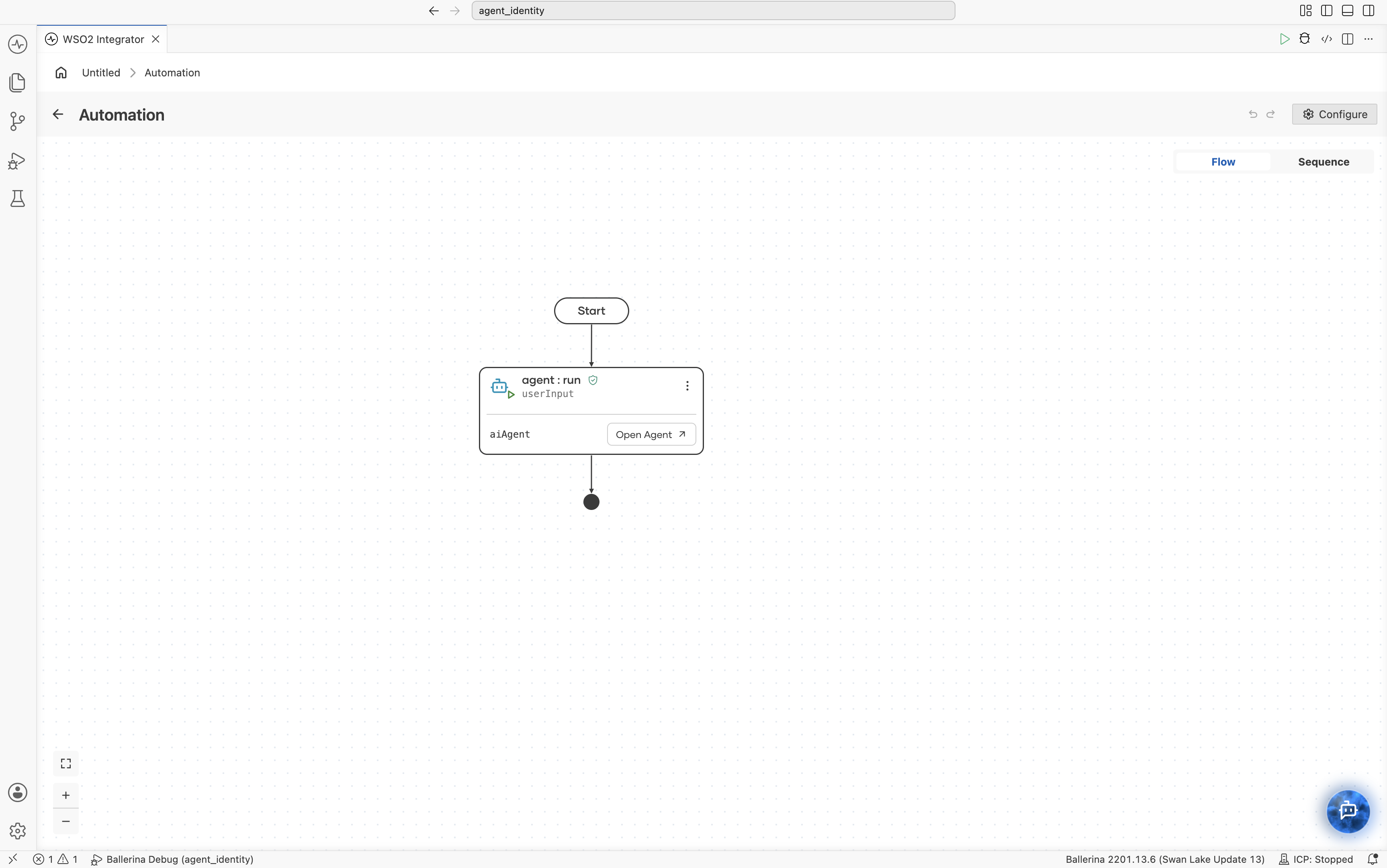
import ballerina/ai;
import ballerina/log;

// Default model provider
final ai:Wso2ModelProvider aiWso2modelprovider =
    check ai:getDefaultModelProvider();

// Agent declaration
final ai:Agent aiAgent = check new (
    systemPrompt = {
        role: string `Task Assistant`,
        instructions: string `You are a helpful assistant for
            managing a to-do list. You can manage tasks and
            help users plan their schedules.`
    },
    model = aiWso2modelprovider
);

// Main
public function main() returns error? {
    while true {
        string userInput = io:readln("User (or 'exit' to quit): ");
        if userInput == "exit" {
            break;
        }
        // Pass the user input to the agent and get a response.
        string response = check aiAgent.run(userInput);
        io:println("Agent: ", response);
    }
}
After generation, you are directed to the integration canvas where you can configure the following aspects of the agent:
- Agent behavior, including role, instructions, query, and input/output bindings
- Model provider
- Tool integration
- Memory configuration
- Observability and tracing
Configure agent behavior
Use the AI agent node configuration panel to customize how the agent behaves and responds to requests.
Click the AI Agent node to open the configuration panel and update the following configurations.
| Section | Description |
|---|---|
| Role | Defines the primary responsibility or persona of the agent. |
| Instructions | Specifies the behavior guidelines and operational instructions that the agent should follow while responding. |
| Advanced Configuration | Provides additional runtime and execution settings for the agent. |
| Result | Defines the output or response generated by the agent after execution. |
Advanced configuration
| Section | Description |
|---|---|
| Maximum Iterations | Defines the maximum number of reasoning or execution cycles the agent can perform before returning a response. |
| Verbose | Enables detailed execution logs and intermediate reasoning information for debugging and observability purposes. |
| Tool Loading Strategy | Determines how tools are discovered and loaded by the agent during execution. |
| Agent Credential | Configures the credentials or authentication details used by the agent when accessing external systems or tools. |
| Context | Defines contextual information that is passed to the agent during execution. |
| Type Descriptor | Specifies the expected structure or type information for agent inputs and outputs. |
What's next
- Tools - Add tools and integrations to the agent.
- Memory - Configure conversational and persistent memory.
- Identity & access management - Secure agents, tools, and integrations using authentication and authorization.
- Observability - Monitor traces, logs, and execution details.
- Evaluations - Test and evaluate agent behavior and response quality.