Create from OpenAPI Spec
WSO2 Integrator can generate a fully functional connector from any OpenAPI specification file, letting you integrate any REST API without writing manual client logic. Import the spec in the WSO2 Integrator IDE and the generated connector is ready to use in your integration.
Prerequisites
- An OpenAPI specification file (JSON or YAML) for the target API
- WSO2 Integrator IDE installed and configured
Generate a connector
Follow these steps to generate a custom connector from an OpenAPI spec and create a connection from it.
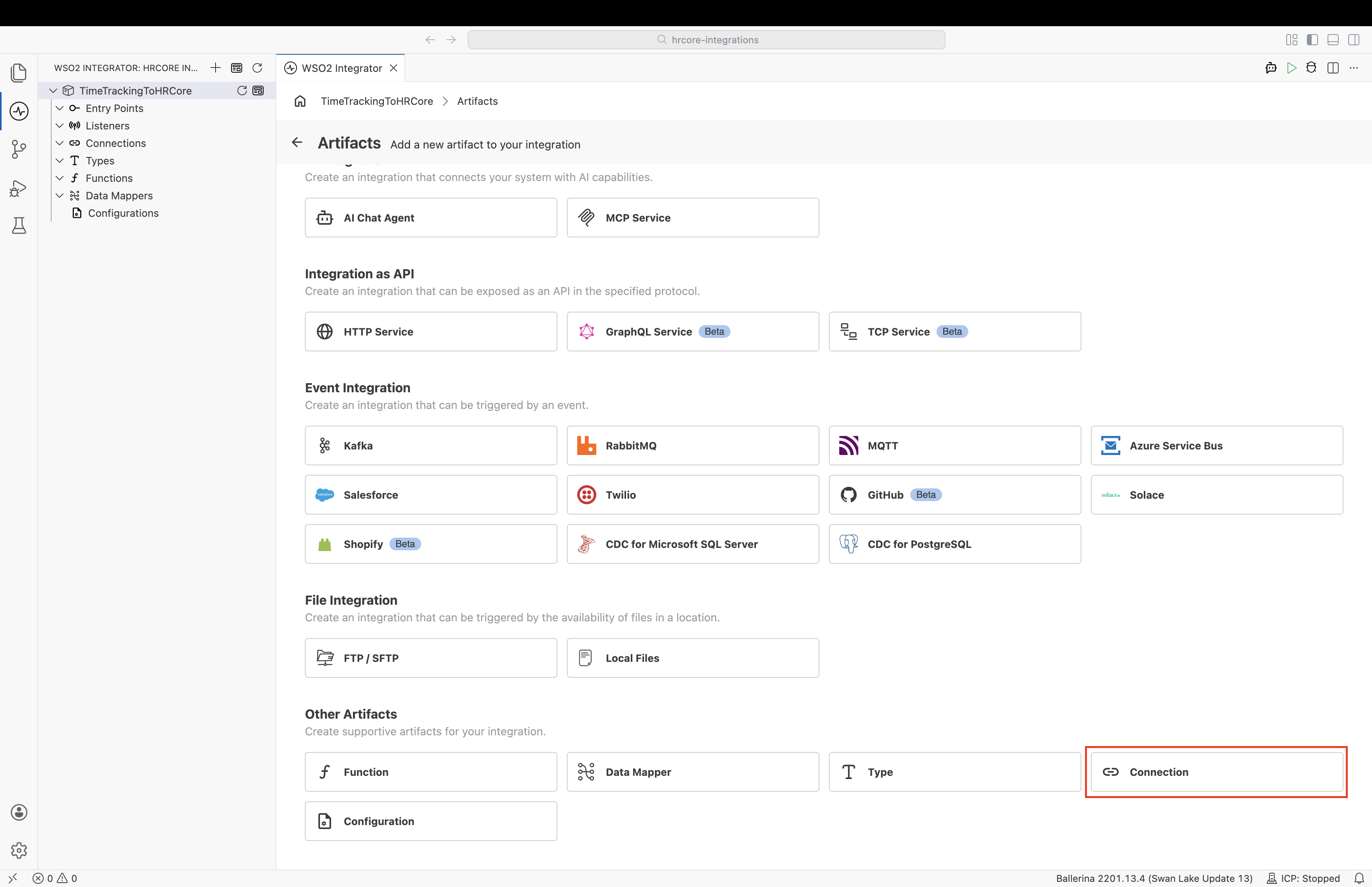
Step 1: Add a connection from the Artifacts view
Open your integration and select Connection from the Artifacts view.
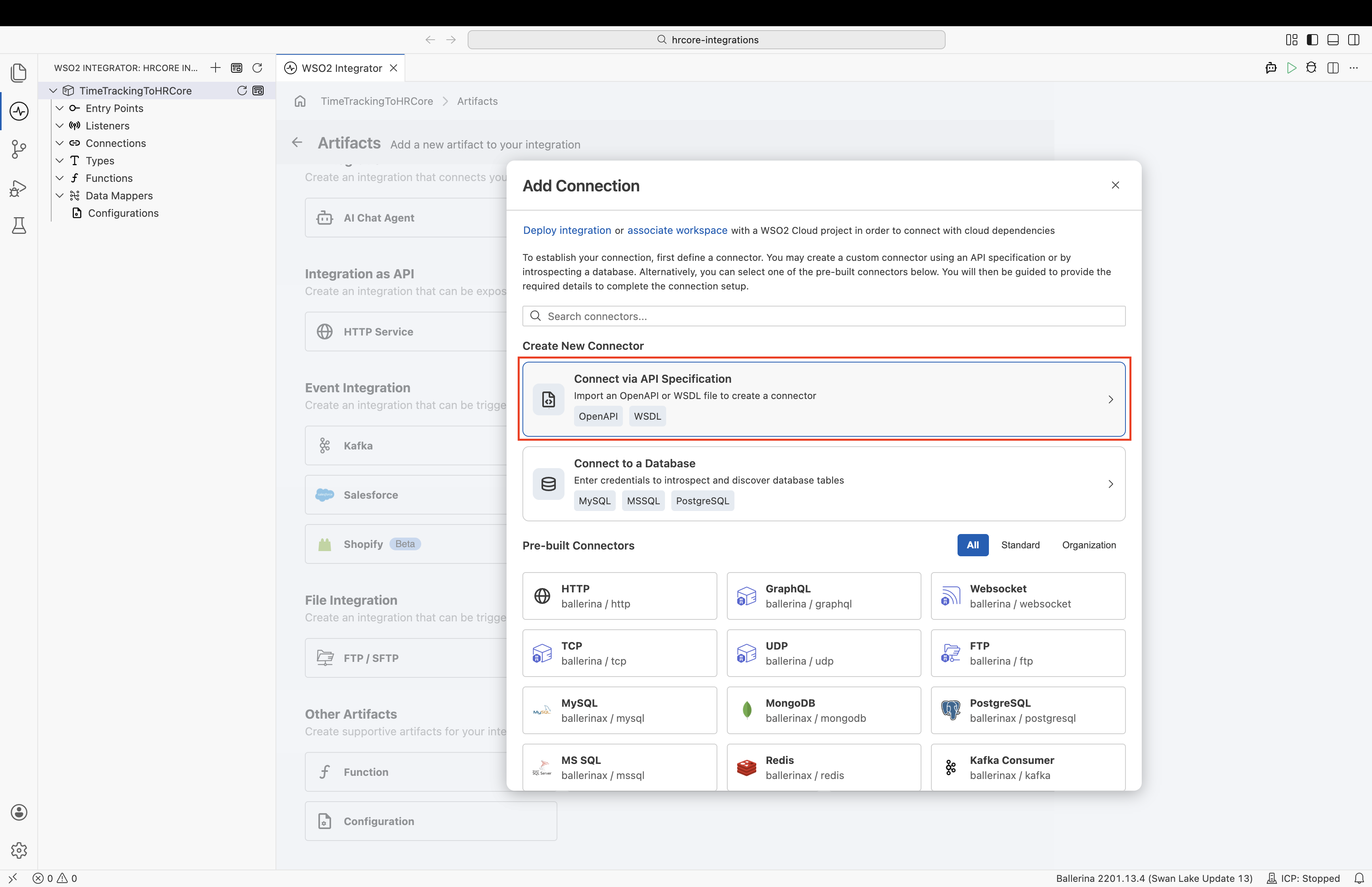
Step 2: Select Connect via API Specification
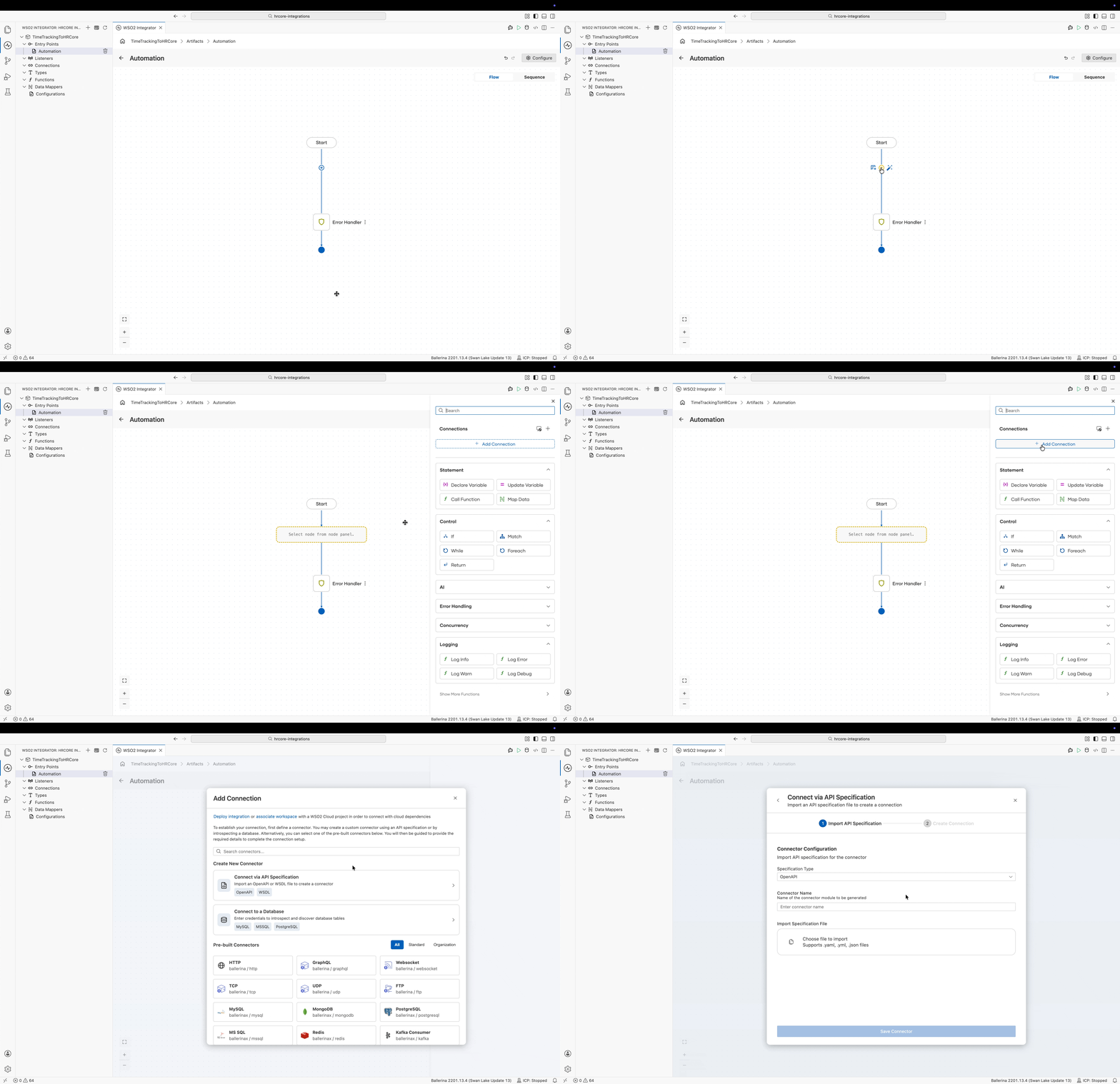
In the Add Connection dialog, select Connect via API Specification.
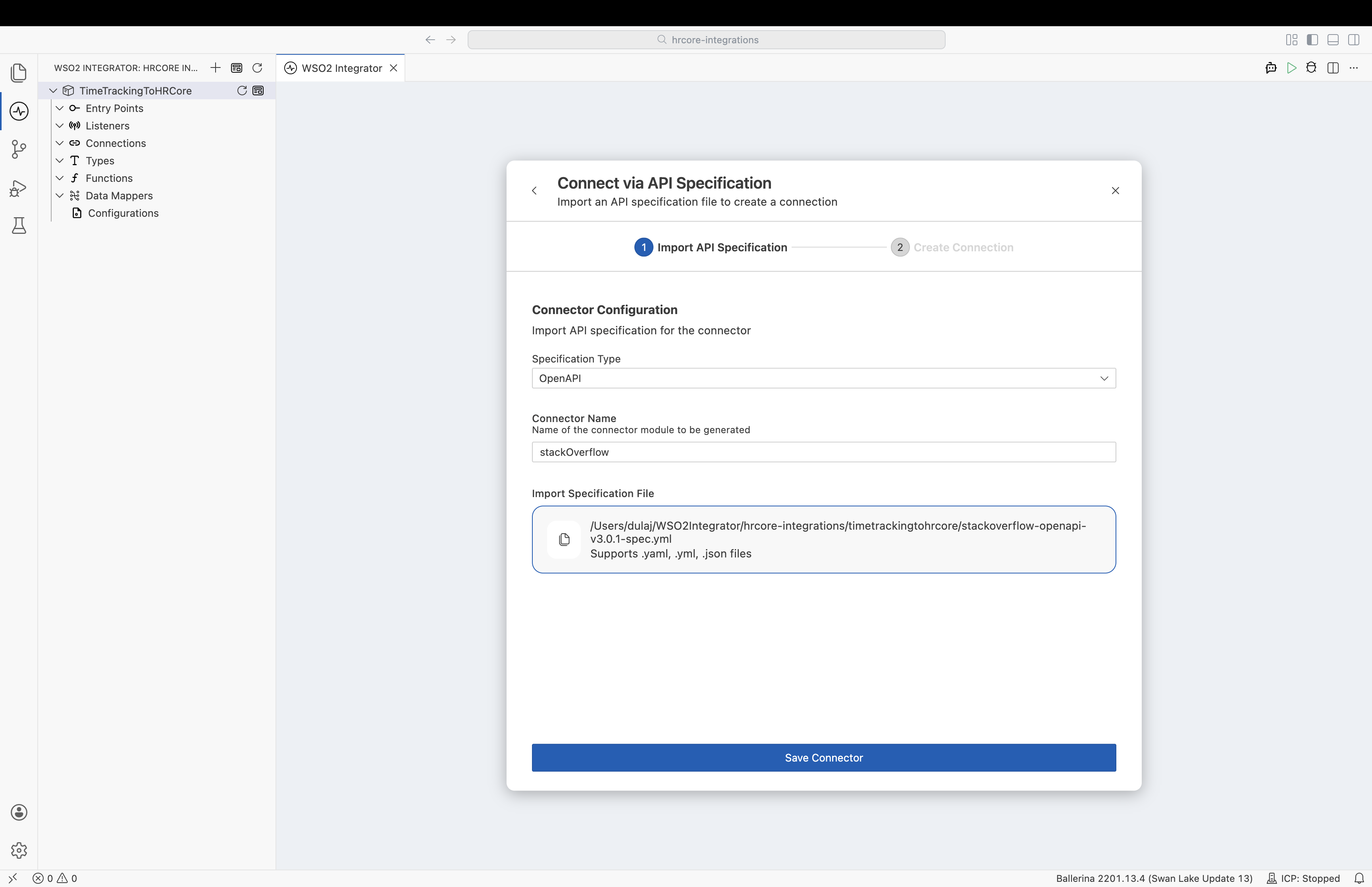
Step 3: Configure and import the specification
Fill in the connector configuration fields, then save to import the specification.
| Field | Description | Example |
|---|---|---|
| Connector Name | A descriptive name for the generated connector. | stackOverflow |
| Import Specification File | Browse and select your OpenAPI specification file in JSON or YAML format. | stack-overflow-api.yaml |
Make sure your OpenAPI specification is valid and well-structured before importing. You can validate your spec using tools like Swagger Editor.
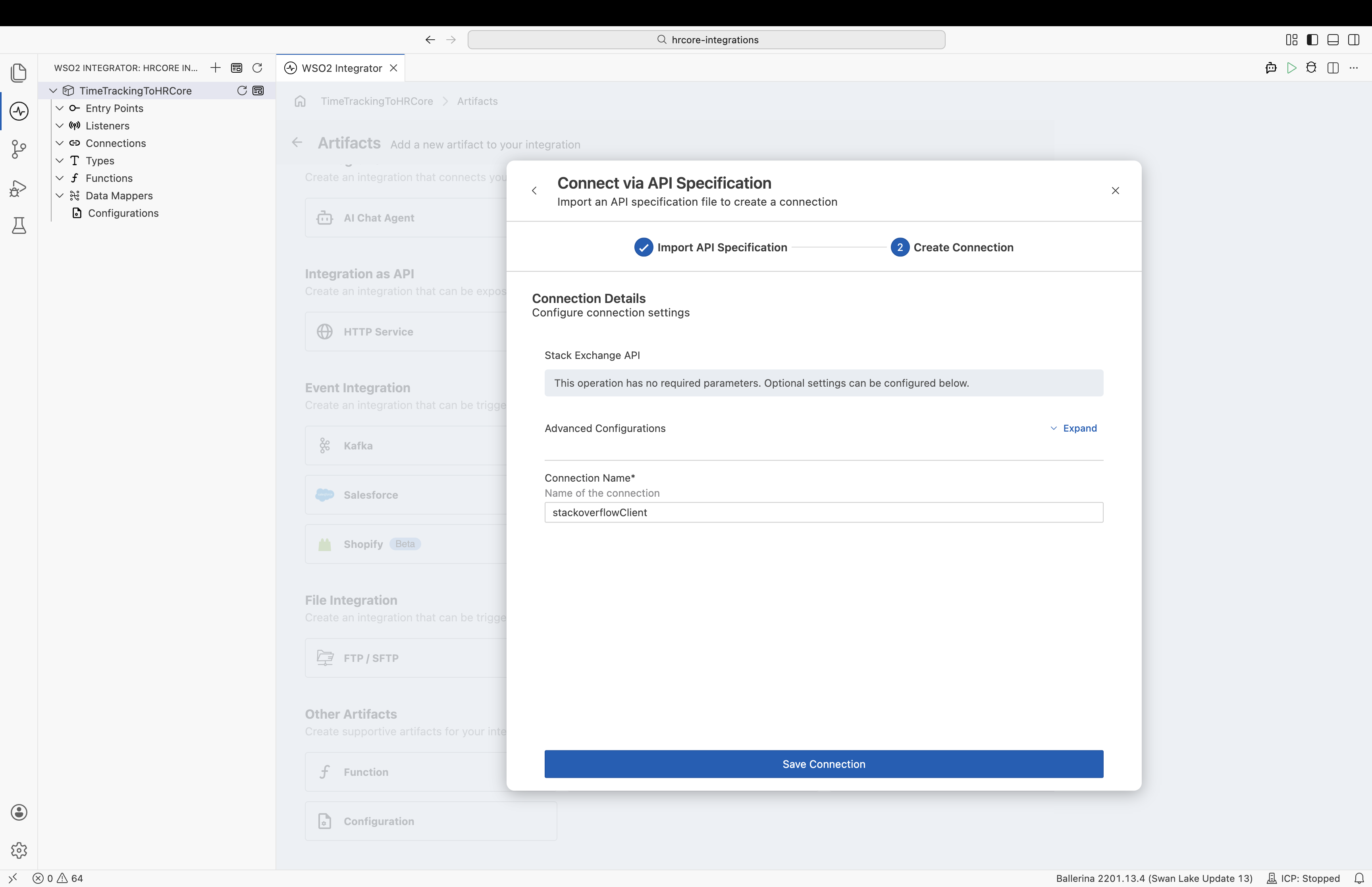
Step 4: Create the connection
After you select Save in the previous step, WSO2 Integrator generates the connector from the specification and moves you to the Create Connection step of the Connect via API Specification wizard. Complete this step to create a connection with the name you provided. The connection is then available in the Flow Diagram editor for any integration in the project.
Add a connection while building a flow
You don't have to start from the Artifacts view. While you work in the Flow Diagram editor, open the node palette with the + button and select Add Connection to start the same Connect via API Specification wizard without leaving your integration.
What's next
- Connections: Understand how connections are configured and reused across an integration.
- Custom development: Build a connector from scratch using Ballerina for full control over the implementation.
- Build your own connector: Compare approaches for creating custom connectors.
- Connector catalog: Browse all available pre-built connectors.