Connections
Connection artifacts centralize the configuration for external systems. Define connections once and reuse them across multiple services, event handlers, and functions in your project.
Adding a connection
- Visual Designer
- Ballerina Code
-
Open an integration/library in WSO2 Integrator.
-
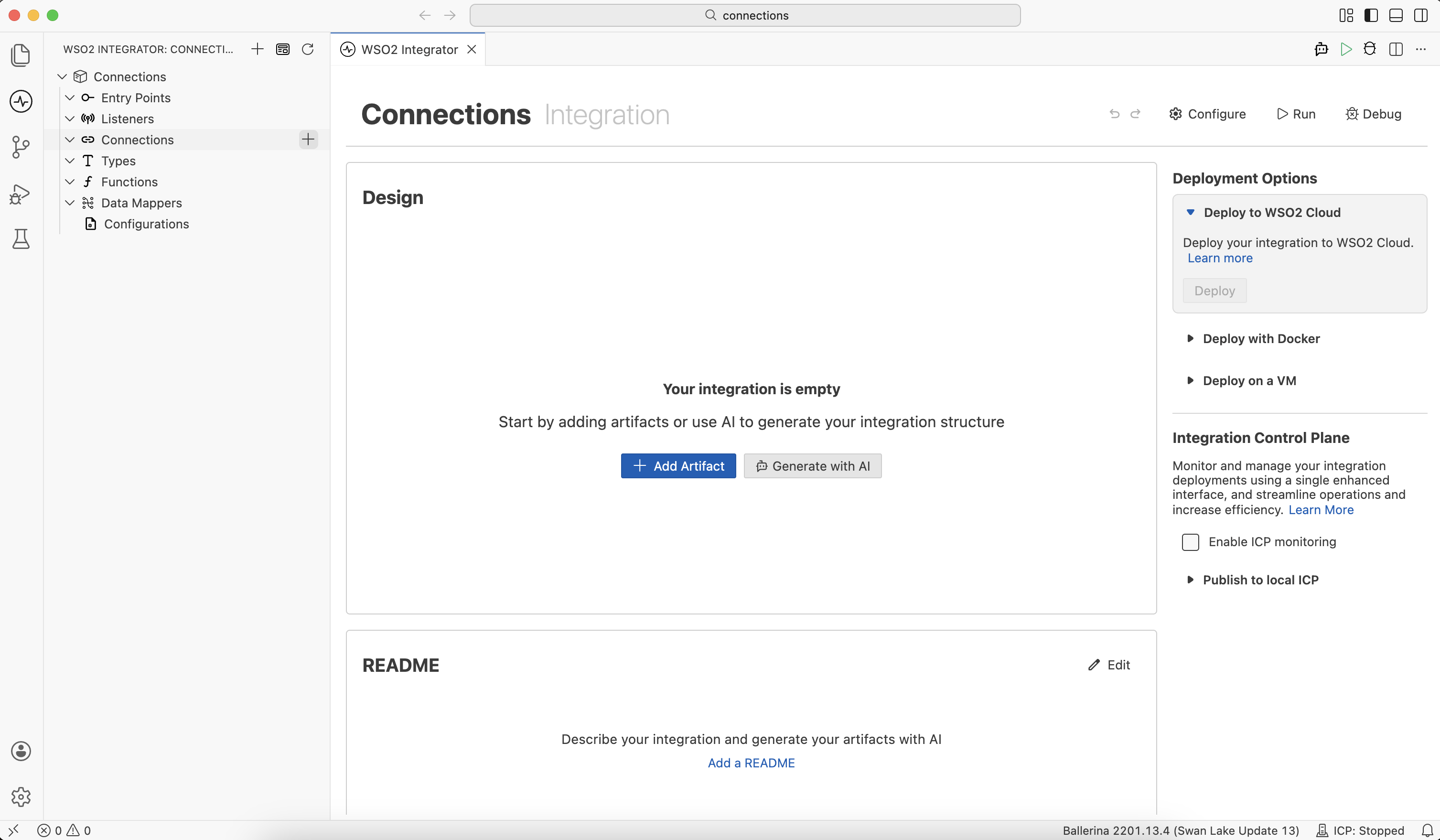
Click + next to Connections in the sidebar. Alternatively, click + Add Artifact in the Design panel, then click Connection under Other Artifacts or Library Artifacts.
-
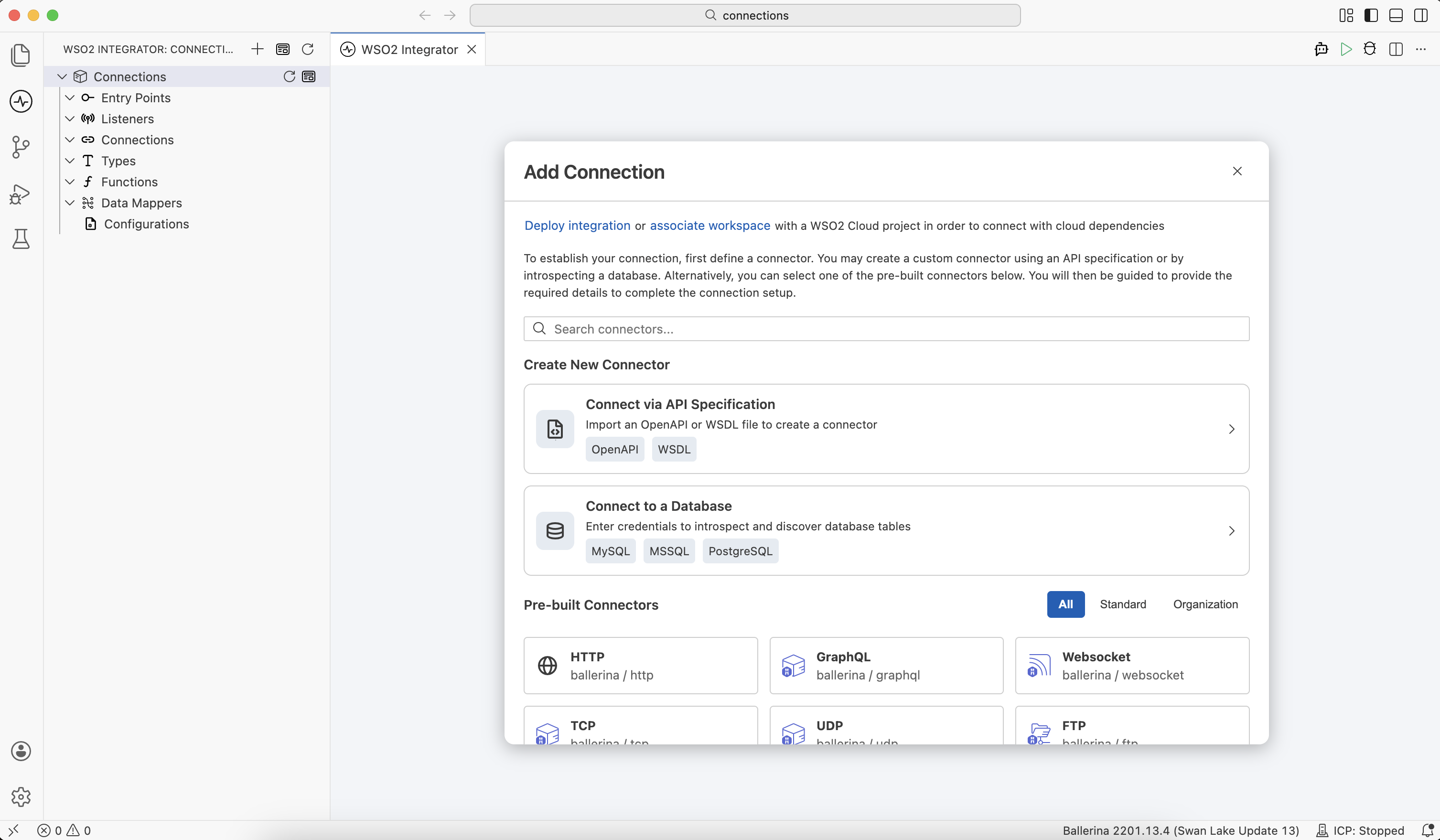
In the Add Connection panel, browse the available connectors. The panel groups them into Create New Connector and Pre-built Connectors. For details on each category and how to choose, see Connection types.
-
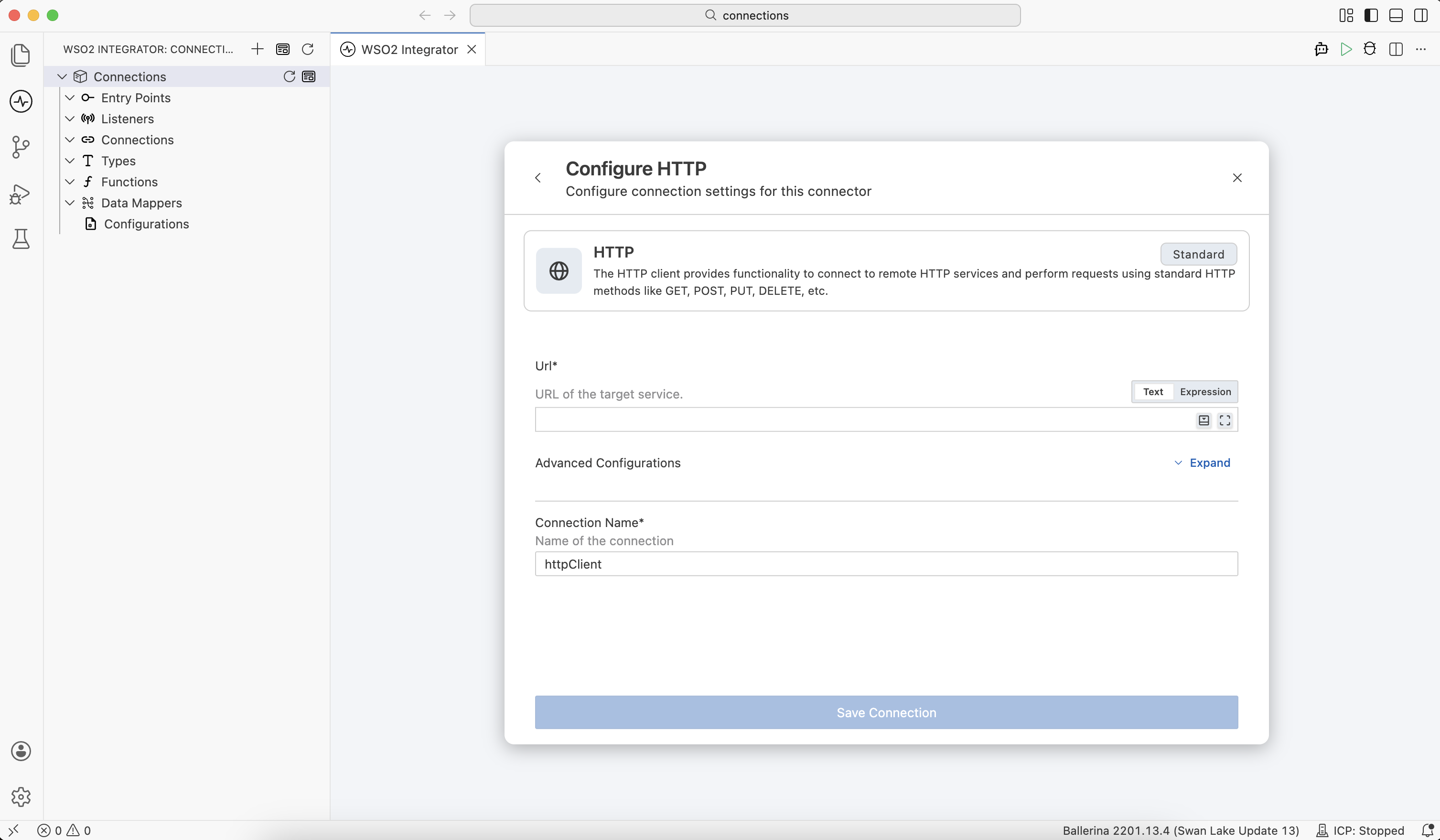
Select a connector. A configuration form appears with fields specific to that connector (for example, base URL and authentication for HTTP, host, port, and credentials for a database, or application/vendor-specific attributes).
-
Fill in the required fields and click Save Connection.
-
The new connection appears under Connections in the sidebar and is available for use in any service, function, or event handler in your project.
import ballerina/http;
import ballerinax/kafka;
import ballerinax/mysql;

// Database connection
configurable string dbHost = ?;
configurable int dbPort = 3306;
configurable string dbUser = ?;
configurable string dbPassword = ?;
configurable string dbName = ?;

final mysql:Client orderDb = check new (
    host = dbHost,
    port = dbPort,
    user = dbUser,
    password = dbPassword,
    database = dbName
);

// HTTP client connection
configurable string crmBaseUrl = ?;
configurable string crmApiKey = ?;

final http:Client crmClient = check new (crmBaseUrl, {
    auth: {token: crmApiKey},
    timeout: 30,
    retryConfig: {
        count: 3,
        interval: 2,
        backOffFactor: 2.0
    }
});

// Kafka producer connection
configurable string kafkaBrokers = "localhost:9092";

final kafka:Producer kafkaProducer = check new (kafkaBrokers, {
    acks: kafka:ACKS_ALL,
    retryCount: 3
});
Editing a connection
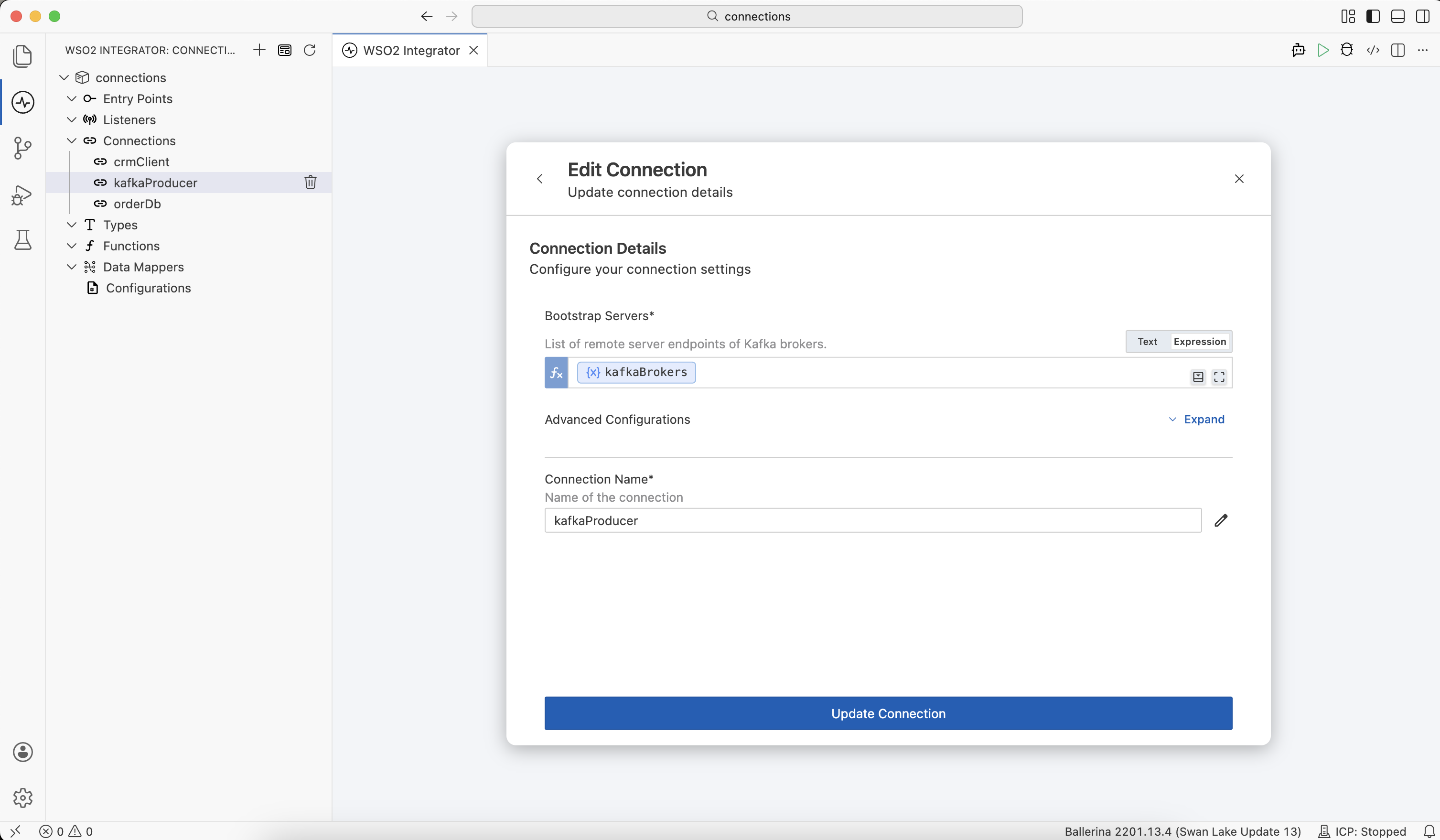
To edit an existing connection, click its name in the sidebar under Connections to open its configuration form. Update the fields and click Update Connection.
Connection types
The Add Connection panel organizes connectors into two categories:
Create New Connector
Generate a new connector locally when a pre-built connector isn't available for the system you need to integrate with:
- Connect via API Specification: generate a typed HTTP client from an OpenAPI or WSDL file. For more information, see the OpenAPI tool and the WSDL tool.
- Connect to a Database: generate a typed database client by introspecting the schema of a MySQL, MS SQL, or PostgreSQL database.
Connectors created this way are added directly to your project. To make one reusable across projects, publish it to a registry like Ballerina Central. See Build your own connector and Publish to Ballerina Central.
Pre-built Connectors
Select an already-published connector from the connector library. The panel provides three tabs to filter the catalog by source:
| Tab | What it shows | Sources |
|---|---|---|
| All | Every connector available to your project (standard, extended, WSO2, and your organization's private connectors) in one combined list. | ballerina/*, ballerinax/*, wso2/*, <your-org>/* |
| Standard | Connectors maintained as part of the Ballerina platform and its extended library for popular third-party systems. | ballerina/* (for example, ballerina/http, ballerina/graphql, ballerina/tcp)ballerinax/* (for example, ballerinax/mysql, ballerinax/kafka, ballerinax/rabbitmq) |
| Organization | Connectors developed and published by your organization. | <your-org>/* |
For the complete list of available connectors, see the Connector Catalog.
Best practices
| Practice | Description |
|---|---|
Use configurable variables | Externalize host, port, and credentials for security and configurability. |
Use final | Declare connections as final and initialize them once at startup. |
| Retry configuration | Add retry and timeout settings for resilient connections. |
What's next
- Connections in the flow diagram editor — Use connections to invoke actions inside a flow.
- Types — Define shared data structures used by your connections.
- Configurations — Externalize values such as endpoints and credentials.
- Functions — Encapsulate reusable logic in Ballerina functions.
- Data mapper — Map between record types visually.