Setup Guide
This guide walks you through creating an OpenAI account and generating an API key required to use the OpenAI Audio connector.
Prerequisites
- An OpenAI account. If you do not have one, sign up at platform.openai.com.
- Billing enabled on your OpenAI account with an active prepaid credit balance. Audio API calls fail with a 402 error without credits on file. Add a payment method and top up credits in the Billing settings.
Step 1: Navigate to the API keys dashboard
-
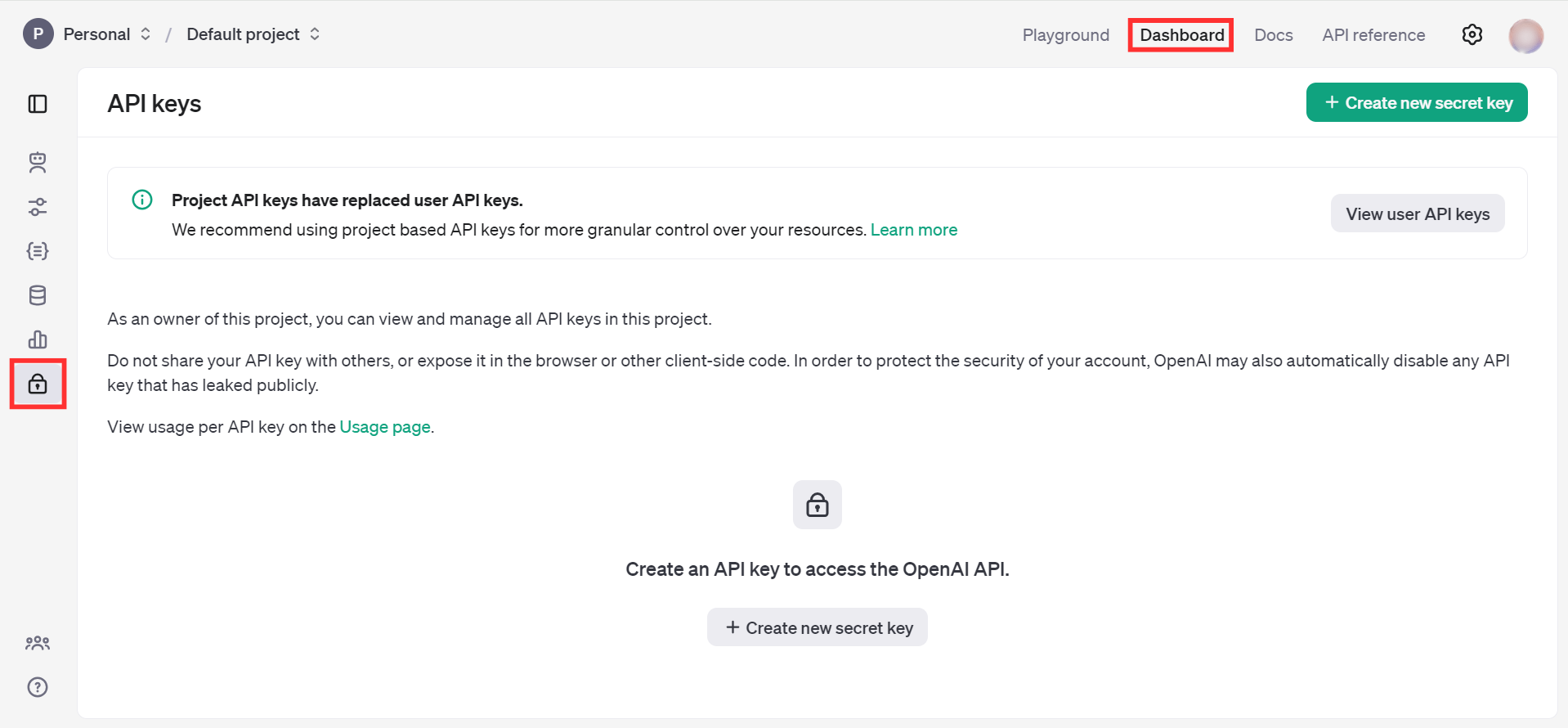
Open the OpenAI Platform Dashboard.
-
Navigate to Dashboard > API keys in the left sidebar.
Step 2: Create a new secret key
-
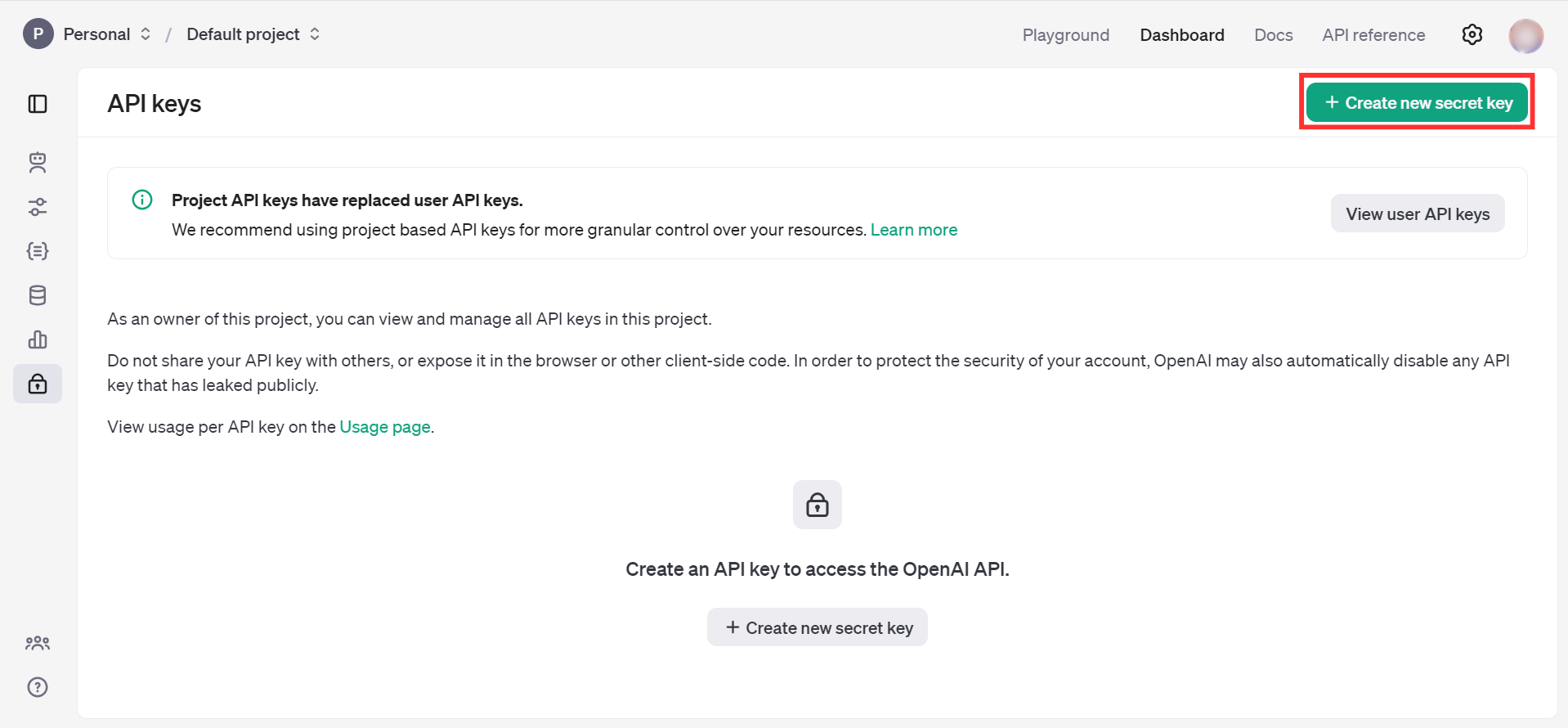
Select Create new secret key.
-
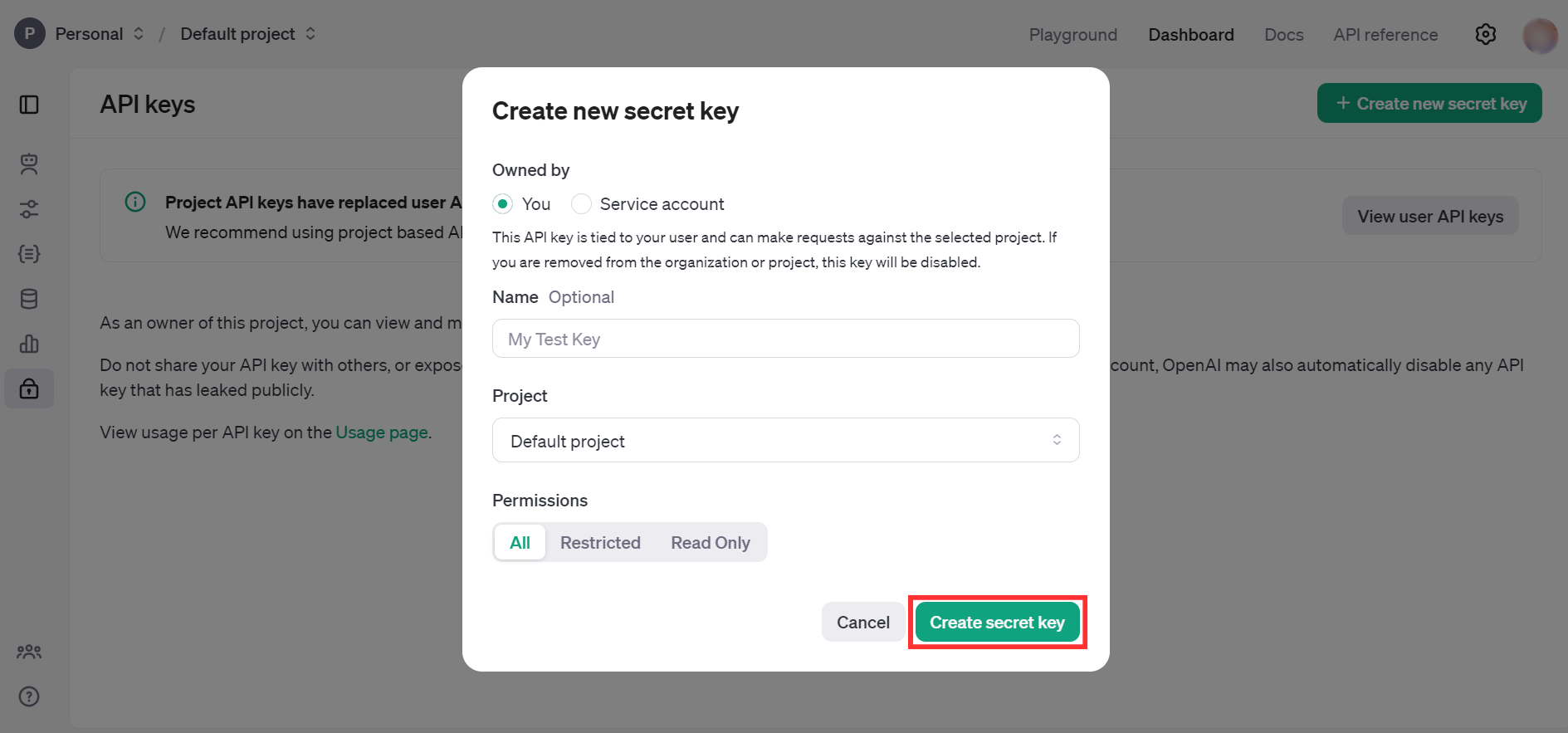
Fill in the required details and select Create secret key.
-
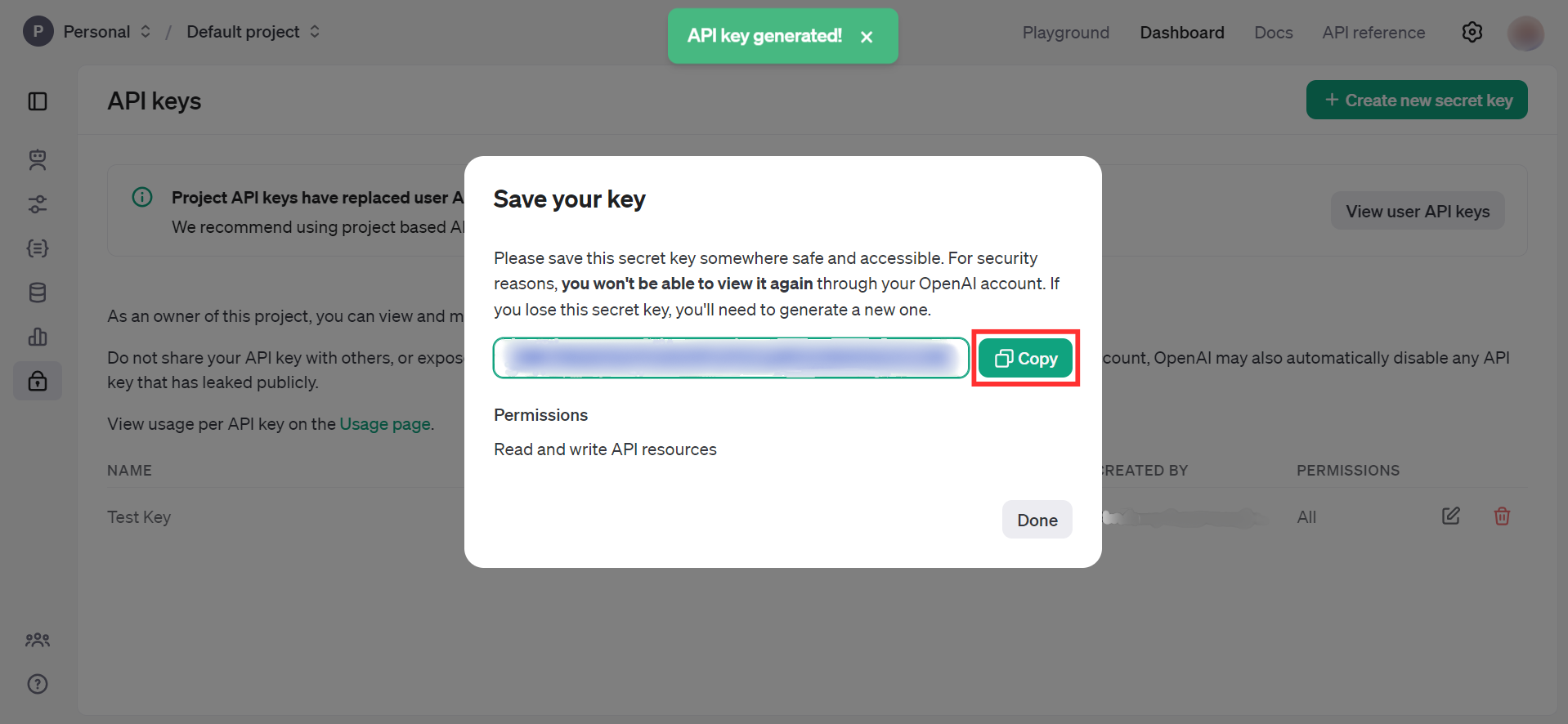
Copy the generated API key immediately — it will not be shown again.
warning
Store the API key securely. Do not commit it to source control. Use Ballerina's configurable feature and a Config.toml file to supply it at runtime.
What's next
- Action reference: Available operations