Example
What you'll build
Build an automation that transcribes audio using the OpenAI Audio connector. The integration calls the createTranscription operation with the whisper-1 model and logs the result.
Operations used:
- createTranscription : Transcribes audio into the input language using the
whisper-1model
Architecture
Prerequisites
- An OpenAI API key
Setting up the OpenAI Audio integration
New to WSO2 Integrator? Follow the Create a New Integration guide to set up your integration first, then return here to add the connector.
Adding the OpenAI Audio connector
Search for the OpenAI Audio connector in the connector palette and add it to your project.
Step 1: Open the connector palette
Select + Add Artifact → Connection from the project overview canvas to open the connector search palette.
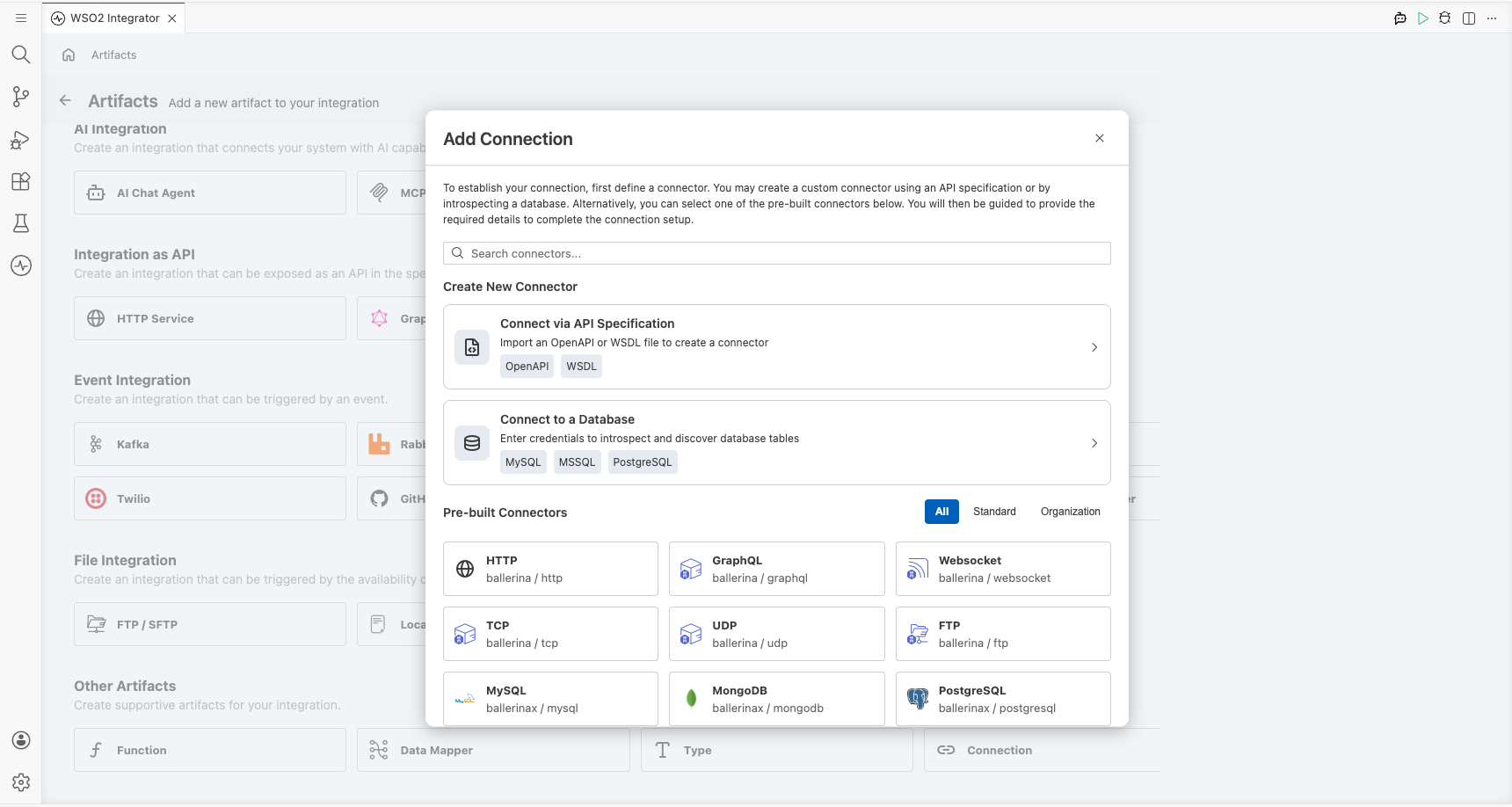
Configuring the OpenAI Audio connection
Step 2: Fill in the connection parameters
Enter the connection details by binding the auth token to a configurable variable. In the Config field, select the Record toggle and use the Configurables tab to create a new configurable variable named openaiApiToken of type string with no default value, then inject it as the token value. Set the connection name to audioClient.
- Config : Authentication configuration using a bearer token; bind to the
openaiApiTokenconfigurable variable - Connection Name : Name used to reference this connection throughout the integration
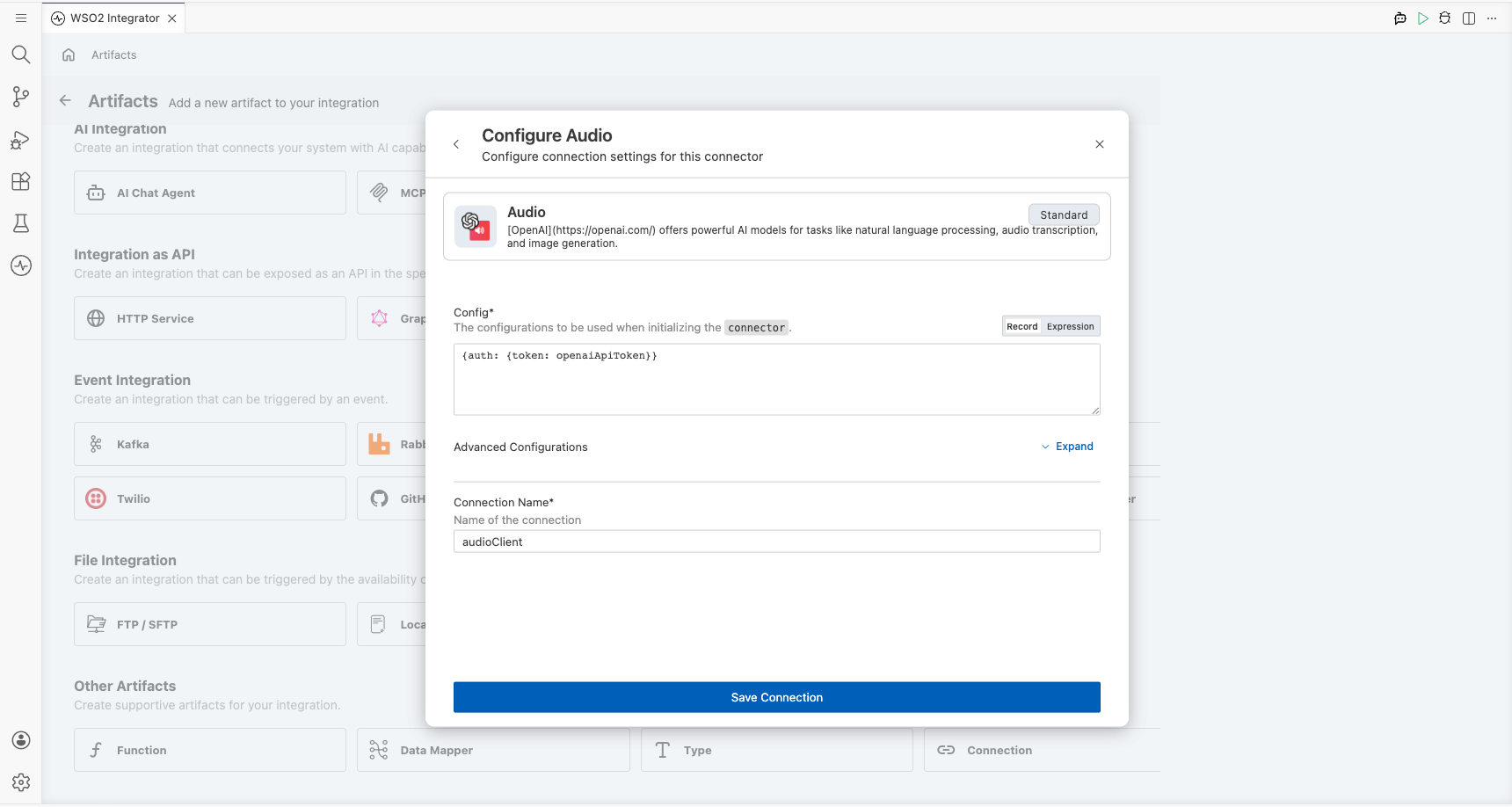
Step 3: Save the connection
Select Save Connection to persist the connection. Confirm that audioClient appears in the Connections panel.
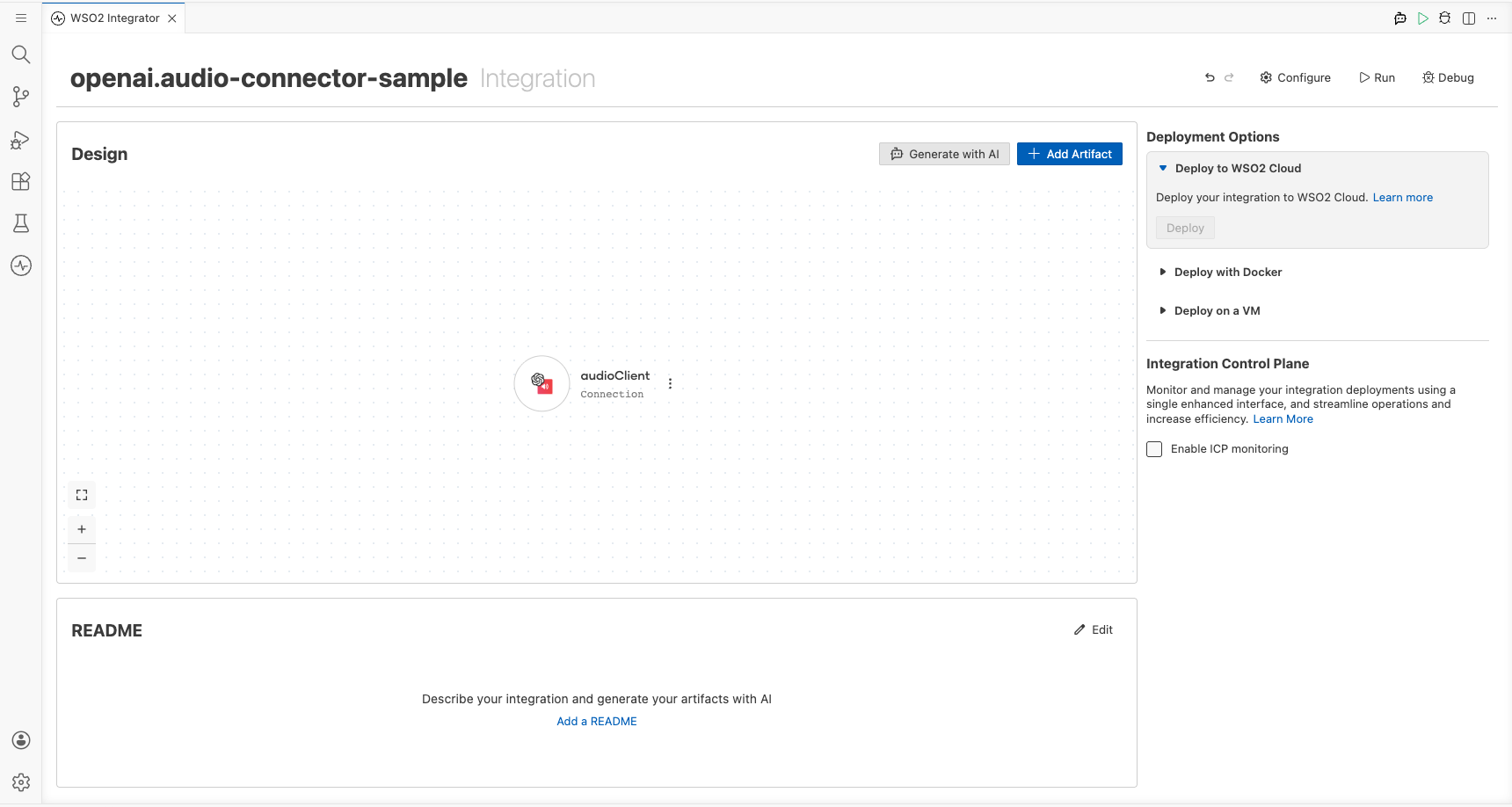
Step 4: Set actual values for your configurables
- In the left panel, select Configurations.
- Set a value for each configurable listed below.
- openaiApiToken (string) : Your OpenAI API key (for example,
sk-...)
Configuring the OpenAI Audio createTranscription operation
Step 5: Add an automation entry point
Select + Add Artifact → Automation from the project canvas, then select Create to open the low-code flow canvas with a Start node and an Error Handler.
Step 6: Select and configure the createTranscription operation
- Select the + button on the flow canvas to open the node panel.
- Expand Connections → audioClient to see available operations.
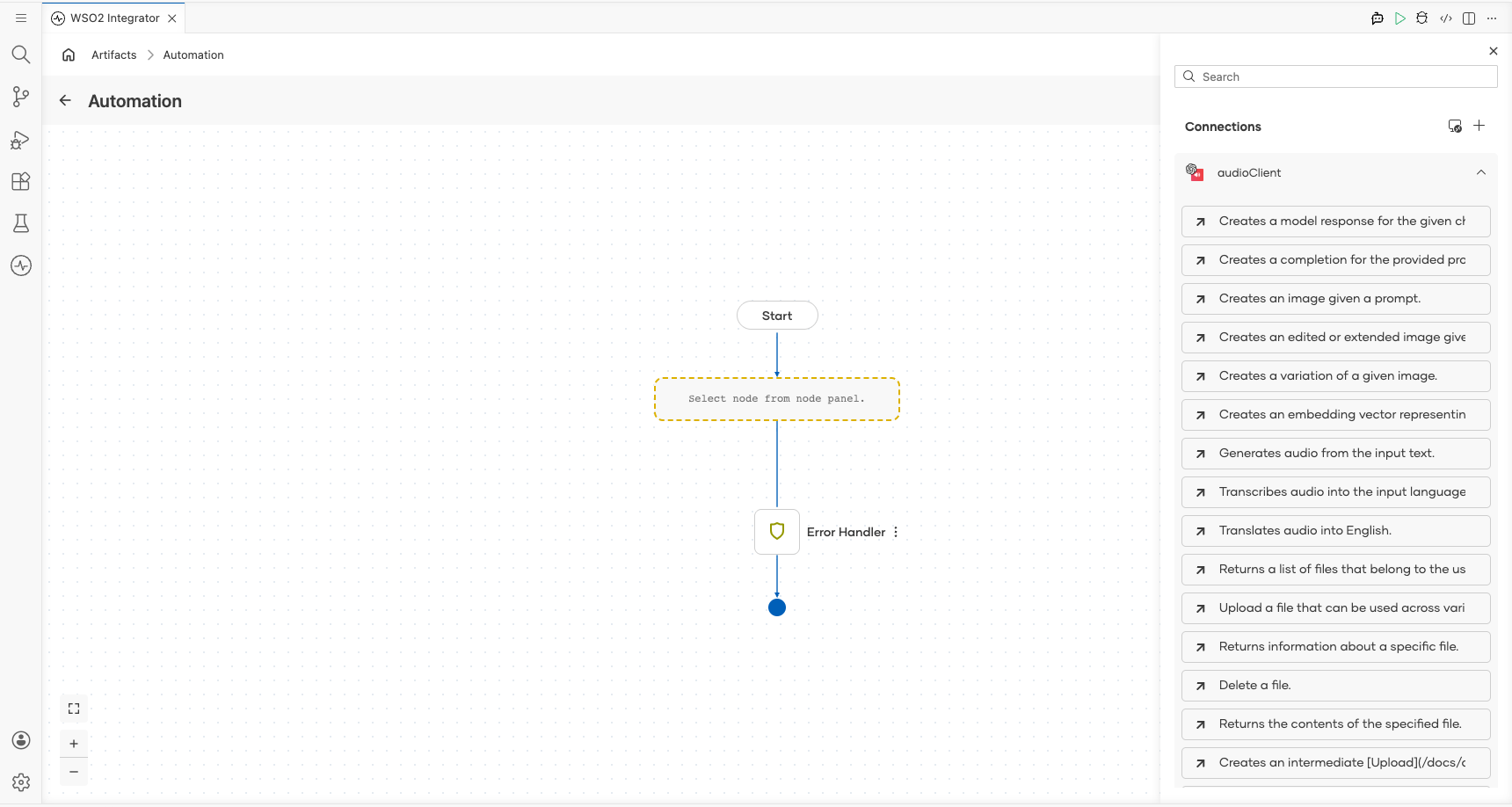
- Select Transcribes audio into the input language (
createTranscription) and fill in the operation parameters.
- file → fileContent : Byte array containing the audio data to transcribe
- file → fileName : Name of the audio file being submitted
- model : The transcription model to use; set to
whisper-1 - Result : Variable name that stores the transcription response
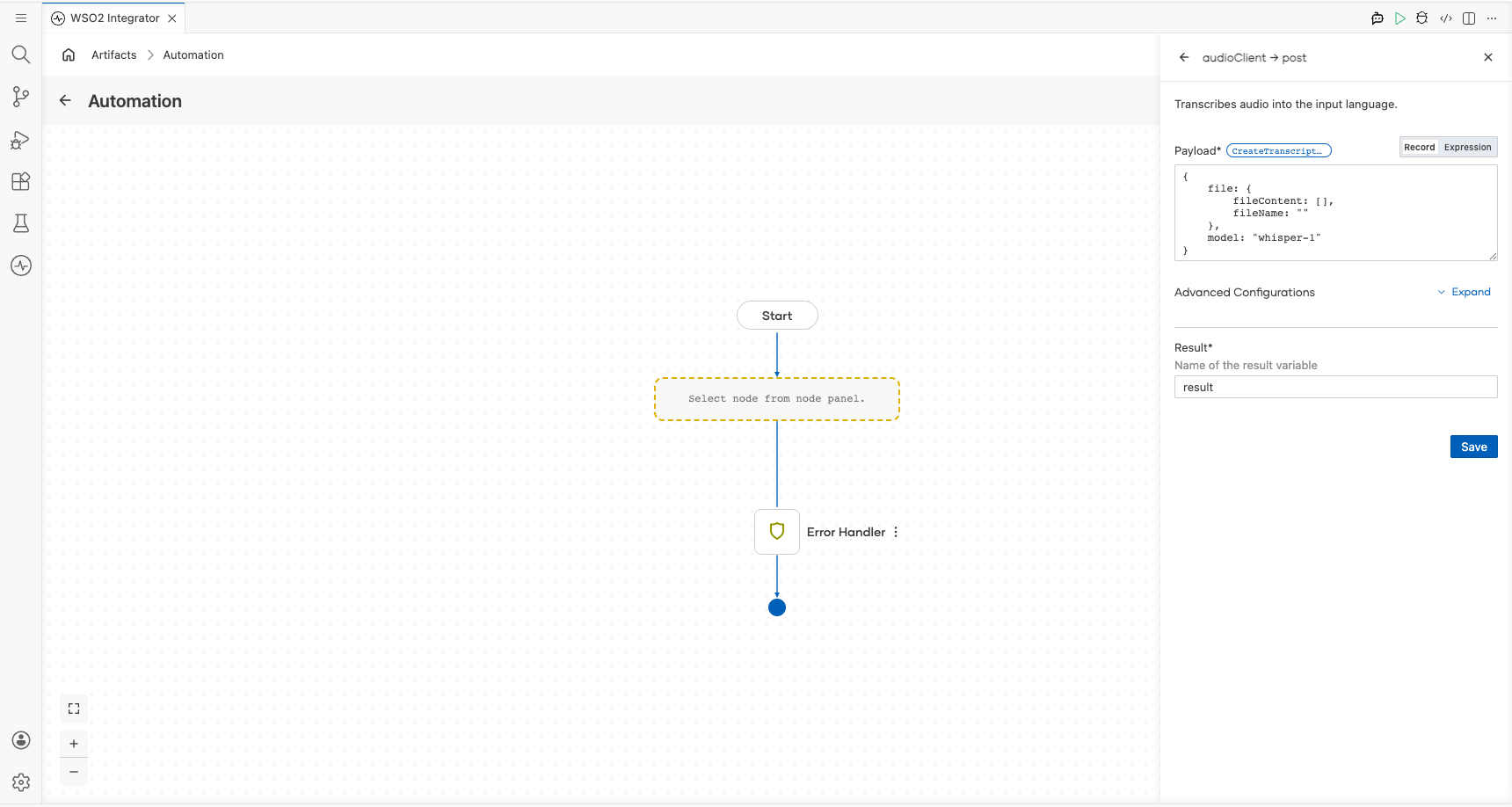
Select Save.
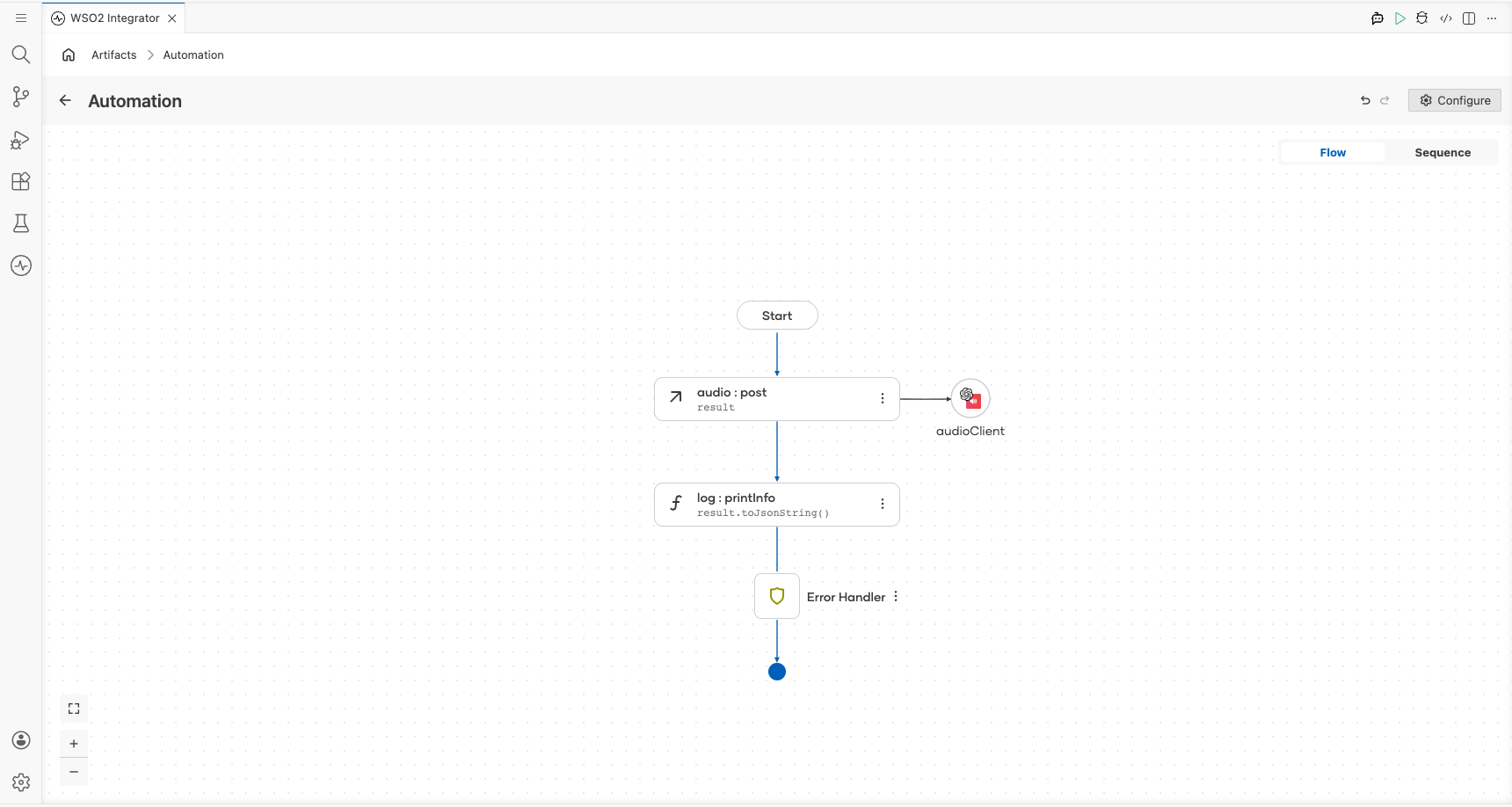
Try it yourself
Try this sample in WSO2 Integration Platform.

More code examples
The OpenAI Audio connector provides practical examples illustrating usage in various scenarios. Explore these examples, covering the following use cases:
- International news translator - Converts a text news given in any language to english
- Meeting transcriber and translator - Converts an audio given in a different language into text in input language and english