Example
What you'll build
Build a WSO2 Integrator automation that connects to a remote gRPC service and performs a unary (simple) RPC call. The integration sends a request payload to the gRPC service and logs the response.
Operations used:
- Execute Simple Rpc : Performs a unary gRPC call, sending one request and receiving one response
Architecture
Prerequisites
- Access to a running gRPC service endpoint
Setting up the gRPC integration
New to WSO2 Integrator? Follow the Create a New Integration guide to set up your integration first, then return here to add the connector.
Adding the gRPC connector
Select Connections in the WSO2 Integrator sidebar, then select the + button to open the connector palette.
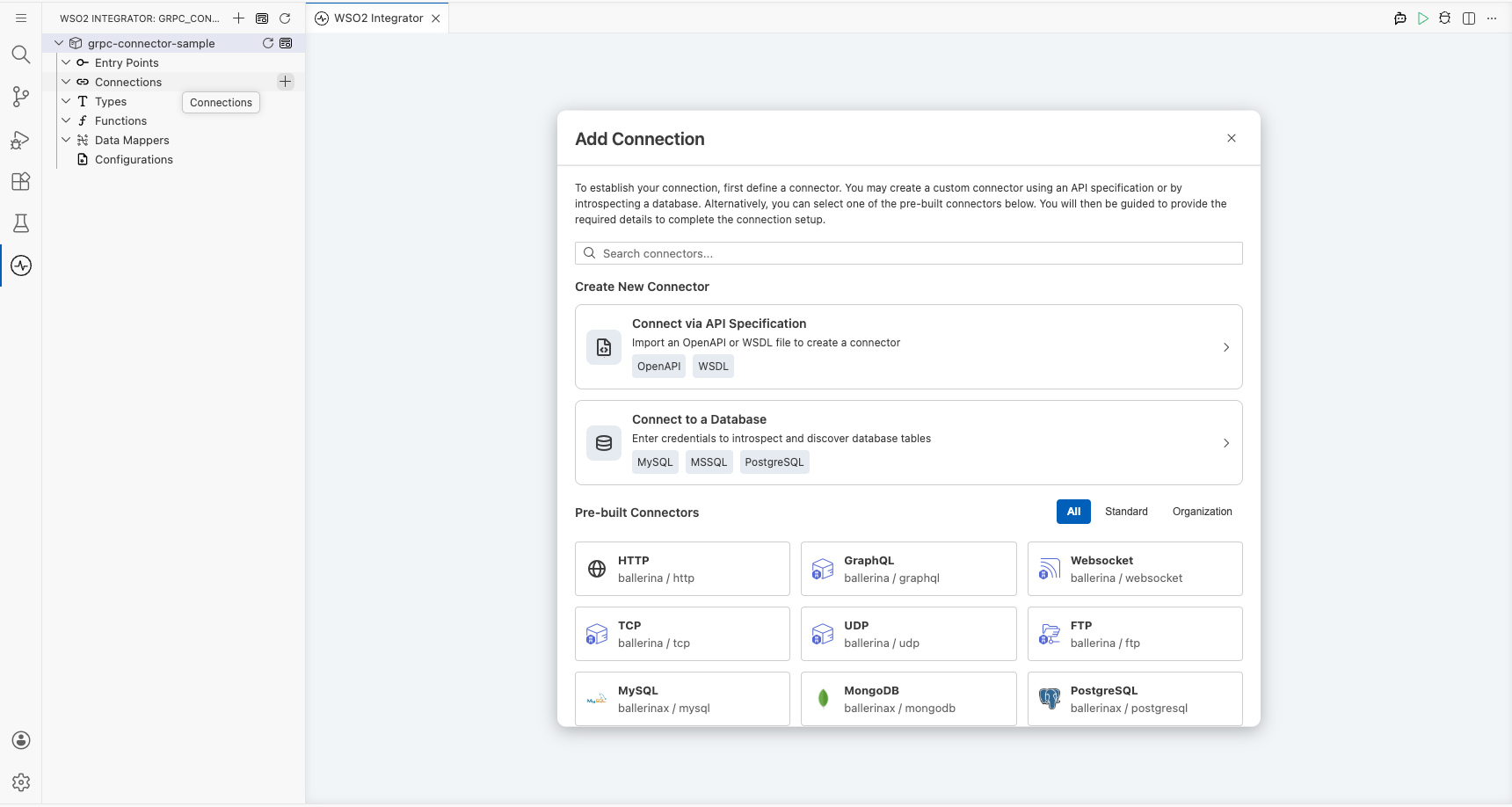
Step 1: Search for and select the gRPC connector
- Enter
grpcin the search box. - Select the gRPC card (
ballerina/grpc)-the generic gRPC client connector for unary and streaming calls.
Note: Don't select "gRPC Caller" or streaming-only variants. Choose the card labelled simply gRPC.
Configuring the gRPC connection
Step 2: Fill in the connection form
Bind the connection parameters to configurable variables. Select the grid icon next to the Url field to open the helper panel, switch to the Configurables tab, and create a new configurable named grpcServiceUrl of type string.
- Connection Name : Name used to identify this connection in the integration
- Url : The gRPC service endpoint URL, bound to the
grpcServiceUrlconfigurable variable
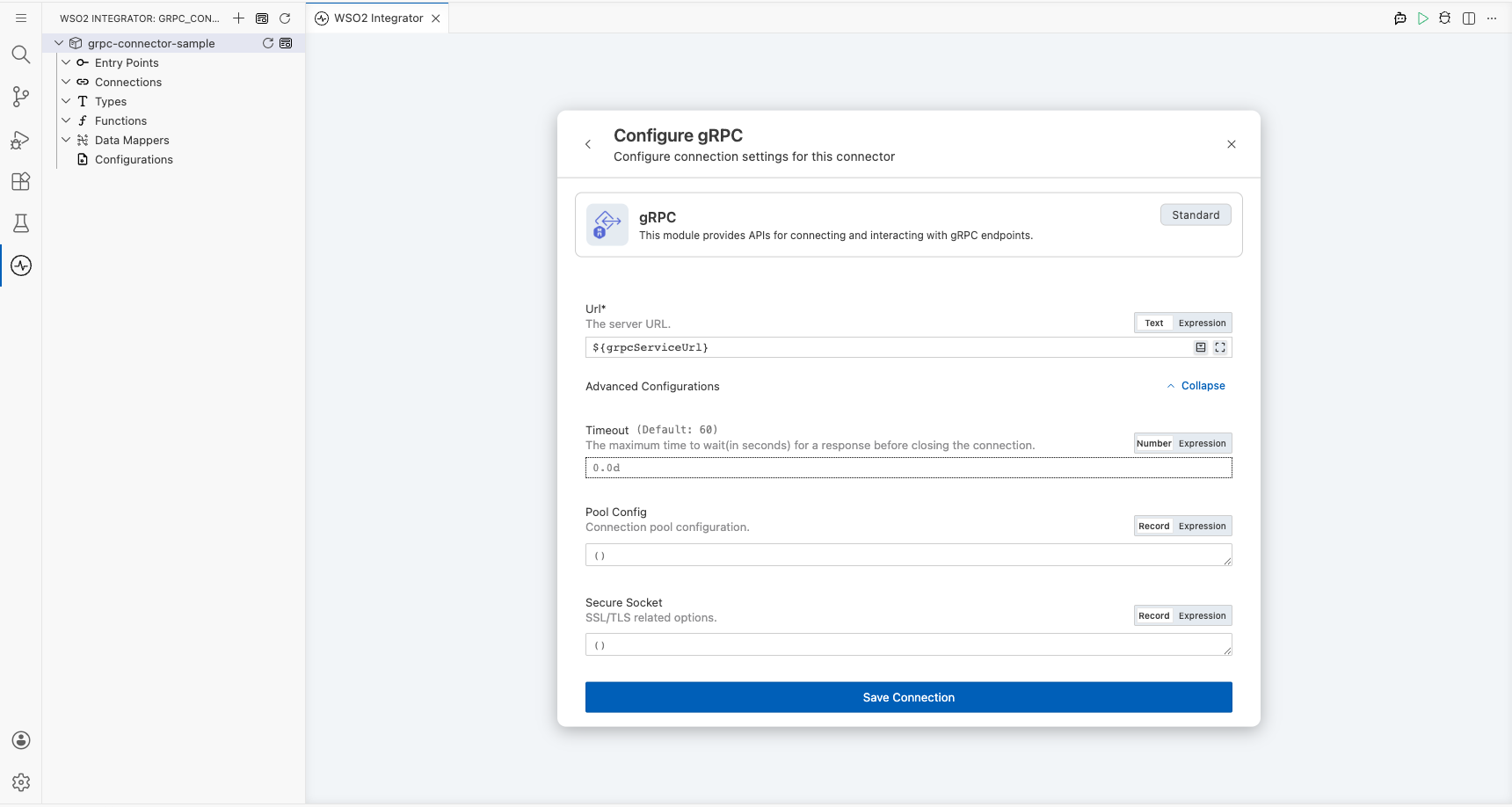
Step 3: Save the connection
Select Save at the bottom of the connection form. The grpcClient connection node appears on the canvas and in the sidebar under Connections.
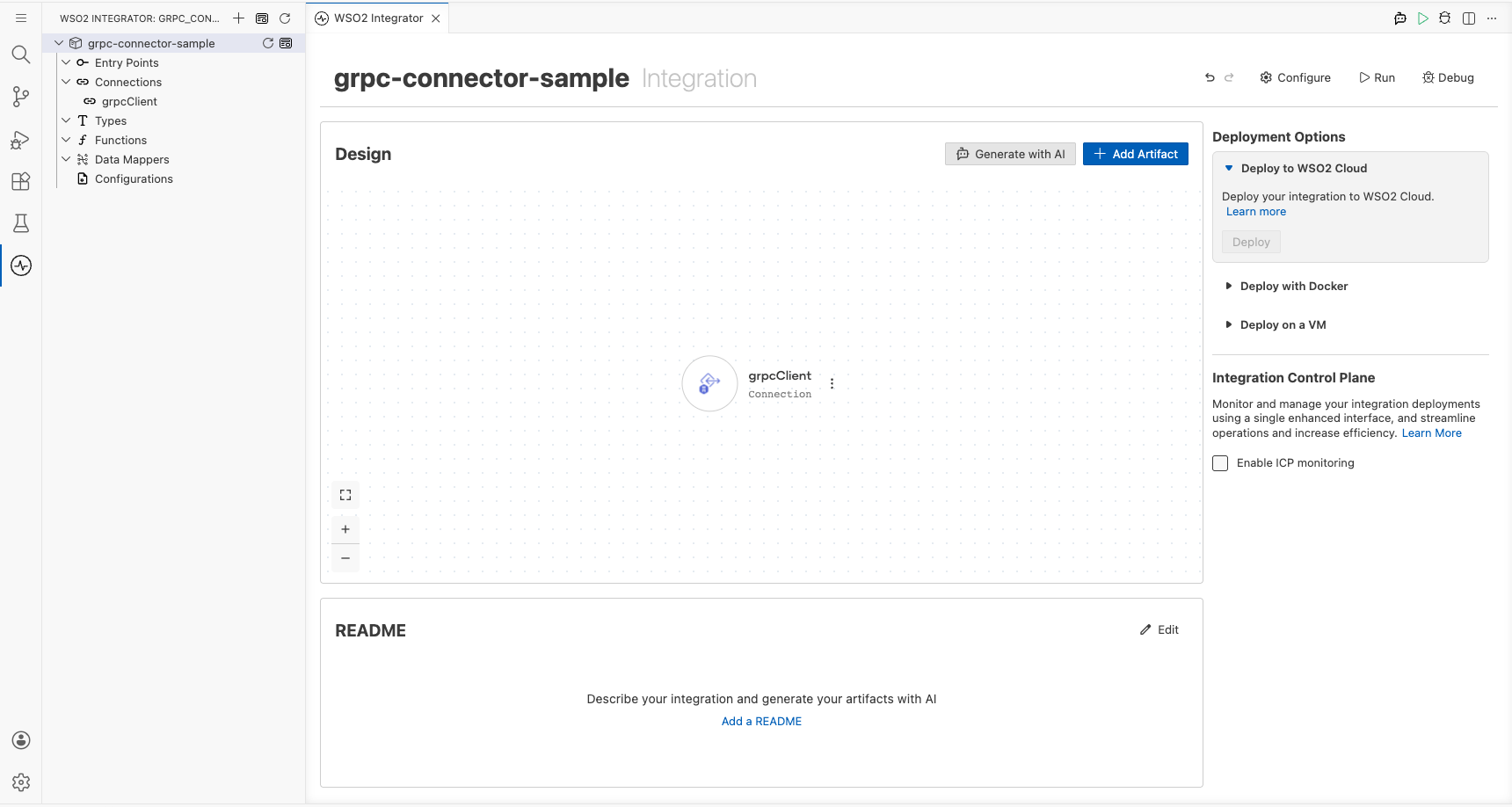
Step 4: Set actual values for your configurables
In the left panel, select Configurations and set a value for each configurable listed below.
- grpcServiceUrl (string) : The full URL of your gRPC server (for example, the server's host and port)
Configuring the gRPC Execute Simple Rpc operation
Step 5: Add an automation entry point
- Select the + button next to Entry Points in the WSO2 Integrator sidebar.
- Select Automation from the artifacts panel.
- Select Create to confirm the default settings.
The main automation entry point is created and the canvas shows a flow with Start → Error Handler.
Step 6: Select and configure the Execute Simple Rpc operation
- Select the + (Add Step) button inside the automation flow body.
- Under Connections, expand grpcClient to reveal its operations list.
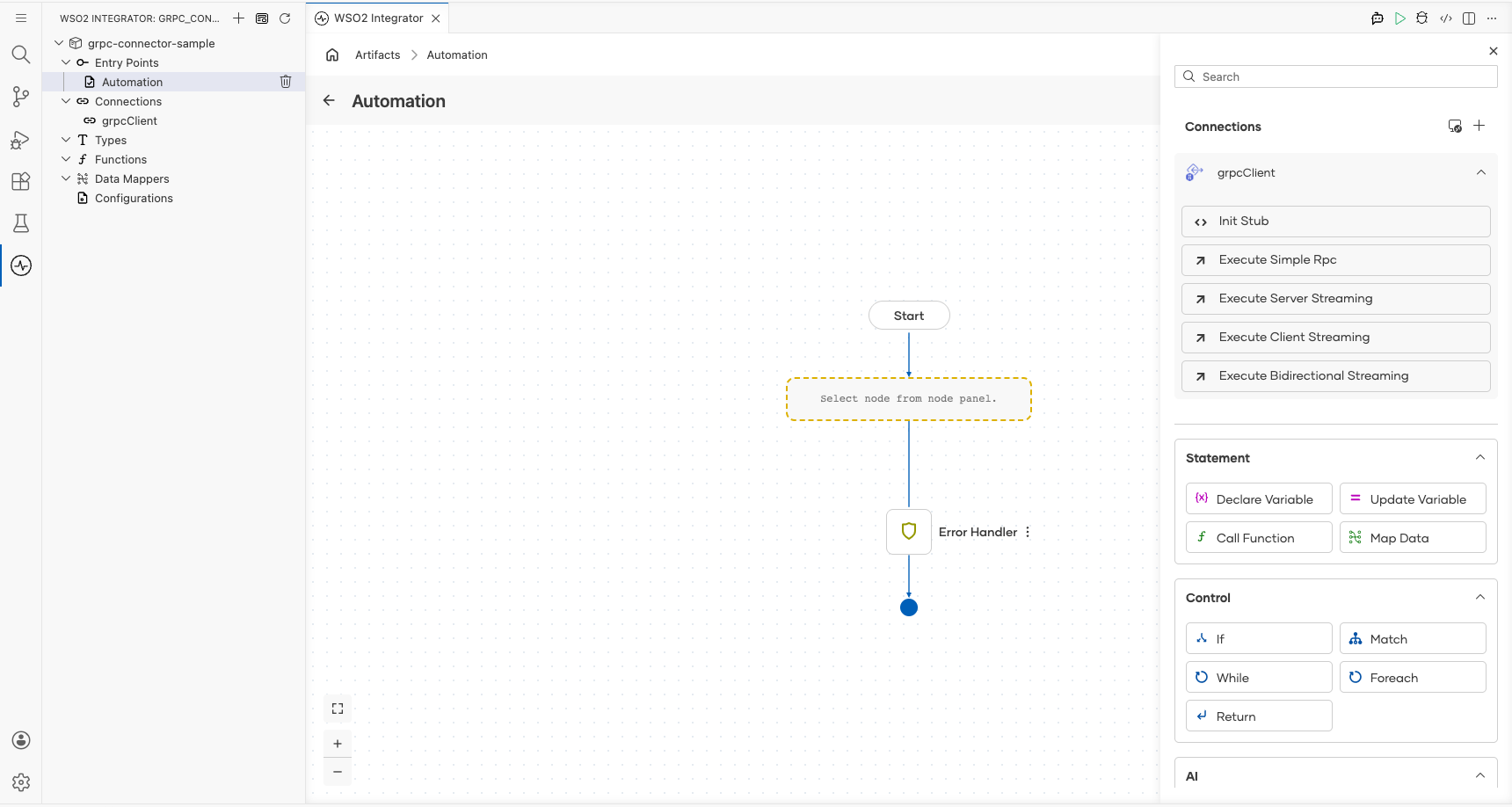
- Select Execute Simple Rpc and fill in the operation form.
- Method ID : The full method path in the format
/Package.Service/Method(for example,"HelloWorld/hello") - Payload : The request message sent to the gRPC service
- Result : The variable name used to store the response tuple
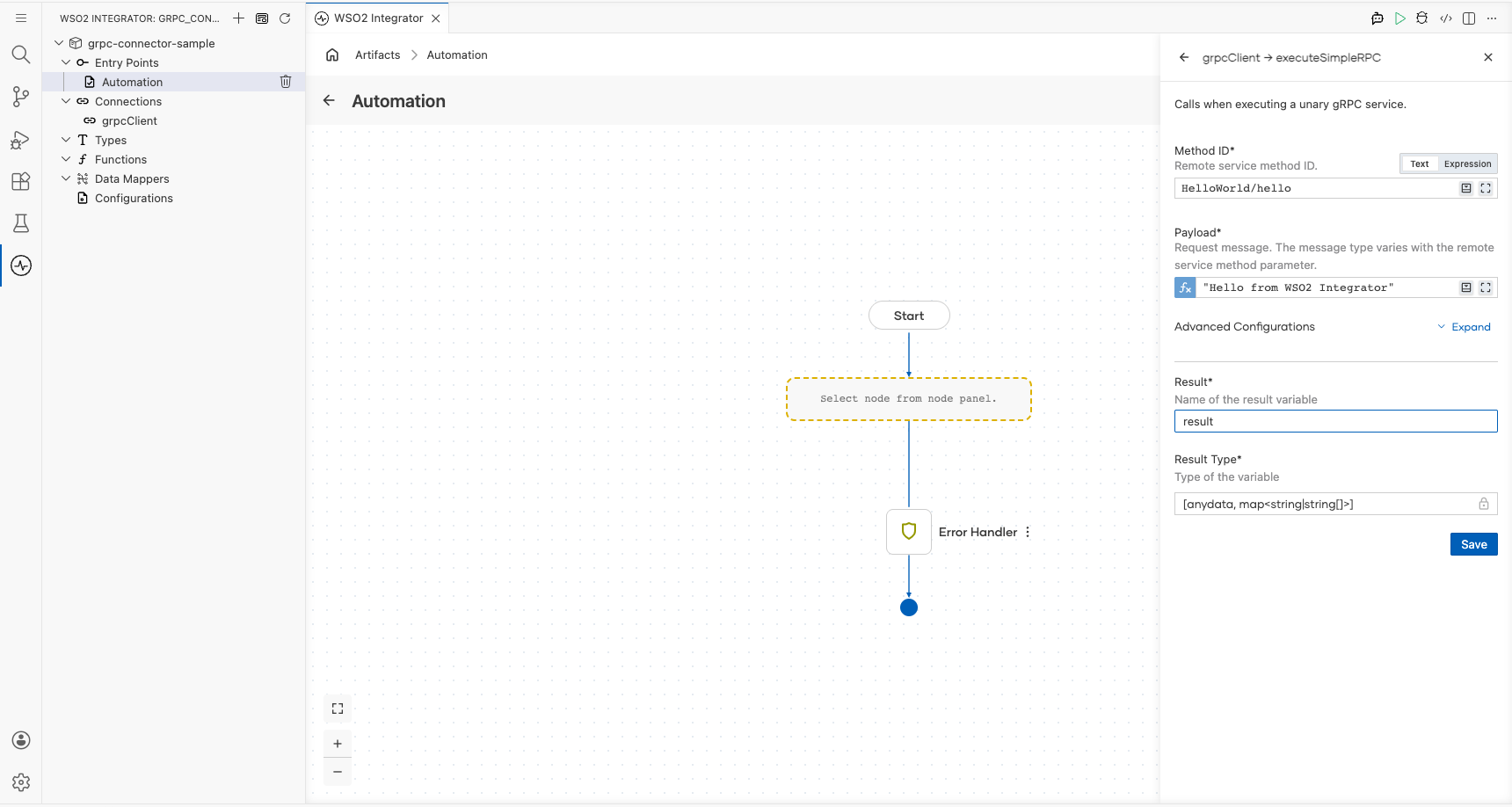
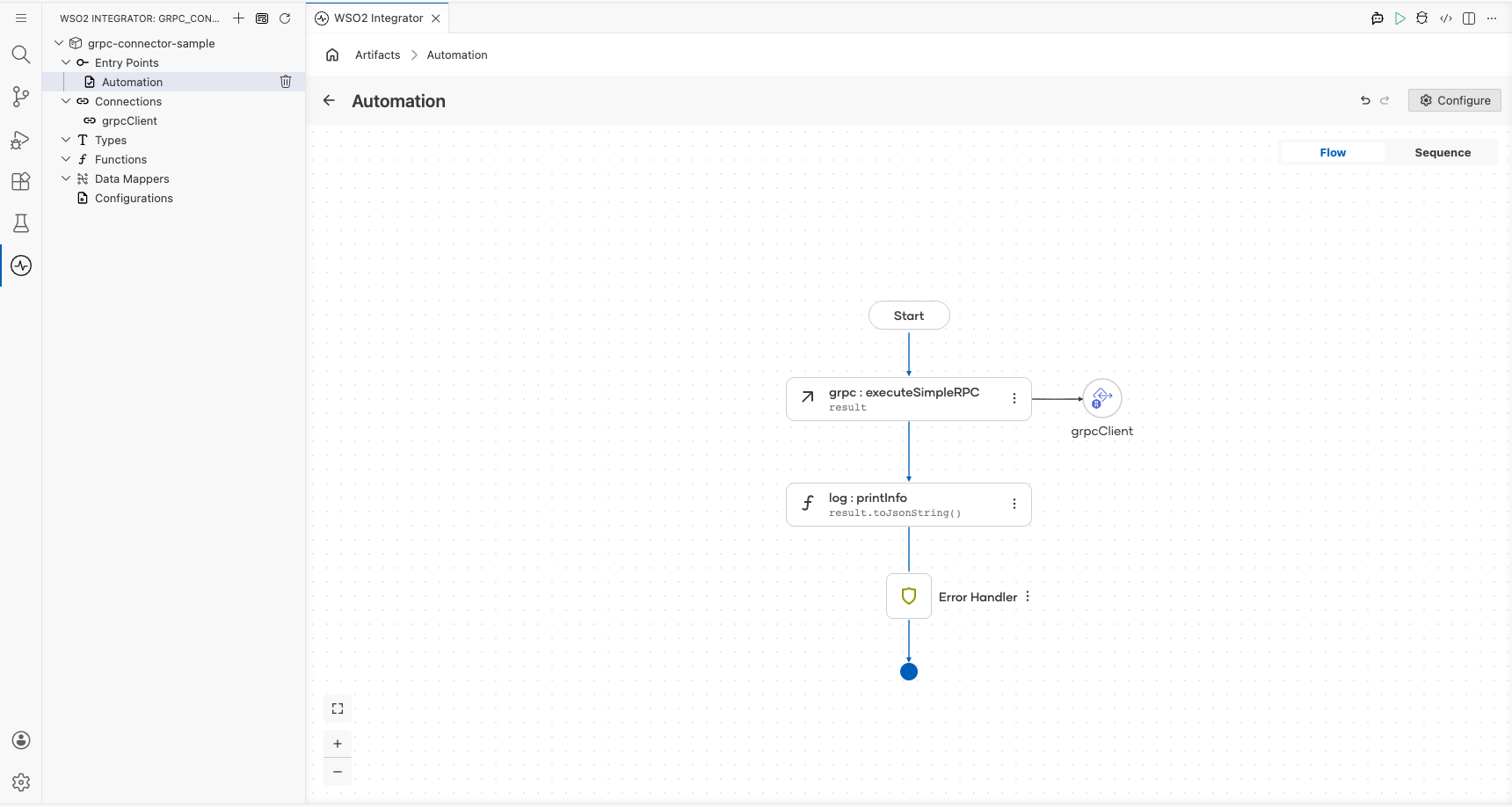
Select Save. The grpc : executeSimpleRPC node appears on the canvas between Start and Error Handler.
Try it yourself
Try this sample in WSO2 Integration Platform.

More code examples
The gRPC connector provides practical examples illustrating usage in various scenarios. Explore these examples, covering gRPC services, clients, streaming, compression, and microservice use cases.
-
Asynchronous streaming: Implement asynchronous gRPC streaming with separate client and server components.
-
Online boutique microservice: Build a microservice-based online boutique sample using gRPC services and generated protobuf contracts.
-
Program analyzer: Explore gRPC client and server communication with compression enabled.
-
Route guide: Learn common gRPC patterns using a route guide service with unary and streaming RPC interactions.