Example
What you'll build
Build a WSO2 Integrator automation that retrieves AWS Marketplace product entitlements using the AWS Marketplace MPE connector. The integration connects to the AWS Marketplace Entitlement Service using your AWS credentials and fetches entitlement data for a specified product code.
Operations used:
- getEntitlements : Retrieves entitlement records for a given AWS Marketplace product code
Architecture
Prerequisites
- An AWS account with Marketplace access
- AWS credentials: Access Key ID and Secret Access Key
Setting up the AWS marketplace MPE integration
New to WSO2 Integrator? Follow the Create a New Integration guide to set up your integration first, then return here to add the connector.
Adding the AWS marketplace MPE connector
Step 1: Open the add connection palette
Select the + (Add Connection) button in the Design canvas to open the Add Connection palette, which lists available connectors.
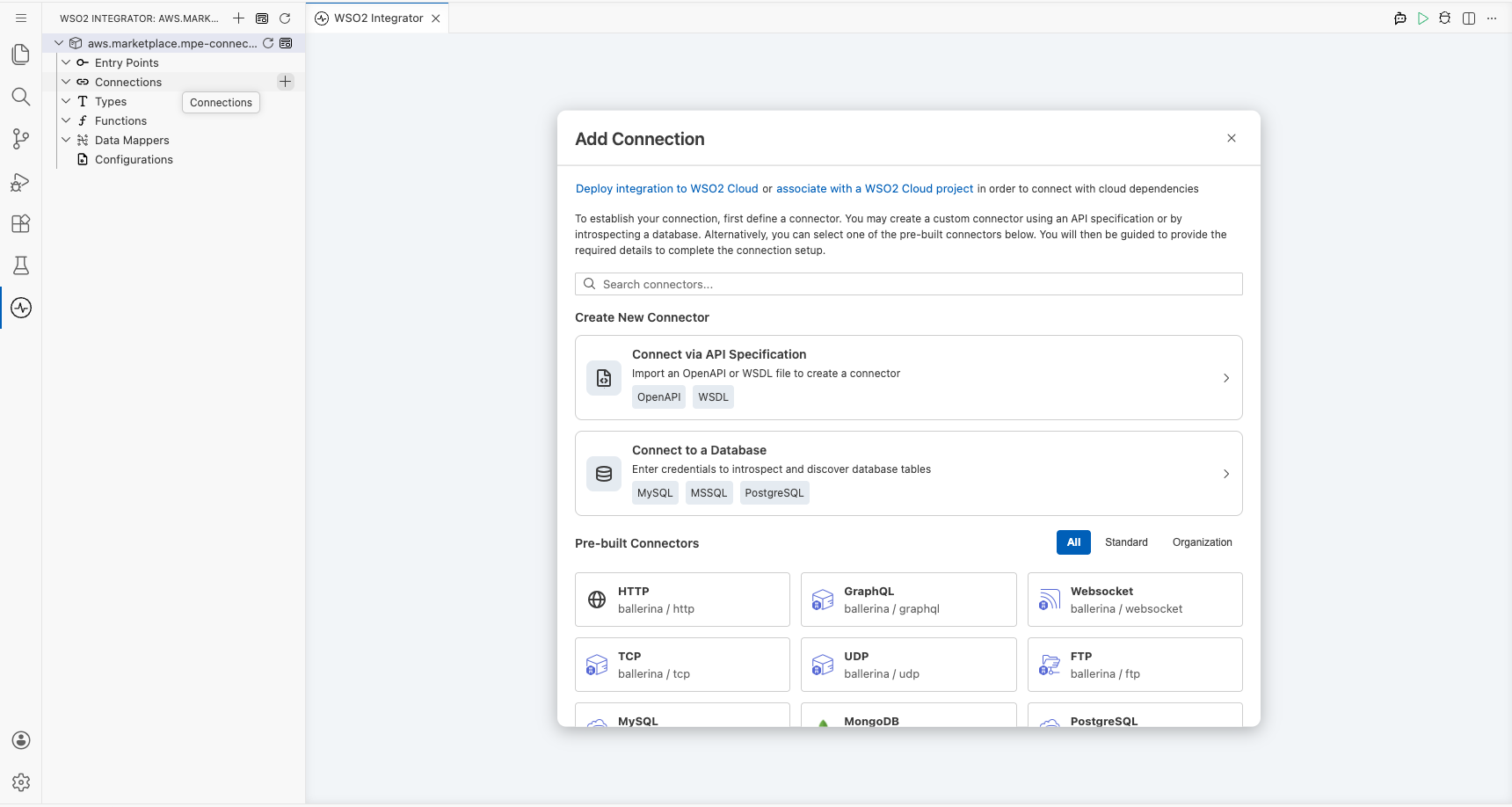
Step 2: Search and select the connector
- In the search box, enter
mpeoraws marketplace. - Select Aws Marketplace Mpe from the results to open the Configure Mpe connection form.
Configuring the AWS marketplace MPE connection
Step 3: Configure connection parameters
Bind all parameters to configurable variables so credentials are never hardcoded. Use Expression mode (toggle the {} icon) for each field:
- region : The AWS region for the Marketplace Entitlement Service endpoint
- accessKeyId : AWS IAM Access Key ID used to authenticate requests
- secretAccessKey : AWS IAM Secret Access Key used to authenticate requests
- connectionName : The name used to identify this connection on the canvas
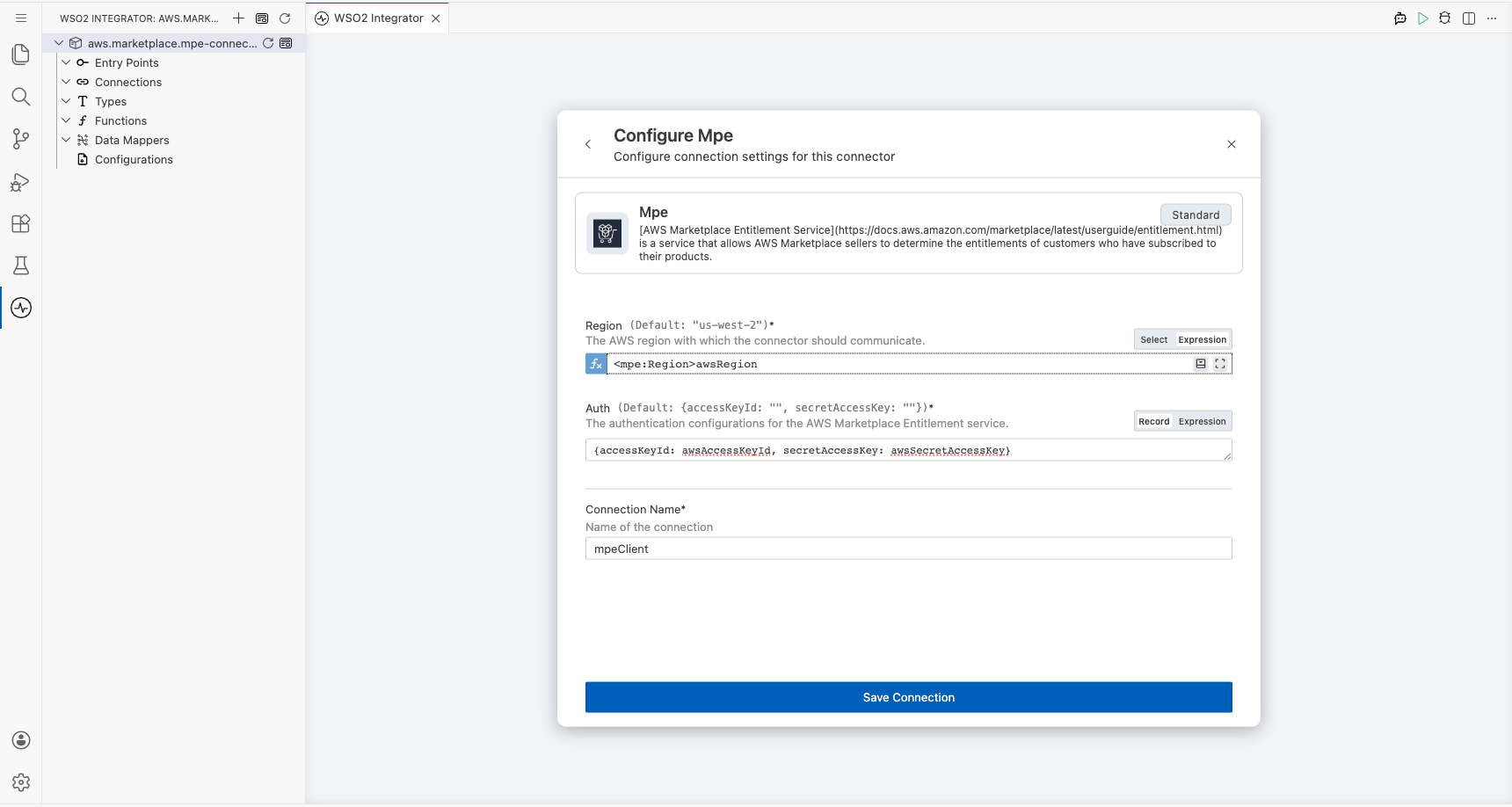
Step 4: Save the connection
Select Save Connection to persist the connection. The mpeClient connection node appears on the Design canvas and under Connections in the sidebar.
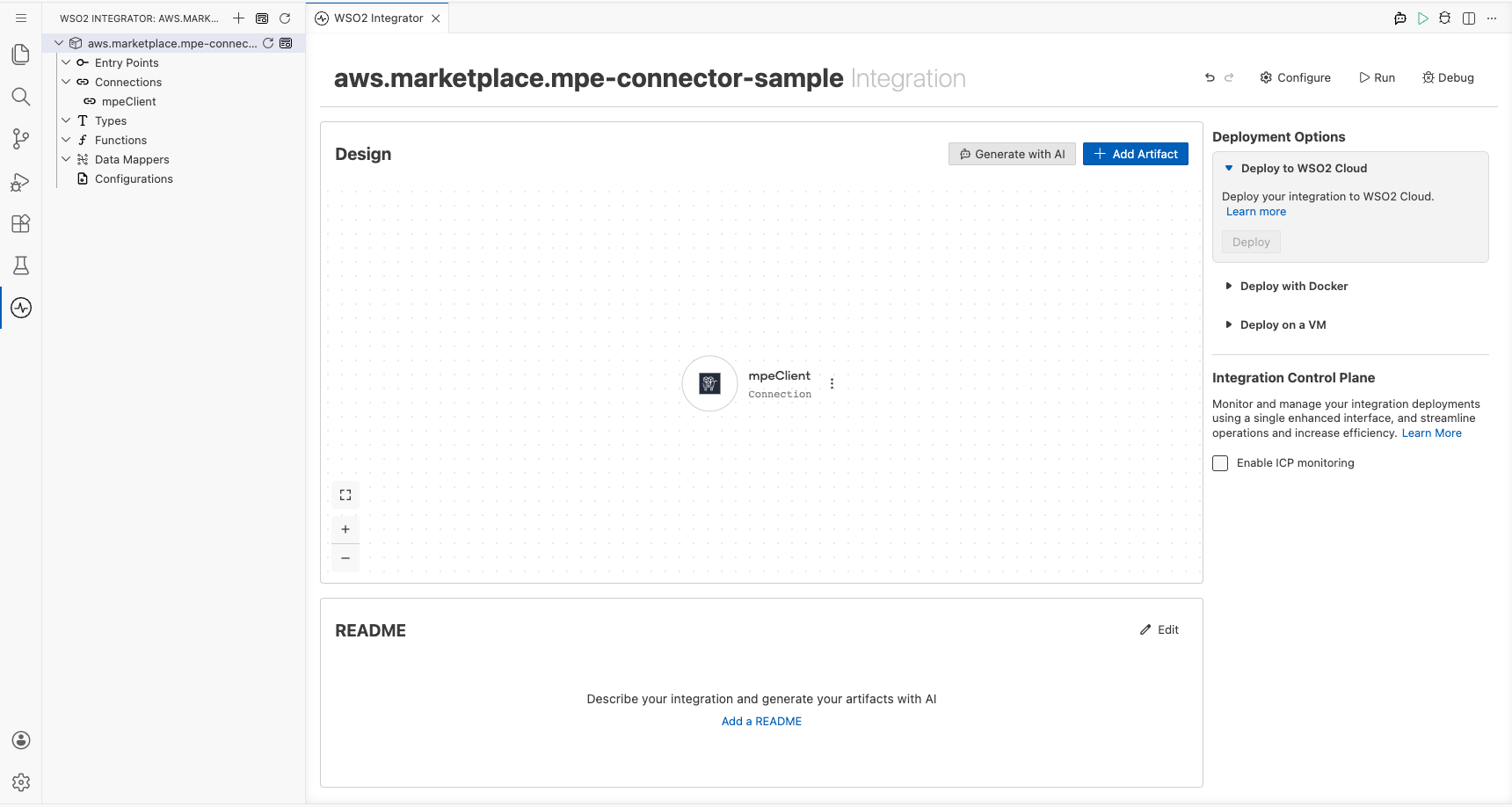
Step 5: Set actual values for your configurables
- In the left panel, select Configurations.
- Set a value for each configurable listed below.
- awsRegion (string) : AWS region identifier (for example,
us-east-1) cast tompe:Region - awsAccessKeyId (string) : Your AWS IAM Access Key ID
- awsSecretAccessKey (string) : Your AWS IAM Secret Access Key
Configuring the AWS marketplace MPE getEntitlements operation
Step 6: Add an automation entry point
In the sidebar, select Entry Points → + Add Entry Point → Automation to open the Automation flow canvas.
Step 7: Select and configure the getEntitlements operation
- On the Automation canvas, select the + button between Start and Error Handler to open the Add Step panel.
- Expand mpeClient under the Connections section to reveal available operations.
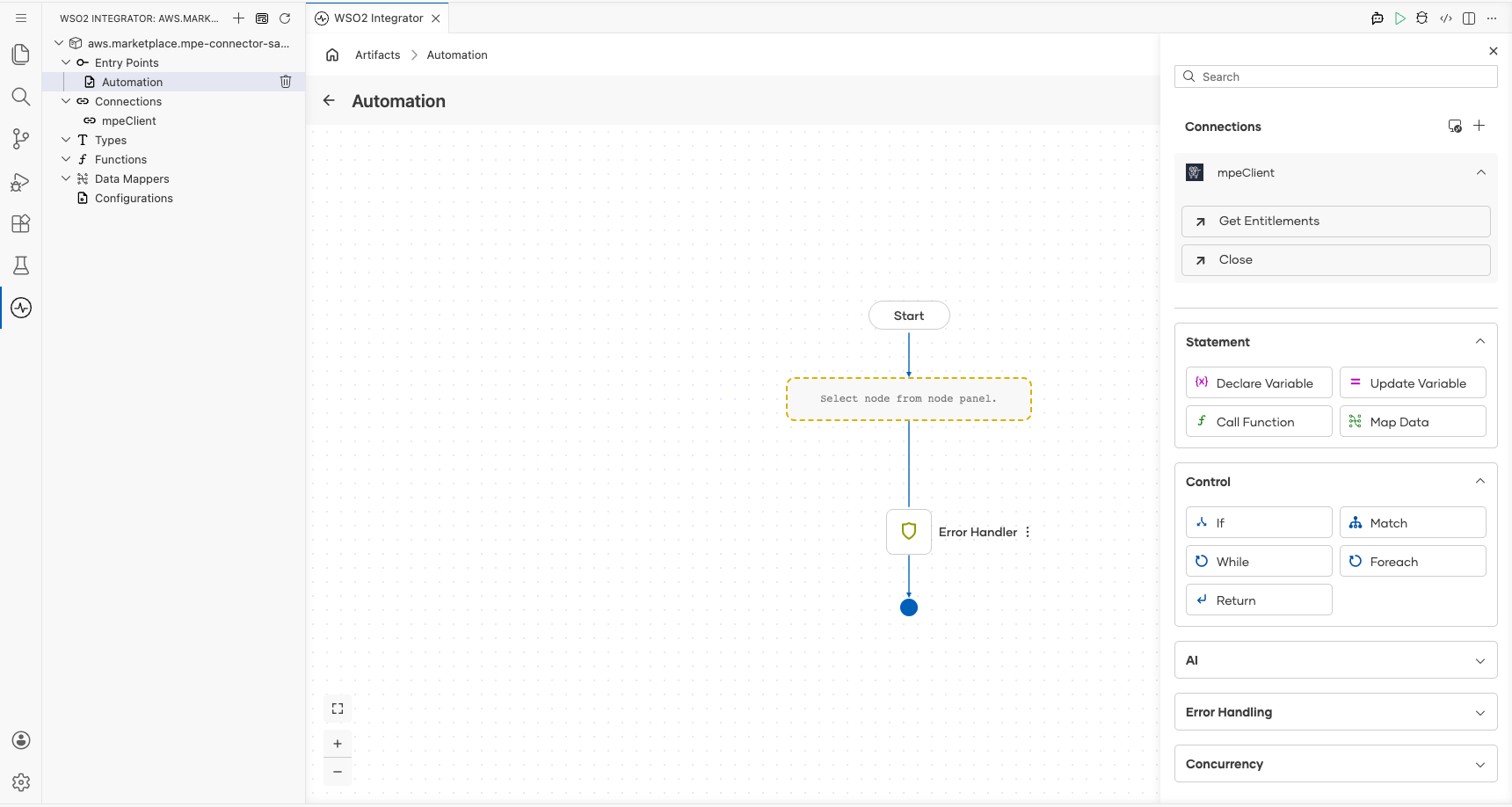
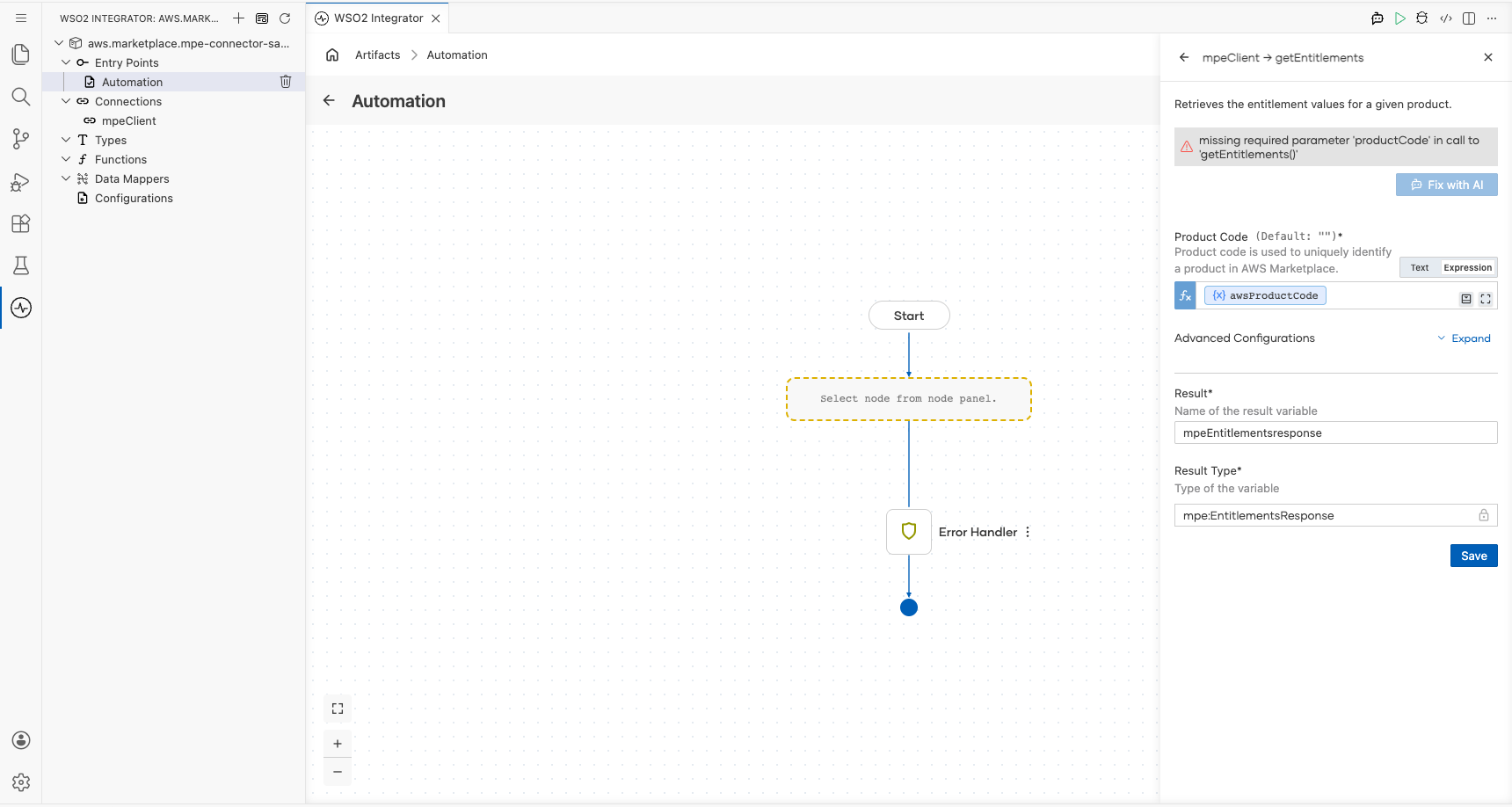
- Select Get Entitlements to open the operation configuration form.
- Fill in the fields:
- productCode : The AWS Marketplace product code to retrieve entitlements for; switch to Expression mode and create a new configurable variable
awsProductCode(type:string) - resultVariableName : Name of the variable to hold the response (default:
mpeEntitlementsresponse)
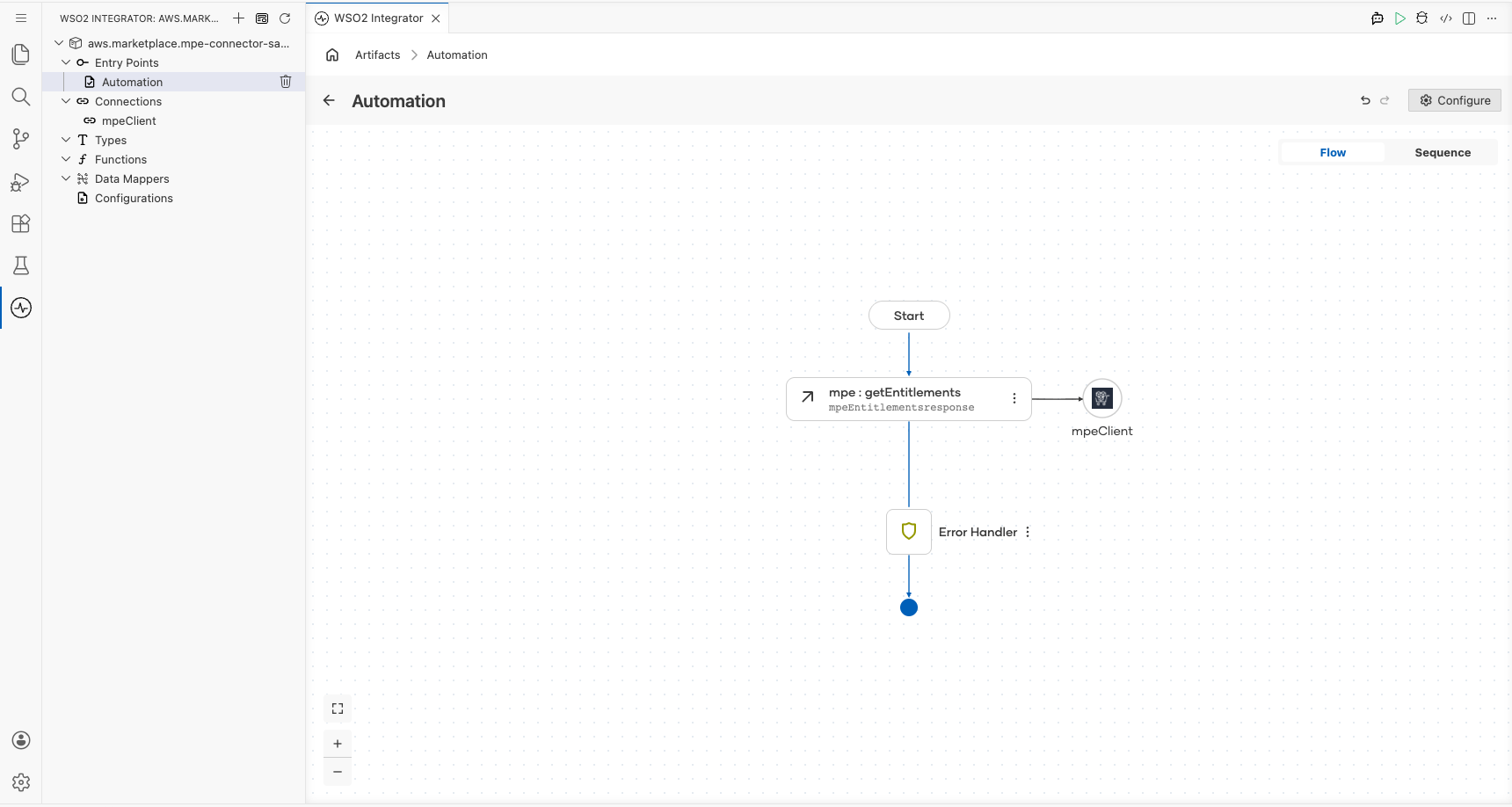
Select Save to add the mpe : getEntitlements step to the flow canvas. The step node appears connected between Start and Error Handler, with the result variable mpeEntitlementsresponse shown beneath the node label.
Try it yourself
Try this sample in WSO2 Integration Platform.