Setup Guide
This guide walks you through creating a Twilio account and obtaining the credentials required to use the Twilio connector.
Step 1: Create a Twilio account
Visit Twilio and select Try Twilio for Free to create an account.
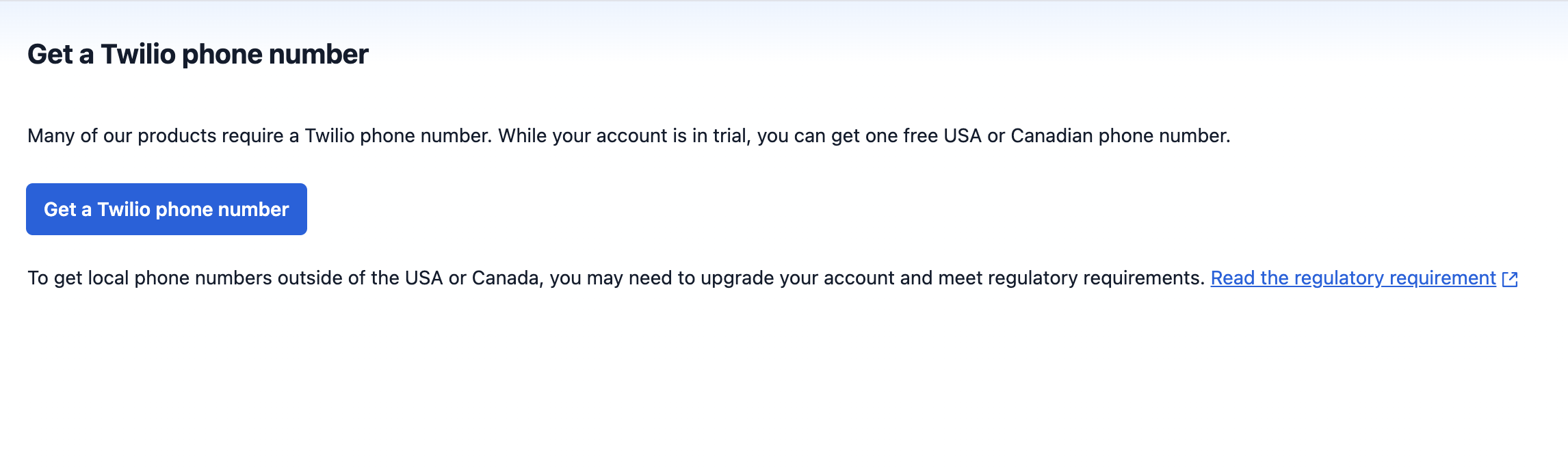
Step 2: Obtain a Twilio phone number
Trial projects can provision a complimentary phone number for testing.
Trial project phone number selection may be limited. Upgrade your Twilio project to provision more than one phone number or a number not available to trial projects.
-
Access the Buy a Number page in the Console.
-
Enter the criteria for the phone number you need and select Search.
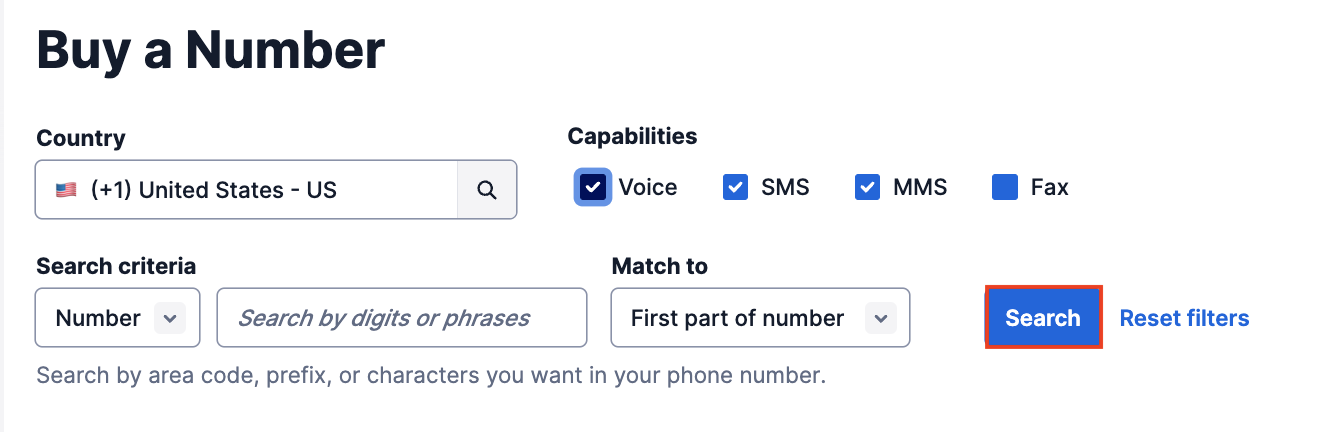
- Country: Select the desired country.
- Number or Location: Search by digits/phrases, or a specific city or region.
- Capabilities: Select your service needs.
-
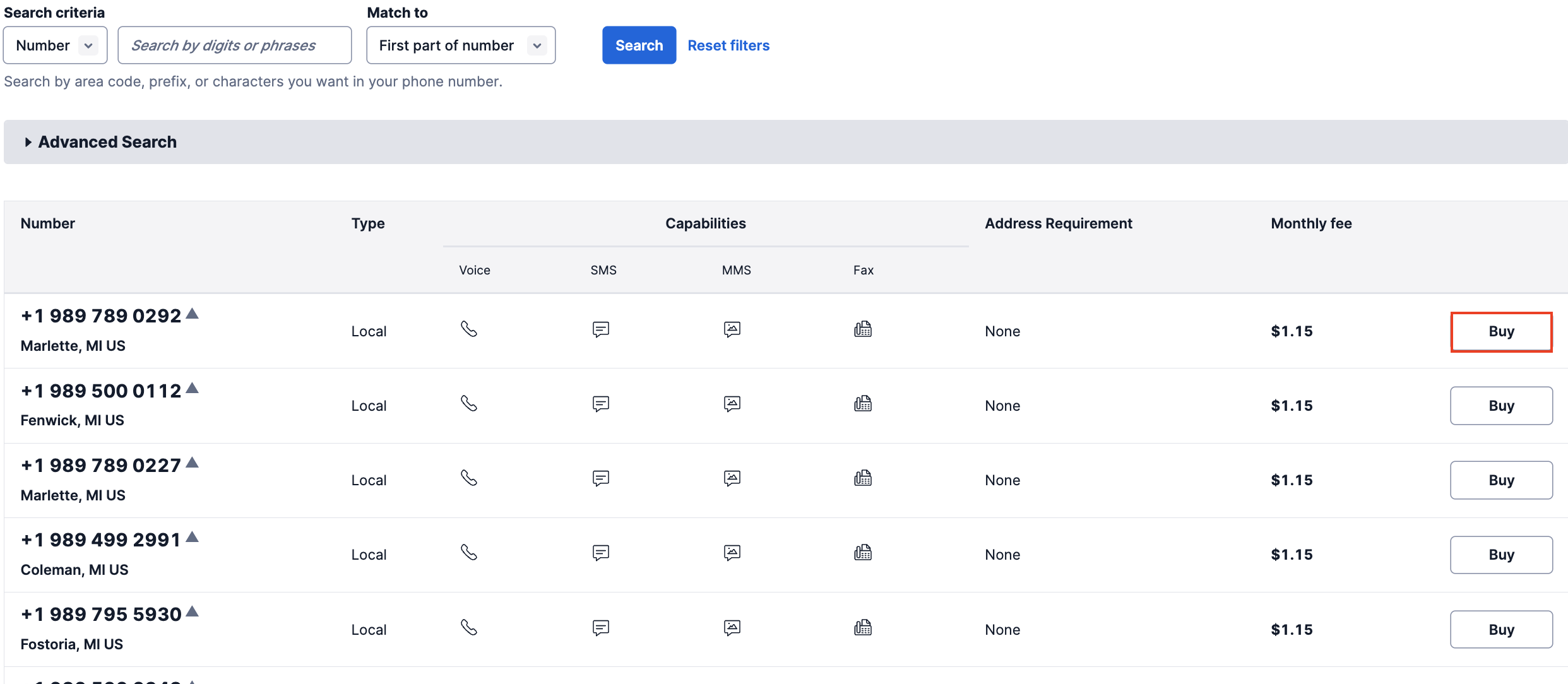
Select Buy to purchase a phone number for your project or sub-account.
Many countries require identity documentation for phone number compliance. See Twilio's Phone Number Regulations for details.
Step 3: Obtain the account SID, API key, and API secret
-
Go to API keys & tokens in the Twilio Console and select Create API key.

-
Enter the criteria for the API key and select Create.
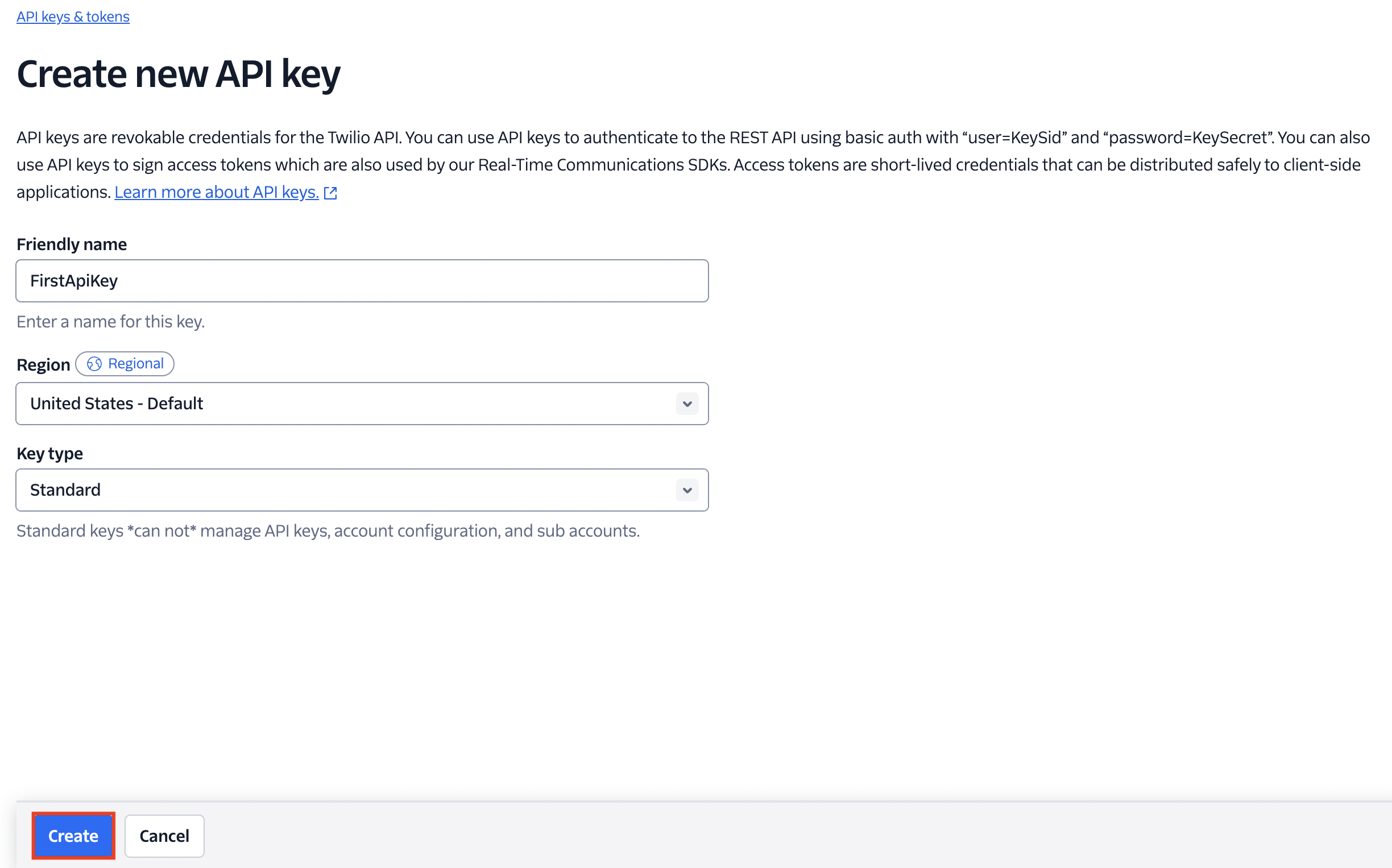
- Friendly name: A human-readable name to identify the key.
- Region: The geographical region where the key will be used.
- Key type: Choose Standard, Main, or Restricted based on the access level required.
-
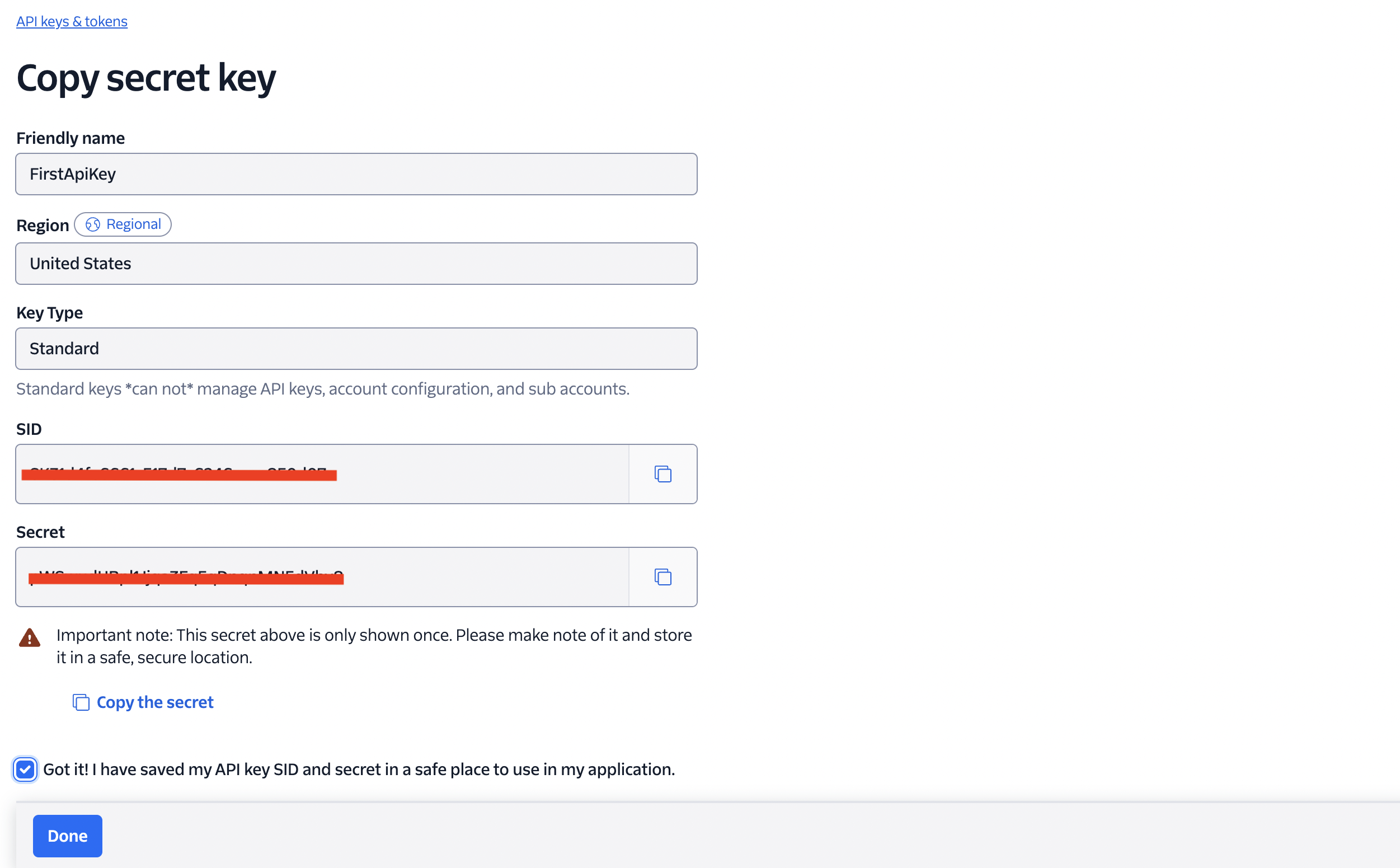
Save the API key SID and Secret in a secure location.
 warning
The secret is shown only once. Store it immediately in a safe location.
-
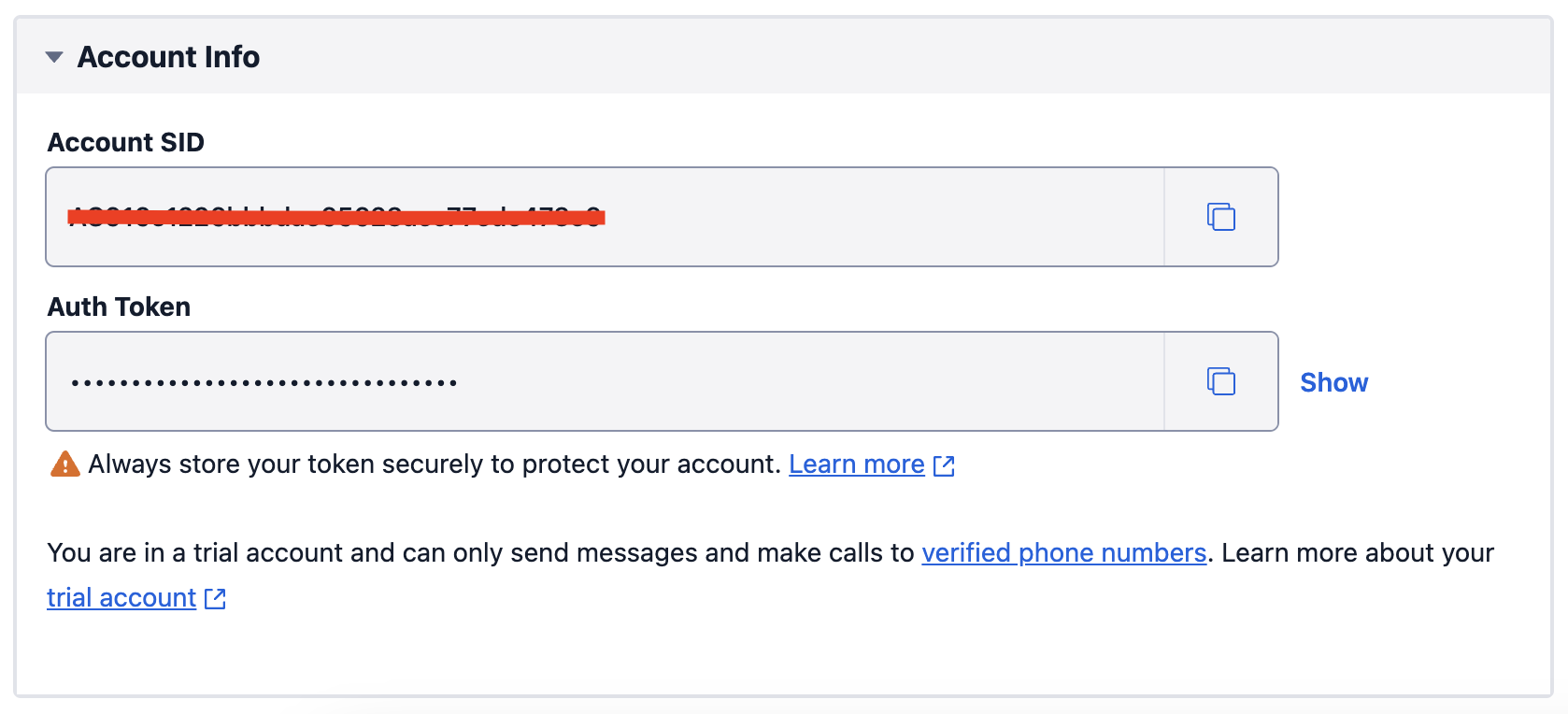
To find your Account SID, visit the Twilio Console.