Setup Guide
This guide walks you through creating a HubSpot developer app and obtaining the OAuth 2.0 credentials required to use the HubSpot CRM Associations connector.
Prerequisites
- A HubSpot developer account. If you do not have one, sign up for a free account.
Step 1: Log in to the HubSpot developer portal
Log in to your HubSpot developer account.
Step 2: Create a developer test account (optional)
Developer test accounts let you test apps and integrations without affecting real HubSpot data.
-
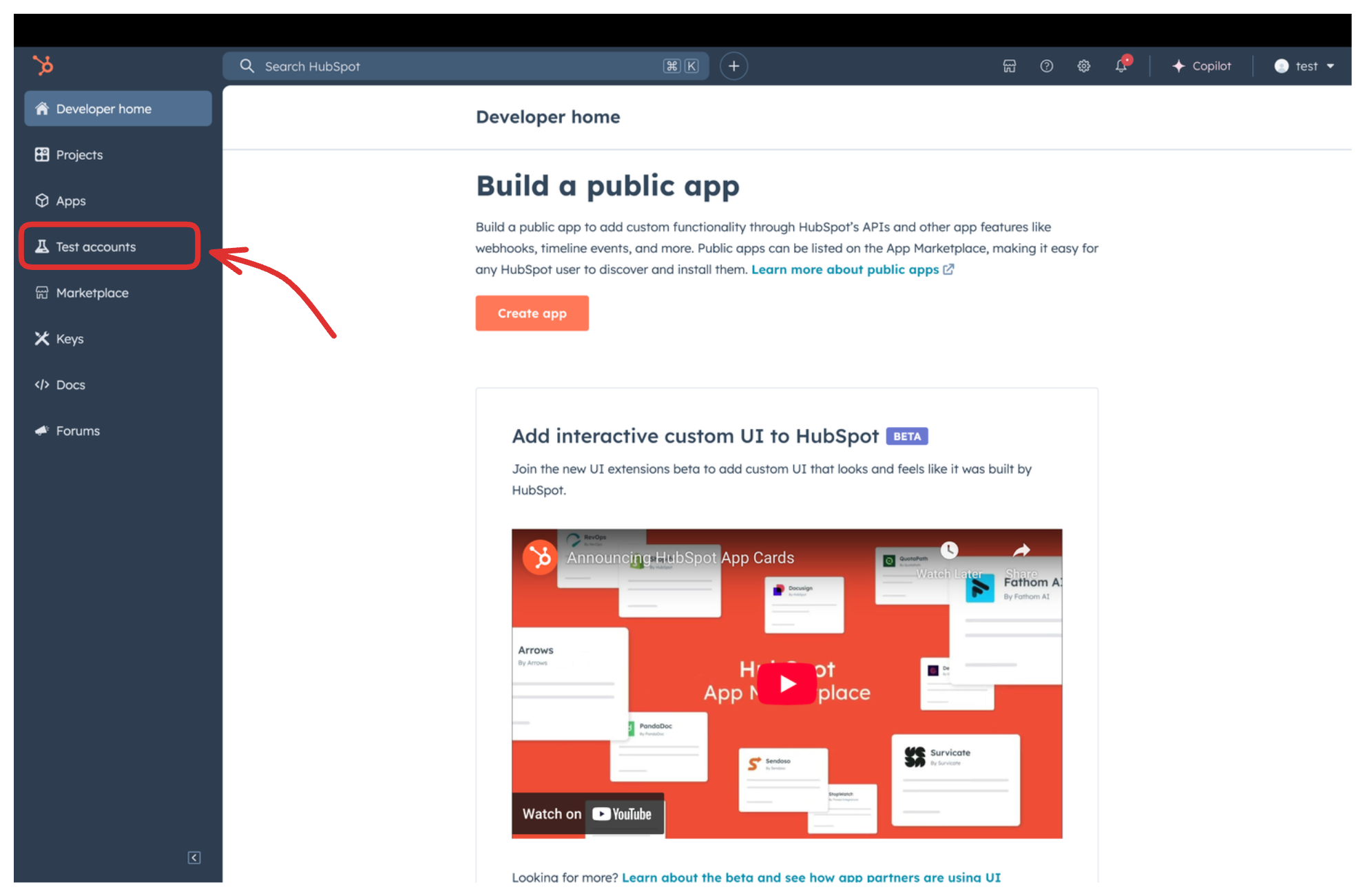
Select Test accounts in the left sidebar.
-
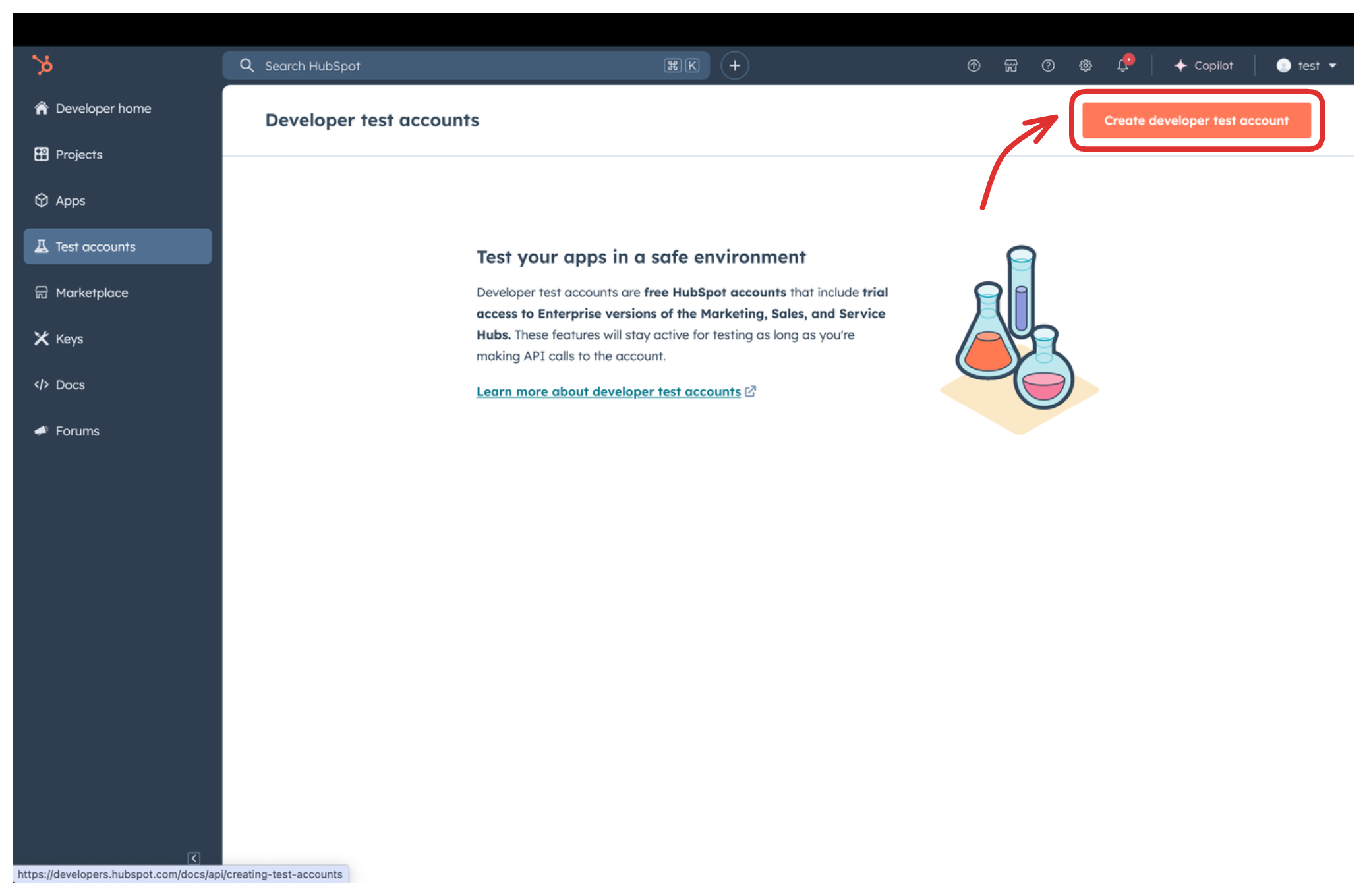
Select Create developer test account.
-
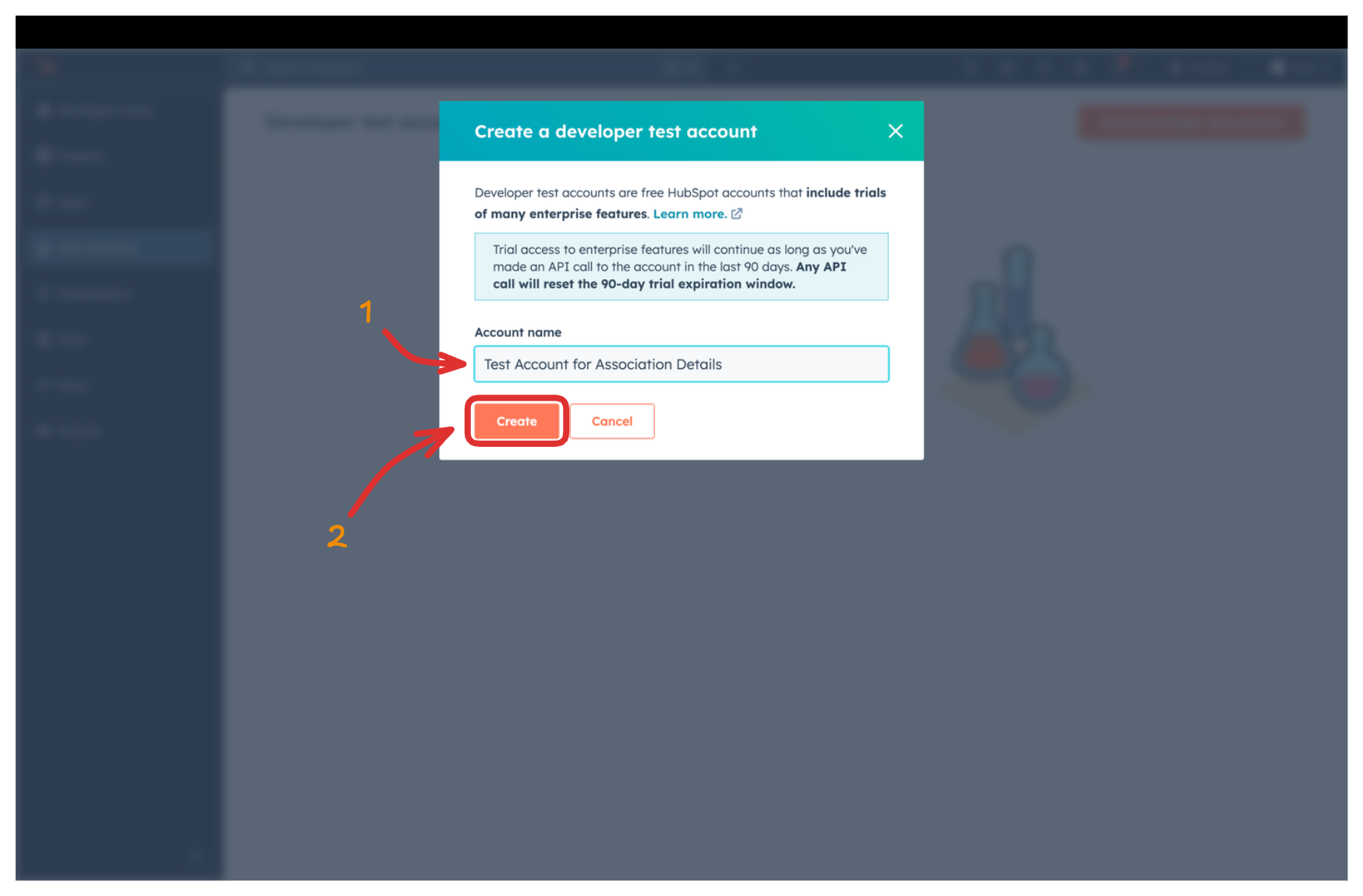
Provide a name for the test account and select Create.
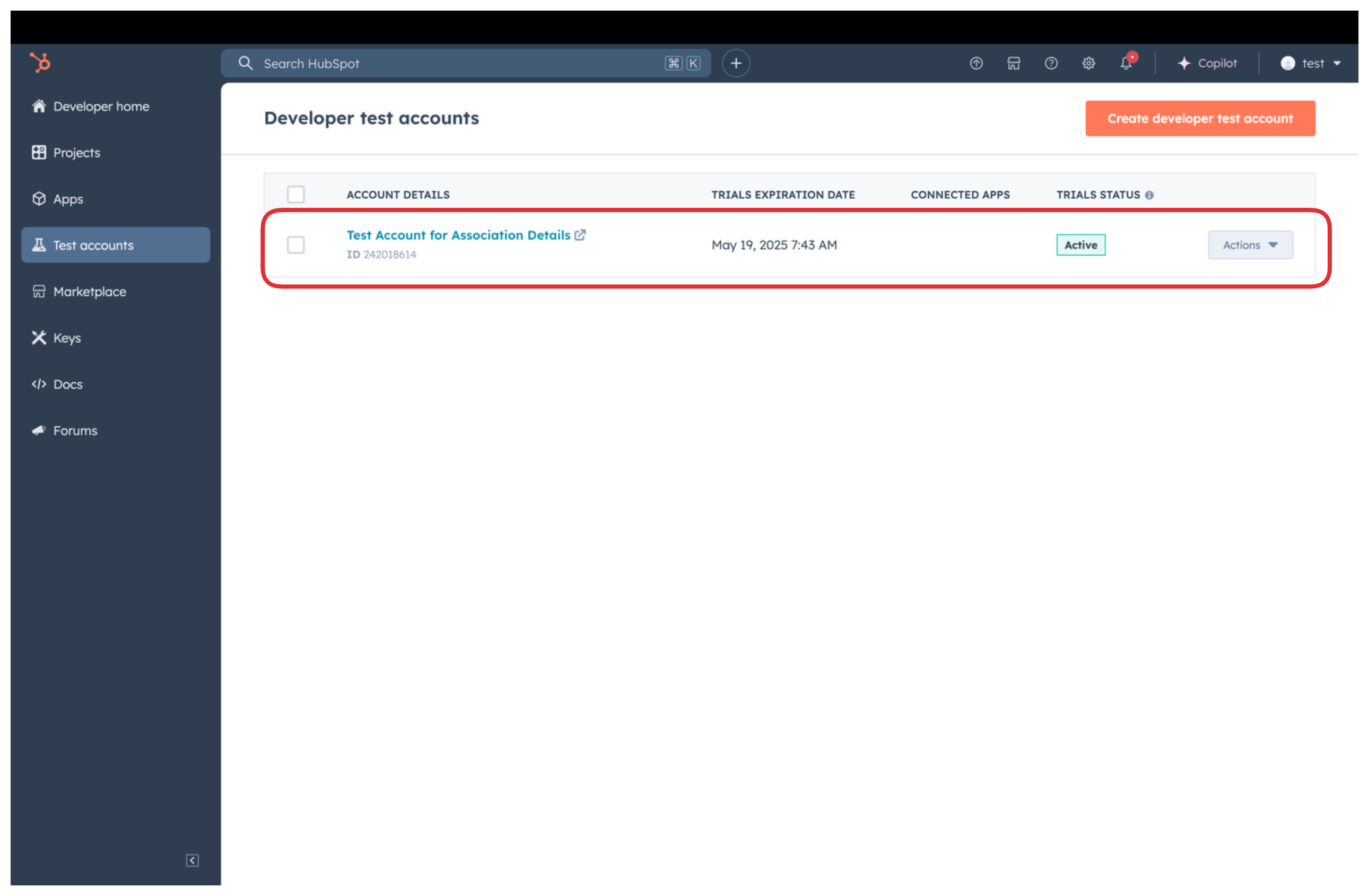
The new account appears in the test accounts list.
Developer test accounts are for development and testing only. Do not use them in production.
Step 3: Create a HubSpot app
-
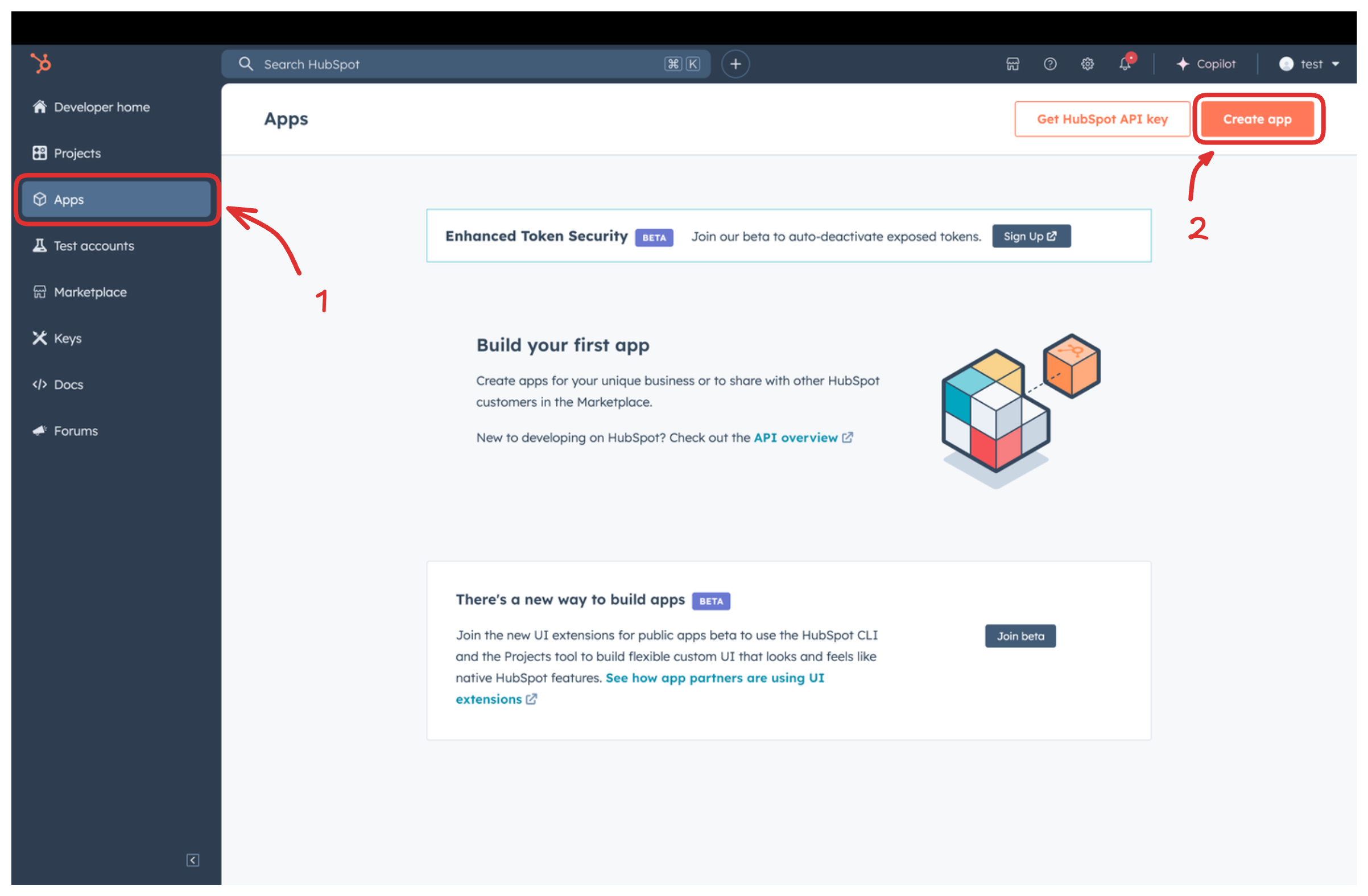
Navigate to Apps in the left sidebar and select Create app.
-
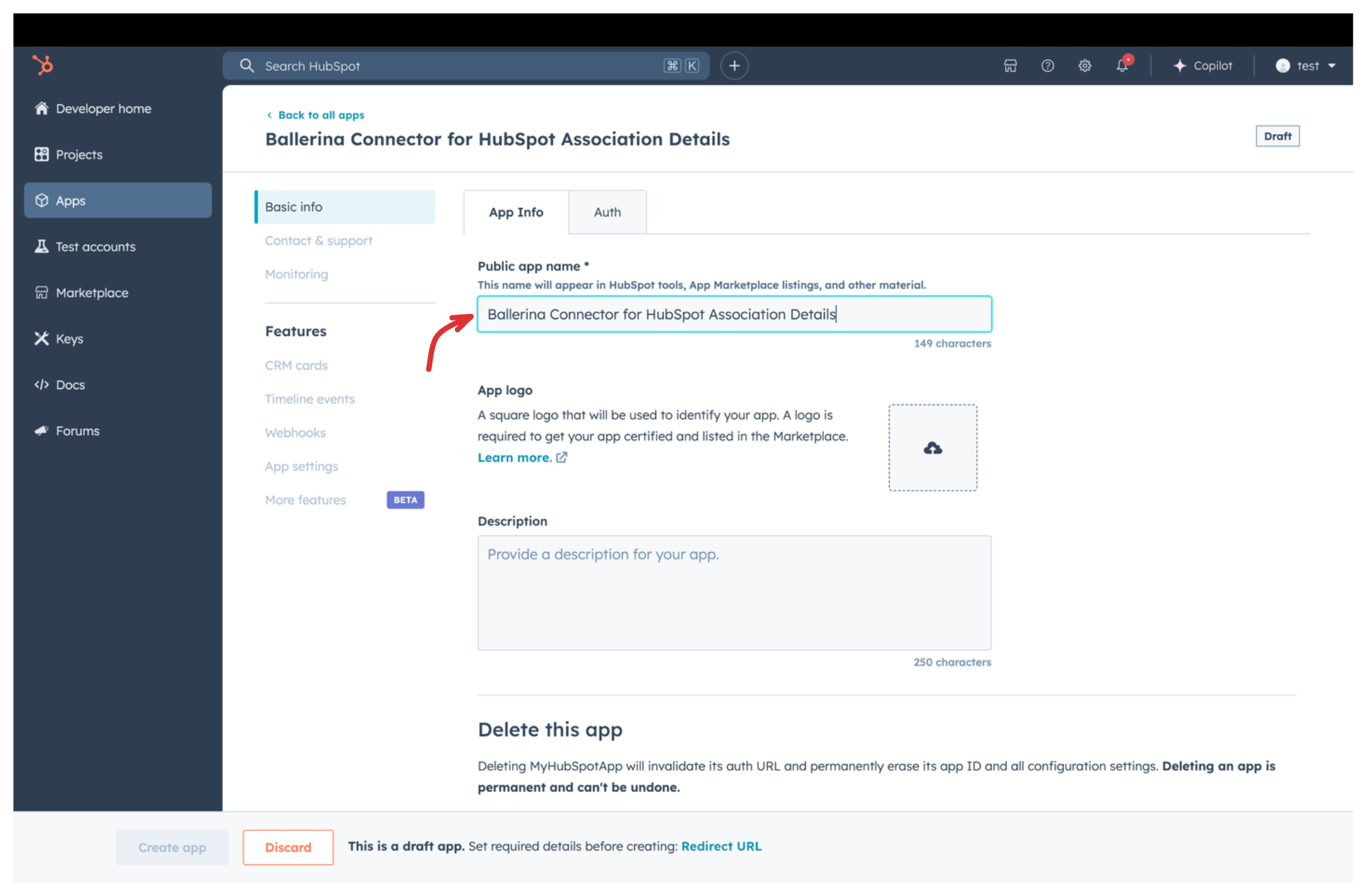
Enter a public app name and an optional description.
Step 4: Set up authentication
-
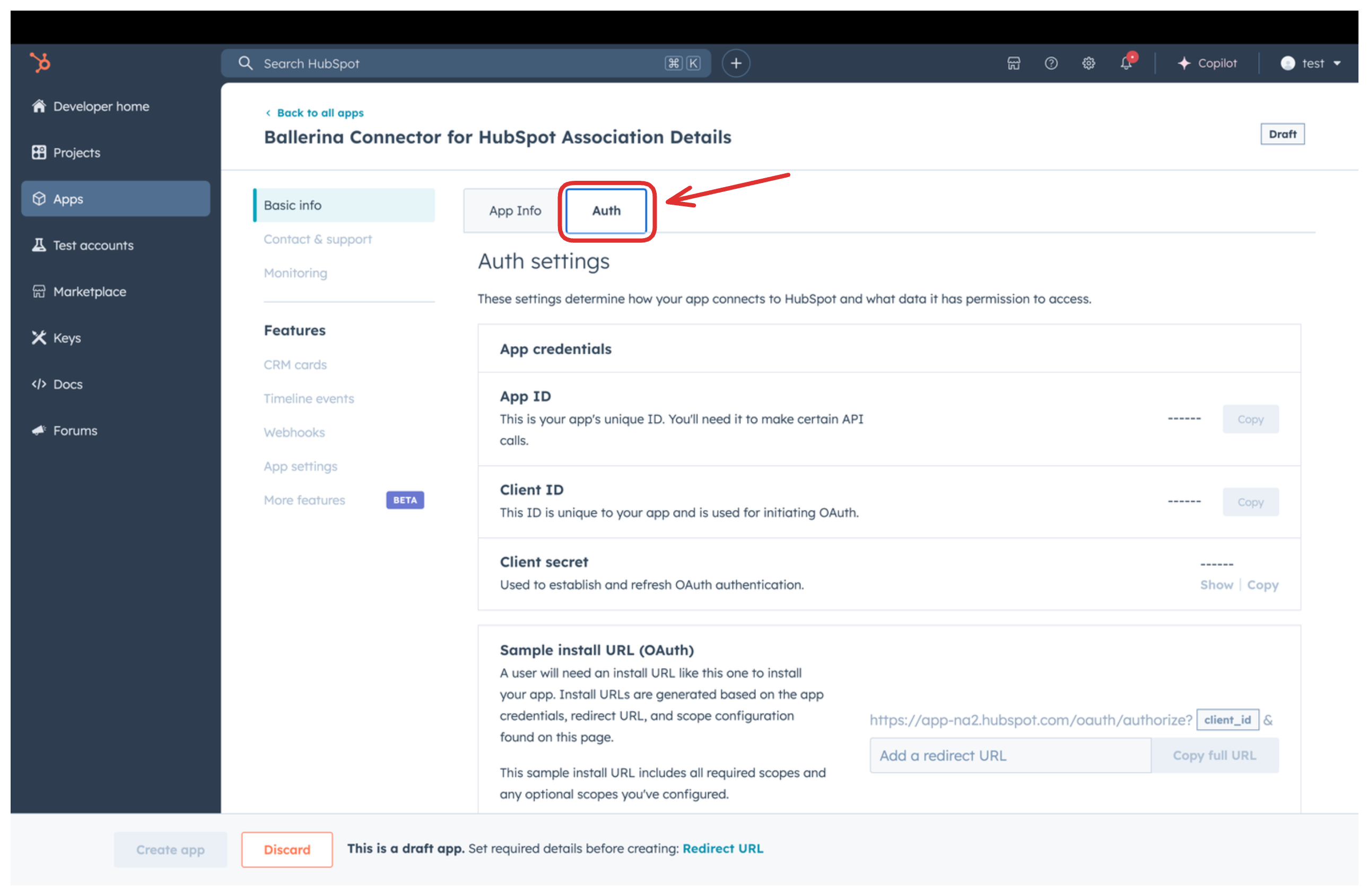
Go to the Auth tab.
-
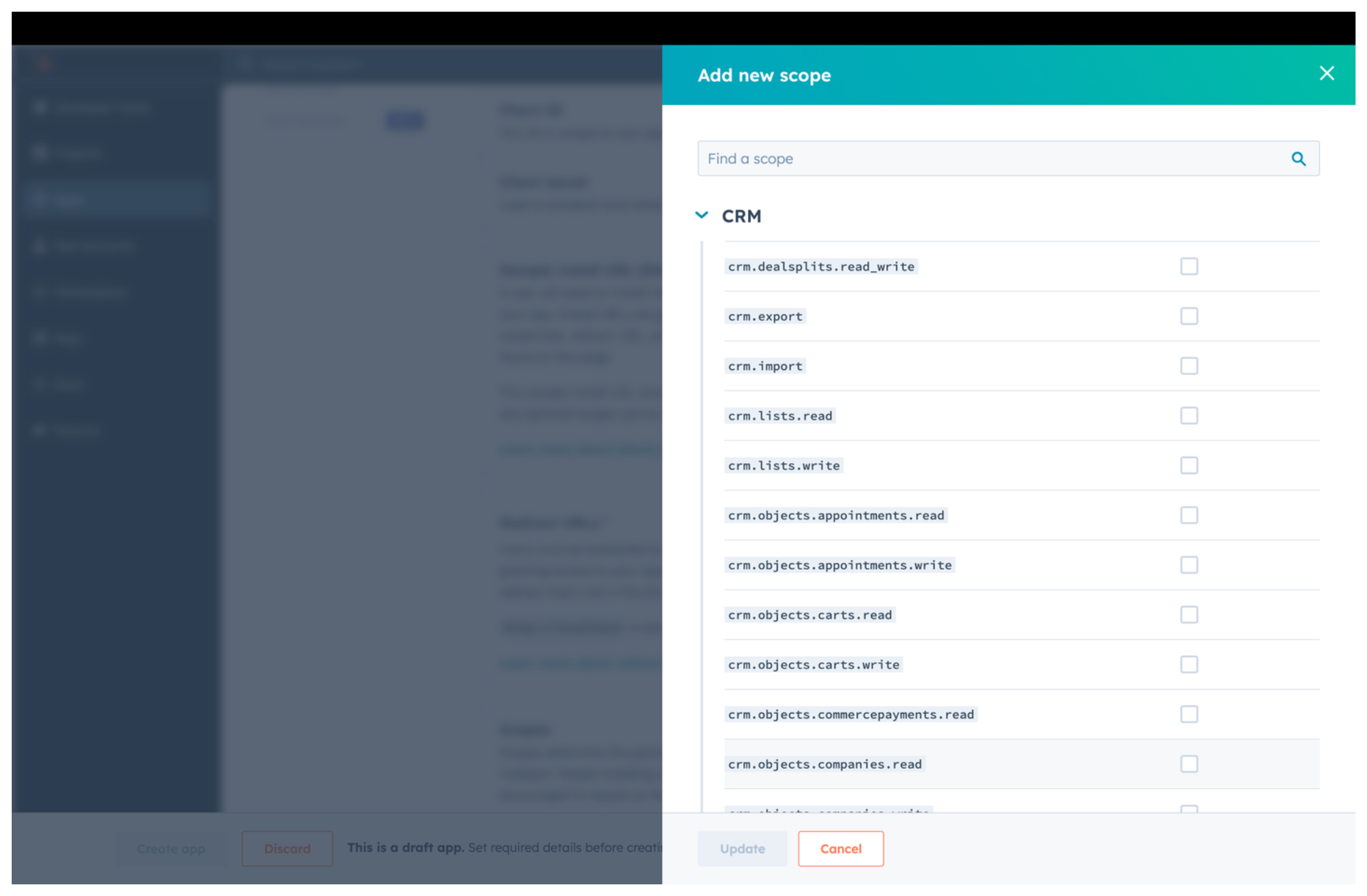
Under Scopes, select Add new scopes and add the following scopes:
crm.associations.readcrm.associations.writecrm.objects.contacts.readcrm.objects.contacts.writecrm.objects.companies.readcrm.objects.companies.writecrm.objects.deals.readcrm.objects.deals.write
-
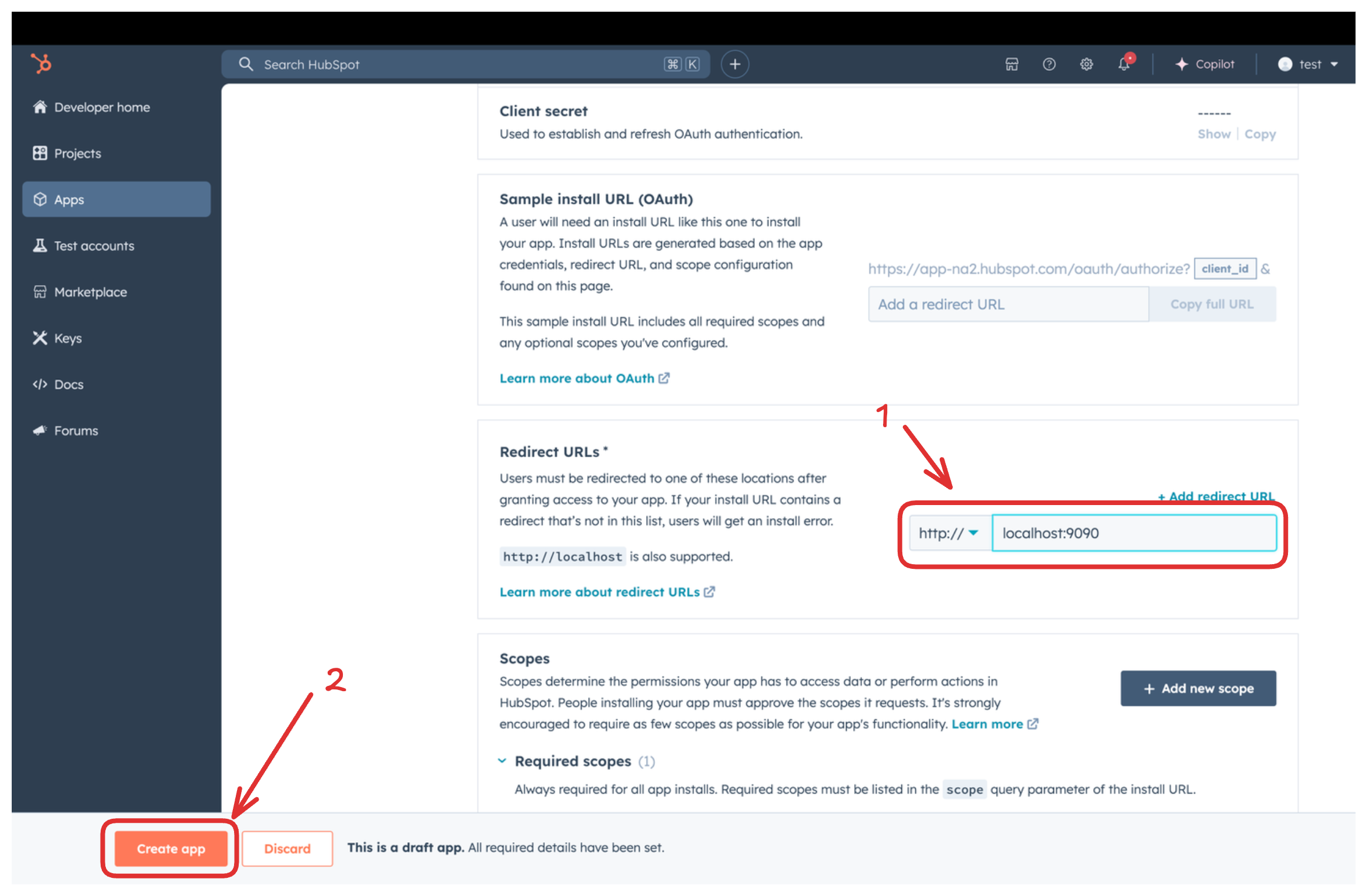
Under Redirect URL, add your redirect URL and select Create App.
Step 5: Get the client ID and client secret
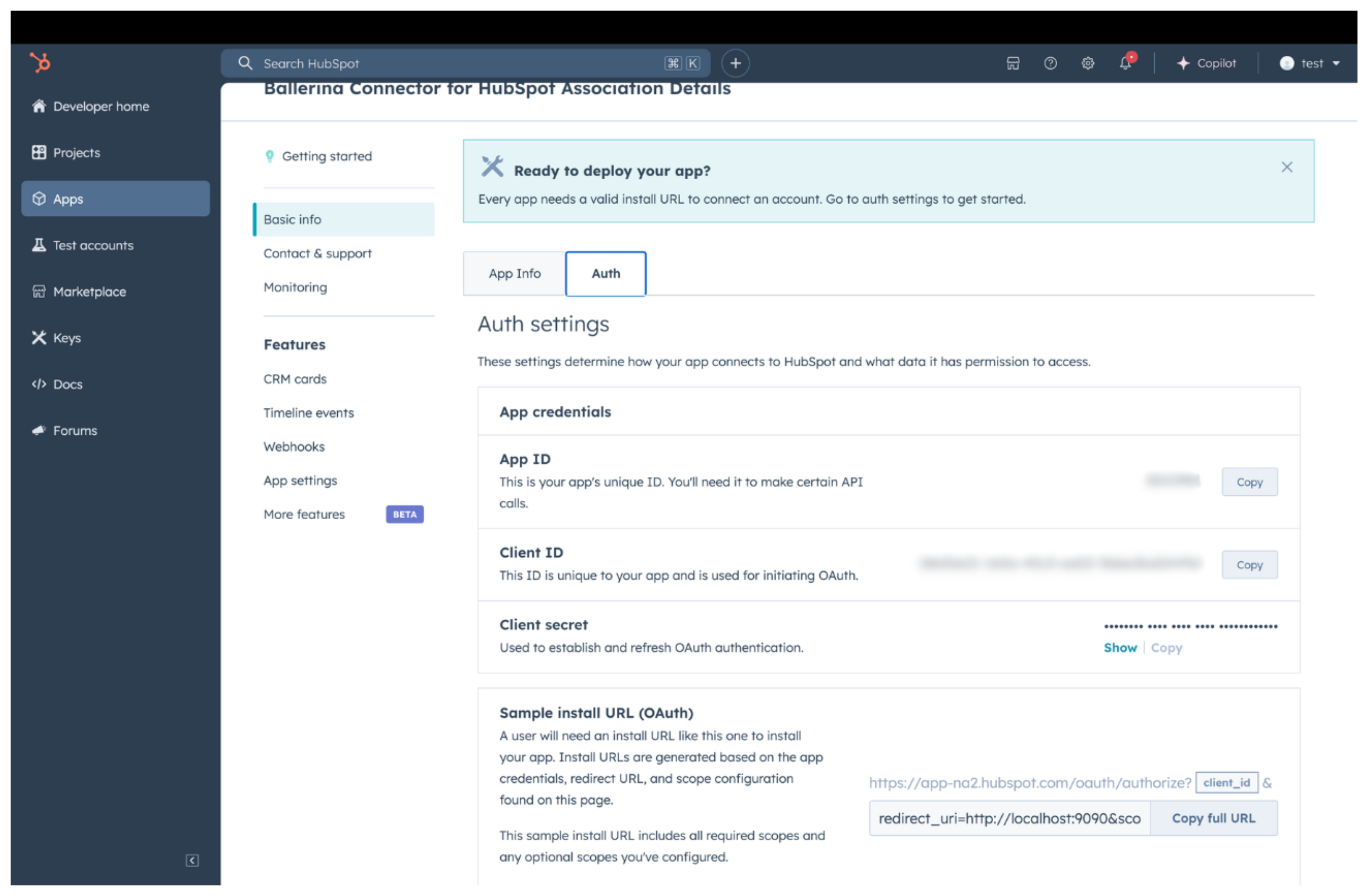
In the Auth tab, copy the Client ID and Client Secret.
Step 6: Get the refresh token
-
Construct the authorization URL:
https://app.hubspot.com/oauth/authorize?client_id=<YOUR_CLIENT_ID>&scope=<YOUR_SCOPES>&redirect_uri=<YOUR_REDIRECT_URI> -
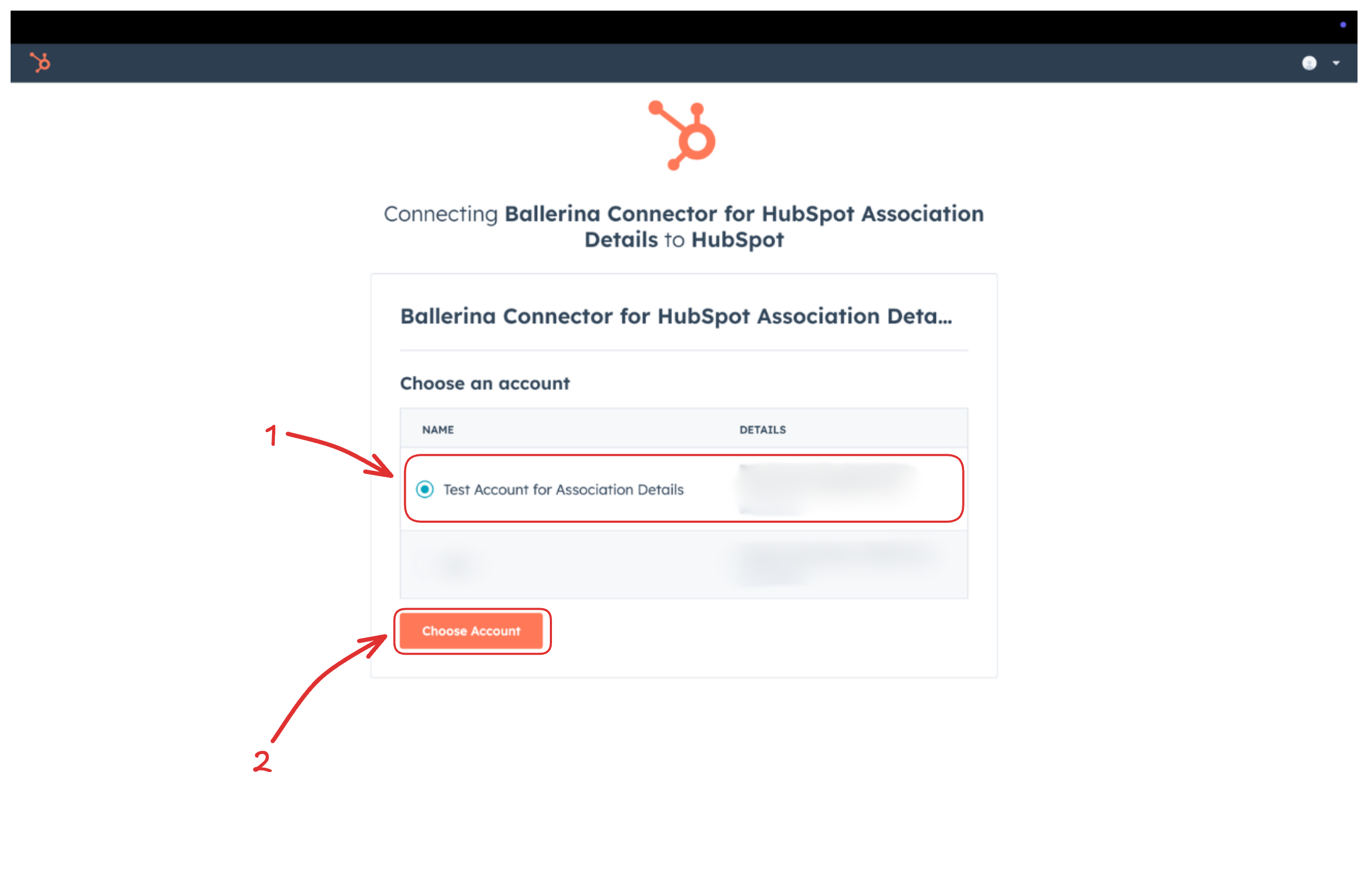
Open the URL in a browser and select your developer test account to install the app.
-
Copy the authorization code from the redirect URL.
-
Exchange the code for tokens:
curl --request POST \
  --url https://api.hubapi.com/oauth/v1/token \
  --header 'content-type: application/x-www-form-urlencoded' \
--data 'grant_type=authorization_code&code=<CODE>&redirect_uri=<YOUR_REDIRECT_URI>&client_id=<YOUR_CLIENT_ID>&client_secret=<YOUR_CLIENT_SECRET>' -
Copy the
refresh_tokenfrom the response.
Store the client ID, client secret, and refresh token securely. Use Ballerina's configurable feature and a Config.toml file to supply them at runtime.