Example
What you'll build
Build a WSO2 Integrator automation that creates a HubSpot CRM deal using the ballerinax/hubspot.crm.obj.deals connector. The integration configures a connection with a private app access token and submits a deal payload to the HubSpot CRM API.
Operations used:
- Create : Creates a new deal record in HubSpot CRM with specified properties such as deal name, amount, stage, pipeline, and close date
Architecture
Prerequisites
- A HubSpot account with a private app access token (bearer token)
Setting up the HubSpot CRM Deals integration
New to WSO2 Integrator? Follow the Create a New Integration guide to set up your integration first, then return here to add the connector.
Adding the HubSpot CRM Deals connector
Step 1: Open the Add Connection panel
Select the + button in the Connections section of the left panel to open the Add Connection dialog.
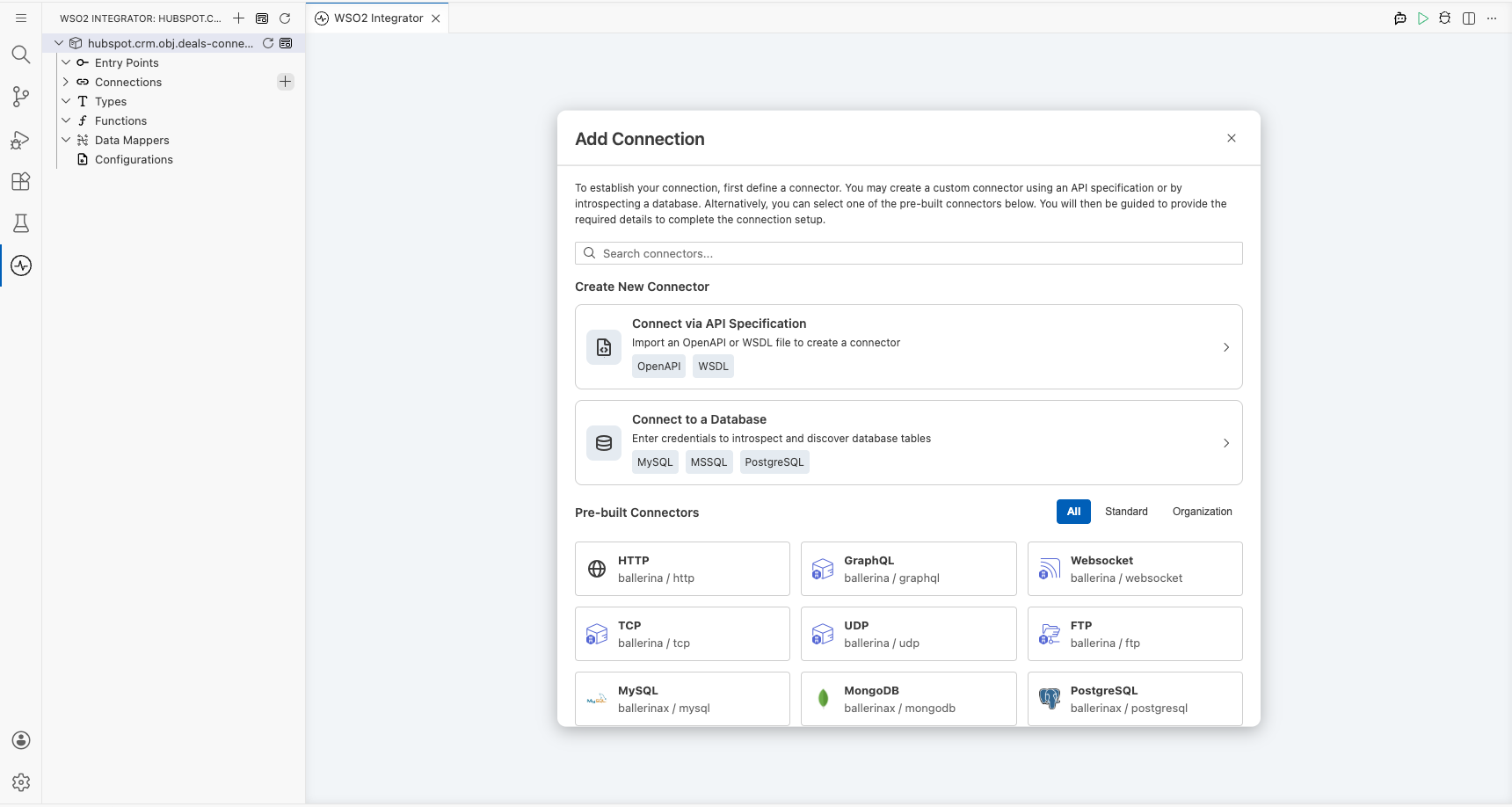
Configuring the HubSpot CRM Deals connection
Step 2: Fill in the connection parameters
Search for hubspot.crm.obj.deals, select the Deals connector card, and bind the connection parameters to configurable variables.
- Config : The connection configuration record containing the bearer token auth expression
{auth: {token: hubspotToken}} - Connection Name : The name used to reference this connection throughout the integration
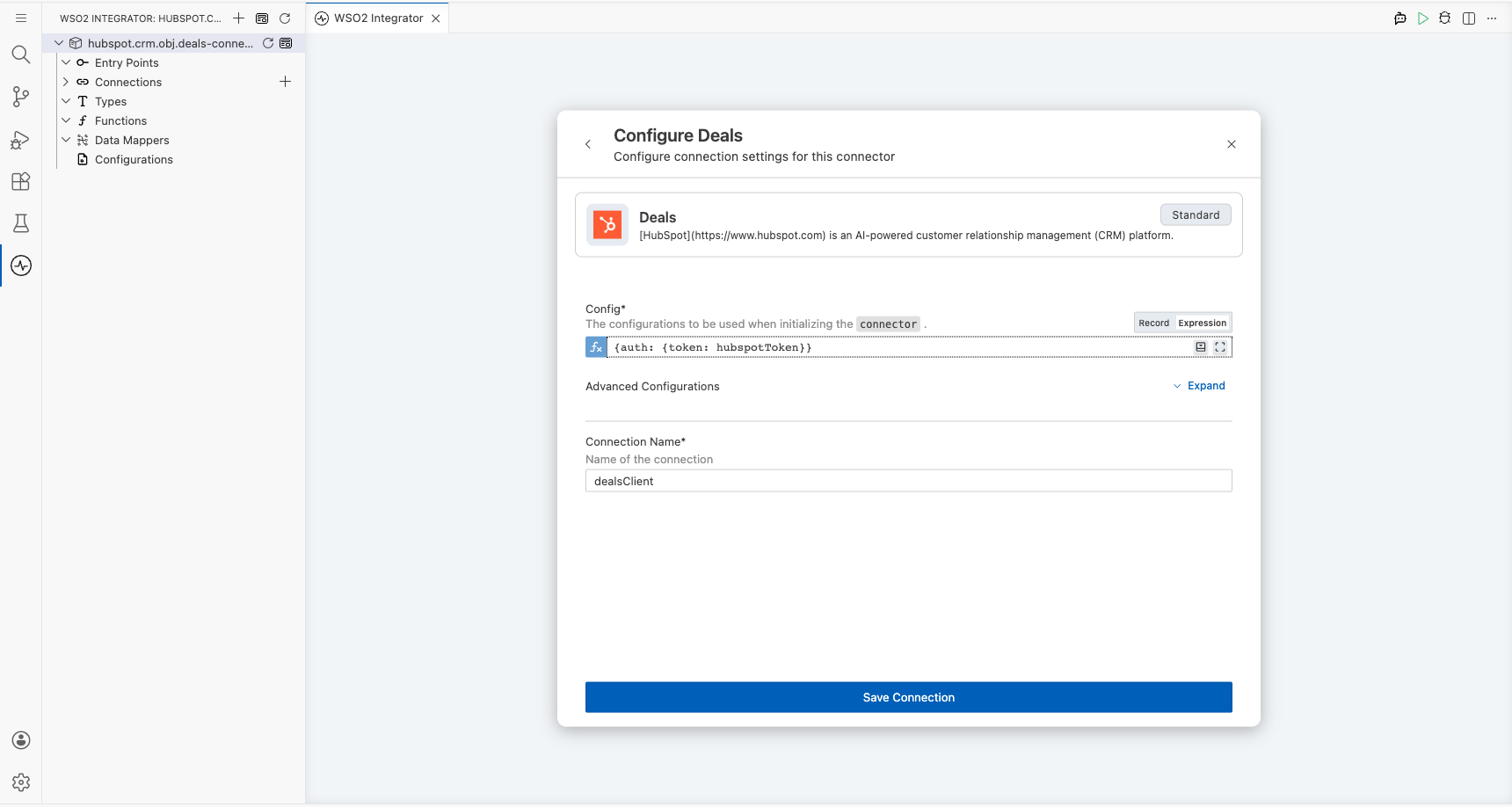
Step 3: Save the connection
Select Save Connection to persist the connection. The dealsClient connection node appears on the canvas and in the Connections panel.
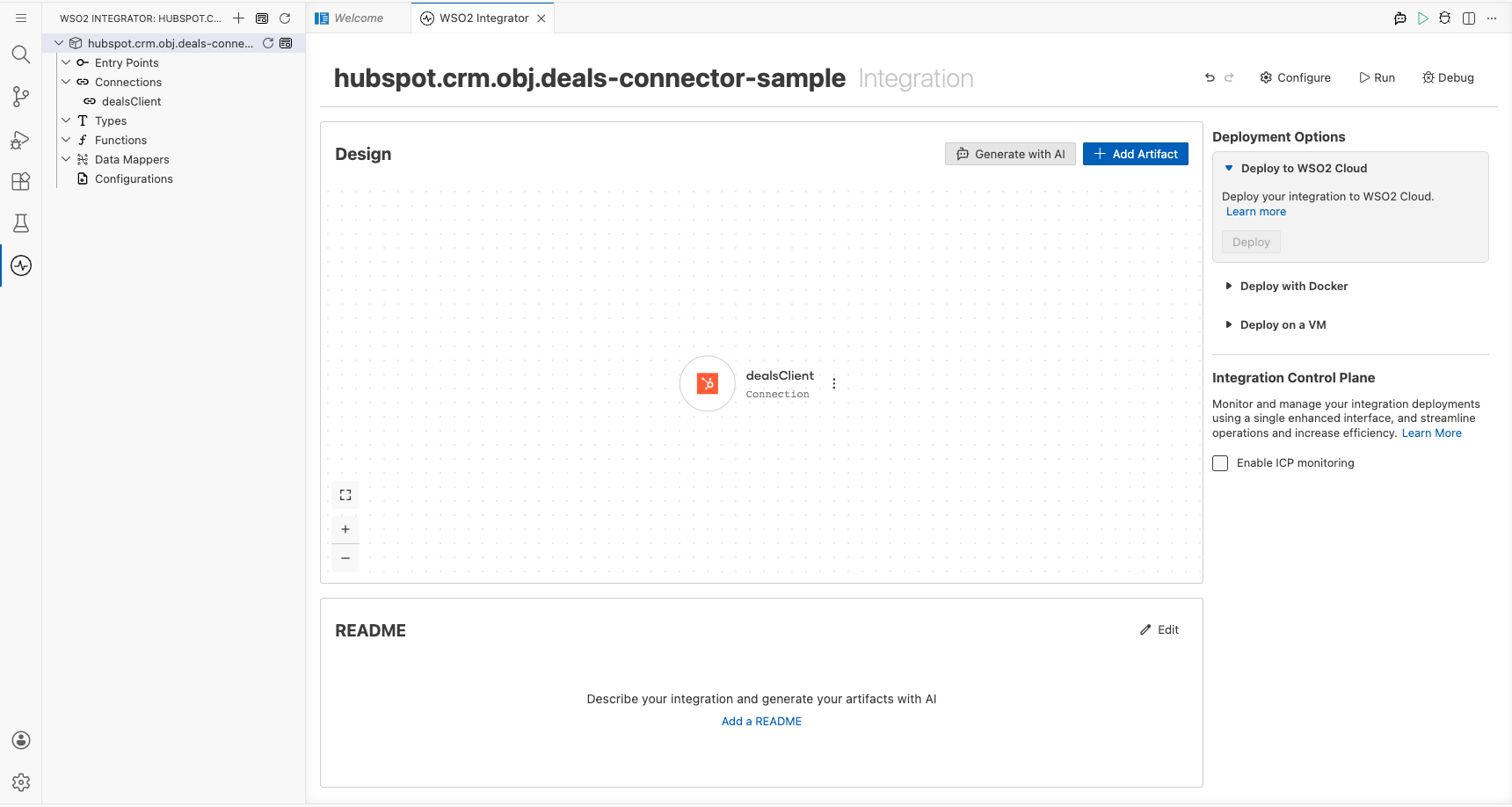
Step 4: Set actual values for your configurables
- In the left panel, select Configurations.
- Set a value for each configurable listed below.
- hubspotToken (string) : Your HubSpot private app access token used to authenticate API requests
Configuring the HubSpot CRM Deals Create operation
Step 5: Add an Automation entry point
- In the left panel, hover over Entry Points and select the + button.
- Under Automation, select the Automation card.
- Select Create to scaffold the
mainautomation and open the flow canvas.
Step 6: Select the Create operation and configure its parameters
- Select the + button between Start and Error Handler on the flow canvas to open the node panel.
- Expand dealsClient in the Connections section to reveal available operations.
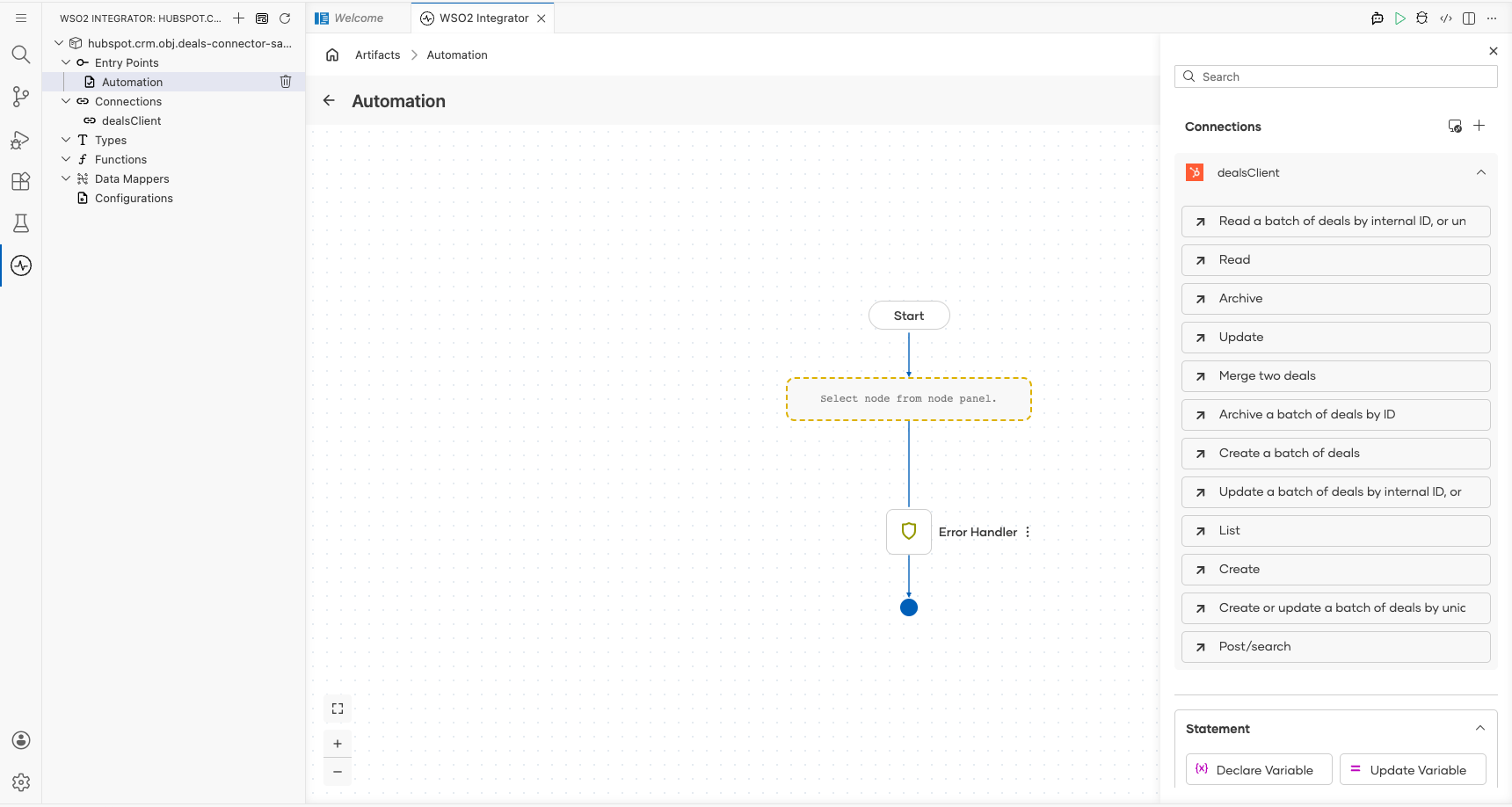
- Select Create from the operations list and fill in the operation fields.
- Payload : The
SimplePublicObjectInputForCreaterecord containing deal properties such asdealname,amount,dealstage,pipeline, andclosedate - Result : The variable name that stores the returned
SimplePublicObjectresponse
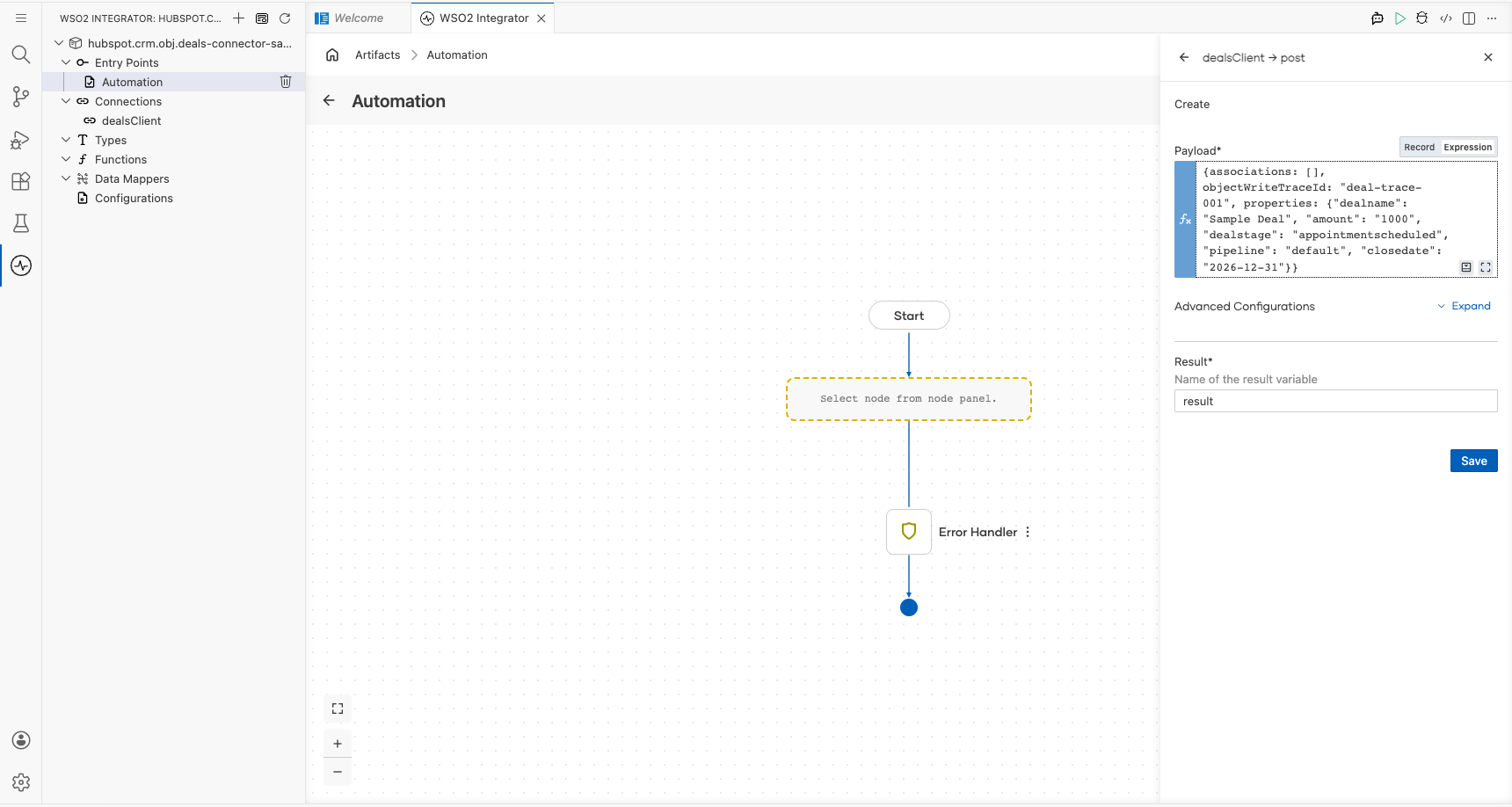
- Select Save to add the step to the flow.
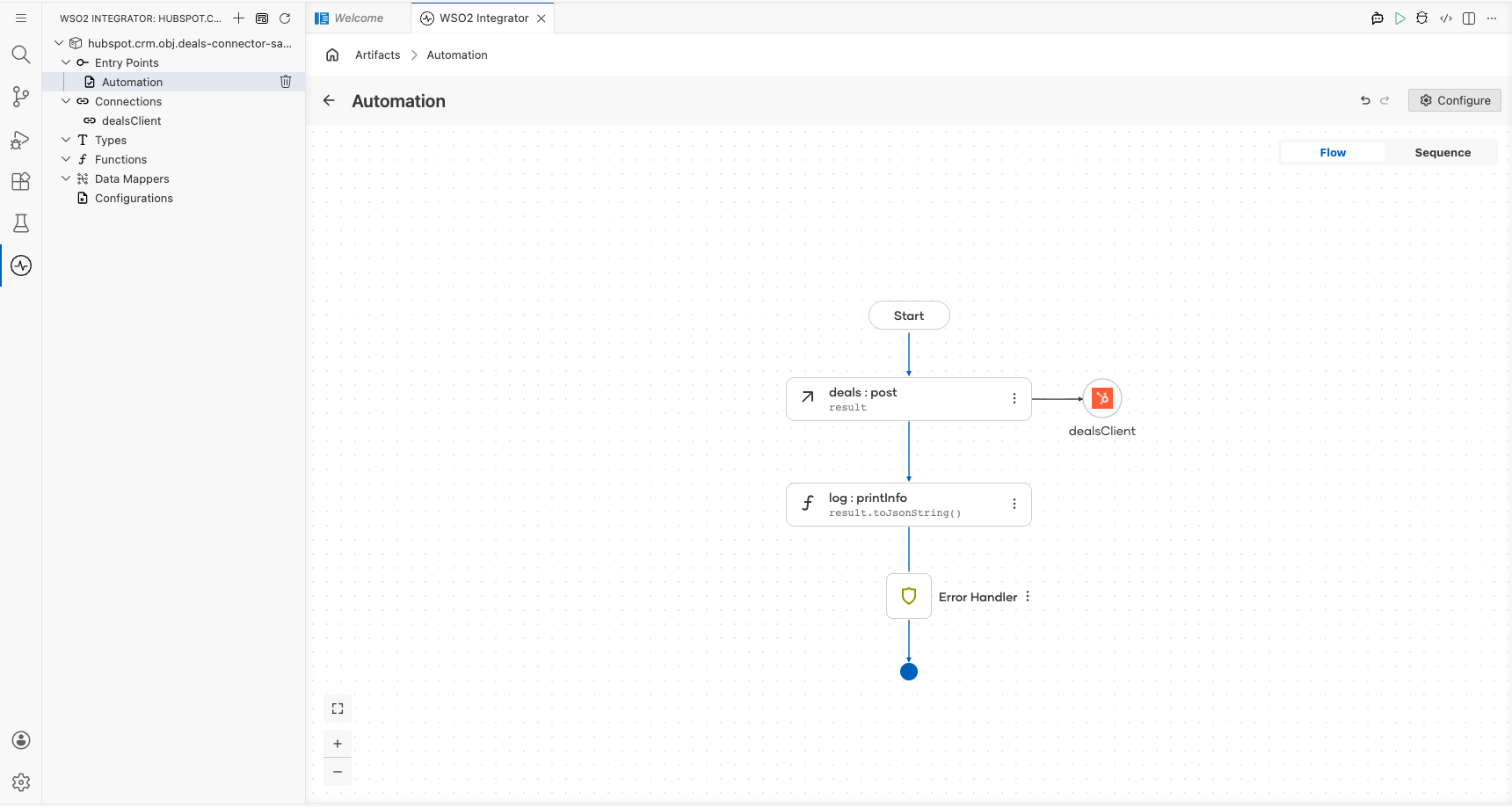
Try it yourself
Try this sample in WSO2 Integration Platform.

More code examples
The ballerinax/hubspot.crm.obj.deals connector provides practical examples illustrating usage in various scenarios.
- Create and Manage Deals - See how the HubSpot API can be used to create deals and manage them through the sales pipeline.
- Count Deals in Stages - See how the HubSpot API can be used to count the number of deals in each stage of the sales pipeline.