Example
What you'll build
Build a WSO2 Integrator automation that uses the HubSpot CRM Line Items connector to create a new line item in HubSpot CRM via the HubSpot API. The integration configures a connection with a Bearer token and invokes the create operation with product details such as name, price, and quantity.
Operations used:
- create : Creates a new line item in HubSpot CRM with the specified properties and associations
Architecture
Prerequisites
- A HubSpot account with API access and a Bearer token
Setting up the HubSpot CRM Line Items integration
New to WSO2 Integrator? Follow the Create a New Integration guide to set up your integration first, then return here to add the connector.
Adding the HubSpot CRM Line Items connector
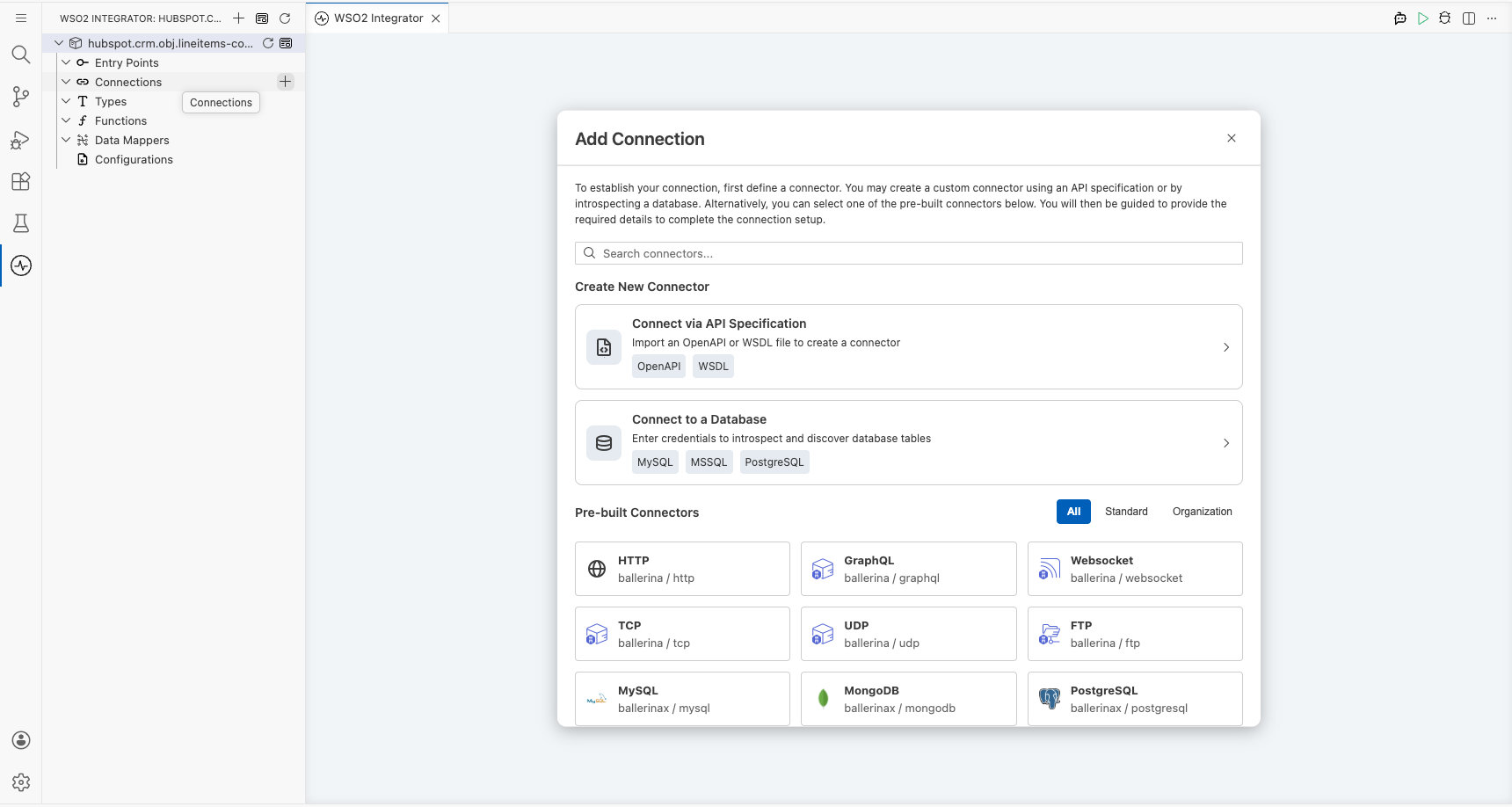
Step 1: Open the Add Connection panel
Select + Add Artifact → Connection on the canvas, or select Add Connection in the WSO2 Integrator sidebar to open the connector palette.
Step 2: Add an Automation entry point
Select + Add Artifact on the canvas and select Automation. In the Create New Automation dialog, select Create. The Automation entry point (main) is now listed under Entry Points in the sidebar.
Configuring the HubSpot CRM Line Items connection
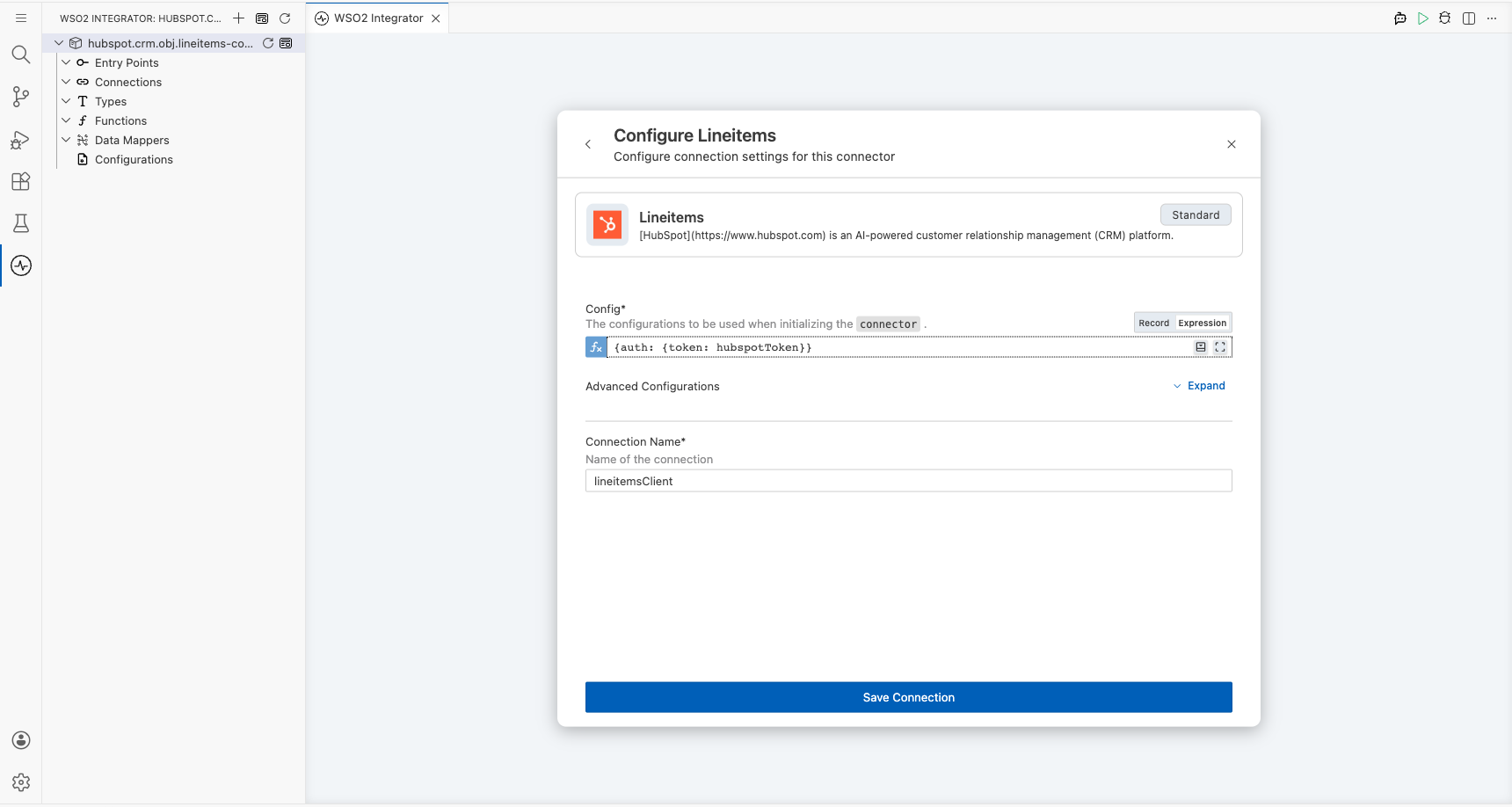
Step 3: Fill in the connection parameters
Enter the connection details by binding each field to a configurable variable. In the Configure Lineitems form, set the following parameters:
- Config : A
ConnectionConfigrecord containing the Bearer token for HubSpot API authentication: bind to a configurable variable (for example,hubspotToken) - Connection Name : A name to identify this connection (for example,
lineitemsClient)
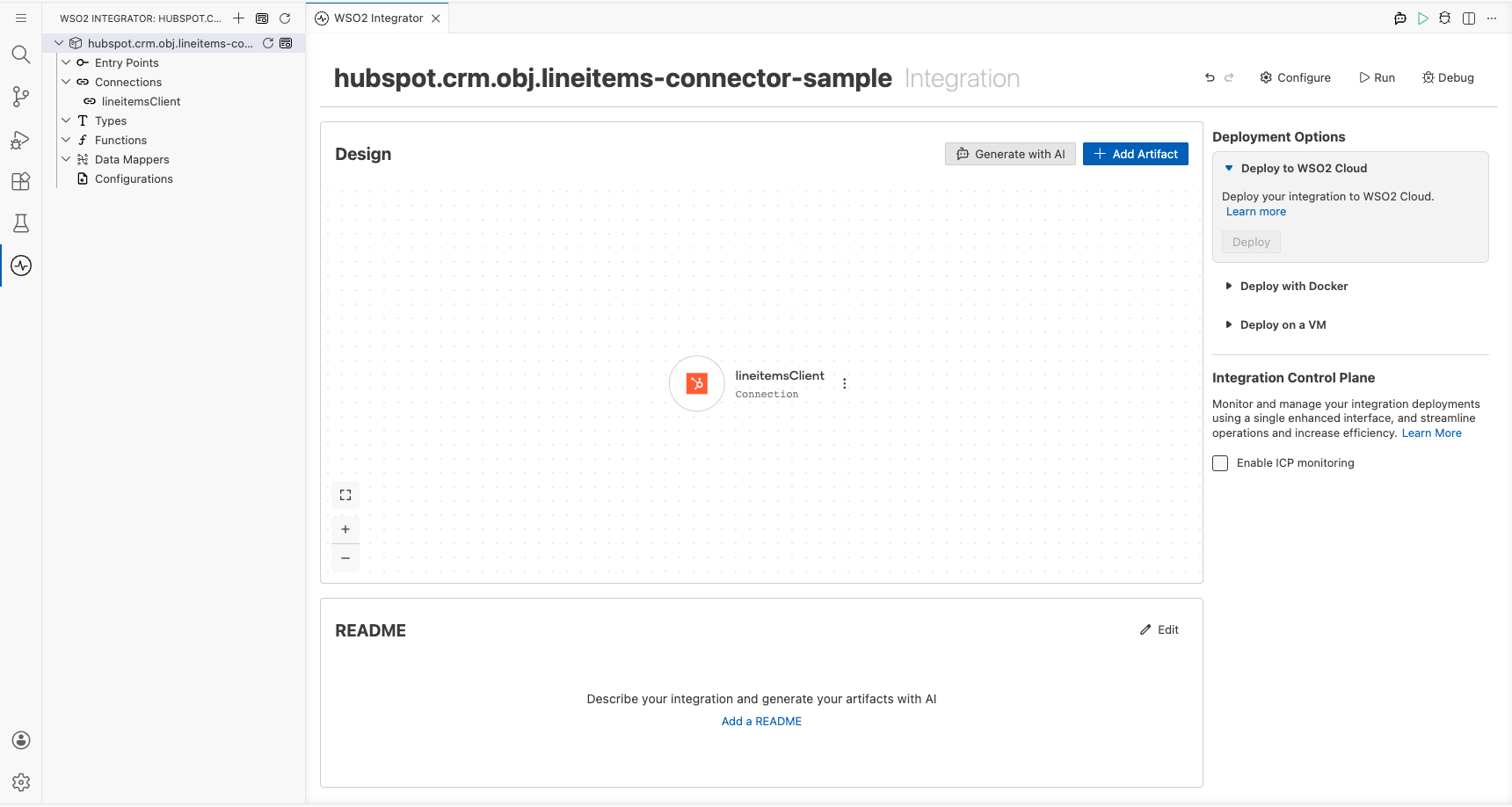
Step 4: Save the connection
Select Save Connection to persist the connection. The canvas updates to show the lineitemsClient connection node.
Step 5: Set actual values for your configurables
- In the left panel, select Configurations.
- Set a value for each configurable listed below.
- hubspotToken (string) : Your HubSpot Bearer token used for API authentication
Configuring the HubSpot CRM Line Items create operation
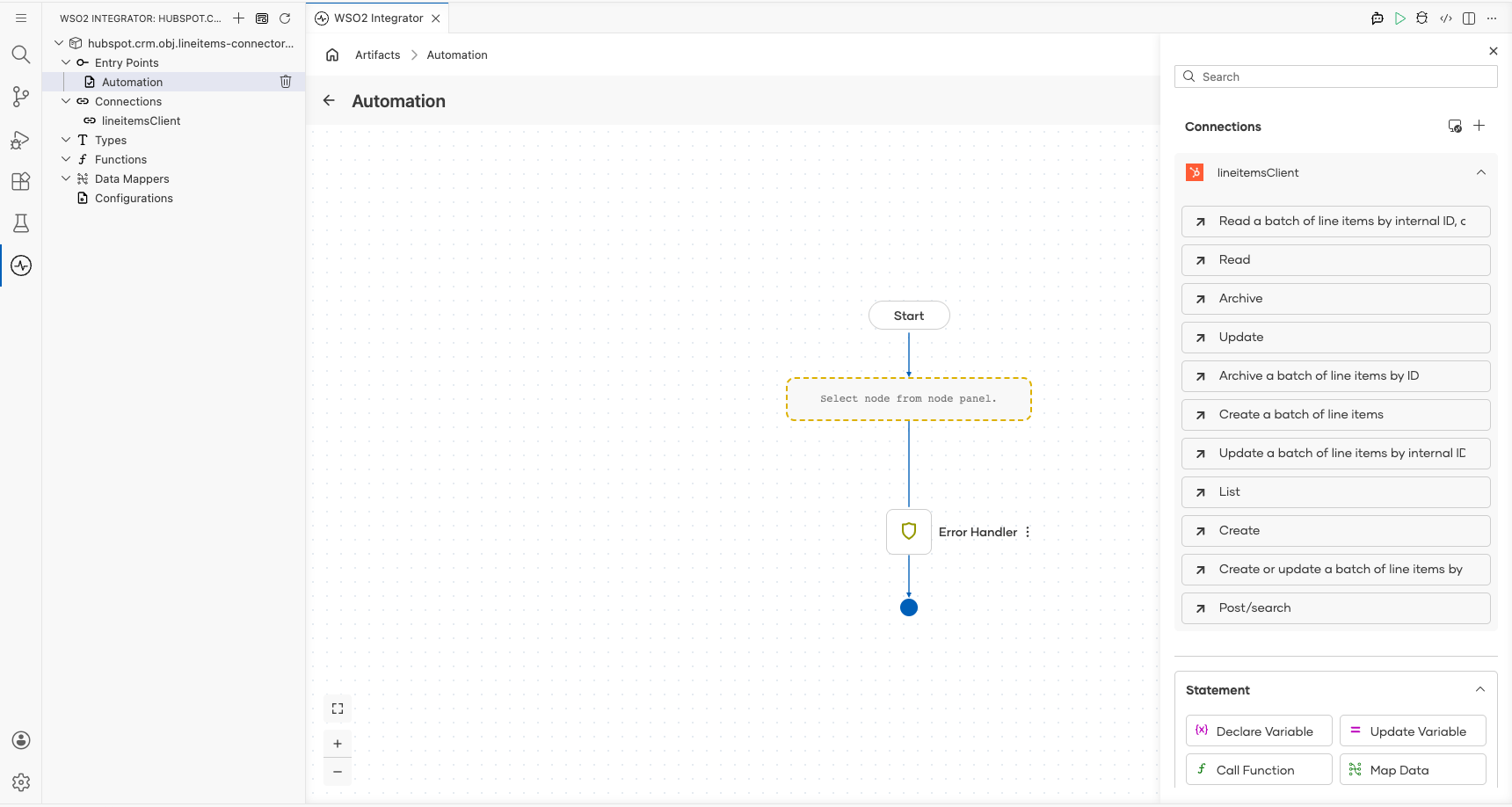
Step 6: Expand the connection node to view available operations
In the Automation flow view, select the + button between the Start and Error Handler nodes to open the node panel. Expand Connections → lineitemsClient to reveal all available operations.
Step 7: Select the create operation and configure its parameters
Select Create to add the create line item operation. In the Create operation form, configure the following parameters:
- Payload : A record containing the line item properties; set
associationsto an empty array andpropertiesto include fields such ashs_product_id,quantity,price, andname - Result : The variable name to store the response (for example,
result)
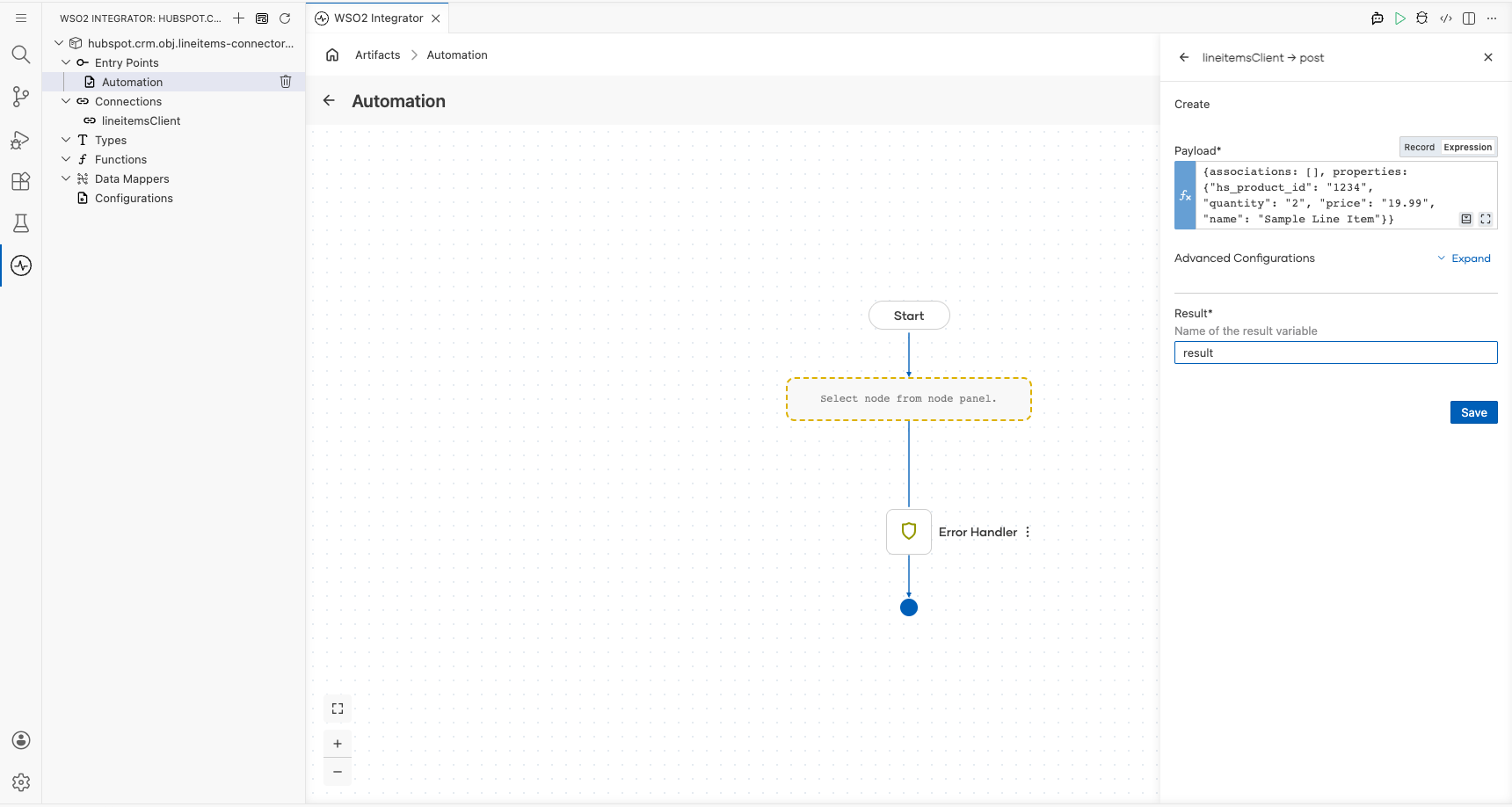
Select Save to apply the configuration.
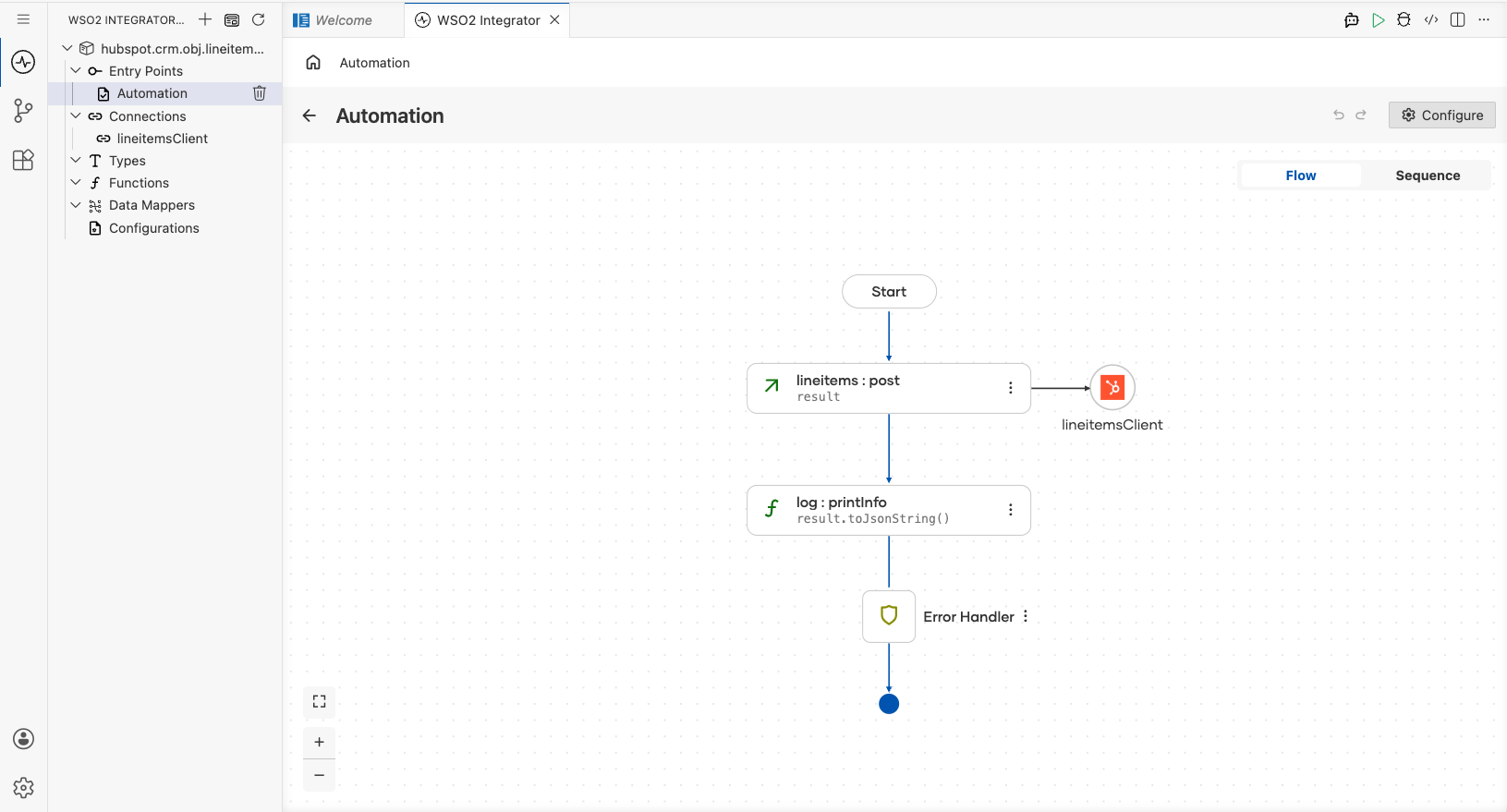
Try it yourself
Try this sample in WSO2 Integration Platform.

More code examples
The Ballerina HubSpot CRM Lineitems Connector connector provides practical examples illustrating usage in various scenarios. Explore these examples, covering the following use cases:
- Customer Order fulfillment - Manage customer orders in a warehouse system
- Inventory management - Manage inventory for an operational deal in an E-commerce platform