Example
What you'll build
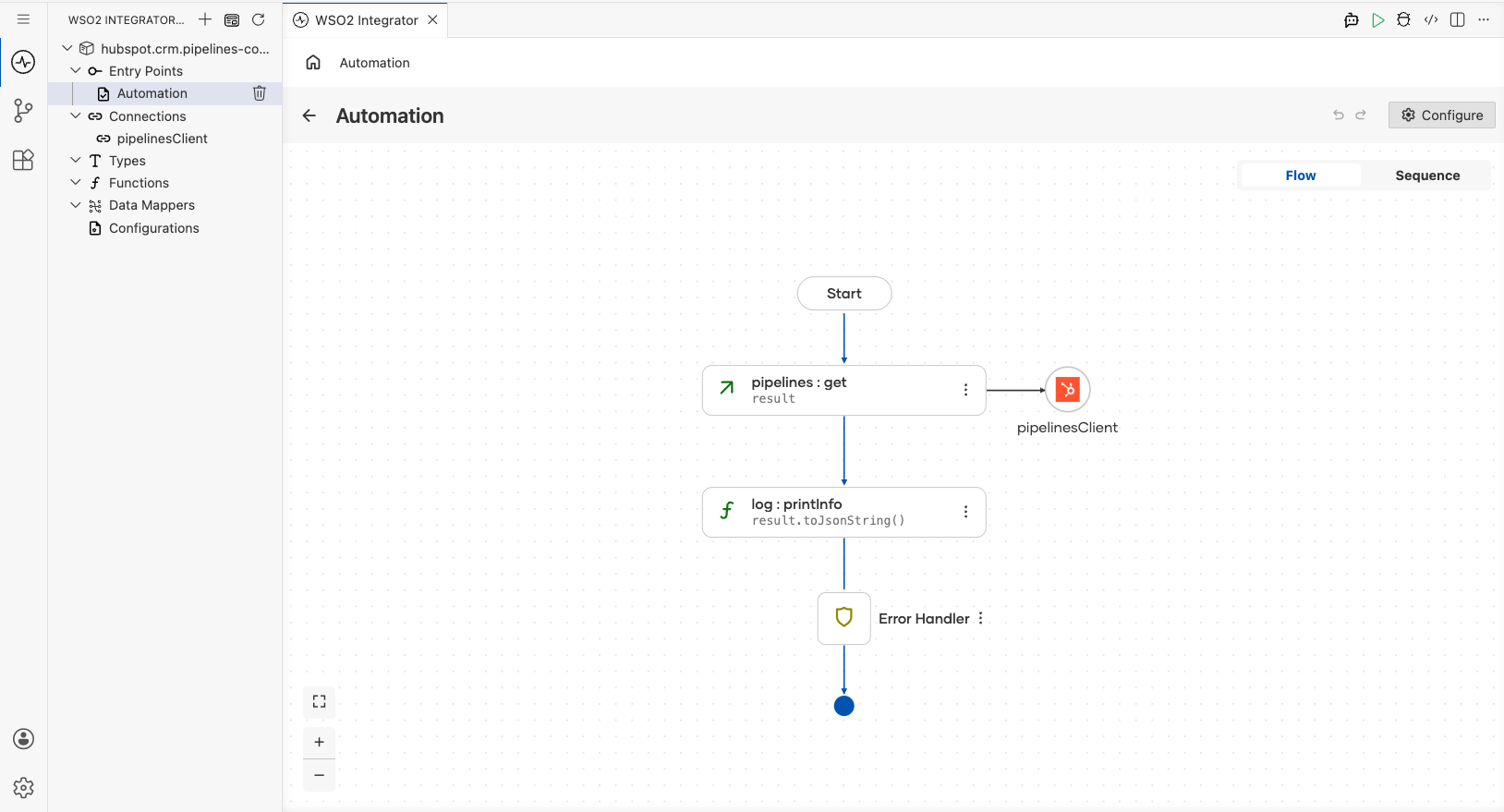
Build a WSO2 Integrator automation that retrieves all HubSpot CRM deal pipelines using the ballerinax/hubspot.crm.pipelines connector. The integration calls the listPipelines operation for a specified object type and logs the full pipeline collection as a JSON string.
Operations used:
- listPipelines : Retrieves all CRM pipelines for a given object type (such as
deals)
Architecture
Prerequisites
- A HubSpot account with a Private App configured and the
crm.schemas.deals.readscope enabled - A HubSpot Private App token to use as the authentication credential
Setting up the HubSpot CRM Pipelines integration
New to WSO2 Integrator? Follow the Create a New Integration guide to set up your integration first, then return here to add the connector.
Adding the HubSpot CRM Pipelines connector
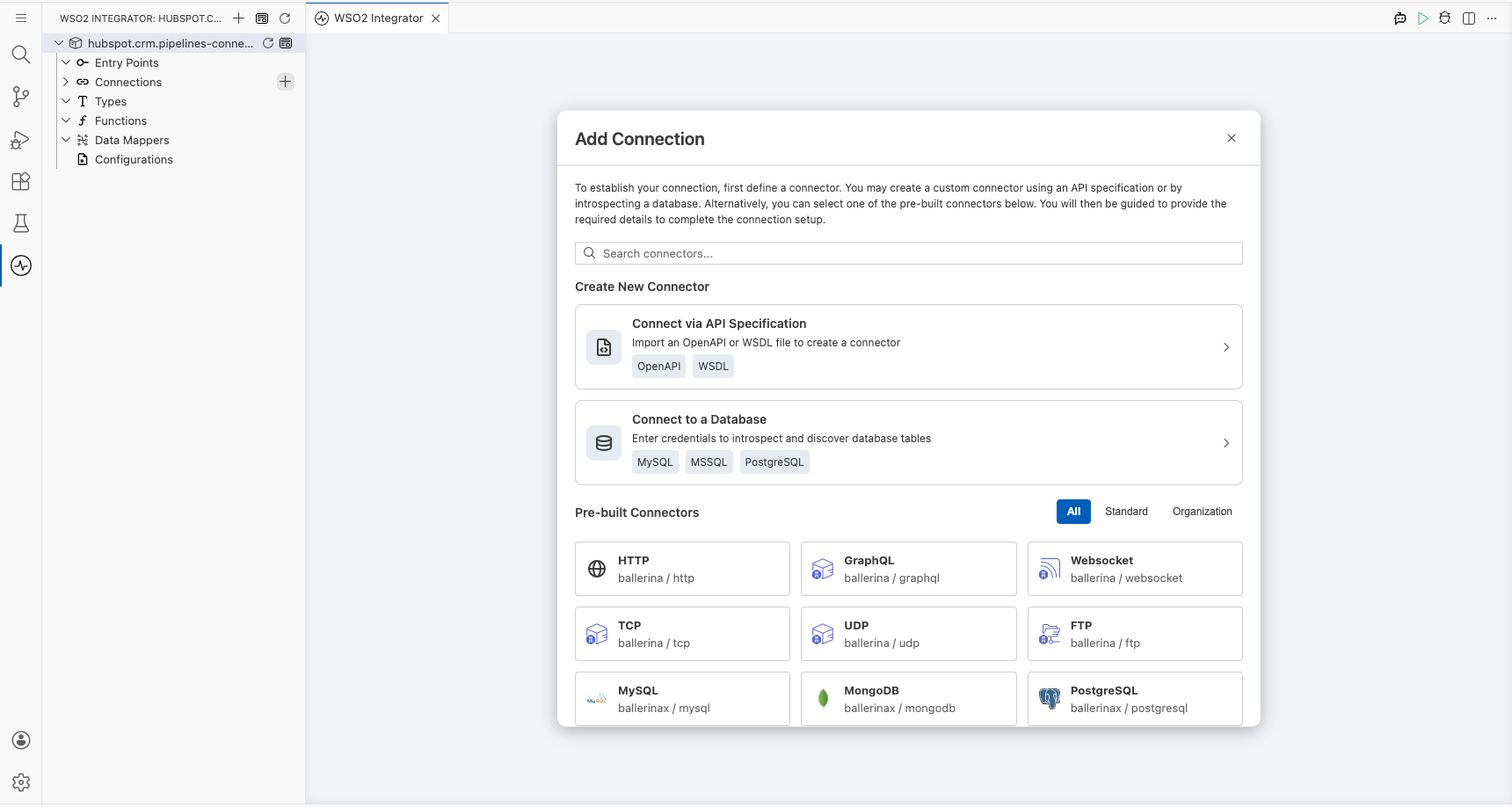
Step 1: Open the connector palette
Select Add Connection (the + next to Connections) in the WSO2 Integrator panel to open the connector palette.
Configuring the HubSpot CRM Pipelines connection
Step 2: Fill in the connection parameters
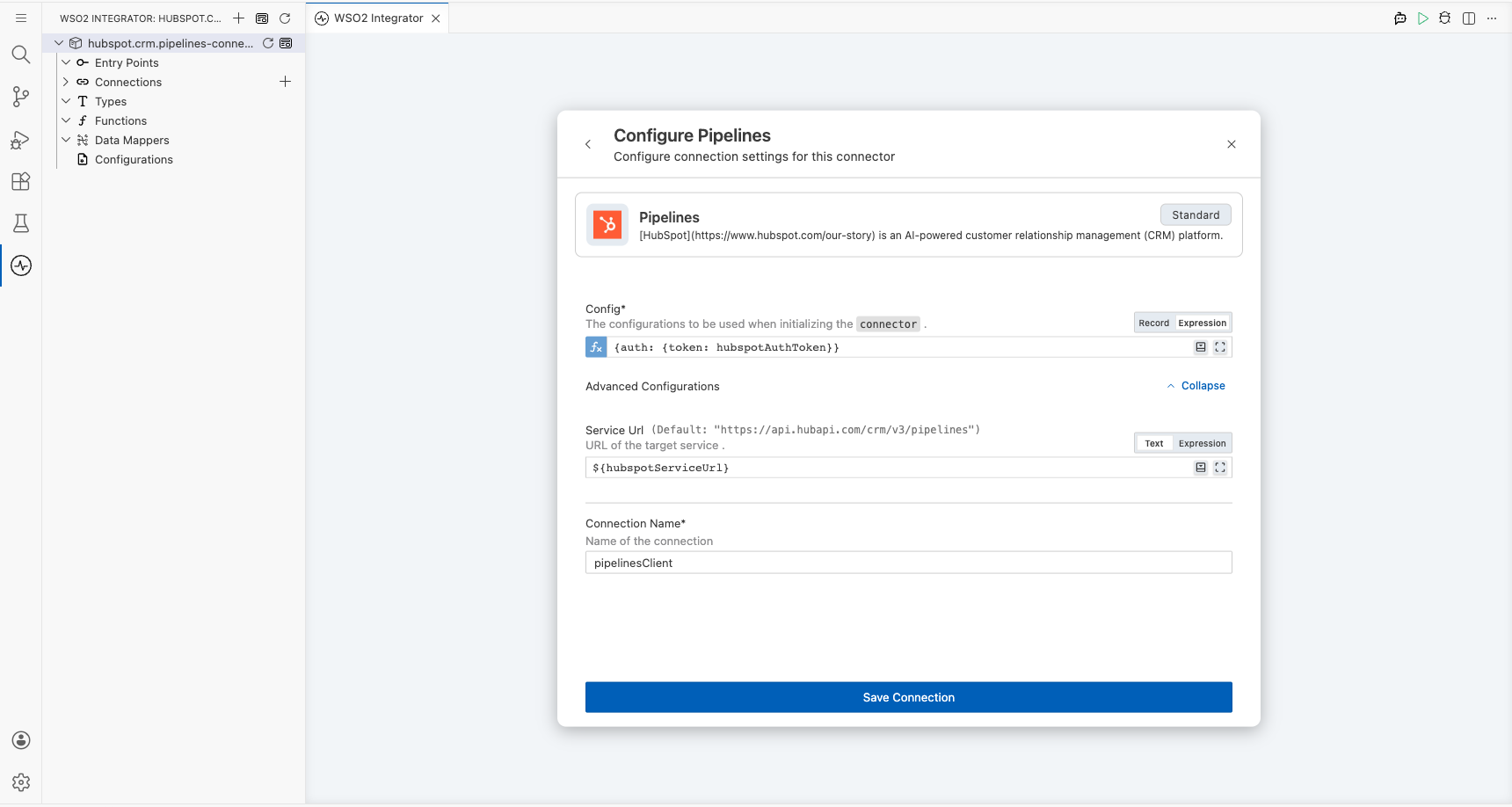
Search for "Pipelines" in the palette, then select the Pipelines connector card (published by HubSpot, Standard tier) to open the Configure Pipelines form. Bind all sensitive values to configurable variables so credentials are never hard-coded.
- Config : Set to expression mode and bind to a new configurable variable
hubspotAuthToken(typestring), injecting the expression{auth: {token: hubspotAuthToken}} - serviceUrl : Expand Advanced Configurations and bind to a new configurable variable
hubspotServiceUrl(typestring) - connectionName : Keep the default value
pipelinesClient
Step 3: Save the connection
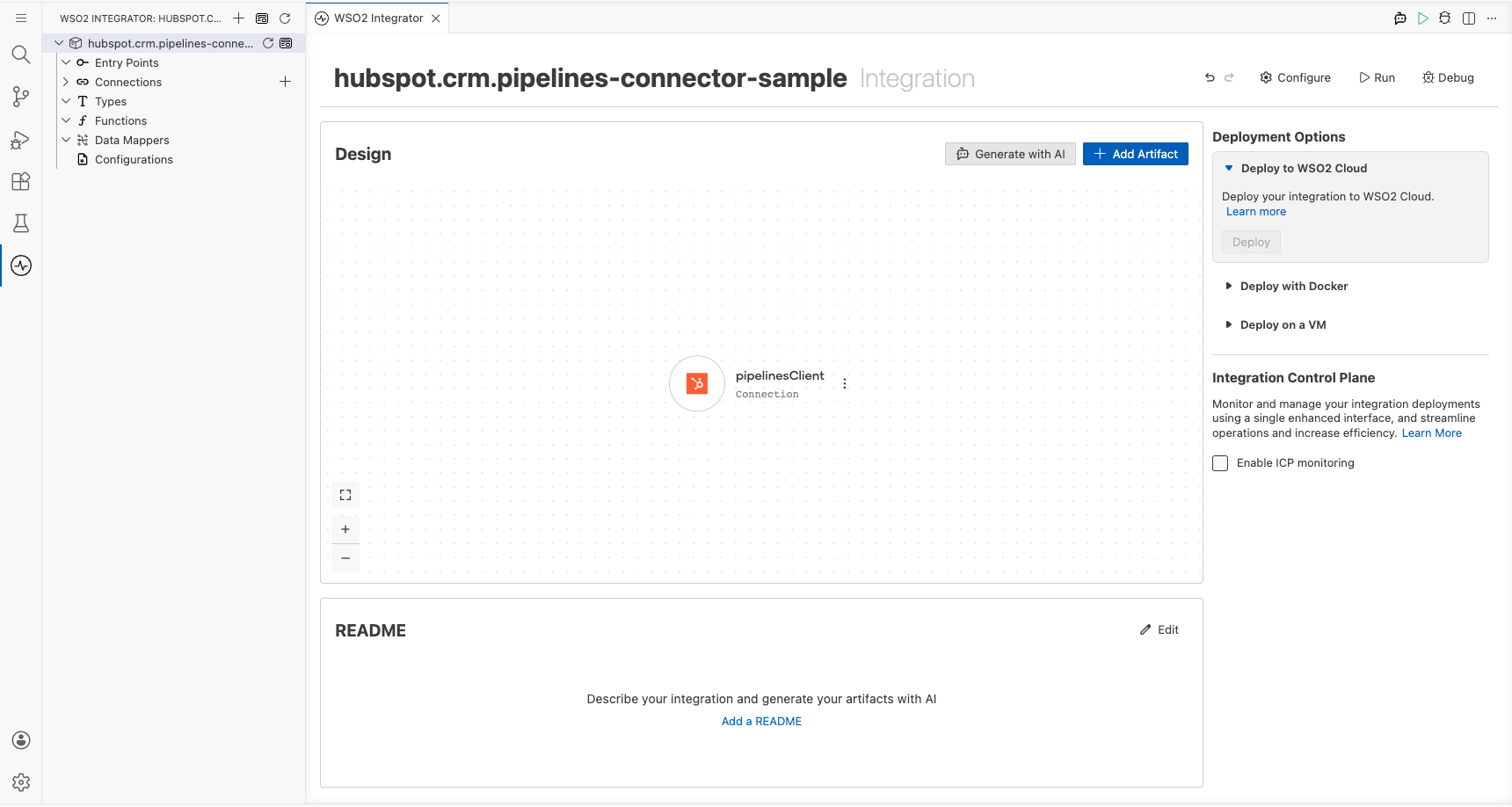
Select Save Connection to persist the connection. The pipelinesClient entry now appears in the Connections panel.
Step 4: Set actual values for your configurables
- In the left panel, select Configurations.
- Set a value for each configurable listed below.
- hubspotAuthToken (string) : Your HubSpot Private App token with CRM read scopes
- hubspotServiceUrl (string) : The HubSpot Pipelines API base URL (for example,
https://api.hubapi.com/crm/v3/pipelines)
Configuring the HubSpot CRM Pipelines listPipelines operation
Step 5: Add an Automation entry point
- On the canvas, select + Add Artifact.
- Select Automation in the Artifacts panel.
- Select Create in the Create New Automation panel.
The main entry point appears under Entry Points and the flow canvas opens showing a Start node and an Error Handler node.
Step 6: Select and configure the listPipelines operation
- Select the + (Add step) button between Start and Error Handler on the flow canvas.
- Select pipelinesClient under Connections in the node panel to expand its available operations.
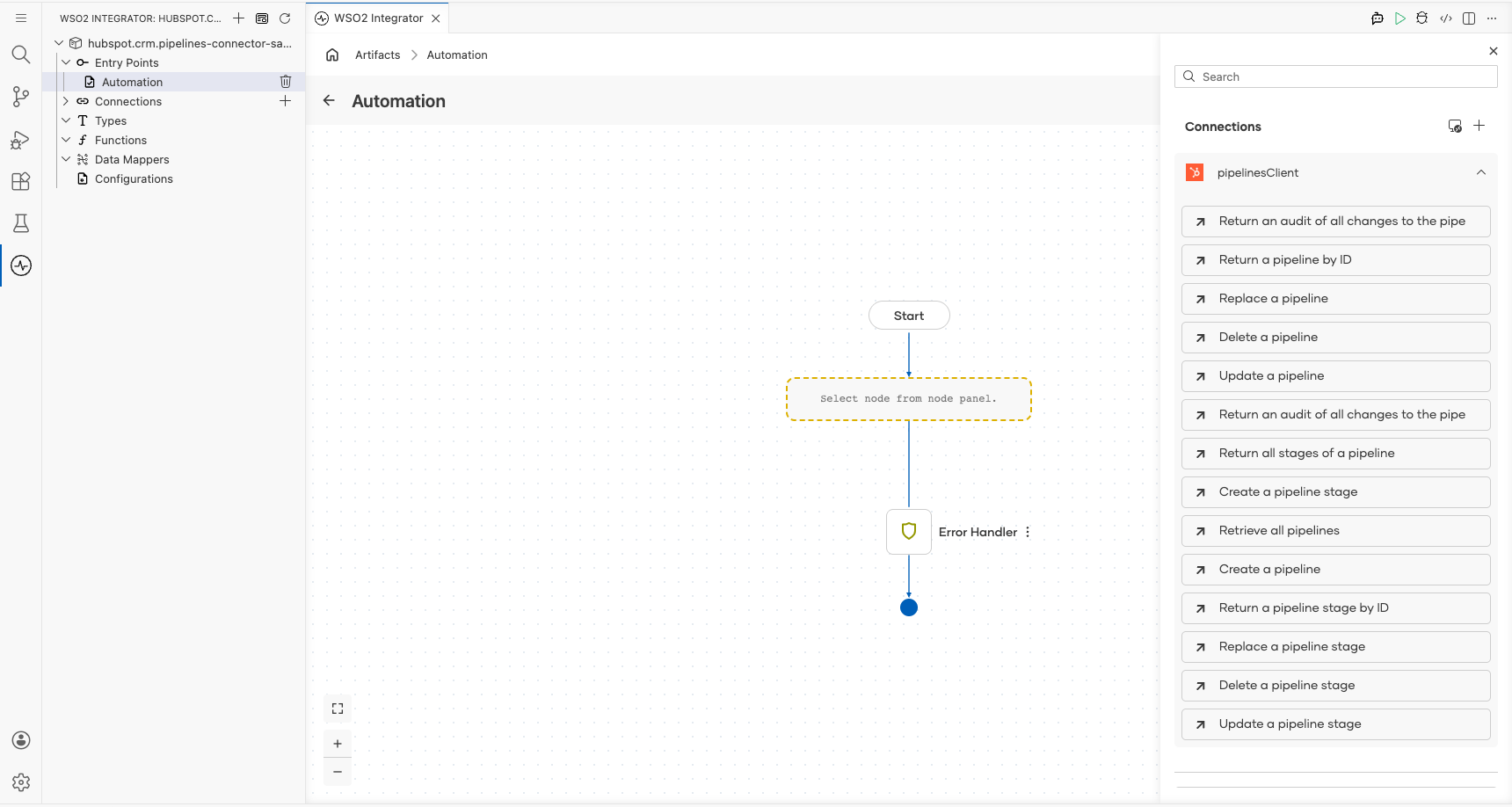
- Select Retrieve all pipelines to open the operation form.
- Fill in the operation parameters:
- objectType : Enter
dealsas the object type to retrieve pipelines for - result : Enter
resultas the output variable name
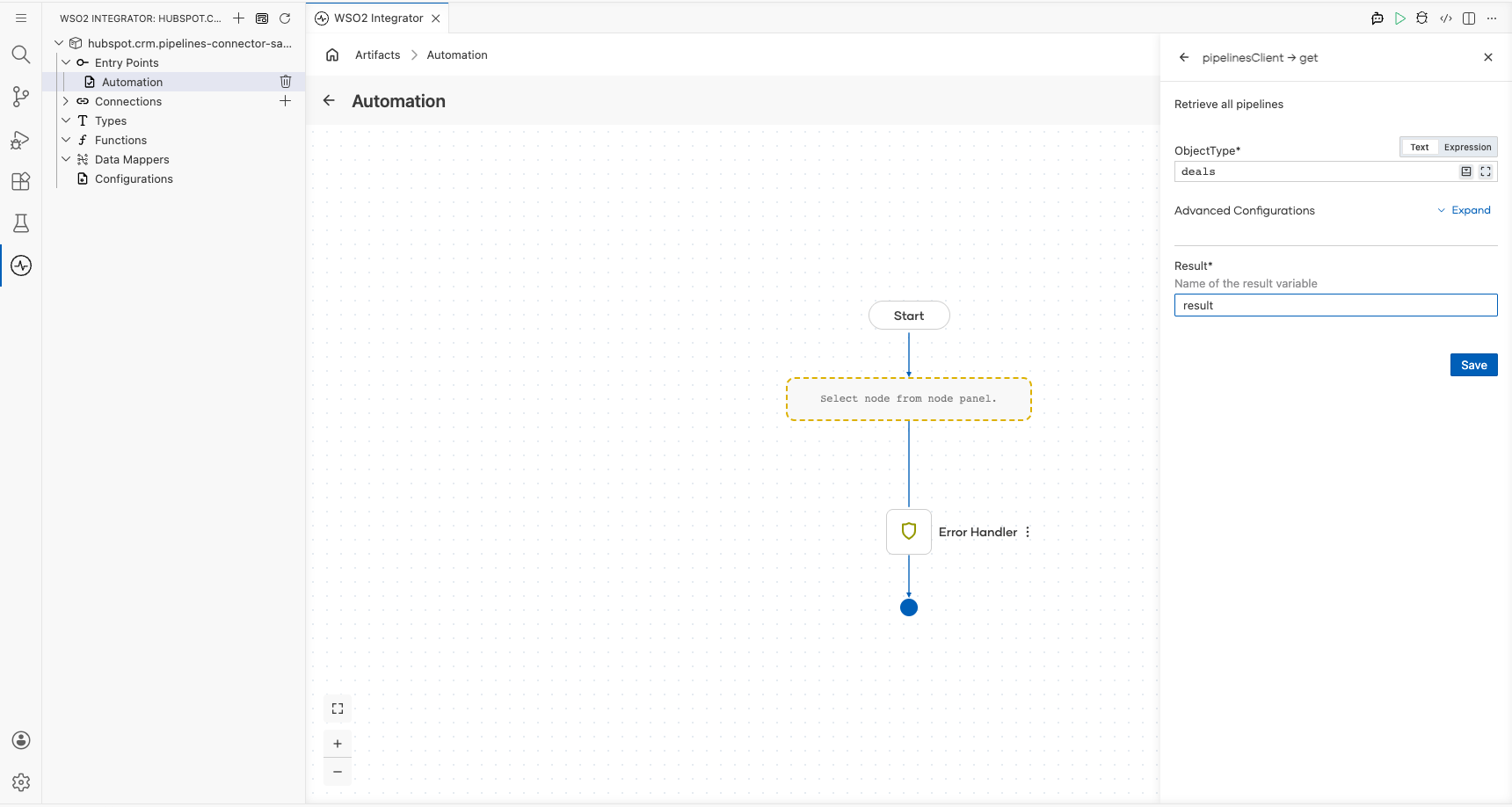
- Select Save.
Try it yourself
Try this sample in WSO2 Integration Platform.

More code examples
The HubSpot CRM Pipelines connector provides practical examples illustrating usage in various scenarios. Explore these examples, covering the following use cases: