Setup Guide
This guide walks you through creating a Salesforce Connected App and obtaining the OAuth 2.0 credentials required to use the Salesforce connector.
Prerequisites
- An active Salesforce account. If you do not have one, sign up for a free Developer Edition.
Step 1: Navigate to App Manager
-
Log in to your Salesforce org.
-
Select the gear icon in the top-right corner and select Setup.
-
In the Quick Find box, type
App Managerand select App Manager.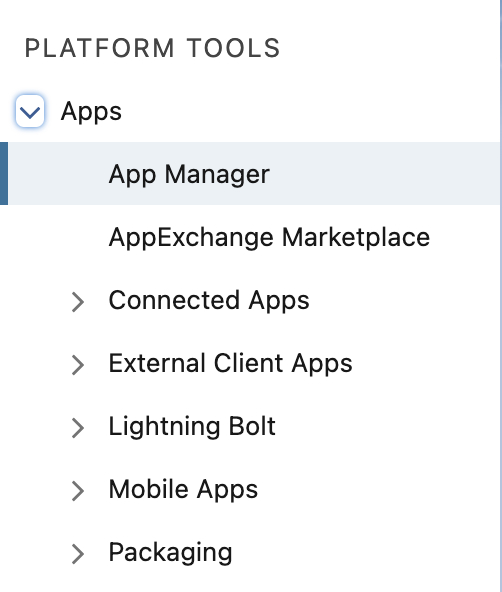
Step 2: Create a connected app
-
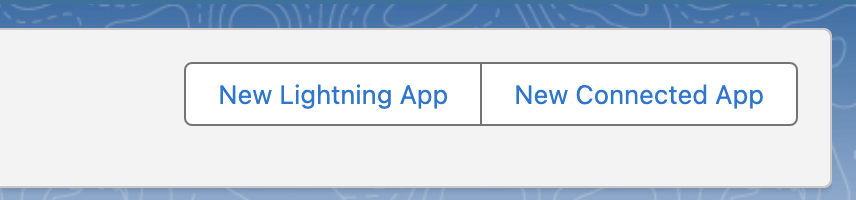
Select New Connected App in the top-right corner.
-
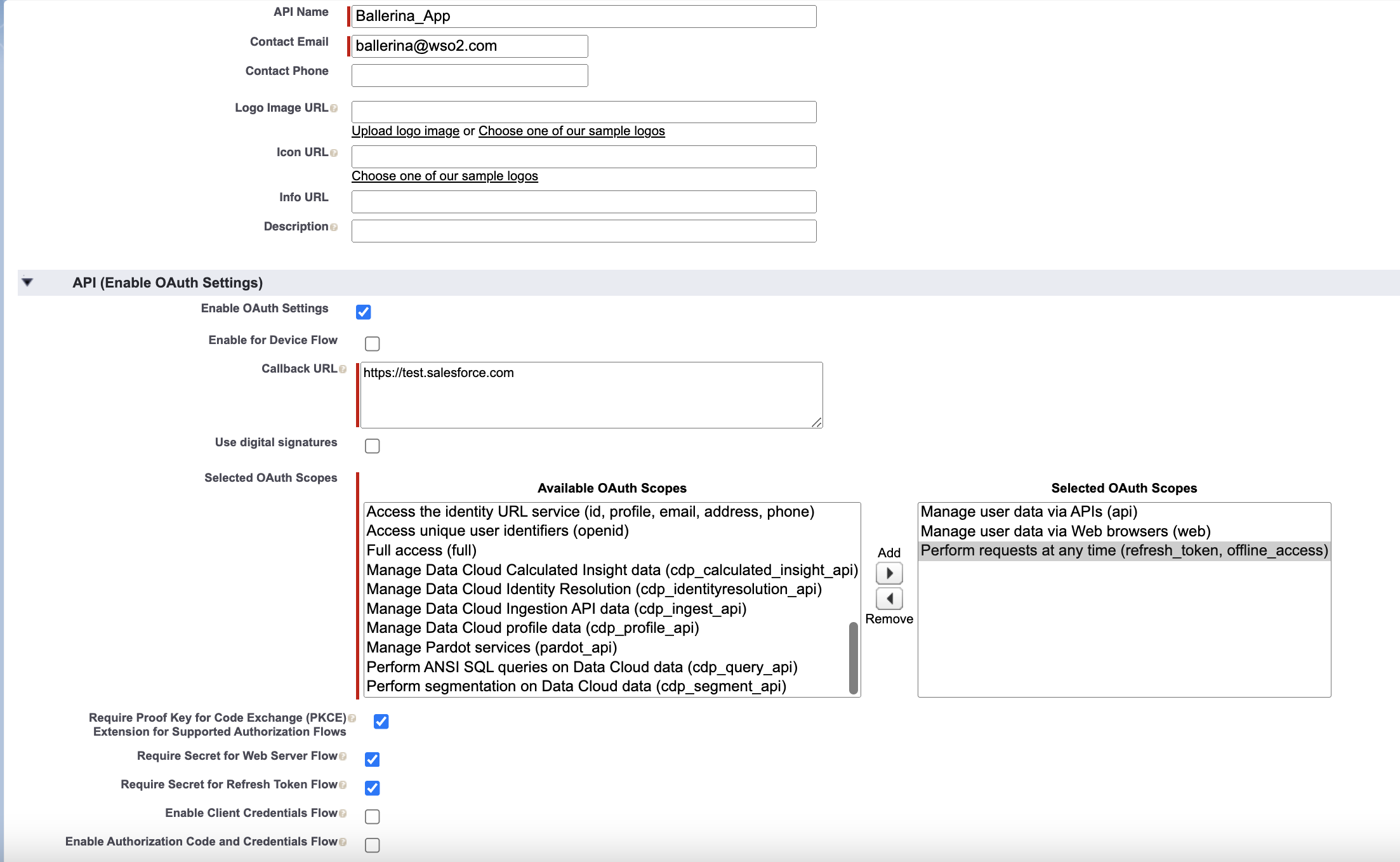
Fill in the required fields under Basic Information:
- Connected App Name: Enter a name (for example,
Ballerina Salesforce Connector). - API Name: Auto-populated from the name.
- Contact Email: Enter your email address.
- Connected App Name: Enter a name (for example,
Step 3: Enable OAuth settings
- Under API (Enable OAuth Settings), check Enable OAuth Settings.
- Set the Callback URL to
https://login.salesforce.com/services/oauth2/success(or your own redirect URI). - Under Selected OAuth Scopes, add:
- Manage user data via APIs (api)
- Perform requests at any time (refresh_token, offline_access)
- Select Save, then Continue.
It may take 2–10 minutes for the Connected App to become active after saving.
Step 4: Get the consumer key and consumer secret
-
After saving, select Manage Consumer Details (you may need to verify your identity).
-
Copy the Consumer Key — this is your
clientId. -
Copy the Consumer Secret — this is your
clientSecret.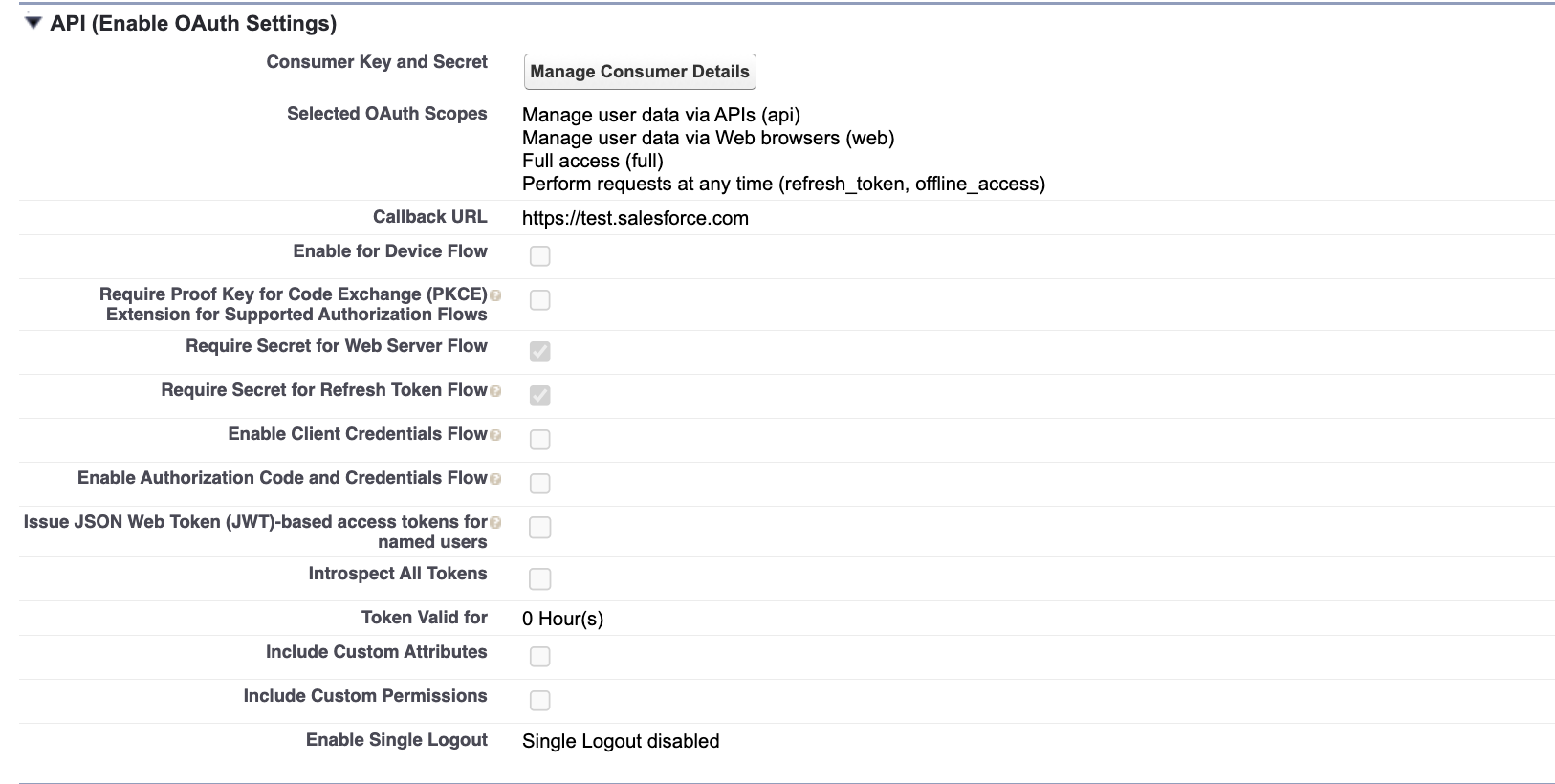
Store the Consumer Key and Consumer Secret securely. Use Ballerina's configurable feature and a Config.toml file to supply them at runtime.
Step 5: Generate a refresh token
-
Construct the authorization URL, replacing
<YOUR_CLIENT_ID>and<YOUR_CALLBACK_URL>:https://login.salesforce.com/services/oauth2/authorize?response_type=code&client_id=<YOUR_CLIENT_ID>&redirect_uri=<YOUR_CALLBACK_URL>&scope=api%20refresh_token%20offline_access -
Open the URL in a browser and log in with your Salesforce credentials.
-
Authorize the Connected App when prompted.
-
After authorization, Salesforce redirects to your callback URL with a
codequery parameter. Copy thecodevalue. -
Exchange the code for tokens:
curl -X POST "https://login.salesforce.com/services/oauth2/token" \
  -d "grant_type=authorization_code" \
  -d "code=<AUTHORIZATION_CODE>" \
  -d "client_id=<YOUR_CLIENT_ID>" \
  -d "client_secret=<YOUR_CLIENT_SECRET>" \
-d "redirect_uri=<YOUR_CALLBACK_URL>" -
Copy the
refresh_tokenfrom the response.
Step 6: Note your instance base URL
The baseUrl is the Salesforce instance URL for your org:
https://your-instance.salesforce.com
You can find it in the token exchange response as instance_url, or in Setup under My Domain.
What's next
- Action Reference: Available operations
- Trigger Reference: Event-driven integration