Example
What you'll build
Build an automation that runs a SQL query against an Amazon Redshift database through the Redshift Data API. The integration binds the AWS credentials, region, and database access settings to configurable variables, then submits a read-only query and logs the returned statement ID. Because the Redshift Data API is asynchronous, the operation returns a statement ID that you can use to track the query and retrieve its results.
Operations used:
- Execute : Runs a SQL statement, which can be data manipulation language (DML) or data definition language (DDL), and returns the submitted statement ID
Architecture
Prerequisites
- An active AWS account. If you don't have one, sign up for a free AWS account.
- A provisioned Amazon Redshift cluster with a database you can query. To create one, follow the Amazon Redshift getting started guide.
- An IAM user with an access key. Attach the
AmazonRedshiftDataFullAccessmanaged policy, or scope a custom policy to theredshift-dataactions you call. - Permission for the IAM user to obtain a database credential. A cluster that authenticates with a database user needs
redshift:GetClusterCredentials, and one that authenticates through a secret needssecretsmanager:GetSecretValue.
Setting up the AWS Redshift Data integration
New to WSO2 Integrator? Follow the Create a New Integration guide to set up your integration first, then return here to add the connector.
Adding the AWS Redshift Data connector
Step 1: Open the connector palette
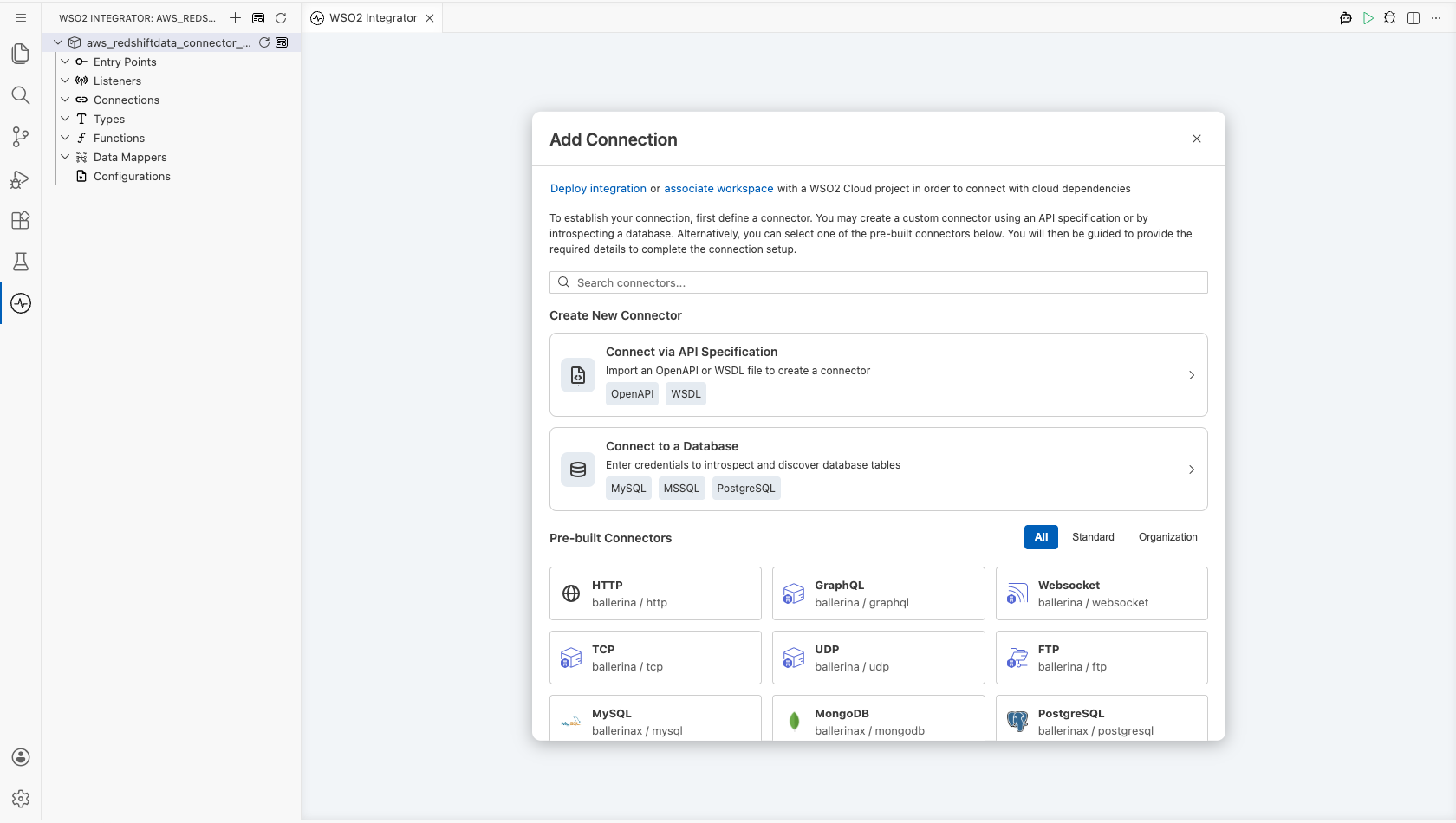
Select Add Connection in the Connections section.
Step 2: Select the AWS Redshift Data connector
- Enter
aws.redshiftdatain the search field. - Select the Redshiftdata connector card.
Configuring the AWS Redshift Data connection
Step 3: Bind the connection parameters to configurable variables
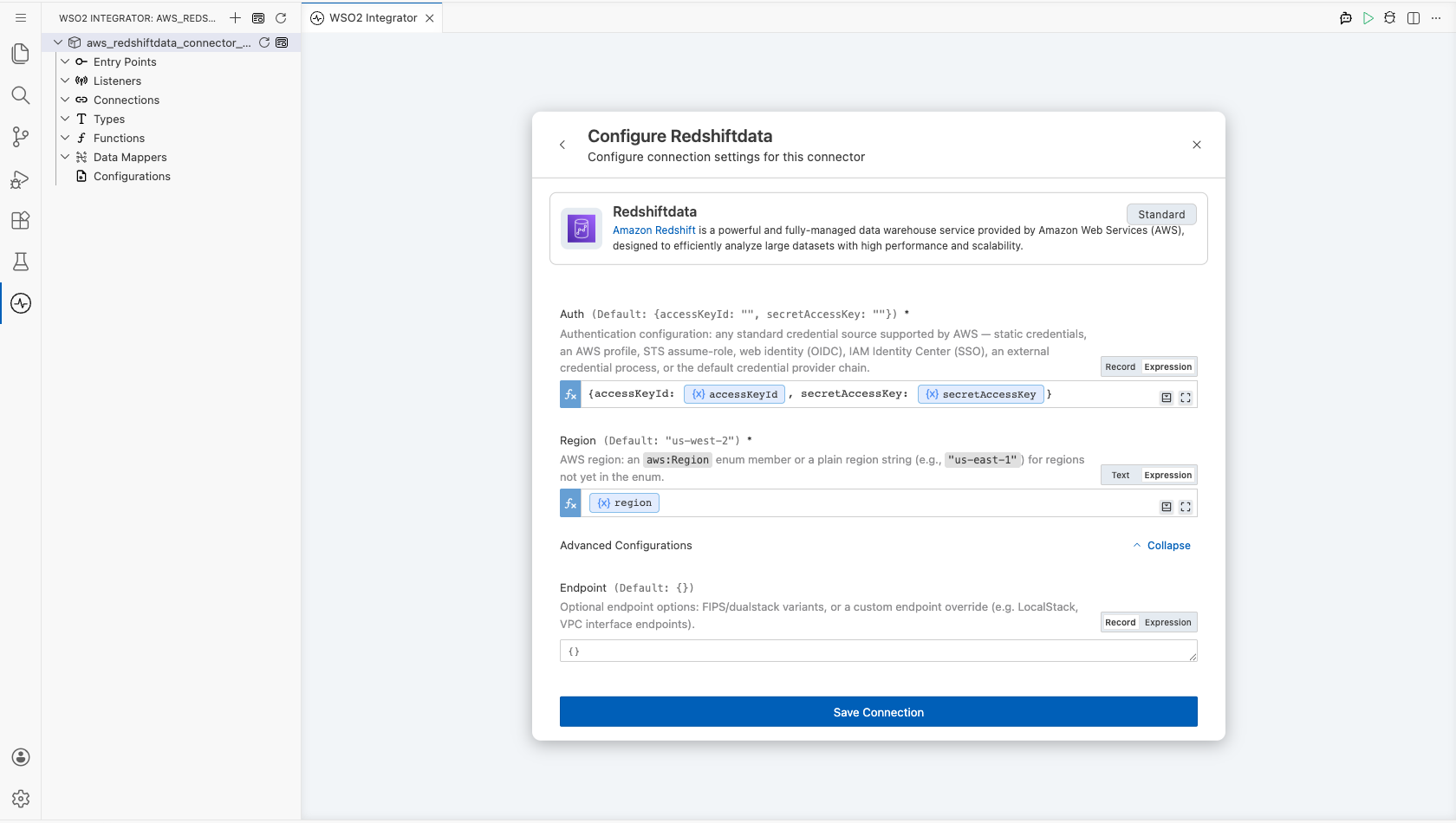
Bind each connection field to a configurable variable so that no credential or environment value is stored in the integration. Keep the default static credentials variant for Auth, and switch the record fields to Expression mode to reference the configurable variables you create.
- Auth : Authentication settings for AWS. The default variant takes a static access key ID and secret access key
- Region : The AWS region that hosts your Redshift cluster
- Db Access Config : The cluster identifier and database name that the Redshift Data API runs statements against
Leave Endpoint at its default empty value unless you target a FIPS, dualstack, or custom endpoint.
Note: This example targets a provisioned cluster. The connector also supports serverless workgroups: select the
WorkGroupvariant for Db Access Config, which takes the workgroupnameanddatabasein place of the clusteridanddatabase. A workgroup needsredshift-serverless:GetCredentialsinstead ofredshift:GetClusterCredentials.
Step 4: Save the connection
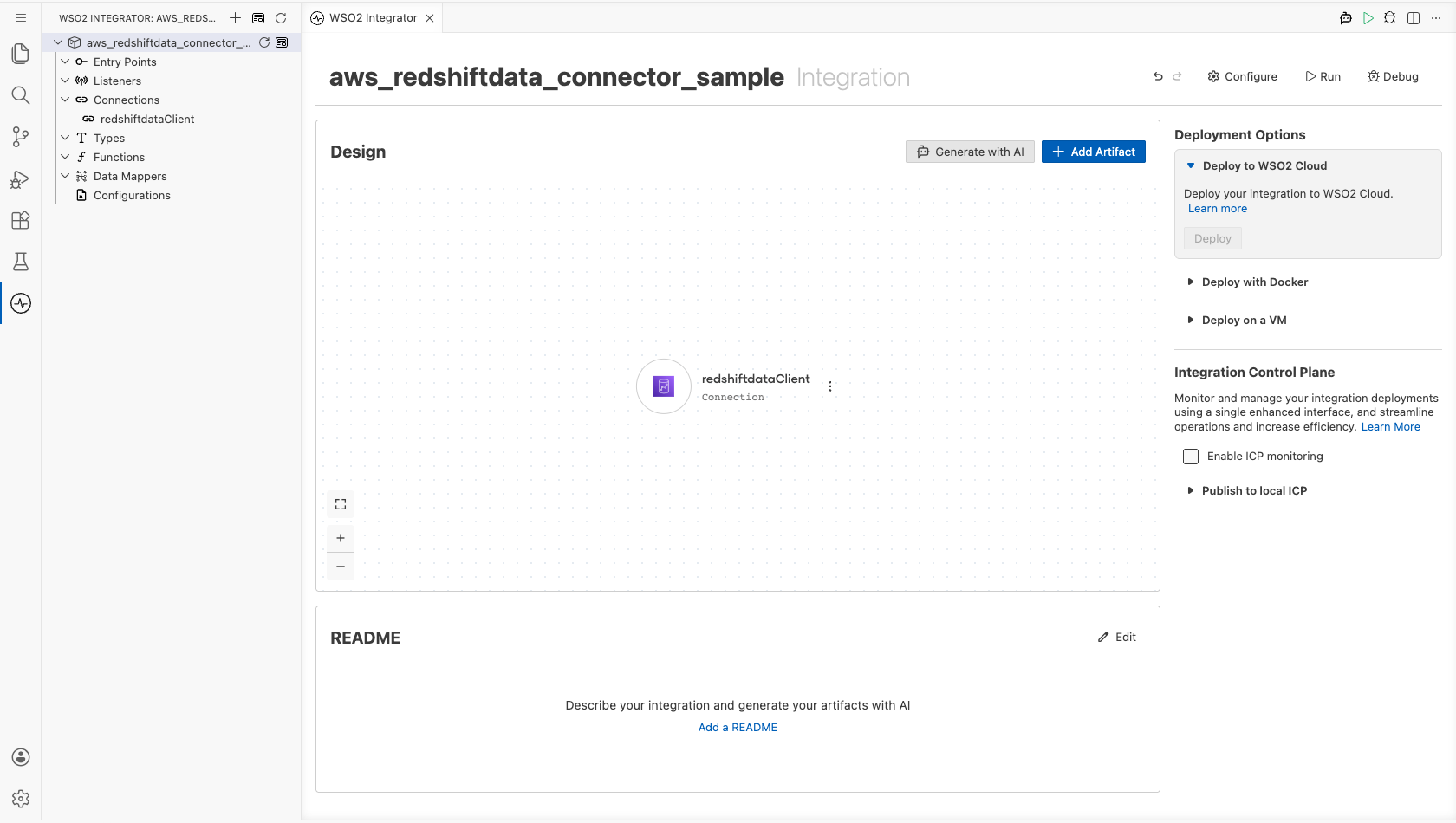
Select Save Connection and verify that the connection appears in the Connections section.
Step 5: Set actual values for your configurables
- Select Configurations at the bottom of the project tree under Data Mappers.
- Enter a value for each configurable listed below before you run the integration.
- accessKeyId (
string) : The access key ID of the IAM user that calls the Redshift Data API. - secretAccessKey (
string) : The secret access key that pairs with the access key ID. - region (
string) : The AWS region code, such asus-east-1. - clusterId (
string) : The identifier of the Redshift cluster that hosts the database. - databaseName (
string) : The name of the database that the query runs against.
Warning: Treat
accessKeyIdandsecretAccessKeyas secrets. Keep them out of source control.
Configuring the AWS Redshift Data Execute operation
Step 6: Add an automation entry point
- Select Add Artifact on the integration design canvas.
- Select Automation.
- Select Create to accept the default settings.
Step 7: Expand the connection and configure the Execute operation
- Select + in the automation flow, between Start and Error Handler.
- Expand redshiftdataClient to display its operations.
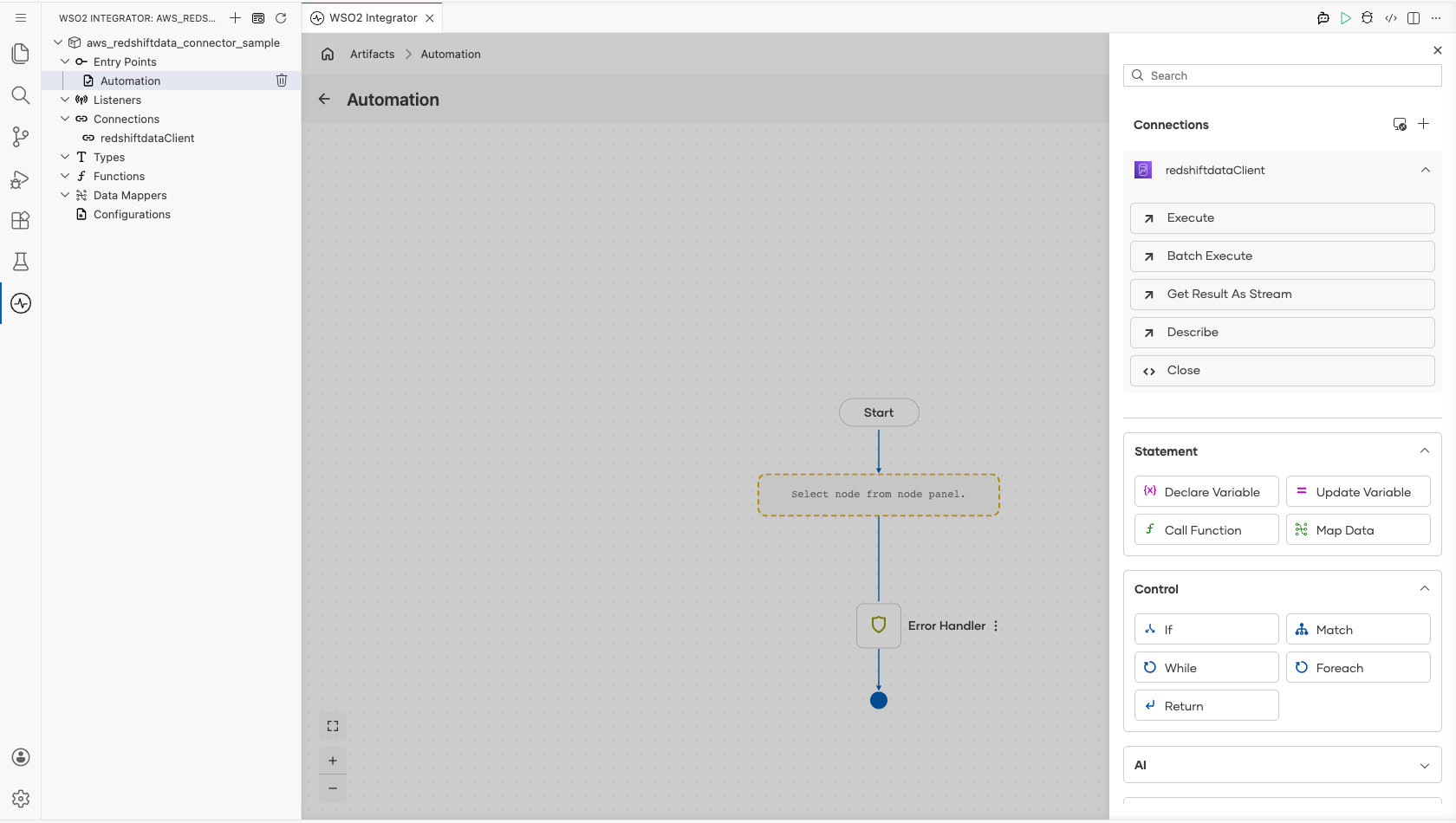
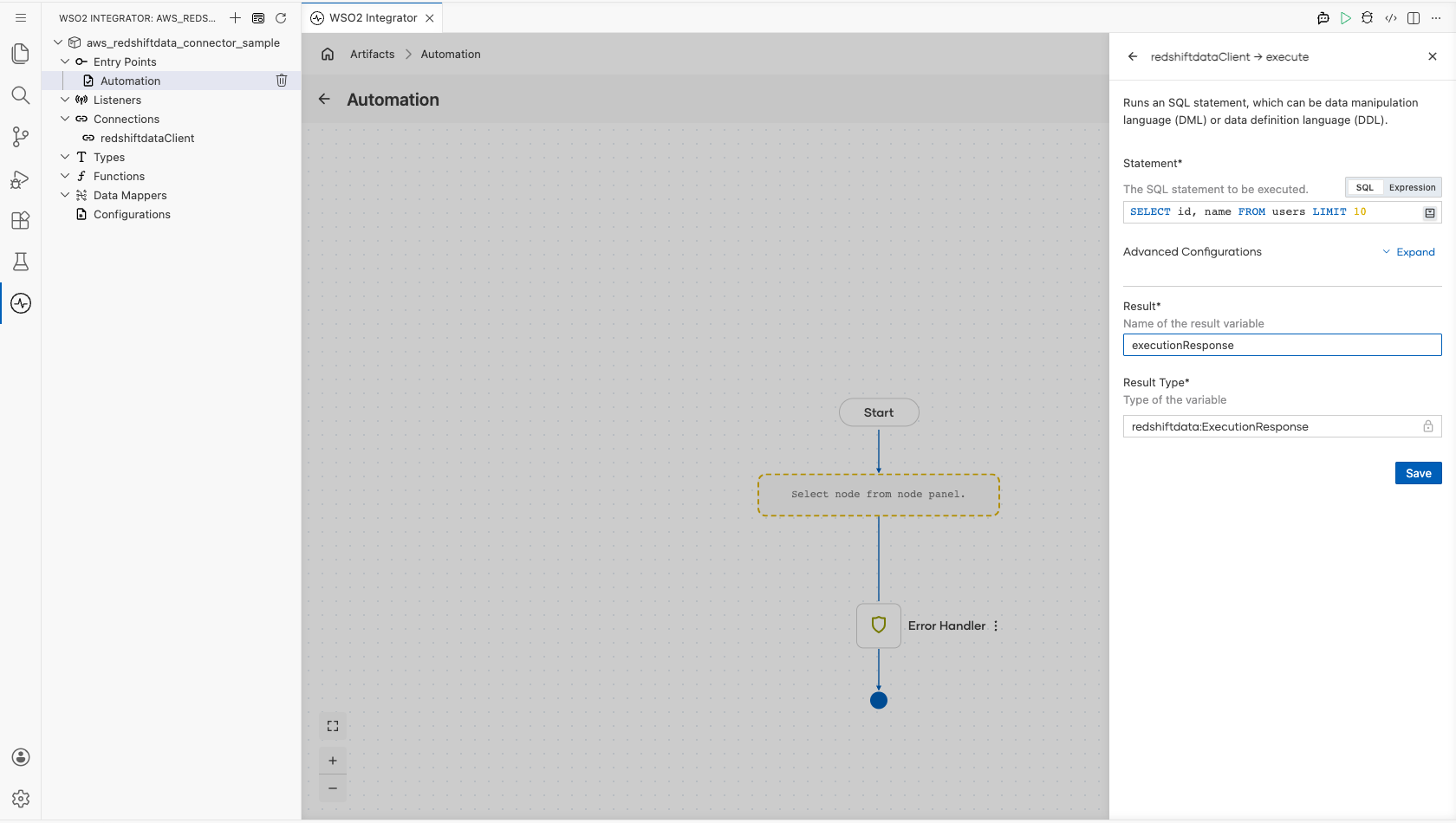
- Select Execute and enter its required values.
- Statement : The SQL statement to run. This example uses a read-only query that returns at most 10 rows
- Result : The name of the variable that holds the returned execution response
- Select Save.
Step 8: Log the Execute result
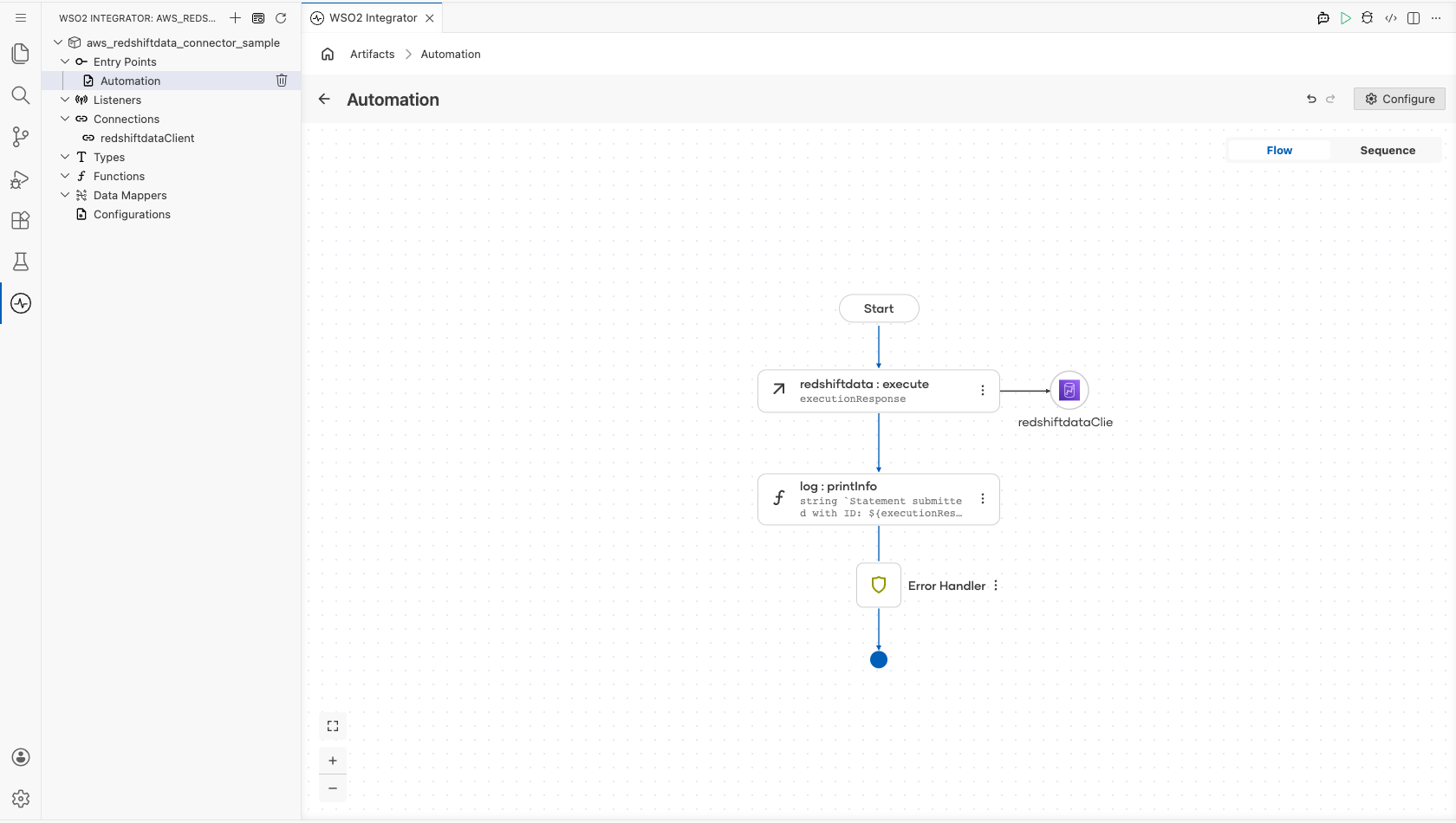
Add a Log Info action after the operation, and enter a message that reads the statement ID from the result variable. The completed flow runs from Start, through the operation and the log action, to Error Handler.
Try it yourself
Try this sample in WSO2 Integration Platform.

More code examples
The aws.redshiftdata connector provides practical examples illustrating usage in various scenarios. Explore these examples.
-
Manage users - This example demonstrates how to use the Ballerina Redshift Data connector to perform SQL operations on an AWS Redshift cluster. It includes creating a table, inserting data, and querying data.
-
Music store - This example illustrates the process of creating an HTTP RESTful API with Ballerina to perform basic CRUD operations on a database, specifically AWS Redshift, involving setup, configuration, and running examples.