Example
What you'll build
Build a WSO2 Integrator automation that connects to the AWS Redshift data API and runs an SQL query using the ballerinax/aws.redshiftdata connector. The integration configures AWS credentials as configurable variables and calls the Execute operation to submit a SQL statement to Redshift.
Operations used:
- Execute (
executeStatement) : Runs a SQL statement against an AWS Redshift database and returns an execution response containing the statement ID
Architecture
Prerequisites
- AWS credentials: Access Key ID, Secret Access Key, and optionally a Session Token
- The target AWS region and Redshift database name
Setting up the AWS Redshift data integration
New to WSO2 Integrator? Follow the Create a New Integration guide to set up your integration first, then return here to add the connector.
Adding the AWS Redshift data connector
Step 1: Open the add connection palette
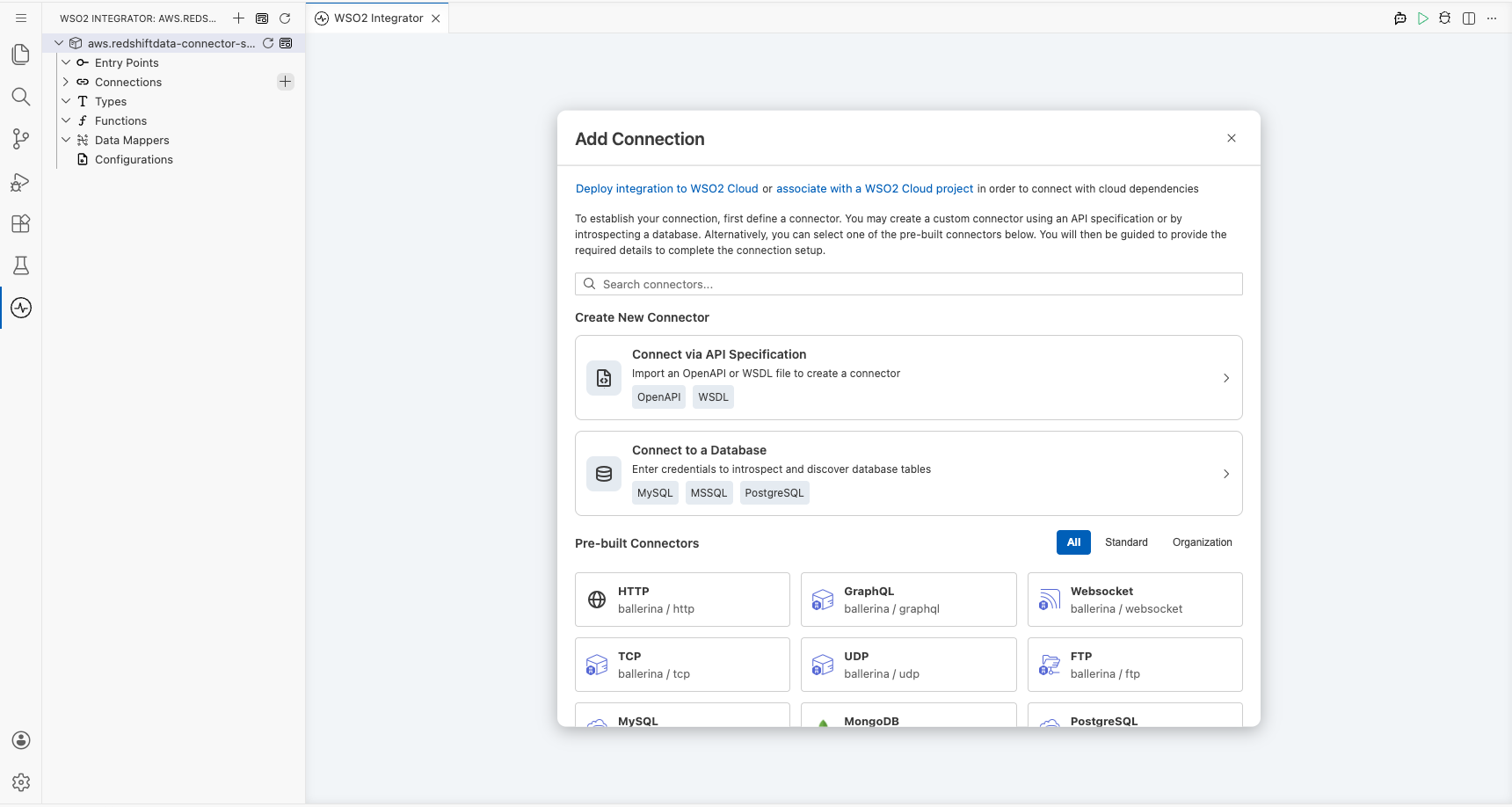
Select the + (Add Connection) button next to Connections in the component tree to open the Add Connection palette on the right side of the canvas.
Step 2: Search for the AWS Redshift data connector
In the Add Connection search box, enter redshiftdata and select ballerinax/aws.redshiftdata from the results to open the connection configuration form.
Configuring the AWS Redshift data connection
Step 3: Fill in the connection parameters
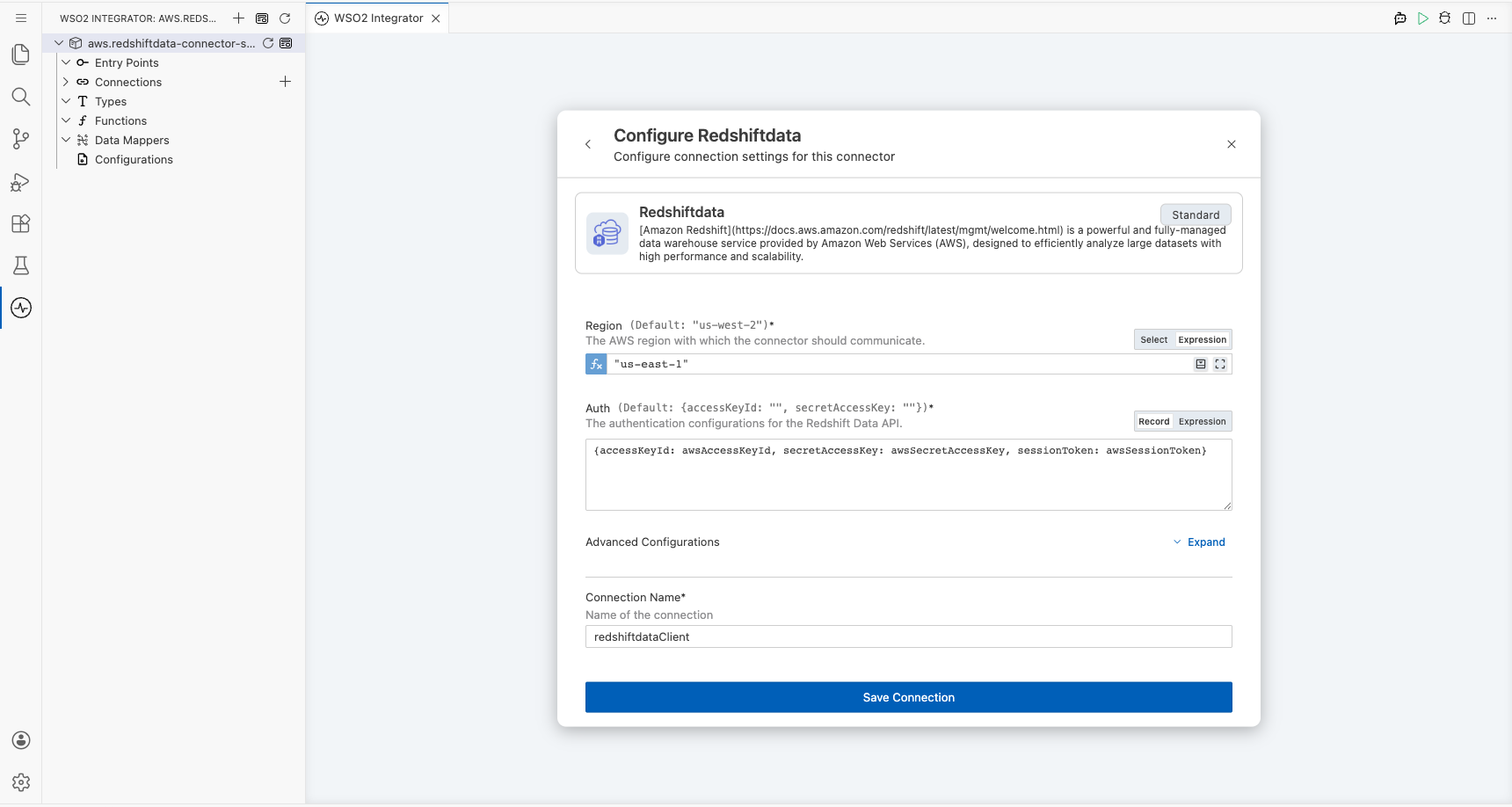
Enter a descriptive name for the connection and bind each parameter to a configurable variable so that credentials are never hard-coded:
- connectionName : A unique name for this connection (for example,
redshiftdataClient) - region : The AWS region where your Redshift cluster is hosted (use Expression mode to enter a string literal such as
"us-east-1") - accessKeyId : AWS access key ID bound to a configurable variable
- secretAccessKey : AWS secret access key bound to a configurable variable
- sessionToken : Optional AWS session token bound to a configurable variable
Step 4: Save the connection
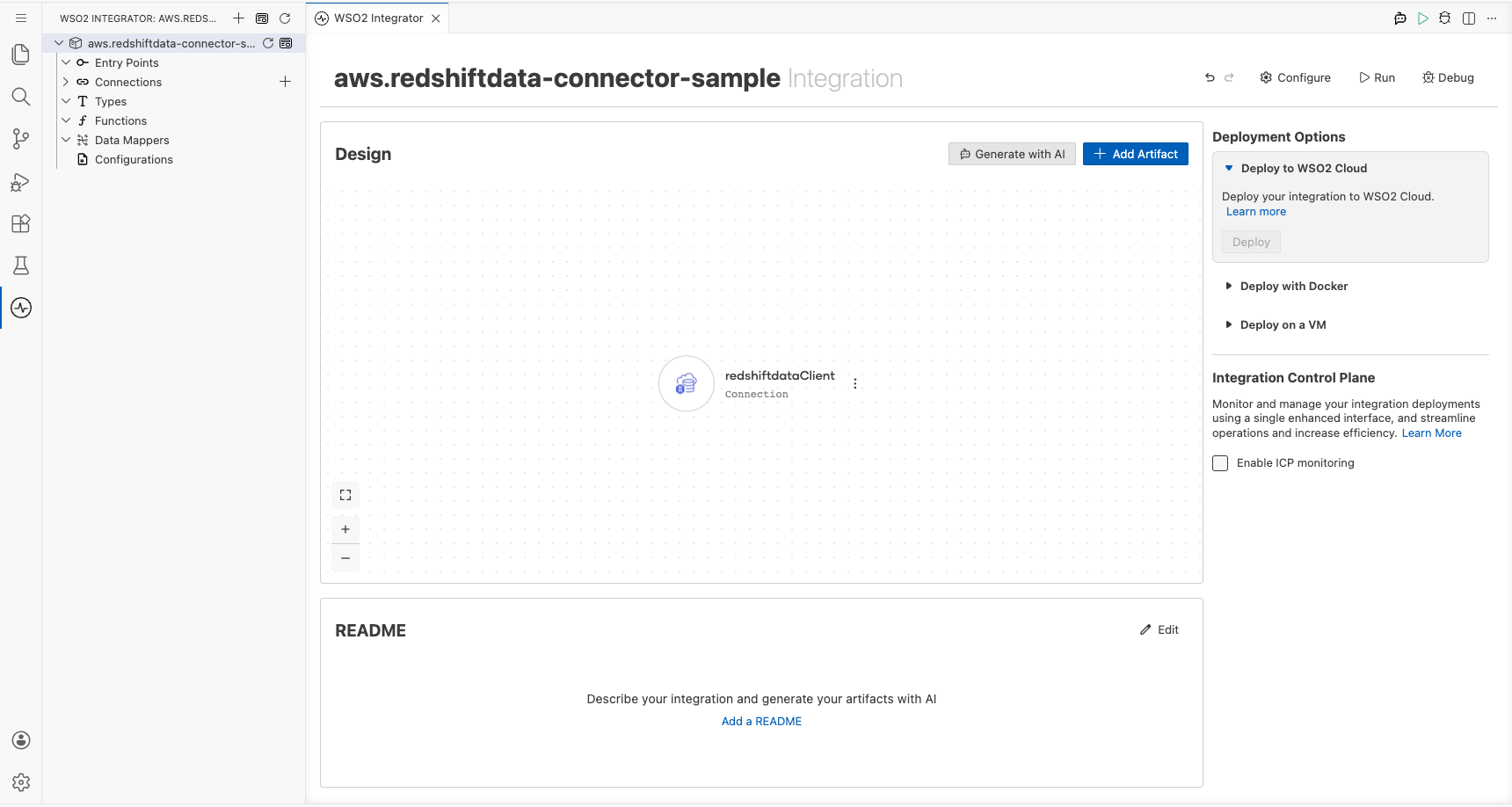
Select Save to persist the connection. The canvas updates to show the new redshiftdataClient connection node, and the sidebar lists it under Connections.
Step 5: Set actual values for your configurables
- In the left panel, select Configurations.
- Set a value for each configurable listed below:
- awsAccessKeyId :
string: your AWS access key ID - awsSecretAccessKey :
string: your AWS secret access key - awsSessionToken :
string: your AWS session token (leave blank if not required)
Configuring the AWS Redshift data executeStatement operation
Step 6: Add an automation entry point
- In the component tree, select Add Artifact (or the + next to Entry Points).
- Select Automation from the artifact type list.
- Select Create to generate a
mainautomation entry point.
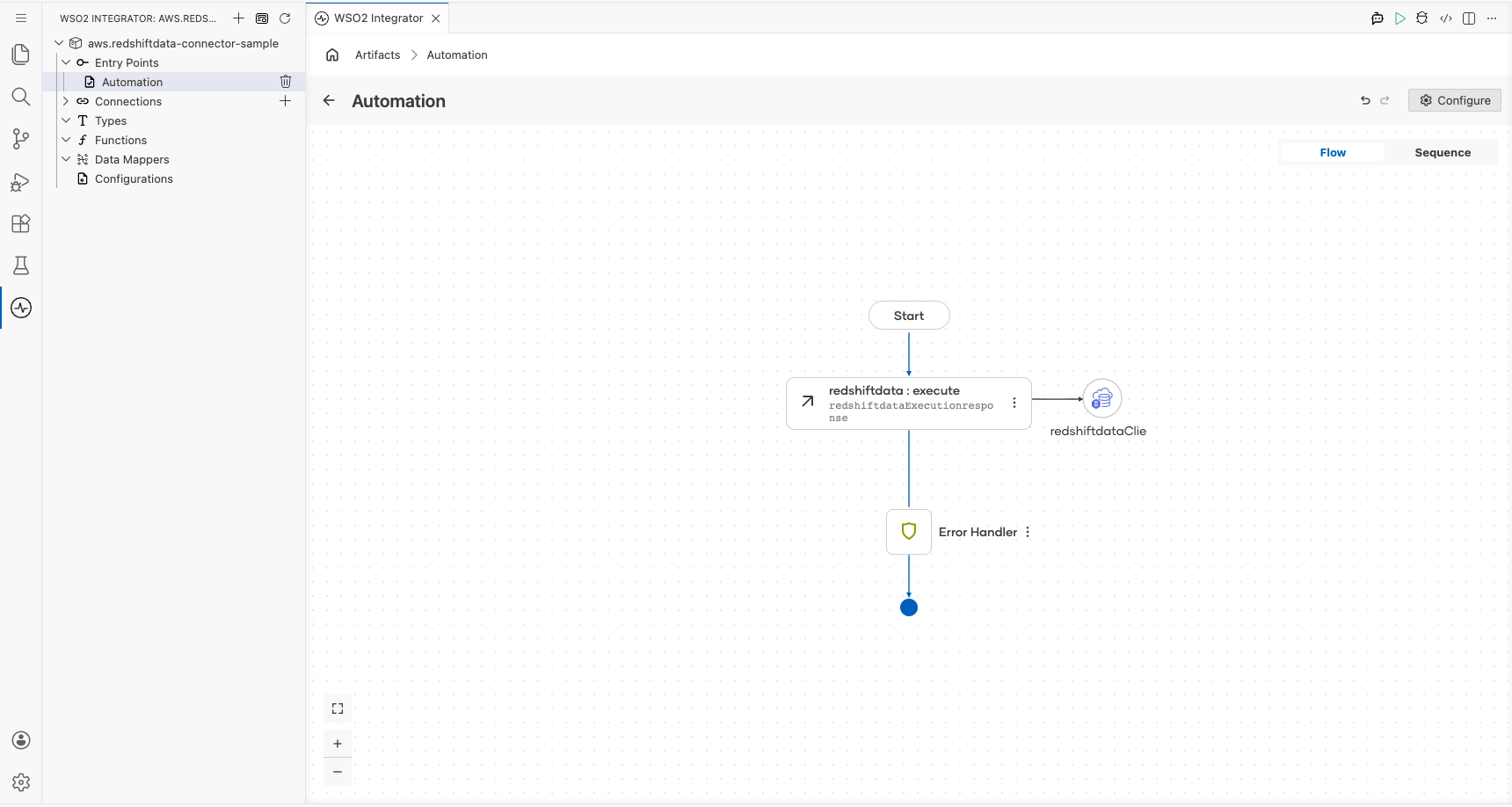
The canvas switches to the Automation flow view showing a Start node, an empty placeholder node, and an Error Handler node.
Step 7: Select and configure the execute operation
Select the empty placeholder node on the canvas to open the node panel, then locate redshiftdataClient and select Execute to open the operation configuration form. Fill in the following fields:
- statement : The SQL query to run (for example,
SELECT * FROM public.users LIMIT 10) - dbAccessConfig : Override the connection-level database access config for this call (for example,
{id: "", database: "dev"}) - statementName : A logical name for the SQL statement to aid traceability (for example,
"executeRedshiftQuery") - withEvent : Whether to send an event to Amazon EventBridge after execution; set to
false
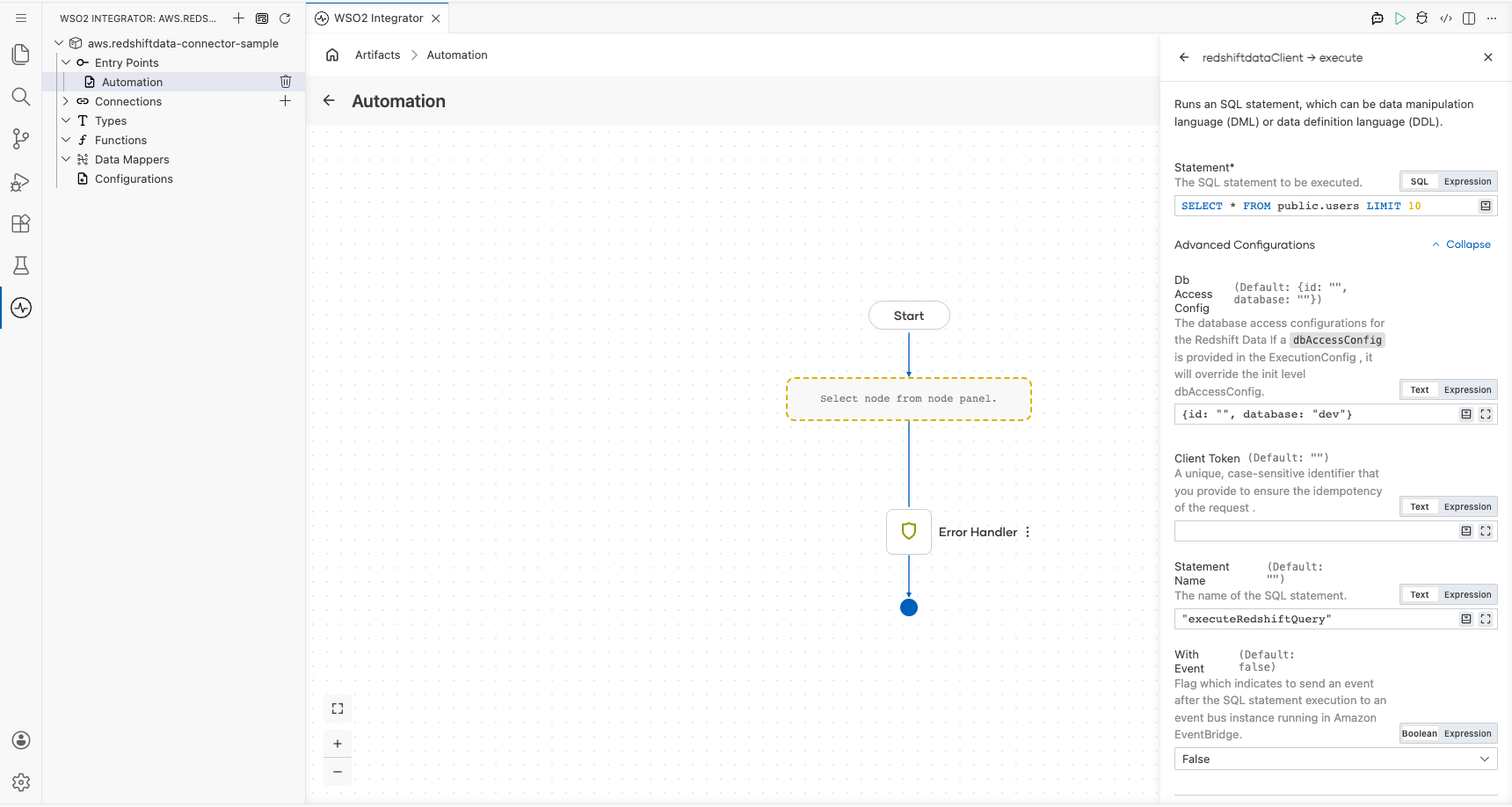
Select Save. The canvas updates to show a new Redshift data : execute node between the Start and Error Handler nodes. The result variable redshiftdataExecutionresponse (of type redshiftdata:ExecutionResponse) is now available for downstream steps.
Try it yourself
Try this sample in WSO2 Integration Platform.

More code examples
The aws.redshiftdata connector provides practical examples illustrating usage in various scenarios. Explore these examples.
-
Manage users - This example demonstrates how to use the Ballerina Redshift data connector to perform SQL operations on an AWS Redshift cluster. It includes creating a table, inserting data, and querying data.
-
Music store - This example illustrates the process of creating an HTTP RESTful API with Ballerina to perform basic CRUD operations on a database, specifically AWS Redshift, involving setup, configuration, and running examples.