Example
What you'll build
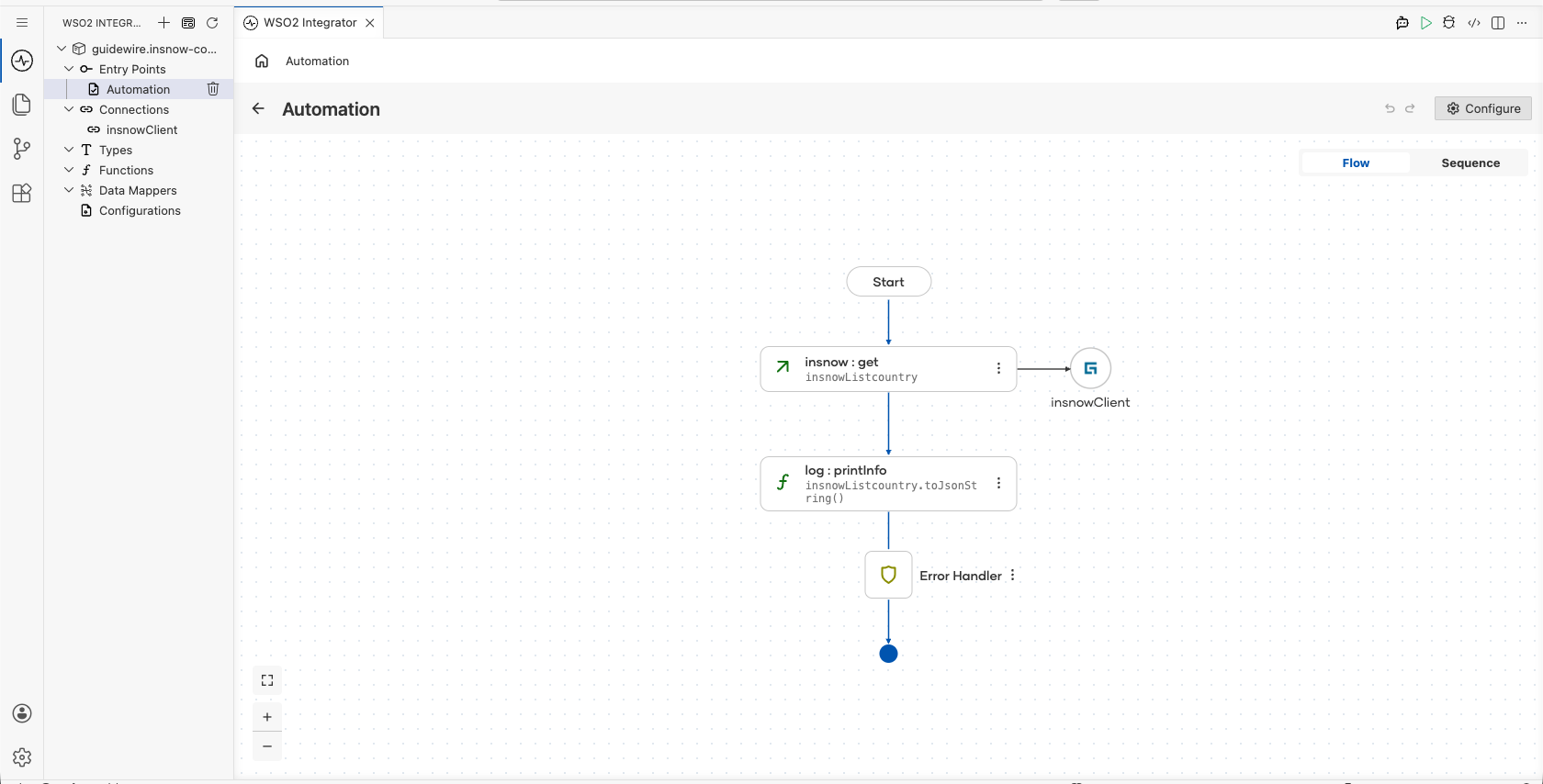
Build a WSO2 Integrator automation that connects to the Guidewire InsuranceNow platform and retrieves a list of supported countries. The integration demonstrates invoking the InsuranceNow API via an Automation entry point and storing the response for downstream processing.
Operations used:
- get : Retrieves a list of supported countries from the InsuranceNow API
Architecture
Prerequisites
- A Guidewire InsuranceNow instance with API access
- Bearer token for authentication
- Service URL of your InsuranceNow environment
Setting up the Guidewire InsuranceNow integration
New to WSO2 Integrator? Follow the Create a New Integration guide to set up your integration first, then return here to add the connector.
Adding the Guidewire InsuranceNow connector
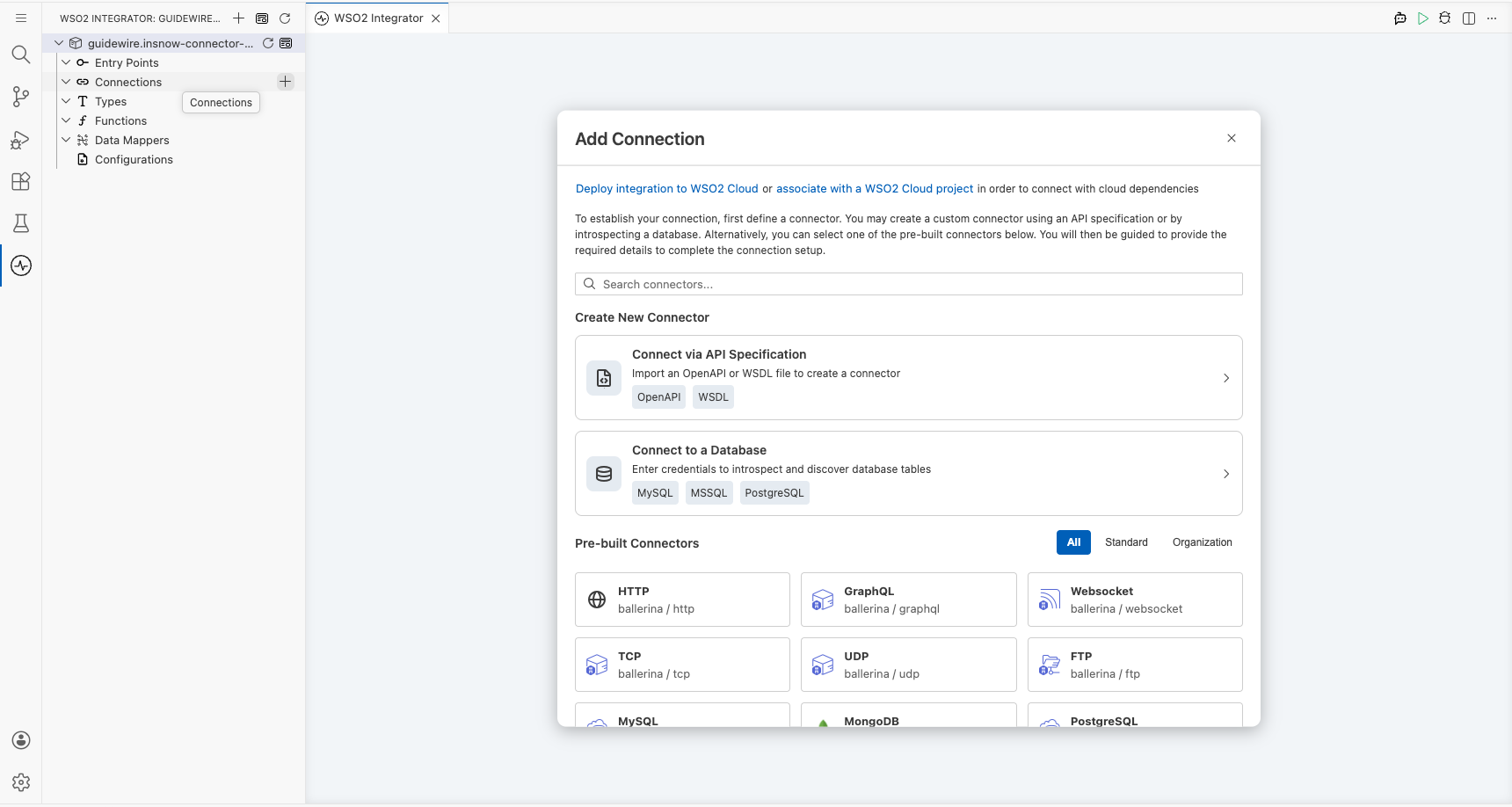
Step 1: Open the add connection panel
Select the + button in the Connections section of the WSO2 Integrator side panel to open the Add Connection palette.
Configuring the Guidewire InsuranceNow connection
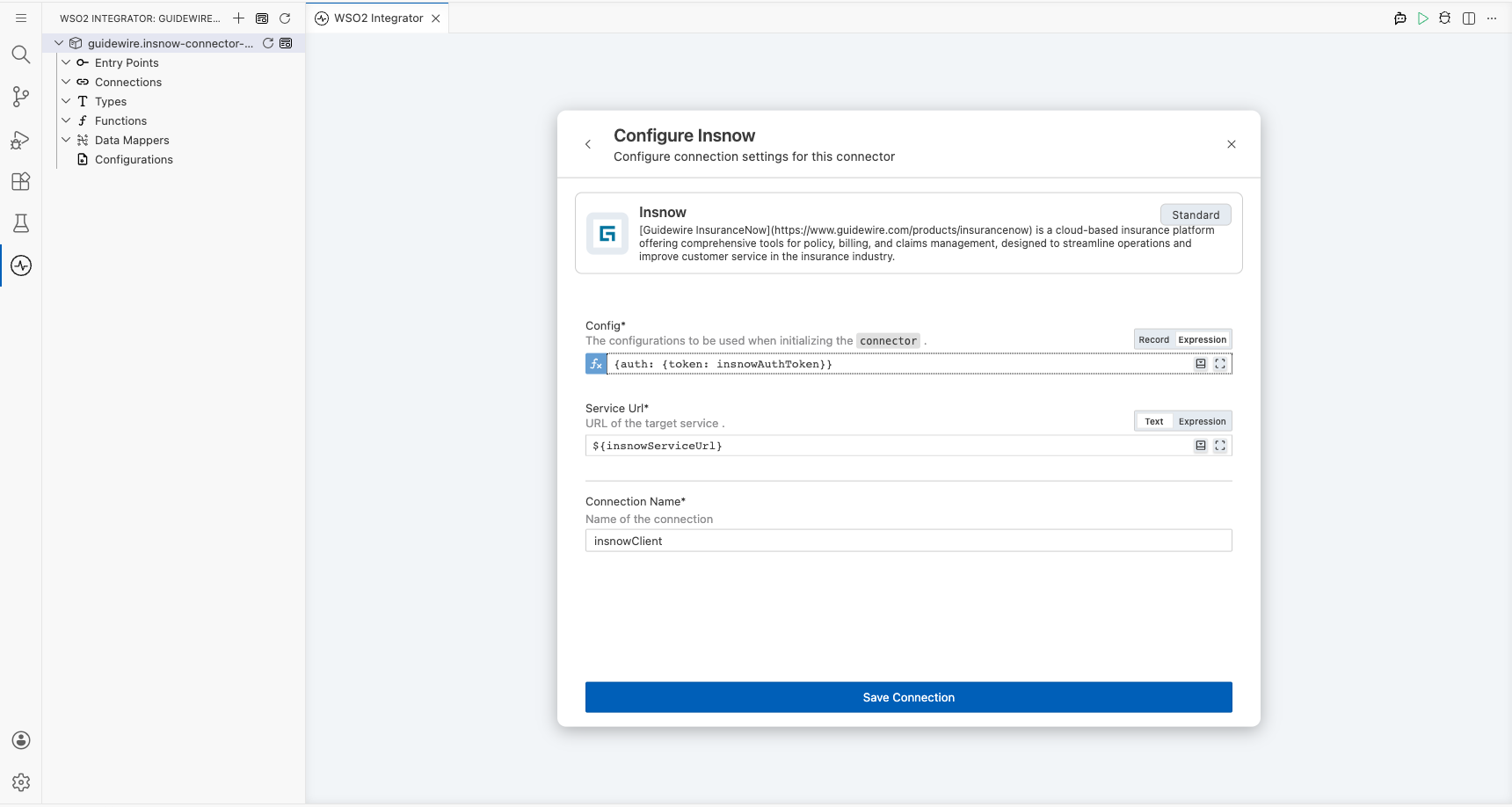
Step 2: Fill in the connection parameters
Enter the connection parameters, binding each field to a configurable variable:
- Config : Authentication configuration using a Bearer token bound to
insnowAuthToken - Service Url : URL of the InsuranceNow API endpoint bound to
insnowServiceUrl - Connection Name : Identifier for the connection instance
Step 3: Save the connection
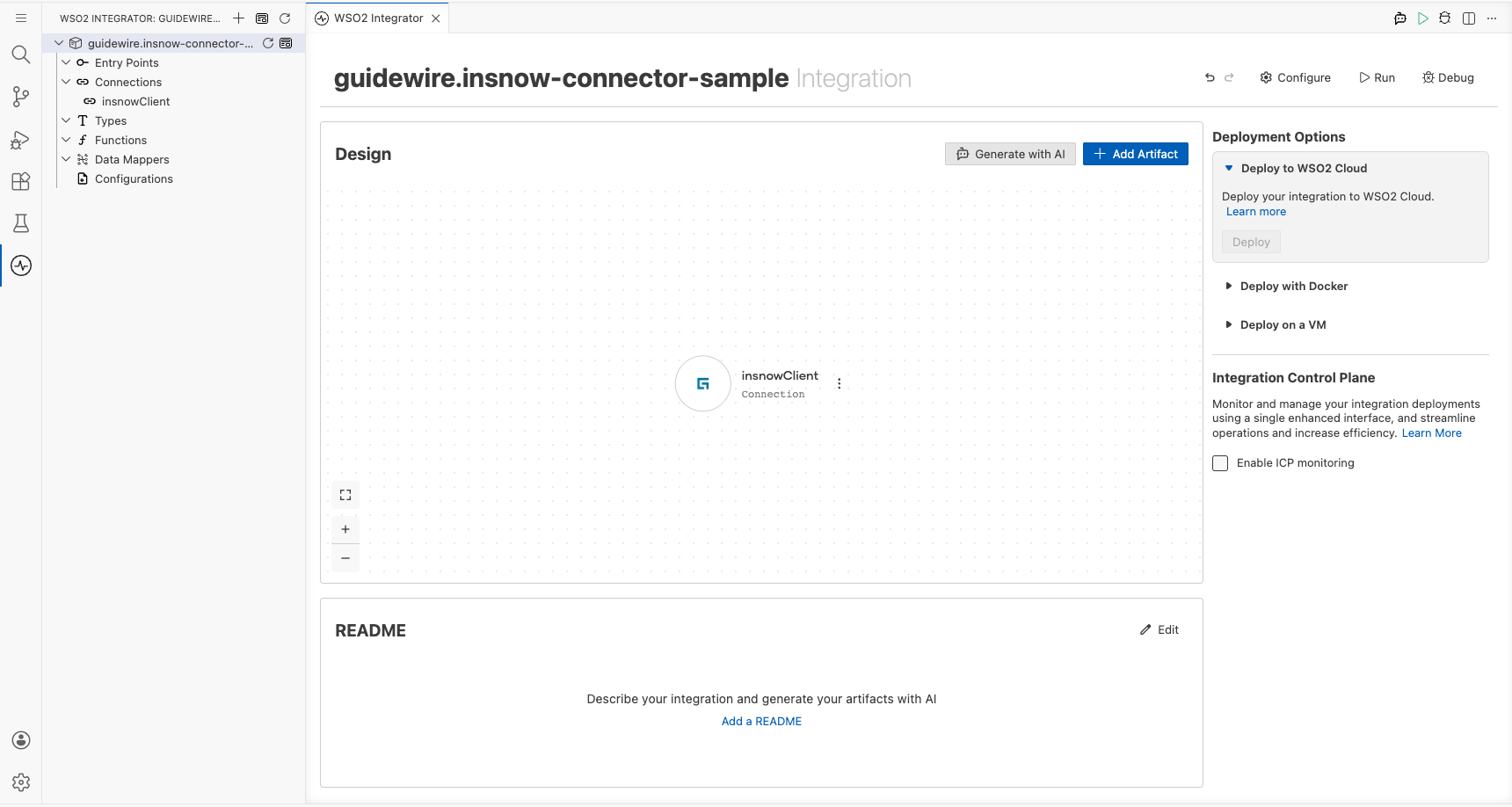
Select Save Connection to persist the configuration. The insnowClient connection appears under the Connections node in the project tree and on the design canvas.
Step 4: Set actual values for your configurables
- In the left panel, select Configurations.
- Set a value for each configurable listed below.
- insnowServiceUrl (string) : Base URL of the InsuranceNow API endpoint
- insnowAuthToken (string) : Bearer token for API authentication
Configuring the Guidewire InsuranceNow get operation
Step 5: Add an automation entry point
- Select Add Artifact in the design view.
- Select Automation from the artifact types.
- Select Create to add a new Automation entry point named
main.
Step 6: Select and configure the get operation
- Select the + button on the flow canvas to open the node panel.
- Expand the insnowClient connection under Connections to reveal all available operations.
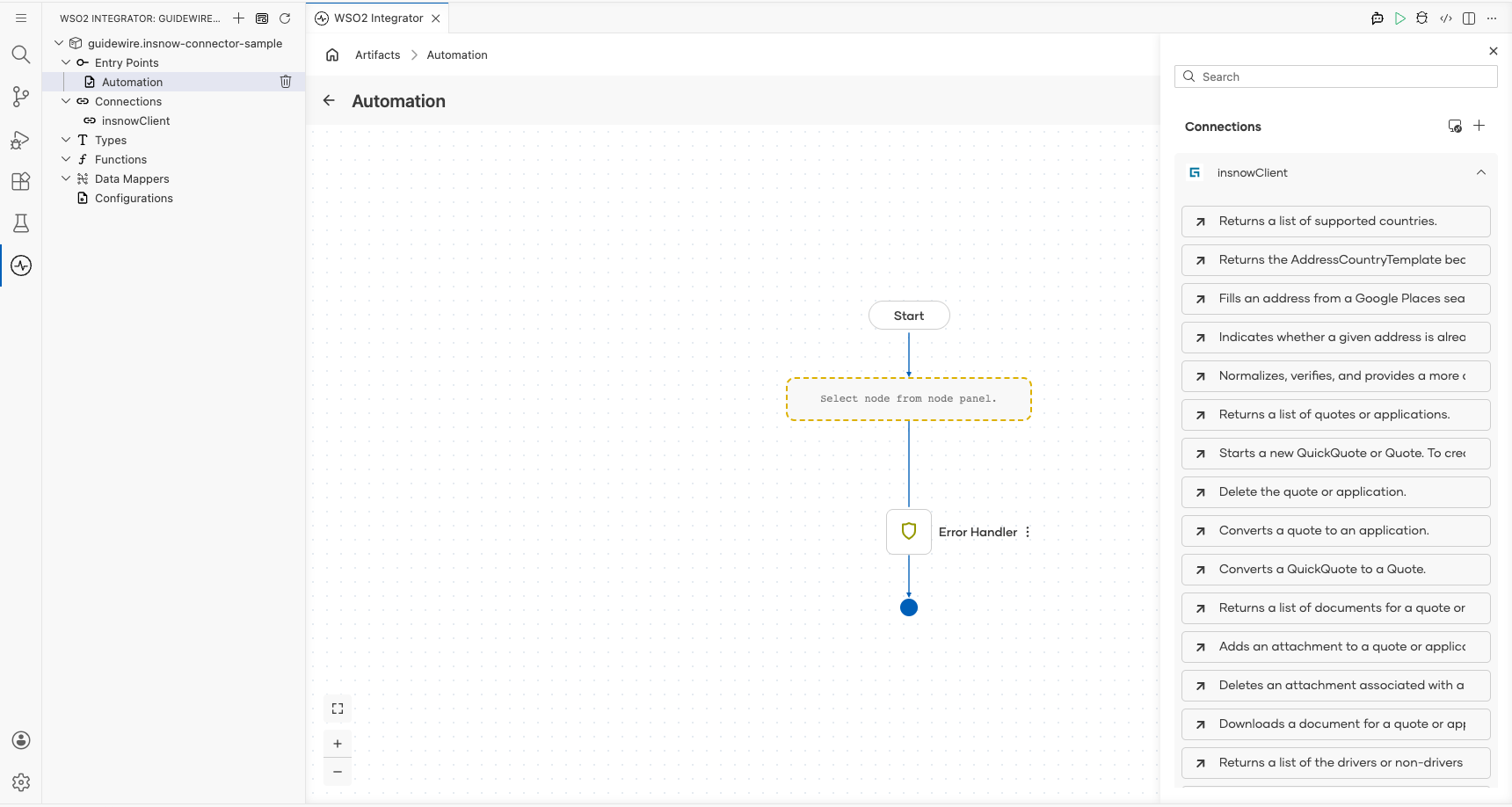
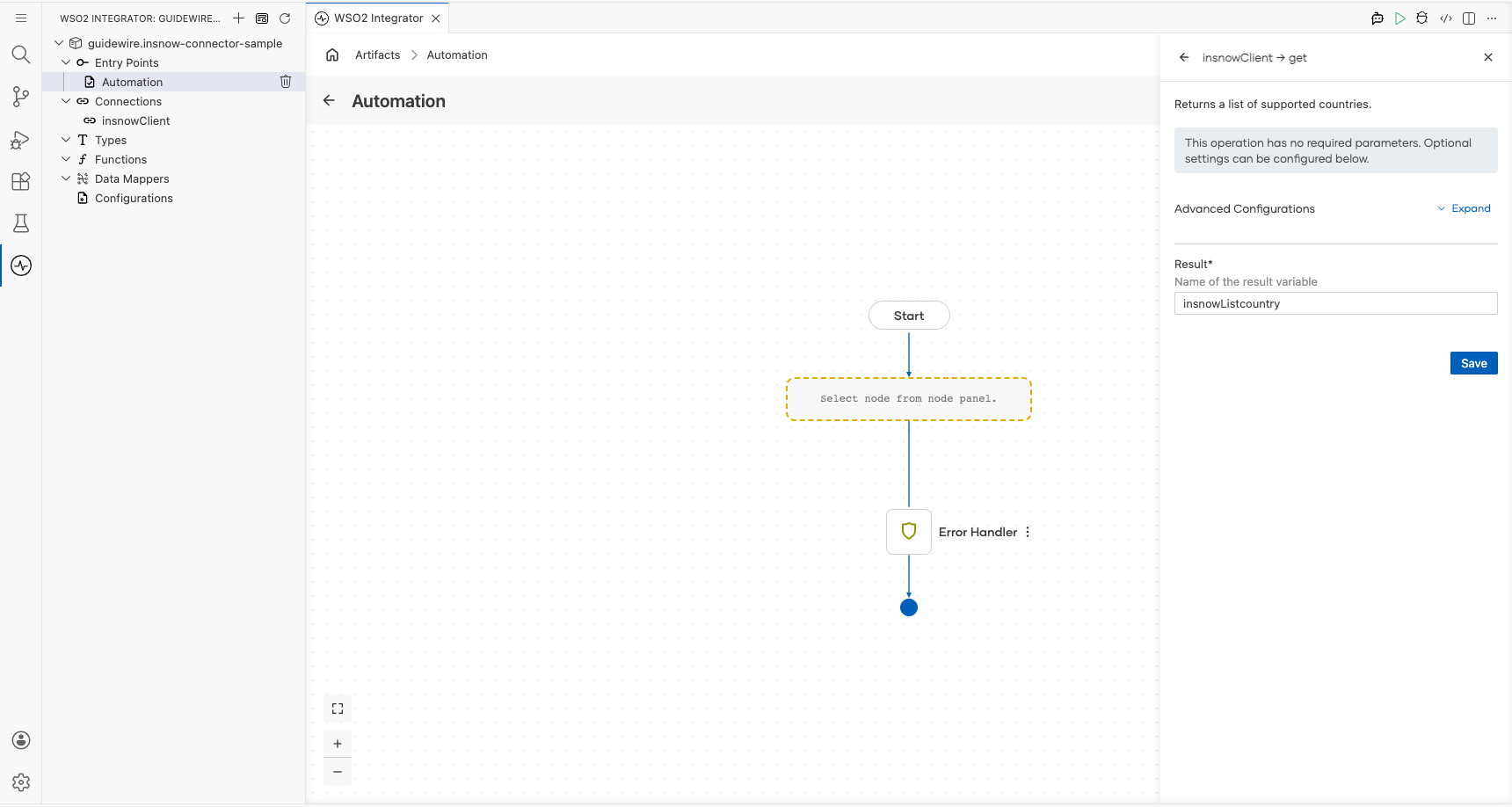
- Select Returns a list of supported countries (
get) as the operation.
- Result variable :
insnowListcountry; stores the list of countries returned by the API
Try it yourself
Try this sample in WSO2 Integration Platform.

More code examples
The Guidewire InsuranceNow connector provides practical examples illustrating usage in various scenarios. Explore these examples, covering the following use cases:
- Online application portal: Implement an online insurance application portal using Guidewire InsuranceNow cloud API.