Example
What you'll build
Build an integration workflow that connects to an SAP S/4HANA system and retrieves selected code sets. The workflow calls the Characteristic Attribute Catalog - Read (A2X) API and logs the result as JSON.
Operations used:
- listA_CharcAttribSeldCodeSets : Reads the selected sets of the characteristic attribute catalog from the SAP S/4HANA system, returning the first 10 results
Architecture
Prerequisites
- Access to an SAP S/4HANA Cloud system with a communication user assigned to the communication arrangement this connector needs (see the Setup Guide)
Setting up the SAP Characteristic Attribute Catalog integration
New to WSO2 Integrator? Follow the Create a New Integration guide to set up your integration first, then return here to add the connector.
Adding the SAP Characteristic Attribute Catalog connector
Step 1: Open the connector palette and search for the connector
Select Add Artifact, then select Connection to open the connector palette. Search for api_charcattributecatalog_srv and select the Api_charcattributecatalog_srv connector card.
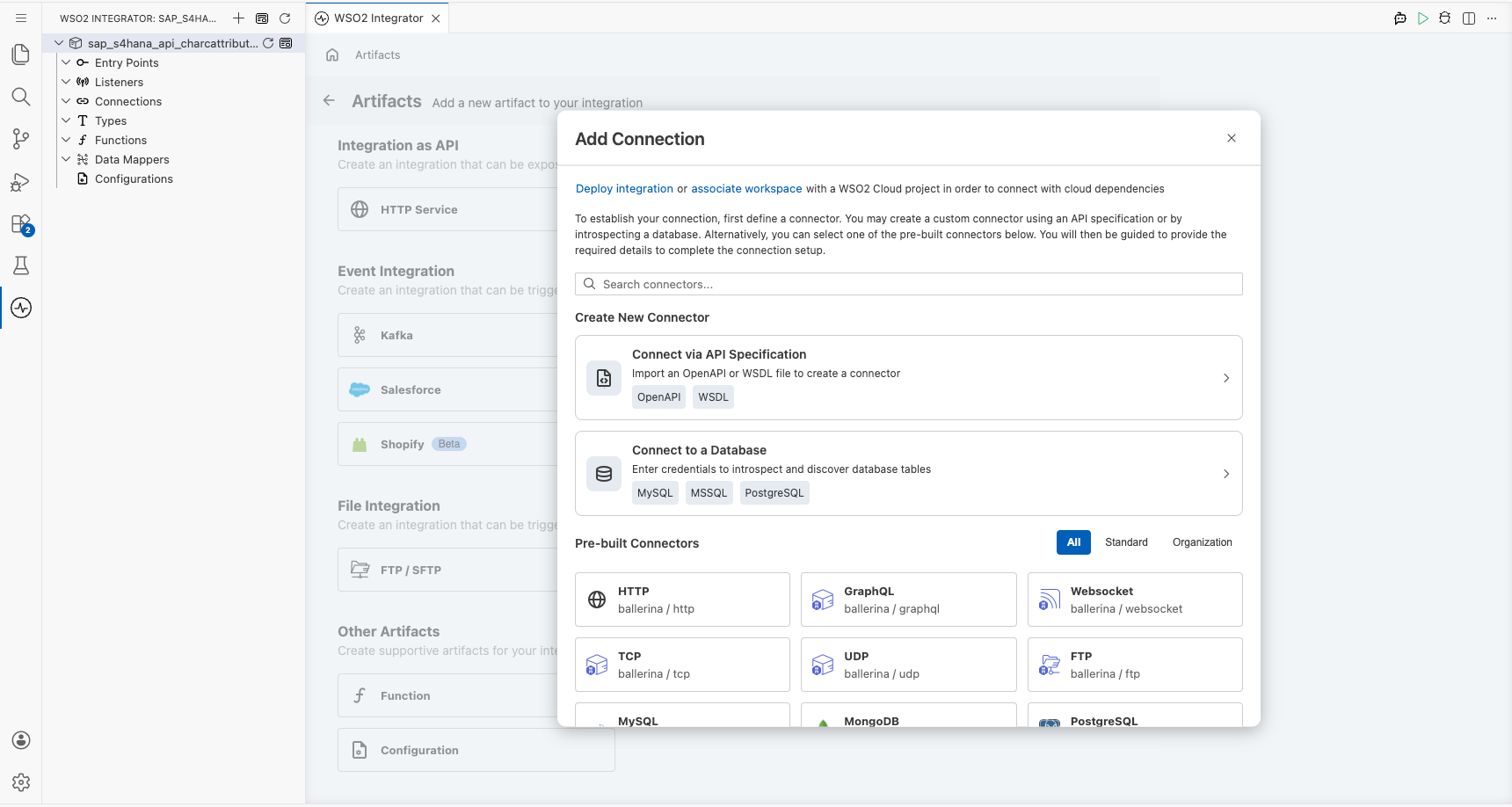
Configuring the SAP Characteristic Attribute Catalog connection
Step 2: Fill in the connection parameters
Enter the connection parameters, binding each field to a configurable variable:
- Config :
ConnectionConfigrecord with Basic Authentication credentials; switch to Expression and enter{auth: {username: sapS4HanaUsername, password: sapS4HanaPassword}} - Hostname : SAP S/4HANA API hostname; bind to the
sapS4HanaHostnameconfigurable variable - Connection Name : Keep the default
apiCharcattributecatalogSrvClient
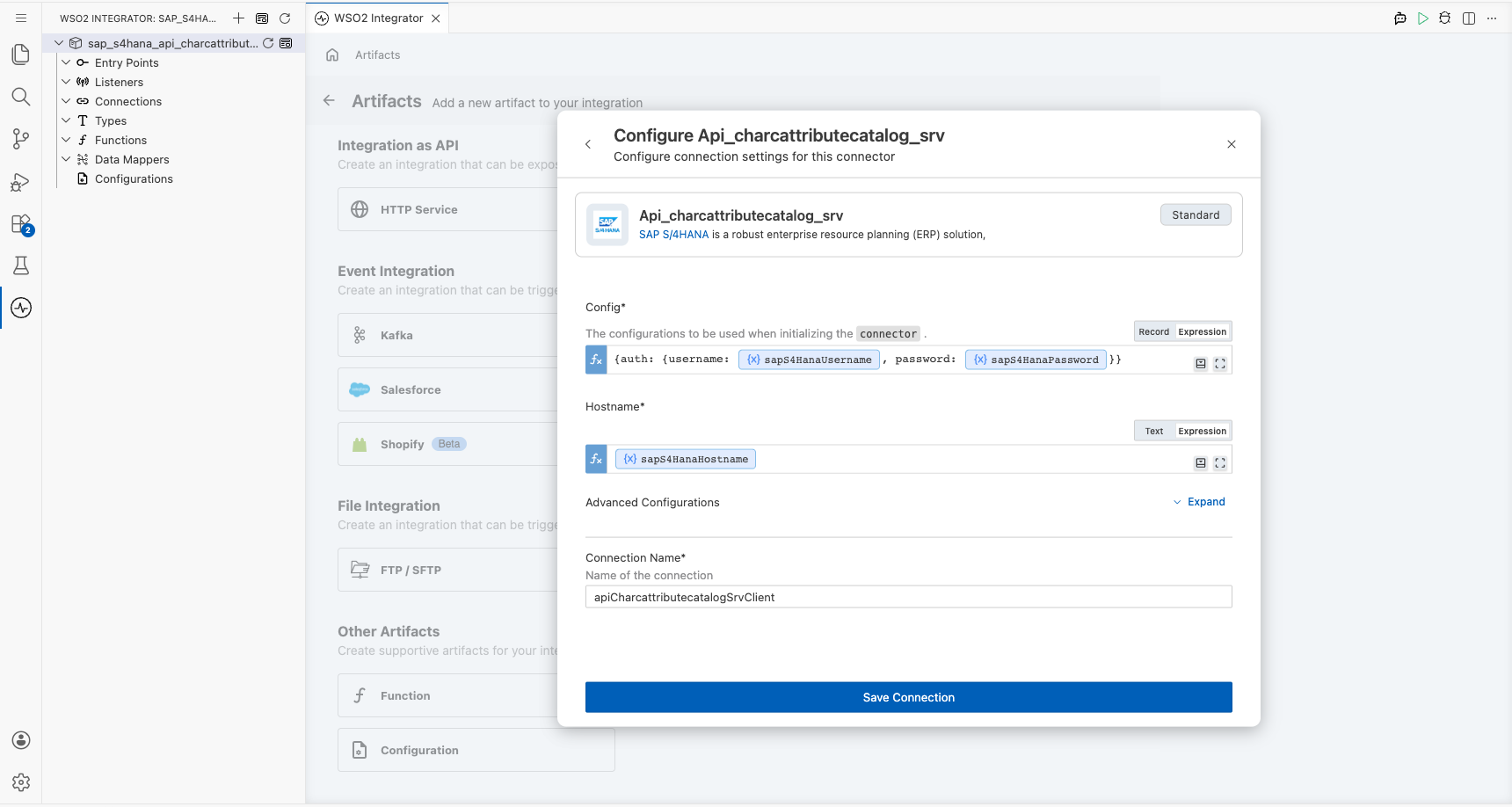
Step 3: Save the connection
Select Save Connection. The connection appears under Connections in the project tree and on the design canvas.
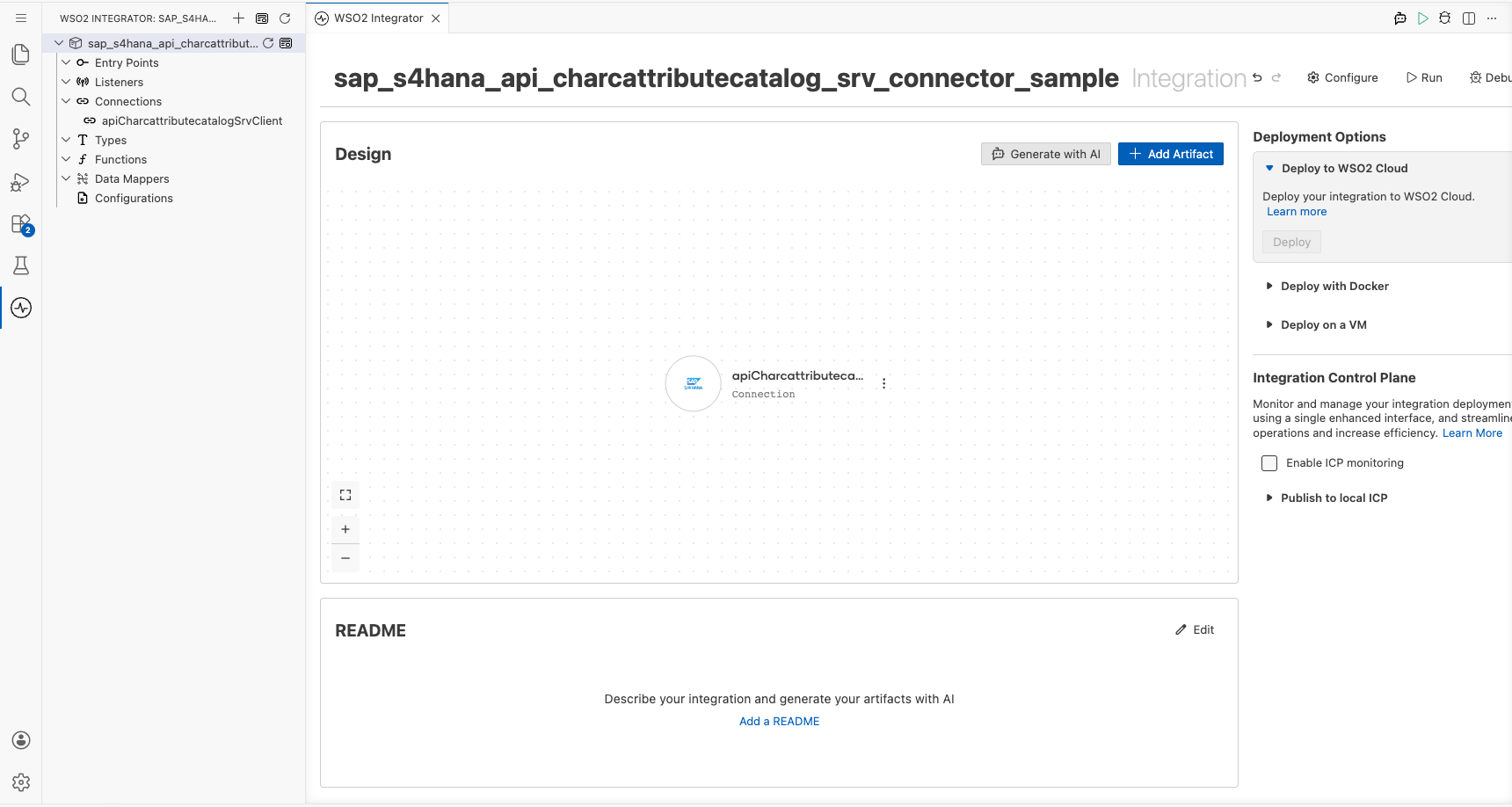
Step 4: Set actual values for your configurables
- In the left panel, select Configurations.
- Set a value for each configurable listed below:
- sapS4HanaHostname (string) : The API hostname of your SAP S/4HANA Cloud system, for example,
my123456-api.s4hana.cloud.sap - sapS4HanaUsername (string) : The communication user name
- sapS4HanaPassword (string) : The communication user password
Configuring the SAP Characteristic Attribute Catalog listA_CharcAttribSeldCodeSets operation
Step 5: Add an automation entry point
Select Add Artifact, then select Automation and select Create to add the automation entry point to the canvas.
Step 6: Select and configure the listA_CharcAttribSeldCodeSets operation
- On the automation canvas, select the + button to add a step.
- Expand the apiCharcattributecatalogSrvClient connection under Connections.
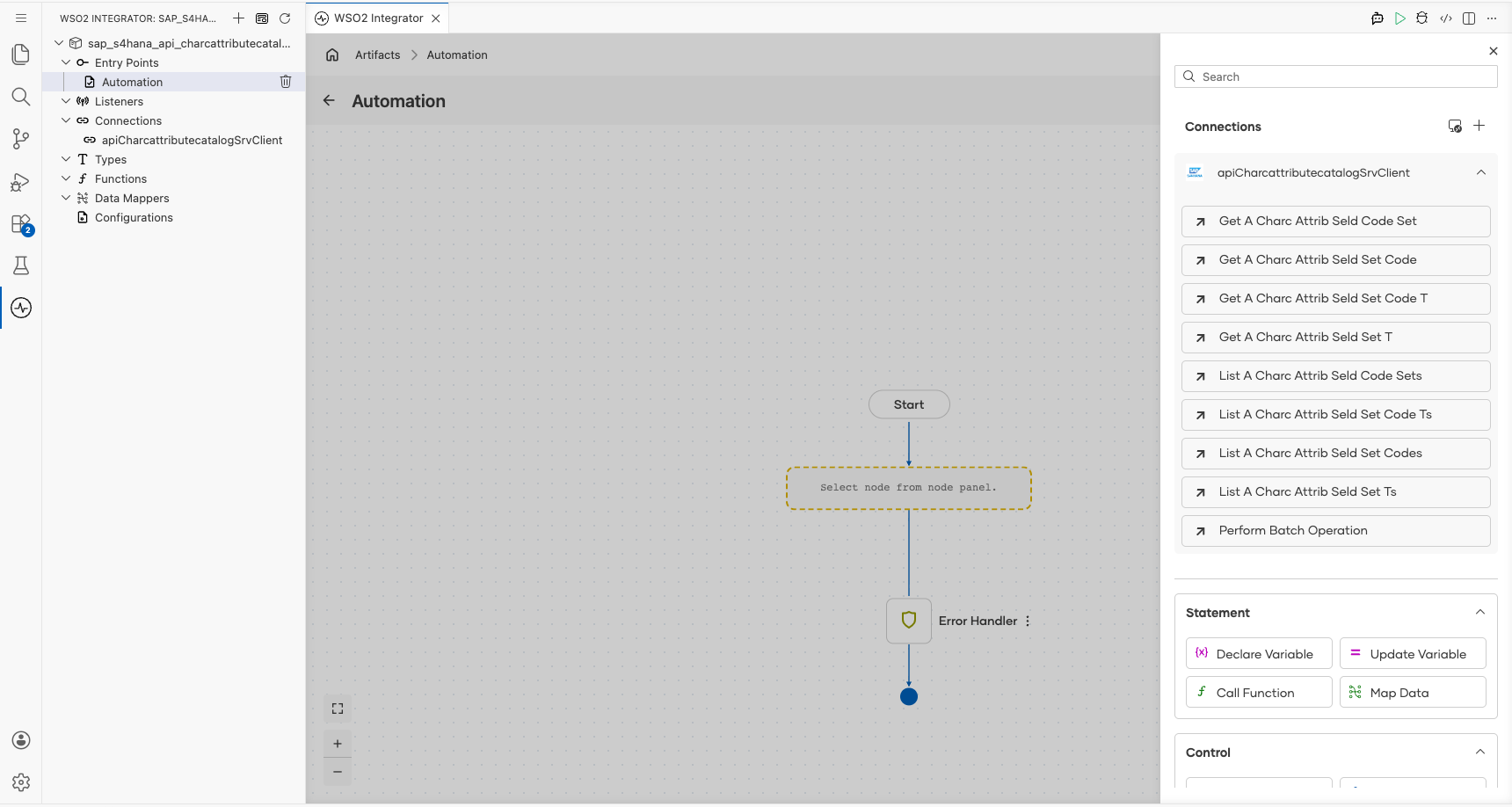
- Select List A Charc Attrib Seld Code Sets (
listA_CharcAttribSeldCodeSets) and configure it:
- $top : Under Advanced Configurations, set to
10to limit the results to the first 10 records - Result : Set the result variable name to
result
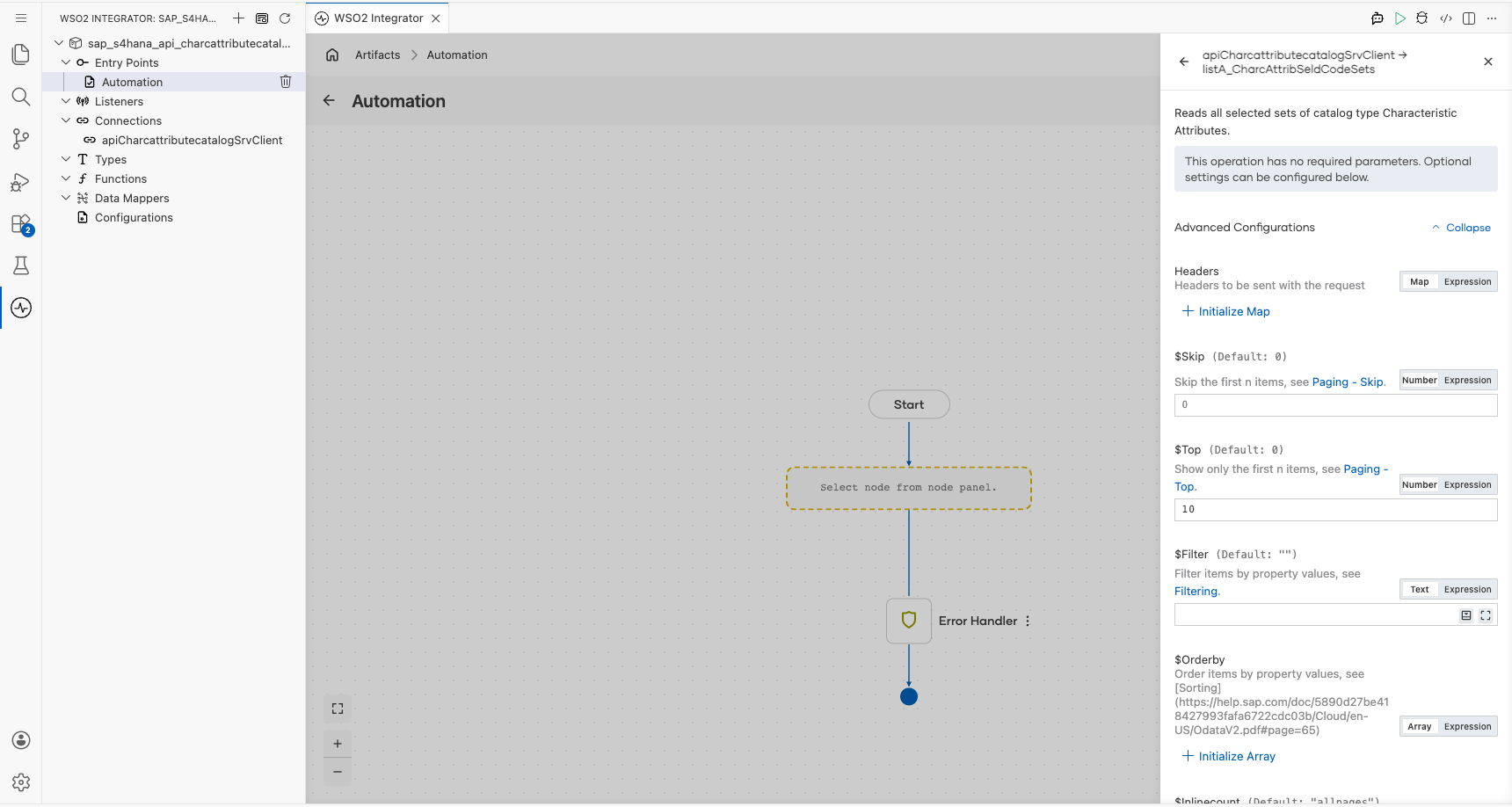
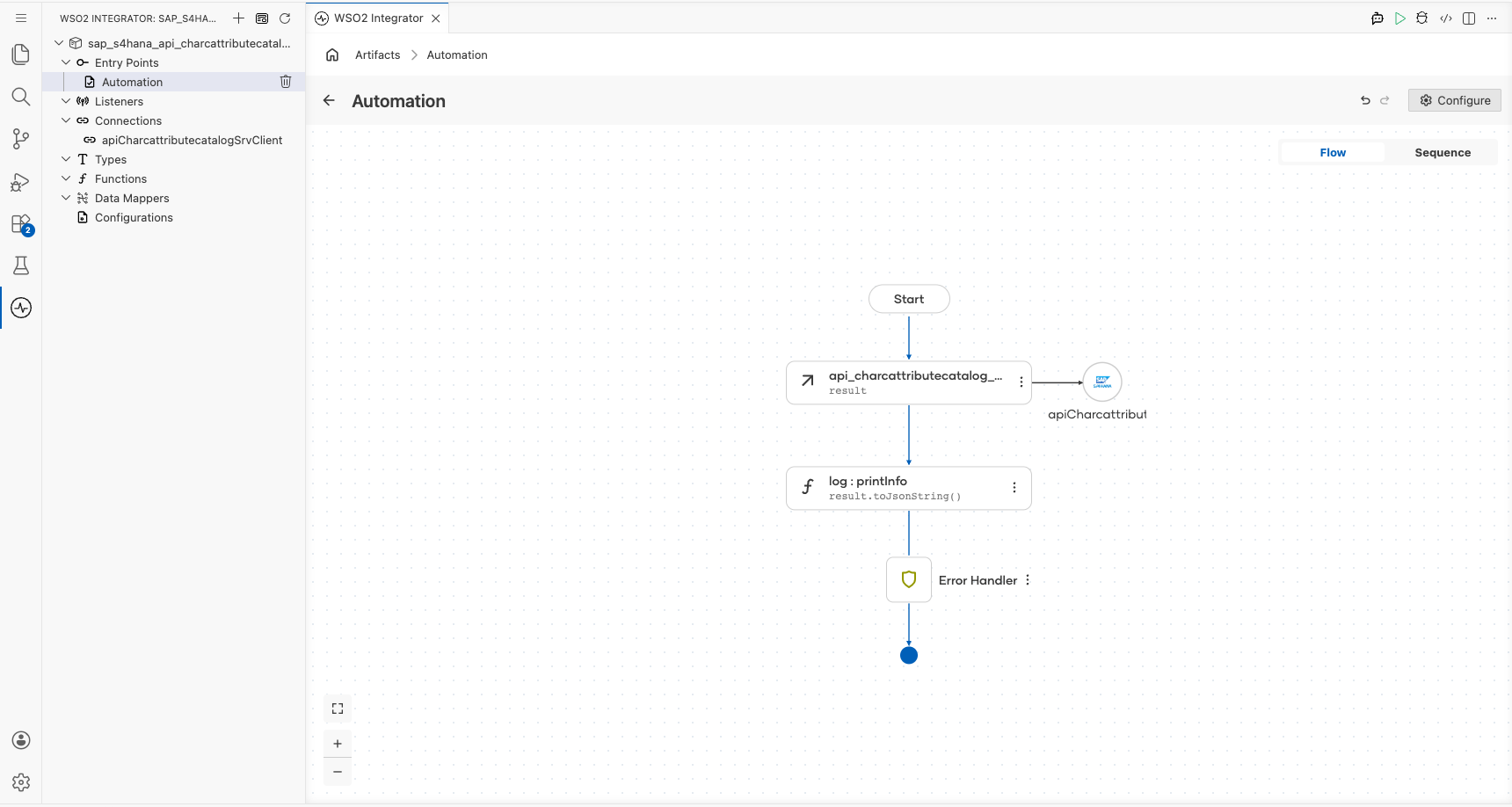
- Select Save to add the operation to the flow, then add a Log Info step after it that logs
result.toJsonString()in Expression mode.
Try it yourself
Try this sample in WSO2 Integration Platform.

More code examples
The SAP S/4HANA Quality Management Ballerina connectors provide practical examples illustrating usage in various scenarios. Explore these examples, covering use cases like syncing inspection master data to a database and creating inspection lots from paper delivery notes.
-
S/4HANA to Database Integration - Read master inspection characteristics from S/4HANA and sync them to a MySQL database.
-
Paper Delivery Note to S/4HANA - Extract data from a paper delivery note with OCR and create an inspection lot in S/4HANA to start the quality inspection.