Example
What you'll build
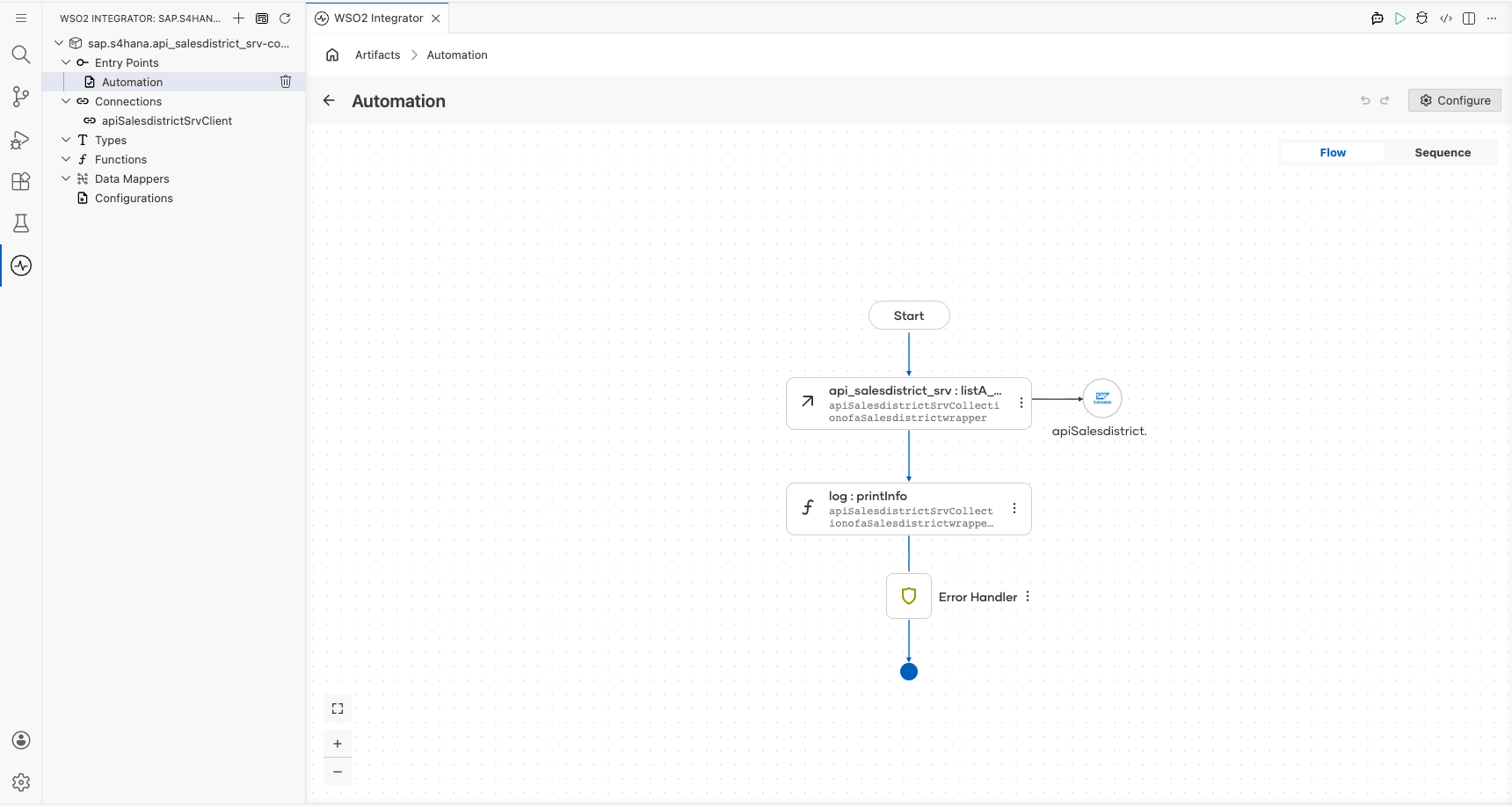
This integration retrieves sales district data from an SAP S/4HANA system using the SAP S/4HANA Sales District Service API connector. The flow calls the listA_SalesDistricts operation and logs the results as a JSON string.
Operations used:
- listA_SalesDistricts : Retrieves all sales district records from the SAP S/4HANA system
Architecture
Prerequisites
- SAP S/4HANA system access with valid credentials (hostname, username, and password)
Setting up the SAP S/4HANA sales district service API integration
New to WSO2 Integrator? Follow the Create a New Integration guide to set up your integration first, then return here to add the connector.
Adding the SAP S/4HANA sales district service API connector
Step 1: Open the connector palette
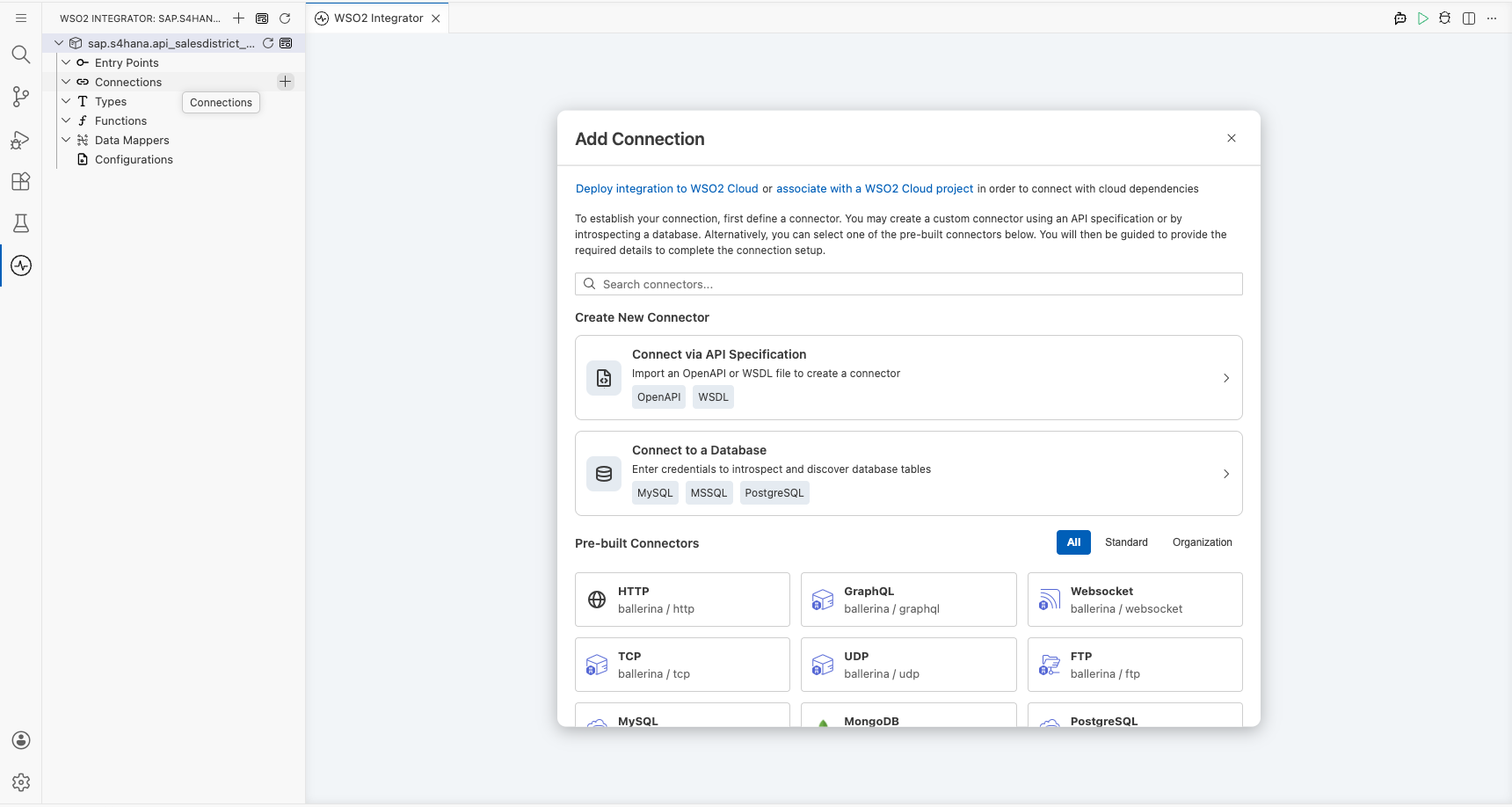
Select Add Connection in the WSO2 Integrator sidebar to open the connector search palette.
Step 2: Select the connector
Search for api_salesdistrict_srv and select Api_salesdistrict_srv from the results to open the connection form.
Configuring the SAP S/4HANA sales district service API connection
Step 3: Fill in the connection parameters
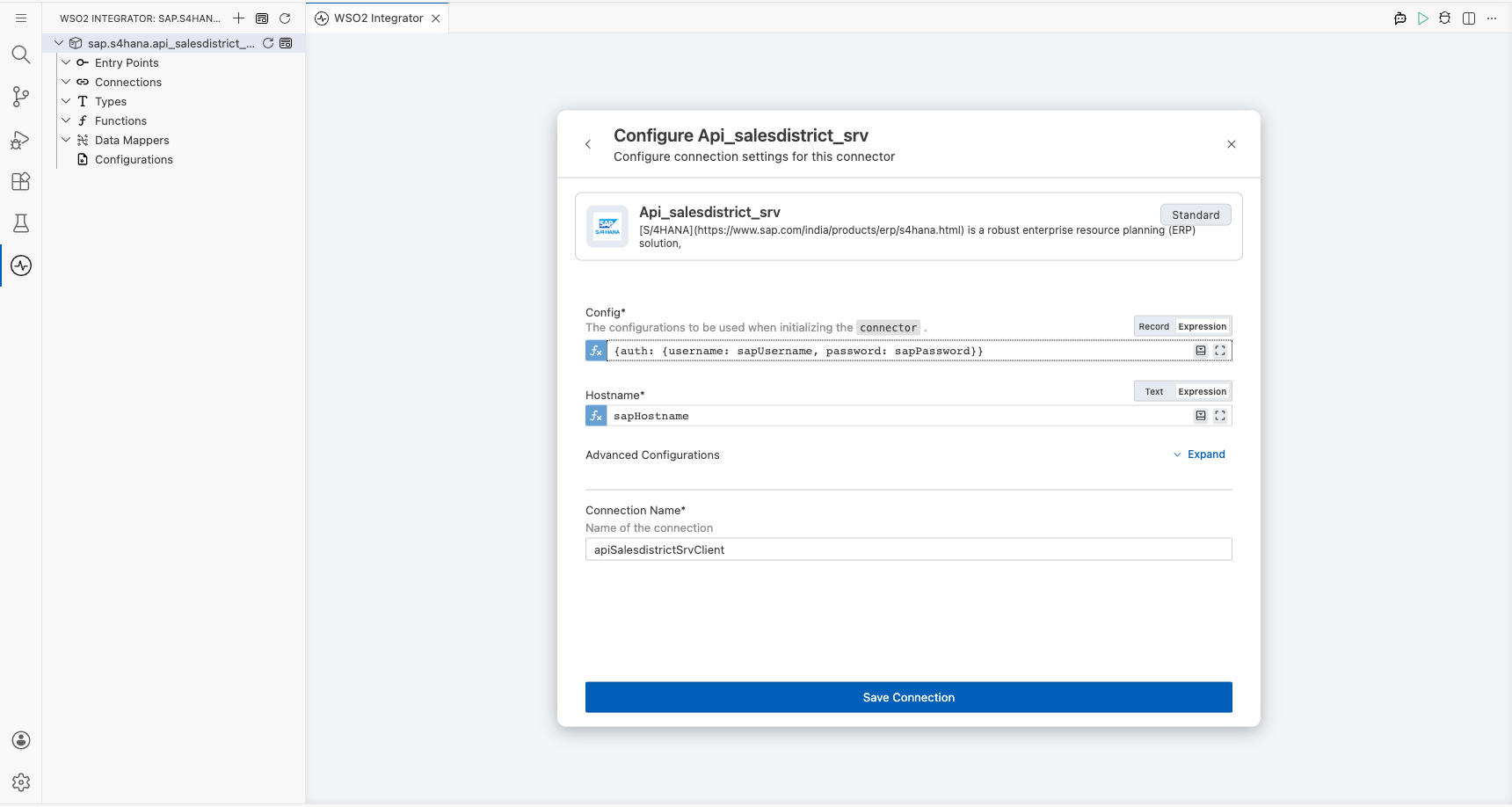
Enter the connection parameters using configurable variables to avoid hardcoding sensitive values:
- Config : Authentication object referencing
sapUsernameandsapPasswordconfigurable variables - Hostname : SAP S/4HANA server hostname, bound to the
sapHostnameconfigurable variable - Connection Name : Set to
apiSalesdistrictSrvClient
Step 4: Save the connection
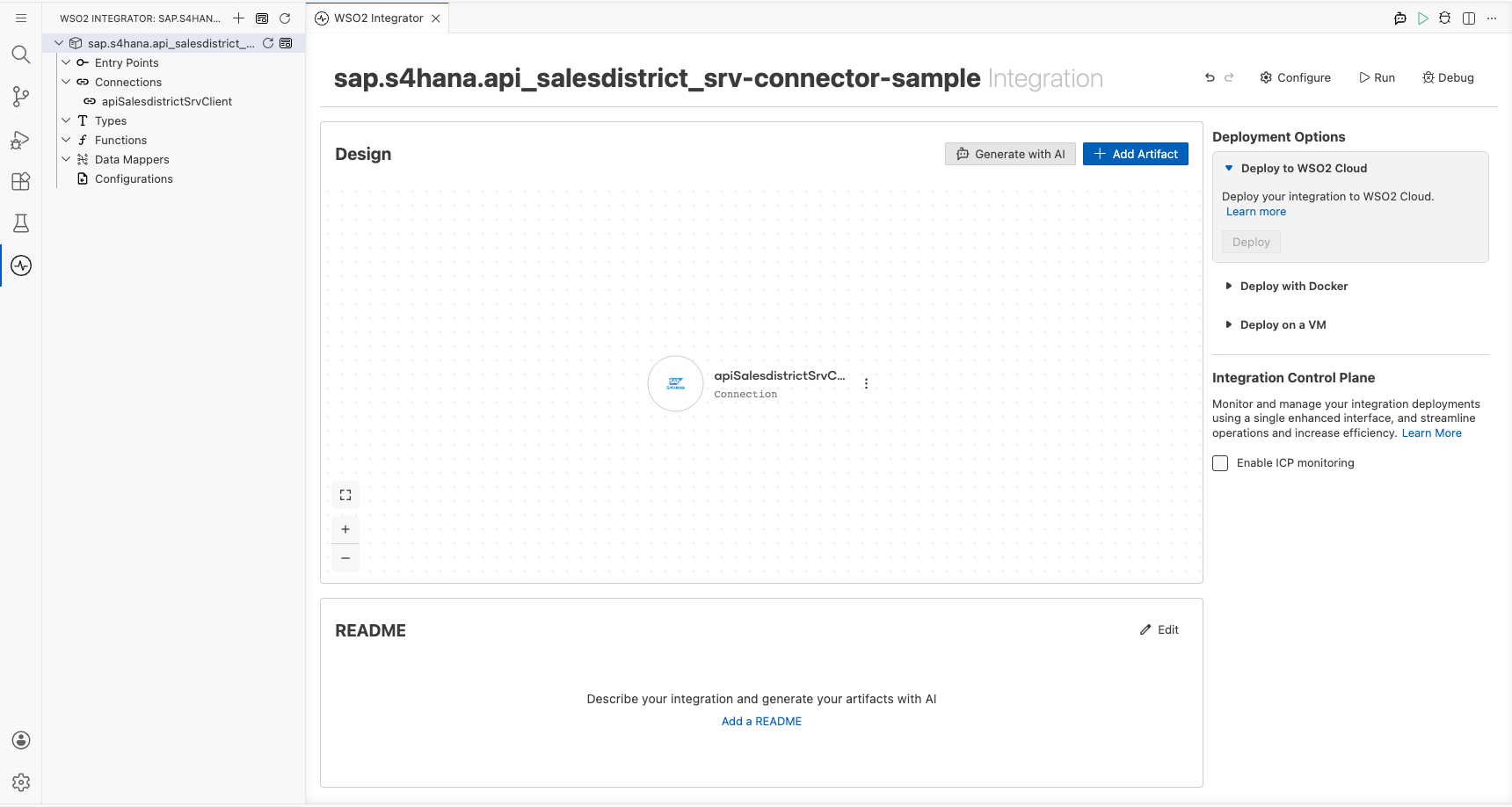
Select Save Connection to persist the connection. The connection apiSalesdistrictSrvClient now appears in the Connections panel and on the project canvas.
Step 5: Set actual values for your configurables
In the left panel, select Configurations. Set a value for each configurable listed below:
- sapHostname (string) : The hostname of your SAP S/4HANA server
- sapUsername (string) : The username for SAP authentication
- sapPassword (string) : The password for SAP authentication
Configuring the SAP S/4HANA sales district service API listA_SalesDistricts operation
Step 6: Add an automation entry point
Select Add Artifact on the project overview, then select Automation from the artifact types, and select Create to add the automation entry point. This creates a main function that serves as the entry point for your integration.
Step 7: Select and configure the listA_SalesDistricts operation
In the flow canvas, select the + button after the Start node to open the node panel. Expand apiSalesdistrictSrvClient under Connections to see available operations.
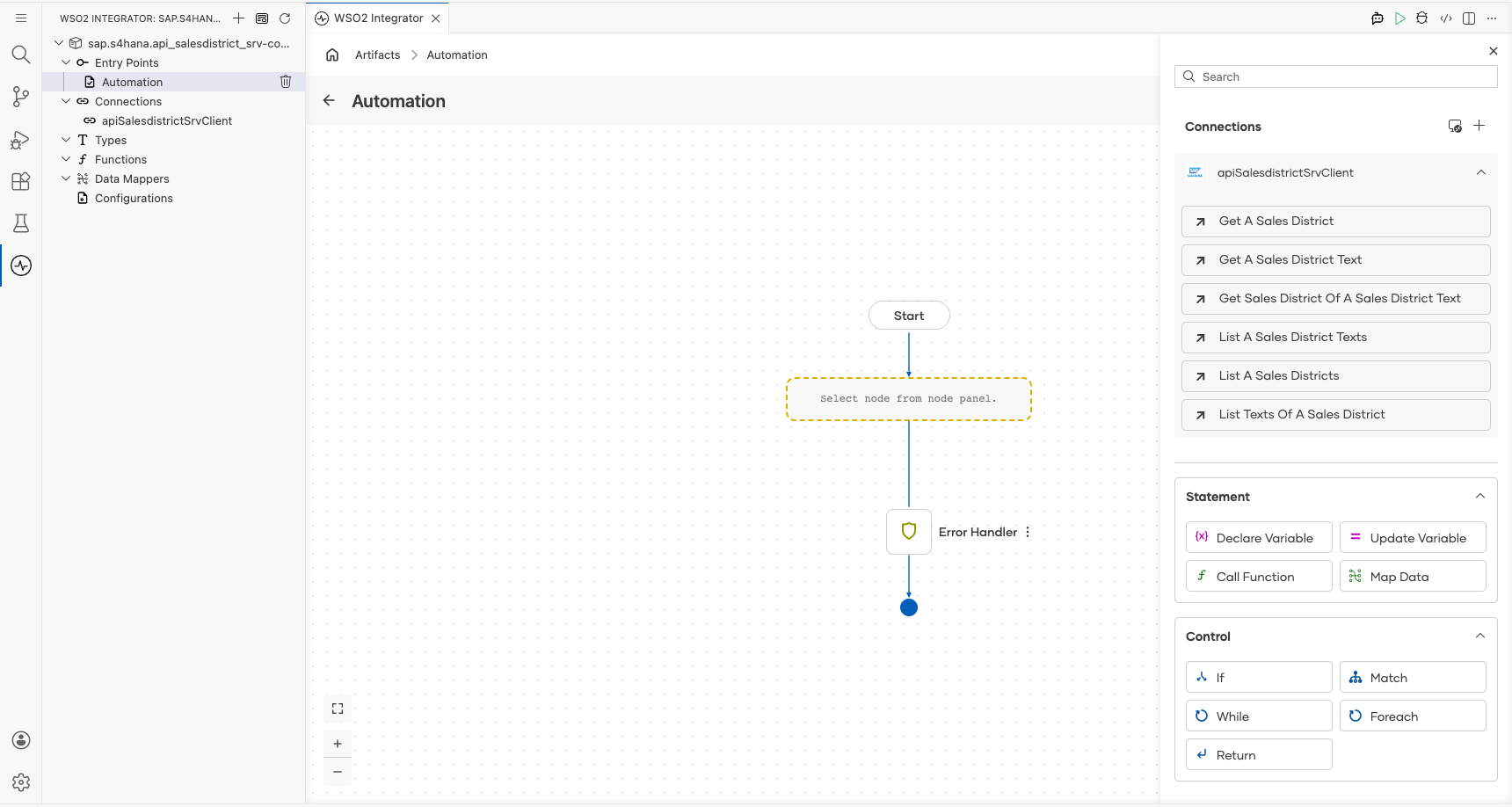
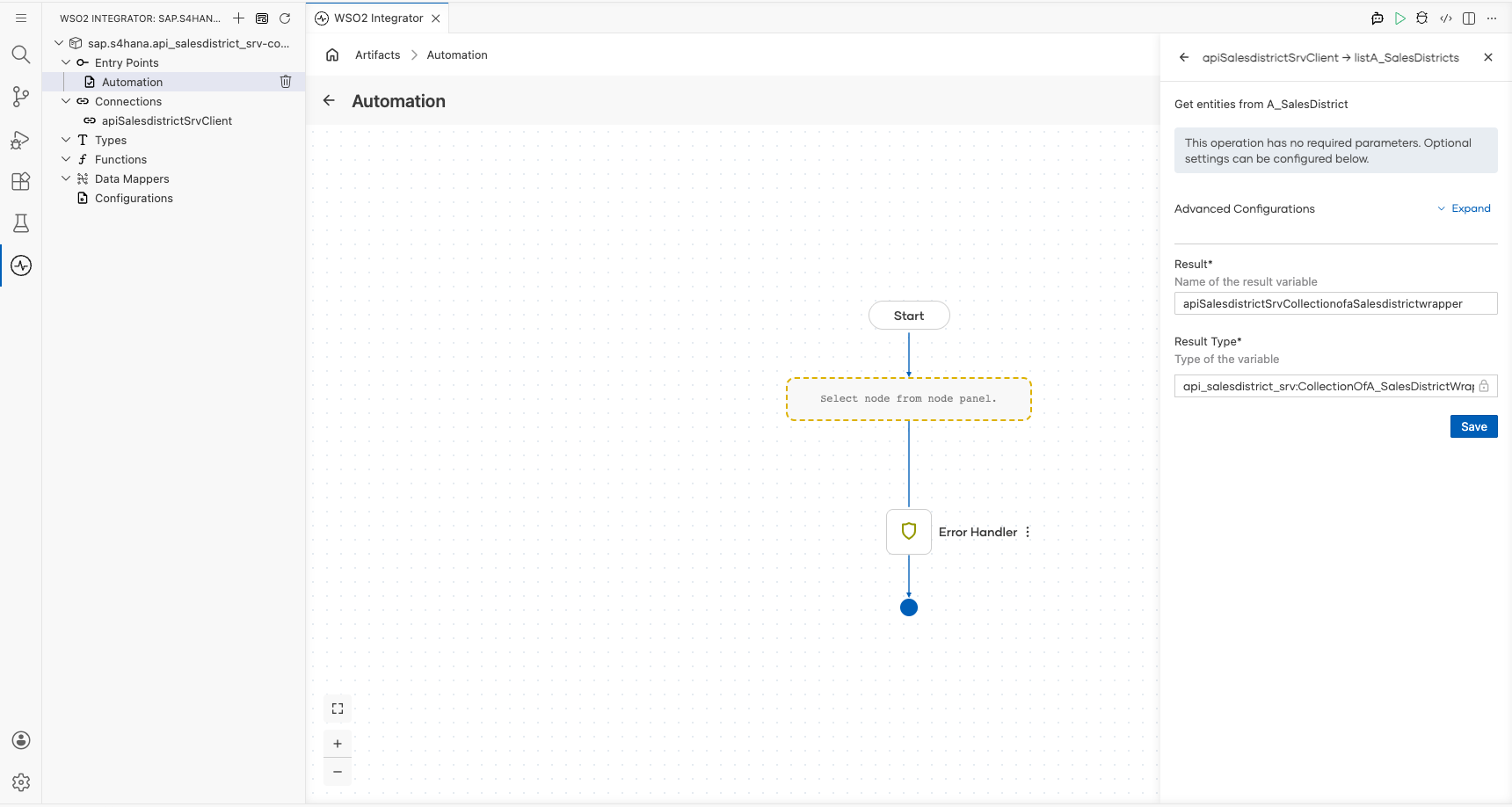
Select List A Sales Districts to add it to the flow. The operation requires no mandatory parameters; the result is stored in the variable apiSalesdistrictSrvCollectionofaSalesdistrictwrapper of type api_salesdistrict_srv:CollectionOfA_SalesDistrictWrapper. Select Save to confirm.
Try it yourself
Try this sample in WSO2 Integration Platform.
More code examples
The S/4 HANA Sales and Distribution Ballerina connectors provide practical examples illustrating usage in various scenarios. Explore these examples, covering use cases like accessing S/4HANA Sales Order (A2X) API.
-
Salesforce to S/4HANA Integration - Demonstrates leveraging the
sap.s4hana.api_sales_order_srv:Clientin Ballerina for S/4HANA API interactions. It specifically showcases how to respond to a Salesforce Opportunity Close Event by automatically generating a Sales Order in the S/4HANA SD module. -
Shopify to S/4HANA Integration - Details the integration process between Shopify, a leading e-commerce platform, and SAP S/4HANA, a comprehensive ERP system. The objective is to automate SAP sales order creation for new orders placed on Shopify, enhancing efficiency and accuracy in order management.