Example
What you'll build
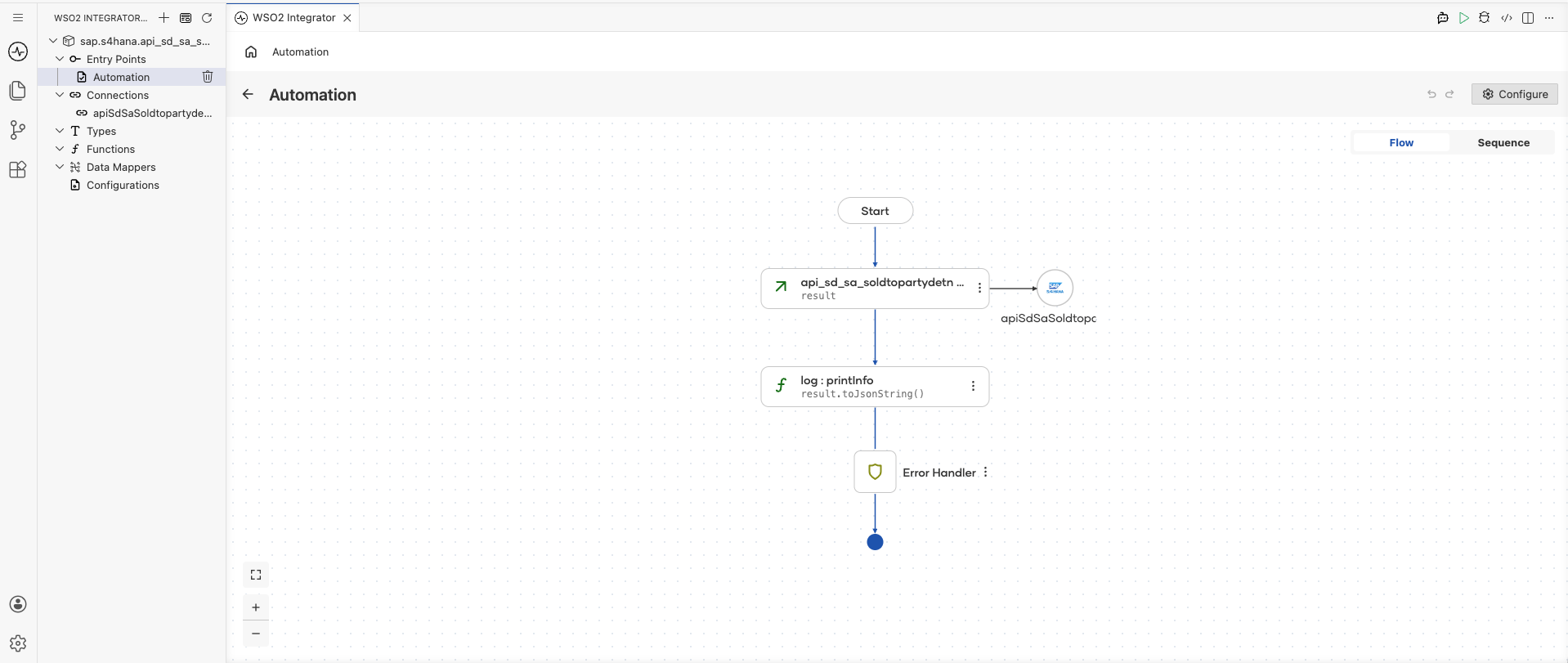
This integration connects to the SAP S/4HANA API for Delivery Schedule Sold-To-Party Determination and retrieves a list of delivery schedule sold-to-party determination records. The response is stored in the result variable for downstream processing.
Operations used:
- listA_DelivSchedSoldToPartyDetns : Retrieves a collection of delivery schedule sold-to-party determination records from an SAP S/4HANA system
Architecture
Prerequisites
- Access to an SAP S/4HANA system with OData API credentials
Setting up the SAP S/4HANA integration
New to WSO2 Integrator? Follow the Create a New Integration guide to set up your integration first, then return here to add the connector.
Adding the SAP S/4HANA connector
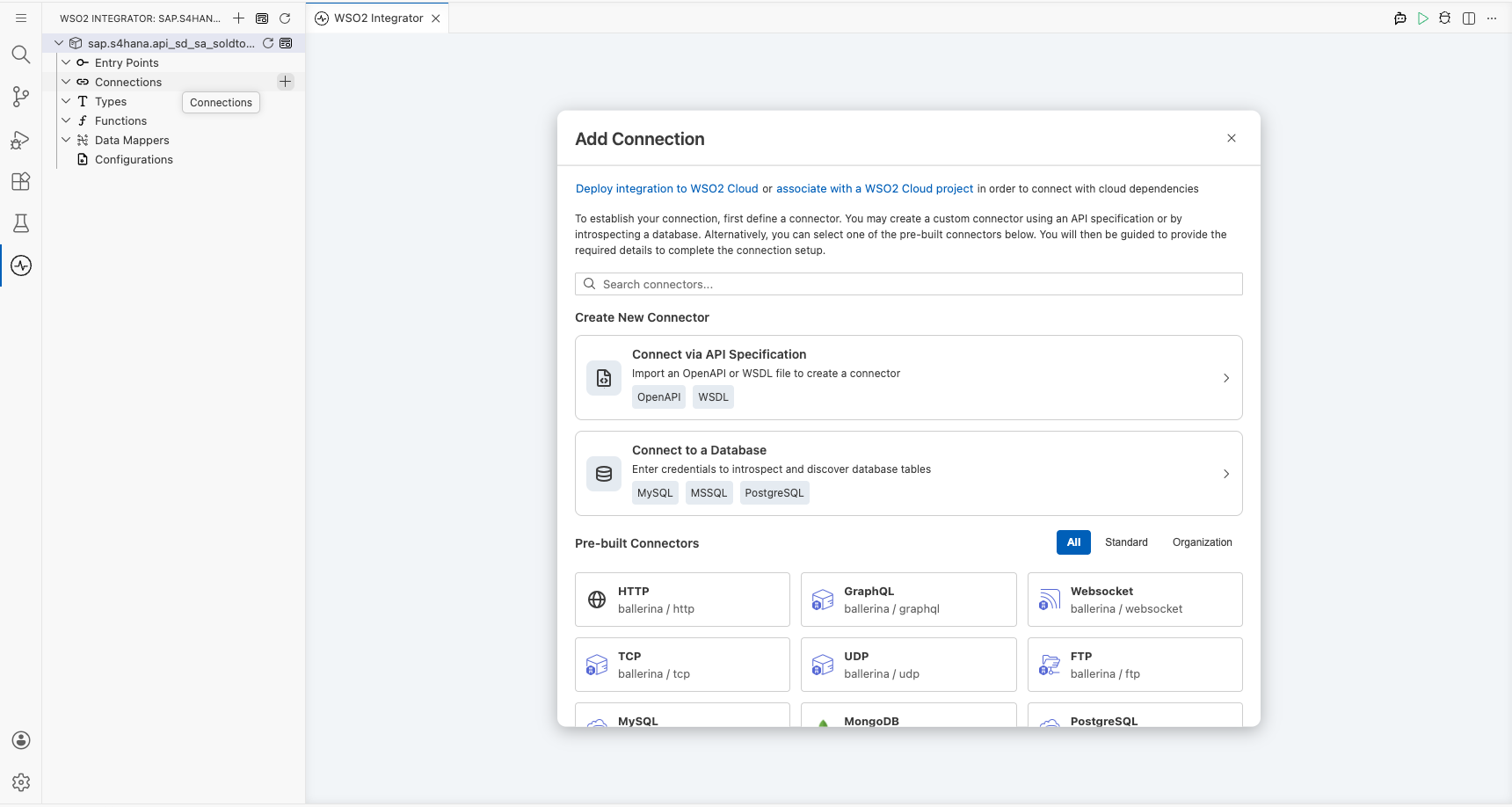
Step 1: Add the SAP S/4HANA connector from the palette
In the WSO2 Integrator sidebar, select Add Artifact, then select Connector from the artifact type list. Search for sap.s4hana.api_sd_sa_soldtopartydetn in the connector search palette and select the sap.s4hana.api_sd_sa_soldtopartydetn connector card to add it to your project.
Configuring the SAP S/4HANA connection
Step 2: Fill in the connection parameters
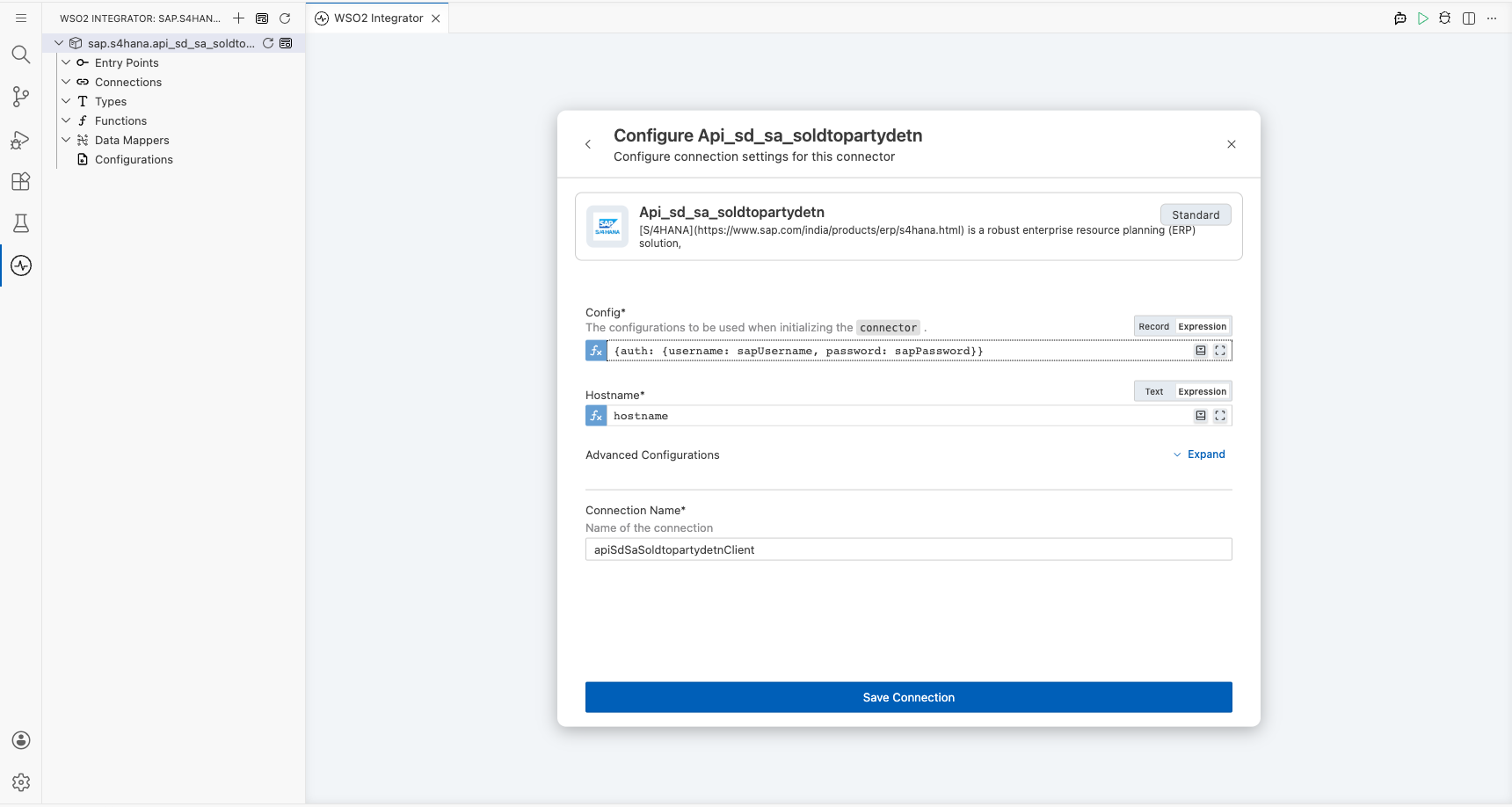
In the sidebar, expand Connections and select + Add Connection. Select the sap.s4hana.api_sd_sa_soldtopartydetn connector type and enter apiSdSaSoldtopartydetnClient as the connection name. Bind each field to a configurable variable as listed below:
- Config : Authentication object referencing the
sapUsernameandsapPasswordconfigurable variables - Hostname : SAP S/4HANA server hostname, bound to the
hostnameconfigurable variable
Step 3: Save the connection
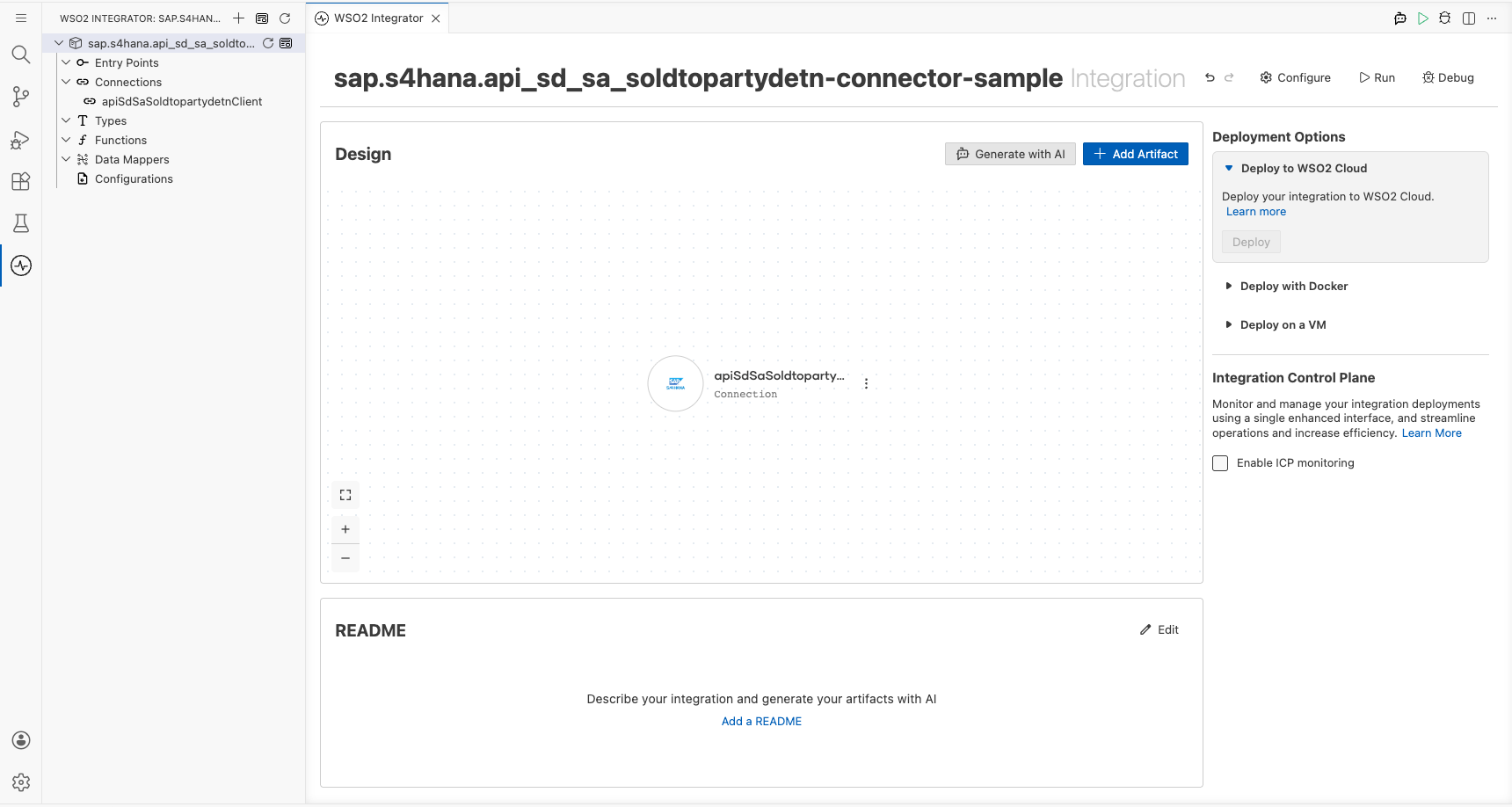
Select Save to persist the connection. The new connection apiSdSaSoldtopartydetnClient appears in the Connections panel.
Step 4: Set actual values for your configurables
In the left panel, select Configurations. Set a value for each configurable listed below:
- hostname (string) : SAP S/4HANA server hostname
- sapUsername (string) : SAP system username for authentication
- sapPassword (string) : SAP system password for authentication
Configuring the SAP S/4HANA listA_DelivSchedSoldToPartyDetns operation
Step 5: Add the automation entry point
Select Add Artifact, then select Automation from the artifact type list. Enter main as the automation name and select Create. The automation canvas opens showing the default flow with Start and Error Handler nodes.
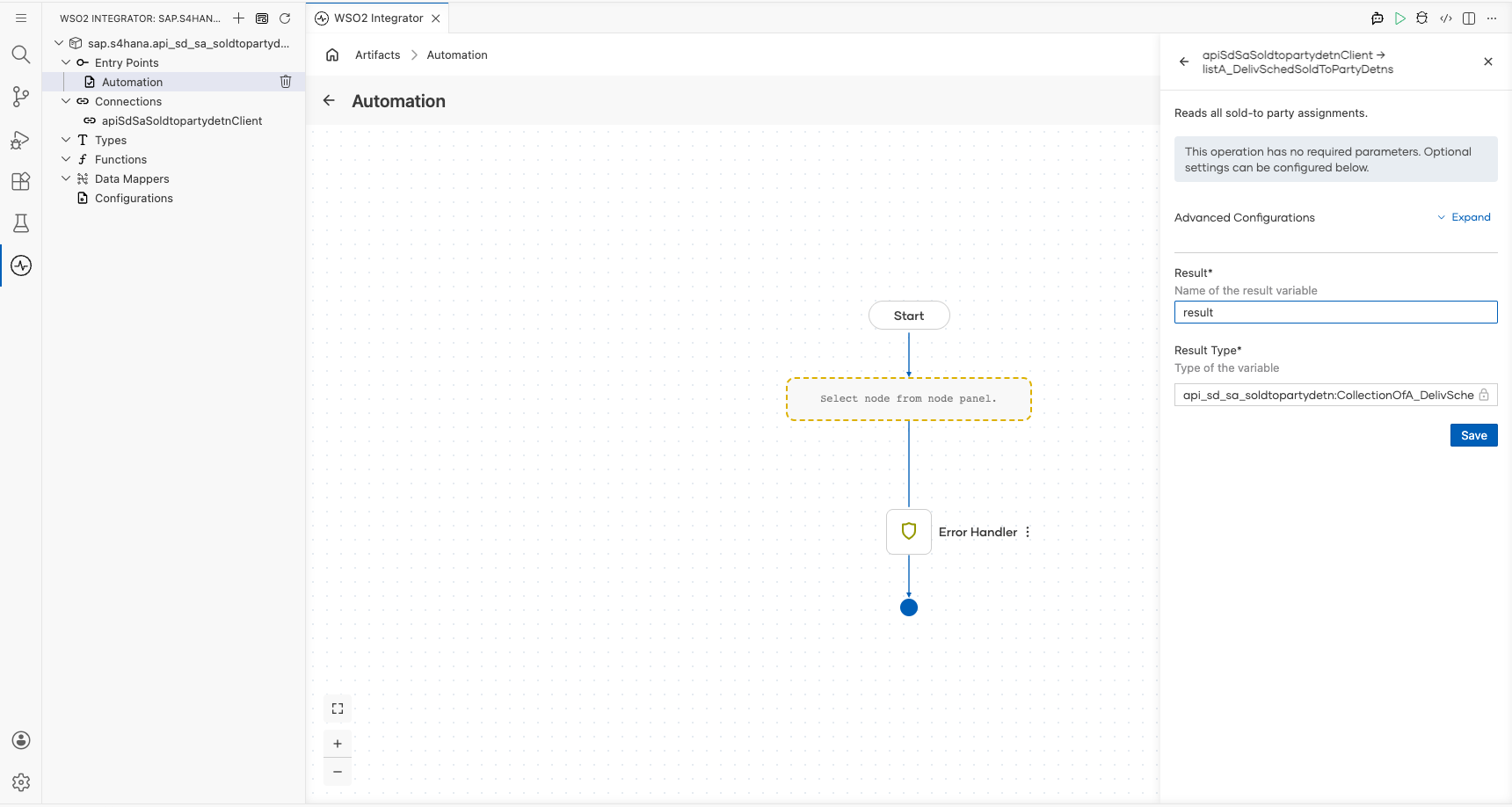
Step 6: Select and configure the listA_DelivSchedSoldToPartyDetns operation
On the automation canvas, select the + button between the Start node and the Error Handler. In the node panel, select Connectors, choose the api_sd_sa_soldtopartydetn connector, and expand the connection node to view available operations.
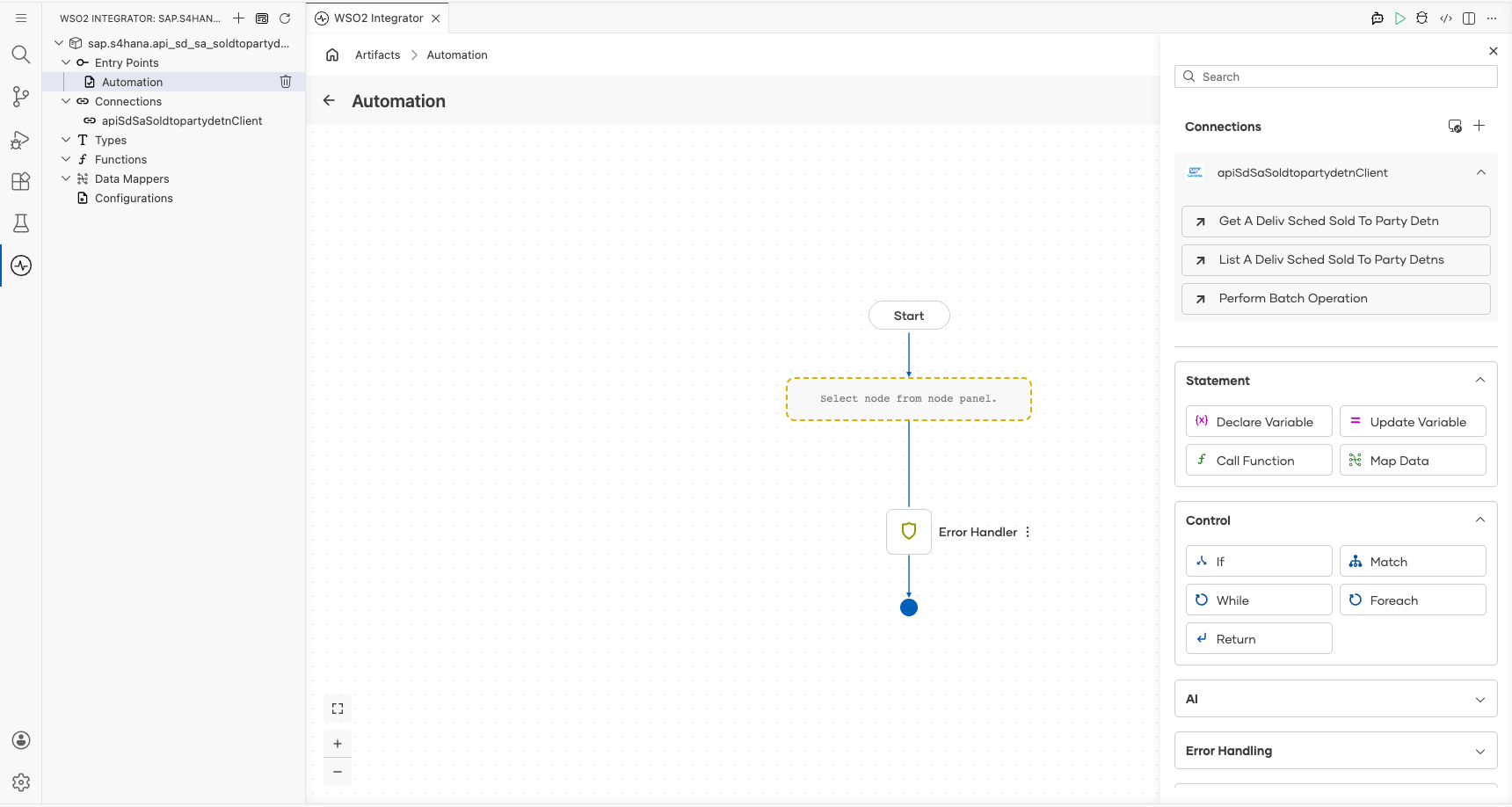
Select List A Deliv Sched Sold To Party Detns and configure the operation fields:
- Connection : Pre-selected as
apiSdSaSoldtopartydetnClient - Result Variable : Set to
result - Result Type : Auto-resolved as
api_sd_sa_soldtopartydetn:CollectionOfA_DelivSchedSoldToPartyDetnWrapper
Select Save to apply the configuration.
Try it yourself
Try this sample in WSO2 Integration Platform.
More code examples
The S/4 HANA Sales and Distribution Ballerina connectors provide practical examples illustrating usage in various scenarios. Explore these examples, covering use cases like accessing S/4HANA Sales Order (A2X) API.
-
Salesforce to S/4HANA Integration - Demonstrates leveraging the
sap.s4hana.api_sales_order_srv:Clientin Ballerina for S/4HANA API interactions. It specifically showcases how to respond to a Salesforce Opportunity Close Event by automatically generating a Sales Order in the S/4HANA SD module. -
Shopify to S/4HANA Integration - Details the integration process between Shopify, a leading e-commerce platform, and SAP S/4HANA, a comprehensive ERP system. The objective is to automate SAP sales order creation for new orders placed on Shopify, enhancing efficiency and accuracy in order management.