Setup Guide
This guide walks you through setting up your SAP S/4HANA system to allow API access by creating a Communication System and Communication Arrangement.
Prerequisites
- An active SAP S/4HANA Cloud instance or access to an SAP system with OData APIs enabled. If you do not have one, contact your SAP administrator or explore SAP trial options.
Step 1: Log in to your S/4HANA dashboard
- Sign in to your S/4HANA dashboard using your administrator credentials.
Step 2: Create a communication system
-
Under the Communication Management section, select Display Communications Scenario.
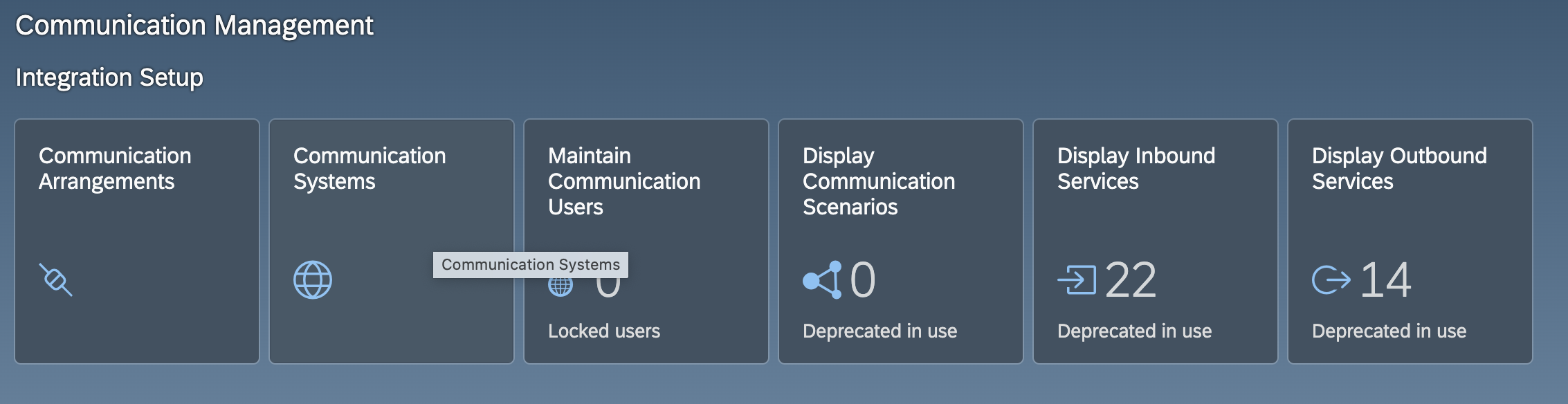
-
In the top-right corner of the screen, select New.
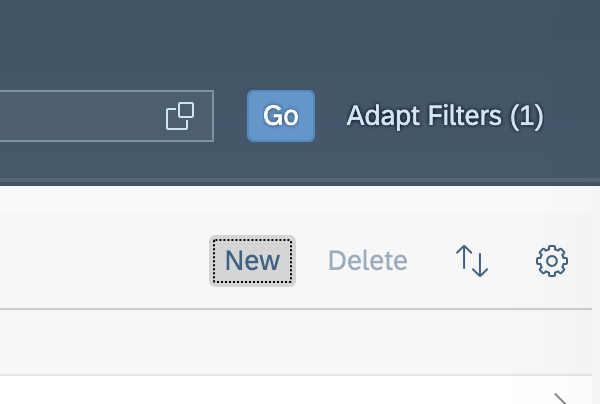
-
Enter a System ID for the new communication system.
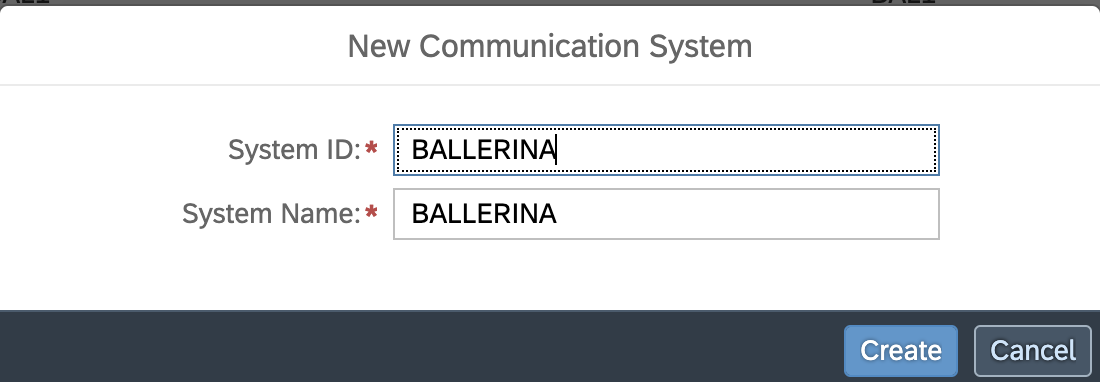
-
Set the Hostname to your S/4HANA hostname.
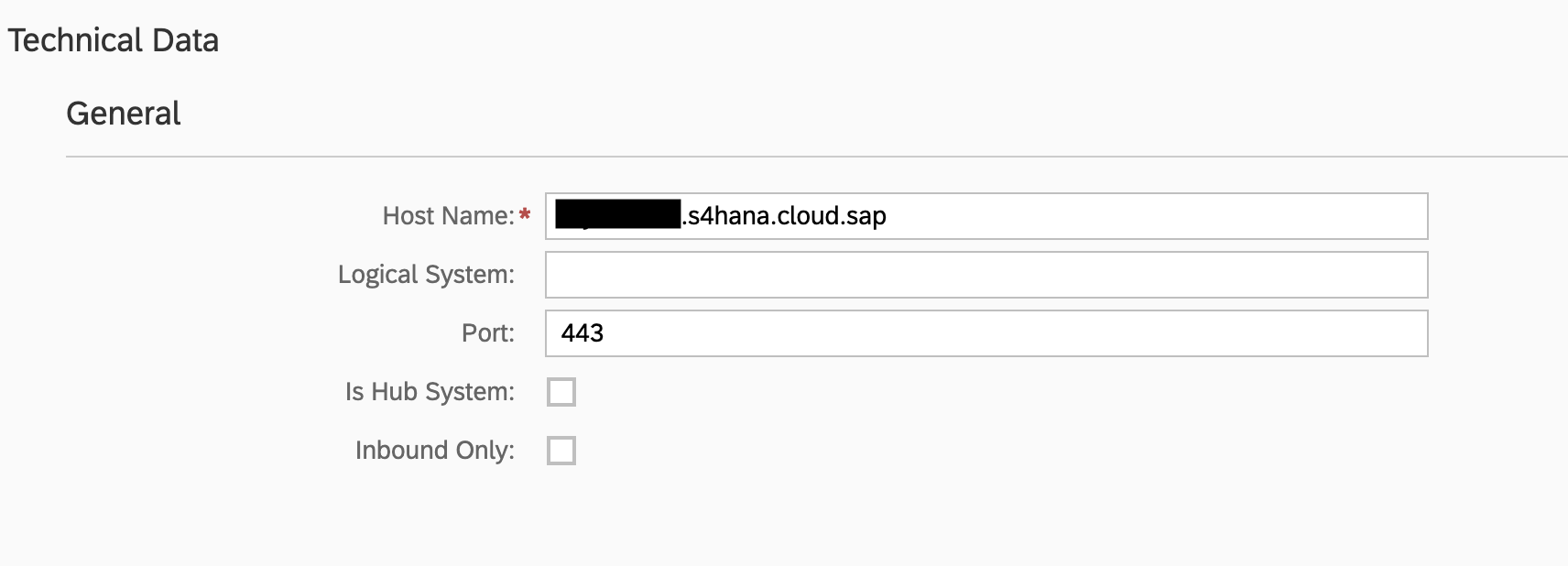
-
Under Users for Inbound Communication, select + to add a user.

-
Select the Authentication Method (for example, User ID and Password) and choose or create a Communication User.
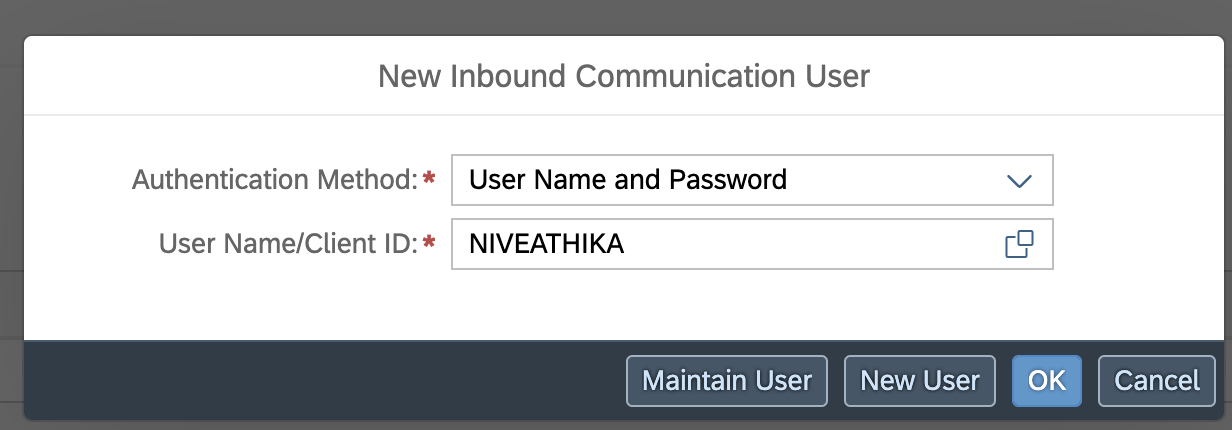
-
Select Save.
Record the Communication User credentials (username and password) — you will need them to configure the Ballerina client.
Step 3: Create a communication arrangement
-
Under the Communication Management section, select Display Communications Scenario.
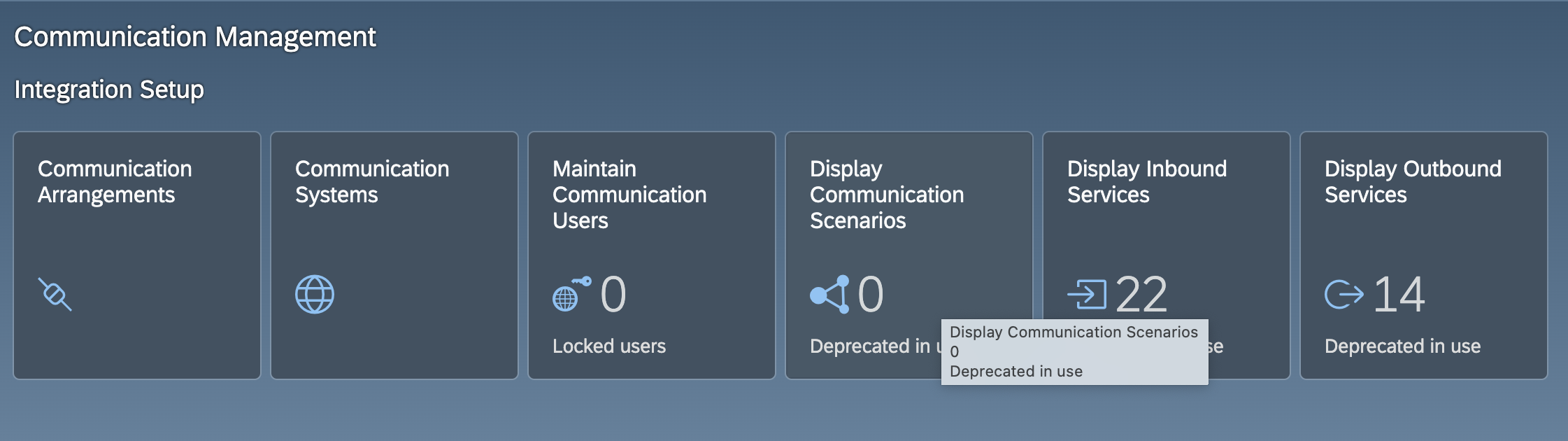
-
In the search bar, type the name of the API scenario you want to use (for example,
Sales Order Integration) and select the corresponding scenario from the results.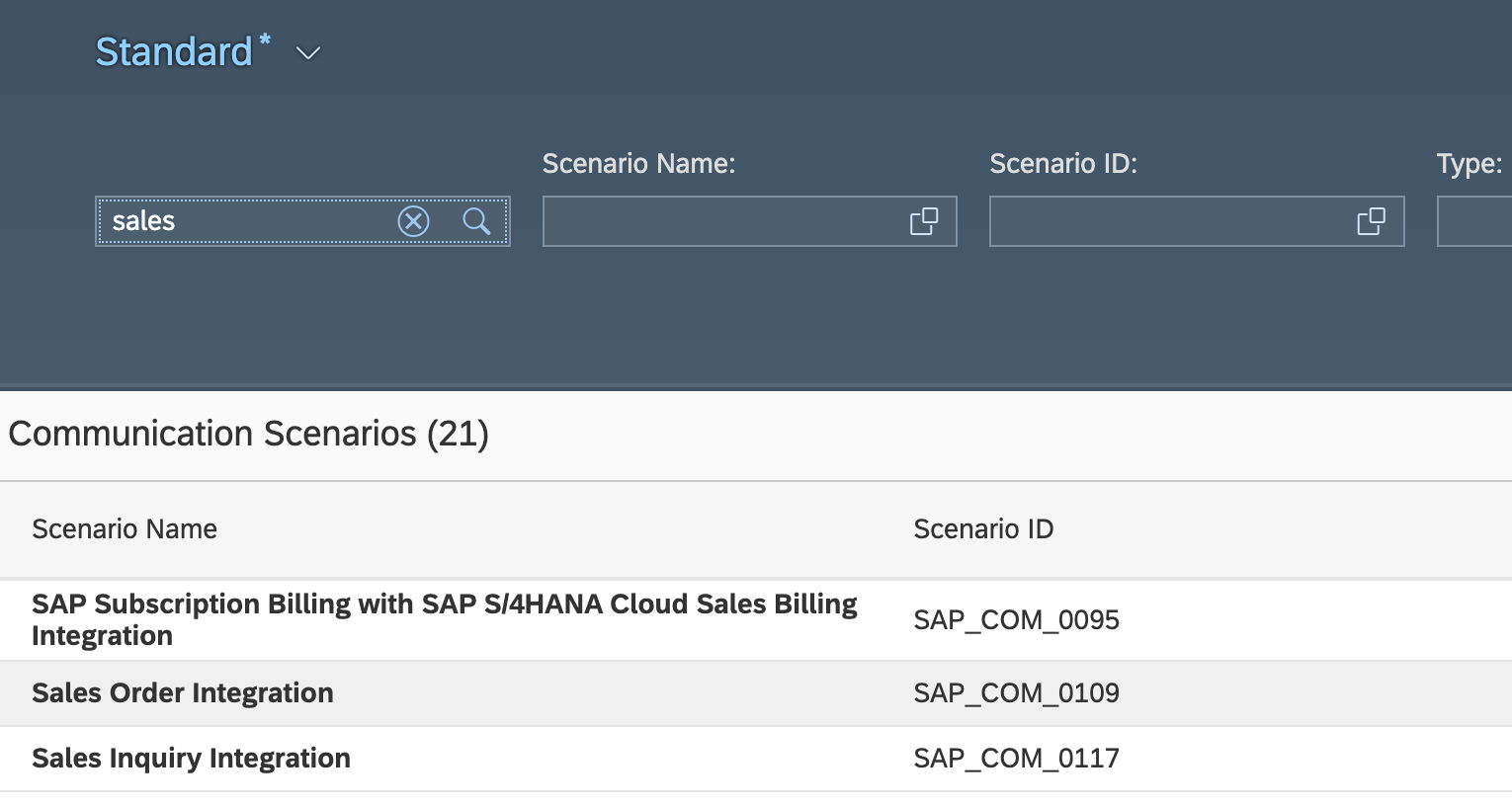
-
In the top-right corner of the screen, select Create Communication Arrangement.
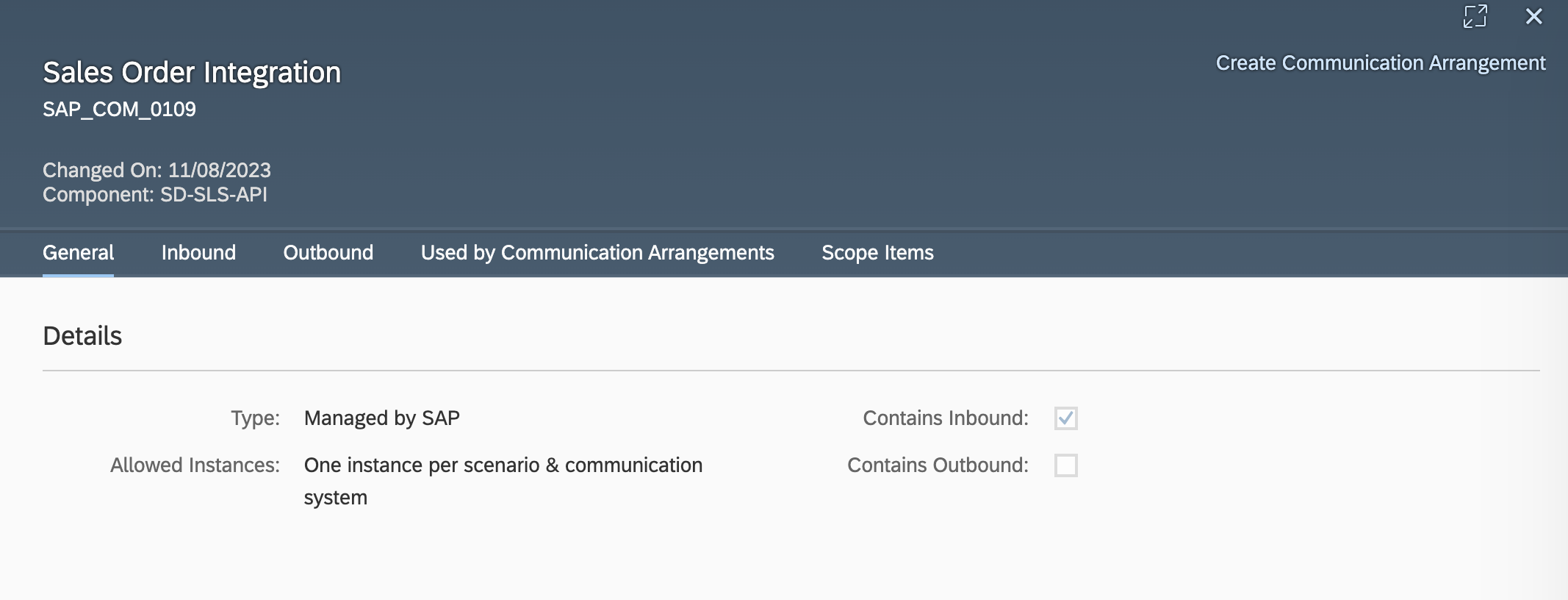
-
Enter a unique name for the arrangement.
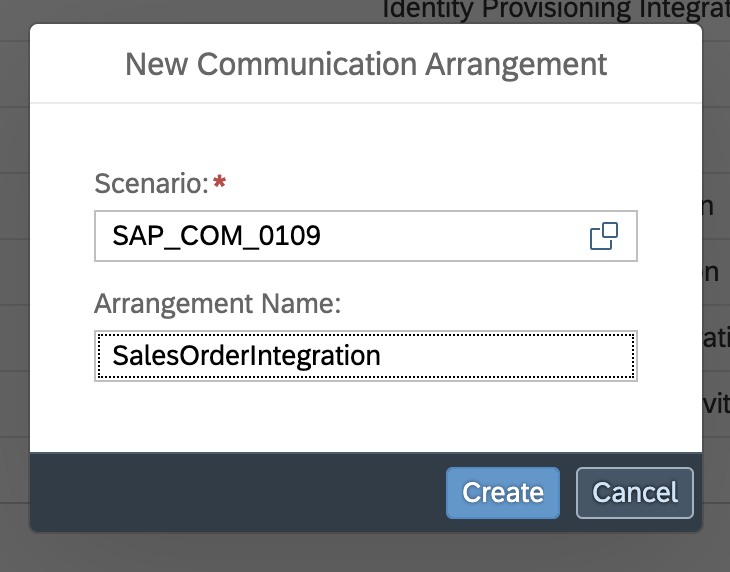
-
Choose the Communication System you created in the previous step from the dropdown menu and save your arrangement.
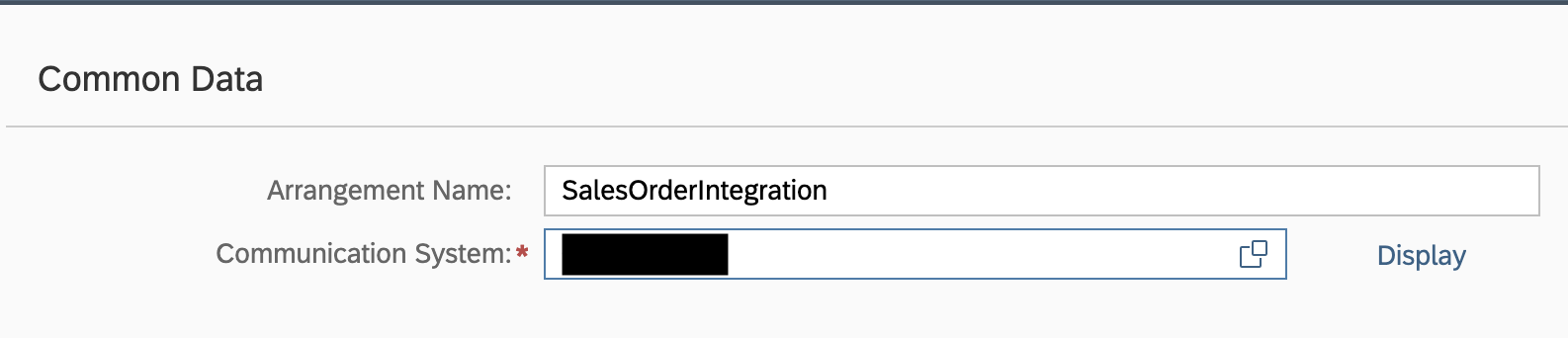
-
Select Save. The hostname (
<unique-id>-api.s4hana.cloud.sap) is displayed in the top-right corner of the screen.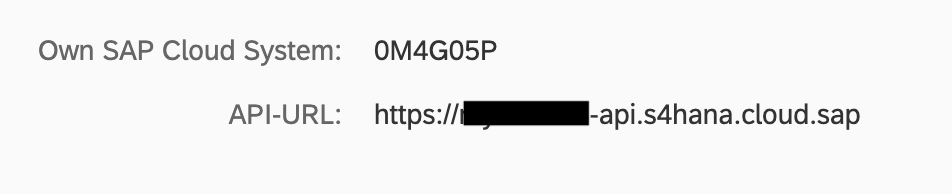
Step 4: Obtain the API hostname
After saving the Communication Arrangement, the API hostname is displayed in the top-right corner of the screen. It follows the format:
<unique-id>-api.s4hana.cloud.sap
Copy this hostname — you will use it as the base URL when configuring your connector.
The full API endpoint URL is typically constructed as https://<hostname>/sap/opu/odata/sap/<SERVICE_NAME> for OData V2 services or the appropriate path for your target API.
What's next
- Action reference: Available operations