Setup Guide
This guide walks you through creating a PayPal sandbox business account and obtaining the API credentials required to use the PayPal Orders connector.
Prerequisites
- A PayPal Developer account. If you do not have one, sign up at developer.paypal.com.
Step 1: Create a sandbox business account
-
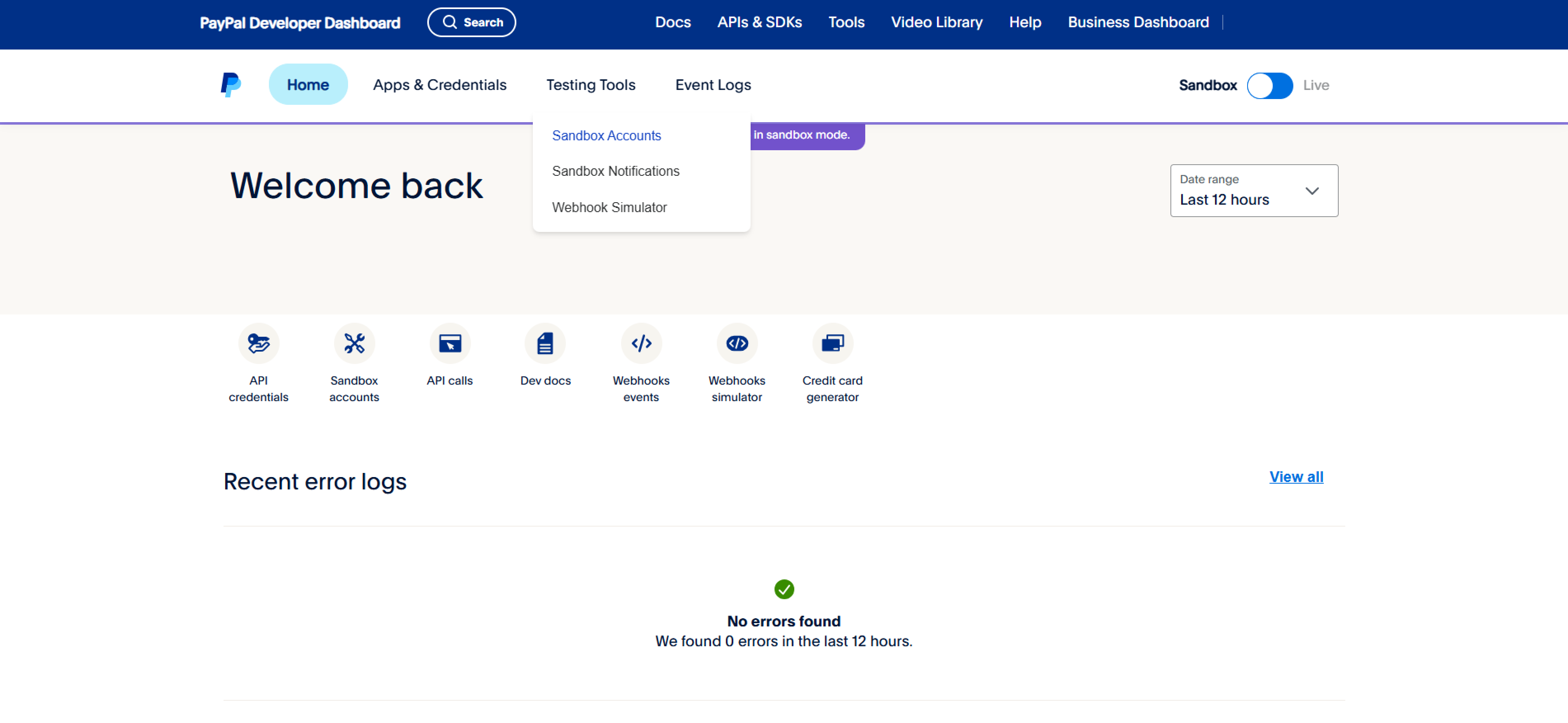
Open the PayPal Developer Dashboard.
-
Under Testing Tools, select Sandbox Accounts.
-
Select Create account and choose Business as the account type.
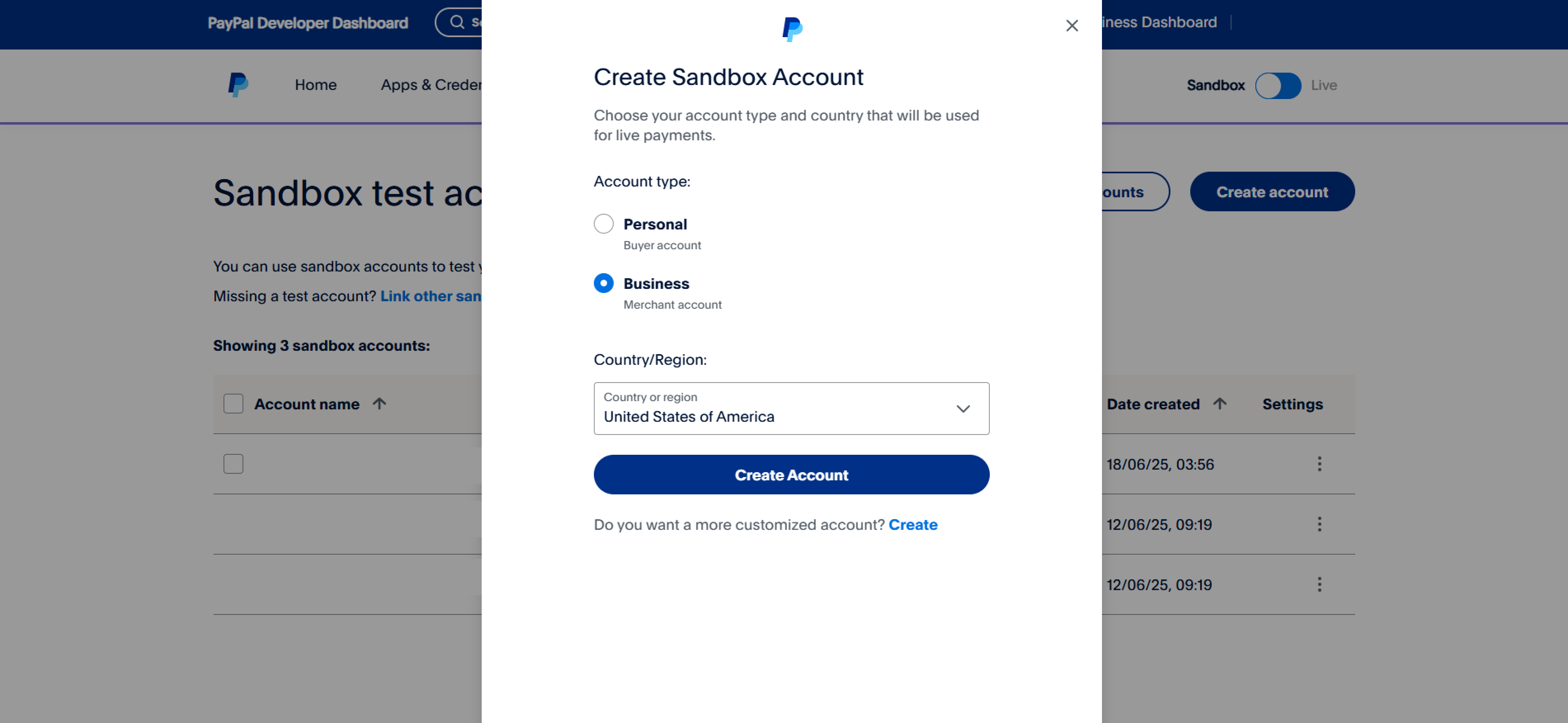
Some PayPal options and features may vary by region or country — check availability before creating an account.
Step 2: Create a REST API app
-
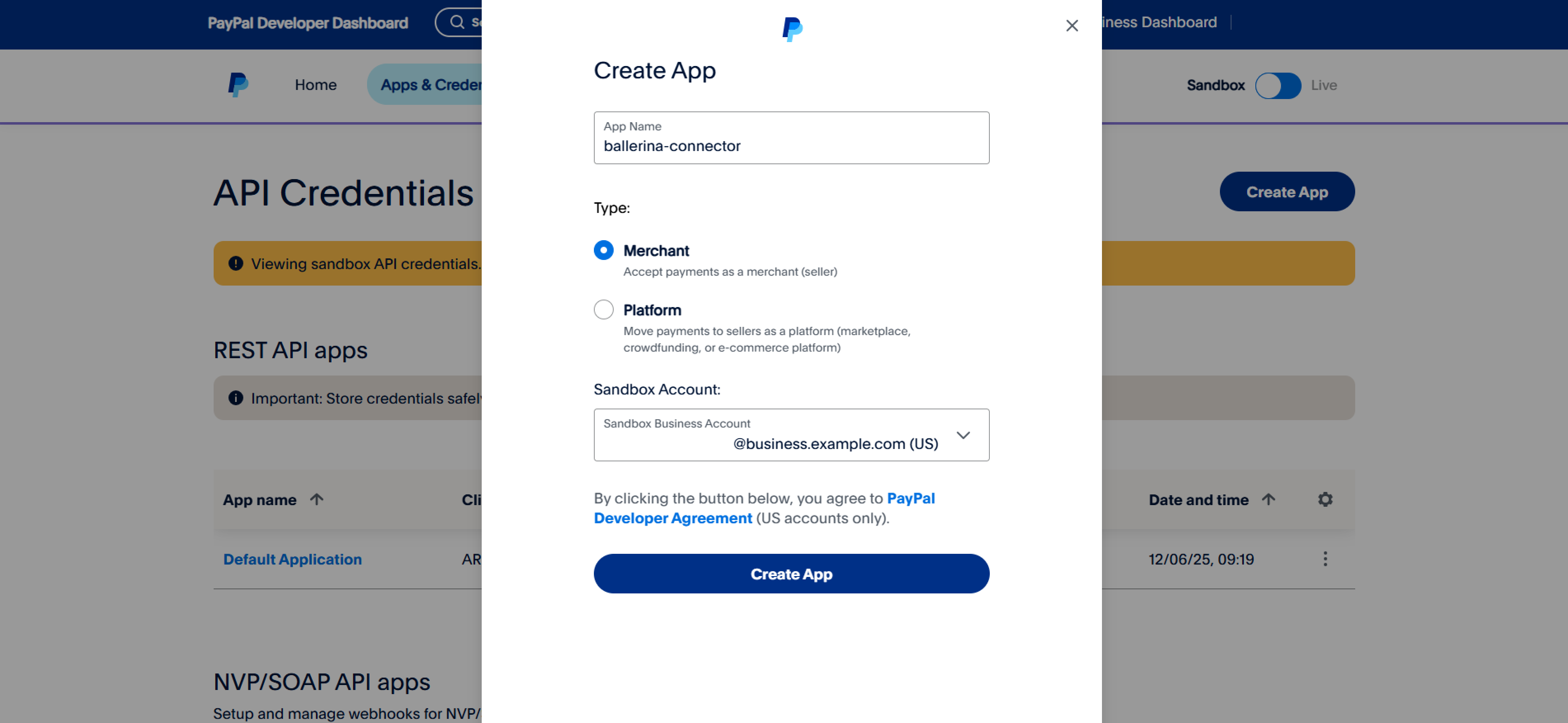
Navigate to the Apps & Credentials tab.
-
Select Create App, provide a name, and select the sandbox business account you created.
Step 3: Get the client ID and client secret
After creating the app, copy the Client ID and Client Secret displayed on the app details page.
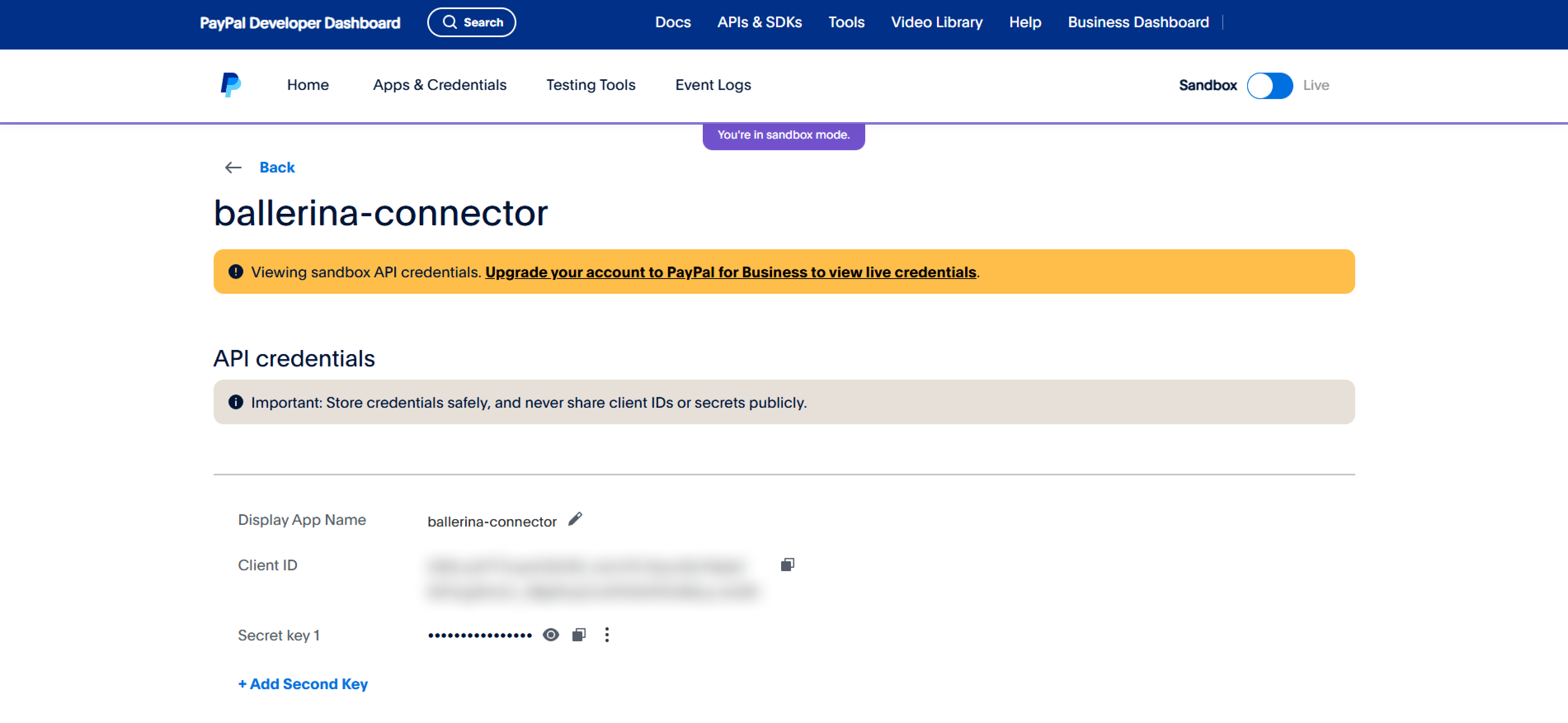
Store the Client ID and Client Secret securely. Do not commit them to source control. Use Ballerina's configurable feature and a Config.toml file to supply them at runtime.
What's next
- Action reference: Available operations