Setup Guide
This guide walks you through creating an Azure Service Bus namespace and obtaining the connection string required to use the ASB connector.
Prerequisites
- An active Microsoft Azure account. If you do not have one, sign up for a free Azure account.
Step 1: Create an Azure Service Bus namespace
-
Sign in to the Azure portal.
-
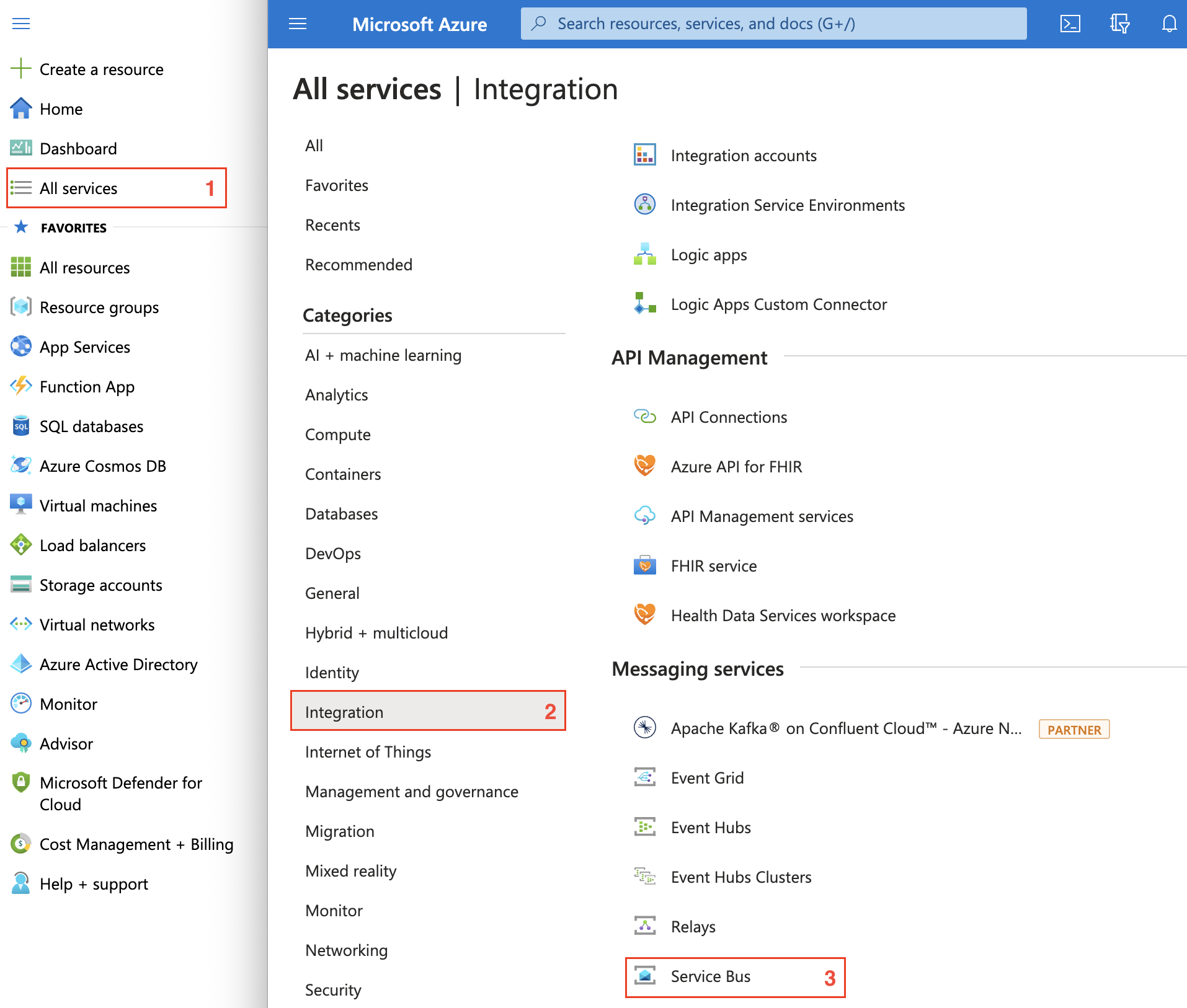
In the left navigation pane, select All services > Integration > Service Bus, then select Create on the Service Bus tile.
-
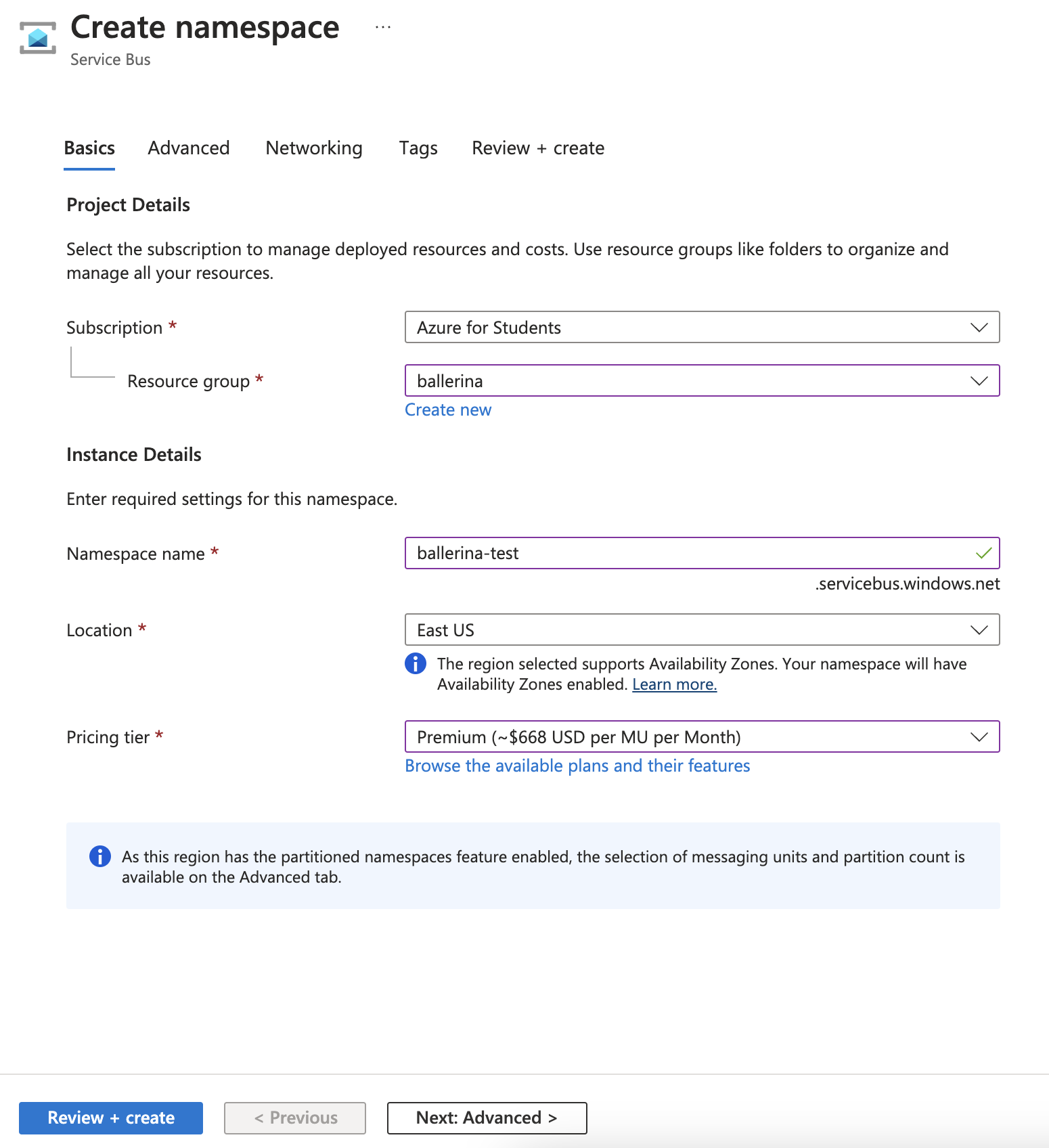
On the Create namespace page, fill in the following fields:
- Subscription: Select your Azure subscription.
- Resource group: Select an existing resource group or create a new one.
- Namespace name: Enter a globally unique name. The name must be 6–50 characters, contain only letters, numbers, and hyphens, start with a letter, and end with a letter or number.
- Location: Choose the region closest to you.
- Pricing tier: Select Standard or Premium. Standard supports topics and subscriptions; Basic supports queues only.
noteFor topics and subscriptions, select Standard or Premium. The Basic tier supports queues only. The Premium tier provides resource isolation via messaging units (1, 2, 4, 8, or 16 per namespace).
-
Select Review + create, review the settings, then select Create.
Step 2: Create a queue or topic
To create a queue:
- In your Service Bus namespace, select Queues from the left menu and select + Queue.
- Enter a Name (for example,
my-queue), configure optional settings, and select Create.
To create a topic with a subscription:
- Select Topics from the left menu and select + Topic.
- Enter a Name (for example,
my-topic) and select Create. - Open the topic, select + Subscription, enter a Name (for example,
my-subscription), and select Create.
Step 3: Get the connection string
-
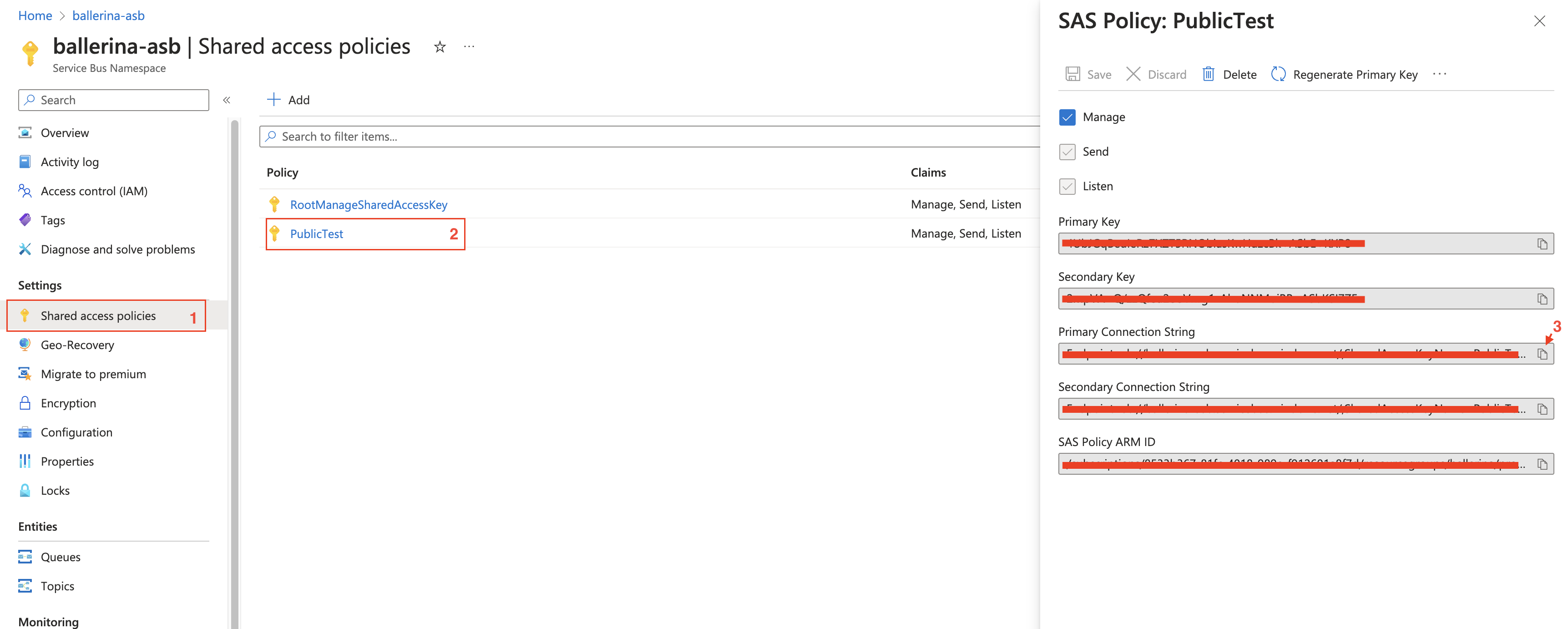
In your Service Bus namespace, select Shared access policies under Settings.
-
Select the RootManageSharedAccessKey policy (or create a custom policy with only the required claims).
-
Copy the Primary Connection String.
The connection string has the following format:
Endpoint=sb://<namespace>.servicebus.windows.net/;SharedAccessKeyName=RootManageSharedAccessKey;SharedAccessKey=<key>
Store the connection string securely. Do not commit it to source control. Use Ballerina's configurable feature and a Config.toml file to supply it at runtime.
What's next
- Action Reference: start sending and receiving messages
- Trigger Reference: set up event-driven message consumption
- Example: complete worked examples for sender, receiver, and trigger