Setup Guide
This guide walks you through obtaining a Trello API key and token required to use the Trello connector.
Prerequisites
- An active Trello account. If you do not have one, sign up for free.
Step 1: Create a Power-Up in the admin portal
-
Log in to your Trello account.
-
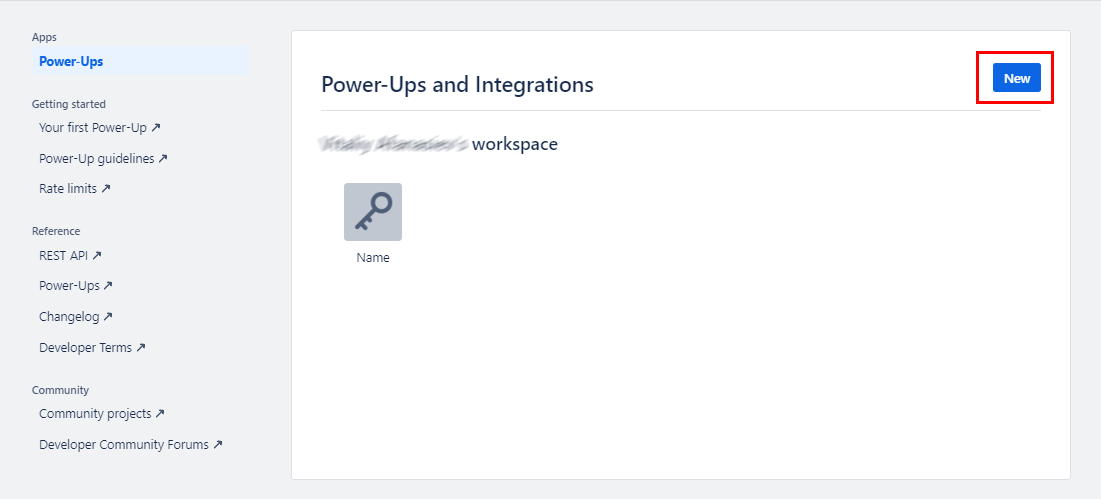
Navigate to the Trello Power-Ups admin portal.
-
Select New to create a new Power-Up.
-
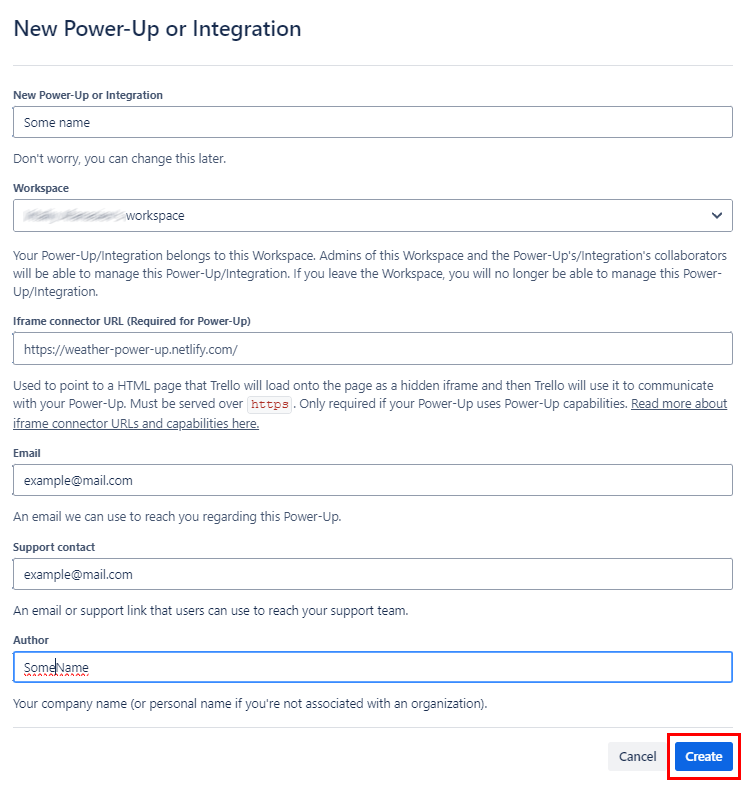
Fill in the required fields (name, workspace, and a placeholder iframe connector URL) and select Create.
Step 2: Generate an API key
-
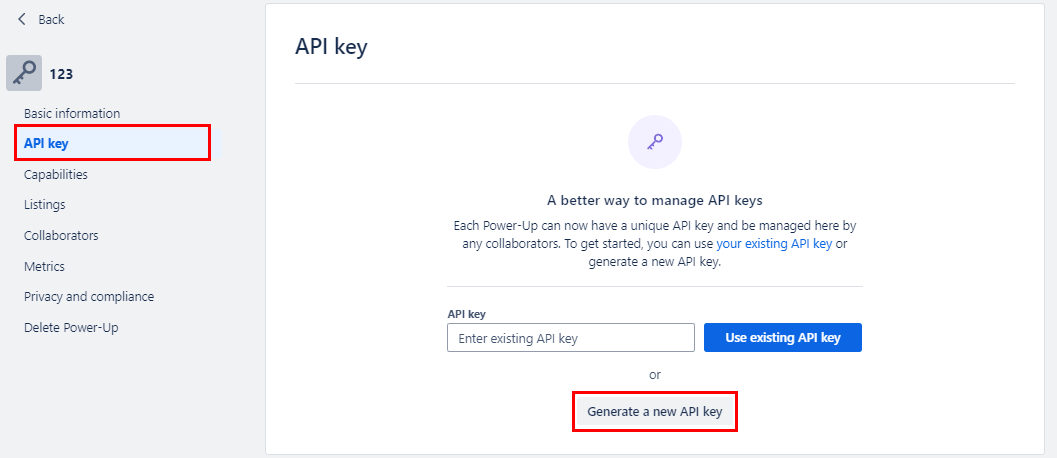
After creation, select the Power-Up name to open its settings.
-
Select the API Key tab.
-
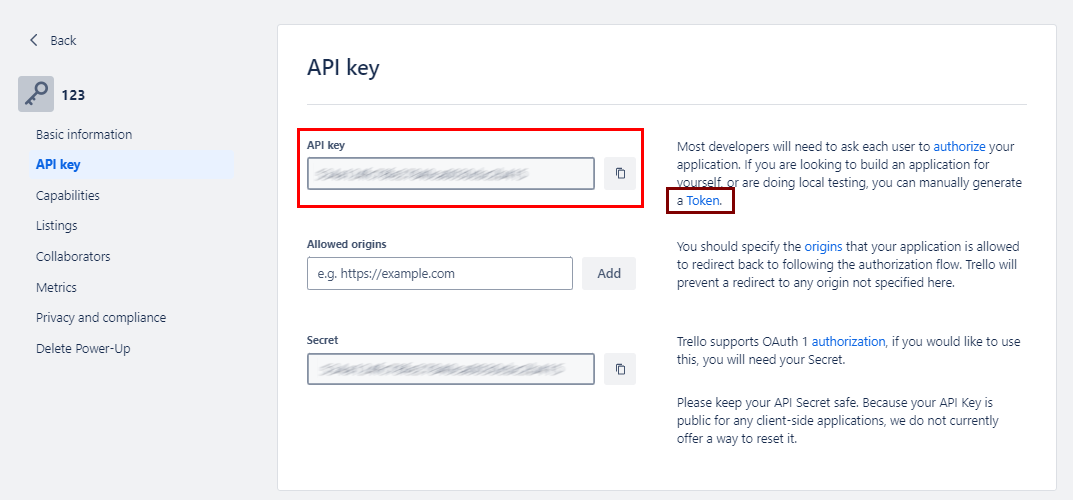
Select Generate a new API Key and copy the displayed API Key.
If you previously generated a key at trello.com/app-key, that flow has been replaced by the Power-Up Admin portal.
Step 3: Generate an API token
-
On the same API Key page, select the Token link next to your API key.
-
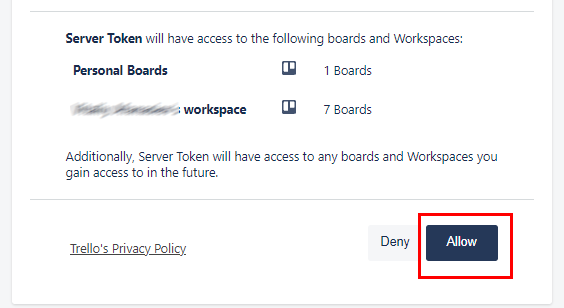
Review the permissions requested and select Allow.
-
Copy the generated Token.
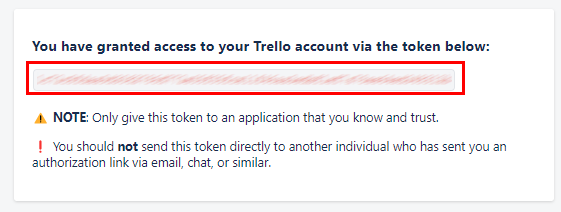
Store the API Key and Token securely. Do not commit them to source control. Use Ballerina's configurable feature and a Config.toml file to supply them at runtime.
The token grants access to your Trello account. Treat it like a password and revoke it if compromised.
What's next
- Action reference: Available operations